



Table of Contents Show
Nuendo 10 is in fact the tenth version of the audio post-production software. The offset to the Cubase version numbers is due to the fact that Cubase has always had a .0 and a paid .5 release, but Nuendo only appeared once as a .5 version with version 6.5. Apparently, user feedback was responsible for the fact that the .5 versions of Nuendo were abolished and it now appears with the correct version number.
Doppler effect
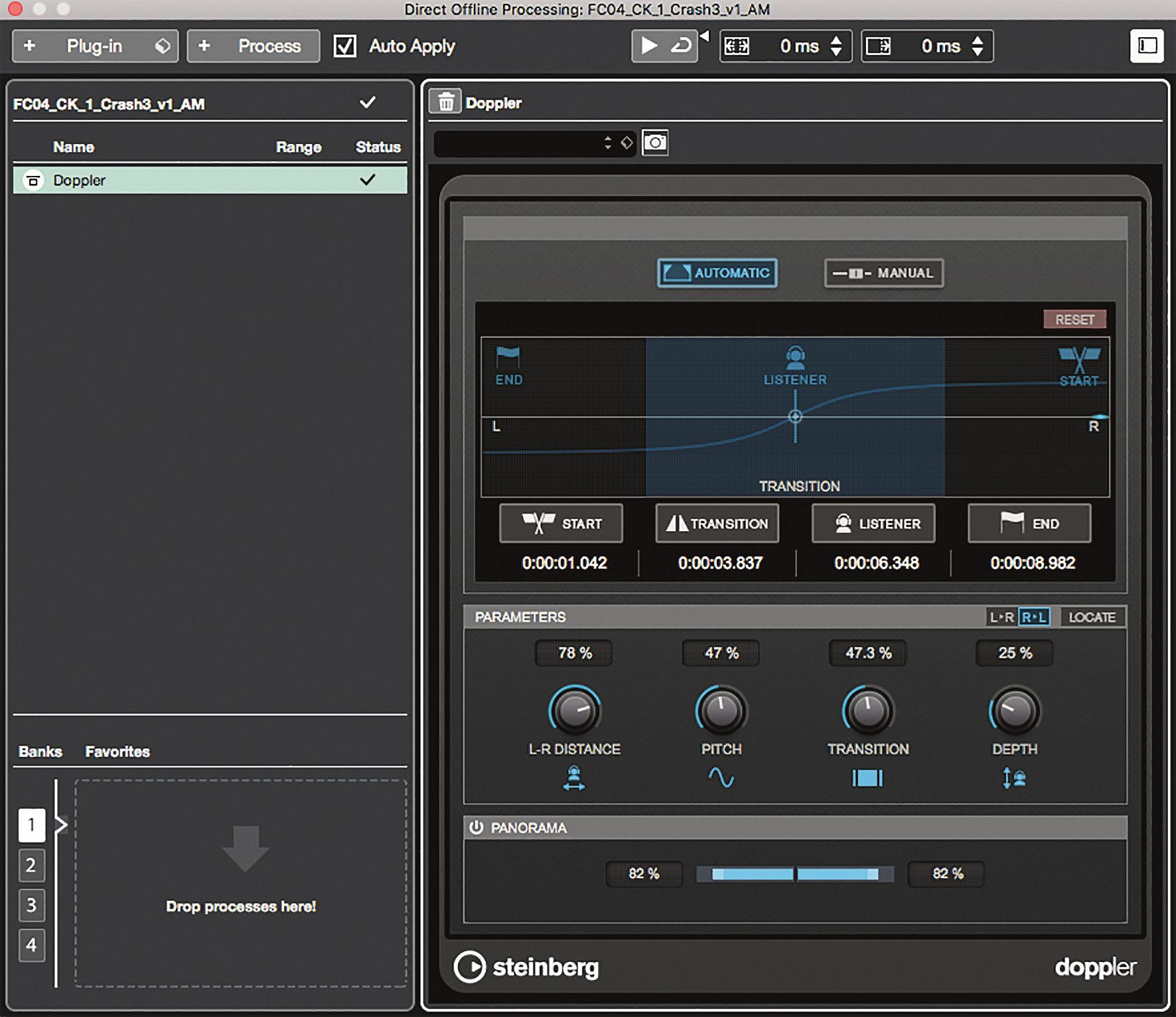
The new effects Doppler Effect, Voice Designer, Distroyer and the revised Channel Strip are ideal for use in a post-production context. The Doppler effect simulates the shifting of the pitch of audio objects that move towards or away from the listener. We are all familiar with this effect from everyday life, for example when an ambulance drives past you quickly.
Nuendo’s Doppler effect plug-in offers an automatic and a manual mode, which quickly and clearly achieve acoustically convincing results with a manageable number of parameters. In manual and automatic mode, the parameters L-R Distance, Pitch, Transition and Depth are available. In manual mode, the progression of the effect is simply controlled by hand via a fader running from left to right directly to the current image. In automatic mode, the start, transition and end points of the Doppler effect are defined and the rest is done automatically. Convincing results are quickly achieved with both modes, which can be adjusted using two additional panorama sliders in the stereo image.

Voice Designer
Steinberg has added the Voice Designer to Nuendo 10 for distorting voices and other audio signals. The design of the user interface and the adjustment of the parameter values for the pitch shifter, format shift, morph generator, frequency modulation, robot module and delay effects is, in my opinion, very well done. The Voice Designer enables even absolute amateurs to manipulate voices or other audio signals in a targeted manner in the area of electronic and organic sounds with just a few simple steps. You can get an impression of what this sounds like in the accompanying video on our YouTube channel.

Channel Strip
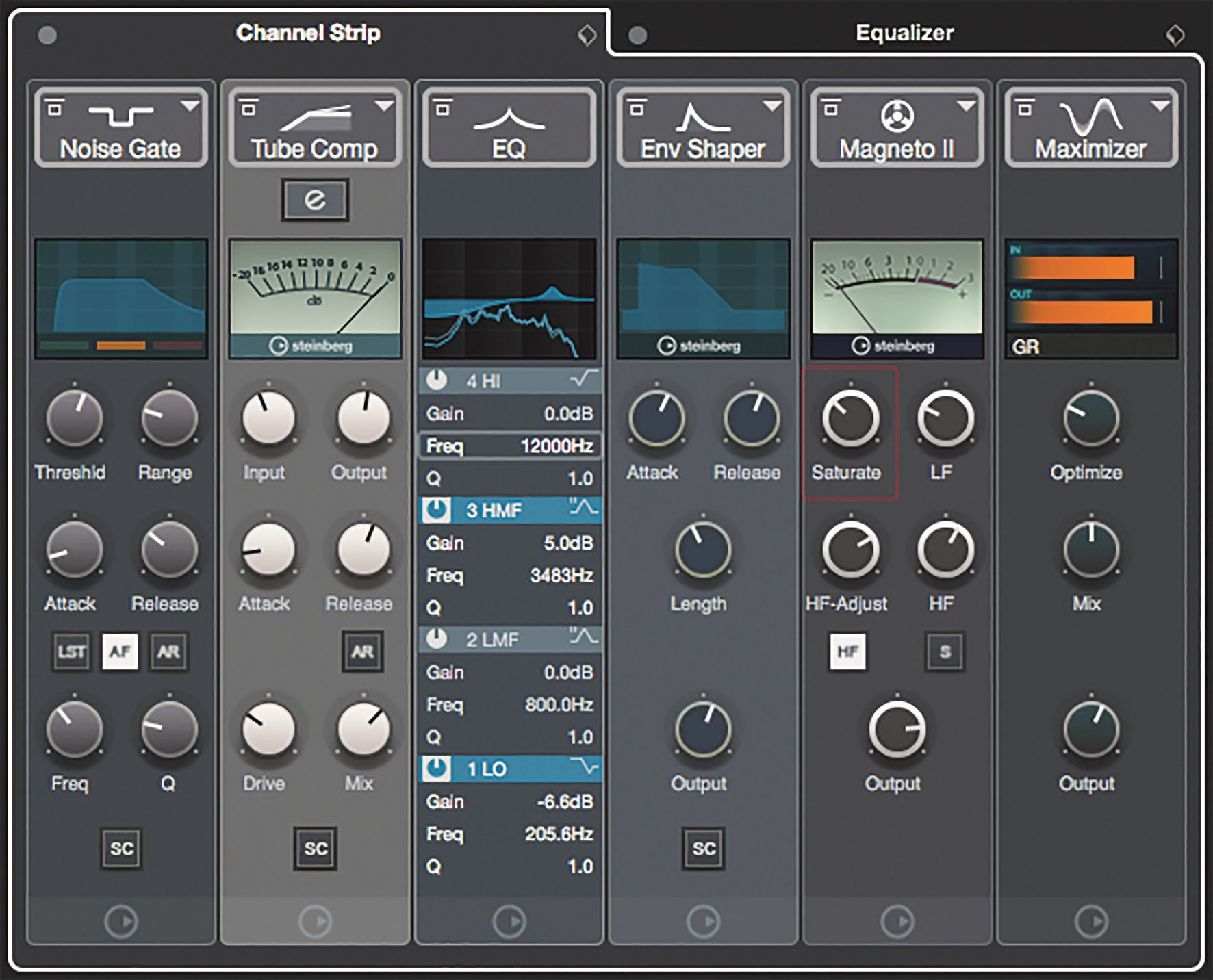
Nuendo’s Channel Strip has been redesigned in terms of appearance and functionality. It is now possible to change the signal flow of the Gate, Compressor, EQ, De-Esser / Envelope Shaper, Saturation and Limiter modules simply by dragging and dropping. In addition, the metering displays have been integrated into the Channel Strip views so that all important information is visible at a glance.
Functions
Among the more than 40 new features, there are also some interesting functions that will make life easier, especially for larger post-production projects, and will cost the odd intern their job. For example, the Loudness Normalize function, with which all audio files in a selection can be normalised not only to a specific level, but also to a specific loudness in accordance with EBU R 128. This function is particularly useful for level adjustments in larger projects with many audio objects.

Video Cut Detection
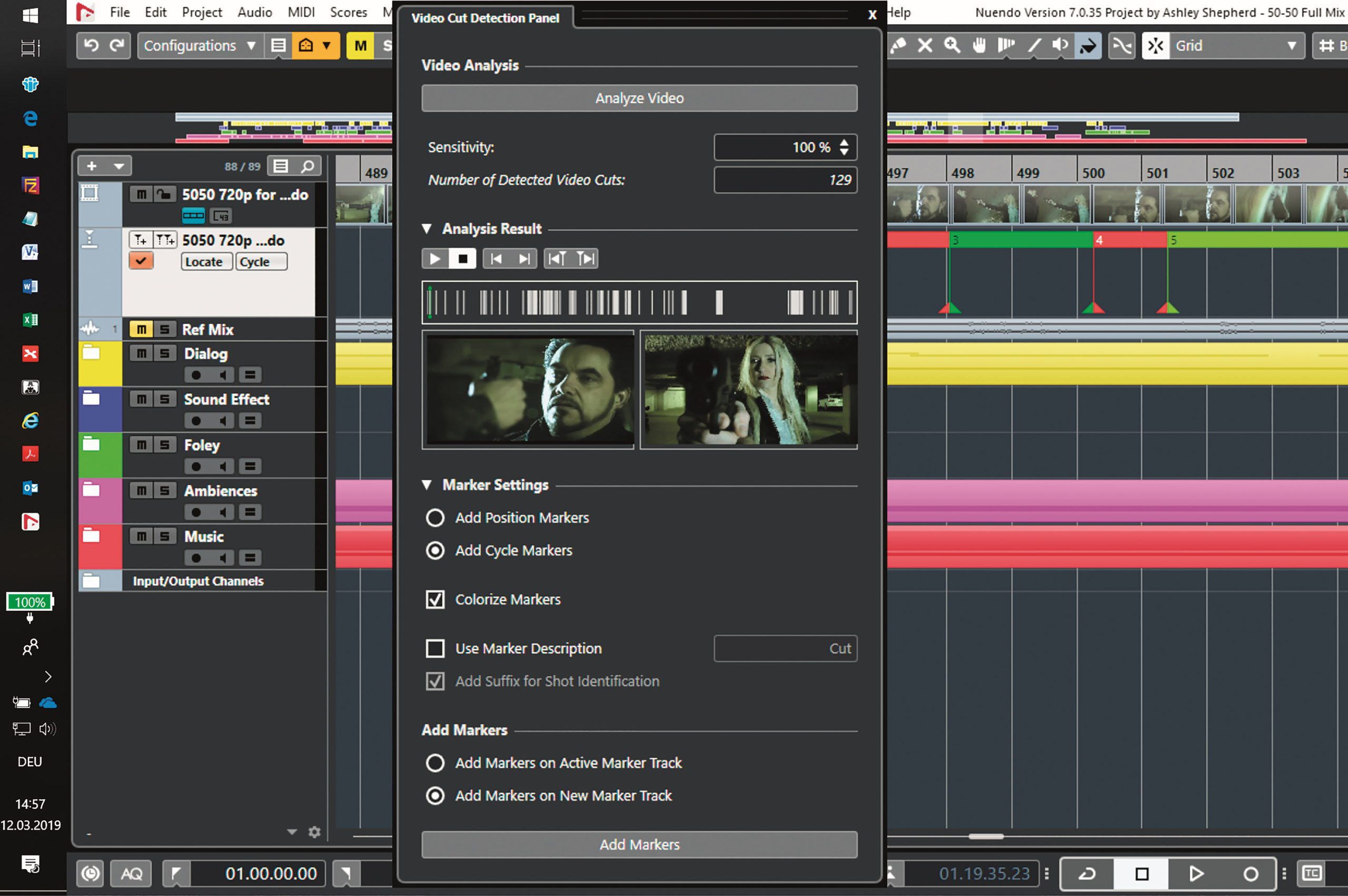
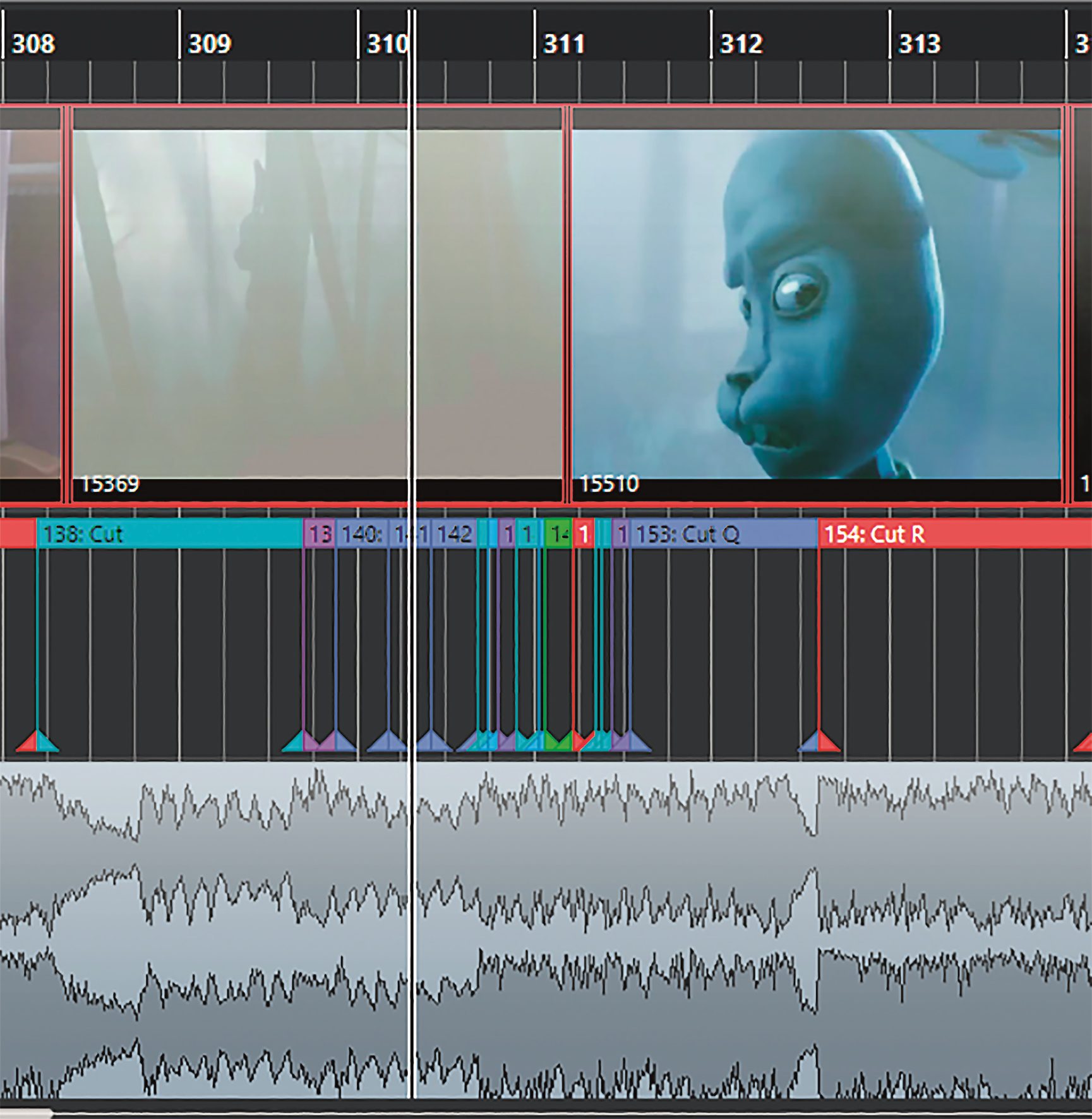
The same applies to Video Cut Detection, which analyses a video file, detects image cuts and automatically sets edit or cut markers based on the default settings, which can then be displayed on a separate marker track. This is an interesting function not only for classic post-production tasks such as Foley, sound design and mixing, but also for composers of film music, as the distances between the individual markers on the marker track make it easier to determine tempos and time signatures that match the editing rhythm of the video.
Audio Alignment
With the Audio Alignment Panel, Steinberg has integrated a tool in Nuendo 10 for automatically adjusting the timing of an audio file to a reference file, which works in a similar way to the VocAlign plug-in or Revoice Pro from third-party provider Synchro Arts.
Whether it’s a matter of aligning a synchronised voice take to the original, bringing several choir voices into time or matching drum takes to each other, with the Audio Alignment Panel this works automatically, quickly and reliably in the vast majority of cases.
Field Recorder Import
The new Field Recorder Audio Import function also alleviates one of the most tedious and time-consuming tasks in the audio sector, namely searching for and assigning field recorder audio files to specific events within a project. This is because you often have to search for a better recording of the scene among tens of files and hundreds of poorly documented takes – by hand, in winter, alone and in the darkness of the Edit Suite. With the special user interface of Field Recorder Audio Import, this is now largely automatic, clear and fast. Thank you very much!
DearVR
Some things you just have to see. For the interested sound engineer, this includes a presentation of the DearVR workflow with Nuendo or the DAW Reaper. This is because the DearVR support included in Nuendo 10 enables the creation and mixing of 3D audio content directly in the VR environment of DearVR Spatial Connect.
This means that Nuendo’s transport control, mixing console and editing functions are available directly in the virtual environment of the VR animation or game and can be operated directly and without delay via the two hand controllers of the VR headset.

Operation via the headset’s hand controllers appears to be intuitive and sufficiently precise to enable accurate adjustment of faders and pan positions. You will find out more about this later this year when we have tested the DearVR support in Nuendo 10.
Workflow & More
In addition to the new effects and functions, Steinberg has made numerous improvements to the workflow. For example, the colouring of tracks and objects has been simplified, the display options in windows such as export and automation have been expanded and the user interface has been improved on high-resolution displays.
The new options for direct offline processing should be of particular interest to sound designers. It is now possible to convert the insert effect chain of a channel into a Direct Offline Processing preset with just one click. In addition, direct offline effects can be calculated simply by selecting audio files and no longer require CPU power.

For mixes with Dolby Atmos, Nuendo version 10 is now able to import ADM (Audio Definition Model) BWF files. These wave files contain the metadata for object-based automation. This means that Dolby Atmos mixes can be imported and the automation can be further processed in Nuendo 10.
The larger the project, the greater the risk of getting lost in the mix. With the Mix Console’s snapshots, up to ten snapshots of the mixer status can be saved regardless of the save status of the project file. The user can decide for himself which parameters and channels are included in the snapshots. This function is a kind of partial insurance for less experienced mixers and a great way for experienced mixers to compare different options quickly and easily.
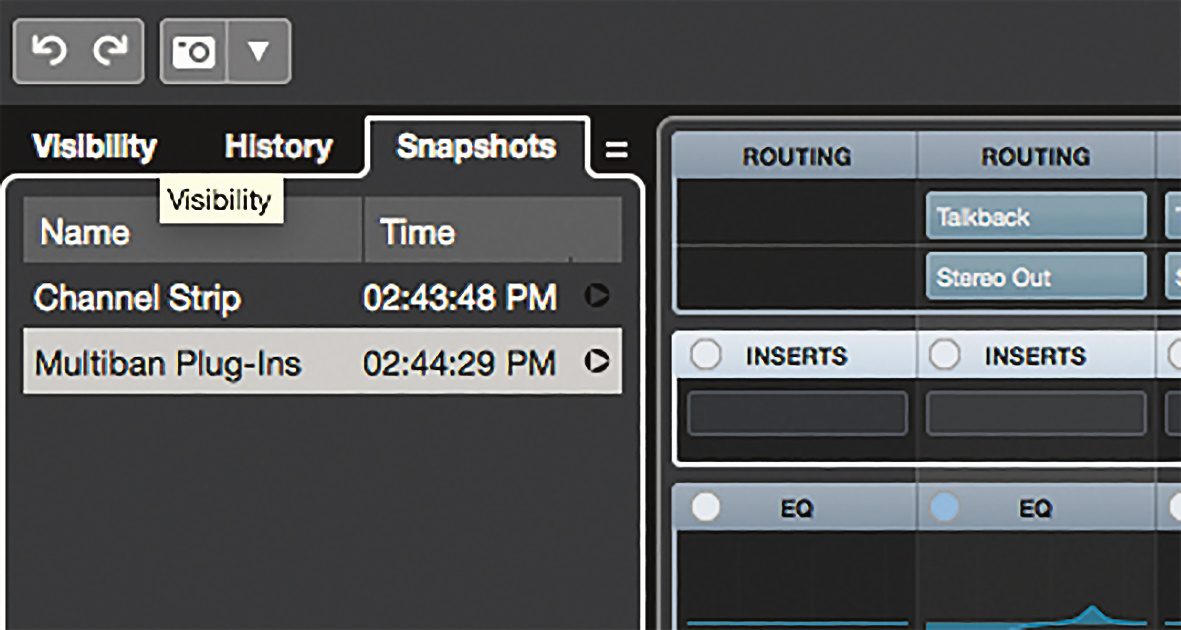
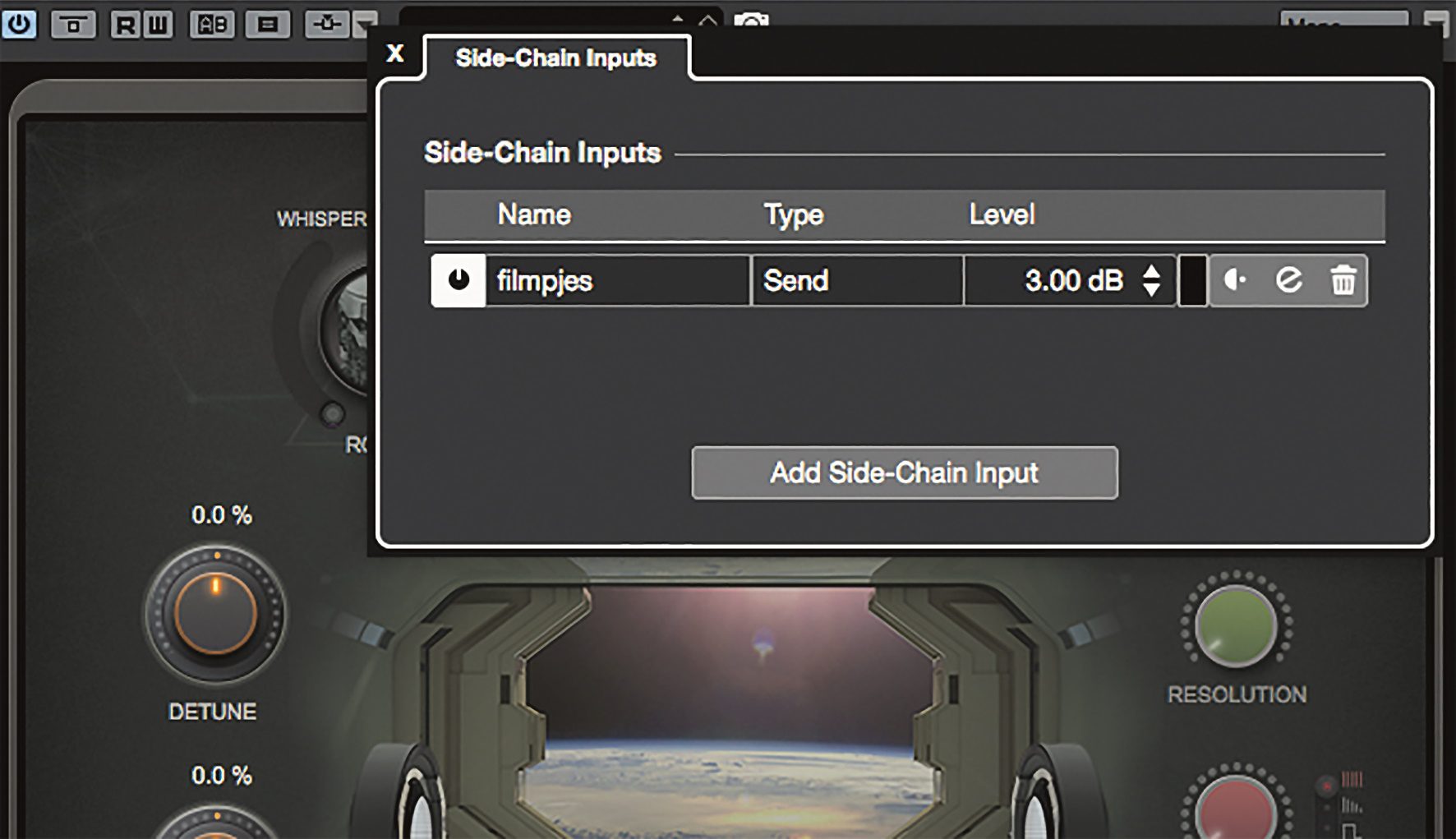
Other new features include the display of the latencies occurring in the respective channel, improvements when creating side-chain inputs, the select-spacer-between-selected-events function and many other small life-savers.
Musical
Nuendo 10 has the same musical capabilities as its sister program, MIDI sequencer veteran and quasi-standard Cubase 10, allowing for an extremely effective and musical way of editing audio with Vari Audio 3, similar to MIDI notes, and coming close to the capabilities of the highly specialised third-party software Melodyne from Celemony. Explaining the musical capabilities of Cubase is beyond the scope of this article. To put it briefly, Cubase / Nuendo can do everything you could possibly need in current music production, and a whole lot more. In addition, there are sound generators of the finest quality, sound libraries and masses of VST sound presets.

To be continued
Steinberg has already announced further new functions and options for the upcoming updates, such as the integration of the ARA plug-in interface, which should particularly benefit users in the music sector. Unlike the usual dumb plug-in interfaces, ARA knows how many bars the project has and where the current playback position is in the project. Especially with plug-ins such as Melodyne, the ARA integration really makes work easier, as all copy-and-paste and move actions can now be carried out directly on the audio files in the Arrange window rather than in the plug-in.
Also announced for a later update is Video Rendering for exporting video content or a complete audio/video project directly from Nuendo 10, as well as the Cue Sheet Export function, which creates a report of all music elements or clips of a speaker that appear in the project.
Conclusion
Nuendo 10 is currently the benchmark in audio post-production for film/TV, game audio and VR audio. No other DAW currently offers such a range of functions at this price, which is favourable considering the integrated possibilities. You can’t even rent Pro Tools at a comparable level for a year. The possibilities of DearVR integration look impressive, but how well they work in practice remains to be seen.
Small improvements and new functions in the Nuendo workflow may not sound particularly spectacular, but they are much more noticeable in day-to-day work than the new super plug-in that you use once a month, as they save the user an enormous amount of time in some cases. The powerful software tools and functions that have to be purchased separately from competing products at a high price, such as an ADR taker system, audio alignment, VR audio / Ambisonics integration, Doppler effect, Voice Designer or the musical capabilities of the industry standard Cubase, are already integrated in Nuendo 10.
