



In nuce: PhotoInsight releases PhotoInsight 1.6, the latest version of its cost-conscious asset manager. Version 1.6 is currently in the beta phase. PhotoInsight 1.6 now also supports 3D assets, allowing you to search and sort assets according to the most common file formats – including: FBX, OBJ, gITF, 3DS, gtTF, FXF, STL and Collada. You can now also preview metadata and texture maps.
What can PhotoInsight 1.6 do? You can now drag and drop 3D objects from PhotoInsight into the Unity Editor, for example. You can now also filter your 3D objects according to a directory. You can also expect a number of improvements to the user interface. A number of bug fixes have also been made.
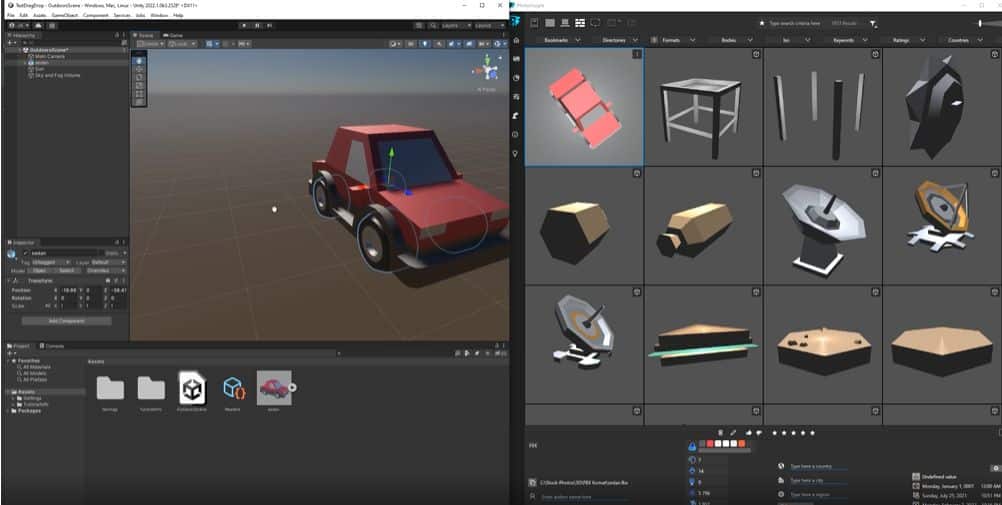
What can PhotoInsight do? The software is an asset manager that allows you to juggle hundreds of files at the same time. The software offers a range of viewing options for your assets. You can also search your assets for metadata and keyword tags – or rename entire batches. One of the unique features is that you can create a data visualisation based on pie charts or bar charts, but also with the help of maps.
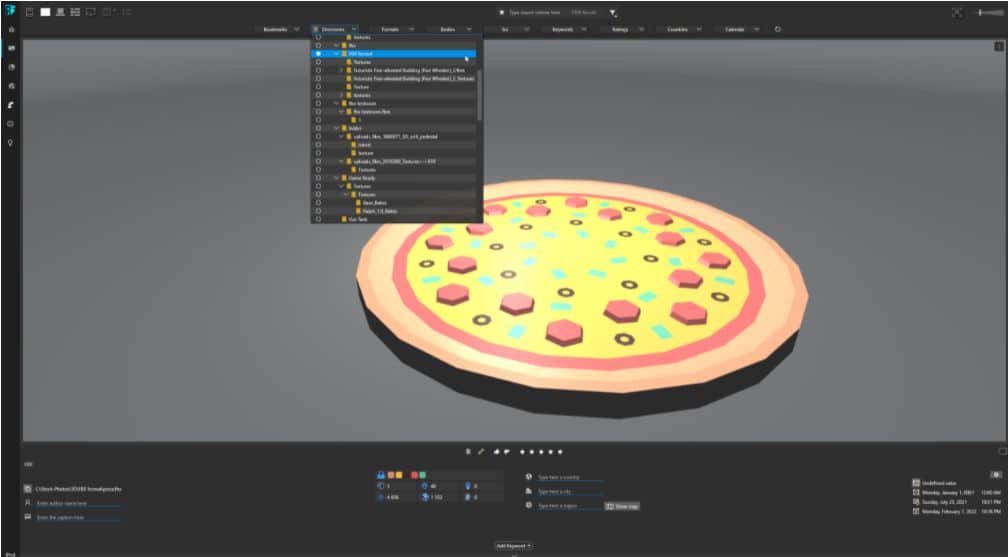
How does PhotoInsight work? You can rotate your models manually in the viewport, or you can have the models rotated automatically on a turntable, whereby you can set up the lighting, background and post-pro effects according to your wishes. PhotoInsight also shows you the metadata of your 3D objects, including faces, vertices and the number of materials in a scene.
Who is PhotoInsight aimed at? The asset manager was originally tailored to the needs of photographers. It therefore supports the raw data formats (raw formats) of the most important DSLR manufacturers, including the Digital Negative and Red R3D file formats.
Availability: PhotoInsight is available both as a slimmed-down free version and as a paid Pro version for 19 US dollars.
Click further: You can find out everything else about PhotoInsight at photoinsight.io . The corresponding release note informs you about the new functions of version 1.6.
