This article originally appeared in DP 01 : 2014.
Blackmagic Design’s Resolve 10 goes into open beta. And while we’re all still playing around with it, we speak to someone who’s already been using it – James Tonkin(www.hangmanstudios.com) is a videographer from London – and has been on tour with Resolve 10 and Robbie Willliams.
DP: Mr Tonkin, how did you come to be on tour?
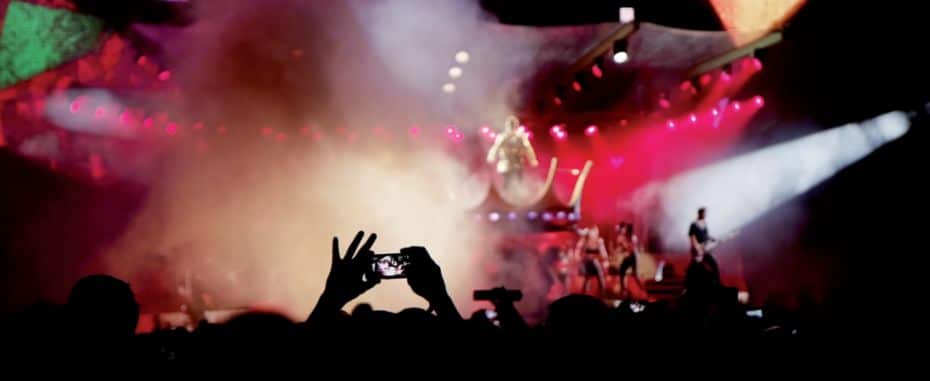
James Tonkin: I’ve been working with Robbie Williams and the team for twelve years now, and we’ve done a few videos together, so we’re already very well attuned to each other. In addition, after such a long time you know what is possible and what something can look like – be it for music videos, live footage or commercials. On the last tour, we produced a three-minute film for each city where the tour stopped, which was then released on YouTube. We also shot commercials for Samsung, showing the arrival in the city and the excitement of the fans, who in some cases had been waiting months for the concert.
DP: How long in advance did you plan the set-up and equipment?
James Tonkin: Because we’ve been working together for so long, the team gave me carte blanche. I knew from the beginning that I wanted to use a few different cameras for each element. As I film a lot “handheld”, the Blackmagic Pocket Camera was a good choice – you want to still have a shoulder after 16 hours of work and not be completely destroyed (laughs). In post, we edited in Final Cut and then did everything else in Resolve – which I’ve been using for grading for a few years now and which has simplified and accelerated our workflow enormously since the last updates.
DP: What other cameras did you use and how did the BMD Pocket perform compared to the others?
James Tonkin: We had a Red Epic, the Sony FS700, the Blackmagic Design Cinema Camera and the Blackmagic Design Pocket Camera. The Pocket did well – because of its small size, I favoured it over other cameras when I was shooting “free” and on the move. The advantage is that it looks like you’re just taking pictures. For the shows, I shot mostly on the Epic and used the FS700 as a “documentary camera”. The image quality of the Pocket was really fantastic – especially compared to the other cameras. A good example is the beginning of the commercial: I shot the first few shots of the city “waking up” on the Red, then a shot of the tour poster at a bus stop, which I shot with the Pocket. If you jump back and forth between the two, you can’t really tell the difference.

DP: And what other hardware did you have with you?
James Tonkin: My set-up is practically completely Apple-based. A Macbook Retina for travelling, which also manages Resolve 10, allows me to do a lot on the road. At Hangman Studios in London, we have MacPros connected to a 48 TB SAN network. After a day of filming, a Red can easily generate two terabytes of data. And after each project is completed, the data is backed up to LTO-6 tape and, of course, external hard drives for clients.
DP: You worked exclusively in Resolve 10. How did the features perform, were there any problems with the new version?
James Tonkin: We edit offline in FCP X and then import the XML directly into Resolve. I also think it’s great that you can drag the scaling information directly – which was previously only possible via “Mismatched resolution” to “Centre crop with no resize”. And now that it works perfectly, you can let off steam on the timeline. As I mostly work with shortcuts (a matter of taste), this is very practical. There are a lot of new features in Resolve 10, but the online editing is brilliant. And the layout of the interface is designed so that you can continue working straight from editing, which of course benefits anyone who has previously only used the grading tools.


DP: Why did you do so much in Resolve? Wouldn’t a pipeline with tried and tested tools for the individual tasks have been safer?
James Tonkin: The time pressure was really high: for example, we still had to upload stills taken from Epic for the respective concert in the evening. The short films for each city also had to be online within 48 hours, at the latest – so we had to deliver quality work on the go. And the Resolve 10 workflow came in handy – the navigation and controls are familiar to anyone with editing experience. I can only recommend it to anyone with broadcast experience if you have to work on the road with the smallest possible equipment.
DP: How did online editing perform under production conditions?
James Tonkin: A good example of this: When you open your timeline including different frame rates, different codes and file types, multiple audio tracks and so on from FCP X in Resolve 10, all elements are opened – and the RawFiles are pulled during mastering. This is very helpful under production conditions.
DP: Are there any other new Resolve features that you have used in particular?
James Tonkin: Resolve 10 has phenomenal new features – online editing, for example, has the “Contextual Trimmer Tool”, which allows you to ripple and roll and slip and slide on the timeline with the mouse. Another great feature is the speed control, which allows you to adjust the playback speed in real time – something I used a lot in the tour videos. Plus, of course, true multitrack editing, and sync, trim and drag for audio tracks, independent of the timeline.

Many Resolve users have also asked for additional plug-ins within Resolve and with version 10 this is included – namely the standard OpenFX format. So, for example, I was able to add my favourite lens flares from the Sapphire library via keyframe. And – also from Sapphire – additional film noise. There is also an unlimited number of Power Windows per Connector Node, and a Gradient Power Windwow, with which you can distribute gradations over the entire image. It’s also a great time saver to output a DCP directly from Resolve. In the past, I always had to either book a studio or pass the work on to someone else. Now an EasyDCP licence is enough for me.
DP: Have you used the Cinema DNG workflow? How did it perform?
James Tonkin: I’ve shot a few projects on Blackmagic cameras now, each in CinemaDNG and then graded in Resolve. And I love how much information comes out of the dailies and the footage, and how you have all the freedom on the image – especially in grading.
I shot in S-Log on the FS700 so that I could get the maximum out of the footage, even though you can clearly see the difference between the 12-bit DNGs and the 8-bit AVCHD FS700 files.
DP: Finally, what do you need to become a good grader?
James Tonkin: I came to grading via offline editing – with the intermediate step of online editing, so I was always trained from the practical side. Mostly on real projects, with the deadlines of the TV world. It’s extremely important to watch a lot of films and learn from their examples – both positive and negative. Over time, you build up a mental library of looks and their effects. I believe that a good colourist should not only master the technical side of the software, matching and simple error correction, but also bring different perspectives to the project. Grading is the final step in the creative process and the first point where the images really jump out at you – that’s what I like about it.