



With Womp 3d, primitive solids can easily be assembled into simple models using metaballs and Boolean operations. The principle is not new. The metaball algorithm has been around for a while. Anyone who remembers the “Organica” programme from more than 10 years ago, or currently knows MagicaCSG (bit.ly/magica_csg), which is also still in a very early development phase, can get an idea of the new, more modern variant Womp, which is completely browser-based. According to the Womp website, only the Chrome browser is currently fully supported. Metaballs are also supported by most major 3D programmes – including Blender, which is used in a commercial for Womp as an example of 3D that Womp users probably don’t want. However, the Womp website also states that the developers of Womp are not on a mission to replace Blender. Womp wants to make it easy for beginners in particular to get started with 3D. Incidentally, it is emphasised that the American company Womp is run by women.

A look at Womp
Womp fulfils its promise of being easy to use even in the alpha phase. If you want to try out Womp, you have to register or log in via Google. Womp starts with a fairly straightforward interface, which essentially consists of the 3D workspace with navigation instructions and a sample project by default, a simple model made up of two spheres and a cube. On the far left, there is a list of the objects in the project with stylised icons and a colour preview as well as some options for selecting, renaming or showing or hiding.
The objects can be organised in groups and their order can be changed (crucial for Boolean subtractions). At the top, next to the Womp logo, there is a hamburger menu with the usual file commands (New File, Delete, Undo …Contact Us), 5 icons with menus for objects, material, background and light settings as well as “Functions” (Duplicate, Union, Subtract). At the top right, a cloud symbol with a green tick indicates that the current project has been saved in the cloud and is available for later access. Next to it is a button that makes it possible to record a video – up to one minute long. This is followed by a blue “Share” button. As the name suggests, you can download 3D objects and images here or share your creation with the community.
An “Info” button leads to a small Womp manual and a series of links to video tutorials. This is followed by an icon for the personal area, where you can view your profile and find an assessment of your “Womp level”. Womp users should exchange ideas, for example in the forum and by publishing their creations and making them available to the community and taking part in competitions. In return, you receive “Womples” and can rise in level. On the right-hand side of the screen is a kind of “Inspector”, the Objects Property Panel, with information and setting options for the respective selection. At the bottom is a live chat, which actually worked and answered questions about the programme – even in German!
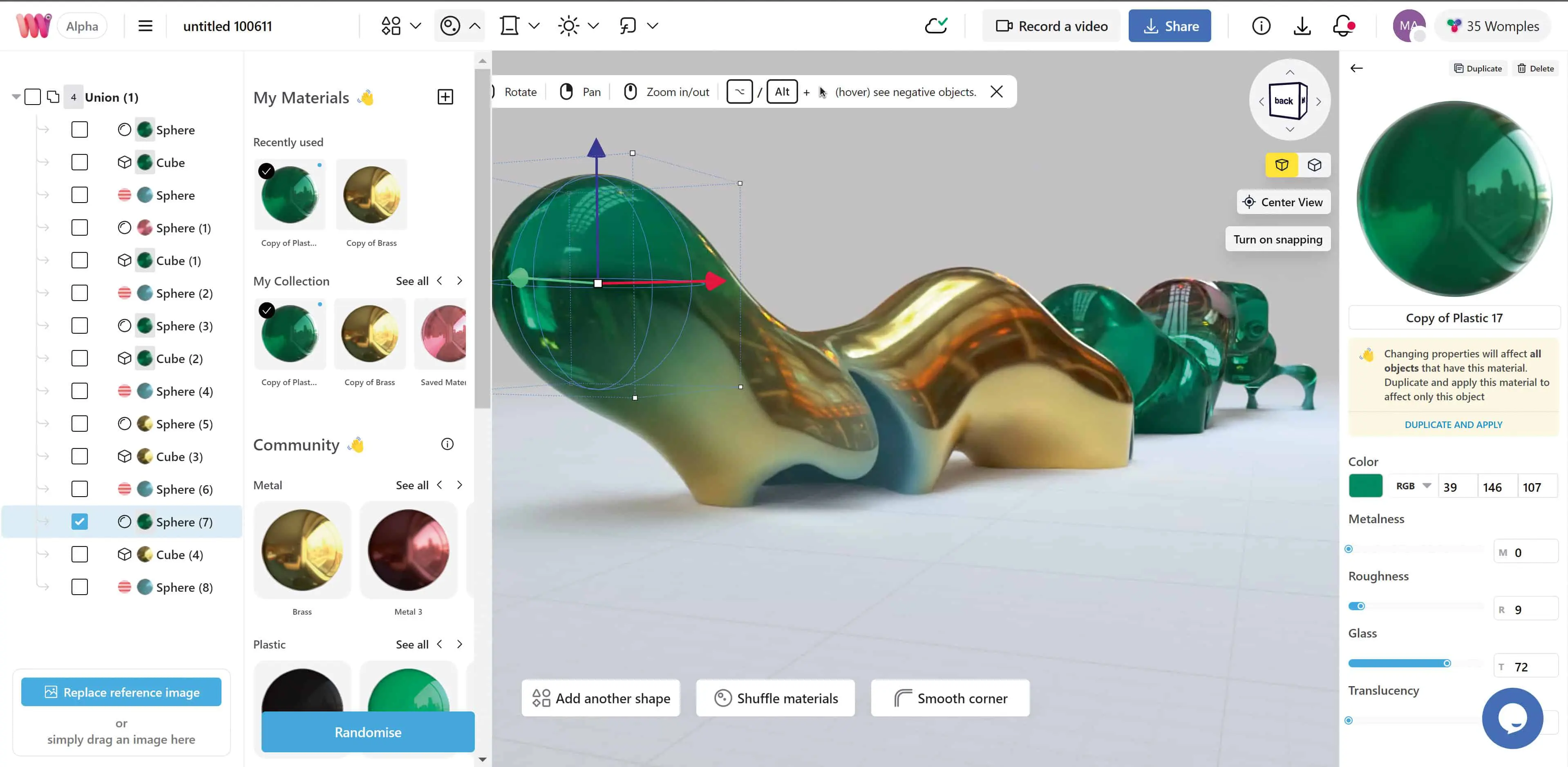
That’s easy
The actual “womping” is quite simple and should be easy even for inexperienced 3D artists. Navigation in the 3D space is super simple and is supported by displayed shortcuts. A “navigation cube”, as in conventional 3D applications, makes it easier to change views. Objects can be aligned more easily if the snapping option is active. Whether you work on the supplied sample project or start from scratch remains the same. Womp provides four types of primitives. However, objects created in Womp that have been published by the community can also be inserted into the scene.
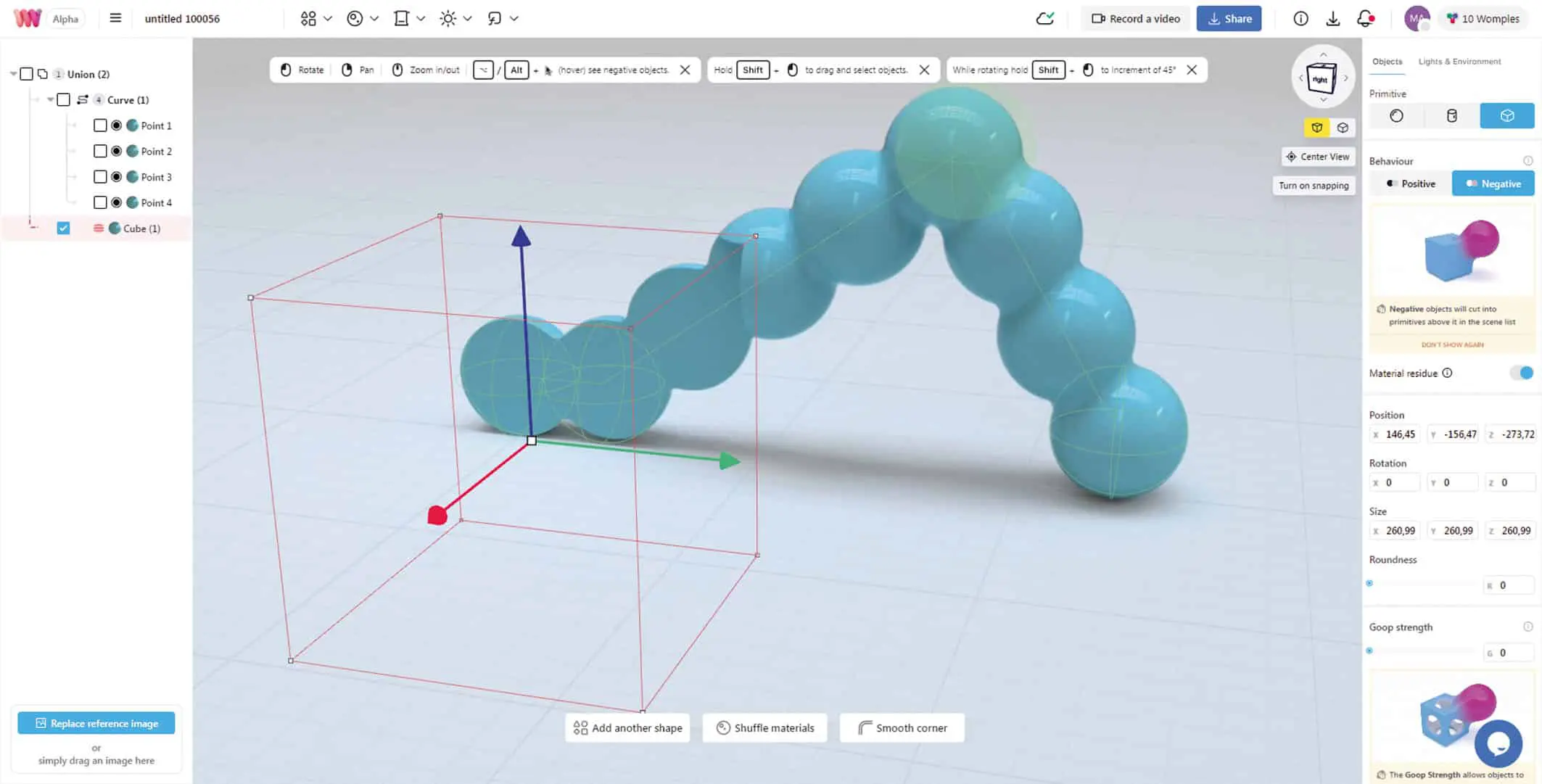
If you start with a sphere, it is positioned in the centre of the work window (X, Z plane) and “lies on the floor”. Spheres can be positioned, rotated? and their overall size can be changed. This can be done with the mouse in the work window or in the Objects property panel using numerical inputs. In this property panel, the object type can also be switched between sphere, cylinder and cube – and objects can be switched “negative” for subtractions. Cylinders can be changed in length and cross-section, cubes in all three dimensions.

Curves (2 points) are something special. When you call a curve, you get a capsule-like object that is created because the object consists of two points and has already been given corresponding values for “Goop Strength” and “Density”. These values can of course be varied, points can be added or deleted, repositioned, scaled and provided with different materials. Cylinders or cubes can also be assigned to the curve object instead of the predefined spheres. In this way, very different shapes can be created that also interact with “negative” bodies. The decisive values for objects are “Roundness” (except for a sphere) – the name says it all and “Goop Strength”. Goop is a sticky or semi-liquid substance, and here refers to the area of influence with which the acting bodies are covered with a tough skin (comparable to “Influence Threshold” in Blender). Density and roundness can also be varied for curve objects, allowing interpolations between curve points to be achieved and an angular shape to be created from a soft curve shape.

The actual modelling therefore consists of putting these basic objects together and varying the parameters mentioned or using the Boolean functions “Union” and “Subtract”. This is simple, but users of proper 3D software have significantly more options and can certainly create more complex models more quickly. Boolean subtraction is achieved using negative objects if they are located below other objects in the object list. This makes it very easy to determine which body is subtracted from which. By forming groups (“Union” function), objects can be summarised but also excluded from Boolean operations. There is an option to load a reference image.

Filmed
A nice function is “Record a video”. Actions in the work window (navigation, scaling and moving objects or colour changes) can be recorded as a video of up to one minute. However, only objects that were already present in the scene before the recording began are displayed. The addition of new objects to the scene could not be recorded. There was also a small pitfall when downloading: If the download is started in the preview of the video, you only get a video in preview size (i.e. 1280 x 720 in our case). The blue button for the download did not seem to work. This was because the video had to be rendered first. Depending on the resolution, this requires a little patience. You can see how far along the rendering process is by clicking on the download arrow at the top.
Conclusion
Womp is still in the alpha phase, but can already be used. The tool is primarily aimed at people who rarely use 3D software but still want to create simple 3D models “on the fly”.

to continue working.
Womp is an online tool (currently for the Chrome browser) that promises to be easy to use – and in our opinion, it is. Starting with four different basic shapes (Sphere, Cylinder, Qube, Curve), you can also create more complicated shapes using metaballs and Boolean assignments. However, it is not intended for larger projects or scenes. Womp allows the definition of simple materials without textures, but thanks to effects such as gloss and transparency as well as various predefined lighting situations (global lighting), quite impressive (simple) results are possible. Finished works can be exported as OBJ or STL files with different compression rates and images and videos can be rendered with up to UHD resolution. Womp encourages its users to share the
Results (after initial attempts to upload simple objects, “nice” comments from other users were actually received quite quickly). This means that objects and materials provided by the community can be used. For the future, Womp promises to remain usable as a free alpha version. A Pro version is to be added later. We are curious.
‘ ei
