



Autograph has been on the market since the beginning of 2023 and is distributed by the plug-in manufacturer Re:Vision Effects, but is produced by the French company Left Angle. The software is available on Windows, Mac and Linux and can be purchased either as a subscription model (monthly and annually) or as a perpetual licence. In addition, there are three versions of Autograph: Creator, Studio and Render. While Render is really intended as a pure command line rendering tool, Creator is a licence for freelancers and smaller companies with less than 1 million US dollars in capital or income. For those who land above that (congratulations!) there is the Studio licence, which also includes the Python API. A monthly subscription for Autograph Creator starts at 35 US dollars, for Studio it is then 60 US dollars. Those who prefer to buy their licence will then pay a price of 945 US dollars for Creator and 1,795 US dollars for Studio. Before that, however, you can easily get a first impression in a ninety-day trial – to be found at left-angle.com.
The first impression
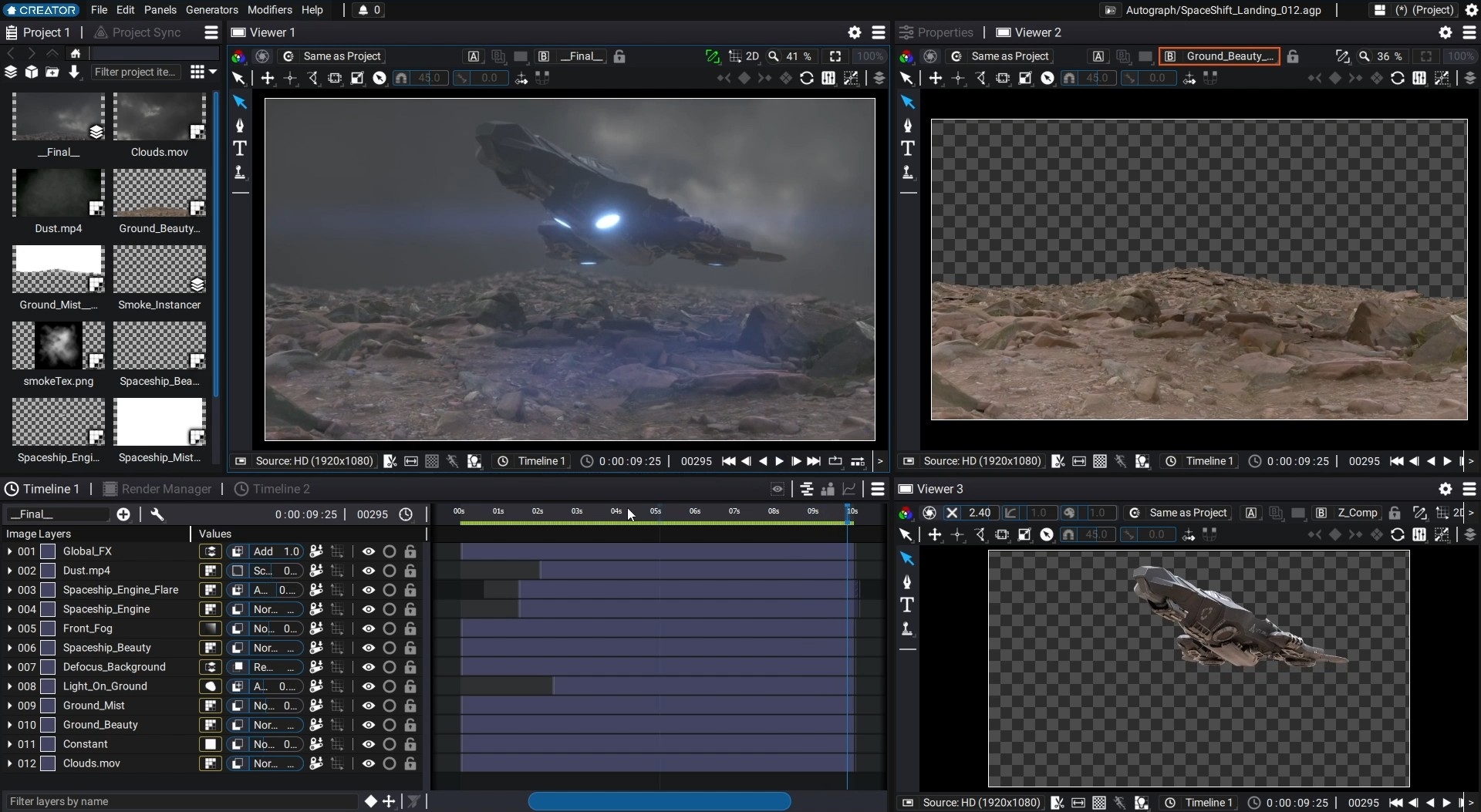
When you first look at the interface, you quickly think that you are simply sitting in front of a darker After Effects. And indeed, anyone who is familiar with Adobe’s motion design software will quickly find their way around Autograph. The viewer in the centre, properties on the right, the project window on the left and the timeline at the bottom. Similar to Nuke, you can create your own workspaces for different tasks so that you can customise the layout to suit your needs. However, there are only very few types of panels, which is why the design options are quite limited. Footage can be imported into our project via the project panel and compositions can be created. However, as with After Effects, the real centre of attention is the timeline. Individual layers can be dragged in here and the parameters can be expanded and edited accordingly. The filter function, which not only helps to isolate individual layers but also specific operations, is very convenient. These filters are also assigned to hotkeys and can be combined with text input. As an artist, you can then isolate the position value of a specific layer quite quickly, for example, in order to animate it. All parameters that are displayed in the timeline are also available in the Properties panel. This may seem redundant, but users who don’t want to scroll through thirty layers will find an alternative workflow here. And if you only want to work in the timeline, you can modify your workspace accordingly. Speaking of parameters: Those who prefer to enter values gesturally rather than numerically will be pleased with the hotkeys that adjust the intensity of the value input. For example, Shift lets you “drag” larger values, while Ctrl ensures finer input. Autograph does one thing fundamentally differently to After Effects: the Curve Editor is not integrated into the already fully loaded timeline, but is available as a separate panel. However, the viewer will undoubtedly remind many experienced artists of Nuke. No wonder, under the bonnet Autograph processes all files in 32-bit float – and so the viewer has silders to not only apply gamma and gain, but also saturation as a post process to the viewer, so that you can visualise even the last highlight in the EXR file. The viewer has two inputs, where a HUD and the blend modes known from Nuke are also available, for example to compare a reference with the current comp.
On to something new…
Up to this point, the interface looks familiar. But let’s take a look at the things that Autograph does differently from the two software packages between which it is positioned. The first thing that stands out is the use of the HUD. While Nuke’s on-screen controls are often very small, Autograph’s are not hidden at all. They are clearly visible and an important part of Autograph’s fast and fluid operation. The fact that right-clicking and the associated context menus are largely dispensed with also contributes to this fast interface. Pen and tablet users in particular will really appreciate this. But it is also the absence of clicks that makes the interface incredibly fast. For example, there is an option (which can of course be switched off) to briefly highlight layers that can be clicked on in the viewer so that you can see whether you have made the right selection. And how nicely the alpha channel is respected here – others can take a leaf out of this book. Hovering over drop-down menus works in a similar way. The selected parameter is displayed as a preview, so to speak, before you have even clicked on it. Not as a thumbnail, but actually applied to the current comp in the viewer. This works for the layer blend modes, for example, but also for the more than fifty interpolation presets. So you can run your animation in a loop and simply scroll through the presets and see what these different interpolations would look like.
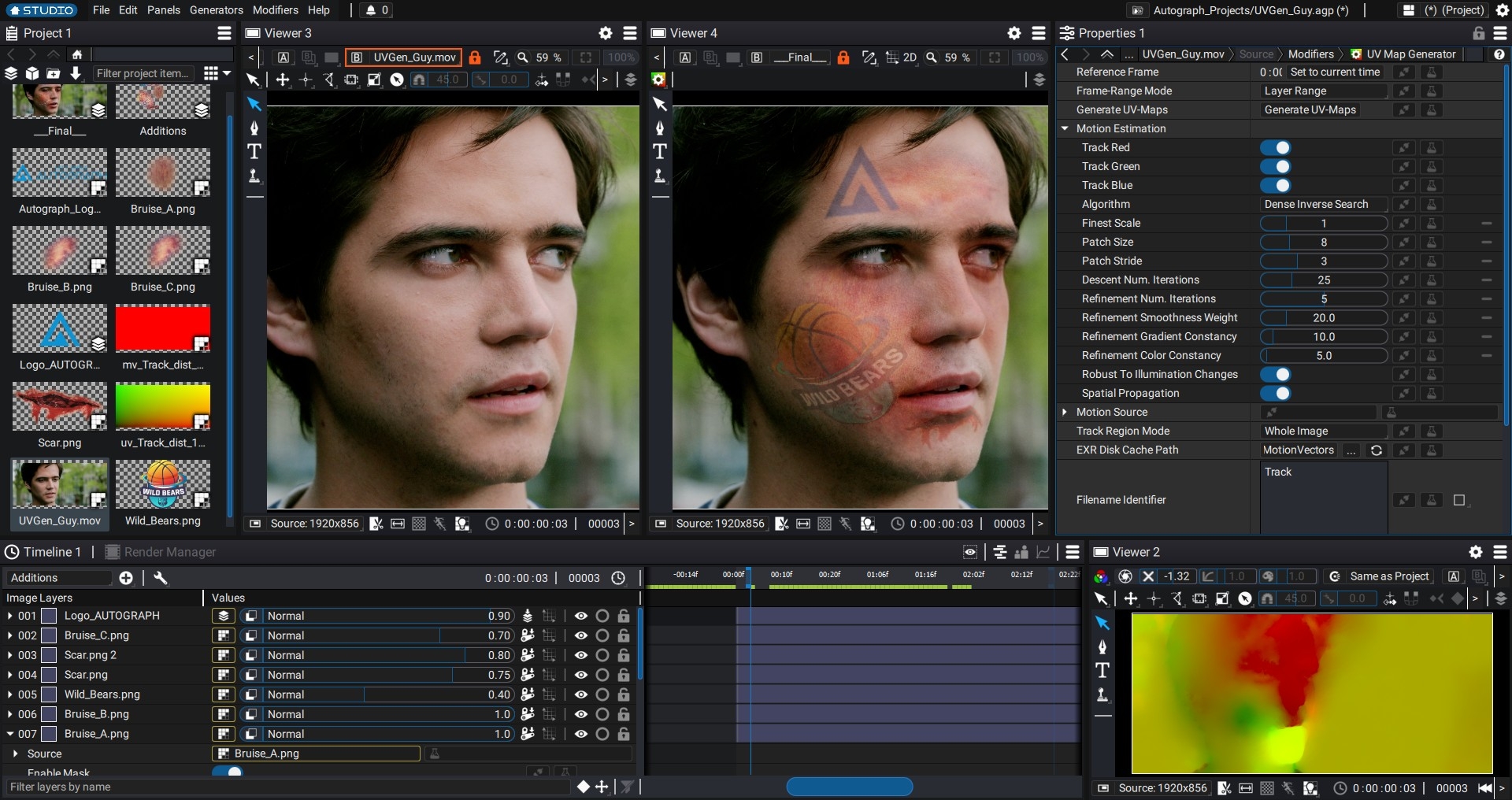
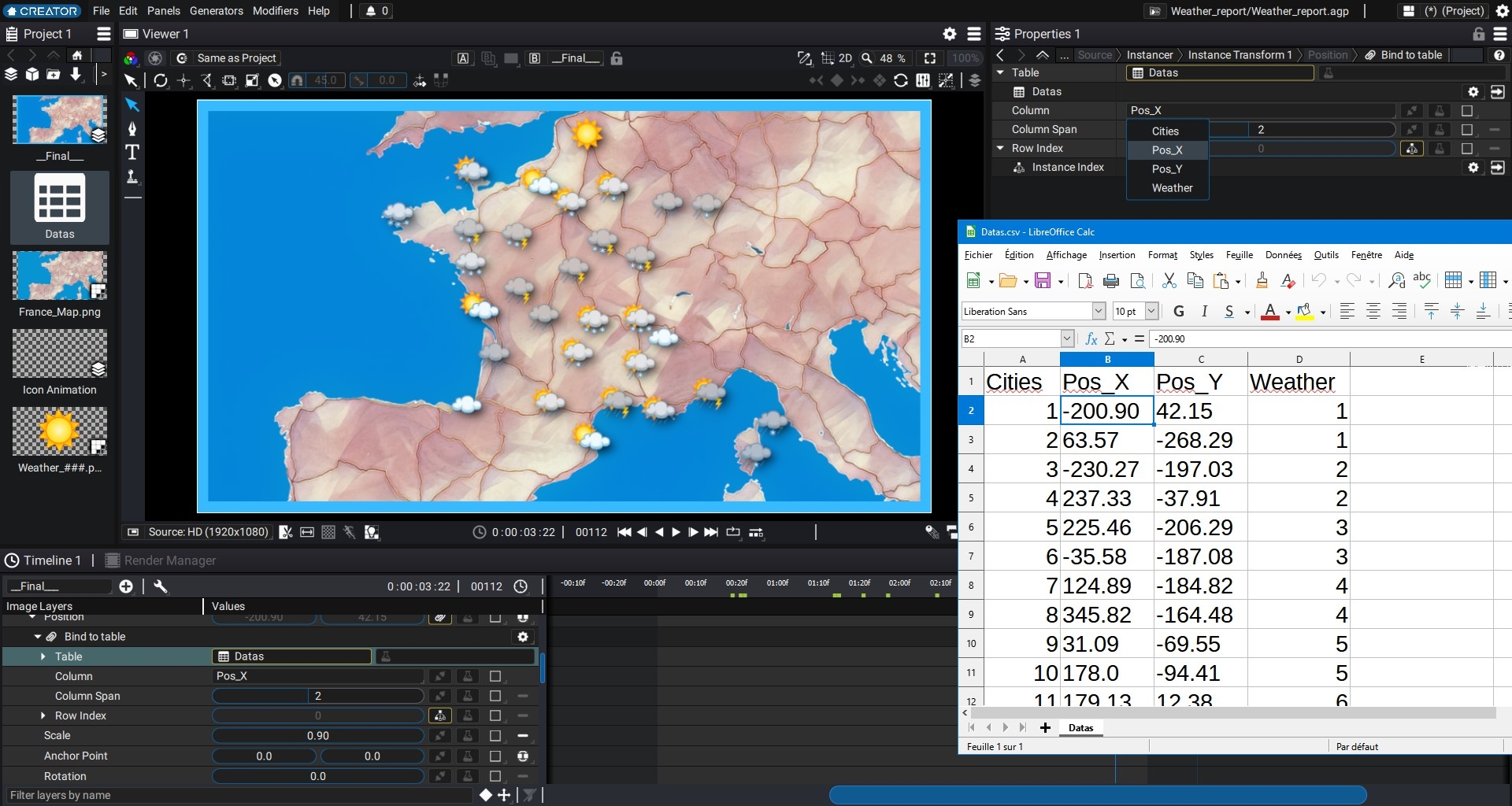
Let’s stay on the subject of animation for a moment: Autograph is also trying to rethink things here. All image content always has its pivot in the centre of the image and the zero point of the coordinate system is also in the centre of the image. This may sound banal, but it is enormously helpful when it comes to adapting an animation for different output formats. It also helps tremendously when creating symmetrical animations. Autograph has a sophisticated system for dynamically linking values to each other without the artist needing a maths degree to write the corresponding expressions. Autograph uses so-called modifiers, which can simply be dragged onto the corresponding layer like an effect in After Effects. Somewhat confusingly, Autograph also refers to classic effects such as keyers or colour correctors as modifiers, but this shows how important they are for the workflow in Autograph. In addition to the modifiers, there are generators that can produce everything from images, i.e. classic colour areas or gradients, to text and numerical data and even 3D primitives. This now brings us to the 3D environment. This is based entirely on USD and as the USD files are only linked and not imported into the Autograph project, common formats such as Alembic or the rather old FBX are not supported. Autograph uses the filament developed by Google as its render engine. As a result, the 3D environment is quite fast and is likely to bring tears to the eyes of some Nuke artists. Camera and lights can simply be dragged into the timeline and if 3D layers are stacked directly under each other, they are treated and rendered as a single 3D scene. This makes it possible to mix 2D and 3D elements in the same timeline without having to create precomps. And by using filament, post effects such as ambient occlusion, fog and depth of field are also available.
What is missing?
The developers of Left Angle do not seem to lack enthusiasm, as can be seen in the interview with Francois Grassard on page 30. For a first version, Autograph makes a well-rounded impression. OpenFX plug-ins are supported, even if at the moment only those from its own distributor, Re:Vision FX, are available. The extent to which plug-in manufacturers support the newcomer will be seen in the coming months. However, both Nuke and After Effects, the two programmes that Autograph is competing with, both have an ecosystem of plugins and gizmos that has been growing for several years, not to mention a very large user base, which naturally does not exist right from the start. Nuke artists will miss their Node Graph the most. Even if the toolset is impressive, the speed of the interface and software is blazingly fast and the rendering is super-precise, the logic in a timeline is of course different from that in a node graph. Motion designers coming from After Effects will certainly find it easier to familiarise themselves with Autograph.
Conclusion
First impressions can often be deceiving. Autograph is far more than the After Effects clone that some people thought it was at launch. The user interface in particular has some innovative surprises and concepts in store that the developers of the long-established software either didn’t dare to tackle due to their user base or simply didn’t think of. This breath of fresh air is something that has definitely been missing in recent years. It’s reminiscent of the days of 5D Cyborg and Socratto, where innovative software forced established developers to rethink things and push their software forward. Competition stimulates business. That alone is a reason to be happy. Autograph is already interesting for a certain group of artists. Anyone who moves between motion design and compositing or wants to make the leap from motion design to compositing will find Autograph a possibility without having to learn a completely new paradigm such as working in Node Graph. Finishing artists can find a complement to Flame or Resolve without having to commit to a monthly cloud subscription. And if the developers of Left Angle continue with the same verve, this circle will certainly grow even larger.
