



Boris FX has unveiled Mocha Pro 2025, introducing improved planar tracking tools, USD file support, and enhancements to rotoscoping workflows. The latest version of the popular motion tracking and VFX tool focuses on production-friendly updates for compositors, editors, and VFX artists.
Open USD Integration: File Exchange Simplified
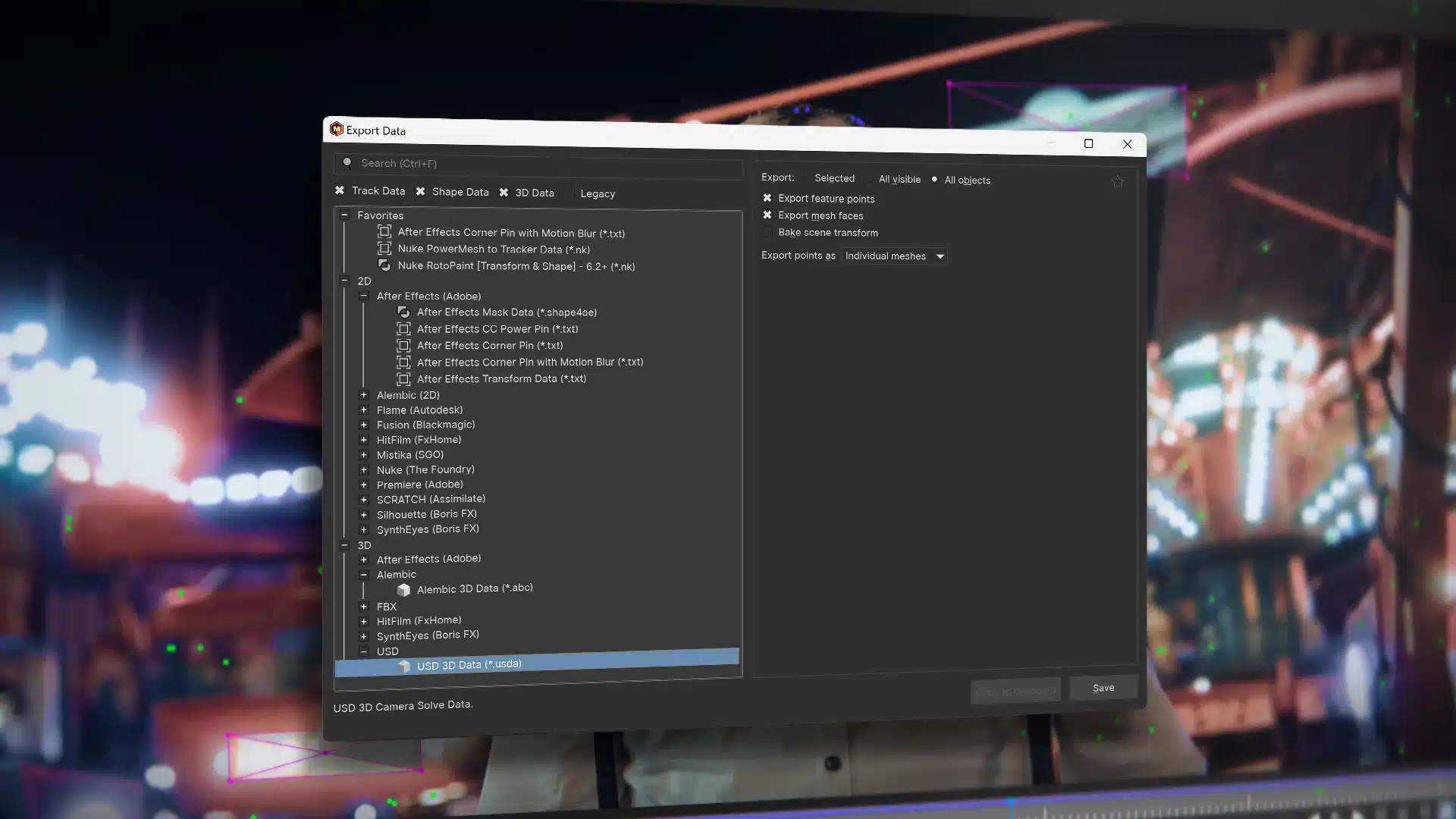
Mocha Pro 2025 now supports the USD file format (Universal Scene Description). This widens compatibility for data exchange across modern pipelines, particularly in VFX and animation. Users can import and export USD files to streamline workflows with other USD-supported applications.
Planar Tracking Gets Faster and Smarter
The core feature, planar tracking, remains a focus with speed and stability improvements. While no groundbreaking changes were listed, refinements ensure smoother motion tracking results in a shorter time—good news for artists on tight schedules. Think of it as a “SynthEyes Light” for quick tracks. For more complex shots, the “Full-Fat” SynthEyes remains one of the best trackers out there, but Mocha Pro 2025 offers a solid option for fast and reliable planar tracking within the Boris FX suite. Building on the recent addition of SynthEyes 3D tracking technology, Mocha Pro 2025 now adds 3D moving object solves, allowing artists to solve for moving objects within 3D scenes. By combining planar and PowerMesh tracking data, users can generate accurate meshes and point clouds for complex 3D tracking shots. Solve data integrates seamlessly with popular VFX applications via USD, Alembic, and FBX exports. After Effects users can export solve data in the Mocha Pro UI or generate it directly inside After Effects with the Mocha Pro plugin.
Rotoscoping: Tweaks to Streamline Precision
Mocha Pro’s rotoscoping tools receive practical upgrades, optimizing the precision of spline-based masking. Enhancements aim to simplify shape management while keeping the interface familiar for existing users.
OpenColorIO for Color Management
With OpenColorIO (OCIO) support, artists can match project color spaces between Mocha Pro and other software like Nuke, Resolve, or Blender. This is particularly useful when working on VFX-heavy projects requiring accurate color consistency across the pipeline.
Streamlined Data Exports
A redesigned export dialogue allows artists to export Mocha Pro tracking data more easily using a sleek interface that combines tracking, shape, and 3D data exports in one place. Users can select data export options by popular host application presets, save favorites, and work faster with an “Export Again” feature. Since the current version only offers a dropdown menu, this is an extremely useful update to the “bread and butter” workflow—a small but appreciated quality-of-life improvement for artists.
Compatible and Ready
As always, Mocha Pro integrates seamlessly with leading compositing and editing software, including Adobe After Effects, Premiere Pro, Nuke, and Avid. Licensing options remain flexible, with Mocha Pro available as a standalone application or as a plug-in for host software.
For pricing, head directly to the Boris FX website. (They have a free trial, if you want to see and test it for yourself) As always, test new features thoroughly before deploying them in live projects.
