



When we stumbled across Nara, FimLight’s new workflow tool, we had questions – specifically, for Steve Britnell, Nara’s Head of Technical Development and Sam Lempp, the Head of Business Development for Nara. The topics? Nara, Colors, Server Racks and modern compressions. If you want to have a look at the website, you’ll find everything at nara.stream and can even directly book a demo. If you want to know what others think about it: Light Iron has it already in day-to-day use!
Recent key updates include direct media streaming with full color accuracy, deeper Baselight integration for remote scene access (but you don’t need Baselight to use it – Nara talks to pretty much anything), and enhanced project management tools. A tiered user system ensures security and streamlines onboarding. Built on a back-end index with extensive codec support, Nara natively decodes and plays back high-resolution media without the need for transcoding. Its color-accurate streaming ensures consistency across remote sessions, while its flexible project pipeline supports industry standards like ACES and many, many more. Designed for speed and efficiency, Nara optimizes workflow coordination for editors, colorists, VFX artists, and production teams.
DP: Congratulations on Nara—it looked incredible in action. Let’s start with the basics: What’s the idea behind Nara?
Steve Britnell: Nara was created out of FilmLight’s imaging expertise to transform how media is accessed, reviewed and processed. In today’s media industry, massive and complex image files are the norm—whether they’re RAW camera codecs, EXR files used in visual effects, or DCP formats for theatrical distribution. These media formats contain a wealth of information which results in large amounts of data, but this abundance of data often leads to hefty file sizes and intricate workflows. Teams must store, process, and track these files through multiple project stages, which demands robust infrastructure, significant expertise, and sizable budgets.
Traditionally, even a quick review meant enduring time-consuming transcoding—a cumbersome process that wastes resources. By contrast, Nara delivers a streamlined, secure, and fully colour-accurate viewing experience for anyone, anywhere. It eliminates the need for costly conversions, enabling creative professionals to view media in its original fidelity.

DP: Modern post-production pipelines can feel like juggling flaming torches. What challenges inspired the creation of Nara?
Sam Lempp: Modern post-production pipelines can indeed feel like juggling flaming torches, as they demand a complex web of tools, custom integrations, and ongoing maintenance just to keep projects on track. Combined, Steve and I have decades of experience in the media world and experienced first hand the amount of hours and dedication it takes to get things running efficiently – and how quickly things can take a turn. This constant balancing act was precisely what inspired the creation of Nara. Facilities have long relied on a patchwork of products—each solving only part of the problem—while devoting countless hours to manual upkeep and integrations.
By offering a cohesive framework that tackles these problems, whilst still supporting bespoke add-ons, Nara alleviates the burden of juggling multiple systems. As a result, teams can focus on the creative process rather than wrestling with fragmented workflows.
And we handle the integration with our technology partners – currently that is AWS, IBM Spectrum Scale, MASV, pixitmedia, Quantum and Qumulo.
DP: On a typical day in post-production or VFX, where does Nara sit?
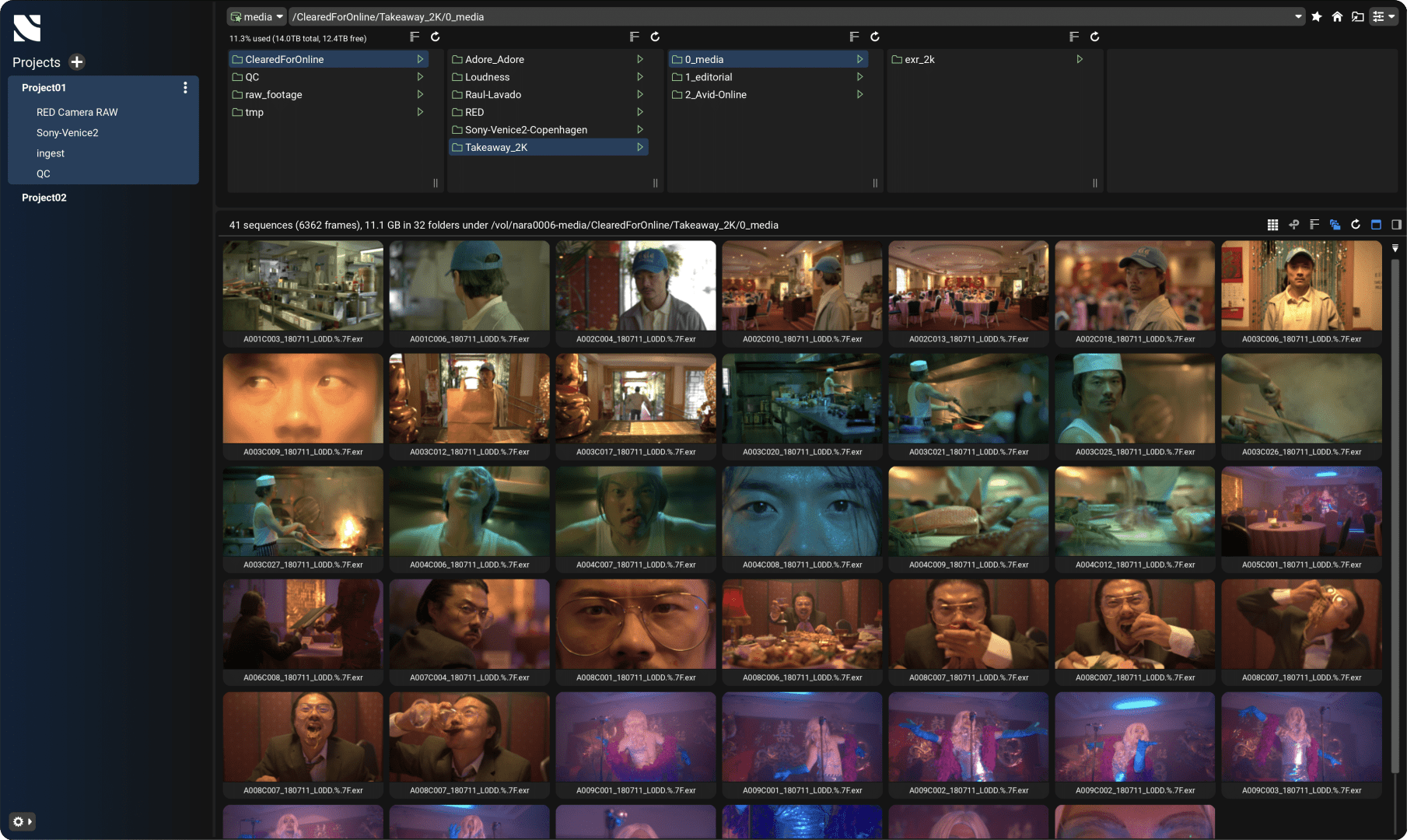
Steve Britnell: Nara’s user interface is intentionally straightforward, presenting users with a clean and visually appealing web experience. The software enables users to browse their storage by project or folder, complete with thumbnails for each media file and a detailed metadata view. At any time, any media file can be streamed directly to the user’s browser, allowing teams to quickly review the content they are working on.
Nara has a unique ability to support every media file format under the sun (almost). Supporting 160+ codecs and formats, including Camera RAW (OCF), intermediary files like EXR, TIFF, JPG as well as complex deliverables like IMF, DCP and Dolby Vision mastered files – all without the need to transcode the media beforehand. It also supports standard web friendly formats like MOV and MP4. This feature makes Nara unique in its available applications, as it can be introduced as a tool at any stage in the pipeline.
DP: How do artists, editors, and colourists actually interact with Nara?
Sam Lempp: Nara enables users to organise files and folders by “Projects,” where a single project can span multiple folders across various “storage silos”. While it may sound straightforward, the ability to consolidate all your files—regardless of their physical location—and make them fully searchable, filterable, AND streamable is a genuinely unique offering. Other applications might allow you to organise or stream files, but seldom both in a single solution and never with such a diverse set of supported file types.
By serving as the central project hub, Nara provides a unified space where every member of the facility can locate and review ANY media. Teams can also share links to ensure everyone references the exact same file, preventing confusion and streamlining collaboration. Users can also securely stream their media to external clients or vendors. This allows them to service their clients in a unique and powerful way. Let’s say their client wants to see a VFX shot in its native format, they no longer have to book in a session to review that shot, or compromise by transcoding it and uploading it, they can simply put that media in front of their client instantly.
DP: Let’s talk technical ecosystems. How does Nara connect to existing post-production pipelines?
Steve Britnell: If you were to ask an editor, colourist, or VFX artist, “Who is most frequently knocking on your door with daily requests?” the answer is likely, “Producers.” According to current Nara users, the platform helps save valuable time in the suite by offloading simple tasks—such as quickly checking a shot, reviewing newly delivered VFX assets, or confirming that a client-reported issue is resolved in the latest WIP. Instead of tying up costly systems and suites for these routine tasks, teams can use Nara to handle them independently. As a result, they gain full autonomy over smaller tasks, freeing the suite for the in-depth creative work that truly demands specialised resources.
Nara does have some very unique and powerful integrations with Baselight which allow users to browse and stream active Baselight projects, as well as add comments and notes to the timeline, giving users a way to work even closer to their artists and get a true picture of their current project. We also plan to release integrations with other NLEs and finishing software in the future.

DP: From an IT perspective, what does a Nara system look like? Is it a box in the studio, a cloud application, or something else entirely?
Steve Britnell: Nara is primarily an on-premise solution, consisting of a 1U rack server, GPU and NVMe. Fitted with a fast network card supporting anything from 1Gbe to 100Gbe depending on the facilities infrastructure. We can also deploy in a facility’s cloud estate, as an AMI. Whether in the cloud or on premise, Nara supports all types of storage such as NAS, SMB, S3 and Native distributed storage filesystems such as IBM scale, Quantum StorNext, Weka, Qumulo etc. Nara is not shy to storage, if you are unsure if we support it, the answer is we most likely do – just ask our friendly support team!
And, regardless of how Nara is deployed or what storage it mounts, the user will always interact with it via a browser – meaning there is no requirement to have an installer on the browsing device.

DP: What hardware set-up is necessary to run Nara and achieve full-quality playback?
Steve Britnell: We have a minimum spec for a Nara server which mostly puts a minimum spec on the CPU and GPU capability. A top spec GPU is required due to the intensive decode requirements for a lot of the media we support, and the CPU needs to be able to keep up with the index demand and multiple user access. However the device used by the Nara user can be any Laptop, desktop or tablet which supports Safari, Chrome or Firefox. We currently do not support mobiles.
Nara does have the ability to play out to a JPEG-XS decoder and output to a high fidelity calibrated monitor. In this case there is a hardware requirement on the client end. This uses our FL-REMOTE software which you can find information about on our website.
DP: Let’s talk connection speeds. How fast does my internet need to be to enjoy a “butter-smooth” experience with Nara?
Sam Lempp: Nara allows users to customise their streaming output according to bandwidth requirements—whether that means lowering bitrate for slower connections or maximising it when faster speeds are available. Within the browser, Nara supports bitrates anywhere from 1 Mbit/s to 100 Mbit/s. In fact, we’ve successfully streamed images on notoriously poor trade-show Wi-Fi; if you can stream 8K R3D media at peak NAB, you can stream it anywhere (laughs).
The real bandwidth demand lies on the server side (where the magic happens). As long as Nara resides on the same production network as your storage, it will have sufficient bandwidth to stream the media. Additionally, Nara locally caches data on the server, reducing the frequency of reads from your production storage and ensuring a smoother experience overall.
DP: How does Nara compress video for streaming while maintaining quality?
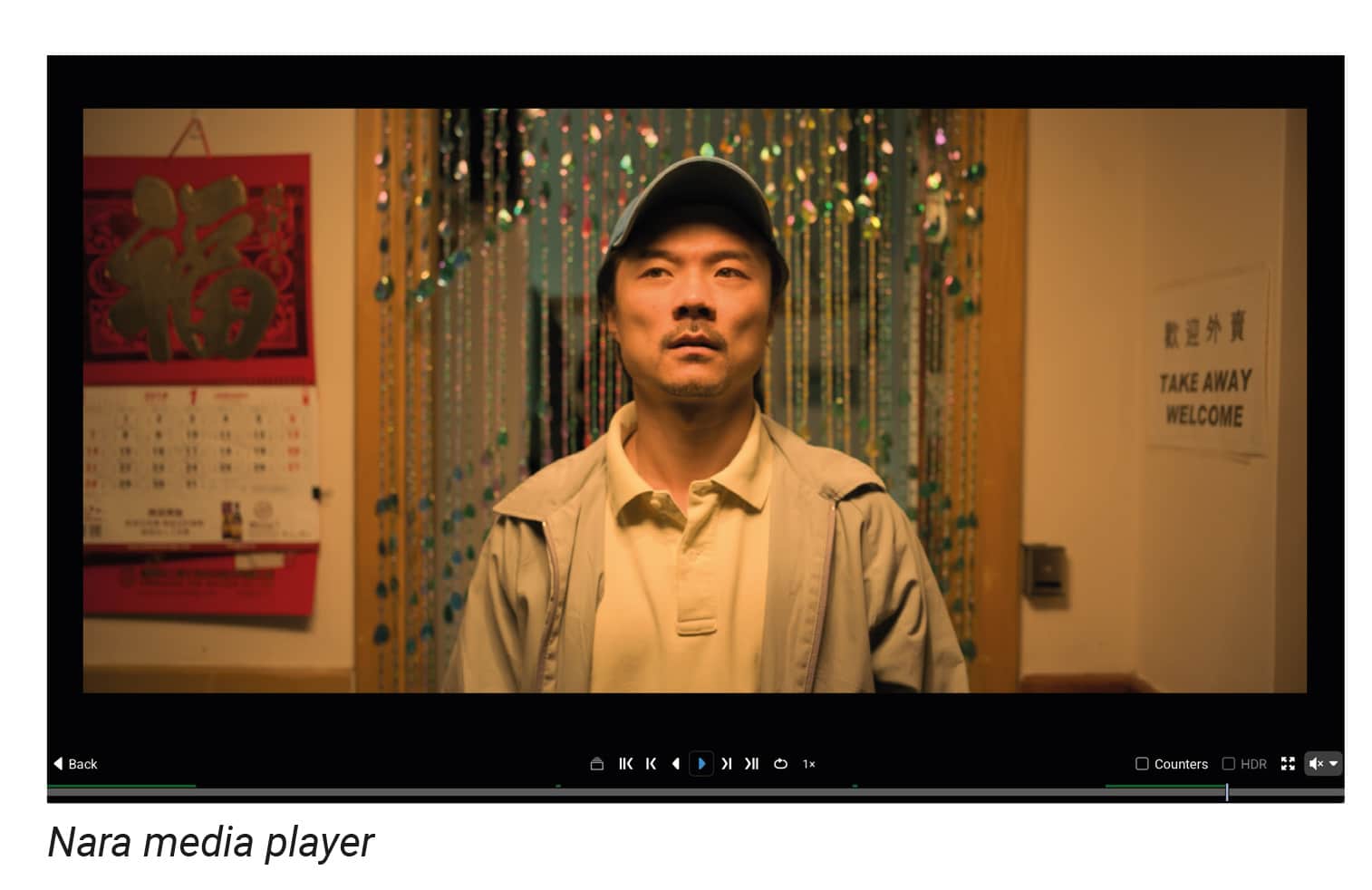
Steve Britnell: Bandwidth will always demand compromise in bit-rate, but image quality isn’t solely about bitrate—accuracy is what plays the most significant role. FilmLight has over 25 years of colour expertise, bringing unparalleled know-how to Nara. Our colour engine is fully integrated into the platform, ensuring that every frame is precisely managed from source to stream. Users can even configure their own custom colour pipelines without sacrificing simplicity or accuracy. While bitrate is important, it isn’t always the key factor in achieving an accurate image; what truly matters is viewing the content consistently, with accurate colours maintained throughout.
DP: How do you ensure that colour, dynamic range, and resolution are preserved so the viewer gets the “original”?
Sam Lempp: Nara leverages the very same colour engine as Baselight—trusted by professionals worldwide to deliver Hollywood blockbusters and record-breaking OTT series. This powerful engine uses camera-native SDKs to ensure that each file is processed precisely according to its manufacturer’s specifications, while also adhering to industry standards for codecs and formats. With Nara, users can customise their colour pipelines per project, enabling advanced workflows such as ACES, RED IPP2, ARRI REVEAL, or any bespoke pipeline they choose.
DP: Colour needs calibration—what’s “good enough” for screens receiving streamed footage, and how do you ensure it?
Steve Britnell: For the highest level of accuracy, we always recommend calibrating your monitor. However, modern displays—like Apple’s XDR—already offer impressive precision. Nara automatically detects each device’s colour capabilities, so it will not, for example, stream HDR content to a screen lacking HDR support. In most cases, users can simply access Nara through a web browser without needing to calibrate their display, and still benefit from a highly accurate image.
DP: What’s the reaction from users so far? Any feedback that made you think, “That’s why we built this”?
Sam Lempp: We’ve had overwhelmingly positive feedback, and it’s been incredible to discover just how versatile Nara really is. At FilmLight, we’re naturally immersed in the realms of colour and finishing, so seeing Nara applied to such a broad spectrum of workflows—beyond what we’d typically be involved in—has been the most rewarding aspect of its release. We’re working closely with our customers and are always developing our solution to ensure Nara meets their specific needs – we look forward to continuing this journey.
DP: Every product ends up with some unexpected “off-label” uses. Has anyone done something crazy or unexpected with Nara yet?
Steve Britnell: Given Nara’s unique capabilities, we’ve had the opportunity to demo it in some unconventional settings. It never gets old seeing the reaction when Nara streams back high resolution OCF media or a finished DCP whilst we’re drinking coffee at a local coffee shop using our 5G phone Wifi, or whilst on a train back from IBC during an impromptu demo. This really resonates with people interested in how they can give more autonomy to remote staff and how they can improve their workflows between remote facilities.
DP: What’s next for Nara? What can users expect in the short term—say, in the next year?
Sam Lempp: We’re making significant progress on a range of new features, with a major update planned around NAB. One key area involves expanding our secure streaming capabilities—currently, users can stream media live to clients, and we’re now working on making this asynchronous. In other words, clients will soon be able to access their media whenever and wherever they choose, without needing a live session. All whilst leveraging their existing infrastructure.
We’re also introducing transcoding within Nara, allowing it to serve as an internal render engine. This lets teams integrate it directly into their core pipeline, for use cases such as easy rendering of stills or QuickTime clips from specific timelines or shots without adding extra load on artists.
Furthermore, we’re adding tools for semantic data generation, giving users the option to manually tag media and folders or leverage ML models to automatically tag faces, places, and objects for improved searchability. Alongside these features, we’ll be rolling out enhanced user access controls, so facilities can organise teams by project and assign features accordingly. And there’s still more to come—but we’ll keep a few surprises under wraps for now!
DP: Let’s get ambitious. Where do you see Nara—and production pipelines in general—in 2035? Will it be all AI and holograms by then?
Sam Lempp: It’s remarkable that in 2025 the status quo is that viewing media in a facility without Nara is often a painful experience, with countless steps required to achieve something that is seemingly so simple yet in reality is extremely complex. So yes, we have big ambitions for Nara and absolutely see it as a central part of M&E workflows moving forward.
Steve Britnell: ML and AI are of course huge topics of discussion, with more and more mind bending technology being released each week. It’s still unclear how these developments will ultimately shape our industry, but something will always remain – we will always have a desire to create our own stories. For us to continue doing this, we have to make sure those working on said stories are able to collaborate effectively and efficiently on the media they are using, wherever it may come from or whatever form it might take.
