



To understand what’s what in ACES 2.0 we first have to take a little refresher into what ACES is (See our big article here) – the “Explain it like I’m 5” Verison is “ACES, or the Academy Color Encoding System, is a color management system used in post-production.”
The better definition is “The Academy Color Encoding System is a global standard for interchanging digital image files, managing color workflows and creating masters for delivery and archiving. It is a combination of SMPTE standards, best practices, and sophisticated color science developed by hundreds of professional filmmakers and color scientists under the auspices of the Science and Technology Council of the Academy of Motion Picture Arts and Sciences. It’s a free, open, and device-independent system designed to ensure consistent color accuracy throughout a film’s pipeline, from initial capture to final presentation and archiving. ACES aims to solve problems related to color inconsistencies arising from diverse digital cameras and worldwide collaboration.”
If that sounds familiar: We literally copied it from ACES Central, the hub for all the efforts in 21st century Colour Science and pipelines. Go there for any questions or background – and to meet the developers, testers and colorists behind the pretty colors!

And as any other standard, there are develoments and the first tool we have seen to implement it, was SGO Mistika – the Color Grading solution got that first jump into ACES 2.0 weeks ago, and now we talked to one of the Architects- Adrián González Díaz, who is, amongst being a designer, teacher and colorist himself, a Creative Solutions Architect at SGO. Have a look at his Behance page for a few pictures, or his CV on LInkedin.
DP: Hello Adrián, let’s start with the big thing: What are the significant changes in ACES 2.0 compared to ACES 1.3?
Adrián González: We could say that there are two fundamental changes: The first is the update to the algorithms of the different ODTs. ACES now produces much more natural colors. The previous version of ACES (1.3) tended to create more electric and unnatural hues. With this new version, I believe many colorists will feel more comfortable working with ACES, achieving better results more efficiently.
The second key point is the inclusion of additional ODTs and a much better overall organization. Conceptually, we can say that there are always four variables in any output color space: the final encoding gamut (essentially, the gamut reflected in the metadata of the output file), the limiting or working gamut, the EOTF (electro-optical transfer function), and the peak luminance. These four values were not always clearly specified in previous versions, which could lead to some uncertainty among colorists. This aspect has now been improved, making it much clearer.

DP: What would be your recommendations for post-production professionals looking to transition to ACES 2.0?
Adrián González: They should be a bit cautious because ACES 2.0 is still in the early stages of adoption by other applications. Depending on the work ecosystem, it’s important to ensure that all tools are updated to this latest version. If there’s any uncertainty about whether ACES 2.0’s color pipeline is fully supported throughout the workflow, it’s preferable to stick with the previous version. That said, the workflow remains the same, so there’s no need to relearn anything. And the results are significantly better, making the upgrade well worth it.
DP: How has ACES 2.0 improved handling of HDR and wide-gamut workflows?
Adrián González: The improvement in color is especially noticeable in highly saturated colors, gradients, highlight areas, and similar aspects. These are all common in HDR productions, so ACES 2.0 will deliver better results and especially faster results, since the colorist won’t need to spend as much time fine-tuning those details. Additionally, there are now more configurations for different HDR outputs, and they are better described. So, we could say that everything has improved in this regard.
DP: The new Gamut Compression transforms aim to handle extreme colours more effectively. How does the ACES-Group integrate these features?
Adrián González: One of the challenges with ACES is handling extremely saturated tones, especially in high-brightness peaks. A common example of this issue is neon lights, or CG and VFX shots with bright effects like particles, fire, or explosions.
ACES 2.0 has significantly improved in this area, but in some cases, it may still be necessary to use the ACES Gamut Compressor to manage those colors. Typically, it is applied at the project level, but it can also be used independently on specific shots.
It’s important to note that it must be applied in AP0 Linear, meaning it has a specific place within the color pipeline. It is an almost entirely automatic tool, so, it does not alter the color pipeline in any other way.
DP: What challenges did you face while integrating ACES 2.0 into Mistika?
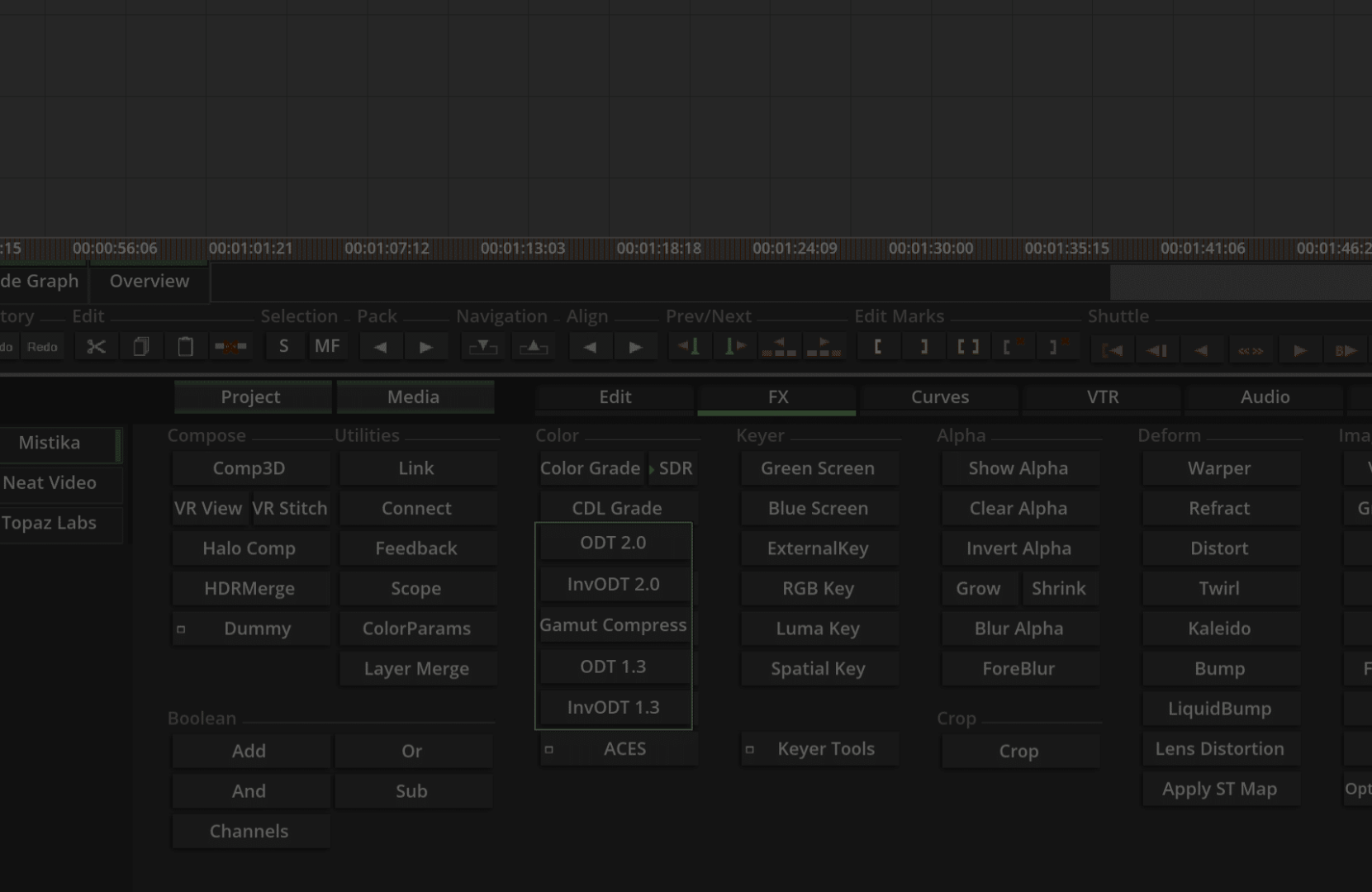
Adrián González: Performance issues have been THE challenge, for sure. Internally, ACES 2.0 is quite different from the previous version, and its source code is designed to run on the CPU. That code then needs to be migrated or adapted for fast execution on the GPU.
From conversations we’ve had with other software manufacturers, this is where many have gotten stuck or decided to wait for the new release of OCIO (OpenColorIO) to use its GPU-accelerated implementation of ACES 2.0.
We didn’t want to wait and preferred to move ahead to have greater control over performance. For us, overall performance in Mistika is extremely important, especially considering that many of our clients work in 8K and 16K resolutions for immersive content. So we need to have our own magic tricks to do that. Fortunately, our developers are highly specialized in optimization, and we were able to solve this issue sooner than expected.
DP: ACES 2.0 introduces new Look Modification Transforms (LMTs). What customization options do users have with these?
Adrián González: Basically, it involves unifying LUTs and other transformations like CDLs within a single working space. In the end, the core idea behind ACES is to standardize variables—software, cameras, color spaces, LUTs, etc. The issue with traditional LUTs was that users sometimes didn’t know which color was used when that LUT was created. And even when they did, they had to build a color pipeline that converted from the ACES working space (AP1 and ACEScct) to the LUT’s color space, apply the LUT, and then convert back to ACES. As you can imagine, this is a bit messy.
With CLF LUTs (Common LUT Format), this problem is solved because they are already designed to work within an ACES environment. The result for the user is a simpler color pipeline that maintains all the flexibility of previous workflows while preserving image quality throughout the entire process.
DP: How does Mistika handle backwards compatibility with ACES 1.x projects while implementing ACES 2.0?
Adrián González: The approach we’ve chosen here is to keep both versions separate. Mistika users can decide which version of ACES to use for new projects. And if an older project is opened, it will automatically use the version it was originally created with. This is important because the results between ACES 2.0 and 1.3 differ, making it necessary to maintain both versions.
DP: ACES 2.0 is still evolving, with new features and refinements in development. What aspects of ACES 2.0 are not yet finalized but are already influencing your implementation in Mistika?
Adrián González: On our end, we still need to finalize the implementation of AMF (ACES Metadata File). This is a key element in the ACES workflow for sharing material between different applications.

Additionally, since ACES 2.0 is a very recent improvement and still in the implementation phase, we can expect feedback from the industry and adjustments based on that feedback. Our role will be to collaborate with the ACES team to implement those improvements as quickly as possible.
At this stage, it’s hard to predict which aspects will be refined or changed, but we’ll be keeping a close eye on developments.
DP: Mistika is known for its flexibility in colour management. How do you balance ACES compliance with the need for customization?
Adrián González: We always try to be quite strict with standards, but it’s true that what makes Mistika different compared with other software is the flexibility of our timespace. So, we need to make both aspects coexist. For example, Mistika does not have color management at the timeline level; the timeline itself is agnostic. We manage color at the shot level and apply it in a general way using intelligent propagation tools. This allows us to combine different deliveries and versions with different color spaces within the same timeline.
This logic applies even with ACES, allowing versions with or without ACES on the same timeline, or even now enabling the combination of versions with ACES 1.3 and ACES 2.0 (for example, when doing a remaster using the new version of ACES).
In addition, we’ve created a system where all ACES 2.0 ODTs are managed through a CSV file, allowing the user to define their own values for Gamut, EOTF, and peak luminance. This way, they can add custom configurations to create new ODTs.

DP: Are there any ACES 2.0 features that you think will significantly impact the industry but have not yet gained widespread attention?
Adrián González: I would say those related somehow to ACES, more than ACES itself. New LUT formats like CLF (Common LUT Format) or metadata formats like AMF (ACES Metadata File) are not yet widely used across the industry, but they will help unify color workflows between systems and departments.
In reality, if we’re being honest, these types of standards shouldn’t even be necessary. I always say that this industry is constantly designing standards to fix other standards, meaning nothing remains standard for too long. If there were good communication between departments, teams, and companies, these additional formats would likely be much less necessary. Unfortunately, that’s not the case. I’m not sure to what extent we’re complicating the production pipeline just because we don’t communicate well across all teams.

DP: How do you see ACES 2.0 evolving in the next few years, and what role do you expect Mistika to play in that development?
Adrián González: I believe that in the coming years, there will be greater implementation. So far, in the film industry, ACES is very standardized, but not as much in the Broadcast or Marketing sectors. Mistika is also used in these industries, so we hope to help extend its implementation.
Also, being a little selfish, we’re interested in everyone using the same standards. That means we can delegate much of the workflow to these standards, allowing us to focus on developing more innovative and unique tools. So, the fewer things we need to modify, the better.
If I had to change something, it would be the metadata part, as with AMF, we now have a new format. And as I mentioned before, there are just too many standards, especially when it comes to metadata. The team or group that manages to unify all this metadata into a common format will be my heroes.
