



On 9 September 2025, VEGAS Creative Software announced VEGAS Pro 23 and VEGAS Pro 23 Suite, detailing notable performance updates, UI modernisation, and new licensing options.
The centrepiece of VEGAS Pro 23 is the VEGAS Core Engine, a newly branded and re-engineered processing architecture. This engine controls playback, image processing, and GPU acceleration across the entire editing workflow.
At a technical level, the Core Engine introduces a DirectX-based GPU colour-processing pipeline. The engine removes redundant memory copy steps between CPU and GPU by using a redesigned DirectX image pool. This allows frames to remain in GPU memory across the grading and effects stages, which in turn reduces latency and increases timeline responsiveness.
The vendor cites framerate improvements in typical grading workflows: from 45 fps in VEGAS Pro 22 to roughly 184 fps in VEGAS Pro 23. This is a four-fold increase. It is important to note that these values are reported by VEGAS Creative Software in internal benchmarks and should be tested in user-specific production environments before assumptions about universal performance gains are made.
Windows on ARM Native Execution
A significant architectural addition is native support for Windows on ARM devices. The Core Engine is now compiled to run without emulation on ARM processors. This extends to GPU and NPU (Neural Processing Unit) acceleration where supported by ARM platforms.
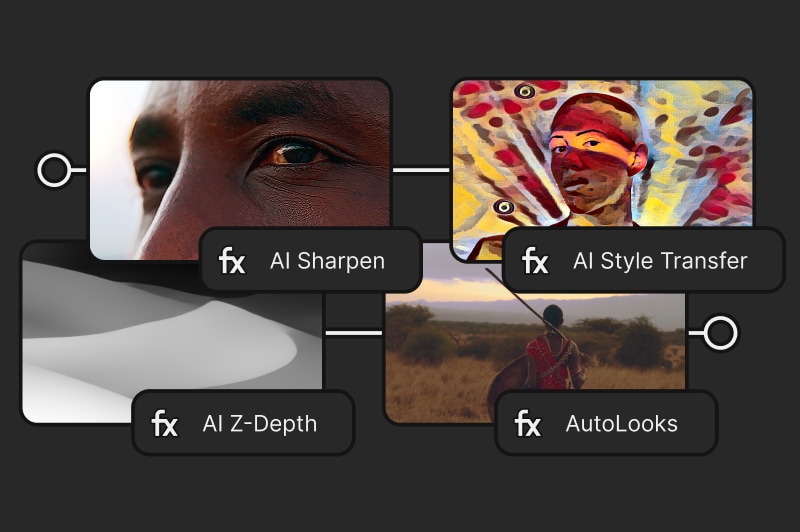
This means that VEGAS Pro can take advantage of ARM-based ultrabooks and mobile devices without incurring translation penalties. ARM native support is a strategic update, as major vendors including Microsoft and Qualcomm are pushing ARM-based workstations into the professional market. VEGAS Creative Software explicitly states that the application is optimised to use NPU resources on such devices for background processing tasks.
Colour Grading Pipeline: From Docked Panel to ACES 1.3
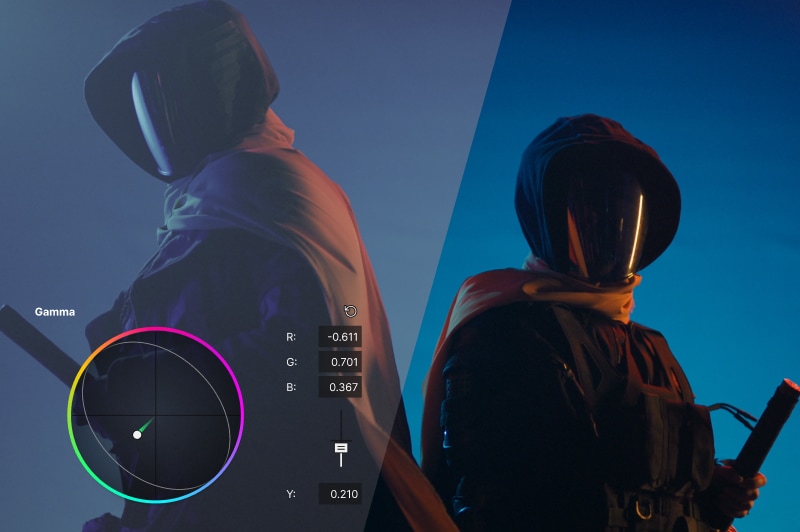
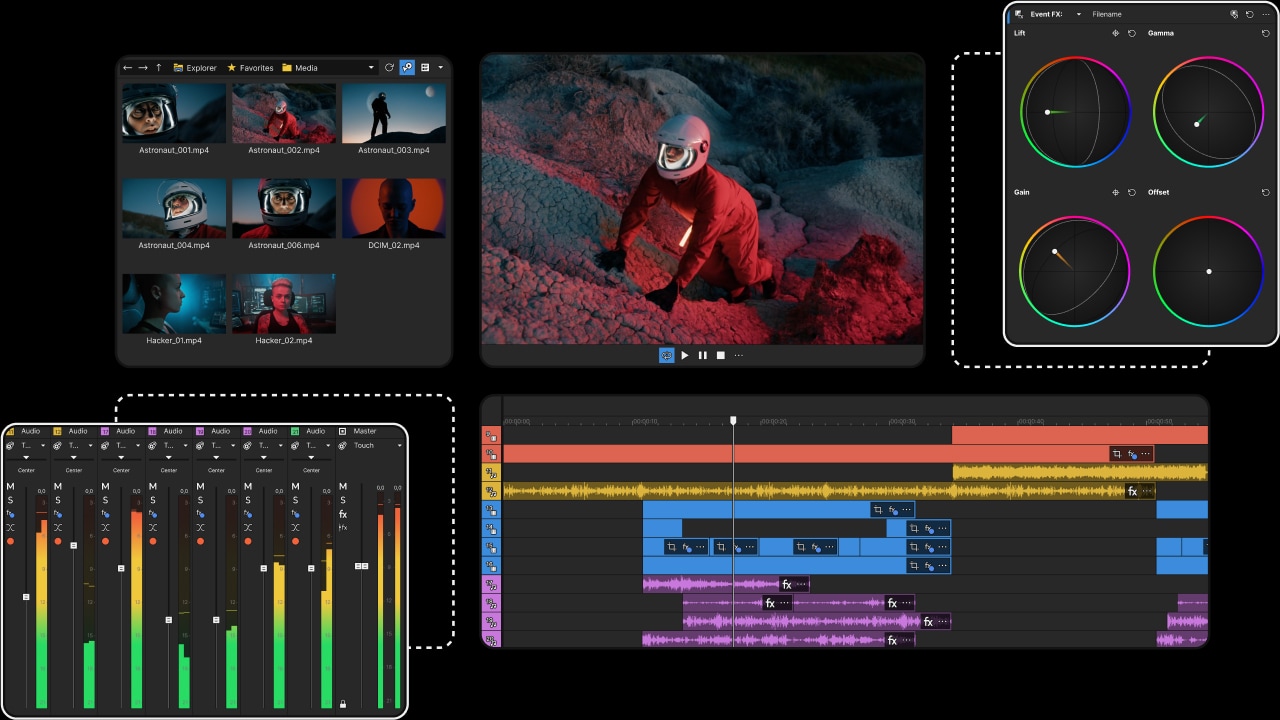
VEGAS Pro 23 features a reimagined Colour Grading Panel that is fully dockable. This means that users no longer have to switch modes between editing and grading. The timeline remains visible and accessible at all times, while grading controls occupy a movable, resizable dock.
Integrated Tools and HDR Focus
The grading system includes native GPU-accelerated colour correction, touch-friendly controls, and a timeline-linked grading interface. VEGAS states that the rewritten engine provides real-time responsiveness during adjustment, even under HDR conditions. The system supports ACES 1.3, which brings improved standardisation in HDR workflows. ACES [Academy Color Encoding System] is widely used across VFX and DI pipelines – more about it here and here, we talked about it extensivly. With version 1.3, OCIO (OpenColor IO) workflows are integrated, providing reliable colour management across compositing, rendering, and editorial. The grading toolset also includes LUT support for Samsung Log and Apple Log camera profiles, reflecting the growing use of mobile devices for professional acquisition.
Timeline-Integrated VFX Animation: OFX Envelopes
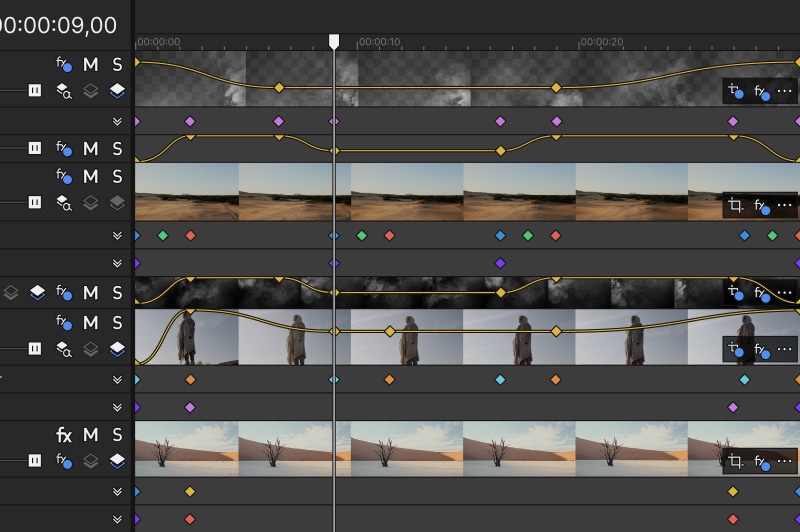
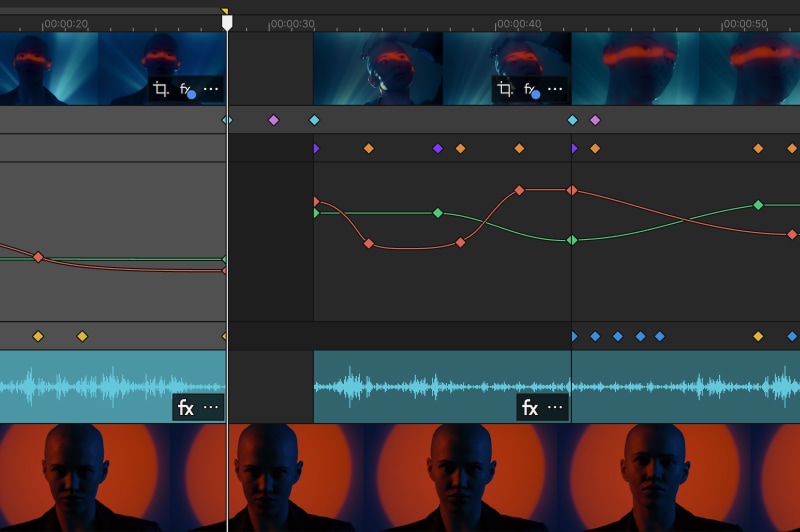
VEGAS Pro 23 introduces OFX keyframe envelopes directly into the timeline. Previously, animating plugin parameters required switching to dedicated dialog boxes. Now, envelopes can be drawn on events or tracks in the timeline, similar to audio automation.
Bézier Curves and Transition Controls
Animation curves can be adjusted with Bézier handles, allowing fine control over easing and interpolation. This system works with any Open FX plugin (OFX standard), meaning both built-in and third-party effects can be animated without modal windows. Currently, this feature is marked as beta. It is therefore functional but still undergoing refinement. Users working in production pipelines should test carefully before relying on it for final delivery.
User Interface: Visual Refresh and Docking
VEGAS Pro 23 undergoes a UI refresh with updated colours, fonts, and icons. The layout is designed to appear more contemporary while keeping the overall VEGAS workflow intact.
Docking on All Four Sides
The application window now allows docking regions on all four sides, not just the standard top/bottom arrangement. This enables more flexible workspace layouts—for example, placing the grading panel on the left, scopes on the right, and media management tools at the bottom. This flexibility is aimed at professionals managing multiple task-oriented layouts, such as grading setups, social-media delivery environments, or VFX heavy timelines.
Rendering Workflow: Use-Case Orientation
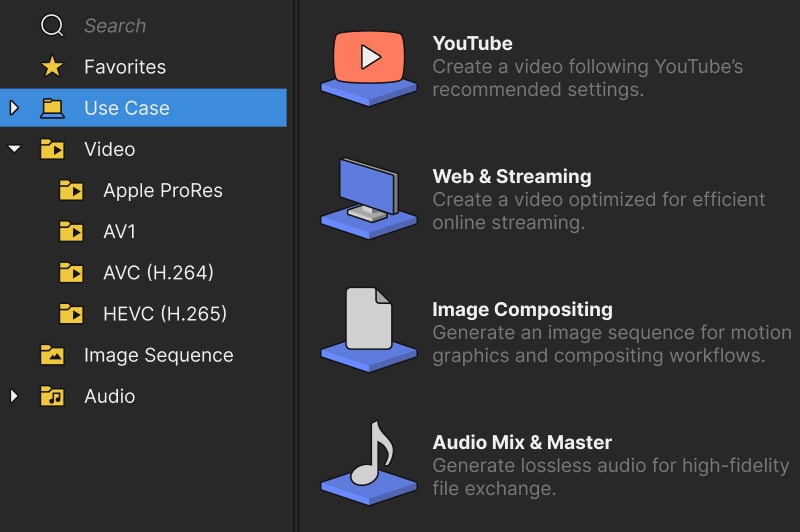
The render/export interface has been rewritten to present options in a use-case-oriented layout. Rather than browsing through long codec lists, users can filter by delivery type. Presets are categorised by use case (broadcast, web, social media, archiving), with enhanced search and a favourites list. The dialog also includes an auto-shutdown option for render farms or overnight exports.
Audio Processing: ModernEQ and VST3
VEGAS Pro 23 adds modernEQ, a new equaliser plugin with full VST3 support. It can be applied at the track, event, bus, or mixer level. This provides granular tonal shaping at any point in the signal chain. Because VST3 is an open standard, modernEQ can be combined with third-party plugins within VEGAS’s mixer and routing system.
File Management: Unified Explorer
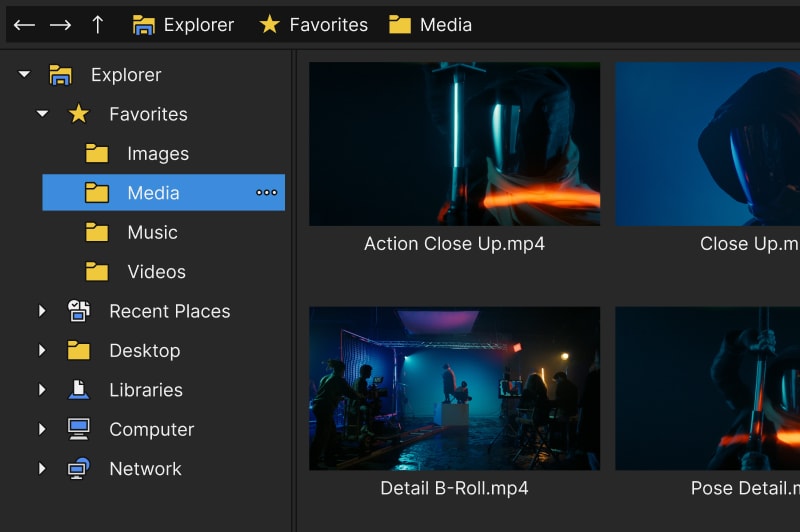
The Unified Explorer consolidates access to all storage sources, from local drives to cloud-linked storage. In VEGAS Pro 23, it now includes visual indicators that show which files are already used in the project. This small but practical addition helps avoid duplicate imports or losing track of media status.
Trial Experience: Closer to Production Testing
The trial version of VEGAS Pro 23 removes the former two-minute project cap. Users can now test real projects, though export is limited to 720p resolution and balanced stereo audio. Text-to-Speech and Speech-to-Text features are also included, but on a limited basis. This shift aligns VEGAS with industry practice, offering professionals a genuine evaluation environment before committing to a purchase.
Licensing and Pricing
VEGAS Pro 23 is offered as perpetual licences and subscriptions. Prices listed on the official German site at press time:
- VEGAS Pro 23 (base edition)
- Perpetual: €219.99
- Annual subscription: €143.88
- Monthly subscription: €19.99
- VEGAS Pro 23 Suite
- Perpetual: €269.99
- Annual subscription: €179.88
- Monthly subscription: €24.99
Suite Components
The Suite edition includes:
- SOUND FORGE Pro (audio mastering)
- ACID Pro (loop-based music creation)
- MAGIX Vintage Effects Suite
- Studio Box Mk II Collection
- Hub Starter Pack with cloud storage, stock content, and AI-driven speech tools.
Subscription options vary in Hub quotas (speech-to-text minutes, cloud storage capacity, stock download limits). As with any tool upgrade, readers are advised to evaluate VEGAS Pro 23 within their specific production environment before integrating it into live projects.
