Table of Contents Show

Michael Hackl started his professional career at the Munich-based post-production company ARRI Media (now Pharos the Post group). Over more than a decade, he wore many hats there: techie, workflow tinkerer, and in-house production. He then moved into a new chapter as Product Manager for Broadcast & Media at Rohde & Schwarz (formerly DVS). Alongside his industry work, Michael also taught post-production at the Salzburg University of Applied Sciences in Austria and shared his expertise in numerous workshops and lectures.
Today, Michael is a Content Engineer at Dolby, where he helps filmmakers, post studios, OTT providers, broadcasters and film schools across Europe get their HDR pipelines right. If your pictures look stunningly bright without giving anyone a sunburn… you might have him to thank.
What is HDR, Really?
DP: Hi Michael! The box on my monitor has stickers for HDR10, HDR+ and Dolby Vision. Isn’t that actually all the same thing?
Michael Hackl: You’re addressing a topic that is often very confusing for users and consumers in the HDR ecosystems. Even if it seems like a manufacturer is trying to fill the box with marketing buzzwords, these various acronyms describe HDR formats that are indeed different, each with its own technical specifications and workflows in content creation. Let’s take a quick look:
HDR10 is a basic HDR format. It uses the ST.2084 (Perceptual Quantizer) EOTF (Electro-Optical Transfer Function) and predominantly a maximum brightness of 1000 nits. It offers a color depth of 10 bits and offers two static metadata values to adapt the image to the capabilities of the respective display. It’s an open standard and each manufacturer tends to apply their own adaptation.
HDR10+ is effectively an extension of HDR10 that uses dynamic metadata (created at encoding). This is used to enable automatic adjustments from scene to scene or frame to frame to adapt the content to the screen. It also uses 10-bit color depth and supports peak brightness of up to 4000 nits.
Dolby Vision is the most advanced of these formats. Well, everyone will expect me to say this, but Dolby Vision is so much more than “just” another HDR format. The fact that we offer creatives a true “unified-master” workflow and give them real control over how their content will look on devices is the crucial point to me. It uses dynamic metadata that gets created by the colorist in the post-production process, supports a color depth of up to 12 bits and can handle brightness levels of up to 10,000 nits (although current professional displays usually reach their limits between 1000 to 4000 nits). Dolby Vision’s dynamic metadata allows for precise control over how content is displayed on a plethora of devices, providing a more accurate representation of the creator’s intent. There’s also a side benefit of getting a better SDR version too.
Dolby Vision in Practice
DP: Okay, so what exactly is Dolby Vision?
Michael Hackl: Dolby Vision is designed to meet the needs of content creators, studios and content owners while providing an exceptional viewing experience, whether at home, at the cinema or on the go. It is crucial for filmmakers that their movie is reproduced as faithfully as possible on different devices and in different environments. This is completely understandable given the immense time and effort that went into its creative design. Dolby Vision integrates seamlessly into the post-production workflow and therefore requires only minimal adjustments to the workflow.
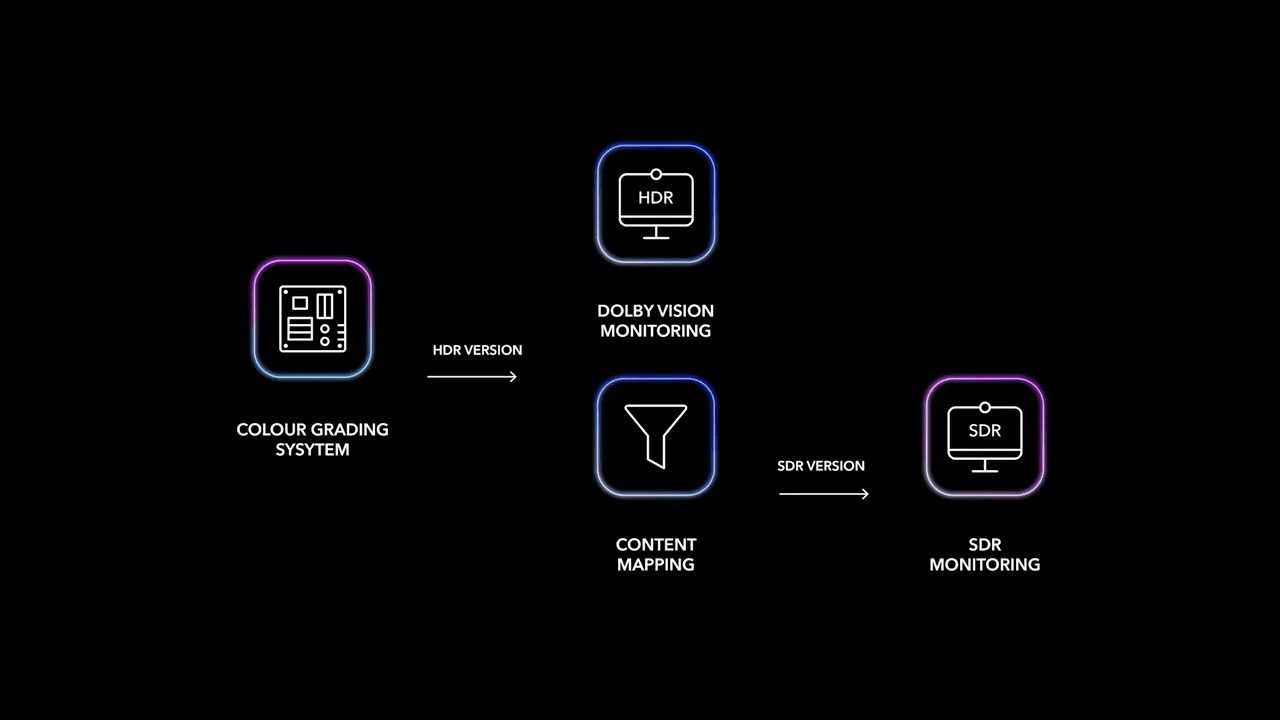
In practice, the Dolby Vision process for “Movies and TV” today starts with color grading in HDR, which is usually completed in a color grading suite on a professional reference display with peak luminance levels of 1,000 nits (or even up to 4,000 nits for some productions). Once the HDR grading is finished and approved, the colorist then runs an automatic Dolby Vision analysis that generates dynamic shot- or frame-based metadata, analyzing minimum, maximum, and average luminance levels along with the color space used to describe the color volume of each shot. In essence, this metadata captures the exact “light and color recipe” of the content.

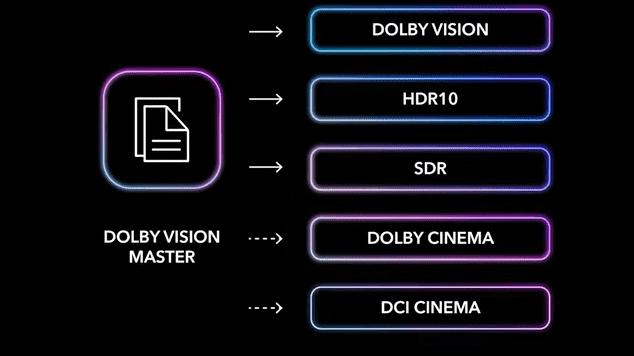
With this core metadata in hand, the colorist can then map the HDR grade to various lower luminance HDR targets, as well as all the way down to 100 nits. This 100 nits target serves as our HDR anchor for mapping and will also allow users to derive their SDR version. All these mappings can be previewed and fine-tuned using the Dolby Vision trim controls. This single color grading process allows for accurate translation to a wide range of output formats, from TV and mobile devices to theatrical releases in DCI and Dolby Cinema.
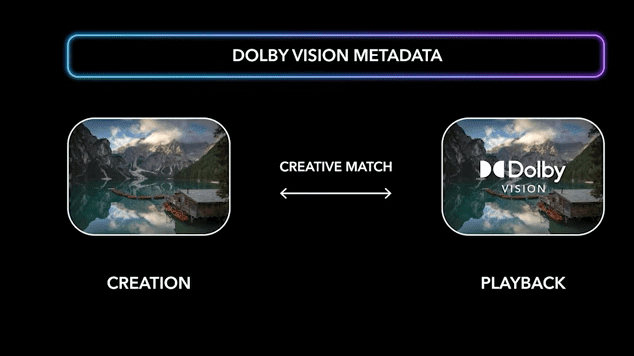
Dolby Vision offers enhanced creative control and the ability to ensure content is displayed as intended on a wide range of devices. This is critical because today there are so many different types of displays (with differing technologies and capabilities OLED, QD-OLED, LED/LCD, etc.). It is a comprehensive solution that extends from content creation to delivery to playback and is designed to provide a viewing experience that is as close as possible to the creator’s intentions. Dolby Vision enables the creation of a unified master that describes all necessary versions via metadata.
Why it’s Complicated
DP: You would think that these are solved problems in 2025 ….
Michael Hackl: When we were all watching movies on our old cathode ray tube TV in the darkened living room in the evening, we had less variance in this respect. Such a television set came relatively close to the picture characteristics of the CRT TV used for color grading back then. And a darkened living room comes closer to the ambient conditions in color grading than when we watch content outdoors on our smartphone today.
Virtually every display of every device today has different image characteristics in terms of contrast and color, and viewers use these devices in completely different environments. And these environments got much brighter. Therefore, content really has to be adapted to the respective environment and capability of the display.
In the context of post-production, this means providing tools and workflows that enable precise control over the image, efficient creation of multiple deliverables, and confidence that the final product will render accurately across a wide range of display devices and environments. Dolby Vision seamlessly bridges the gap between the creative process and the viewing experience, ensuring that every nuance of the image is preserved and presented as intended, regardless of the playback device or viewing environment.
DP: And you have to build that into each screen individually?
Michael Hackl: Dolby works with manufacturers and implements Dolby Vision through a combination of components in compatible devices – Displays require specific hardware capabilities including a panel that meets defined characteristics and a processing unit capable of decoding Dolby Vision content, and the integration of licensed software into the device’s firmware or operating system. We also work to characterize their display and tune the results – that’s key to understand. These devices must pass Dolby’s approval process to ensure they meet the required specifications for Dolby Vision playback, a manufacturer can’t just say “Yeah, that’ll do!”
DP: What do you do to ‘certify’ Vision in terms of image quality – in other words, what do you test screens and end devices for, what measurements / minimum requirements do they have to fulfil?
Michael Hackl: While we don’t review or approve each piece of content, as the choice of metadata is a creative decision, the approval process begins during the creation and analysis of the metadata by working closely with our partners. We work closely with them to ensure that the Dolby Vision metadata can be created according to our recommendations and delivers consistent results on all approved systems. This exact specification and verification is of fundamental importance in order to be able to think about a consistent playback at all.
To ensure this, we work with consumer device manufacturers to implement Dolby Vision in their devices. Here, too, we ensure that the metadata created in the creation process is processed correctly and thus leads to a correct visual result. This is a key differentiating factor for Dolby Vision. We ensure that both metadata creation and the respective application in the devices are implemented correctly and consistently for tone mapping. With other formats, there are significant deviations in the calculation of metadata using different tools, and implementation in the devices also varies across manufacturers.

DP: Oh, that’s why it’s considered expensive – it’s not even built into office screens ?
Michael Hackl: The fact that Dolby Vision is perceived as expensive may reflect the high-quality expectations associated with our brand. However, Dolby Vision is not a feature priced for the end customer. Our OEM customers license Dolby Vision for their systems and offer them at the prices they set. A quick look at popular online marketplaces shows that a TV with Dolby Vision does not have to be more expensive than a TV without Dolby Vision. The price of today’s TV sets, smartphones, etc. is determined by other components, not by Dolby Vision.
Dolby Vision is already included in post-production systems such as Resolve Studio and Baselight. Metadata creation, tone mapping, and rendering are therefore possible at no additional cost. If users wish to customize the metadata, i.e., use the Dolby Vision trim controls, they can obtain a license with no time limit and independent of the system via our online store.
Tools for Colorists and Post Facilities
DP: So in finishing and mastering I can already set up exactly everything for that?
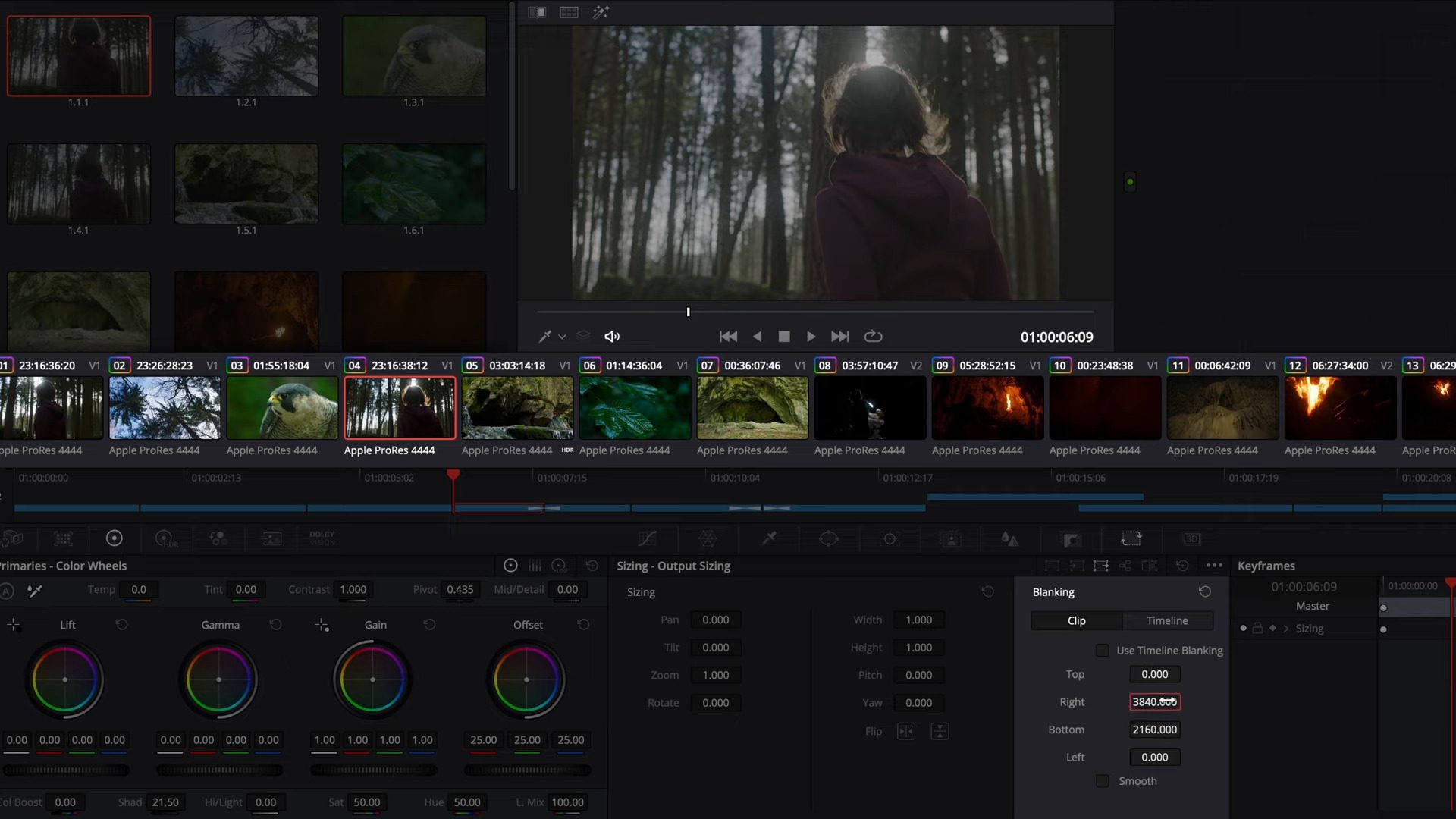
Michael Hackl: : Dolby Vision functionality, in particular the creation of dynamic metadata and its adjustment (trimming), is available in common color grading systems, such as Resolve and Baselight, as well as in mastering applications such as Transkoder or Clipster. For others, there are simpler tools that create the metadata automatically like in CapCut, Luma Fusion, Final Cut Pro and others.
For the creative process, it is of course incredibly important that the industry provides a proper end-to-end HDR production pipeline. Many well-known manufacturers have recognized the importance of flexible HDR/SDR editing and have already implemented it. Let’s hope that others will follow.
DP: From an editorial or mastering standpoint: what new control enhancements can colorists, editors, or mastering engineers make use of in Dolby Vision 2 compared to earlier versions?
Michael Hackl: Over the last 10 years we’ve listened carefully to the feedback from creatives, colorists, and color scientists at the leading post facilities around the world on the tools and workflows they’d like to see added or changed in the existing Dolby Vision mastering process. As a result, we’ve continued to innovate with new improvements like moving from Content Mapping 2.9 (CM 2.9) which was launched in 2015 and featured a subset of the metadata we use today, to CM 4.0 in 2019.
CM4.0 features enhanced trim controls and was further enhanced in 2023 with new Analysis tuning options that make the starting point even better, meaning the colorist can get to the trim metadata that delivers their vision even quicker than before. The goal for the next generation Dolby Vision content creation process is to build further on that progress, offering even easier, more flexible and compelling tools and workflow options that answer creatives’ need to best deliver their artistic intent in both HDR and SDR.
Studios will get the Dolby Vision unified master deliverable they desire – while not adding time over the current Dolby Vision workflow. While we can’t share specific details at this time our plan, working with our partners, is to deliver a comprehensive package of improvements.
DP: And, from a pipeline view, this should be predestined for using an IMF master..
Michael Hackl: IMF is certainly a perfect format for today’s multi-format deliveries. The Dolby Vision metadata can be transferred in an IMF package as part of the image track in the MXF container. In this case, the metadata is interleaved with the image content. Transfer as a separate ISXD track is also possible.
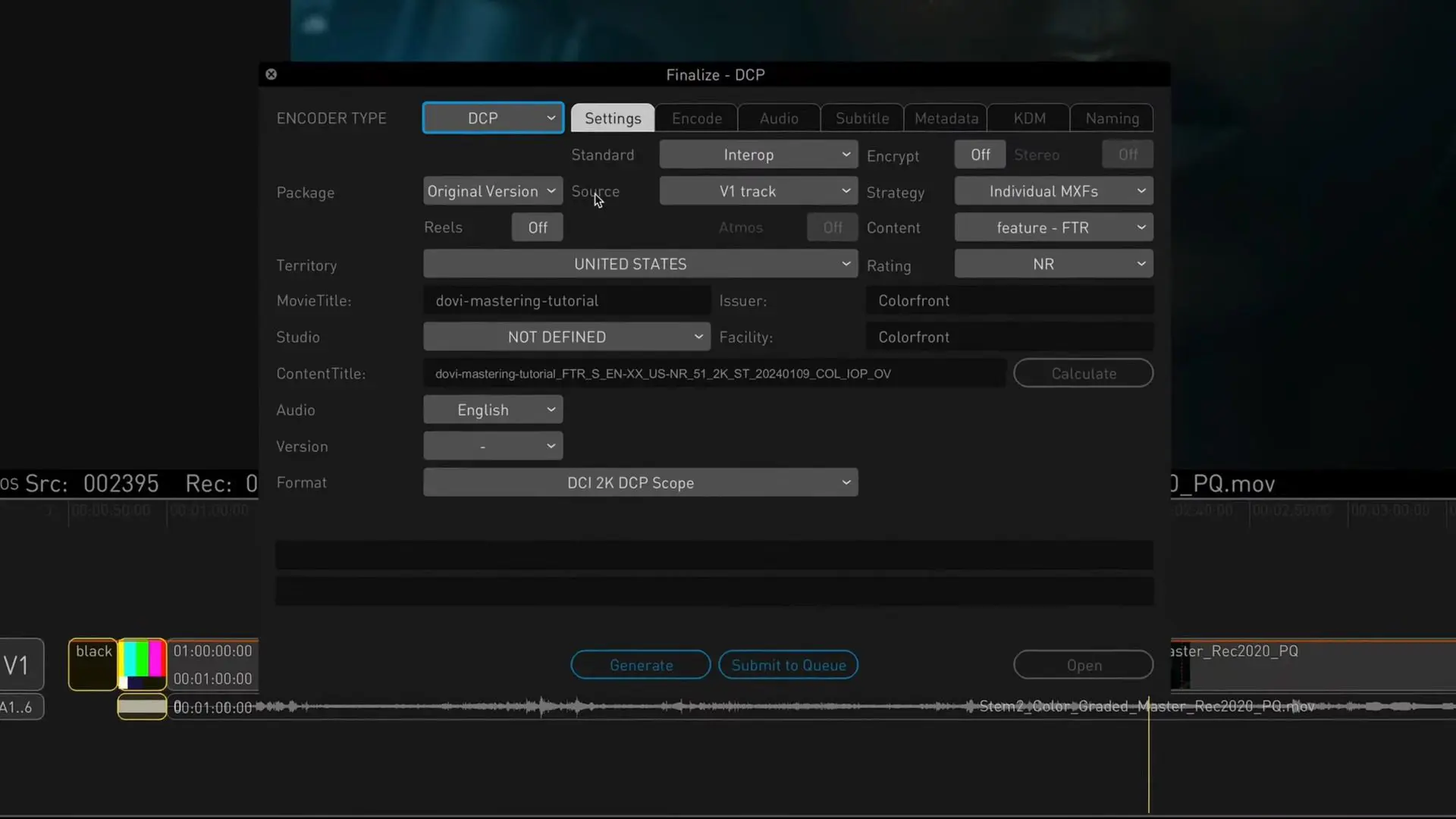
For the creation of theatrical deliveries, mastering systems can use the Dolby Vision metadata created and optionally modified in the color grading process to create corresponding DCPs, either for DCI (SDR) or Dolby Cinema (HDR) playback.



Multiple Screens, One Master
DP: But then in regards to color grading, it does get stuck – creating different versions for the screens – mobile, TV, PC, VR goggles, and what else is there?
Michael Hackl: Nowadays, we consume content on a wide variety of devices in different viewing environments. This circumstance may initially seem uncontrollable, since a corresponding grade would have to be created for each of these different use cases. However, this would not be efficient in many respects. Therefore, we use different technologies, both in creation and in playback control, which adapt the content created by the colorist to the end devices, taking into account the colorist’s decisions. Studios and content owners receive a singular master with Dolby Vision metadata, which then manages playback on different displays.
Dolby Vision is already implemented in literally all device categories today. These range from TVs, PCs, HMDs (head-mounted displays), such as Apple Vision Pro or Meta Quest, to tablets and mobile devices. And when it comes to theatrical distribution, we can use Dolby Vision metadata to create separate stand-alone DCPs for DCI (SDR) or Dolby Cinema (HDR). Colorists appreciate the consistency and efficiency they get mapping the HDR home grade with our tools to create theatrical deliverables.
DP: And what are these differnet technologies?
Michael Hackl: The basis for this is provided by our Dolby Vision display mapping, which can be found in TVs, laptops, tablets, and mobile devices. Simply put, this technology knows the image reproduction capabilities of each display device. As soon as a Dolby Vision bitstream is played on these devices, they switch to Dolby Vision mode and perceptually adapt the content to the respective display. For cinema deliveries, we can use metadata created in post-production to directly create discrete DCPs, either for DCI or Dolby Cinema.
VFX and Editing
DP: But at least in VFX / pure CGI it makes no difference?
Michael Hackl: We must distinguish here between HDR and Dolby Vision as an HDR format. In VFX, as in HDR color grading, we work completely without metadata at HDR reference level, because we work in reference environments across standardized displays.
At least in color grading, it is not necessary to adapt to different playback devices as the colorist or even multiple colorists work on reference displays that are identical in spec. In the field of VFX, artists today might already work with HDR-capable displays or at least conduct their VFX reviews on HDR reference displays. When processing, it is important not to lose any details so that the colorist, who integrates the final VFX shots into the color grading, has full control over contrasts, brightness and colors. There is still room for improvement in VFX when it comes to a user-friendly end-to-end preview workflow for HDR and SDR.

DP: And it’s not relevant in editing either?
Michael Hackl: Editing is certainly a crucial process in film production, and some manufacturers already offer basic support for editing in HDR. However, that is not everything. Many editors prefer to edit using the UI viewer rather than primarily using an external (HDR) display. To do this, the viewer must run in HDR while the other UI elements are displayed in SDR. It is also desirable to be able to switch the actual video output flexibly between HDR and SDR. This again requires dailies in HDR and SDR. But here, too, what we have already discussed for mastering applies. It is simply not efficient to create dailies in HDR and SDR and then manage the two formats in parallel during editing.
For the creative process, it is of course incredibly important that the industry provides a proper end-to-end HDR production pipeline. Many well-known manufacturers have recognized the importance of flexible HDR/SDR dailies and editing and have already implemented it. Let’s hope that others will follow.
DP: But if you’ve edited something and want to output it to a Dolby Vision screen, how does that work?
Michael Hackl: In the area of post-produced content, conforming, a so-called online edit, takes place after editing in a color grading system like Resolve, whereby the editing information is applied to the original camera data. Depending on the size of the project, the original camera footage may also have been edited directly so that the timeline and data can be used directly for color grading, which varies in scope depending on the project.
In the area of post-produced content, conforming, a so-called online, takes place after editing, whereby the editing information is applied to the original camera data. This conformed material is then transferred to colour grading.

DP: And what happens in the background?
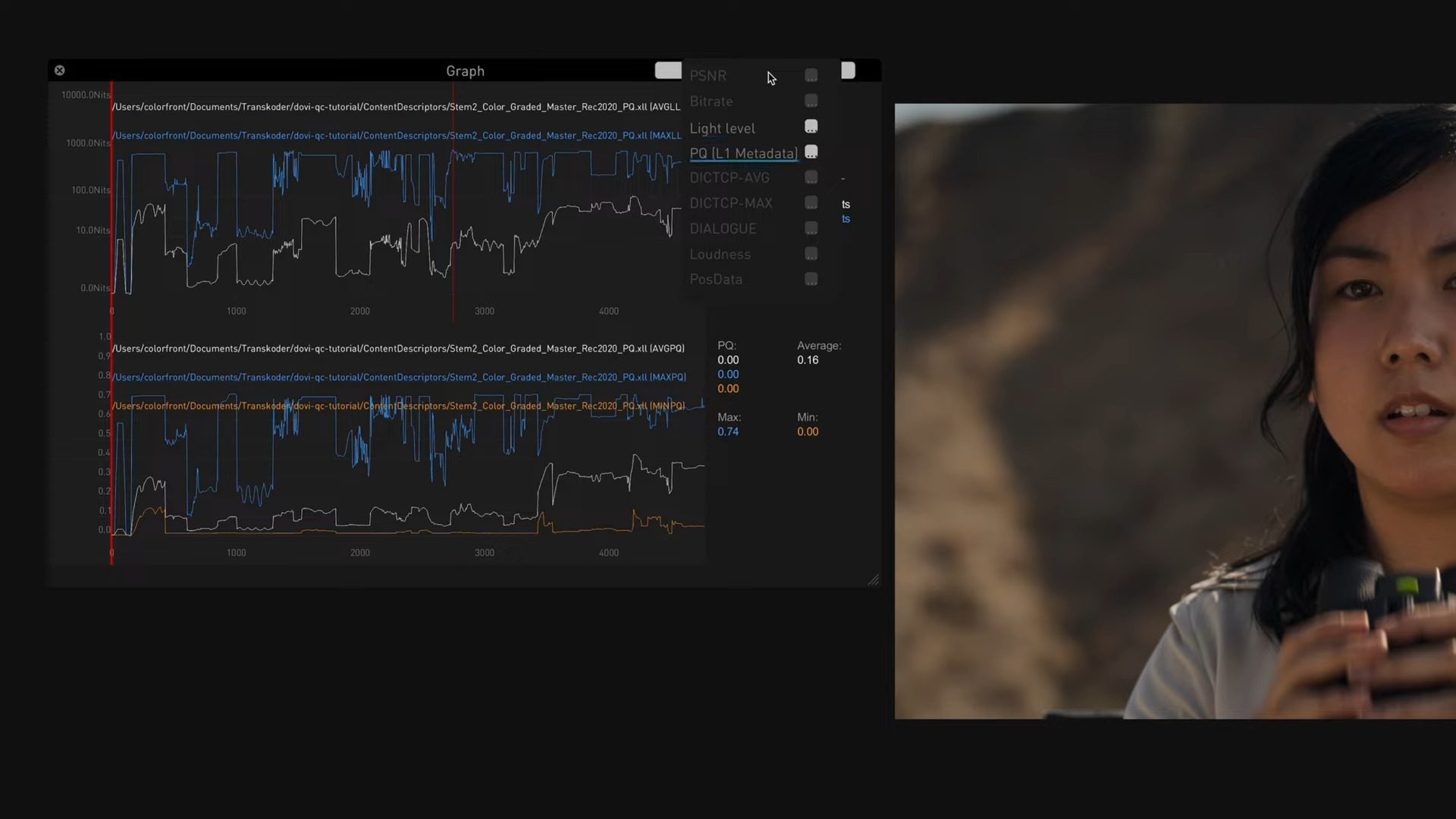
Michael Hackl: The content is then colorgraded in HDR and then the Dolby Vision process described above takes place. As soon as this is complete, the image and metadata information is exported from the color correction system and handed over to the mastering team. The image data is exported in ST.2084 (PQ) in P3D65 or Rec.2020, e.g. as QuickTime ProRes or 16-bit Tiff.
The metadata information is exported in the form of an XML file. In the mastering process, further elements such as start and end panels are added, along with the audio, and all elements are combined into the respective contribution format or mezzanine format, such as a Dolby Vision IMF package.
DP: And if we look at what Dolby Vision could be in 2040: What will be on the to-do list there – in your personal opinion?
Michael Hackl: Ideally, neither the creator nor the viewer needs to worry about where and on which device the content will be displayed. Dolby Vision ensures that the content is displayed accurately and that the display meets the expectations of the creator and viewer. Users get the best visual experience everywhere.
Want to know what others are saying about Dolby? Here is a Playlist of directors and filmmakers about working with it, including some of our favourites, like Denis Villeneuve (Part One and Part Two), Tim Burton, James Cameron, Jennifer Kaytin Robinson, Pete Docter and many More!
Two very recent ones are “Das Kanu des Manitu”, the wildly popular satire and long awaited sequel to “Schuh des Manitu” by Bully Herbig.
And “Welcome Home Baby“, the Austrian Horror / Mystery Movie
Learn More
DP: That seems reasonably straightforward – but what if I have additional questions?
Michael Hackl:: If you want to learn more about Dolby Vision or learn the workflow from scratch, you can sign up for our free Dolby Vision training courses at learning.dolby.com. These will guide you step by step through the workflow. You can find a lot of additional background information about Dolby Vision on professionalsupport.dolby.com and you can chat with other users and the Dolby team on the Dolby Vision User Forum.
We also offer regular Dolby Vision Technical Webinars, which interested users can register for via the following link.