



Table of Contents Show
Having recently looked at the After Effects scripts circuit FX, mazeFX and quadrateFX from the Greek manufacturer Real Creations, in this second part we take a look at the other three effects in the RealFX bundle, which can be purchased from aescripts.com for just over USD 140. If you don’t mind the cost or only really need one of the six tools, you can also purchase them individually for between USD 30 and USD 40.

easyRulers 2: Rulers and sliders
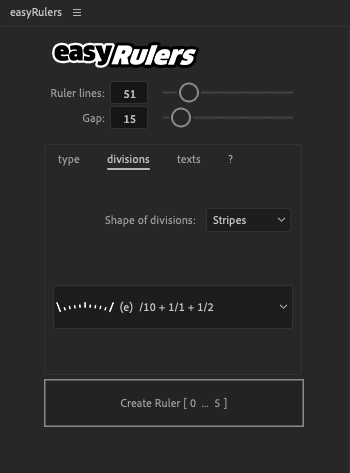
Whether a simple ruler, clock face, tempo display, volume, diagram or progress bar, the controllers of easyRulers 2 can be used for almost anything that needs to be visualised using numbers and indices.
The script initially offers the user two options: A straight line or a circle, with a corresponding number of dashes or dots between the digits. Further options are the shape and spacing of the dashes/dots as well as the display of digits, start and end numbers, their size and colour.
Once the user has selected all options and clicks on the “Create Ruler” button, a new shape appears in the composition with a number of text layers corresponding to the number of digits.
If you click on the shape layer, the extensive effect controls of easyRulers appear. Here the user defines, for example, the gaps between the indices, the width, the height, the colours and the distance between the digits and the dashes/dots. A pointer can also be optionally displayed and designed. If the “Wiggle” option is also activated, the pointer moves according to defined patterns. All other elements can be animated via the individual parameters using keyframes.
Conclusion
It should be noted that easyRulers does not create such elaborate animations at the touch of a button as the presentation on the website might suggest. easyRulers 2 is a script for generating fairly simple shapes and figures, not much more. Everything that the artists on the RealFX website have made out of it requires extensive and not to be underestimated post-processing. Nonetheless, easyRulers is a very good and easy-to-understand basis for designing any kind of controller and display. What you do with it is up to you.
Info box: Real Creations – easyRulers v2
easyRulers 2.02: USD 40
Host application: from After Effects CC
Further information: https://aescripts.com/easyrulers
LoadUP 1.7: Load bars and circles
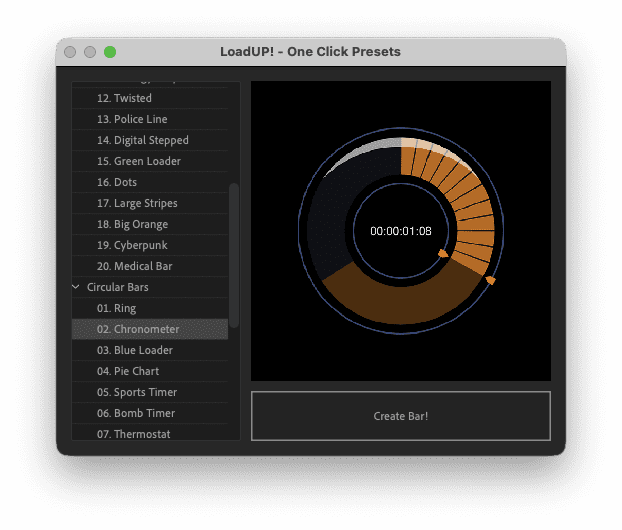
The LoadUP script makes it easy to generate different load bars with or without pointers and numbers. The LoadUP script from Real Creations works in a very similar way to easyRuler 2, with the difference that here it is a matter of loading and render bars or similar types of graphics arranged in a circle. And, there are presets from which the user can choose not only simple but also quite sophisticated templates. As with all other RealFX scripts, you first create a composition, load the control panel from the window menu and make the first decisions here: Should the loading bar be straight or curved, what size and width, should there be a pointer, additional digits, for example percentages, should these follow the display, and what alignment and colour should the numbers have. If you want to leave everything to chance, use the three “Randomise” settings.

In contrast to other RealFX tools, there is also a “Presets” button within the LoadUP window. Here, the user can choose from a variety of ready-made bars and pie charts (20 each, to be precise), some of which are modelled on real progress and loading bars such as those from YouTube, while others are more playful. Nevertheless, the templates are mostly professionally designed and save the user a lot of manual work.
To fine-tune the graphics, click on the corresponding shape layer in the composition, whereupon the effect controls open. Here you will find the options to animate the progress of the graphic, to adjust the colours and any existing reflection, to determine the width and height of the indices and to define the size and spacing of the numbers. All options have keyframes so that the graphics can be easily animated to your own taste.
Conclusion
Thanks to the extensive templates and the easy-to-use settings, even beginners can quickly achieve results that are really worth seeing. With a price of only USD 30, LoadUP is therefore an all-round recommendable script if you often want to design loading or progress bars or simply visualise figures and diagrams.
Info box: Real Creations – LoadUP v1.7
LoadUP 1.7: USD 30
Host application: From After Effects CC
Further information: https://aescripts.com/loadup
keyboardFX 1.5 – Virtual keyboards
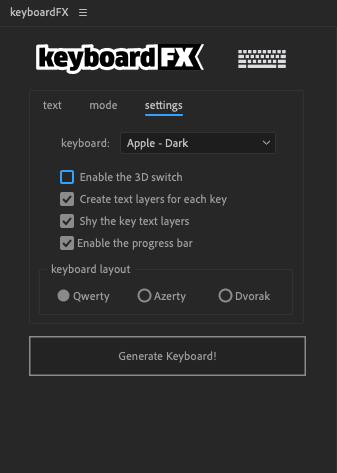
The last tool in our RealFX series from the Greek manufacturer Real Creations conjures up virtual keyboards on the After Effects screen. As with all the other tools, these are shape layers with optional text layers. If you call up the keyboardFX window, a handful of templates are available from which you can select an Apple keyboard (in white or black), older or newer Windows keyboards and even a Commodore 64.
Right at the start, the user can also enter a text to be typed and specify whether the keyboard labelling is to be displayed. If you then click on “Generate Keyboard”, keyboardFX generates the corresponding layers in the composition (the text layers for the keyboard labelling are set to “shy”).
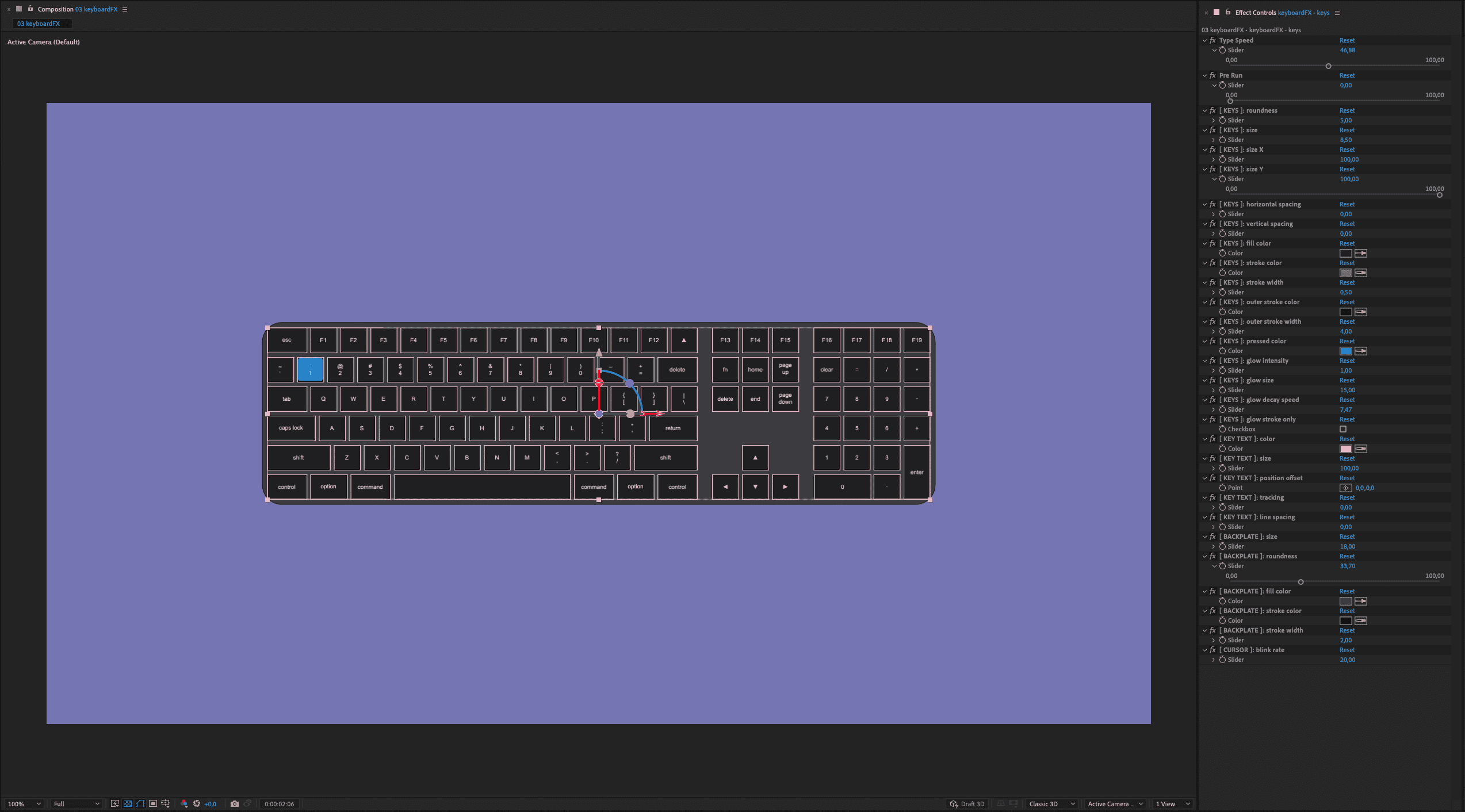
Although keyboardFX also involves lovingly designed forms, they are nonetheless quite simple, which means that it still requires a lot of skilful manual work to create an elaborately designed keyboard from the script. In contrast to videos of animated keyboards, which can be found in image and video databases, the keystrokes can be animated within keyboardFX. To do this, the user can either use a so-called “speed slider” or activate optional markers in the settings, which are moved within the shape layer depending on the desired keystroke speed.
After generating a keyboard, the user has two shape layers available in the comp, each with its own effects control. For the actual keys, the user can use the slider to define the speed at which they are pressed (including an optional forward movement), the height and width of the keys, the colouring of the letters and the keystrokes as well as other tweaks for the shape and appearance of the keyboard housing. The user also defines the appearance of the keystrokes, i.e. the “glow” of the keys, via the “Glow” level. Each key on the keyboard has also been assigned a special command so that, in addition to simple words, key combinations or function keys can also be pressed virtually (Home, Arrow, F1 to F12, etc.).
Conclusion
As usual with Real Creations, the script is very easy to use and you can quickly achieve pleasing results, although understanding the correct keystrokes and the corresponding timing requires some time and patience. The script only generates very simple shapes, which can be further processed into more complex graphics in more extensive compositions. The great advantage of the script lies in the user-defined keystrokes and the sophisticated options for the keystroke speed. For a price of USD 30, keyboardFX saves the user a lot of manual labour that would otherwise be involved in designing keyboards.
keyboardFX v1.5: Script for creating different keyboards
keyboard 1.5: USD 30
Host application: from After Effects CC
Further information: https://aescripts.com/keyboardfx
