



CityEngine 2025.1 arrives with a broadened toolset for procedural modeling, architecture, and urban layout work. The update focuses on CGA geometry manipulation, a more capable Visual CGA workflow, improved street modeling, and a first look at the new Python 3 API.
CGA: Direct geometry modifications
CGA rules have always been powerful, although historically confined to operator-driven construction. CityEngine 2025.1 breaks that convention with direct geometry modification. The new modify operation lets you select specific geometry parts, apply transformations or splits, and then reattach the edited components to the existing topology. A new recompose strategy for inline restores connectivity after subdividing shapes, which helps when creating parametric surfaces, non-orthogonal massing, or complex roof structures. CGA becomes far more flexible for contemporary architectural forms and free-form procedural layouts.
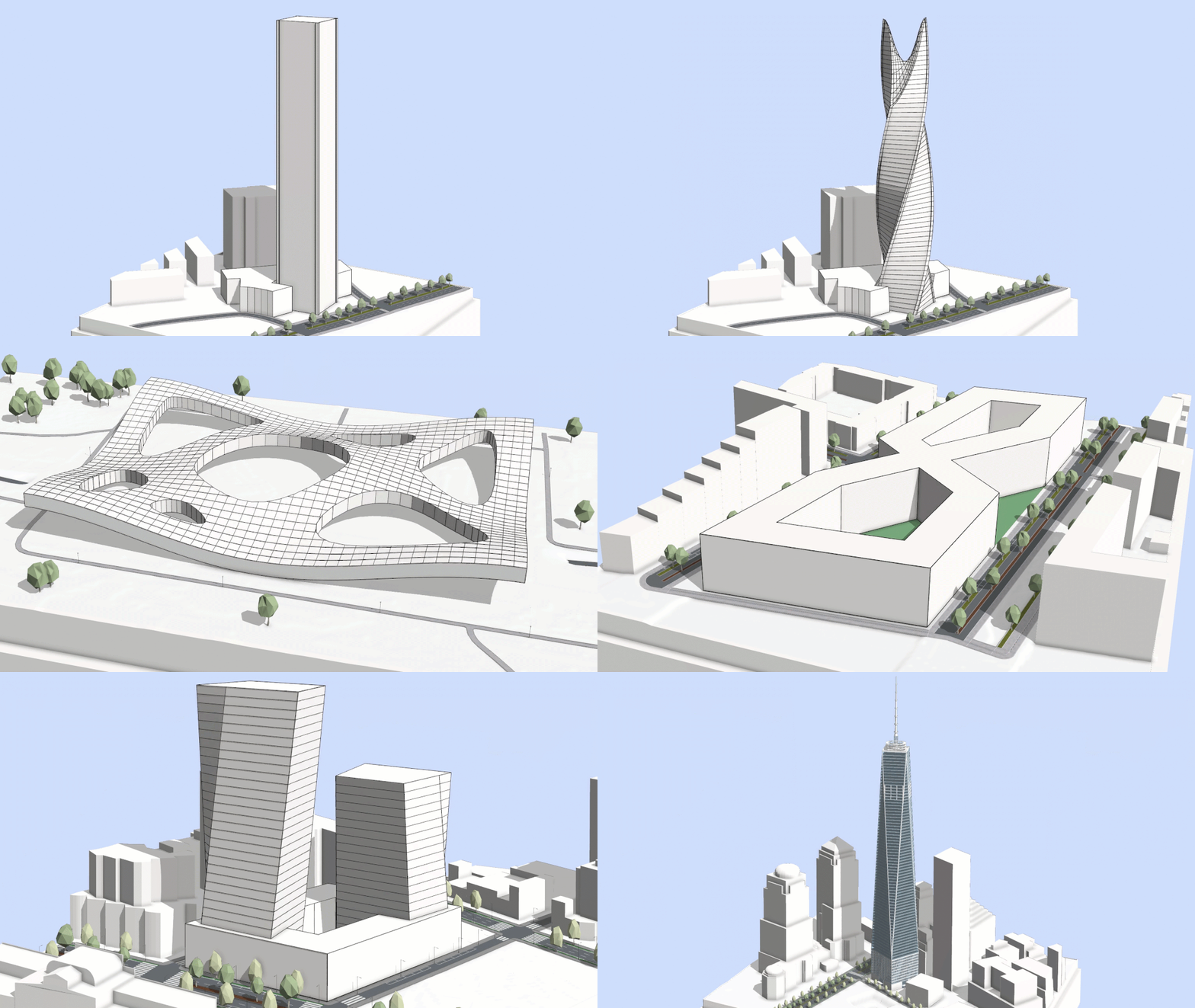
Contemporary Architecture Park example
A new example project showcases these capabilities through a set of buildings inspired by current architectural trends. It includes sculptural massing models, facade designs with hexagonal patterning and surface twists, and reusable components for custom rule sets. The example ships with the release and can be downloaded directly through the application.
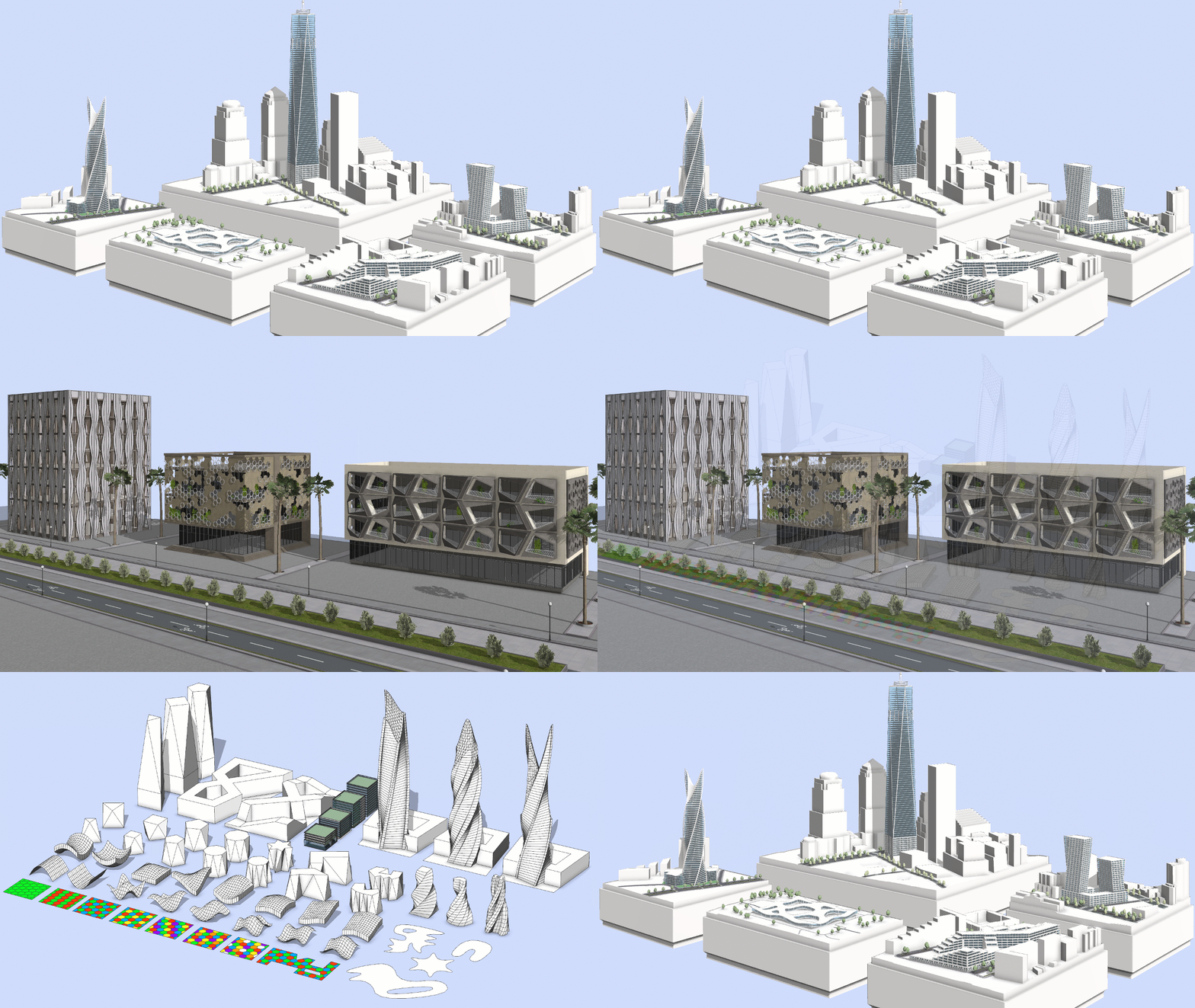
Visual CGA: More components, more control, less code
The Visual CGA Editor continues its transition into a no-code modeling environment. Facade components have been added to ESRI.lib, allowing designers to convert massing studies into complete buildings without writing rules. Building volumes can be split into floors, assigned facade layouts, and populated with windows or shading systems.
Parameter connections now allow values such as floor count or window dimensions to propagate across components, improving procedural consistency. Documentation is integrated into the Editor. Each component includes a description, and tooltips explain attributes and extension points. The experience is more guided and significantly more practical for architectural users.

Street Designer: Lane clarity, OSM intelligence, and cleaner intersections
Street Designer receives several refinements. Sidewalk shapes appear in a darker tone for better separation from roadbed lanes, and separator lines highlight when editing tools are active. Pointer icons have been cleaned up and the minimum lane width is now 0.1 meters, useful for dense layouts or alley-scale segments.

Street object attributes display intended lane use, width, direction, and relative position within the segment. These attributes change dynamically as lanes are edited or moved between sidewalk and roadbed groups. OSM-derived lane categories now support Vehicle, Bus, Bike, and Pedestrian. A new CGA rule, Generic_Lane_for_OSM_Import, applies these categories automatically when importing data through Get Map Data. Sorting options for street configurations have been expanded, and a list view improves readability for long configuration names.

Performance around intersections is significantly improved due to reductions in unnecessary micro triangles and the removal of small visual gaps between intersection and lane boundaries.
Python 3 API in beta
CityEngine takes its first real step into open development with a Python 3 API. Instead of a closed automation layer, Python now connects CityEngine to ArcPy, the ArcGIS API for Python, and third-party libraries. This enables workflows for automated analysis, AI-driven scene modification, and custom UI tools. Users can manage multiple interpreters and virtual environments through a new configuration dialog. The API is currently in beta, with known limitations.
Updated tutorials and documentation
The tutorial catalog has been reorganized with improved visuals and new learning tracks. Two new tutorial series cover procedural modeling with CGA and data import workflows. Existing tutorials have been refreshed. The Python scripting tutorial adopts better coding practices, the terrain modeling tutorial includes updated street and shape workflows, and the CSV import tutorial reflects current data handling approaches.
