



For those who don’t know the tool: LumaFusion by LumaTouch is a professional non-linear video editor for mobile devices. It sits between consumer apps and desktop suites like Premiere or DaVinci Resolve, offering editing on phones and tablets.
Android version grows up
LumaTouch has released a major update to LumaFusion for Android, version 2.5. The company states that the Android edition now mirrors most of the editing power of its iOS counterpart. The update focuses on workflow speed, transition control, and codec flexibility for professional postproduction on mobile hardware.
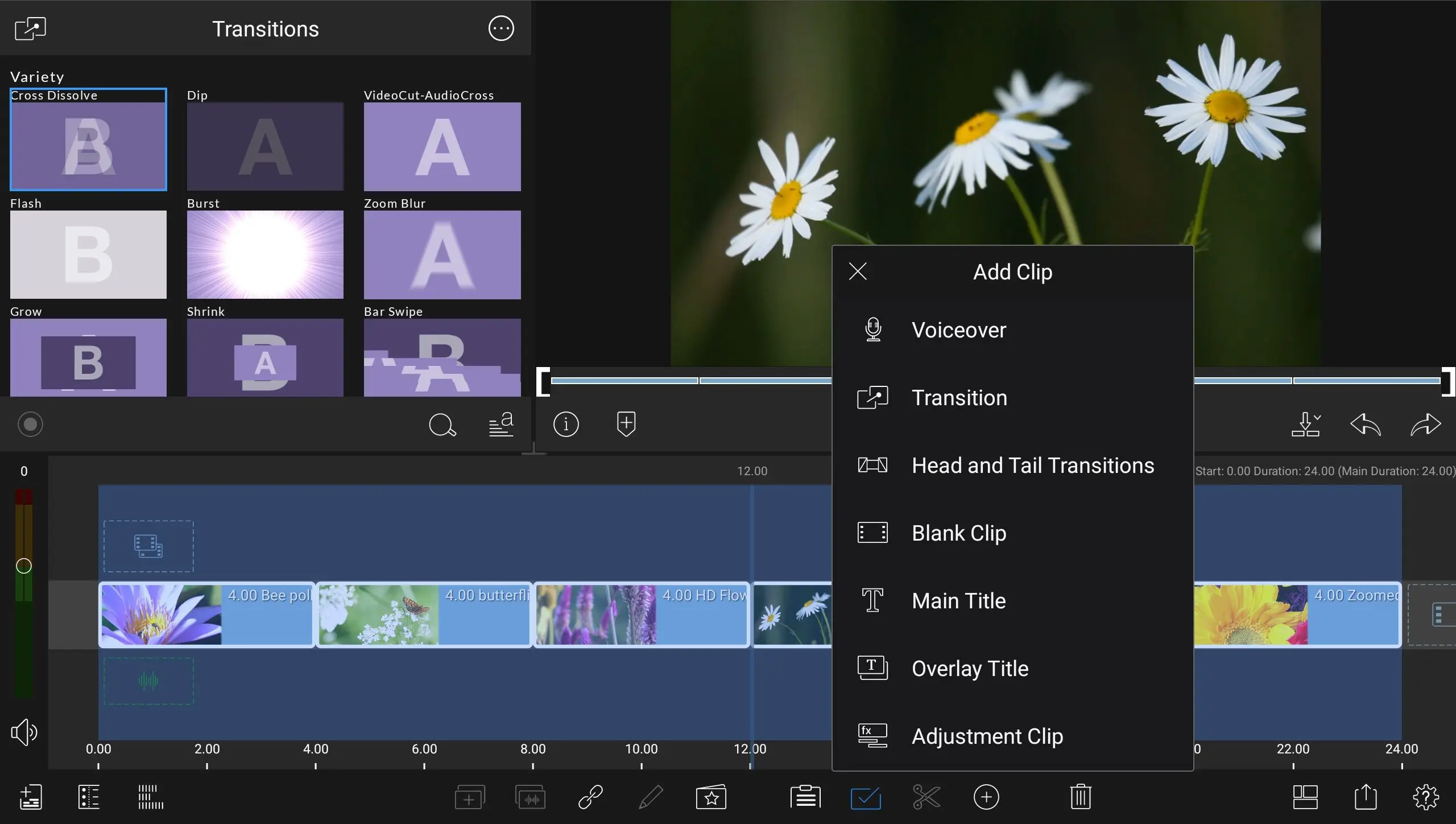
Faster transitions with fewer taps
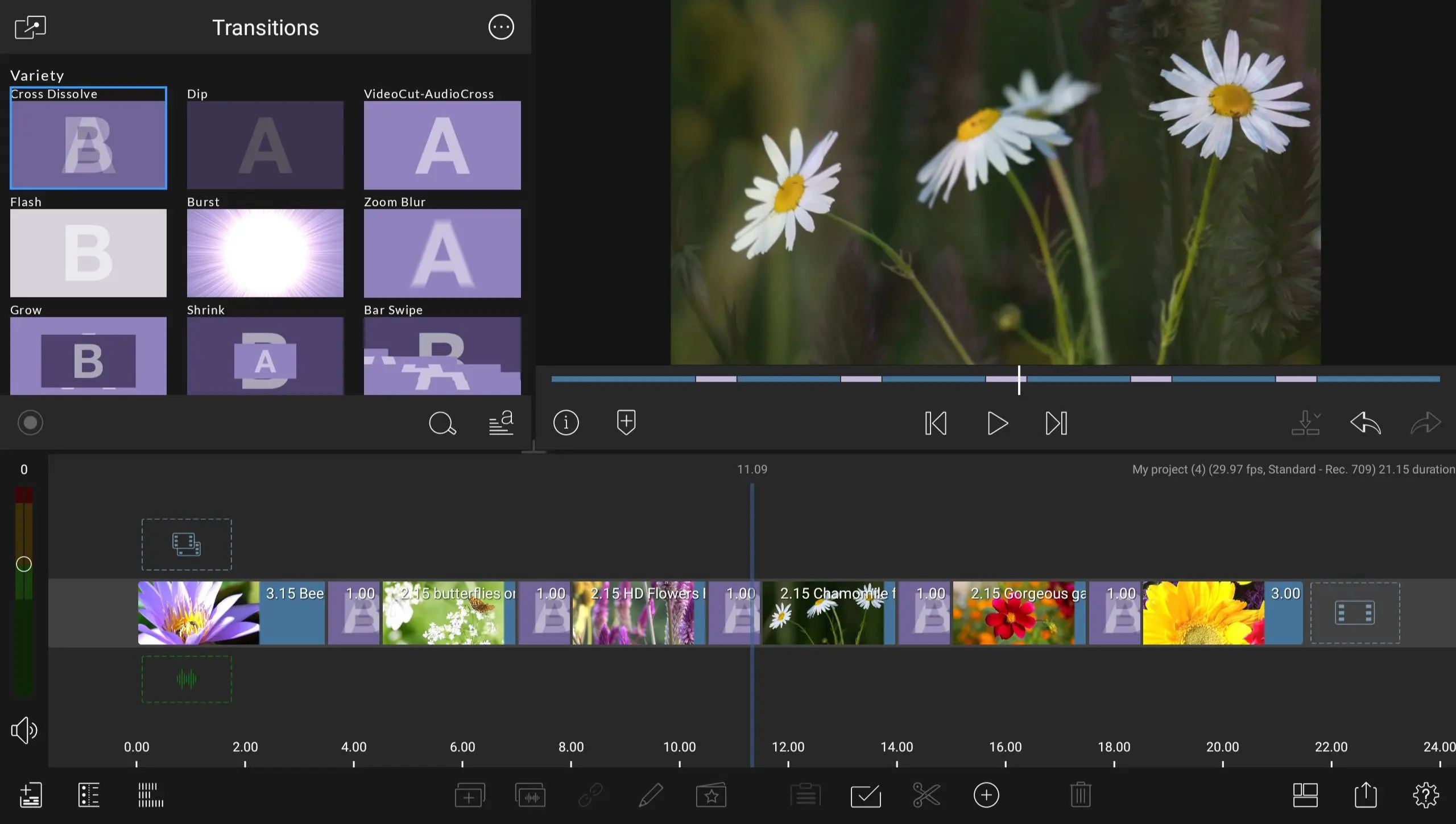
The new Head and Tail Transitions function automatically adds a cross-dissolve to both the start and end of any selected clip. This eliminates multiple manual steps for editors who rely on simple fades or dissolve patterns to soften cuts. A second option allows applying multiple transitions at once. Users can select several clips in the timeline, double-tap any transition in the Transitions Library, and the effect is instantly applied to all selected clips. This behaviour mirrors the quick-apply gestures familiar to desktop editing software.
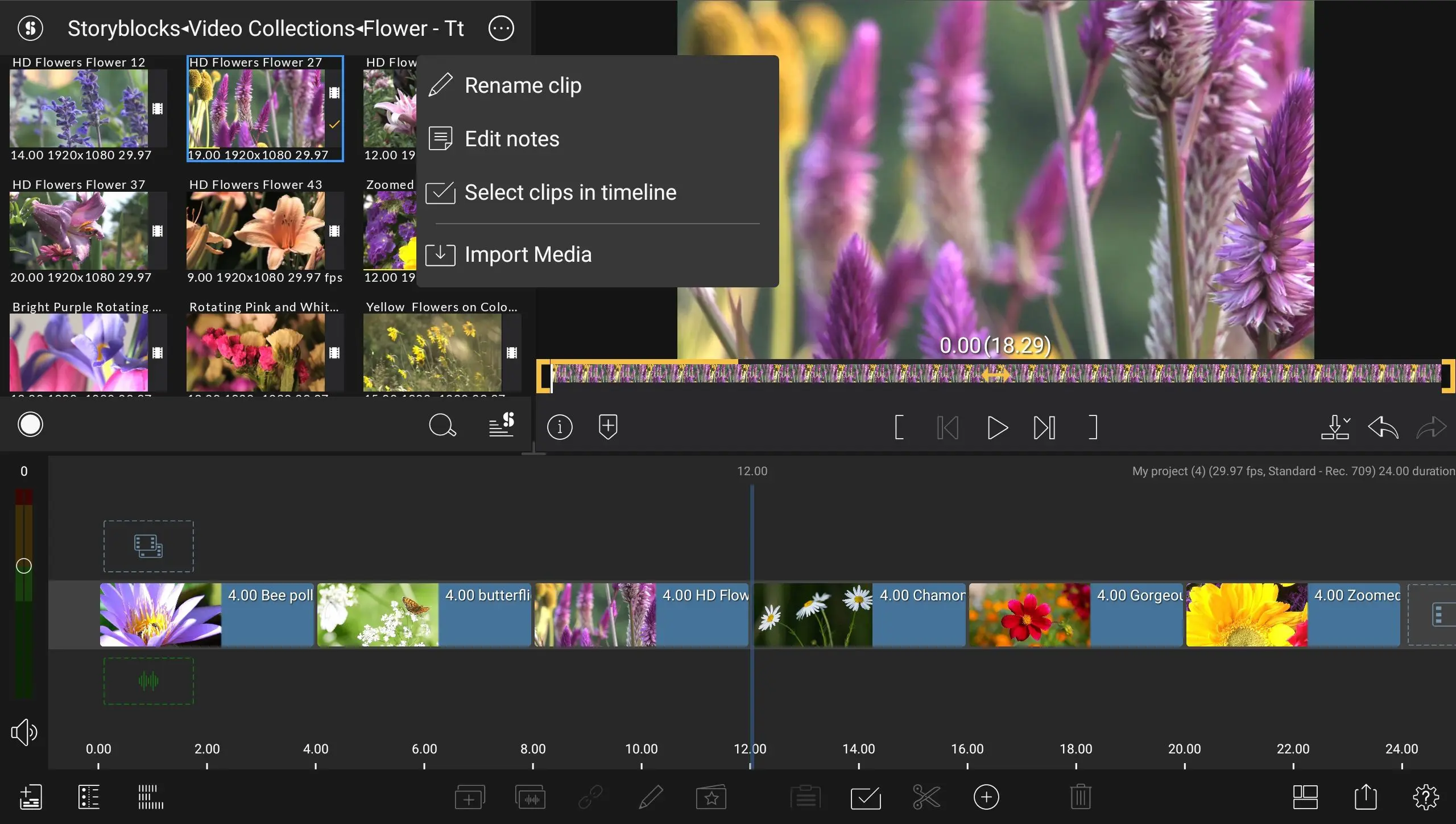
Finding source media now works both ways
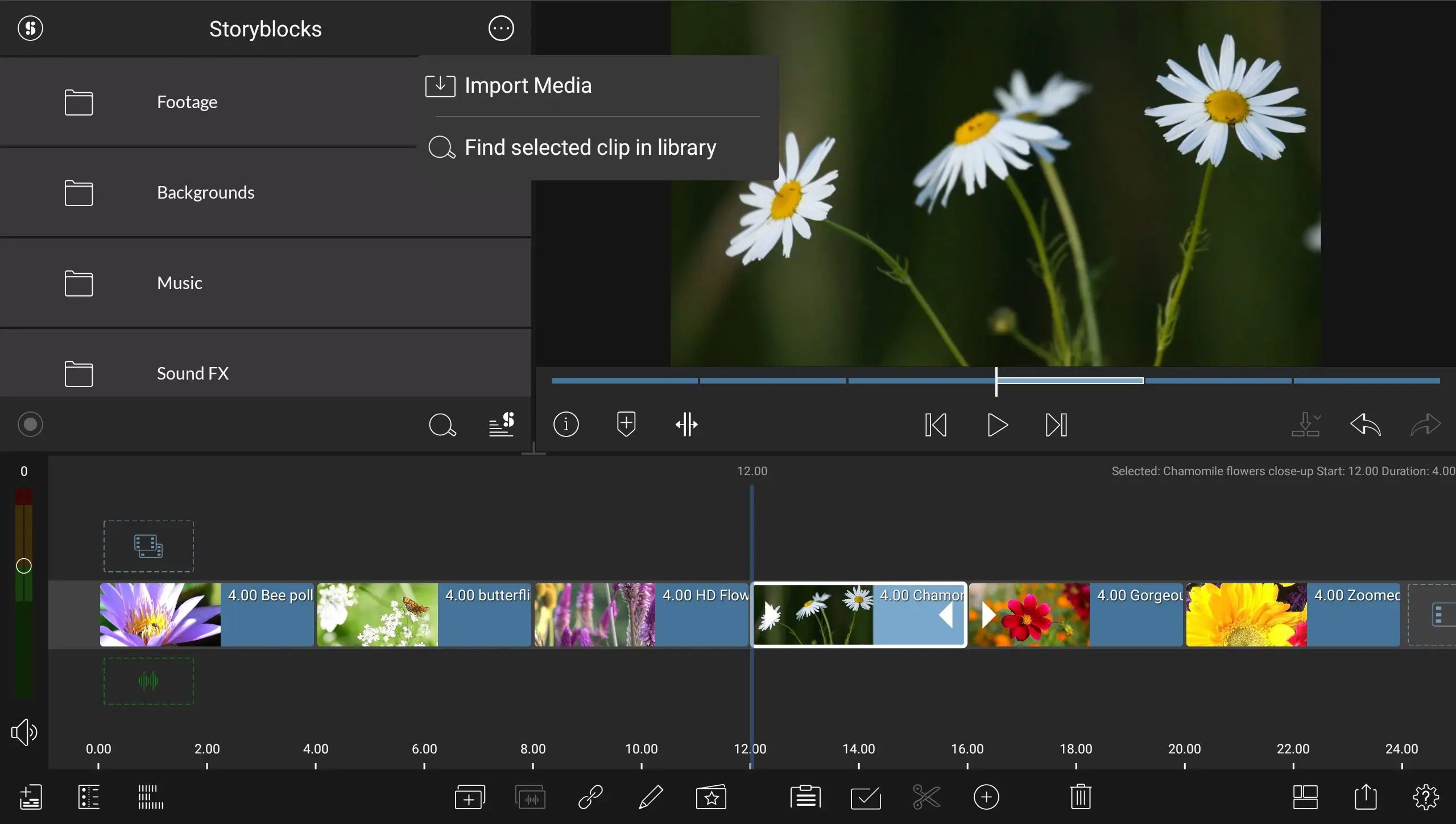
LumaFusion 2.5 introduces two linked search commands: Find Selected Clip in Library and Find Selected Clip in Timeline. Selecting a clip in the timeline and invoking the first command highlights the original file in the media library. In reverse, choosing a clip in the library and selecting the second command reveals all its instances on the timeline. The feature simplifies management of reused media in multi-sequence edits.
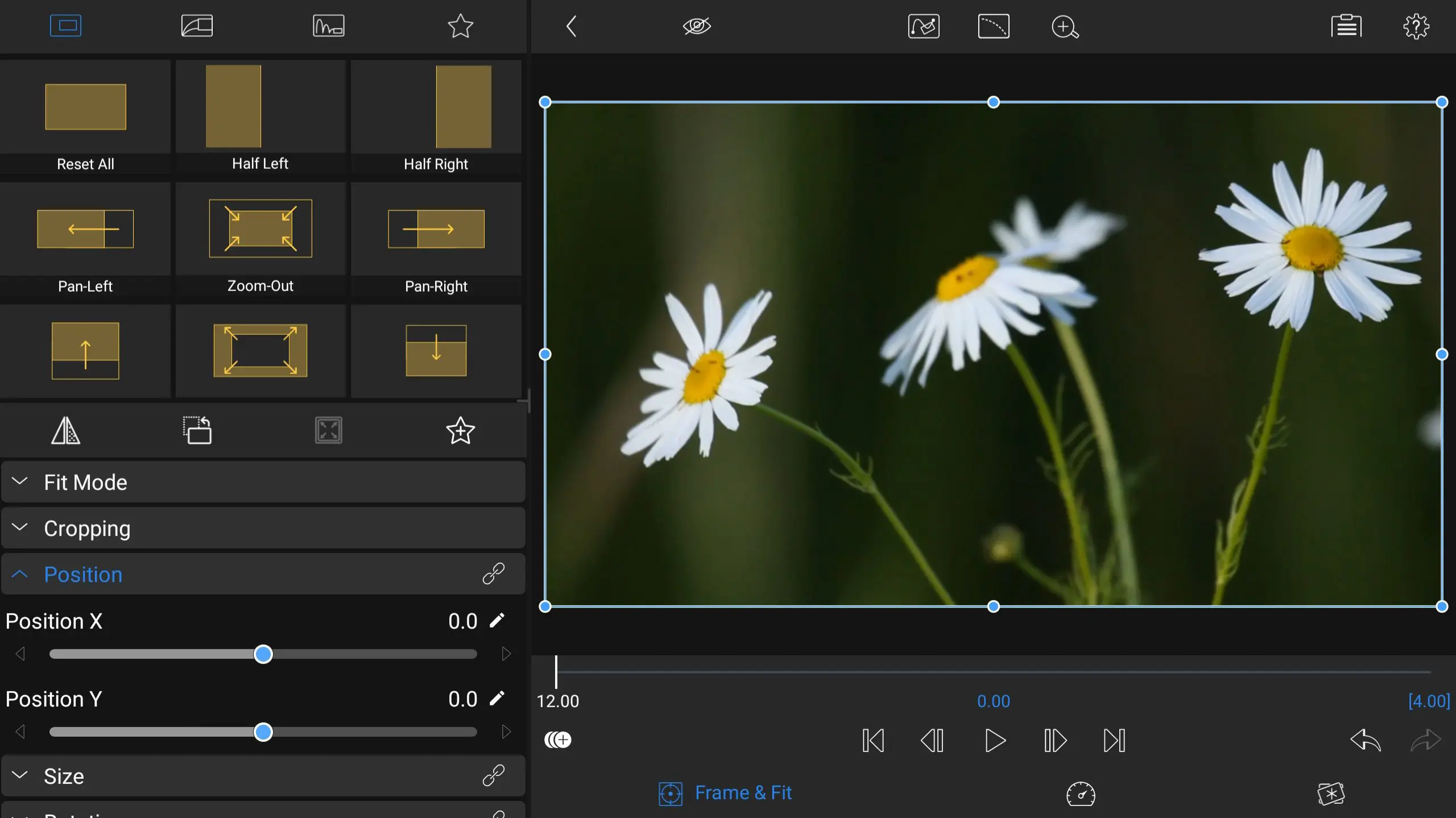
Interface flexibility
Users can now choose the layout of the Effects Editor. Controls and presets can appear on either side of the display, depending on personal workflow or screen orientation. LumaTouch says this update improves ergonomics on large tablets and ultrawide Android devices.
APV codec support
LumaFusion for Android now supports exporting projects in Samsung’s Advanced Professional Video (APV) codec. APV is a perceptually lossless intra-frame codec designed for mobile devices, offering high-quality compression for 4K and 8K video. LumaTouch notes that APV files consume around 20 per cent less storage than comparable formats while maintaining 10- to 16-bit depth and HDR support. The codec’s intra-frame structure also simplifies frame-accurate editing and colour correction.
Near parity with iOS version
LumaTouch developers describe this release as a milestone toward feature parity between Android and iOS versions. Given the platform differences in file system access and media handling, achieving functional equivalence has been technically complex. The company has not yet announced any timeline for full parity, but the Android version now includes nearly all editing, trimming, and transition options available on iOS.
Availability and pricing
LumaFusion for Android is available via Google Play and the Galaxy Store. At press time, the standard licence price listed by LumaTouch is approximately EUR 34.99 or USD 29.99, varying by region.
Verdict
LumaFusion 2.5 continues LumaTouch’s push to make mobile editing genuinely production-ready rather than a novelty. The update primarily benefits Android professionals working on tablets, foldables, or production field devices. Its new transition automation and APV codec export broaden both speed and fidelity options.
As with any mobile tool promising professional capability, Digital Production reminds readers to verify performance and codec compatibility in their specific pipelines before committing to critical projects. The latest version, while feature-rich, should be thoroughly tested for stability with complex timelines and HDR workflows.
