



Table of Contents Show
I’m always pleased when a manufacturer improves on tried-and-tested products instead of constantly launching new models that are incompatible with their predecessors and often even immature. With today’s technology, more pixels or dynamic range are less important than perfect handling, because ultimately a camera is a tool and not an end in itself. With 4.6K and a native 800 ISO, the previous Ursa Mini was also able to deliver very good results in the area of scenic productions, i.e. under controlled lighting conditions.
It was therefore more successful than its hapless predecessor, the Ursa Major, which has inconspicuously disappeared from the range and with it the announced interchangeable sensor units, which is likely to greatly annoy its buyers. Blackmagic (BM for short) is offering them a special price for the new model as a consolation. Unlike with upgrades from RED, they can even keep the old one – presumably a lot of heavy metal will now end up in the bay. Those who already have the Mini 4.6K may also be annoyed, but in this case they got what was promised. The fact that “Mark II” models are significantly improved is normal in camera technology – buyers of a Sony A7R, for example, had more reasons to be annoyed.
As our test of the Ursa Mini 4.6K was only published in DP 07:16, we will primarily focus on the news here. Free .pdf for download here: bit.ly/BMD_Ursa_Mini_2016. Back then, we pitted her – somewhat unfairly – against an Epic Dragon. This time we put a Scarlet MX next to it. It’s getting on in years now, but is gradually finding itself on the second-hand market with minimal, ready-to-turn equipment in price regions like a UM Pro with the necessary accessories.
Ergonomics
Whilst the shape has largely remained the same, the UM Pro has become slightly wider and heavier. The optional accessories such as the excellent OLED viewfinder, shoulder rest and grip remain the same and are still considerably cheaper than RED. The points of criticism therefore also remain: The grip is too short for tall people and it’s also a bit awkward to adjust its position or get it out of the way to quickly switch to a tripod. We would also like to see a few additional functions on the remote control.
On the other hand, it is much more expensive to give the RED Scarlet an even remotely similar shoulder position, and it is also heavier. The UM Pro runs for almost two hours with a 93 Wh V-mount battery with an active LCD, while the Scarlet lasts just under one and a half hours. The RED also makes more noise and starts more slowly.
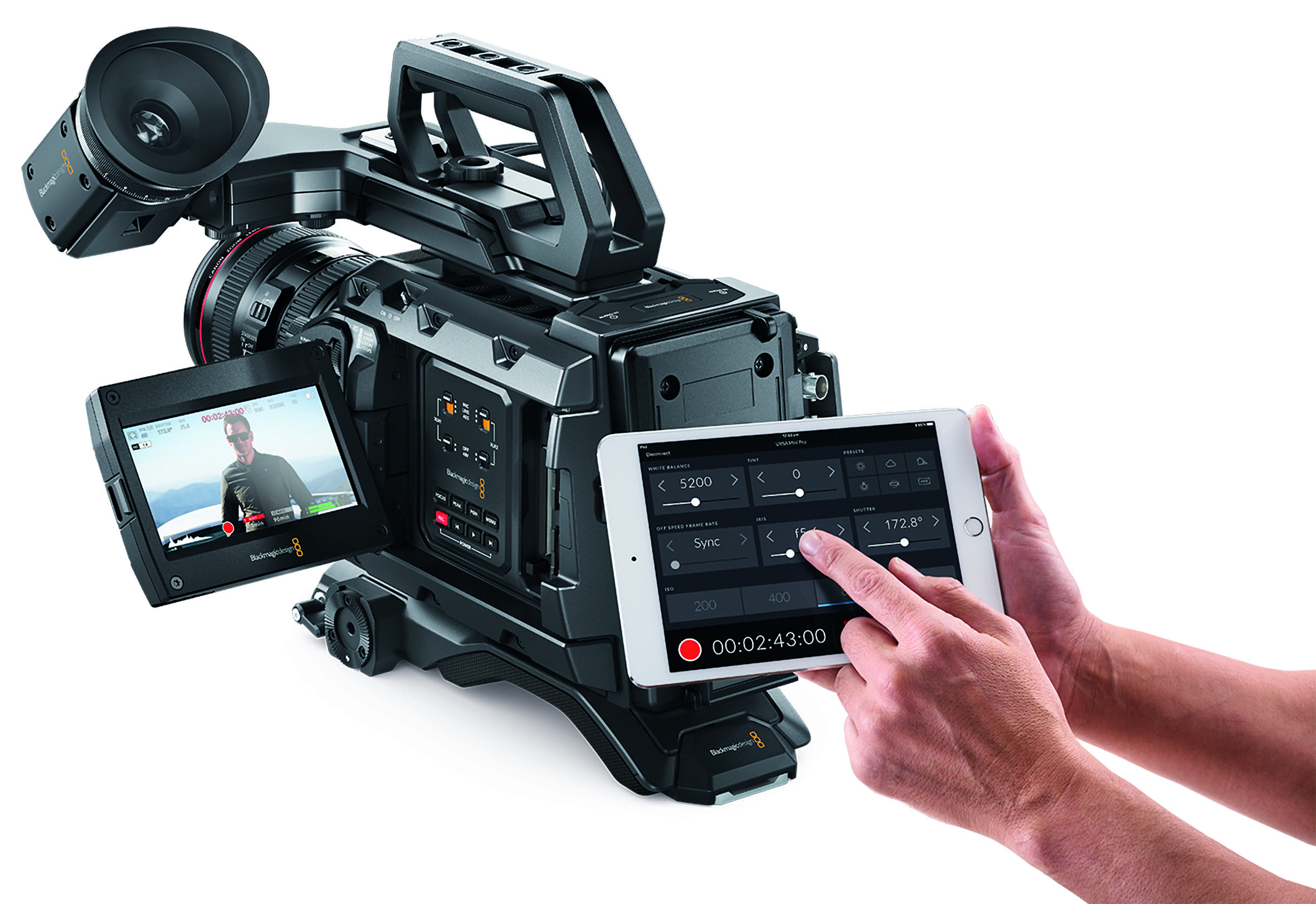
The most extensive changes are aimed at using the UM Pro as a reportage camera, or “run-and-gun”, as the Americans put it in their martial diction. All the important functions for this purpose have been moved to external switches, controls and buttons, and it is now possible to work with the display folded down. Unlike most external switches, the new external main switch is not secured by a hold button, but is slightly recessed. The most important information is provided by a monochrome LCD screen on the outside, which is easy to read even in daylight, but can also be illuminated in several stages.
Real switches and buttons are simply faster than a flip-out monitor with a touch screen, which is in the wrong place on the shoulder anyway. The camera has also finally been equipped with ND filters that can be swivelled in behind the lens using a conventional rotary wheel. Even the positions of the relevant controls are similar to conventional shoulder-mounted cameras from the broadcast sector. However, if the camera is used above head height, the folded-out monitor can obscure some of the controls.
In addition, it cannot be turned all the way forwards, which means that you cannot check the image section when making your own announcements in one-person operation – so no selfies! Remote control via Bluetooth from mobile devices is still being planned, a great feature on a crane or gimbal (bit.ly/BMD_Bluetooth).
Filters and lenses
On the front is the rotary knob for the ND filter, which is somewhat confusingly labelled with the numbers 1 to 4. However, the explanation is labelled on the side of the housing: this is a clear filter as well as 2, 4 and 6 f-stops of attenuation. The values can also be displayed on the monitor as fractions or ND numbers. Of course, we immediately checked whether there were any problems with infrared, for which many BM cameras are notorious.

We can give the all-clear: even on critical textiles, only minimal colour shifts can be seen, as is the case with many filters from other manufacturers, unless they belong to the absolute top class. The same test objects lead to a massive colour cast due to IR on a BM pocket camera, for example.
Unfortunately, BM currently has another problem with the filter wheel: massive, coloured flares with a strong light source such as the sun just outside the image. However, the reason has already been identified by the manufacturer and is to be remedied shortly with a retrofittable mask. It remains unclear for the time being whether there will then be problems with the announced OLPF (Optical Low-Pass Filter) from Mosaic, which is supposed to fit all Ursa Minis. On the one hand, it could be mechanically tight, and on the other hand, this filter is also supposed to reduce IR – that could be a bit too much of a good thing.
However, such an anti-aliasing filter would still be helpful, as the UM Pro is no different from its predecessor in this respect. It is sharper than a Scarlet at 4K, but the latter produces no moiré.

What RED has had for a long time, BM now also offers: interchangeable lens mounts. So far for EF mount (Canon), PL and B4. For the latter, there is a standard 12-pin socket on the camera, which was only optional on the predecessor. A Nikon mount with a built-in, sensitive aperture ring for lenses without manual aperture control was also presented at NAB, but will not be available until August. Everything else was available shortly after the presentation – a first for BM!
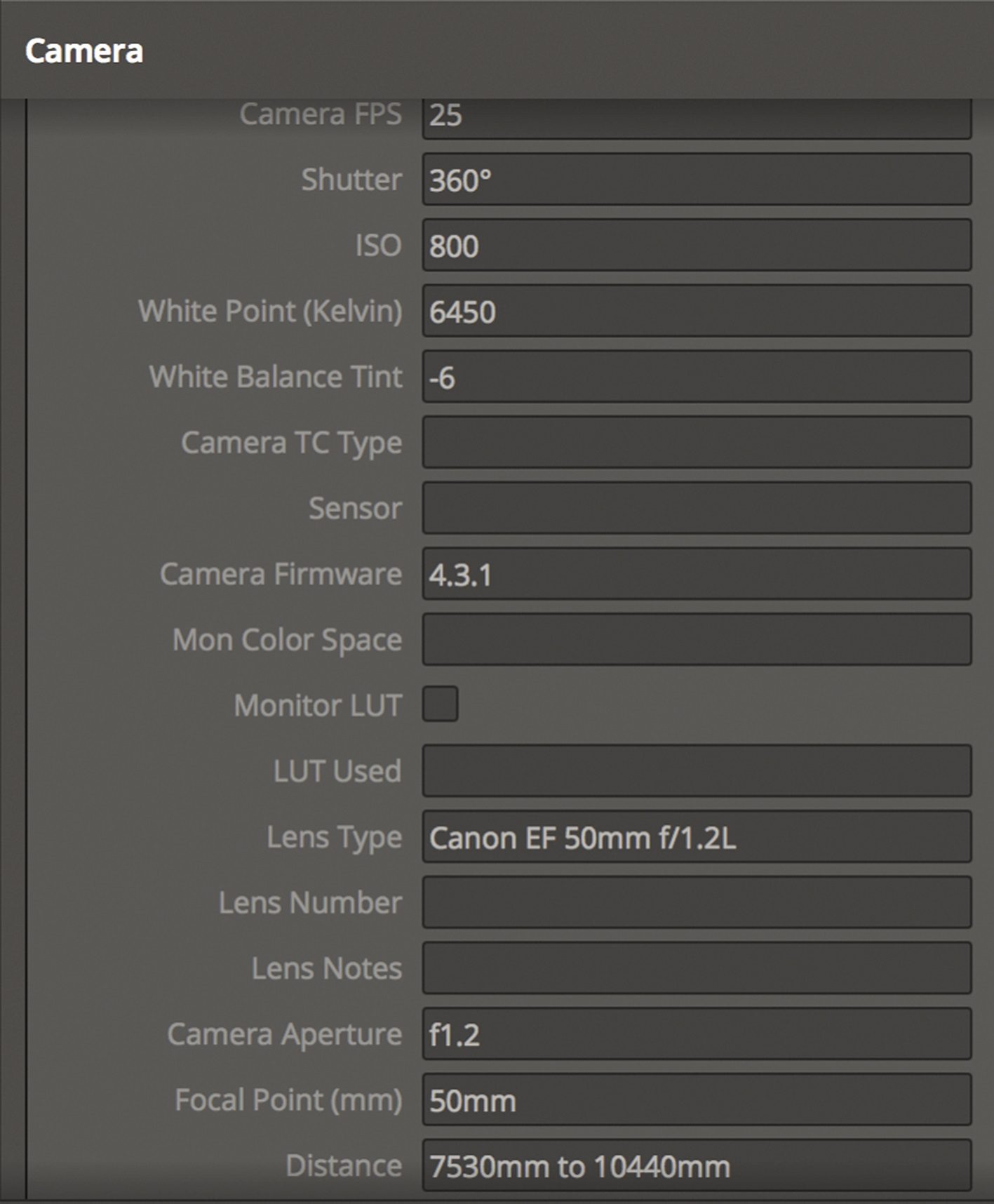
Our test device had the EF mount and was used with the very good Sigma 18-35mm, among others. Lenses for Canon transfer their data to the camera, which records all the important parameters in the metadata. The same should also be possible with PL lenses using Cooke /i, but we have not tested this.
This results in very interesting possibilities, such as the compensation of lens errors in Resolve or the transfer to the VFX department for easier integration of CGI material. However, the data for the distance setting is only correct if the flange focal distance has been carefully adjusted.
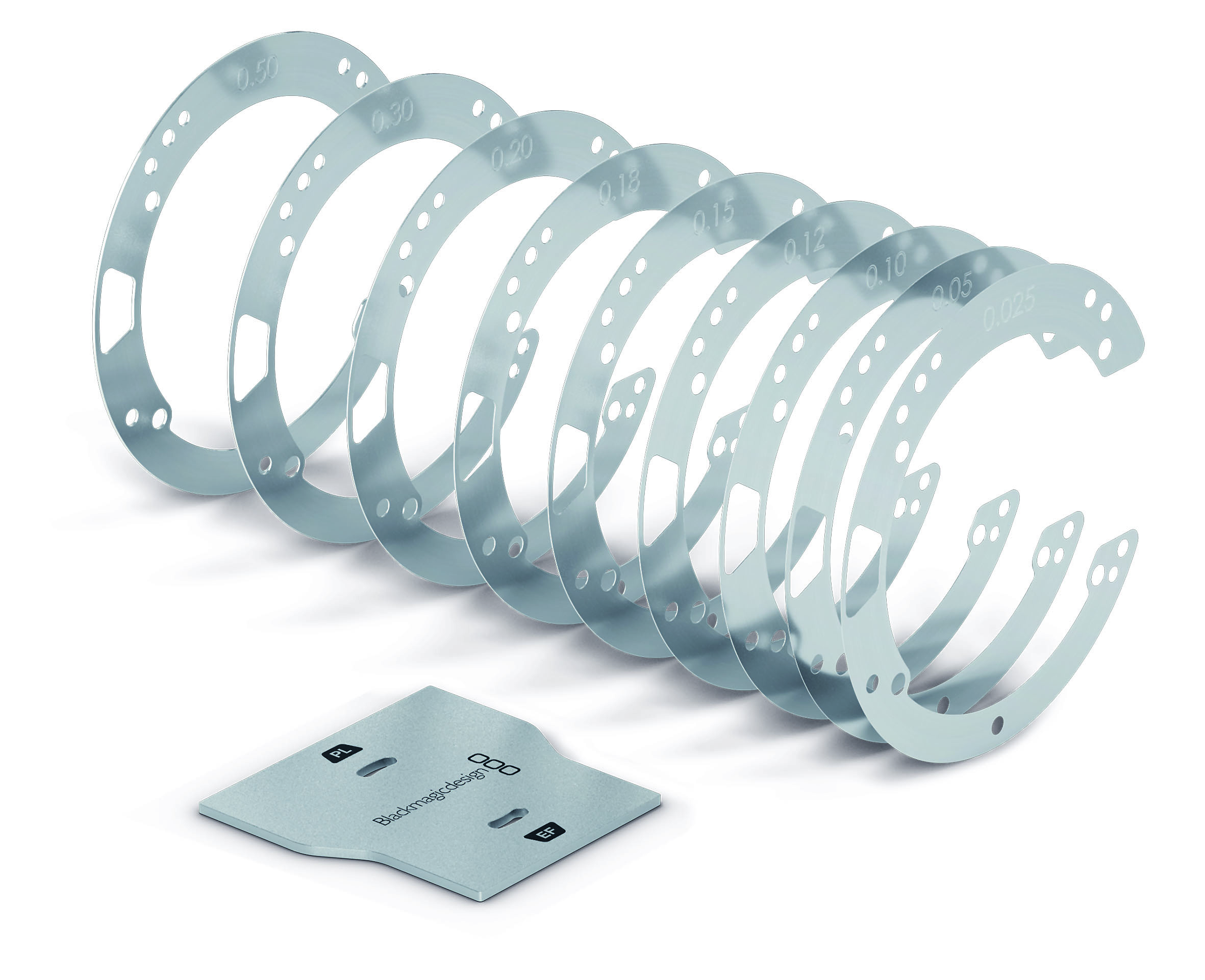
With the UM Pro, this has to be done in the usual way with shims (thin metal foils), as RED’s user-friendly solution with just one screw is not available here. While intact lenses for PL usually only require this adjustment once per camera, with the EF mount you may have to correct each lens, as the manufacturing tolerances are unfortunately quite large here. In addition, BM has not given the mount an additional clamping ring as with RED.
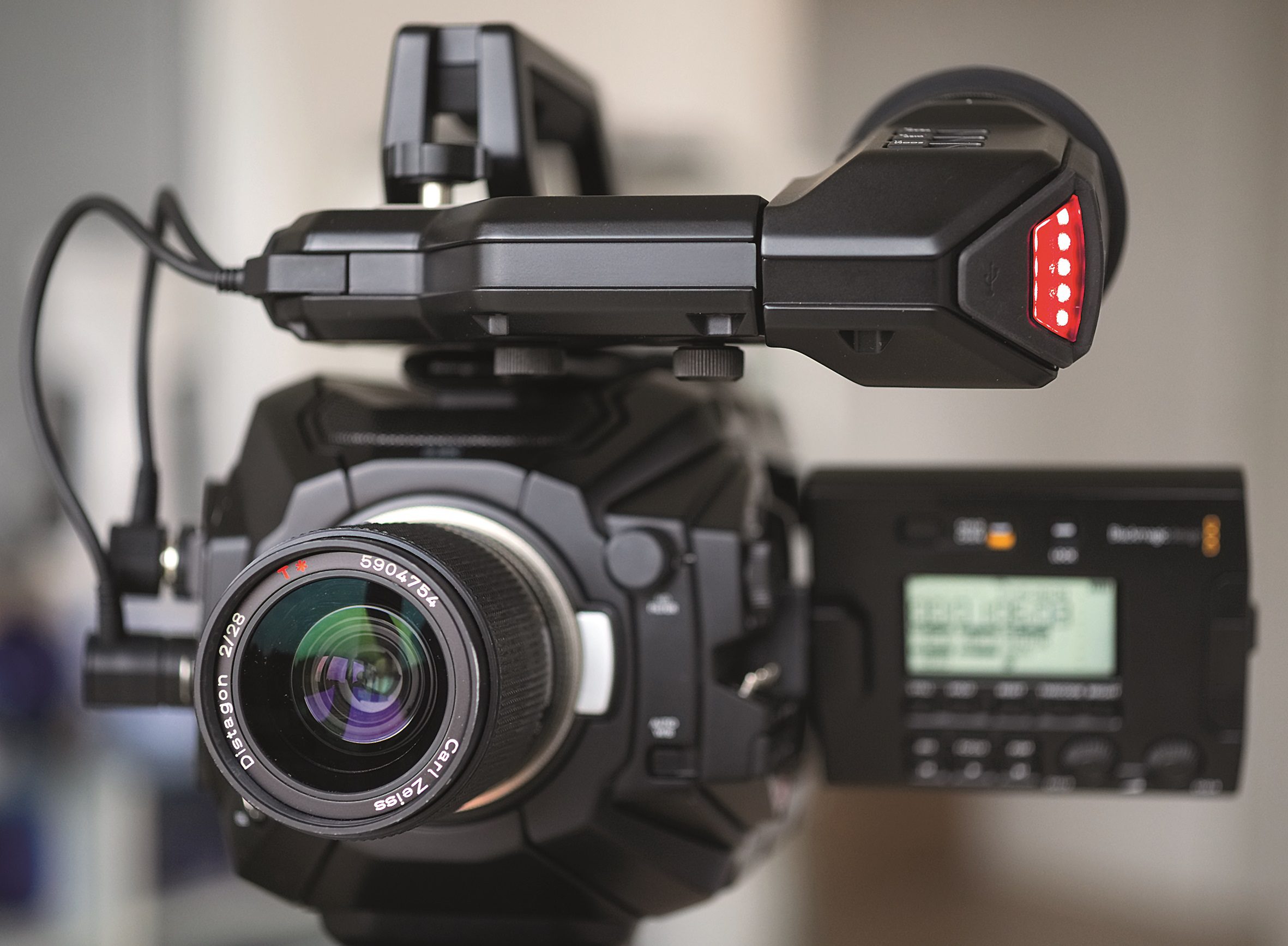
With several Canon lenses, we were able to determine significant deviations in the distance specification despite precise focusing on the same target. Fans of old glass are likely to wait in vain for an E-mount or MFT, as the mount is too far away from the sensor (Sony also does not licence the E-mount). So you will have to make do with lenses that can be adapted to EF with a longer flange focal distance, such as Zeiss Contax C/Y or Nikon.

Autofocus, exposure and TV zooms
The UM Pro’s autofocus is still not very helpful and requires so much patience that any experienced cameraman will be faster by hand. Nowadays, even inexpensive broadcast cameras can do better, including object tracking. At least manual focussing in the viewfinder is well supported by the quite precise and versatile adjustable edge sharpening. At best, one would wish to be able to zoom more than twice as much in the monitor image. Speaking of zoom: To ensure that parfocal lenses remain sharp, it is also essential to set the flange focal distance. The Sigma was parfocal on our Scarlet, on the UM Pro without additional shimming it ran out of focus when zooming.
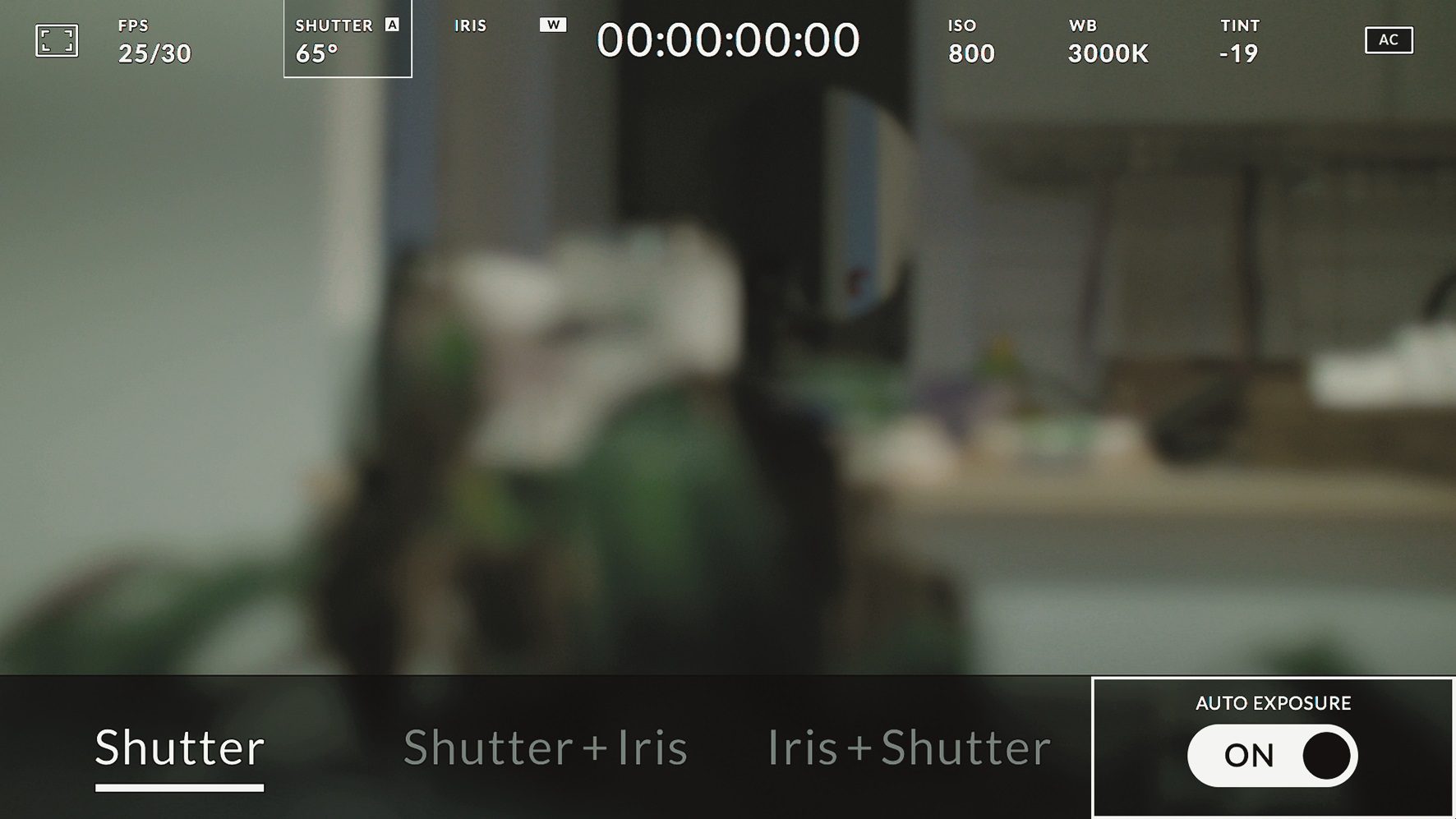
The automatic exposure is rudimentary, as with all BM cameras: pressing the “Iris” button on the side adjusts the aperture so that overexposure no longer occurs. This means that the image may be too dark with limited highlights, while other subjects may be too bright without weighted metering. Automatic exposure is possible, both with a fixed exposure time and with a fixed aperture when adjusting the exposure time. The UM Pro does not have exposure programmes such as fine-tuning the ISO value at a constant aperture and shutter speed. More complex exposure programmes with range settings and weighted metering are now standard on a number of filming photo devices and many reportage camcorders. The manual control of all these parameters, on the other hand, is well solved: lateral toggle switches control ISO, shutter and colour temperature. The aperture is controlled via buttons on the side or a multifunction wheel, which can also be used to control the volume of the headphones and mini loudspeaker. However, it works in fixed steps and can be blocked by the LCD at low camera positions.
Professional zoom lenses from the TV sector with a B4 mount can also be found in abundance on the second-hand market. But beware: many of them date back to the era of low-resolution TV and are no match for modern sensors in terms of sharpness. Box lenses from studio cameras – in contrast to those from reportage cameras – do not always appear to be electrically compatible.
In addition, some zooms for 2/3-inch chips cannot fully illuminate the field of view of the UM Pro, at least at wide angle. Most Fuji HD HA/XA lenses, on the other hand, even manage the slightly larger 2K window. Of course, all these lenses only work in the window mode of the S-35 sensor. This leads to a further handicap: you can only work with TV zooms in HDTV. Although TV production in this country will certainly continue to be in this format for a long time to come, some clients will demand 4K for reasons of future-proofing. S-35 zooms for the full sensor area, on the other hand, are significantly heavier, larger and less powerful, even if their prices have recently come under pressure.
Sensor and image quality
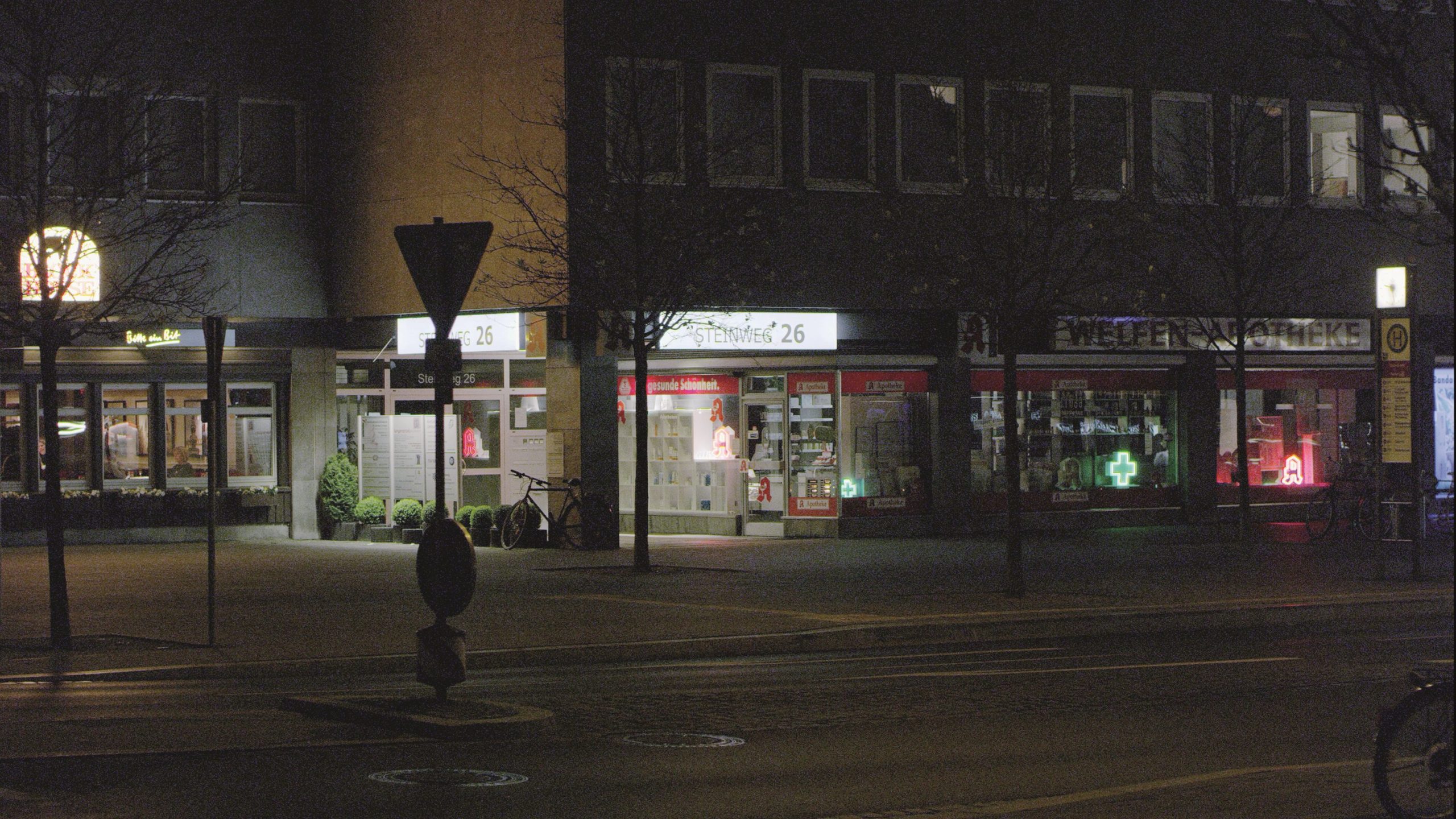
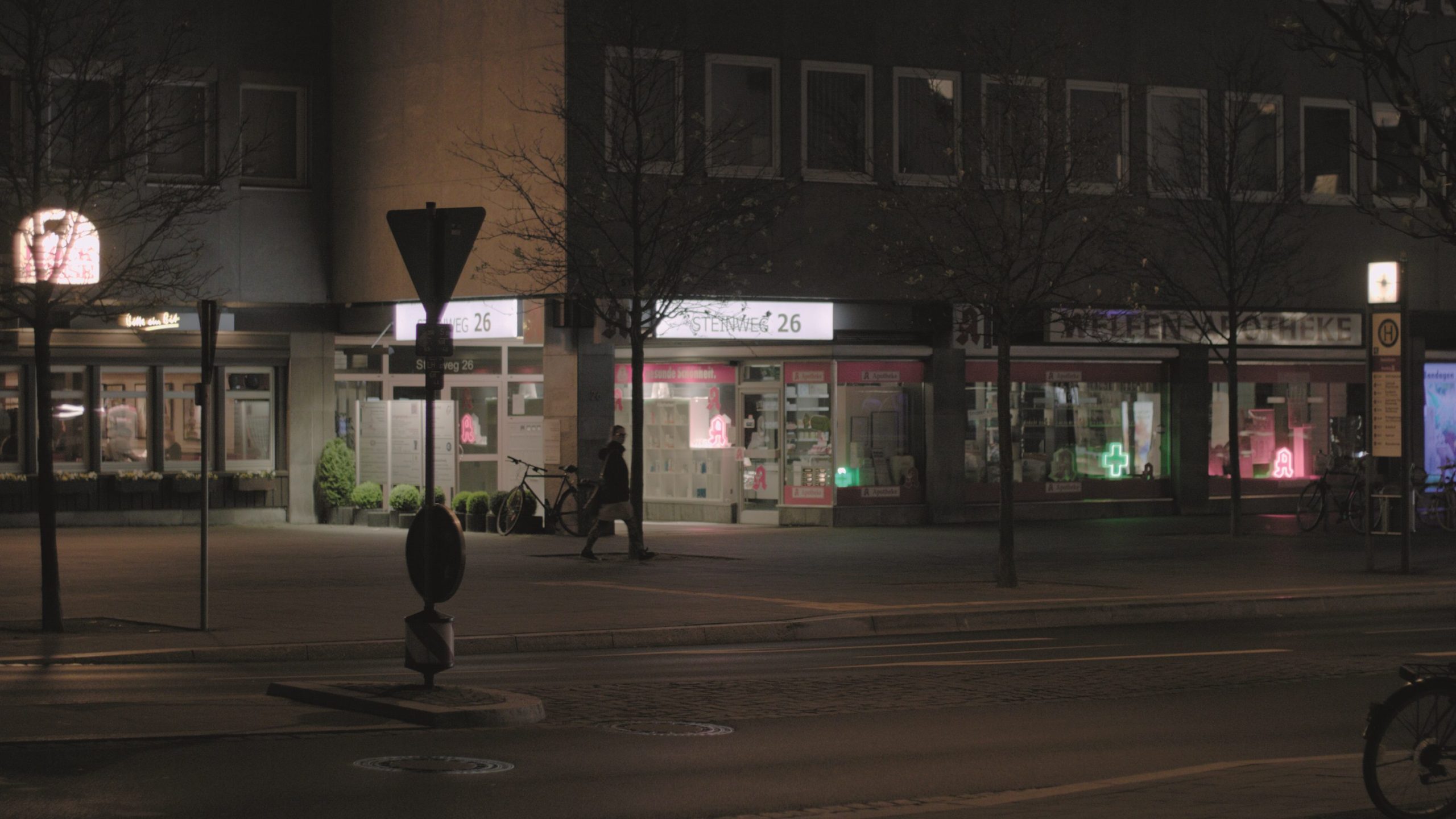
The chip is identical to that of the Ursa Mini 4.6K. Due to the widespread criticism of the image quality, which was often based on prejudices or – in view of the price range – on exaggerated expectations, we took a closer look. The noise behaviour is not significantly worse compared to the Scarlet MX, just different. Yes, there is indeed a certain amount of FPN (Fixed Pattern Noise) even after recalibration, which can now be specifically called up in the menu. To do this, the camera should be brought up to operating temperature beforehand. In order to visually analyse the noise, we had to amplify the dark parts of the image in Resolve to an extreme degree that should never be done in professional work.
We tested the image noise when the camera was cool, after warming up and after calibration. In Resolve, we set the raw decoding for both to Rec. 709. To bring the noise into the visible range, the value for “Offset” was set to 90 (!). The UM Pro then just reached mid-grey, the Scarlet was slightly higher. While the Scarlet showed slightly less noise at operating temperature, the UM Pro’s noise increased. The Scarlet then showed 7-8 faulty pixels, one of which was very noticeable near the centre of the image, as well as very slight horizontal structures. The UM Pro showed no noticeable defective pixels, but somewhat clearer vertical structures, especially in the blue. Calibrating the Scarlet took over 13 minutes, but the results can be saved for different temperatures and exposure times. That of the UM Pro took a few seconds. After that, the Scarlet only showed a very soft, coloured noise, which – presumably due to the compression – appears quite coarse-grained. However, thanks to the elaborate calibration, there were no solid structures or dead pixels. The UM Pro improved slightly and still showed a few constant vertical structures in the blue, but overall a more fine-grained image. All of this is only visible if you extremely lighten the shadows in Resolve, we saw no FPN on the UM Pro in normal images. Overall, the noise level of the Scarlet is even slightly higher, but more homogeneous. Slight peaks due to FPN can be recognised in the noise of the UM Pro above an otherwise lower background noise.
The earlier software of the Ursa Mini 4.6K also had a problem with scaling, which led to a fine structure aptly named “fly screen”. BM seems to have got this phenomenon under control with de-bayering or better calibration, at least we were no longer able to reproduce it with the test device.
Noise can still be significantly reduced with a good temporal noise filter such as Neatvideo, but even scaling from 4K to HD reduces it noticeably. Nevertheless, neither camera is a night owl like the Sony A7S(II). If you need more light sensitivity, you should go for the Alexa or the newer cameras from RED. If you like Sony’s colours, you can also get highly sensitive sensors for less money, but worse menus. Since firmware 4, BM’s menus have been exemplary and very intuitive, only the control directly in the viewfinder using the menu wheel requires a little explanation.
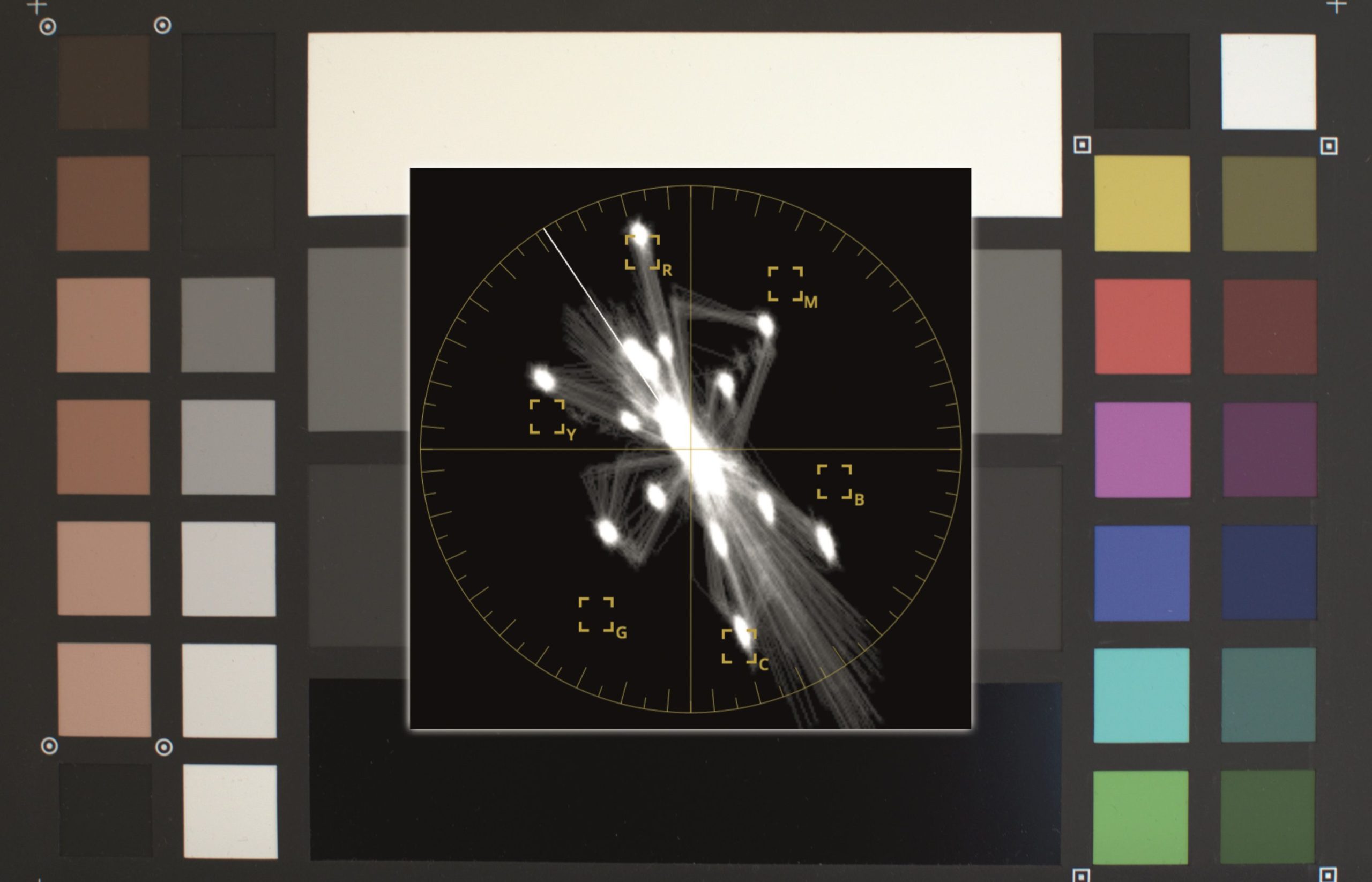
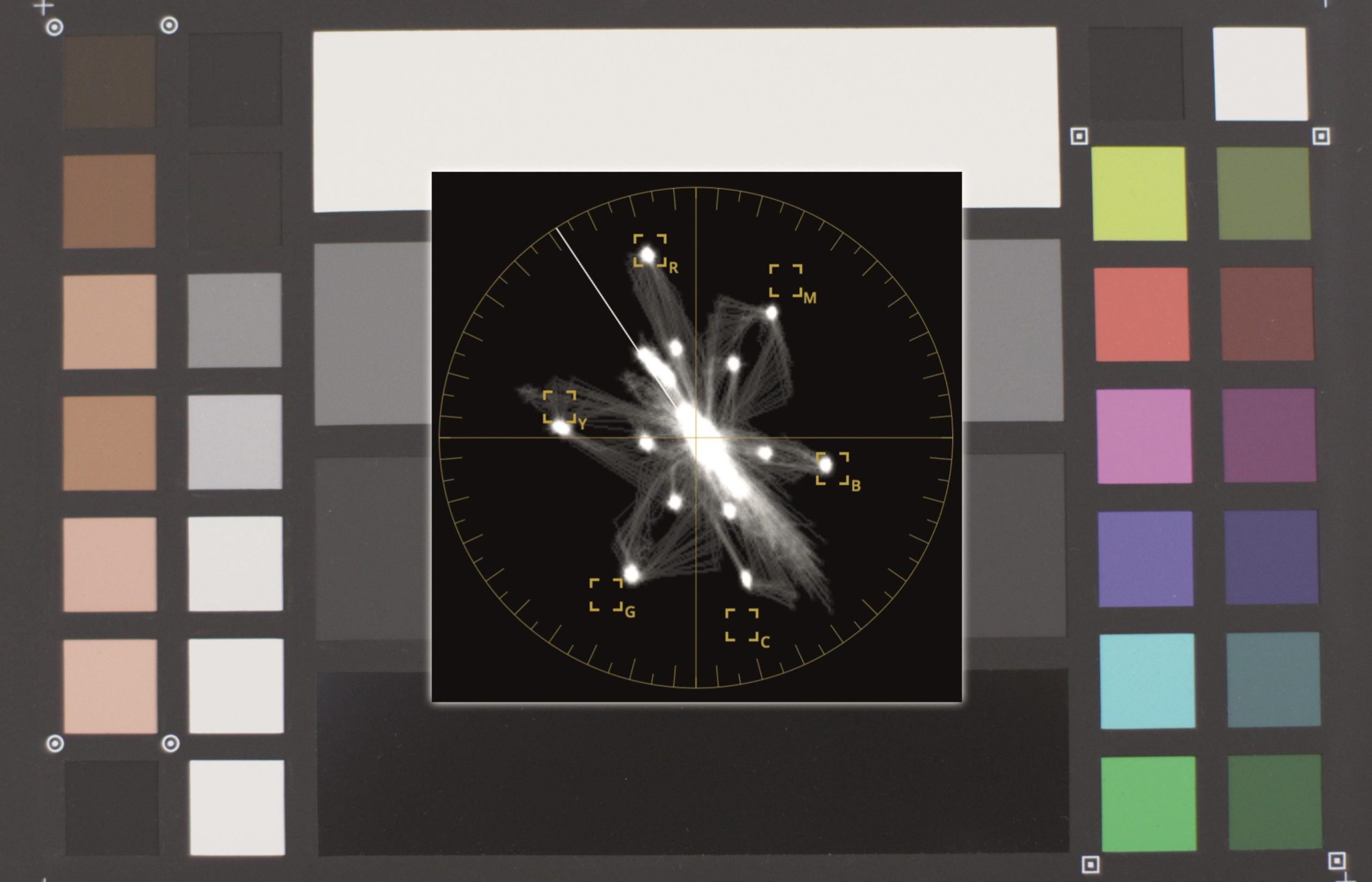
The colours of the UM Pro are quite good, especially in the skin tones. There is a slight tendency towards red, yellow is a little too warm, while blue is clearly too green. Whilst cyan and red achieve high saturation, magenta and green are somewhat weak. Near clipping, the area between blue and cyan shows a clear overshoot, but without derailing as with Sony. The Scarlet MX now produces very balanced colours after RED has spent years fine-tuning the colour reproduction. The skin tones are very close to the norm, yellow is a touch too green, cyan a little too blue. Even magenta and green almost hit their targets and there is less overshooting. Despite its poor reputation, the Scarlet is ahead in terms of colour, but both cameras should be easy to get to grips with in terms of grading.
In addition to the aforementioned “rainbow flare”, the Ursa cameras are often said to have a tendency towards magenta on the sides of the image at small apertures. We tested a dozen lenses at several aperture stops for this. Some lenses do indeed show a tendency towards purple on the sides or green in the centre when the sides are kept neutral. To determine this, however, we had to record a completely homogeneous white surface and turn up the colour saturation in Resolve as far as it would go – with this setting, every other scene would look like a video clip from the 1970s. Like the infamous FPN, the effect therefore falls under the heading of “pixel peeping”.
If this slight discolouration is ever noticeable in normal scenes, it can easily be corrected with a white reference image and an adjusted, round “Power Window” in Resolve and corrected across the board for the lens concerned. In our tests, the effect was almost centred; some users report an asymmetrical colour cast, but this could be due to off-centred objects.
Incidentally, similar problems can also be found with some digital cameras, including some of the “Mercedes” class. The problem can be traced back to edge rays that do not hit the Bayer sensor completely vertically. The new ND filters help to avoid having to use such small apertures as long as the depth of field is sufficient.
Formats and resolution
With 4.6K of photocells, a camera with a Bayer pattern can achieve a luminance resolution of around 4K with good de-bayering. The UM Pro even offers the option of recording the full amount of information and only scaling it to the desired screening format in post-production. This offers a few reserves for stabilisation or cropping without the image becoming noticeably blurred.
Otherwise, it is also possible to record in 4K DCI or UHD. Internally, the UM Pro can also scale to a target format of 2K DCI or HDTV at full sensor resolution, as long as the frame rate does not exceed 60 fps. Higher frame rates of up to 120 fps are only possible in 2K or HDTV by switching to a smaller image section (windowing). The Scarlet MX only manages 4K at 25 fps and delivers less resolution, but the good OLPF also contributes to this (see above). Furthermore, it cannot generate nearly comparable slow motion without a significant loss of resolution.
What both cameras have in common is that it is not possible to make real interlaced recordings for HDTV; only with the UM Pro could you record 50 fps instead and convert it to 50i in post using software.
The frame rates that differ from the project setting can be preset in the menu or touch screen and then quickly called up with the “HFR” button, but not during recording. The fact that HFR presumably stands for “High Frame Rate” is somewhat misleading, as you can also call up the time-lapse at 12 fps here. Unfortunately, the button cannot be used to switch to 120 fps when using the full sensor area at normal speed. It would be desirable if this switch could at least be assigned to one of the function buttons, so that a powerful slow motion would be quickly available without a diversion to the menu.

The “Still” button allows you to take photos with the currently active setting. They are stored in uncompressed .dng format in a separate folder on the card. At present, the exposure time display cannot yet be switched from the aperture angle to fractions of a second; the menu entry is inactive. This is certainly somewhat irritating for photographers. Depending on the image size, the exposure times range from 1/12 second (360 degrees at 12 fps) to 1/2000 at full resolution or 1/4000 in HD resolution (11.25 degrees at 120 fps). Even for time-lapse shots with longer distances, no long exposure below 1/12 is available.
In addition to uncompressed RAW and compression factors of 3:1 and 4:1, all versions of the ProRes codec are available. Although consideration is given to PC users who format their media in exFAT or HFS, no account is taken of the fact that ProRes requires QuickTime for decoding. This is no longer officially supported on Windows, and if you install it anyway, ProRes 4444 XQ is not included (David Torcivia has found a solution for XQ: davidtorcivia.com/decoding-proresxq-on-windows). Nevertheless, Avid’s DNxHD/HR would be desirable as an alternative codec, as it is already supported by the company’s own Video Assist, but this is due to be released shortly as a firmware update.
Audio and TC
If you connect headphones and only turn up the internal microphones, you will hear an ocean and be startled. But a lot has happened with regard to the input amplifiers, which are now at an acceptable level (similar to those in the Video Assist). However, you can only hear this when external microphones are connected via XLR (possibly with phantom power). These can then be sufficient for documentaries if they are not very low level models. For feature films, a sound engineer with devices such as those from Sound Devices should still be on board, as the camera does not reach their level.
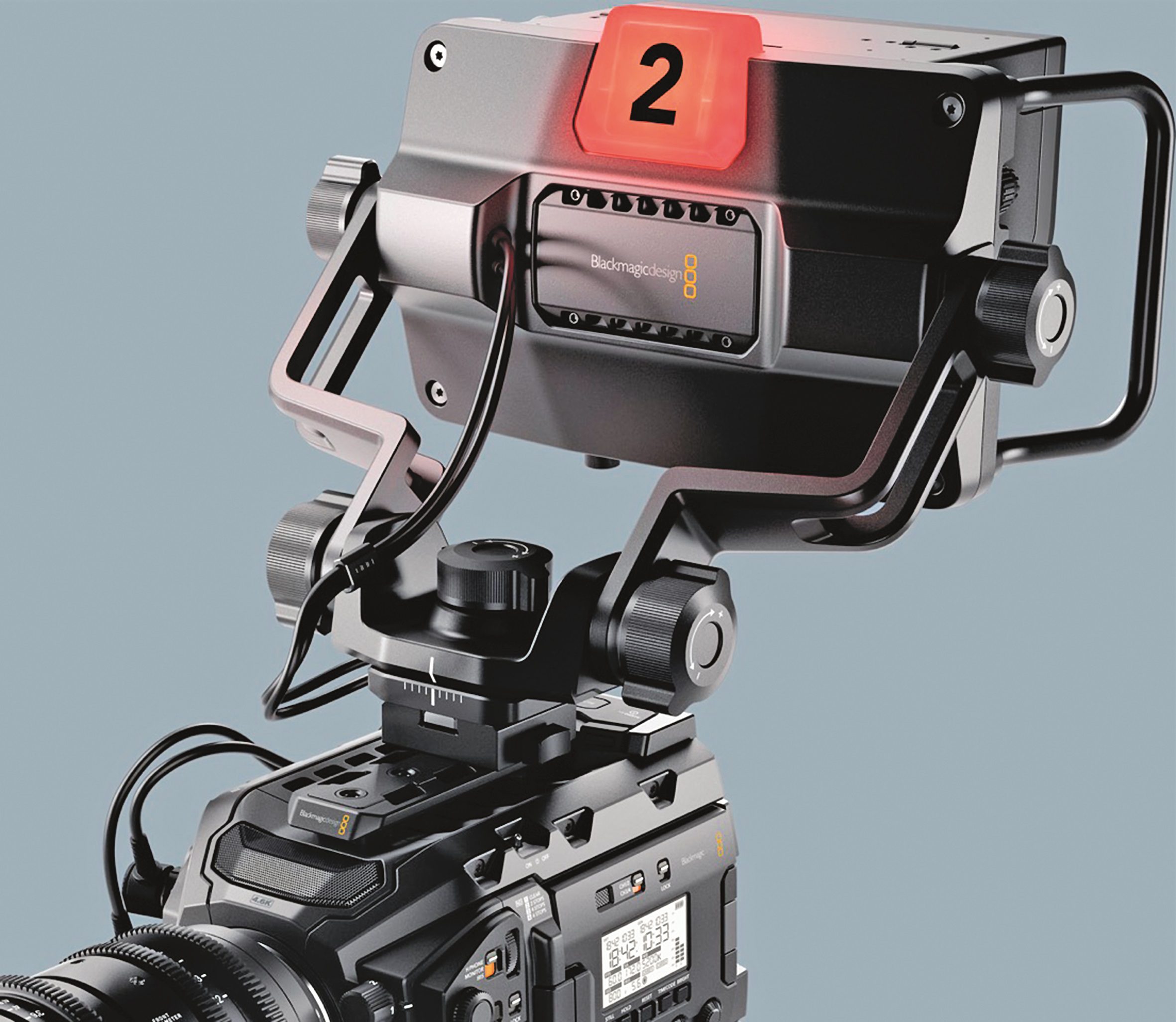
It is also annoying that the sound in the headphones has a considerable latency – closed headphones are a must if you want to put up with this. Surprisingly, this latency is reduced at higher frame rates. Unfortunately, pressing the buttons on the housing makes quite noticeable clicking noises when the microphone is attached; a more discreet feedback would have been appropriate here. However, BM presented a decoupled microphone suspension at the NAB, which should be available in a few months. It is well thought out and can be mounted on the handle or in its place, but can also be mounted under the front of the handle without the viewfinder.
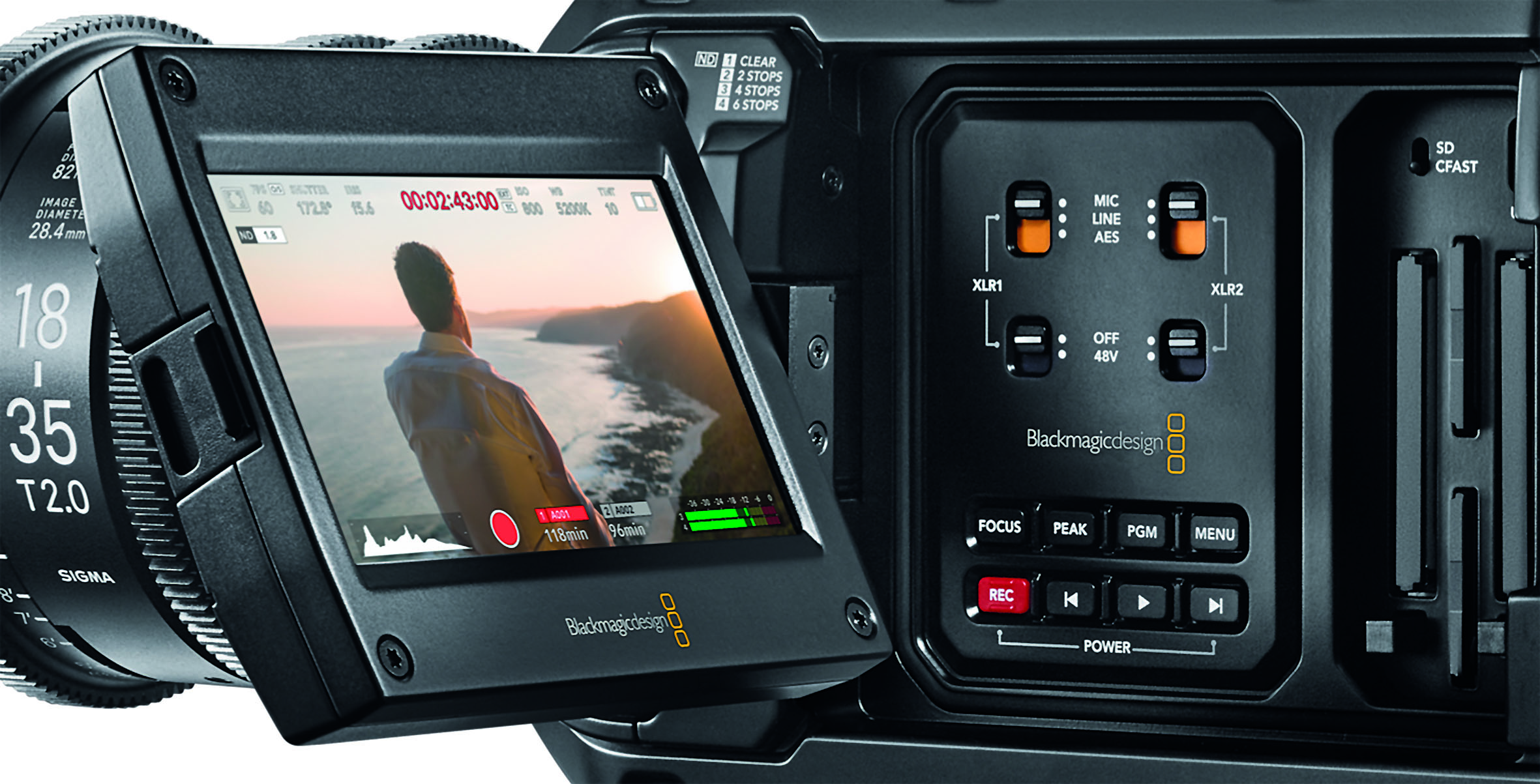
Unfortunately, the rotary controls for the level are purely electronic without end stops, so that there is no tactile feedback with the eye on the viewfinder. Two channels are currently active, with two more to be added via firmware. In addition to mic and line, the audio section can handle digital AES signals. The UM Pro lacks a limiter, which can be a massive handicap in reportage mode without assistance. The camera has a timecode input, but no output. A central clock is therefore required for multi-camera operation – of course it works perfectly with the ATEM mixing console from BM. It can also be started synchronised with Jam Sync. BM claims that it has a high-precision clock, but we have not tested this. The “TC” button on the side switches between pure running time and free run (time of day). There are no other options such as manual setting of the start value or “rain”.
Storage media
Unlike its predecessor, the UM Pro offers two slots for fast SD cards in addition to the two slots for CF cards. Strangely enough, the latter have to be inserted the other way round – with the label facing backwards – which causes irritation in hectic everyday shooting. Nevertheless, this is a fine concession for documentary use, as additional media can be found almost anywhere. In addition, CF cards are still quite expensive.
The two slots can each be used for continuous operation, so that very long recordings are possible, or for recording high frame rates by splitting RAW. In the test, this even worked with fast SDXC cards of class 10/U3, which can keep up with RAW 3:1 at 25 fps – only we Europeans can save money here, because at 30 fps they could no longer manage RAW, not even in RAW 4:1. The Clone Tool in Resolve automatically handles the merging of split recordings.
With ProRes, however, splitting is not possible, so high resolutions and frame rates above 30 fps only work on CF cards. In the menu, you can set whether the camera cancels or only warns if the speed is too low. In the German section of the manual: “When images are dropped, check whether your card is on our list of recommended media and whether it is suitable for the frame size used.” The manual also contains other stylistic flourishes such as: “fenestration is used at 60 fps and above” or “high-end precision film lenses”. Otherwise, however, it is mostly written in understandable German, apart from this sentence: “On the URSA Mini Pro 4.6K, the camera dashboard closes if it is inactive for more than one minute and then returns to the head-up display.” Very strange is this statement: “For 4K RAW up to 30 fps, the following CFast 2.0 cards are recommended, but are no longer manufactured.” Excuse me?
Unfortunately, there is no way to record on two cards in parallel as a backup or to save RAW on one card and proxies for editing on another. For a company that is also familiar with post-production, this gap is surprising. Perhaps they would like to sell Video Assist? It can be started from the camera, but – unlike the Atomos Shogun on a RED – it is not supplied with identical file names. A proxy recording with the name “Capture” and a number seems less helpful for offline editing with completely different file names from the camera.
However, Resolve can handle this: As long as the timecode matches, it allows offline online editing. External recorders are still needed if you don’t just want to see LUTs in preview, but want to record them as a final product in order to get a final version without colour grading straight away. Blackmagic has announced an external recorder with SSD for summer 2017, but we have not yet been able to find out any details about this.
Comment
Is the Ursa Mini now also a fully-fledged reportage camera? Not quite: It starts a little too slowly, doesn’t have a usable autofocus, sophisticated exposure programmes or an audio limiter. It is also not a low-light queen and cannot record in 4K with fast broadcast zooms. Nevertheless, it is currently the most versatile camera you can get fully equipped for less than 10,000 euros.
It is ideal for users who want to provide the widest possible range of customers with scenic productions, events, studios and reasonably predictable documentaries. For nature shots, for example, it can deliver excellent dynamic range and the finest details with S-35 lenses. Fast news or sports under critical lighting conditions are not its domain.
