



This article originally appeared in DP 04 : 2022.
This article is brought to you by notebooksbilliger.de.

NVIDIA Studio Laptop – computing power like a gamer PC always with you
Nvidia Studio laptops give you enough computing power for a professional streaming setup, video editing or complex CAD, DCC and rendering applications. With the GeForce RTX A3000, RTX 3080, RTX 3070, RTX 3060 and RTX 3050Ti from Nvidia, your laptop is equipped with extreme graphics power for demanding gaming. Click over to notebooksbilliger.de now.

The article starts here: Your Digital Production hopes you enjoy reading the following free article.
In principle, we would advise anyone looking for a lot of performance for as little money as possible to buy a powerful desktop computer. That would still be a PC, because Apple does not yet have expandable M1 computers in its programme. This means a computer running Windows or Linux with a powerful GPU or a corresponding Intel-based Hackintosh. Unfortunately, the availability and prices of high-performance GPUs are still problematic and digital nomads just want performance in their laptops. by Prof. Uli Plank
We have only compared the Asus Studiobook 16 OLED (Asus for short) with a similarly equipped Macbook M1 Pro (Mac for short) here under DaVinci Resolve, as a general test of the Asus has already appeared in DP 01:22.
Appearances and the price
Both computers have a 16-inch display (41.5 cm) and 32 Gbytes of RAM. Apple’s M1 Pro costs 3,200 euros in this country. The Asus laptop has a Ryzen 9 CPU 5900HX and an Nvidia RTX 3070 laptop GPU with 8 Gbytes of VRAM. The model policy of Asus from Taiwan is somewhat confusing (to put it kindly), but our test model does not seem to be available in Germany at the moment or is no longer available. Based on the standard 1:1 conversion from US dollars, it should cost between 2,200 and 3,000 euros depending on the features. The version with an IPS display costs 2,400 US dollars in the USA, we estimate our model with OLED at around 2,500 to 2,600.
The Mac weighs 2.1 kilograms, while the Asus is not only slightly heavier at just under 2.3, but also a little larger in all three dimensions. Apple’s power supply unit with plug and clever MagSafe cable adds 350 grams, the Asus 570 grams (plus matching power cable). The workmanship on the Mac is top-notch and, according to the manufacturer, the case is made of 100% recycled aluminium. We couldn’t find any exact details for the Asus, but the casing is also made of metal, at least at the top, and makes a much more stable impression than the usual cheap laptops, whose casing bends just by typing. It also looks serious when you come to the customer and not like a gaming laptop. However, although it is labelled “military grade” (MIL-STD 810H) by Asus, slight bends were visible on the upper part of the casing under the SD card slot and the USB port on the right-hand side as soon as the new device was unpacked from its undamaged packaging. This is not quite as confidence-inspiring as on the Mac. On the other hand, the two-part housing with openly accessible screws appears much more service-friendly. Once you have unscrewed the lower lid, both slots for RAM and PCIe 3.0 M.2 are easily accessible for your own upgrades. The screen appears softer than on the Mac and also bounces slightly when typing vigorously. The dark casing shows fingerprints a little more clearly than Apple’s space grey.

Display
The screen of the Asus is a novelty so far, because it is an OLED display with full 4K resolution (3,840 x 2,400 pixels). The Mac also has an excellent display, but only a resolution of 3,456 x 2,234 pixels. The Asus draws its very high contrast from the perfect black of the OLED, but does not achieve the brightness required for HDR. The Mac, on the other hand, has a display that delivers a considerably higher peak brightness of 1,600 nits for HDR. Our Asus was far too green ex works, but covered 99.4% of P3 after calibration and remained below a Delta-E of 3 in the maximum deviation with an average of 0.11. The Mac fulfils P3 to a good 98% with Delta-E consistently below 1. It also offers further specifications ex works, which are met very well. With the Asus, these would first have to be added through further calibrations.
The Mac can also display 24, 25 or 50 frames per second smoothly, which is particularly advantageous for film makers or European TV productions. There are presets with 48 and 50 fps for this, while other computer displays with 60 fps show motion artefacts (the Mac manages up to 120). You have to set the display on the Asus to 200% if you want to see the complete GUI of Resolve, on the Mac to 2,056 x 1,329 – you should have very good eyesight for both. Alternatively, you can work with the recommended scaling, but then not everything will be displayed at the same time, especially on the colour page.
Disadvantages? OLEDs can burn in, and the Mac’s mini-LEDs can slightly outshine bright elements on a black background. But in comparison with the majority of current laptops, both offer excellent image quality for creative work, and Asus has taken measures in the software with OLED Care to largely prevent burn-in.


Sound and webcam
The sound of the Asus is clean and concise, voices are easy to understand, but despite the discreet Harman Kardon label, there is a lack of transparency and bass. The Mac produces a very full sound, especially the 16-inch model with its larger woofers. The sound almost seems to detach itself from the device, especially with Dolby Atmos. Music or films are a pleasure in quiet surroundings.
The quality of the 720p webcam in the Asus is no longer quite up to date, but it can be covered with a slider – a nice detail instead of adhesive tape. Apple has finally come up with a better camera in the latest models, and the microphones are also better at cancelling out ambient noise than on the Asus.



Operation
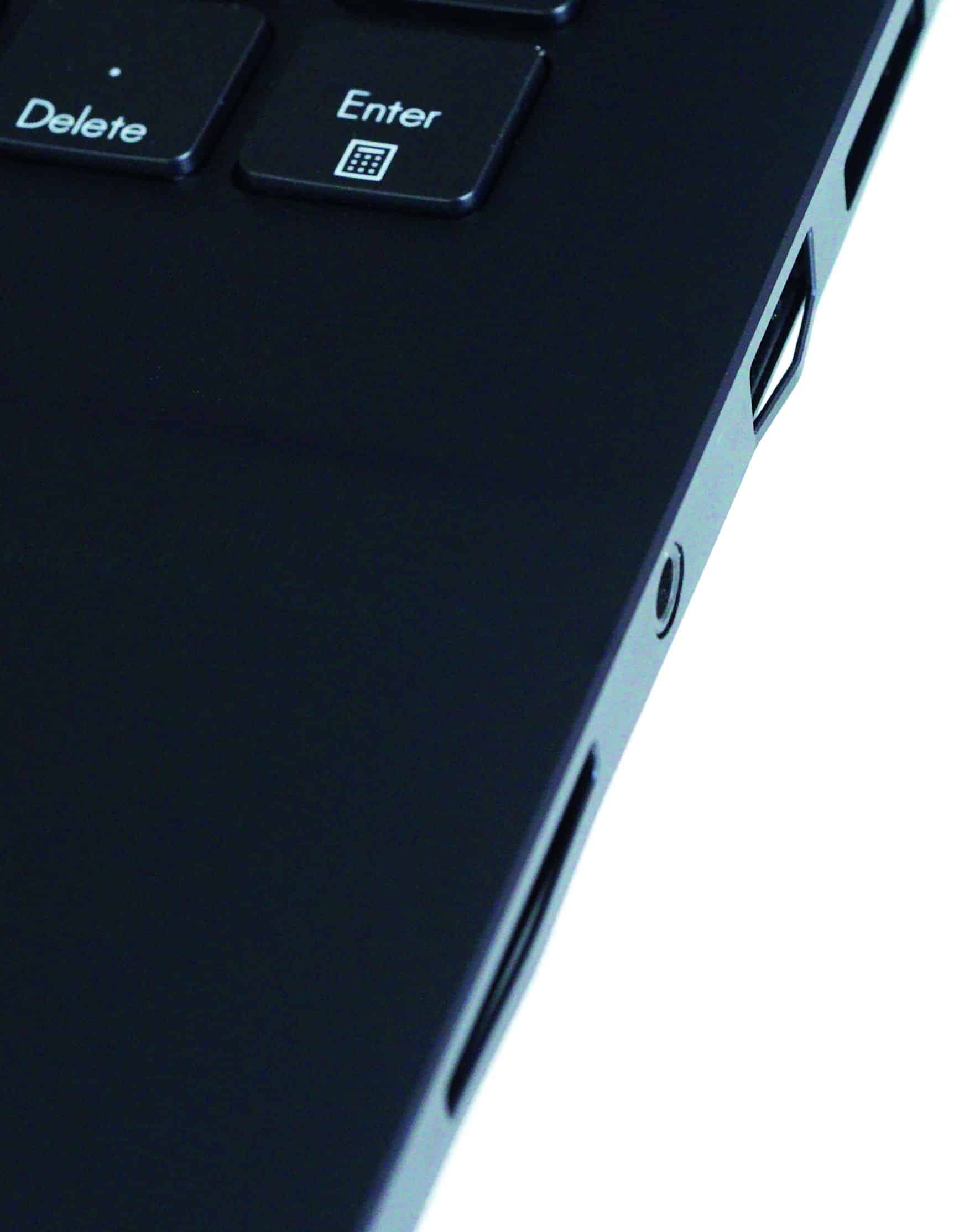
The keyboard is good on both devices with a slight pressure point as feedback. As a novelty, the Asus offers a rotary wheel for the left hand, which reacts sensitively and makes a subtle detent noticeable. It is currently only fully usable with some programmes from Adobe’s Creative Cloud. It is easy to imagine that, with the appropriate programming, it would also be useful for film transport or the precise adjustment of parameters in Resolve.
But the wheel needs space. The keyboard has therefore been moved relatively far up and the function keys have been reduced in size. Apple has once again dispensed with the unloved touch bar and has replaced it with standard-sized function keys. The keyboard on the Mac can be illuminated, which can be quite helpful on a laptop. While the Mac uses up the space for the better speakers, the Asus still has a numeric keypad.
The touchpad on the Mac is huge and very sensitive to use, but the Asus is hardly inferior and has a third, centre mouse button. This is particularly important in Resolve for selecting the section in the viewer, whereas with the Mac you are happy to buy a 3-button mouse. Both computers have fingerprint recognition in the power button, although the recognition on the Asus is sometimes a little less responsive than on the Mac, but Windows supports facial recognition as an alternative.
Connections
In terms of connections, the PC laptop is somewhat more comprehensively equipped. In contrast to the Mac, it also has Ethernet and two USB-A ports. This usually saves you having to lug around an adapter. The HDMI output corresponds to version 2.1 and can therefore deliver up to 120 Hz in UHD, while the Mac only goes up to 60 Hz. On the other hand, the Mac has three USB-C ports, all of which also support a display. For once, Apple has also listened to users and brought back the ingenious MagSafe connection on the USB-C charging cable. This has probably already saved many laptops from crashing in the literal sense.
Both can also be supplied with power via USB-C or charge other devices, as per the standard. A special feature is the SD card slot on the Asus, which already supports the new SD Express. However, these cards are not yet widely used and the usual SD cards are transferred much slower at around 90 Mbytes per second than in the Mac’s SDXC slot, which reads a Sony Tough card more than three times faster, for example. As with all AMD CPUs, there is no Thunderbolt support.
Mass storage
With a Mac, you have to decide at the time of purchase how much RAM and storage space you want, whereas both are easily accessible and expandable by the user with the Asus. Our sample of the PC had two SSDs with 1 Tbyte as RAID-0, which helps to achieve enormous speed: a good 4.3 Gbyte/sec. when reading and over 4.4 Gbyte/sec. when writing. On the Mac, our modest 512 Mbyte SSD is not exactly slow either, it reads at over 2.6 Gbyte and writes at almost 2.4 Gbyte.
With the exorbitant prices that Apple charges for the larger (and even faster) SSDs, the question arises as to whether you really need them for video. We have not only tested the standard low-cost Samsung T5 and T7 on the Mac, but also a Samsung 980 Pro in an Acasis case that supports Thunderbolt in addition to USB-C. This then runs externally on the Mac at almost 2.8 Gbyte/sec. when writing and 2.7 when reading. To be able to compare, we placed a boot system on the external SSDs. From the chime to the password request, the Mac booted in 13 seconds from the internal, in 18 from the NVMe and in 27 from the Samsung T7.
But how often do you really have to reboot a modern system? We preferred to compare how long it takes Resolve to start up and load a project lasting 1.5 hours with around 1,800 edits. This took 11 seconds for all three variants, meaning that the type of SSD and its connection is completely irrelevant in practice. Only material in uncompressed raw from Arri’s Alexa 65 with a good 30 Mbytes per image naturally stuttered on the simple USB-C discs, while it ran smoothly from the NVMe SSD via Thunderbolt.
So you can simply order the Mac with the essentials for the system and programmes and later add more storage to one of the three interfaces as required. Caching in Resolve also runs just as well from a fast external SSD, but it’s better to keep the database on the internal one.
Editing professional formats
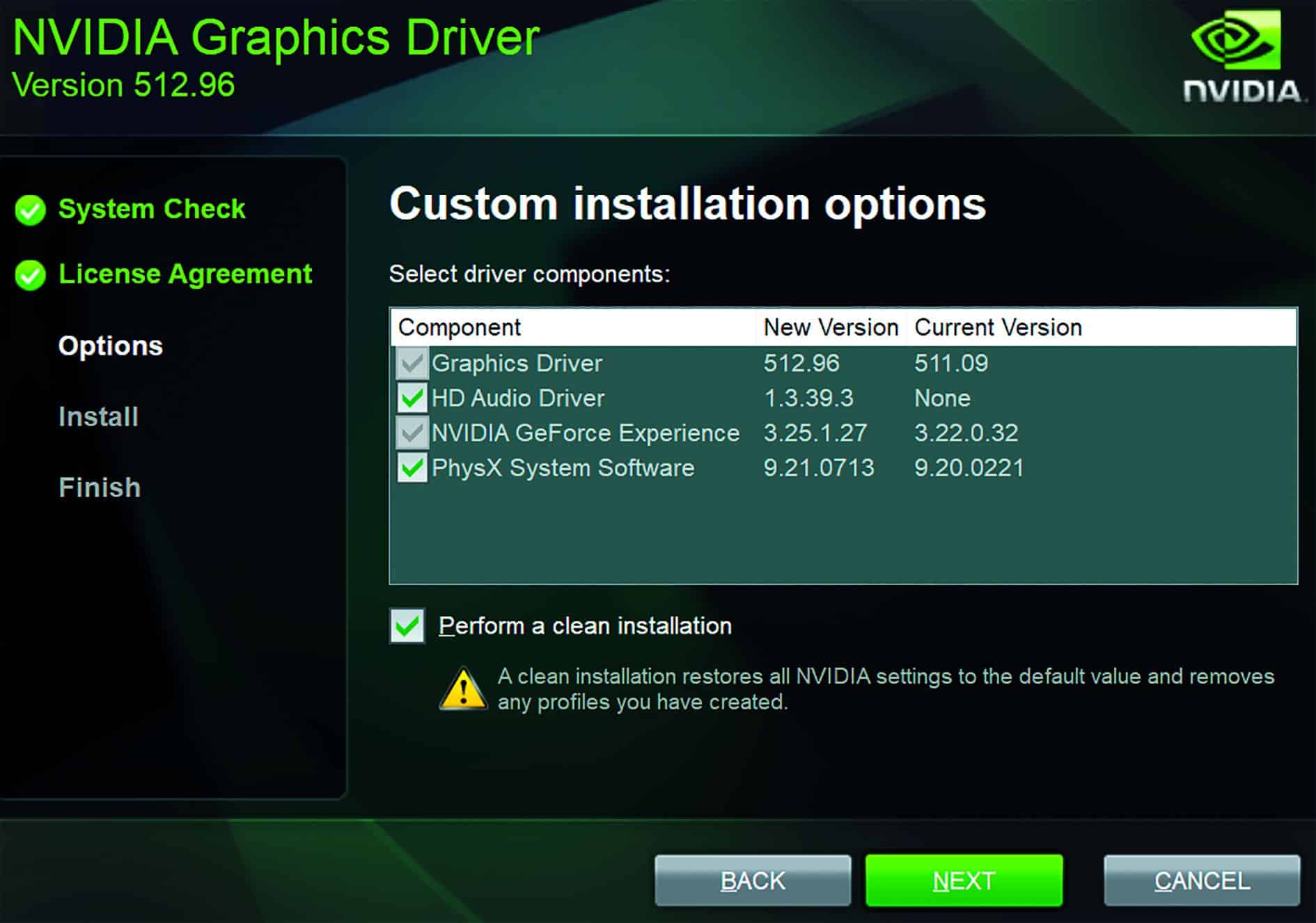
Let’s get to the essentials: What can laptops like this do? We tested both with the third beta of DaVinci Resolve 18, on the Mac under Mac OS Monterey 12.4 and on the PC under Windows 11, but at first the PC crashed constantly even during the simplest work steps. So we set about the favourite activity of video people (and gamers) under Windows: searching for a suitable driver. We found the Studio 512.96 driver from Nvidia, which led to largely normal operation of the Asus after a clean install. The Mac ran smoothly straight away. In the first round, we used a UHD timeline at 25 fps to test the extent to which the computers are even capable of playing back demanding sources from professional devices smoothly. The clips were only provided with a correction LUT to Rec. 709 if they were log recordings. The raw material, which is also referenced in our test project, comes from the manufacturers themselves. Only with the Canon R5 did we use our own recordings in 8K H.265 with maximum data rate and also 8K Canon Raw, which Tony Mellinger used for his video at
is.gd/eos_r5_youtube, which Tony Mellinger kindly offers for download at is.gd/tony_r5_download . You can find the rest of the raw material here and for download at www.digitalproduction.com.
is.gd/arri_sample_footage
is.gd/bmd_sample_footage
is.gd/red_sample_footage
is.gd/sony_sample_footage
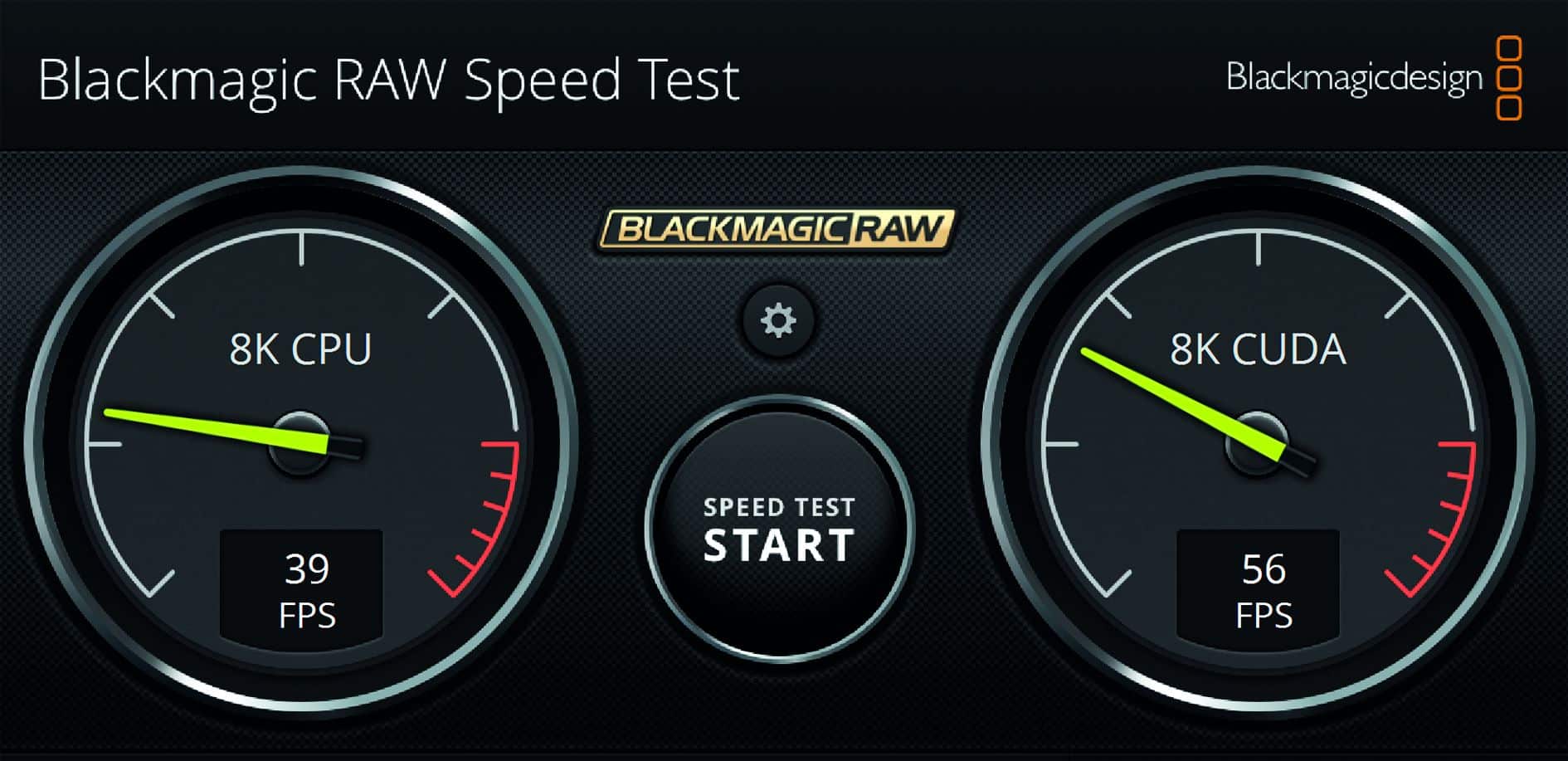
To minimise the impact of frame rate conversions, all clips have been set to 25 fps under Clip Attributes. All tools such as cache, optimised media or timeline proxies were deactivated. According to the alphabet: Arri Raw 65 ran smoothly in full resolution from a fast SSD in both versions (Resolve and Arri). BRaw from the Blackmagic 12K is so efficient that both machines can play it back smoothly, but Canon Raw only in “Full res – Resolve”. Canon 8K in H.265 at 10 bit 4:2:2 can only be played back smoothly on the Mac because the PC has no hardware decoder for this. There it jerks along at 6 to 8 fps, but the Asus can also manage corresponding material in UHD resolution.
Since the Komodo was released, RED has switched its compression from the wavelet, which was long hailed as superior, to the widely used DCT (this also applies to the Raptor). As the number of pixels increased, the performance obviously became problematic. This is also noticeable during playback: 6K from the Komodo or 8K from the Raptor is played back smoothly in “Half res. premium”, with 8K from the Helium you have to reduce to “Quarter res. good”. Finally, clips from the Sony Venice run in 6K OCN-XT from a fast SSD in both “Full res – Resolve” and “Full res – Sony”.
These specifications apply to both computers with a timeline of 24 or 25 fps, while recordings in 50 fps in a corresponding timeline are tight for both, so that the decoding quality has to be adjusted or even proxies have to be used. The Mac only manages BRaw 12K in full quality, as the division of labour between CPU and GPU is obviously somewhat better.
Benchmark project
And what about finishing on a laptop like this? Unfortunately, the renowned Puget benchmark for Resolve is still not available on the Mac, so we have created our own small project with the most difficult tasks possible. You can download the project from us, but you’ll have to get the originals from the manufacturers or from Tony Mellinger, apart from HEVC in 8K from our download.
First of all, we have had sophisticated functions calculated individually on 10 seconds of material each. Temporal noise filtering, which requires a lot of memory depending on the radius, has been on board for a long time, but the spatial version is also computationally intensive in Resolve. With our settings (as in the test project for the 6th clip), the PC needed 1 minute 34 seconds, but the Mac 6:34. Speed Warp, on the other hand, which provides one of the best intermediate image calculations for video, needs 3:55 on the Mac and 5:13 on the Asus on the second attempt after a crash.
Version 17 already had a cut detection function that is supposed to be based on AI. It managed a 30-minute film on the PC in 2:54, on the Mac in 3:28. The Surface Tracker, on the other hand, is completely new in version 18, which took 37 seconds on the Mac with the same network density, but just over a minute on the PC. The new object tracking with the Magic Mask, on the other hand, was about the same speed on both.
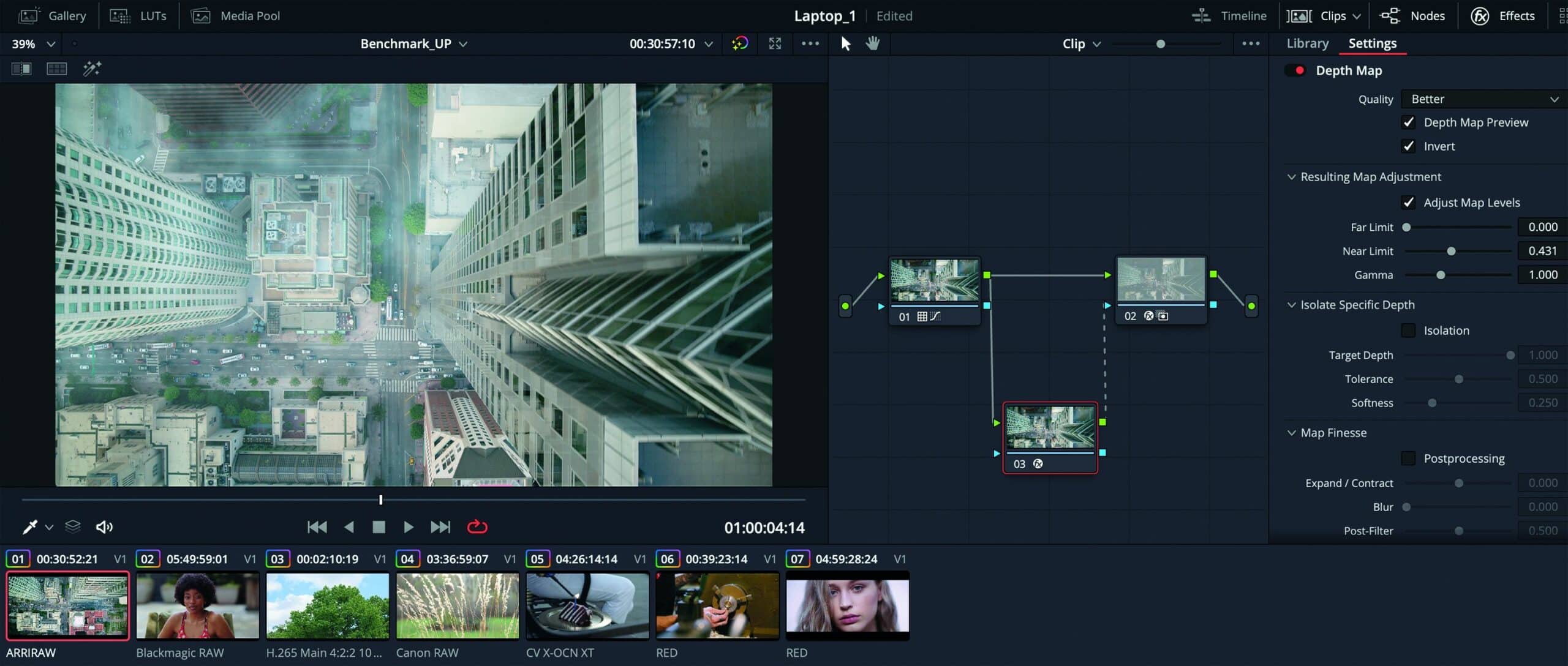
The sensation in the 18, however, is certainly the new Depth Map, to which Arthur C. Clarke’s famous sentence can be confidently applied: “Any sufficiently advanced technology is indistinguishable from magic.” While very expensive phones still have to use LIDAR for this, Blackmagic does it with software. The distance from the camera in a scene is calculated with astonishing accuracy. This doesn’t necessarily look entirely credible for a subsequently reduced depth of field (nor does the phone). However, you can use it to create very good atmospheric effects together with Fast Noise.
The Mac needs 6:28 for Depth Map alone, whereas the PC only needs 2:50 – if it doesn’t crash first! H.265 in 8K plus Speed Warp kills Resolve 18 on the PC, as does RED in 3:1 with Depth Map and Lens Blur. The Nvidia 3070 in the Asus was obviously unable to cope with these combinations and we had to try it with more easily decodable material. Together with Fast Noise
for the clouds, the Mac came out on top in the flyover from Alexa (1st clip) with 6:16, the PC needed 9:41.


Stability problems
The test project is intended to calculate different material together with very demanding functions. Initially, we tried to output our UHD timeline directly in H.265 with 10 bit. The Mac did this reliably in 26 minutes and 25 seconds; sooner or later, the PC either crashed to the desktop or got stuck in the rendering process. Mostly without an error message, occasionally the following message also appeared: “Cannot find appropriate codec for encoding the video frame.” This is obviously nonsense if it doesn’t appear right at the beginning.
As the GPU in the Asus also has to handle the encoding to H.265, we also tried DNxHR in HQX 10 bit, but again the calculation on the PC got stuck at different positions. Only with GoPro CineForm at YUV 10 bit did the Asus manage it in 28:07. Alternatively, we left the encoding to H.265 to the AMD GPU. This worked, but only produced reduced quality in 8 bit. These problems only occurred with the original material. If we supplied the PC with previously converted DNxHR in 6K, rendering in 4K or UHD ran smoothly, but this took a lot of time and memory.
So as not to start a religious war, we must remember that this is beta software. It is very time-consuming for every manufacturer to test all the configurations available on the market for Windows. With the Mac, the manageable number of models comes with hardware and system from a single source. With the PC, something like this first has to mature extensively, which is why there is a public beta. To be on the safe side, we also tried it with the same raw material under Resolve 17.4.6, but unfortunately the same problems occurred on the PC.
We therefore tried to get to the bottom of the problem. This is difficult when crashes occur at different points in the editing process without an error message. The most likely cause is a memory problem or overheating. We therefore ran the free tool GPU-Z
and observed both. In fact, the Nvidia GPU is constantly running at its limit, according to GPU-Z with up to 91.5 degrees and utilisation of a maximum of 8,097 Mbyte
VRAM.
Although the cooling can be maximised with the ProArt Creator Hub by setting it to Full Speed Mode, the computer then constantly makes a lot of noise, even though the CPU usually doesn’t have much to do. Things are slightly better with the adaptive performance mode, but this is also so loud at its peak that you don’t want to sit close to the computer. Nevertheless, we still had crashes during rendering in both settings. This indicates problems with the VRAM.
If you watch the Mac with TG Pro at work, the temperature remains below 65 degrees with full cooling (which still sounds more discreet). With adaptive, very quiet cooling, the maximum temperature in the GPU is 80 degrees, and then you can only hear the Mac’s fans with your ear directly on the screen. It is interesting to note, however, that the Mac only fully utilises the 16 cores of the GPU in our test project; the CPUs mostly twiddle their thumbs, just like on a PC. Nevertheless, up to 28 Gbytes of RAM are used by our 32, although Resolve should be able to cope with 16 without Fusion. So here the M1 draws on the full potential of its unified memory, while the Nvidia in the PC only has 8 Gbyte
VRAM – who would have thought a few years ago that we would be writing “only” here ..
Whether the problems lie with the memory or the temperature cannot be conclusively clarified. What is clear is that the Mac runs stably even with the beta version and uses a maximum of 60 watts for the GPU and CPU.


Power consumption
The Asus can also work at full power in battery mode. However, the warning message appears after just 56 minutes during rendering and it switches off after a good hour. When it is connected to the mains again, the 90 Wh battery is already at 95% after 1 hour and 17 minutes and full after 1:45. With its 100 Wh battery, the Mac manages an astonishing 4 hours and 50 minutes until the warning and only switches off at 5:16. It reaches 95% charge after 1:10 on the mains.
On the Asus, GPU-Z clearly shows where the power (and heat) ends up during rendering: Up to 135 watts end up in the GPU board, of which a maximum of 110 is for the chip. In the dark mode of the standard setting, the OLED screen should even be more economical than the mini-LEDs of the Mac. Of course, both computers will last much longer if you only edit and occasionally try out a look. But Apple’s new processors are so efficient that you can actually work through a long flight or a day away from civilisation.


Comment
The Asus ProArt currently seems to be the best Windows laptop on the market in terms of price-performance ratio for creative professionals, as long as it is not overtaken by the in-house competition with an Intel CPU (not tested here). It is perfectly suitable for editing professional material on the move if you have a solid desktop computer at home for the final calculations. Where this is not the case, you have to take the diversions via the CineForm codec instead of being able to output H.265 in high quality directly. Those who indulge in pixel mania will also not be happy with Nvidia’s 8K in H.265 as a source.
On the other hand, if you are prepared to invest a little more and make friends with Mac OS, the Macbook M1 Pro is the more reliable device with significantly lower power consumption. It may be a little slower than the Asus for some tasks, but the reliable output in any desired codec ultimately saves more time. Since the 16 GPU cores of our M1 Pro are constantly utilised at 100% when rendering under Resolve, the more expensive laptops with the M1 Max or the compact base model of the Mac Studio should be significantly faster.
