



Cartoon Animator 5 (CTA 5) comes to market with several key features that optimise the experience for both amateur and professional artists. In addition to reworking basic animations with secondary movements from the field of spring physics, Free Form Deformation (FFD) makes cartoon-like anticipation and exaggeration possible for any aspiring animator. CTA 5 also supports vector animation, which contributes to improved render quality with high-resolution output format and an excellent SVG pipeline.
Cartoon Animator is a 2D animation software characterised by ease of use and maximum creativity. The programme can convert static images into animated characters, control facial expressions with mocap animations, create lip-sync animations from audio data, create 3D parallax scenes and generate 2D visual effects. Artists can access content resources and use a comprehensive Photoshop/vector pipeline to quickly customise sprite characters and create interesting content. Cartoon Animator implements an innovative workflow, combining industry-leading applications, 3D animation resources and motion capture devices. As a result, Cartoon Animator offers the ultimate creative freedom for high-quality productions.
Key features
- Whether vector or bitmap, any image can be imported, rigged and animated in Cartoon Animator.
- Automated secondary motion can be applied to any object and is extremely easy to use.
- 3D Head Creator transforms 2D art into 3D-style characters with head rotations from 0 to 360°.
- Motion Link connects iClone with CTA 2D characters and converts 3D movements into 2D animations.
Spring Dynamics
There’s nothing quite like seeing your static 2D artwork suddenly transform into living, breathing animations. CTA’s autonomous spring dynamics give you creative control without having to deal with complex physics and motion sequences. These eye-catching physics effects are perfect for animating characters and props.
 New features
 New features
- Spring bones create a secondary movement for characters so that they wobble when they move.
- Multiple spring settings can be set up for an object for different spring groups with different behaviours.
- Spring physics respond to all types of movement, including simple transformation keys
- Ten spring presets with different material types make it easy to find the most suitable starting point for the spring animation.
- Spring properties include bounce, velocity, gravity and angle constraints for crush and stretch properties.
- A series of 14 patterns and templates designed after common objects work in conjunction with manual rigging.
Freeform deformation
With FFD, movements can be exaggerated by simply moving the bounded grid points. With 109 FFD presets and customisable timeline keys, designers can create cartoon-like effects such as compression and stretching, anticipation and exaggeration. FFD presets can be dragged and dropped onto static objects to bring them to life.
 New features
 New features
- By adding FFD to existing animated 2D characters, designers can accentuate different areas of the animated drawing by moving grid points and adjusting intensity levels.
- FFD keys can also be overdrawn by using transition curves in the timeline or used with ready-made FFD templates to instantly optimise existing animations.
- 36 compression and stretch presets in the FFD editor can add a cartoonish style to any type of animation.
- The asset library is updated with free G3 Human Motion files containing customisable FFDs.
- Multiple FFDs can be additively layered to precisely match overdraws and deformations.
- FFDs can be dragged and dropped onto photos and vector graphics to bring them to life and animate them.
Vector graphics
Support for vector graphics allows users to import widely used SVG vector graphics into CTA5, whether downloaded from artwork websites or created in-house using Illustrator, CorelDRAW or other compatible tools. Unlike raster images, where the file size is used to store pixel data, you can zoom in and out of vector graphics and still enjoy clear and sharp image quality. For building a large scene, there is nothing better than vector graphics that can be moved, zoomed and controlled at will.

New functions
- The vector grouping tool allows designers to define colour combinations and opacity settings. This allows users to set colour options for any vector object or sprite character and create different looks in an instant.
- Customisable colouring for entire groups that do not break the context of custom colour schemes.
- Colour grouping and opacity settings can be used to swap clothing styles and even adjust clothing cuts.
- Spline curves, line styles, gradient fills and vector layers can be used to realise any visual style.
- New tools make it easier to animate sketches, line drawings, fashion designs and photorealistic images.
- Vector graphics of various formats can be converted to SVG and imported into CTA for a variety of applications.
- The colour grouping tool automatically groups elements together and defines associated vector groups for effortless colour changes.
Smart Content Manager
With the Smart Content Manager, users can install purchased assets and free designer resources with one click. Designers can easily search and browse their own work, upload assets or download them from their online inventory.
 New features
 New features
- Newly purchased assets from the Content Store, ActorCore or Marketplace are automatically synchronised with the Smart Content Manager and are immediately available in the CTA.
- Newly purchased content is downloaded and installed directly from the application.
- Trial versions from the Marketplace can be downloaded directly via the Smart Content Manager.
- Content of all types can be searched and filtered by categories, keywords and tags.
- Content can be found by user-defined categories: Project, Genre, Usage, Abbreviations and more.
Additional paid assets
To take full advantage of CTA5’s powerful new features and see what CTA5 can do, check out these new content releases.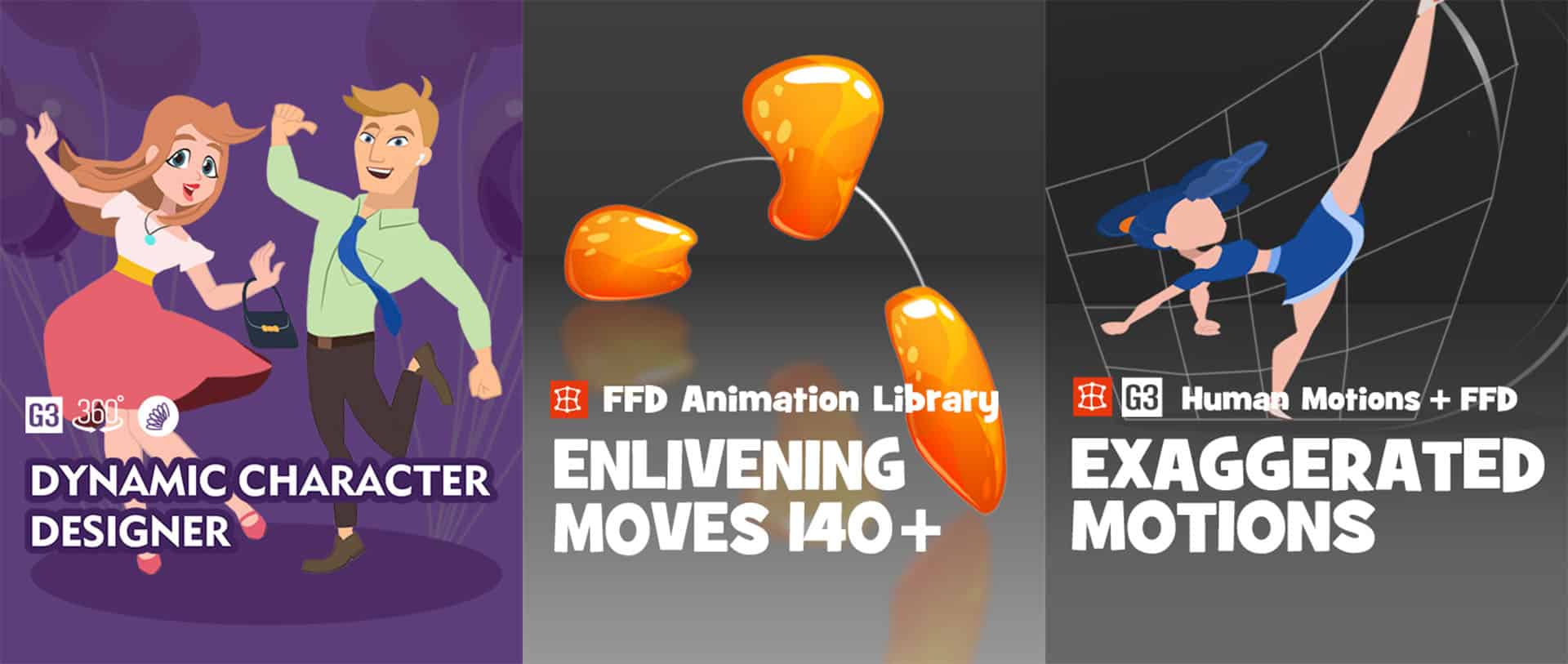
- Dynamic Character Designer – Face and clothing design combined with spring dynamics.
- Exaggerated Motions – Bouncing and flowing movements using freeform deformation.
- Enlivening Moves 140 – Add deformations to the movement sequences of any object.
FREE for 30 days, with more than 1,700 ready-made contents: 2D animation software free trial | Cartoon Animator
