



Table of Contents Show
This time we have dug up material from the analogue era. In addition to very poor quality video from amateur cameras, there is also video from a very high-quality Ikegami camera, which was only recorded on Super VHS after a professional recorder failed.
Part of Topaz Labs’ business model is to constantly keep users happy with updates, as these updates are only included for the first year after purchase. After that, users have to pay 99 US dollars a year if they want to keep up. Unlike Adobe, however, your own work is not held hostage, but you can continue to work with the last licensed version. When the software reports an update, it is fair enough to point out if this is no longer included in your subscription. There is also a trial licence for one month, which you can use to thoroughly test the software for your own needs and with your hardware. Since TVAI 3.0.3 from the last test, not only have new features been developed, but a number of bugs have also been fixed. However, similar to DR 18.6, a few other bugs have been added with the very fresh version 4.0, especially in the new user interface and the Nyx 2 model.
Stabilisation
First of all, we would like to tick off the less successful features. These include stabilisation, which was still listed as a beta in our last article. Although this is handled very quickly by both programmes, it doesn’t work miracles. We tested it with unsteady material from a digital handheld camera, whose sensor is not particularly fast.
Although we had activated the treatment of the RS with “Rolling Shutter Correction” in TVAI, quite a lot of image distortion remained in the peripheral areas, especially when set to “Full Frame”. TVAI attempts to reconstruct missing edge areas instead of zooming into the image. Unfortunately, this leads to quite a lot of “jelly” in these edge areas. The results from Resolve were no better. In contrast to DR, rendering processes do not block further work on other tasks in the programme.
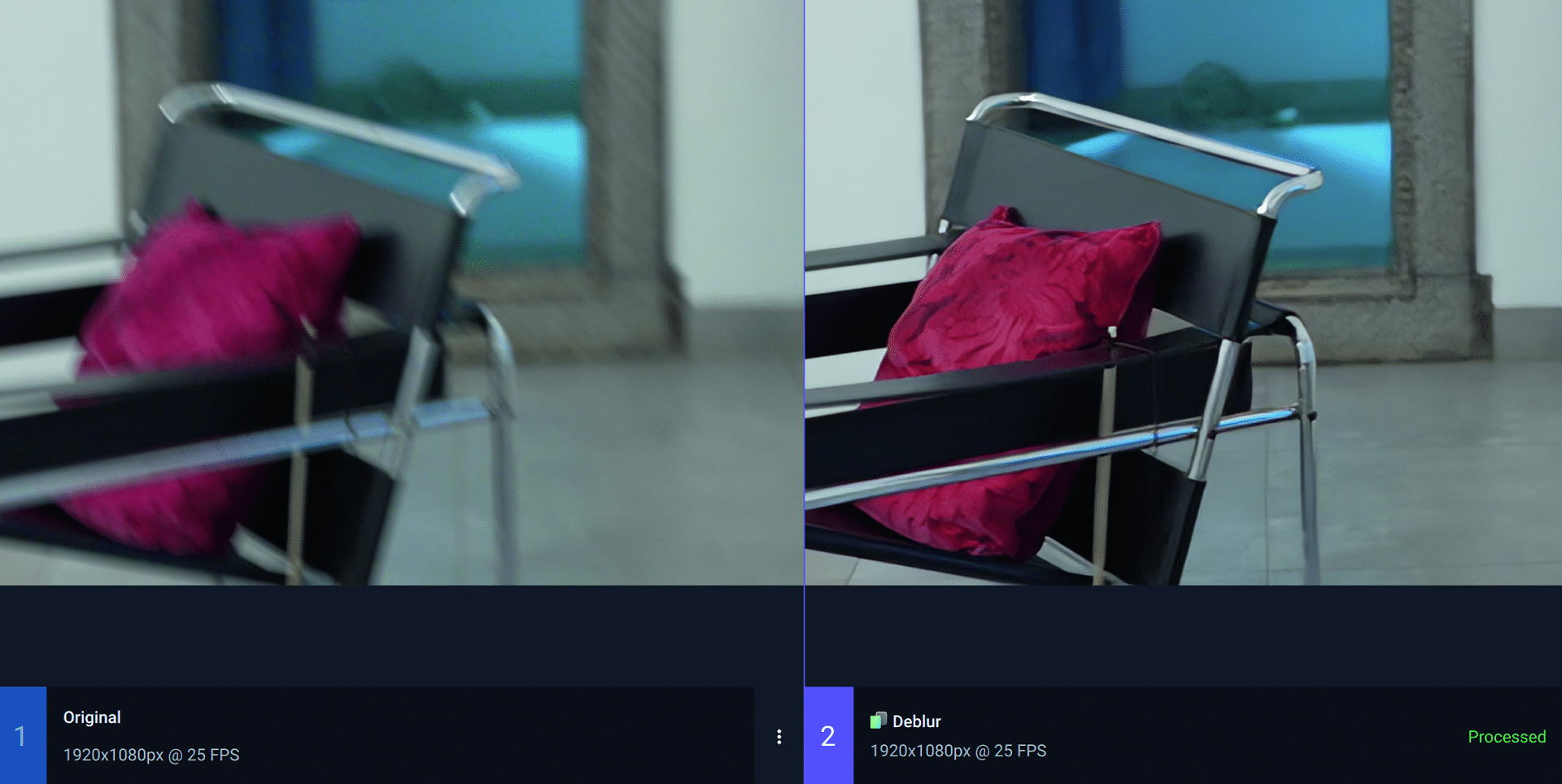
Our findings from the article on stabilisation with support from gyroscope data (DP 22:06), where DR gets a perfect grip on the RS (at least for the camera’s own movements) still apply here. We also tested this again with a clip from Sony’s Catalyst Browse, in which vibrations were stabilised with gyro data. Typically, short blurs become clearly visible with each shock. TVAI has a Deblur model called Themis for this purpose. This gets such motion blur under control quite well in some cases, but is still heavily dependent on the subject. It can sometimes have the opposite effect on contours with high contrast, and unfortunately there is no fine-tuning for this.
Slow motion
Both programmes offer the synthesis of intermediate images for subsequent slow motion, in DR the highest quality, but also slowest algorithm is called “Speed Warp”. As this worked best with very high-quality source material in both programs during the last test, this time we also deliberately tried out the lower-quality, upscaled analogue material (see below). In detail, both programmes show almost identical problems with crossing movements, as is also known from Optical Flow. Nevertheless, the results are so good that they can be used for many purposes. Speed Warp showed slightly more artefacts in detail and, in rare cases, slight flickering in textures. Nevertheless, the slow motion alone is certainly no reason to buy TVAI if you already have DR Studio, as the programmes don’t have much in common in terms of processing times either.
Deinterlace and upscaling
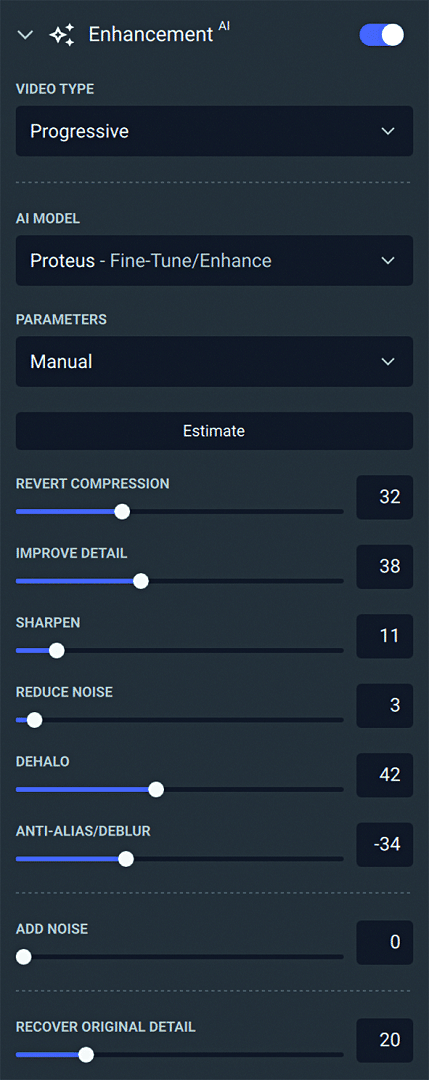
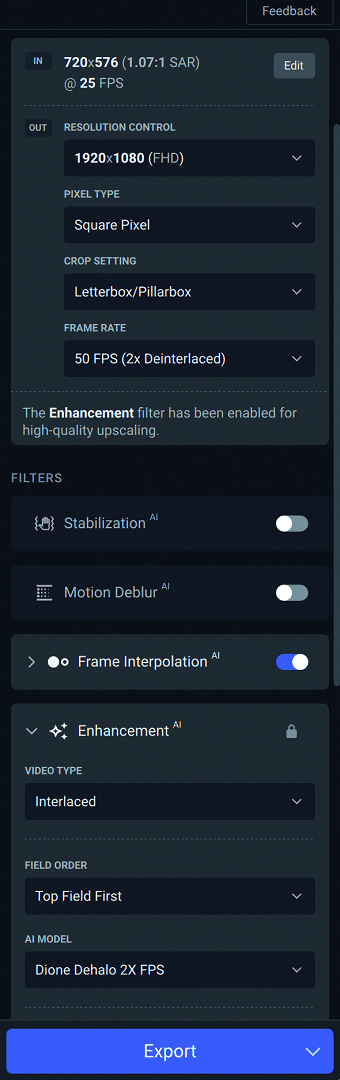
If the source material is interlaced and only has SD resolution, conversion to progressive HD actually seems impossible. But here the AI should show what it can achieve by looking at the neighbouring images. There are two models recommended in TVAI for this purpose: Dione and Iris. With Dione we tried Dione TV and Dione Dehalo, with Iris we simply used the LQ version. Although this means “Low Quality”, it refers to the source material and not the result. Dione Dehalo is already able to achieve a more appealing look by reducing the ugly edge sharpening of the amateur camera.
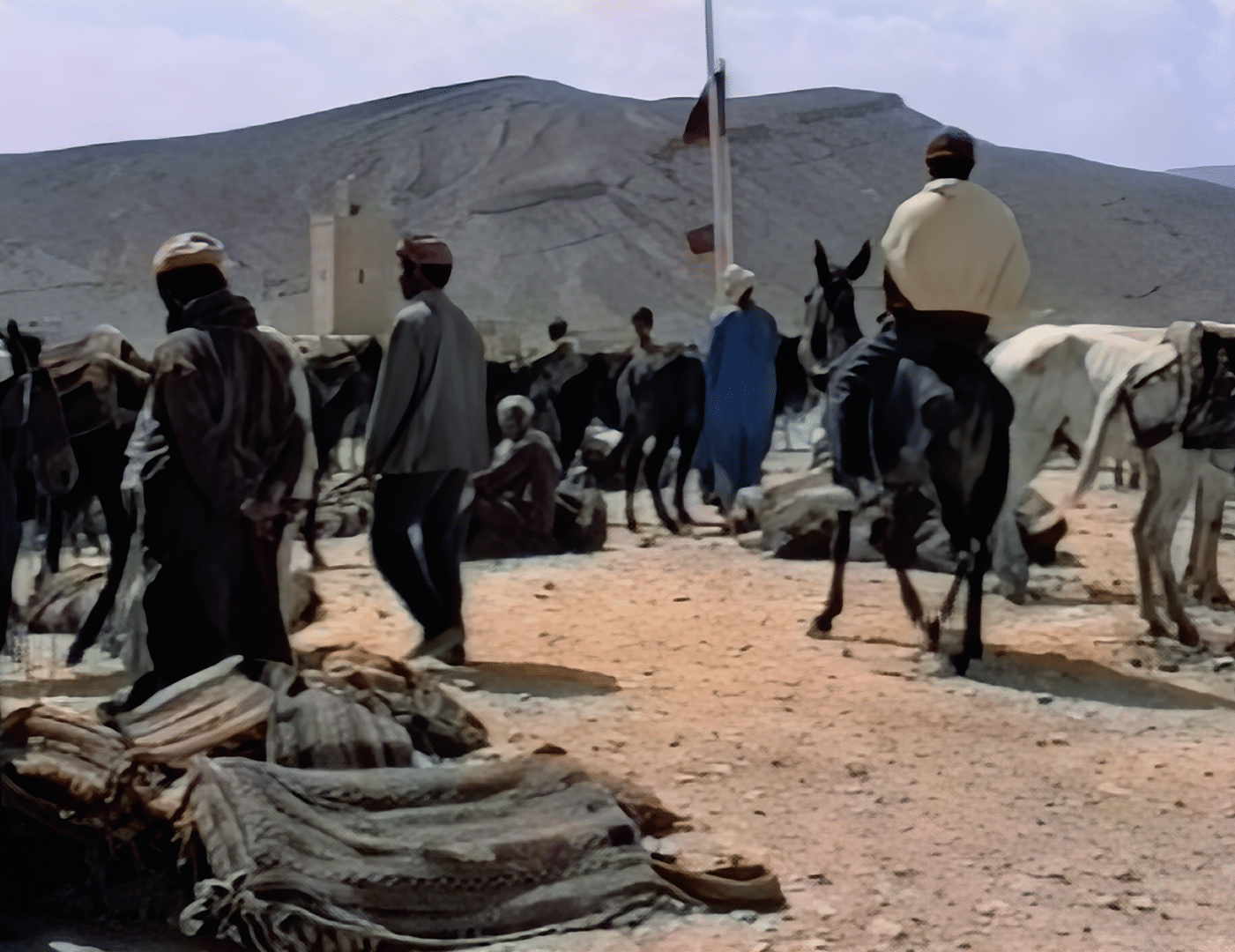
problems with crossing movements, here with the hooves of the black horse on the right.
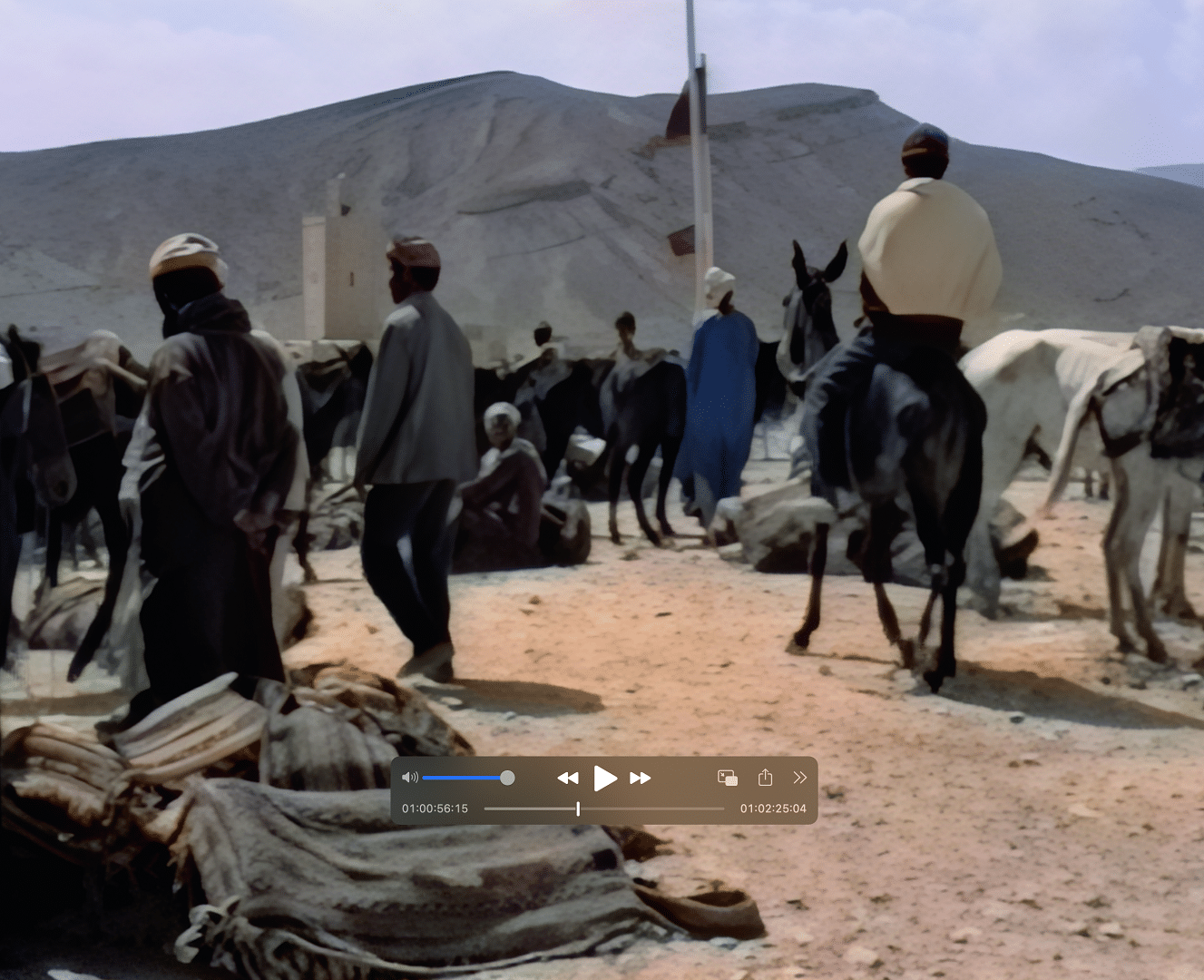
shows fewer digital artefacts.
Unfortunately, just like DR’s neural de-interlacer, it still struggles with staircase artefacts on critical curves in the image. The current version of TVAI now also offers inverse telecine, but there are still problems (at least they are correctly documented). In addition, many editing programmes can do at least this as well. A new option is the setting to pure black and white, so that the AI does not hallucinate colour with corresponding sources.
With Iris LQ, on the other hand, we were somewhat taken aback, and not just in terms of the perfect de-interlacing. The TVAI version looked much better than the DR version, despite the activation of “Superscale 2x Enhanced” and neural deinterlacer. Although we had not yet done any fine-tuning here, but had processed with the standard values, the edge sharpening (the halos) was also successfully removed (this did not play a major role with the professional camera above). We have never seen better upscaling of analogue material with a stand-alone program.
In contrast to some online offerings with AI processing on a third-party server, nobody has to hand over their material to TVAI because the AI models are still downloaded to their own computer.
In addition, the field sequence was reliably recognised by the automatic system, but can be set manually if required. Even if the result sometimes looks a little flat, it is not embarrassing as archive material in a modern environment. Faces are reconstructed better by Iris LQ than by Proteus. TVAI can also add a little ‘grain’ if desired, which makes the images look a little more natural again. The other big surprise was the speed. Until now, one of the criticisms levelled at TVAI was the sheer endless computing time, but even on a modest Apple MacBook M1 Pro, the better IrisLQ was generated at 5 frames per second. The less successful DioneTV model even managed almost 10, while DR only delivered 2.3 frames per second.


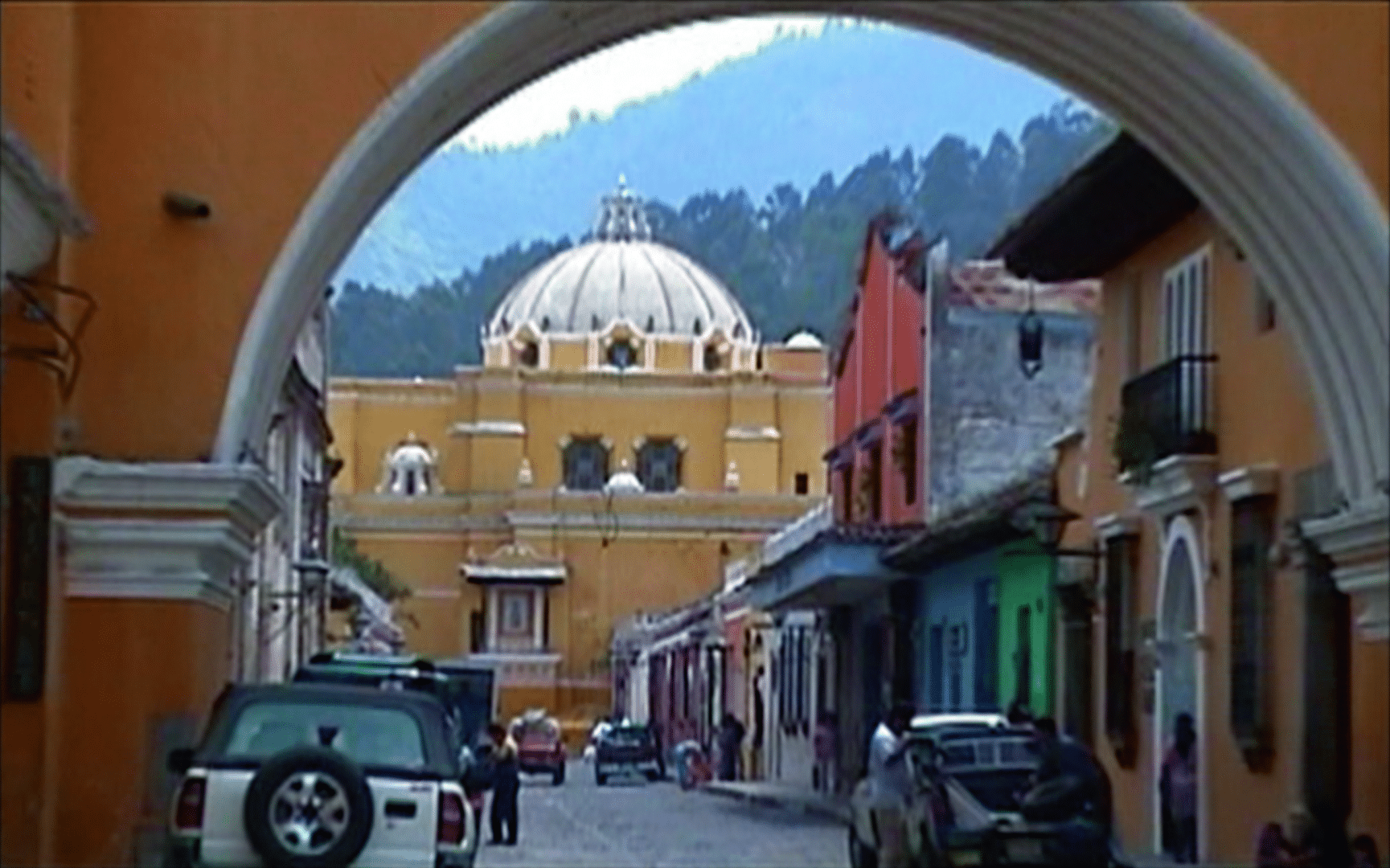
For the first time in our tests, TVAI was clearly superior to DR’s on-board tools, not only in terms of quality but also in terms of speed. Having become overconfident, we even dared to blow up the material to UHD with Iris LQ. However, the AI then invented a little too much small detail, and slight interlace artefacts returned at the archway. We had already tried to convert HD to UHD in an earlier test. However, the recognisable quality gain compared to DR shrank with high-quality source material, such as the conversion from good HD to UHD. We then needed “pixel peeping” to recognise the differences. If there is only a small amount of material to convert, many people will not want to change the programme. A suitable use case would be the upscaling of clips from a modern camera if the camera is not capable of full resolution in slow motion. Some CGI studios use it to upscale material in 2K to 4K because they can avoid gigantic render times.
Input and output
Incidentally, one of our sources was available as MPEG, which was read by TVAI without any problems, whereas we first had to have it repackaged as MOV for DR. This is because TVAI is based on ffmpeg and therefore understands an enormous number of formats. It can also deliver the ProRes format often requested by customers on PCs, which is not possible with DR. Although this is not approved by Apple, it works perfectly everywhere.
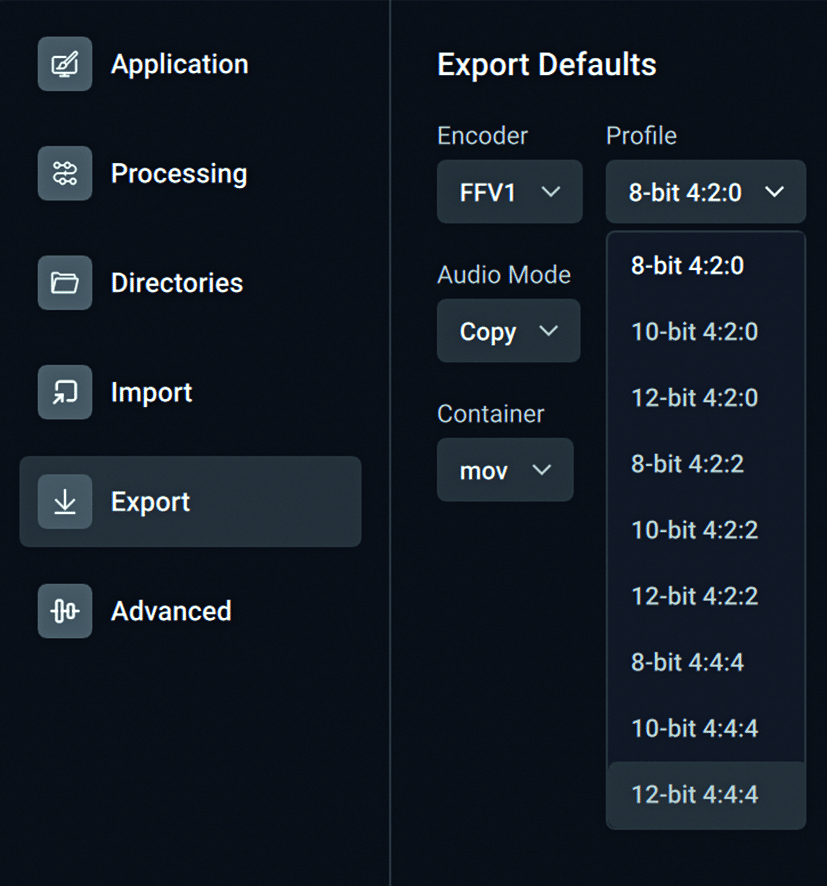
now offers FFV1.

not yet optimal.
On the Mac, however, TVAI uses the system routines and should therefore produce completely “legal” ProRes. In the new version, it offers the setting for adaptive compression for H.264 and H.265. However, the three settings for this are somewhat unfortunate: High delivers extremely large files, while Medium compresses far too much and is not very different from Low. Here we would rather recommend selecting a constant bit rate until Topaz has optimised the values. FFV1 is also available for the output of an archive copy. The export settings are now directly accessible and with “Export as…” you can assign more meaningful names.
Improved preview
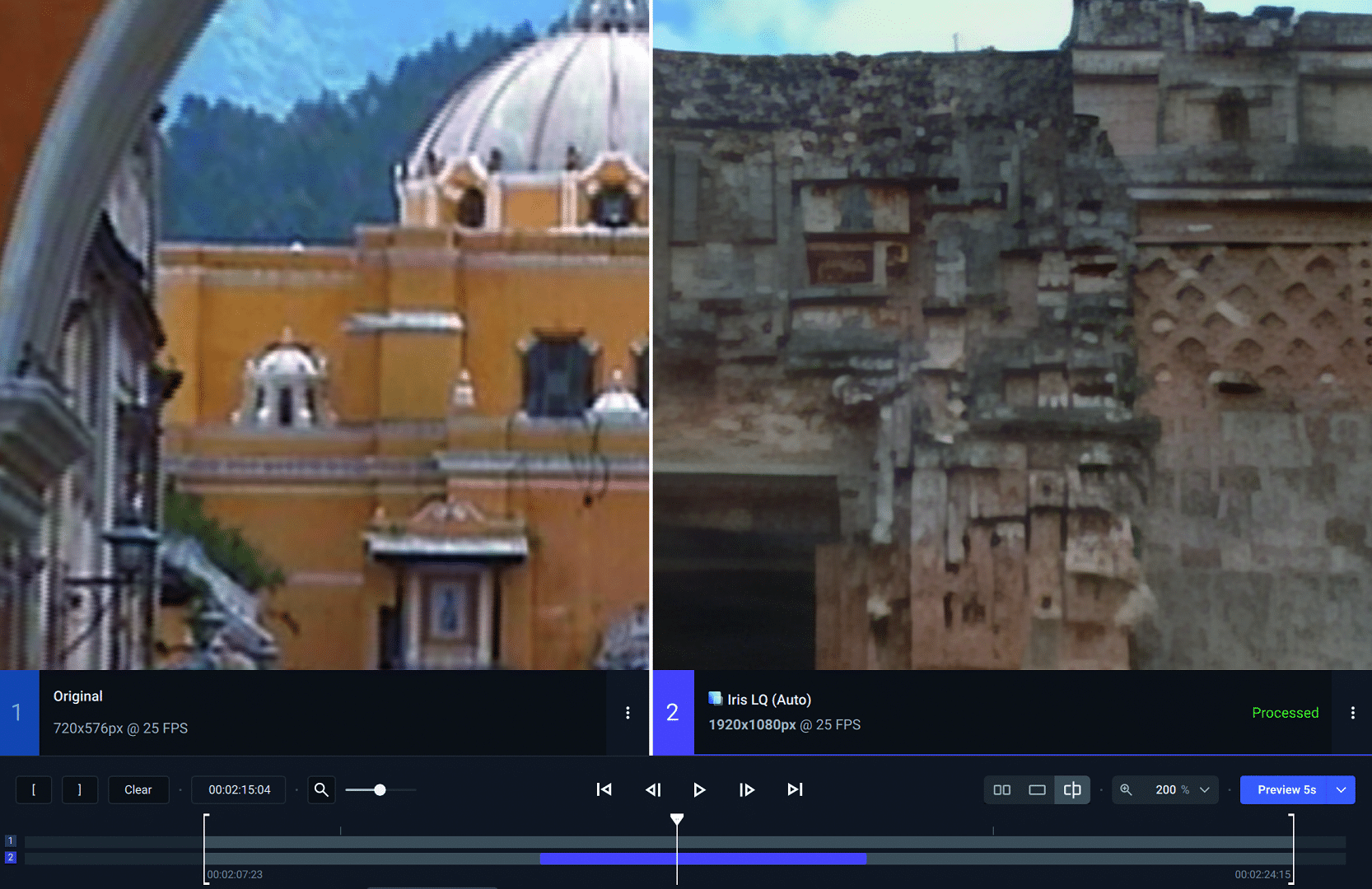
With a program of this type, it is essential to optimise editing for your own raw material and customer requirements. Until now, it was quite cumbersome to compare the results of different models and manual adjustments. Now two previews or original and preview can be played side by side or in split view. As usual, not all veteran users are happy with the new interface. In our opinion, however, there are significant improvements, e.g. TVAI now remembers the settings for zoom, split and position of previously edited views when the original is changed. Unfortunately, it is not possible to save entire projects: When you leave the programme, everything is gone. The 4.0 version is not yet completely free of bugs, but you can always find the latest versions of version 3 for download.
Some tools now work completely differently, such as Trim, or are subject to a few restrictions in the direct display, such as cropping. Some will look in vain for the crop tool, as it has moved to the top right and is only available when the original is displayed in full screen. The timeline now offers a zoom and the trimming tool also determines the playback area for previews. So don’t forget to adjust this for export if necessary. Version 3 users should look in the small menus with the three dots if they are missing something. The option of having two models edit the same clip one after the other must first be activated in the preferences.
Performance requirements
We also wanted to know whether it would make sense to clean the material with TVAI only from the interlace and edge sharpening in order to then scale with DR. With pure de-interlacing, IrisLQ even manages 9 fps, whereby the laptop did not appear to be fully utilised, while with DR the GPU was running at full capacity.
However, this method was somewhat weaker in terms of quality, more cumbersome and not any faster. In contrast to our last test, TVAI has now been optimised for Apple Silicon and significantly outperforms older Intel Macs, even if the minimum hardware requirements for both PC and Mac remain modest and date back to around 2014/15 (AVX2 instructions are required for PC). For occasional, short restorations with overnight rendering, most computers that can work with video at all should be sufficient. They can also be better utilised if you allow multiple instances; our GPU was almost fully utilised with 2 processes.
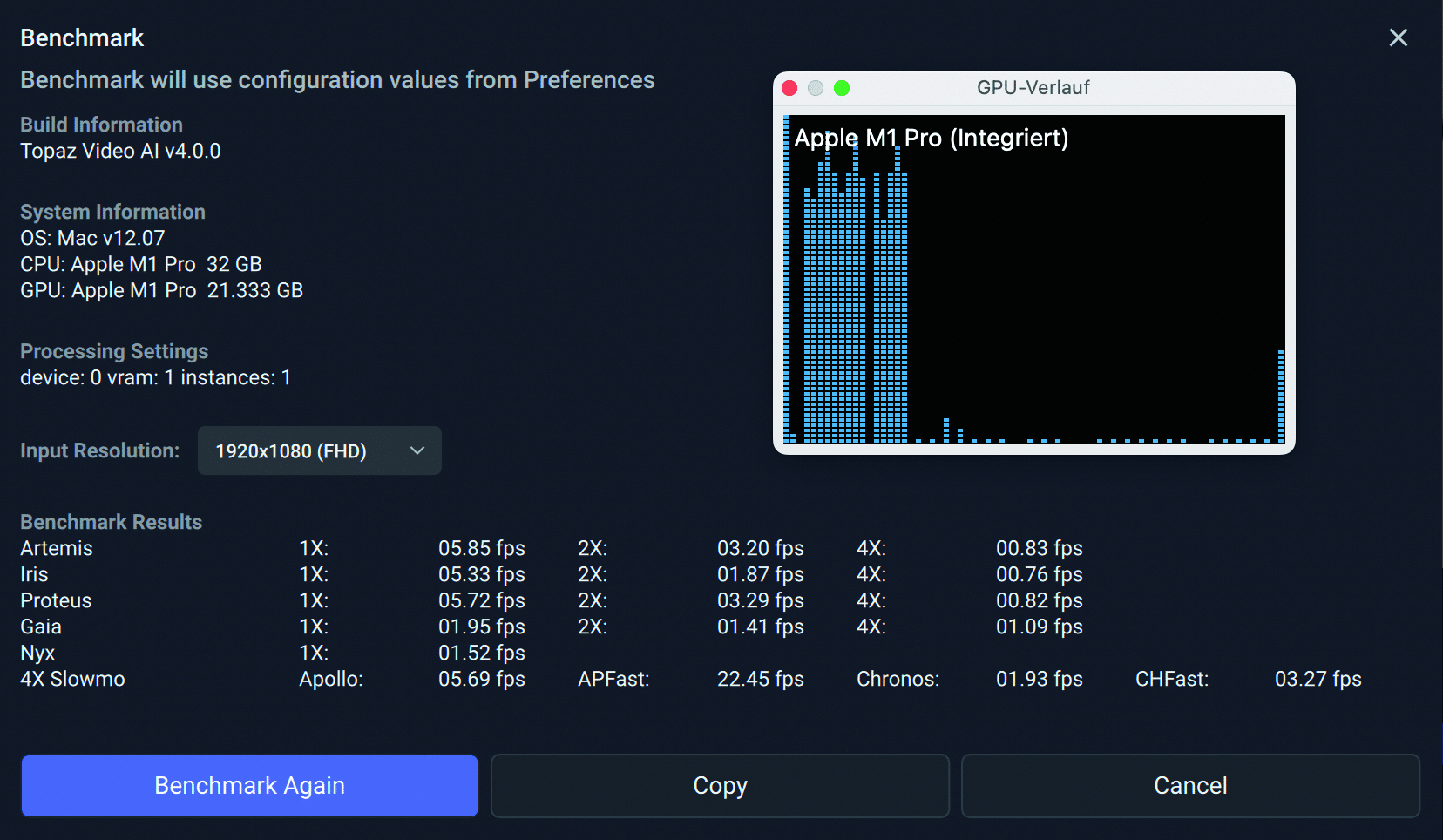
Unfortunately, even Mac Studio Ultra cannot compete with TVAI on the best PCs for more intensive use. If you regularly have such restoration work in your home, you should rather buy a PC with the best Nvidia GPU that is financially within reach. For example, an AMD Ryzen 9 5950X with 16 cores and the NVIDIA GeForce RTX 4090 can convert from HD to UHD at over 13 frames per second. CPUs with more cores or multiple GPUs provide even more of a boost, but the latter doesn’t always seem to work. In addition, not all models work with Intel ARC GPUs yet; these will be included in the coming weeks. Details can be found in the user forum at: bit.ly/topaz_bench. Please note that the output format in the list is already full HD, in some cases even UHD. As one licence can be used on two devices, whereby this applies to PC and Mac, such a bolide can also work separately.
Comment
Obviously, really bad analogue material is TVAI’s true domain. With such sources we were able to observe a clearly visible superiority in de-interlacing and upscaling compared to DaVinci Resolve. The speed is now also comparable, in some cases even better. The only wish that users could possibly still have if they only rarely have a job with critical archive material to process: How about a low-cost monthly licence?


benchmark shows
exactly what your hardware can do.


not yet optimal.

now offers FFV1.


shows fewer digital artefacts.

problems with crossing movements, here with the hooves of the black horse on the right.


