



January saw France-based Left Angle (left-angle.com) introducing Autograph and while at first glance it looks like a “Darker Version” of After Effects, there is actually a lot more to it (See our test).
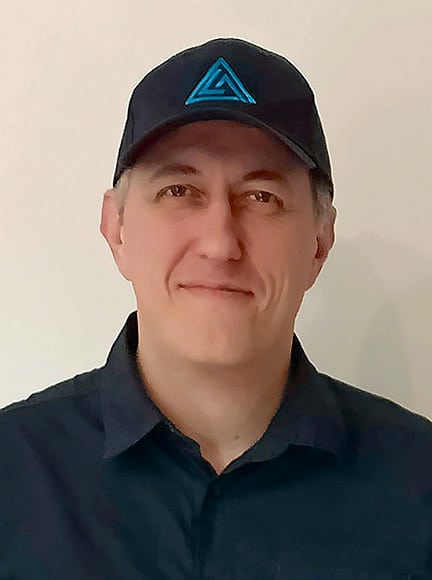
We were able to sit down with Francois Grassard, lead developer at Left Angle during IBC and talk about where Autograph is right now and what to expect in the future.
With over 25 years of experience in 2D & 3D motion design and visual effects, François knows a thing or two when it comes to industry standards. Over the years, François has worked in various development, graphic design, and managerial roles across the broadcasting, film, and advertising industries. His client roster includes Walt Disney, Universal, Fox, Warner, Renault, Dior, CBS, BBC, NBC, Yves-Saint-Laurent, and Unilever. François is also an author and has taught university students, sharing his insights and expertise.
DP: Autograph is a new contender in a market dominated by After Effects and Nuke. What sets it apart from the competition?
Francois Grassard: Autograph, created by Left Angle, is a software intended to be between After Effects and Nuke. After Effects, because we are a layer based compositing system. So obviously it looks like After Effects, but we are closer to nuke in the technical aspect because we are working on 32 bit per channel and we manage all the colour spaces. So we try to be more precise. So we try to have a very fast workflow for motion designers, but also VFX artists. We are working on a new way to switch from layer based approach to a nodal approach. So this will be a bi-directional way without committing to one workflow or the other. But we decided to create Autograph for different things. We think that the progression of software such as Nuke or After Effects was pretty slow because there has been no real evolution in this software since maybe 20 or 25 years.
I actually started to use After Effects in 1995. So it was version one or version two, I don‘t remember exactly. And since this day the process is almost the same and a lot of things have changed in the media industry. Regarding 3D and the way we composite together different elements. So we decided to create a new product with a focus on specific topics such as the possibility to work on different formats at the same time. For example, you can work in a responsive design composition, it can be turned into 16 by 9 or 1 by 1 or square or 9 by 16, or any kind of format in parallel, just by defining rules of creative positioning in the composition. So if you want to place a layer on the left of your composition, if you change the size of your compositions, usually it would be replaced, according to this new format. So for this kind of specific issue, there‘s actually not really a solution in After Effects for you, except you can script your own solution.
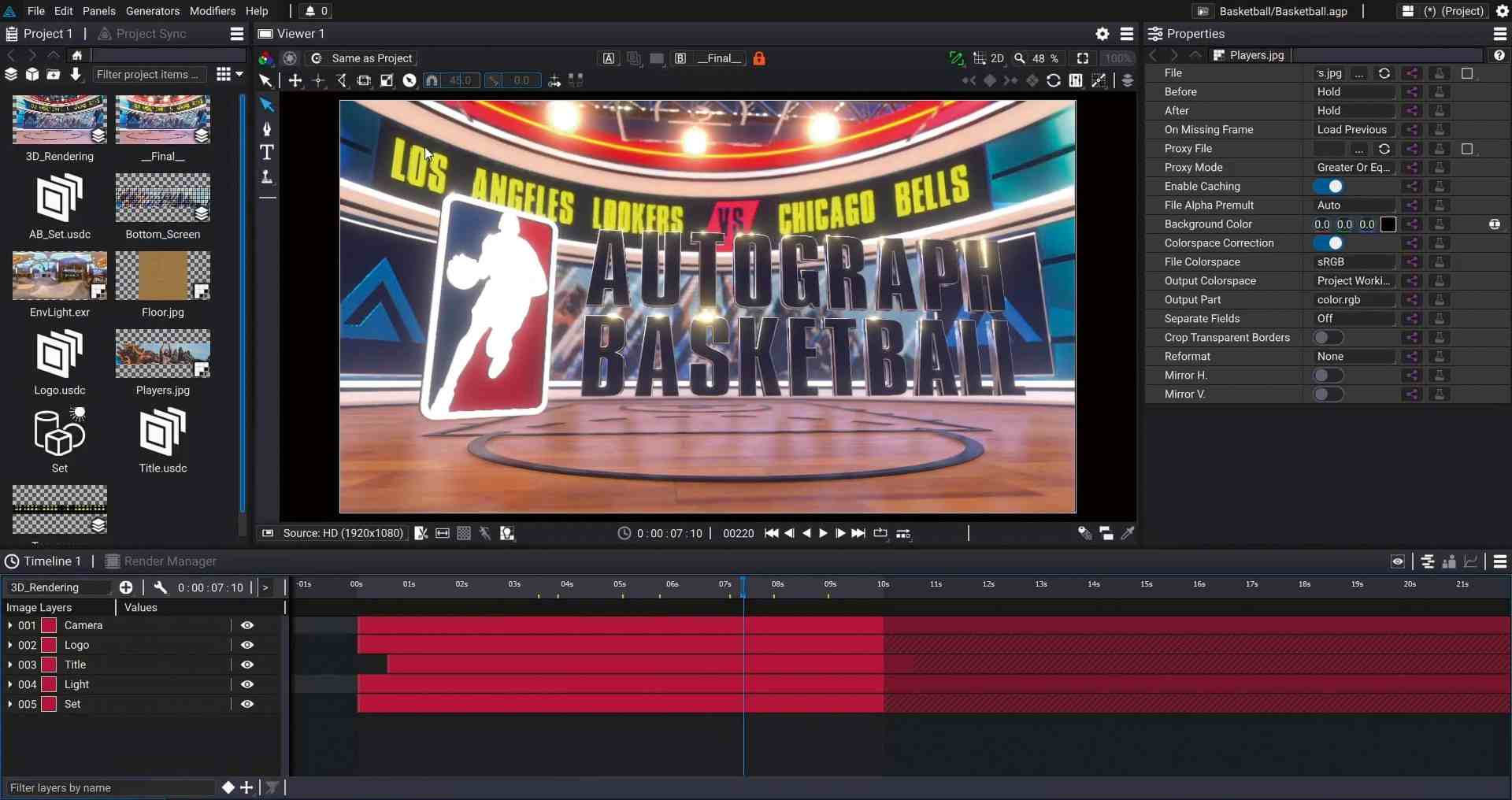
And the scripting is obviously a good answer to this, but it‘s also a really technical one. So we are really aware that all these really common tasks can be not really easily achieved in other applications. We also want to break the bridge between 2D and 3D because when you work with a 3D scene and want to work with the image produced by this scene, you have to render these images onto disk and you have to integrate these images in your compositing package. That way you have a huge footprint on your drive. You need to have a lot of storage to keep this render on the hard drive. Also it shouldn’t be such a linear process between the two tasks. So with Autograph, we try to be able to render a 3D scene on the fly and grab images from this 3D rendering and do the compositing of the side within the same application.
So that was another part of the project initially to break the bridge, to make a bridge between 3D and Compositing. I think it‘s nonsense to separate these two things. And we can see this nowadays with virtual production. And most of the time when you see some virtual production based on a game engine or any or any other system, you can see that the missing part in this process is compositing. Of course, Game Engines offer things such as Glows or ambient occlusions, but real compositing has always been missing. So the goal was to propose a proper solution. At the same time, in the same software. We are not saying Autograph is a real-time engine because we know that every real-time engine is real-time until it is not. So we prefer to define Autograph as interactive rendering.
DP: So, speed is not only important to rendering, but also in using the software. What is Autographs philosophy in regards to speed and user interface design?
Francois Grassard: I am personally very frustrated with the interfaces in other applications. The way you can interact with for instance dropdown menus: You have to click on any kind of style, any entry to test it, but in Autograph you just have to hover your mouse over the style you want to test. The interactivity of the feedback, that‘s one of the things we want to focus on, because so much time is lost just by navigating the interface. In the current release, we changed a few things about the way you interact with shapes.
Another way we achieve speed is by utilizing all the cores available with the CPU and the GPU as much as possible. But, there‘s always a bottleneck. The question is what is the bottleneck? Is it the GPU, is it the CPU Cores, is it RAM or is it that may be the bandwidth of your hard drive. So the question is to find the right balance between both to achieve almost 100 percent for each kind of device. So we try to find a good relationship between the interface and the reactivity of the software because when you have to wait for the software to have a response, you are losing time.

DP: VFX applications typically use a node based approach. Autograph, however, uses a timeline. Could you elaborate on the choice to take the timeline as a starting point?
Francois Grassard: Yeah. Autograph has been designed for motion design artists and VFX artists and when you work on VFX you mainly work on one shot. So the concept of timing is not the most important aspect of your creative process. But when you work on motion design, you have to put a lot of different sequences together, one after the other, and it‘s really important to have the concept of timing in mind.
In Autograph, a lot of things are related to timing. If you work with sound, for instance. In the next release, we are going to have the full audio pipeline and you can source this audio and extract frequencies for this audio drive any parameters also display curves based on this audio and all of this thing is related to a ribbon. So timing is pretty important.
So there‘s a reason we try initially to focus on the timeline approach. On the other hand, if you are a VFX artist working on a single shot, you want to have a really precise control over the process.
DP: And Autograph handles this how?
Francois Grassard: In Autograph, even if we have a layer-based approach, we actually have underneath a node-graph created, but with thousands of nodes. So if we show the graph created by maybe stacking ten or 20 layers, we have a bunch of modifiers – that‘s the name of your effects – you are going to have thousands of nodes. So if we have in a few months or in a few years a node-based approach, when you can convert your layer-based approach to a node-based approach, we have to think about maybe a bigger node with more parameters.
In Nuke, for instance, you have to create a read node and then a transform – two separate nodes. In most cases you want to use a transform just after the read node. So why not just merge a transform into the read node? It‘s something that you have to think about to have a manageable node graph. So the first question was to have good control over the rhythm, the music and so on. So that‘s the reason we decided to introduce the layer-based approach first.
DP: USD is quickly rolling out everywhere and is already a de facto industry standard. How does autograph handle USD files?
Francois Grassard: Yeah, we decided to integrate USD three years ago when we started the development of the 3D part of autograph. We started to work on Autograph about seven years ago, but the main development started about three years ago. So we decided to use USD as a basis. Each time you add a new primitive or you inject a new geometry, everything is based on USD. We create the USD scene under the hood. At the time we took a risk, because it was just emerging and Pixar was saying: ”This is the future.” But at that time USD was like an empty box. You know, you open the box, you can see a few things about the geometry, but nothing about the materials. And it‘s still the case today.
There‘s some evolution there, a lot of things that are on MaterialX. That’s a good way to interchange material between applications and something you appear about two months ago with the creation of aerials for Open USD with Adobe and also Apple and a lot ofactors around USD to work on something called Open PBR as a physical based rendering, and it‘s a way to standardize the material between applications. So in a perfect world you should be able to exchange material between the render engine and the compositing application and physically get the same result. So it was risky at the time, but actually it was a good choice because three years later you see it was the way to go. So basically we have a head start in integrating USD, which is not an easy task.
DP: Autograph was released in January 2023, so it has got a very fresh user-base. Who are the users?
Francois Grassard: We have two kinds of clients. Freelancers, because the software has been designed for small computers, initially. Actually here at IBC, I am at the Dell booth has I have a huge computer to make my demos, but every day I use Autograph on my eight year old laptop. That allows me to optimize the code and detect bottlenecks. And we need to detect those bottlenecks.
If you have a big computer, it‘s going to be difficult to see if there is a problem in this part. And it is also used by big studios to do heavy compositing, even if we don‘t have nodes yet. But for some studios, it‘s not really a problem because we have a 32 bit channel processing linear workflow. So they love the precision of the software and also the speed of the software. That‘s something we hear pretty quickly when someone tests the software “Oh,it‘s fast!”
DP: And what has been the feedback so far?
Francois Grassard: So obviously it needs time to get adopted because it‘s a new concept, even if you come from after Effects because while the interface is pretty close, we have some very different concepts like generators and modifiers and the way you can link parameters together is pretty complex. So yes, we have two different kind of user profiles: motion designers and big studios. Obviously some people also work in VFX and these are freelancers as well, so we are really talking about three user profiles.
But right now it is mostly motion designers because we have a lot of functionality for animating elements, we have a lot of interpolation types built in. In After Effects, If you want to have a bounce movement or an elastic movement, you have to write an expression for this. In Autograph we have 49 interpolation types built in, so you just have to create two keyframes and select your interpolation type. So motion designers love this.
There‘s so many small things that actually make a huge difference, such as the fact we have the origins of zero. The origin of the coordinate system is at the centre of the composition. It‘s a good way to quickly create symmetrical animation. We also have really technical users who are really happy to see that they can go really high into controlling the precision of the picture.
DP: Is there a trial version available?
Francois Grassard: Of course! Our free trial comes with the latest version of Autograph Creator and access to free templates and demo projects, so you can jump right in. Sign up for it at is.gd/autograph_trial.

DP: And what are the upcoming features?
Francois Grassard: Yeah, we are working on the new audio system that will be available as a next release at the end of September. We are also working on a new text engine that allows you to have a lot of more control over the animation. And we are working also on the new shape layer feature. So previously in Autograph you had to create a generator to generate, for instance, a stroke or fill. And in the generator you have a path group, a group containing a bunch of paths. And we are actually reversing this process to have the path group first. So you will be able to define your path and then you can apply a style to this path. Right now we have really classic styles such as stroke, solid and fill.
But in the future, because we have two people in the company who were previously in the field of non-photo-realistic-rendering, just like pencil and watercolour. And we are also working on converting a 3D scene to paths. So the goal is to create a non-photorealistic drawing from 3D, but not by drawing directly the pixel, but by defining paths and using these paths, you are going to add style. So it‘s a good feature for people who work in 2D animation, for example the Japanese animation industry. We worked a lot with 2D and 3D at the same time. And for this kind of industry it‘s going to be really useful.
