This is where Shadow comes in. Shadow(https://shadow.tech) is a service developed by Blade, and its technology is based on Windows 10 servers, running video games or other Windows software applications remotely.
But, in stark contrast to things like Geforce Now, which can run some games and that’s that, you can run anything you like on Shadow and depending on the size of the virtual machine. This makes it a viable way of “on-boarding” remote artists, simplifying the management of various pipelines, or – in extreme cases – remotely running your entire PC infrastructure. Or, if you don’t have a windows machine, and need a software that does not run on your system. Also, as a stop-gap measure, when things break down. Or when you need a machine to run something heavy, in parallel to your normal workstation.
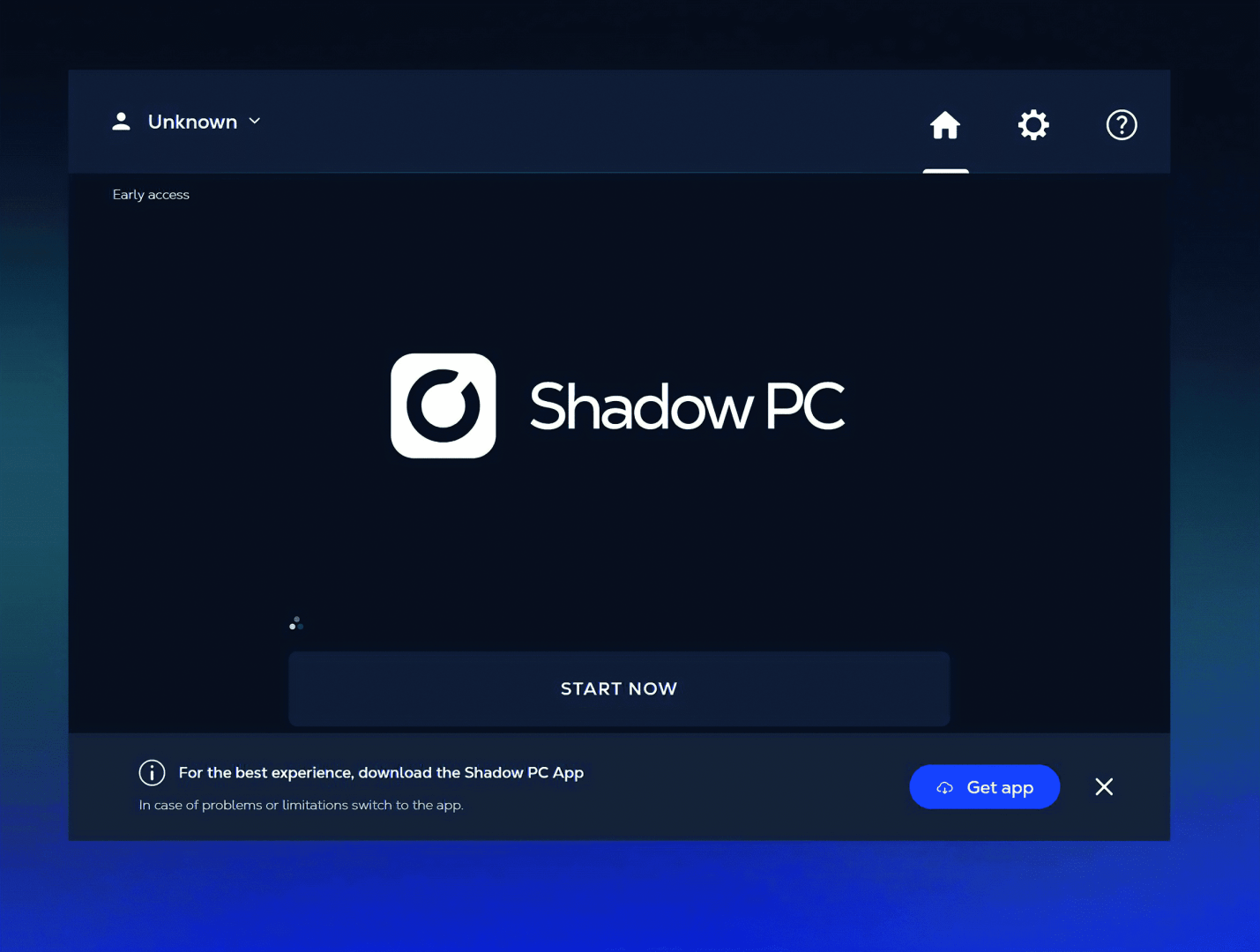
The uses are endless – and in a quick test, we got Resolve up and running from “Create an account” on the Website ( See above) on the Shadow PC to full recognition of two monitors, a tablet, mouse and keyboard in about 30 minutes – it could be even quicker, as most of the time was spent setting up Windows and getting reacquainted win Win10. So this is a viable way to work remotely – but there are still a few questions.
We talked to Johann Duriez-Mise, who has been with Shadow since early 2022, and who currently fullfills the job of a Communication Manager.
DP: I was told you have a virtual gaming PC I can use for actual work?
Johann Duriez-Mise: Hello! Shadow PC is more then the conventional cloud gaming platform; it embodies a “PC in the cloud” solution, accessible as any traditional computer. The only requirement is a robust internet connection. Simply launch the app or use your browser (Literally any Chrome-based browser will do), and you’re ready to go! There’s no need to set up a virtual machine of your own, and the service is fully compatible with smart-phones and older laptops.

DP: And when I need something beefier, or something “low end” between jobs, or for the office stuff?
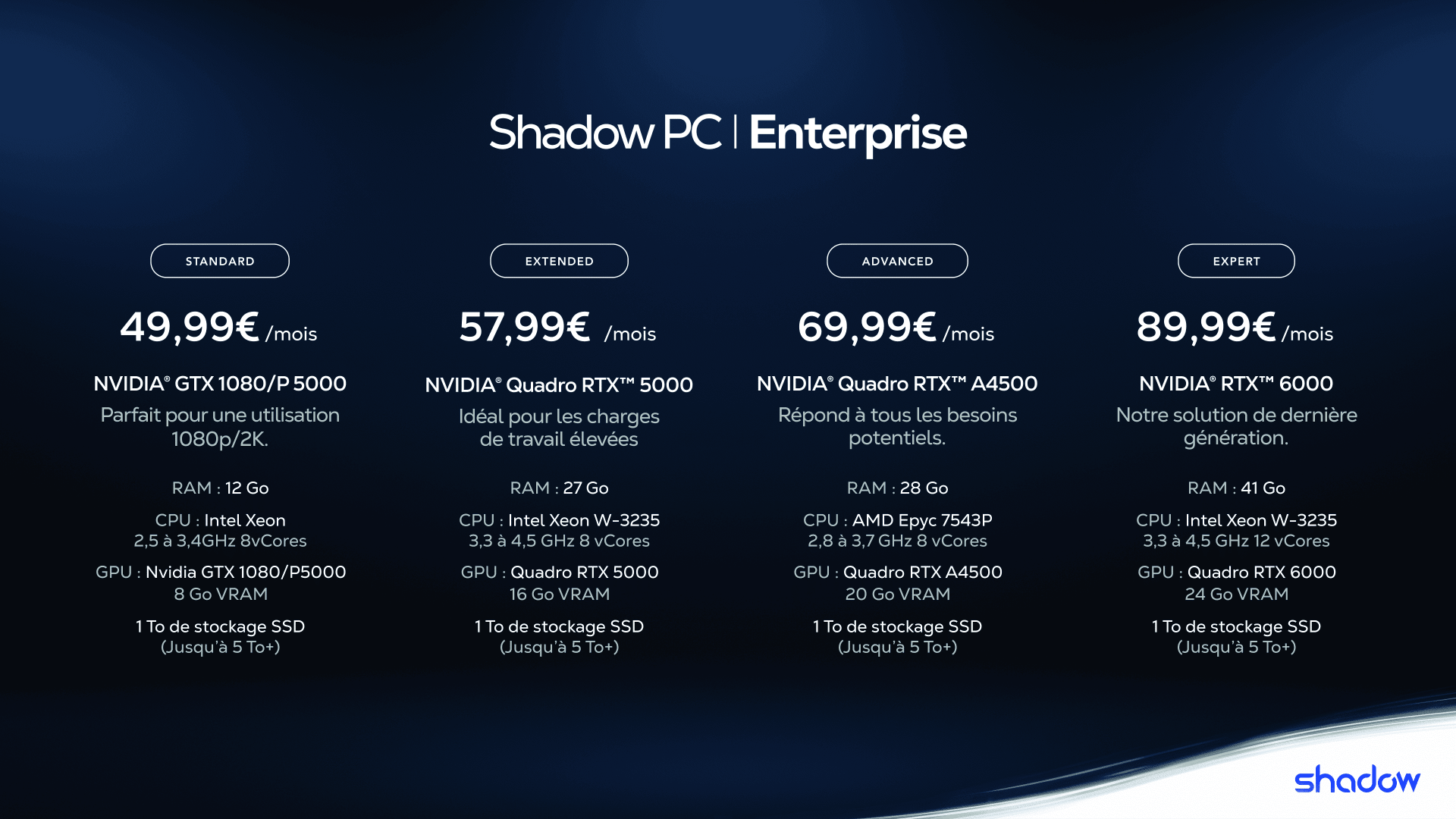
Johann Duriez-Mise: At Shadow, we cater to three categories of users: gamers, professionals, and businesses. Gamers have the choice between two plans – Boost and Power, while professionals and businesses have four options, ranging from the most basic to the most advanced.
We have also recently introduced the “Shadow PC Essential” plan, designed to provide easy access to a virtual machine for browsing the internet and using basic desktop applications. This is available for only 9.99 Euros per month, catering to both individuals and professionals.
DP: If I want to switch to a bigger or smaller machine, is that possible? And do I have to handle updates and upgrades?
Johann Duriez-Mise: Of course, upgrading to a more powerful plan is easy and quick: there’s no need for you to manually update anything. Simply choose your new plan and wait for the magic to happen. Currently, you cannot downgrade to a less powerful machine without resetting your Shadow PC, but this is an improvement we are actively working on.
DP: So, I create an account, andthen...
Johann Duriez-Mise: To get started, simply visit shadow.tech, create an account, and select your preferred offer. Typically, setting up your Shadow PC takes less than one hour. This duration allows us to identify the best data-centre for you and to configure your virtual machine. Often, the process takes just a few minutes; however, it may extend if there is a high volume of concurrent subscriptions.
DP: So, a simple login – but can I use that for jobs that have confidentiality clauses?
Johann Duriez-Mise: SAML SSO is in our roadmap, but for now, we already have some customers on OIDC who happen to have a Microsoft Azure ID account and used that to create accounts and login via Microsoft social login on the website.

DP: When we talk about the security: Where are the physical machines?
Johann Duriez-Mise: Physical machines are hosted in data centres spread across Western Europe (France and Germany) and North America (US, CA). Because the VMs are hosted at OVH data centres, the security that comes with such a partner is top-notch. IP addresses would depend on which data centre your VM is actually located. VMs have dynamic IPs within a certain range specific to each data centre.
DP: After the login, what do I have to do?
Johann Duriez-Mise: On the Shadow Enterprise side, Windows 10 Enterprise is installed by default (can be upgraded to Windows 11) on all VMs. You may purchase a monthly licence add-on with your professional VMs or “Bring Your Own License” (BYOL). Then, whatever is installed on your Shadow, stays installed and valid on it, regardless of which actual physical slot you end up connecting to when using your VM. The same with software licences!
DP: Irregular as it is with artists, what happens when I am on holiday? Can I pause the subscription?
Johann Duriez-Mise: Subscriptions cannot be paused at the moment, but we are working on proposing all sorts of more granular billing options in the future. We suggest you stay subscribed during your holiday because you may still use Shadow for entertainment and gaming purposed while being away from work and this will spare you from having to reinstall everything when getting back to work. Or if you get a call from the office, for one LAST change.
DP: Let’s talk about hardware: What is the “Office” version doing?
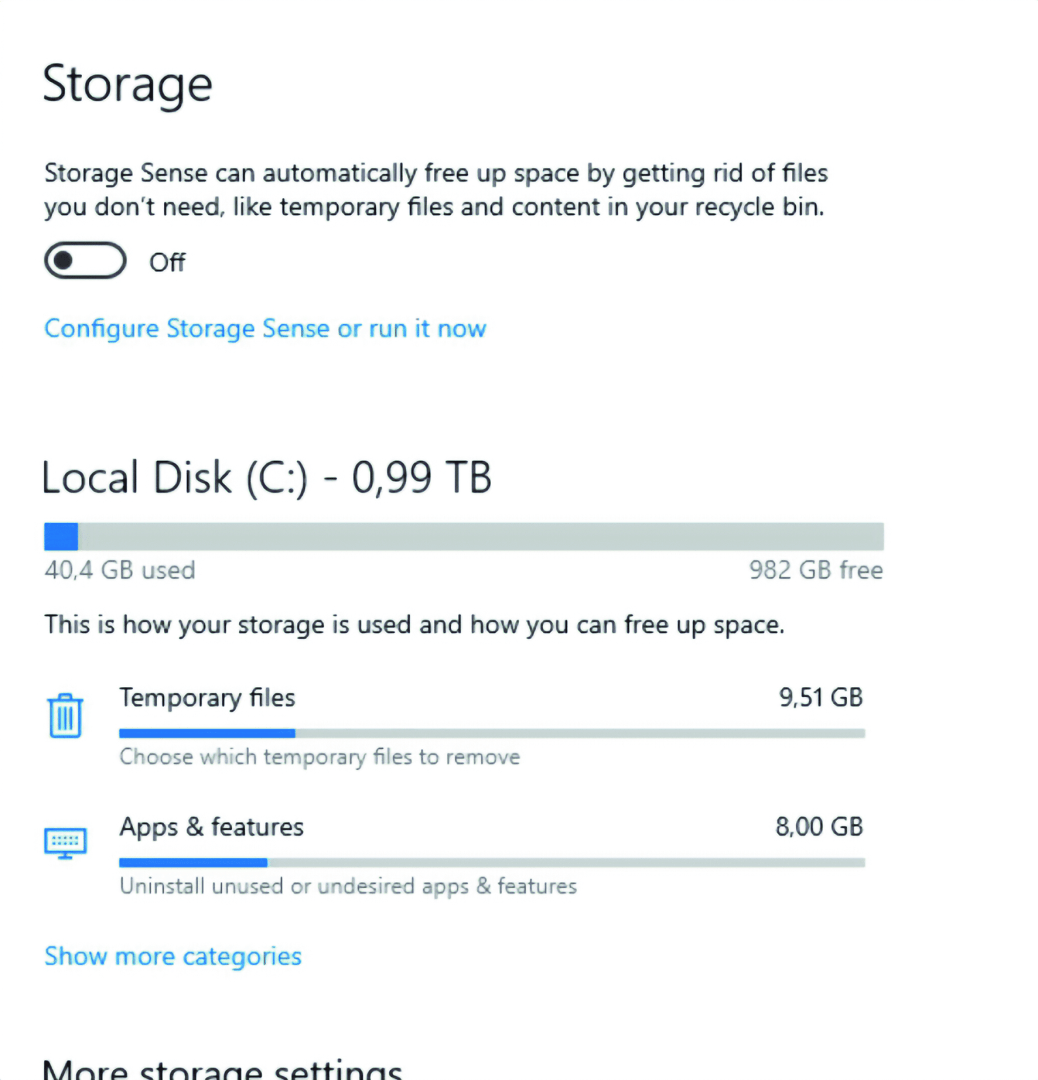
Johann Duriez-Mise: Shadow PC Essential is a “small” Windows PC for those who need just the essentials. It is available from any device (PC, Mac, smart-phone, tablet…). At only 9,90 Euro per month with no commitment, it’s the most cost-effective cloud PC available. But you get Shadow PC’s connection speed of 1Gbps for downloads and 100 Mbps for uploads, ensuring increased efficiency. The machine itself has
4 GB of RAM and 256 GB of storage, tailored for office tasks, and it is just a click away, accessible from any device. And Essential is also available as part of our Shadow PC Pro and Shadow PC Enterprise offerings. So, If you run “Your studio in the cloud”, you can have a couple of low-spec machines for HR, accounting, and that one employee who reminds you of “Flash” from Zootopia.
You might be asking, “Where’s the graphics card?” The answer is easy: not everyone needs one. By omitting the GPU, Shadow aims to deliver an experience that’s both affordable and focused on essential needs.
This means that you can easily surf the Internet, check your emails, and utilise your standard office tools. However, usage that demands more power, such as video or image editing, is not recommended with Shadow PC Essential.

DP: And what is the biggest machine I could get?
Johann Duriez-Mise: Our Expert offer takes your cloud machine to the next level. Equipped with 41 GB of RAM and an RTX 6000 graphics card, the Expert package is ideal for CAD, simulation, automation, deep learning, AI, architectural design, digital twins, and creating photo-realistic visual effects with natural lighting. Or whatever else you want to throw at it!
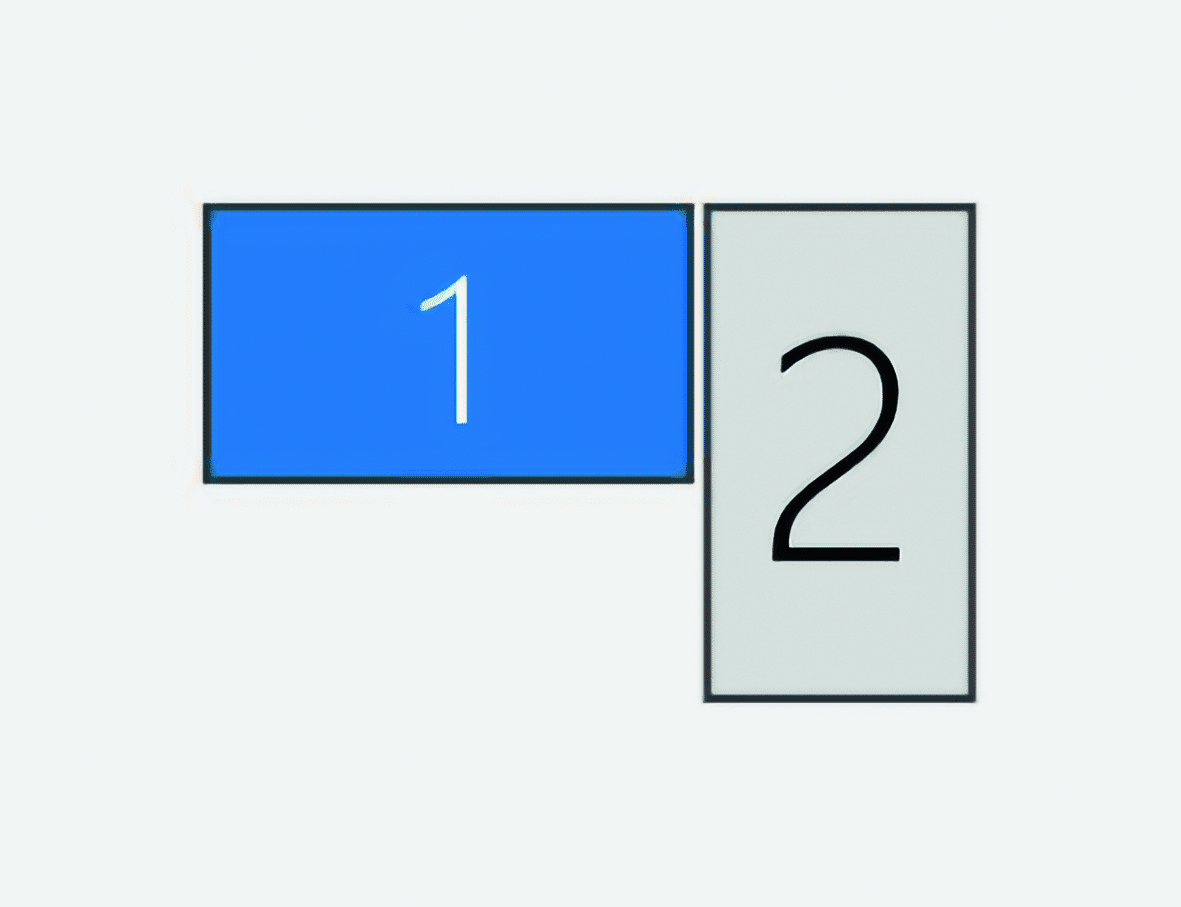
If you want to go bigger with the screen real estate: You can always use the second screen of your current machine. That gets recognised immediately by the app. Or simply use your old laptop, Mac, or even an iPad to transform it into a virtual second screen. Once Shadow PC is running on your main device, launch the Shadow PC app on your secondary device and log in. It will then serve as your Shadow PC’s second screen, wireless, offering the comfort and fluidity you would expect from a traditional monitor. Furthermore, you can connect your graphic tablet, printers, or any other peripherals: Shadow PC supports basic mice, keyboards, game-pads, and many other USB devices through our straightforward Plug and Play feature.
DP: When using multiple screens on a big machine – chances are, I’ll be doing editing or colour managed work. What is the available colour depth?
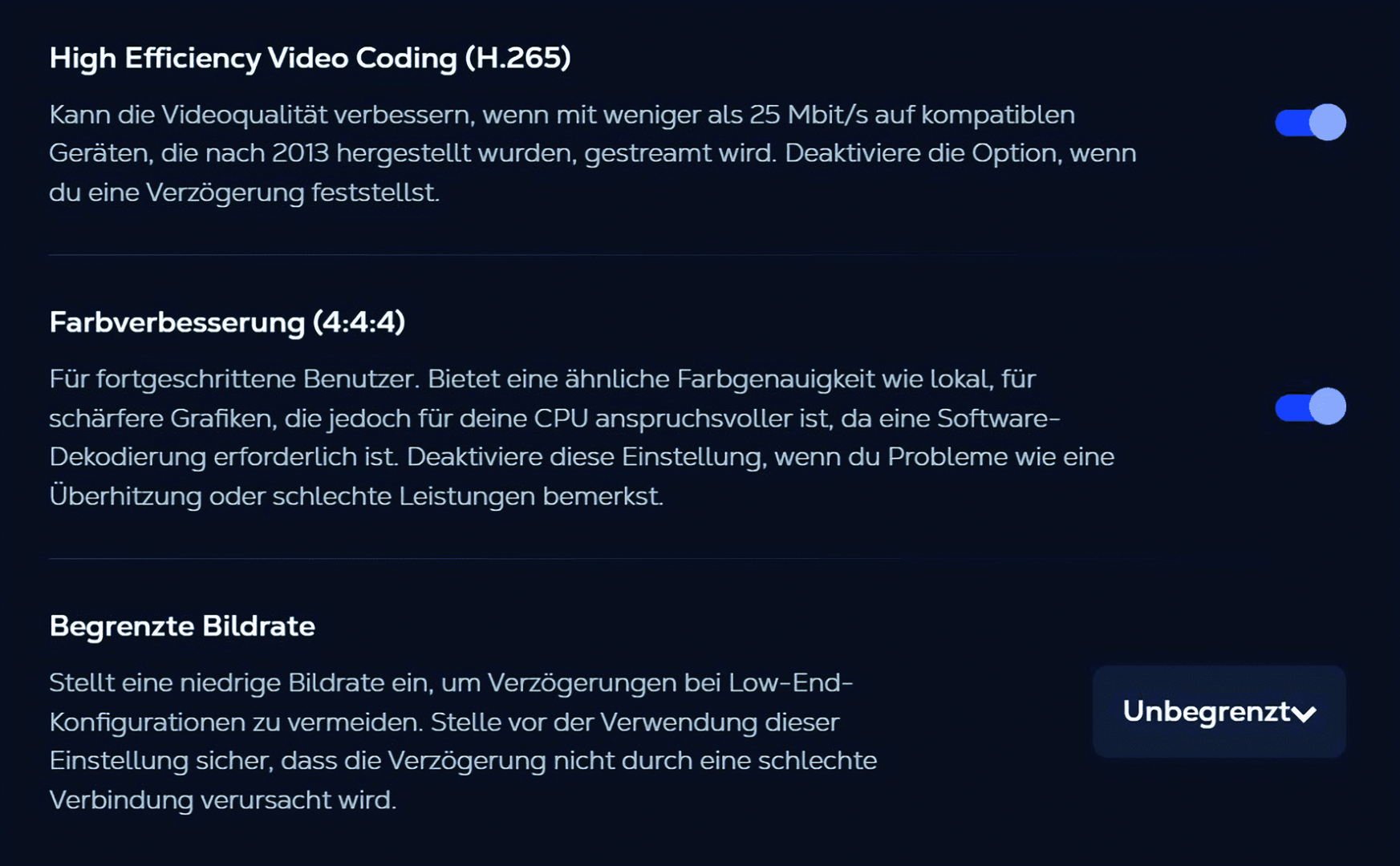
Johann Duriez-Mise: 4:4:4, of course – but that is a very bandwidth hungry option, and not everyone needs it. Colour Enhancement requires more resources than our standard video encoding (4:2:0), which was designed to reduce the amount of data used. To ease any problems this might cause for our users, the feature is disabled by default, but it can be enabled at any time, within seconds.
DP: And this works for the single artist, or is there a team/enterprise version?
Johann Duriez-Mise: There is an enterprise version, with an admin managing subscription, users, and assignment of users to the different VMs on the account’s fleet. For scaling, we introduced the cloning version, so that all the content of an eligible existing VM would be duplicated to a new VM upon ordering. So, for example connections to services, storages, pipelines and so on.
DP: Let’s have a thought about “freelance” work – can I have multiple machines running, one for gaming, and one for work? Or for different jobs running at the same time?
Johann Duriez-Mise: Normal accounts would need distinct email addresses. Once you start thinking in terms of “more than one machine”, then you want to go for our Enterprise offer. For tax purposes it would also be better to keep “Gaming” and “Workstations” separate, I would imagine. Or billing multiple clients.

DP: So, back to the bandwidth: the closer I am to the data centres, the better the latency will be – but if I have to work outside of Europe or the US?
Johann Duriez-Mise: You can use it from anywhere, where you have an internet connection and some kind of device. But we can’t precisely predict the impact of connecting from an unsupported country, as there are so many variables at play Ultimately, Shadow can always be used but the perceived latency can significantly impact the user experience and the quality of the infrastructures in between the user’s new location and the data-centre may vary. It is possible, and might be enough, but we can’t guarantee it.
DP: Let’s say I want to try this ecosystem: What kind of machine do I need to connect to “My Shadow PC”? And what kind of internet connection?
Johann Duriez: Well, it depends on how much time you have? Because it would take some time to dive into the complete list of all compatible devices… But, on a more serious note, we have a dedicated page that details all the required specifications for running Shadow PC smoothly. To summarise, I would say that if you have a device compatible with one of our apps and if you have a decent internet connection, you’re good to go. For example, I use Shadow on my old 2010 MacBook Pro with an RJ45 connection, and it works perfectly. However, most of the time, I use Shadow PC on my 2022 Apple TV, playing all my games with a Sony DualSense controller; it’s kind of magical. And finally, you can start your cloud machine on most existing browsers, just by typing pc.shadow.tech and entering your credentials. We even tested it on Tesla’s browser, and yes, it works! Currently, we are rolling out and developing – as we speak – connections to new platforms.
For network speeds, I’d recommend a minimum internet speed of 15 Mbit/s with any type of internet connection, including cable, DSL, fibre, and even mobile 4G LTE. Shadow automatically adapts to the available bandwidth, or you can manually select the bandwidth allocation through the Shadow app. For the optimal experience, we recommend using an Ethernet connection or a 5 GHz WI-Fi network between the your machine and the internet access point.
DP: You provided gaming machines since 2016 – but besides that, what are your users doing “in the shadows”?
Johann Duriez: Well we have a few use cases that we are quite proud of: SNCF is virtually training its drivers thanks to VR, Shadow PC helped Poweend (specialised in compact wind turbines) overcome its design challenges, cult rock band Magma’s created its “Hakëhn Deïs” music video relying on Shadow’s technology and AI, and Shadow’s cloud technologies help Bandai Namco Europe promote their award-winning titles… As you can see, Shadow speaks to every business professional, and the possibilities are endless. Check out our blog if you want to see who else is using it!
Requirements
– Connecting from a Windows Machine: A CPU of the Intel Skylake range (2015), Core i7/i5/i3, Pentium, Celeron, Xeon 2,60 GHz or AMD AM2 range (2012), Athlon II, FX, Phenom II, Opteron is recommended with 4 GB of RAM and Direct11 – or Higher. Shadow is also available on a 32bit/Windows 8.1!
– Connecting from macOS: The minimum is macOS 10.12.2 Sierra with 2 GB RAM, and System EFI 64-bit on a x86-64 Intel Core 2 Duo processor, Intel Core i3/i5/i7, or Xeon (2011) – that includes MacBook & MacBook Air (Late 2008), iMac (Mid 2007), MacBook (Pro Mid 2007), Mac Pro (Early 2008), Mac Mini (Early 2009), Xserve (Early 2009). And everything newer. Recommended is an iMac 2015 or later, a Macbook/Macbook Pro 2016 or later, or an iMac Pro 2017 or later, wirh 10.13 High sierra or later, 4GB of RAM and x86-64 Intel Core 2 Duo processor, Intel Core i3/i5/i7, or Xeon (2015).
– Connecting from Ubuntu: Here an Eoan Ermine (19.10), Focal Fossa (20.04 LTS), Jammy Jellyfish (22.04 LTS) kernel is recommended, on an Intel Skylake range (2015), Core™ i7/i5/i3, Pentium™, Celeron™, Xeon 2.60 GHz or AMD AM2 range (2012), Athlon™ II, FX™, Phenom™ II, Opteron, with 4GB of RAM and libva-glx2.
– Connecting from iOS / tv OS: iOS 14 or higher, or tvOS 14 or high will do nicely.
– Connecting from an Android device: Pretty much anything from Android 8 upwards is going to work.
– And more systems are coming !