



The release of the Blackmagic Camera App for Android brings professional digital film features and controls to Samsung Galaxy and Google Pixel smartphones. This innovation provides Android users with tools previously only used in high-calibre film productions.
Advertisement
Range of functions and use
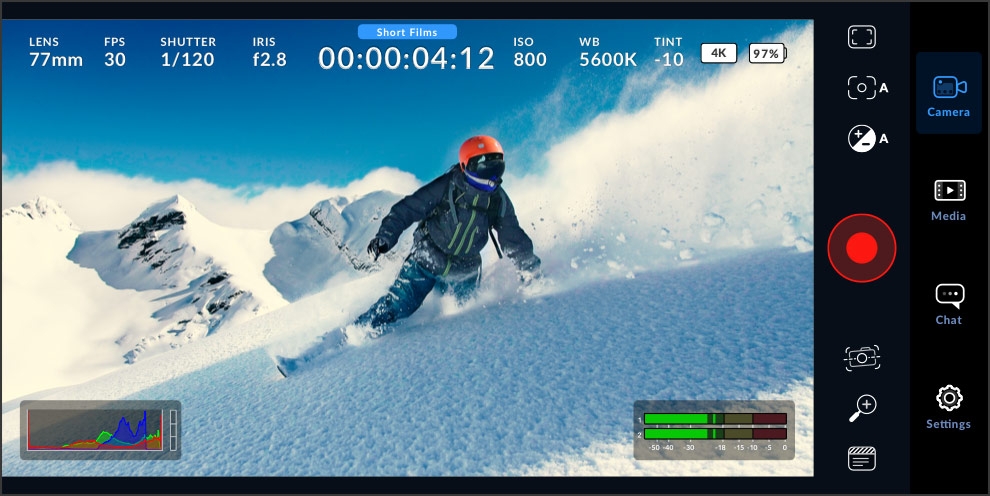
The Blackmagic Camera app allows artists to adjust key camera settings such as frame rate, shutter angle, white balance and ISO with a single tap. The ability to record directly to the Blackmagic Cloud greatly simplifies collaboration on projects with DaVinci Resolve. The app supports video recording in industry-standard formats up to 8K, offering a high degree of flexibility for a wide range of production requirements.
Integration into the VFX pipeline
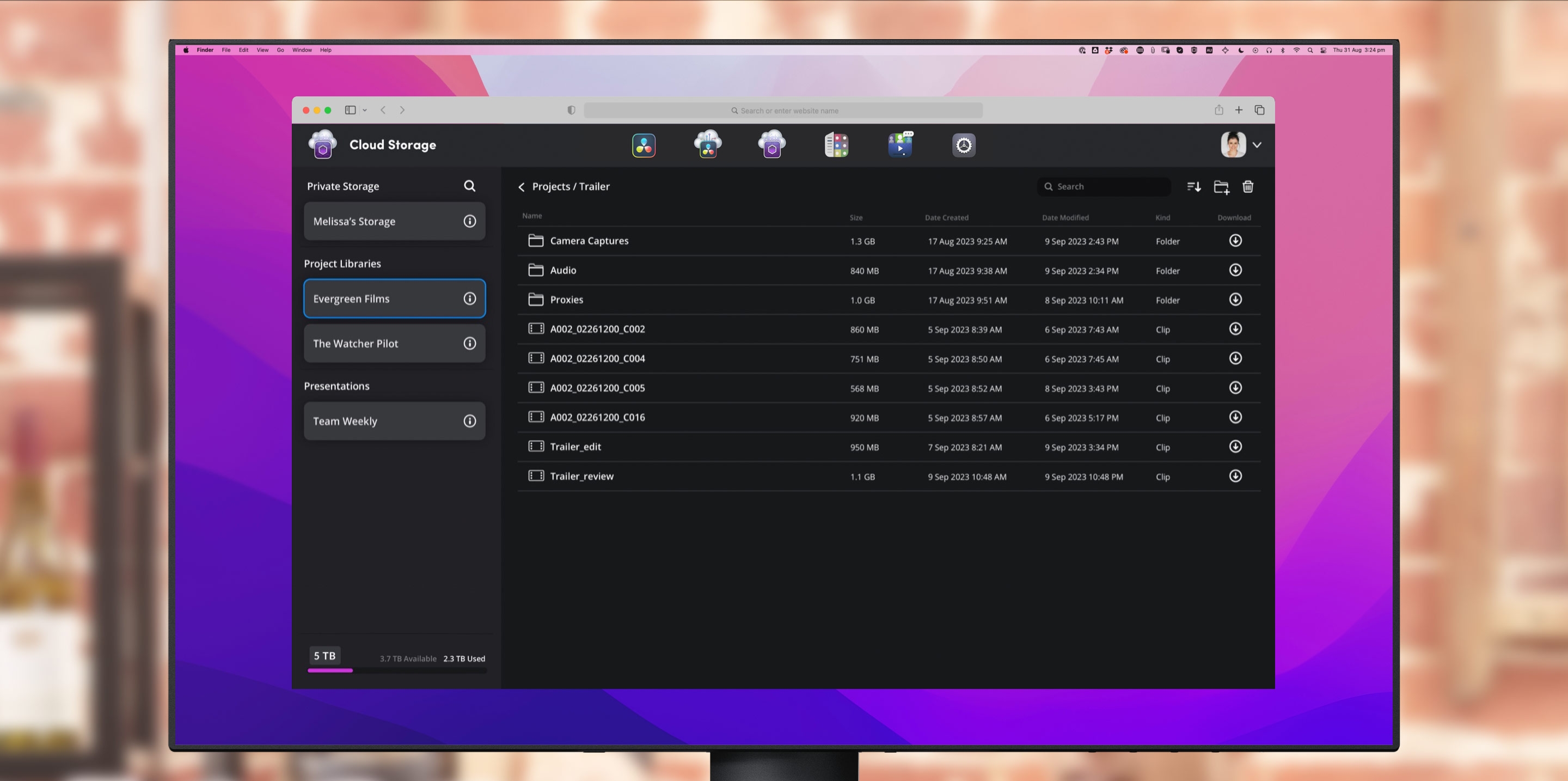
One of the outstanding features of the Blackmagic Camera App is its full integration with the Blackmagic Cloud and DaVinci Resolve. This integration enables seamless collaboration between different artists worldwide. Through the cloud features, artists can instantly upload and share their shots with other team members, speeding up the workflow. This is particularly useful for VFX projects where quick adjustments and feedback are required.
Technical features and controls
The app’s heads-up display (HUD) shows all important shooting parameters such as histogram, focus peaking, levels and image guides. The interactive controls allow users to adjust settings directly by tapping without having to navigate through complex menus. The app also offers advanced monitoring tools such as Zebra Settings and Focus Assist, which are specially tailored to the needs of VFX artists.
Media management and collaboration
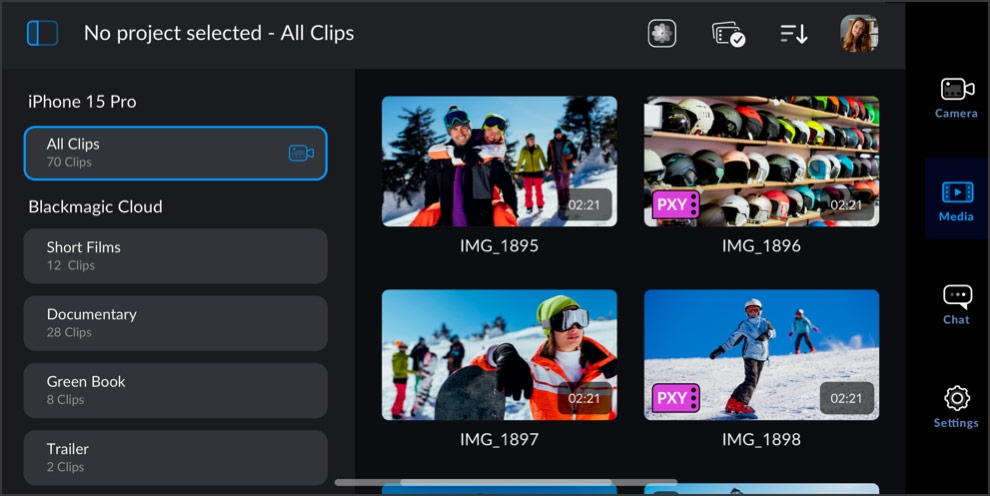
Media management within the Blackmagic Camera app offers multiple options for organising and syncing footage. Users can save clips directly to their phone or upload them to the Blackmagic Cloud where they are automatically synchronised with projects. This functionality is particularly beneficial when multiple cameras are used in different locations and the media needs to be synchronised in real time. This greatly simplifies collaboration in post-production.
Communication and project management
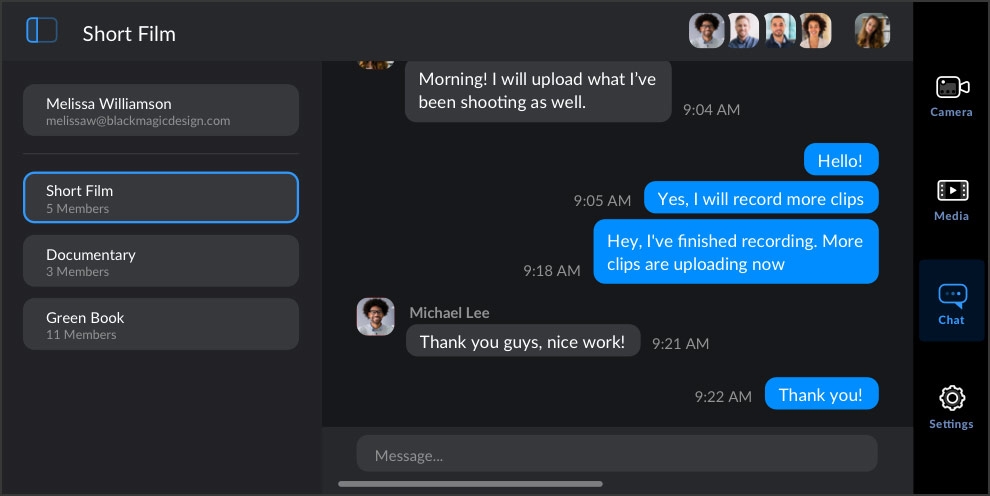
Another useful feature of the Blackmagic Camera App is the integrated chat workspace. This allows team members to exchange information about recordings and give feedback quickly. Everyone involved in a project can see and reply to messages, which makes communication and coordination much easier.
Future prospects and recommendations
The Blackmagic Camera App for Android is a significant step forward for mobile video production, providing VFX artists with powerful tools right on their smartphone. However, as with all new technologies, any innovation should be independently reviewed before being used in ongoing projects. Every artist should try the app to see if it helps with their specific day-to-day tasks.
