



Premiere Pro Beta Update: Color Management, Performance & Design
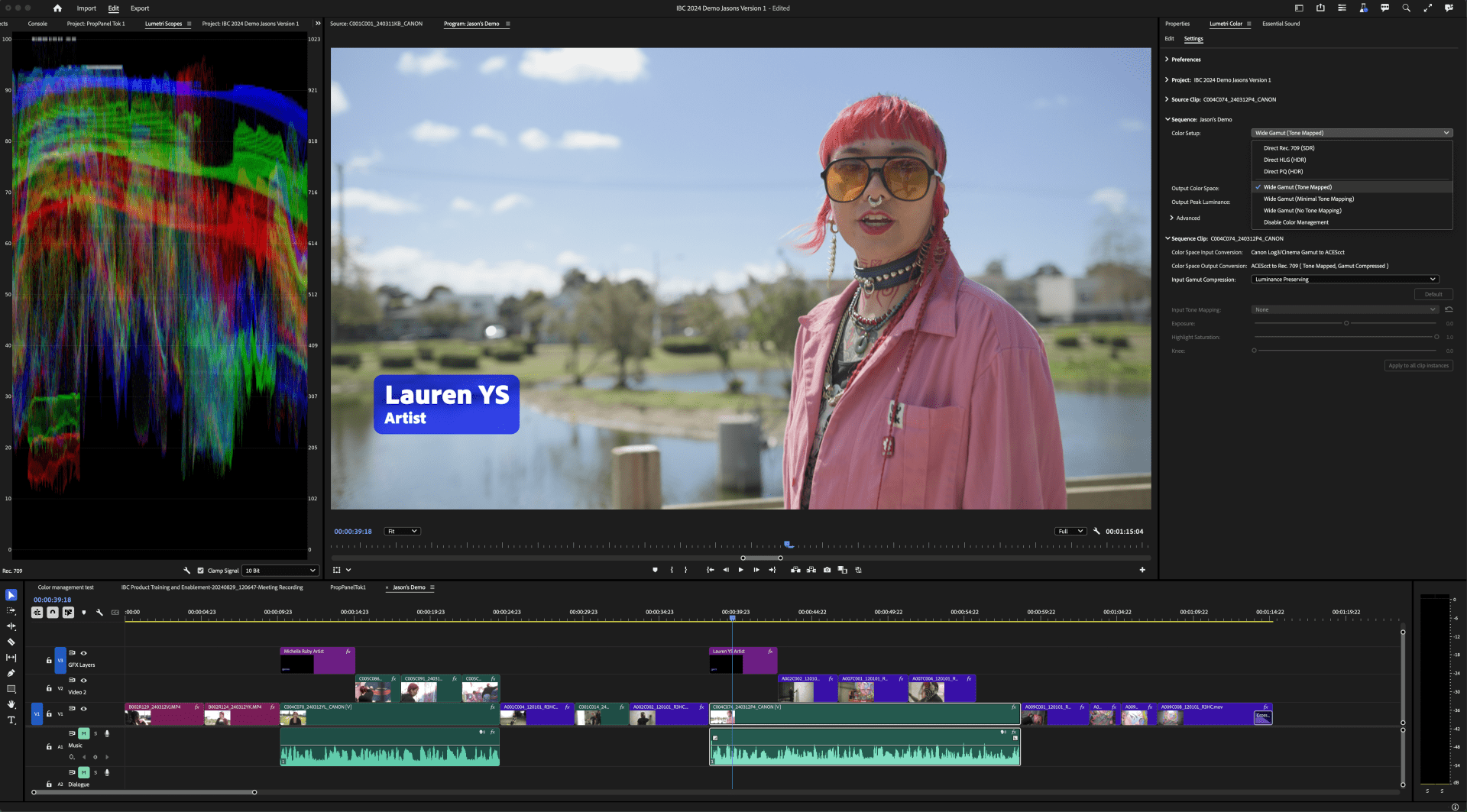
Adobe has introduced a new set of features in the beta version of Premiere Pro, focused on color management, speed, and user interface enhancements. The standout feature is the new color management system, designed to simplify handling of RAW and log footage directly in the timeline without LUTs (Look-Up Tables). This automatic system normalizes media, optimizing image quality across SDR and HDR workflows. Editors can now work faster, with fewer manual steps, even when handling complex color data from various camera types.
In the past, color management was often a task for dedicated colorists. However, Adobe has recognized that many video editors—especially in the fast-paced world of digital production—need these tools built into their editing suite. The new system automatically processes RAW and log footage to provide accurate, high-fidelity colors, simplifying the entire process for editors. Premiere Pro now supports a wide gamut working color space (ACEScct), which improves control and output in both SDR and HDR workflows. This feature is complemented by updated color-aware effects, such as Lumetri, that provide more accurate tone mapping and color balancing. Adobe emphasizes that while the system is designed to be user-friendly, it’s important for users to validate any new processes before deploying them in active projects.
Premiere Pro’s color management system includes presets for working in traditional Rec.709 or wide-gamut color spaces. It integrates seamlessly with Adobe After Effects via Dynamic Link, ensuring consistent color accuracy across motion design and compositing tasks.

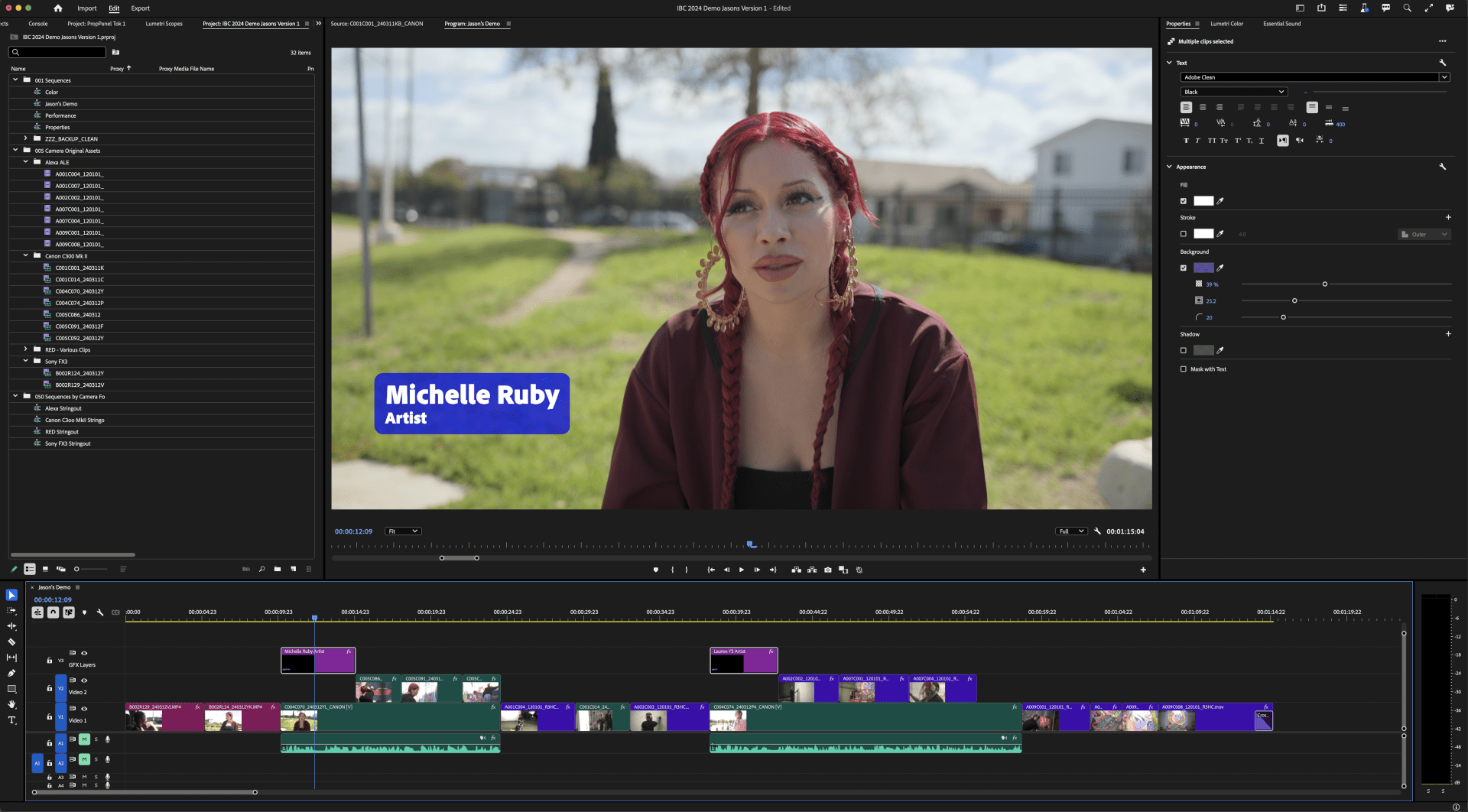
The update also features a redesigned Properties panel, which simplifies the editing workflow. This panel dynamically adjusts to display only the most relevant tools, reducing the need to navigate multiple panels. Editors can now crop video directly in the Program Monitor and adjust properties for multiple clips at once. These updates reduce mouse travel and streamline the editing process.
Performance improvements are also a key aspect of this beta update. Enhanced hardware acceleration boosts playback speed for codecs like AVC and HEVC, while ProRes exports are now up to three times faster. Additionally, the beta adds support for new camera formats from Canon, Sony, and RED, enabling editors to import and start working with files immediately.
In terms of design, the new version of Premiere Pro features a cleaner, more consistent interface, with updated typography and a range of customization options including dark and light modes. This modern look is designed to improve usability and align with other Adobe Creative Cloud apps.
The beta version of Premiere Pro is available now, with a full release expected soon. Users are encouraged to explore the beta and provide feedback on these new features. For more details, check out Adobe’s official Premiere Pro Beta page and the full Premiere Pro documentation.
