



Table of Contents Show
Sources which don’t need additional hardware are the built-in cameras of the iPad or the Mac. Plus, since until now CineMon only runs under MacOS Sequoia, you will immediately see your iPhone if it’s nearby. Then there are recent hybrid cameras like the Sony A7IV, which deliver a video stream via USB-C, albeit usually limited to HD and fixed frame rates. Other hybrid cameras have similar features. We got HD in 25 fps for PAL from the A7IV or 30 when set to NTSC, independent of the frame rate in the camera. But there’s a catch: you can’t record at the same time, and camera profiles like log don’t work. Obviously, such cameras don’t have the computing power to do it all at the same time.
Computer Load
On a slightly older MacBook M1 Pro, connected to a live HD source @60 fps, both video and three medium sized scopes were smooth and detailed. GPU load was only about 20% and in the CPU only two efficiency cores were fully loaded. When switched to “High Resolution Scopes” the GPU load doubled. RAM load of the program is also quite low around 300 to 400 MB, but when playing back a clip in UHD @ 25 fps from storage the decoding service is grabbing additional 300 MB. So, any iPad with Apple’s M-series processors shouldn’t be challenged at all. The author of CineMon has even confirmed that it runs on an A17 machine – which, of course, would need to be a model with USB-C.
Thunderbolt Interfaces

For any other sources than streaming cameras you need an interface, because simple adapter cables from USB-C to HDMI are for screens only, not for input. One of the best for a decent price is the small, but sturdy UltraStudio Recorder 3G by Blackmagic Design. It offers both SDI and HDMI inputs, and can transfer uncompressed signals up to 4:2:2 in 10 bit at 60 fps, or even RGB 4:4:4 in 12 bit at frame rates up to 30 fps. But it’ll only work with the laptop via Thunderbolt and up to 2K resolution (from SDI input). Yes, there are iPads with Thunderbolt too, but until now there’s no software support by Blackmagic.
Using an iPad
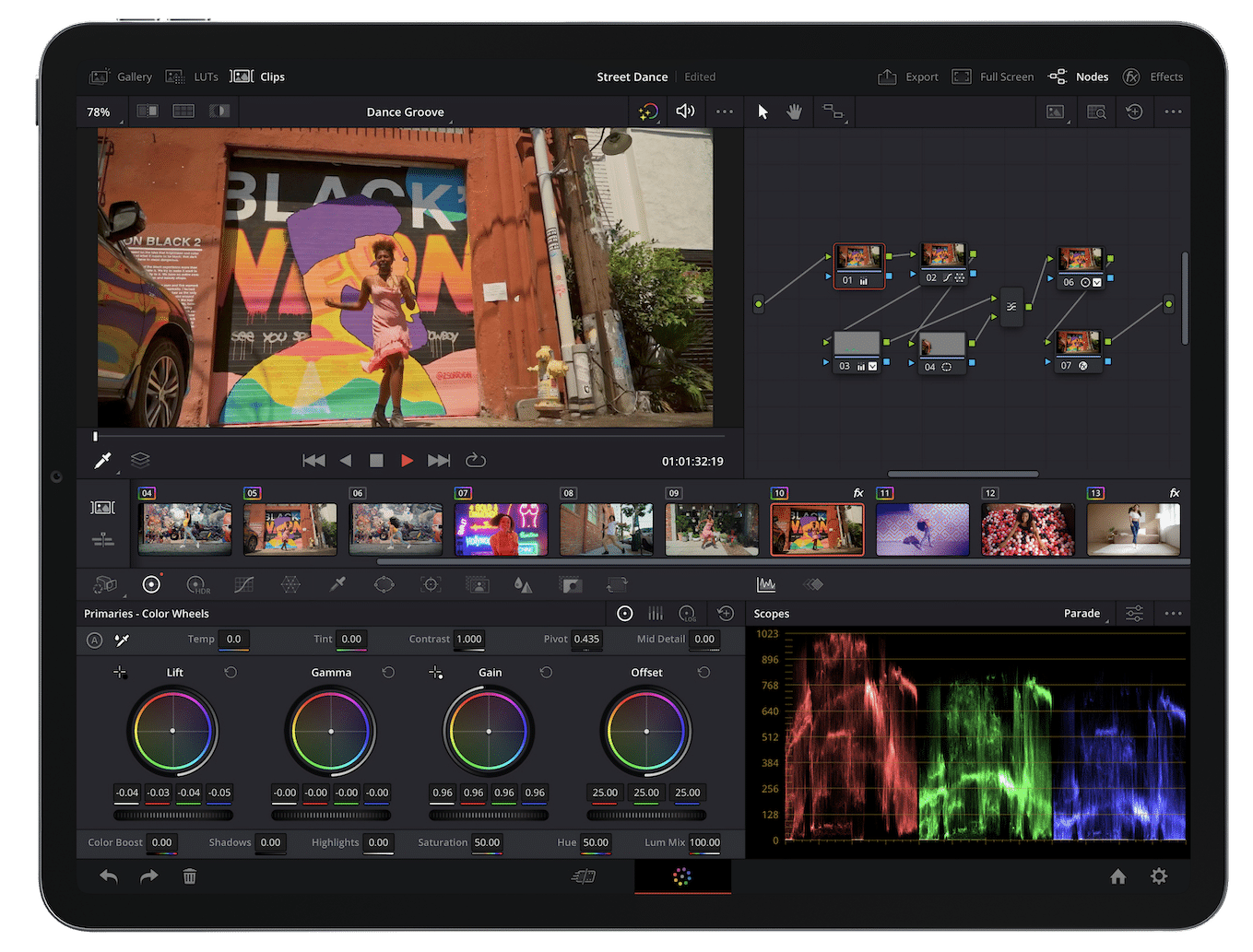
Apple’s iPads are quite popular with professional videographers for their great image quality. Some even tend to give them to important clients to make sure that they see the intended picture. They can’t be calibrated, but the reference mode in recent models is getting quite close to Rec. 709 or HDR Rec. 2020. Unfortunately, third-party developers may still need to do some more work on HDR, which is visually stunning on the tablets too. For an iPad with USB-C you’ll have to look at one of the numerous solutions primarily aiming at game capture, if you don’t want to invest in an AJA U-TAP device, which cost over 600 € each for only one kind of input.
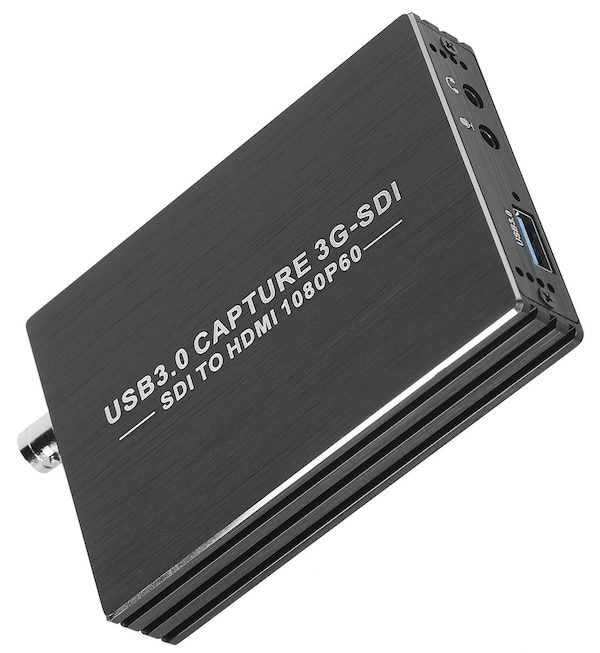
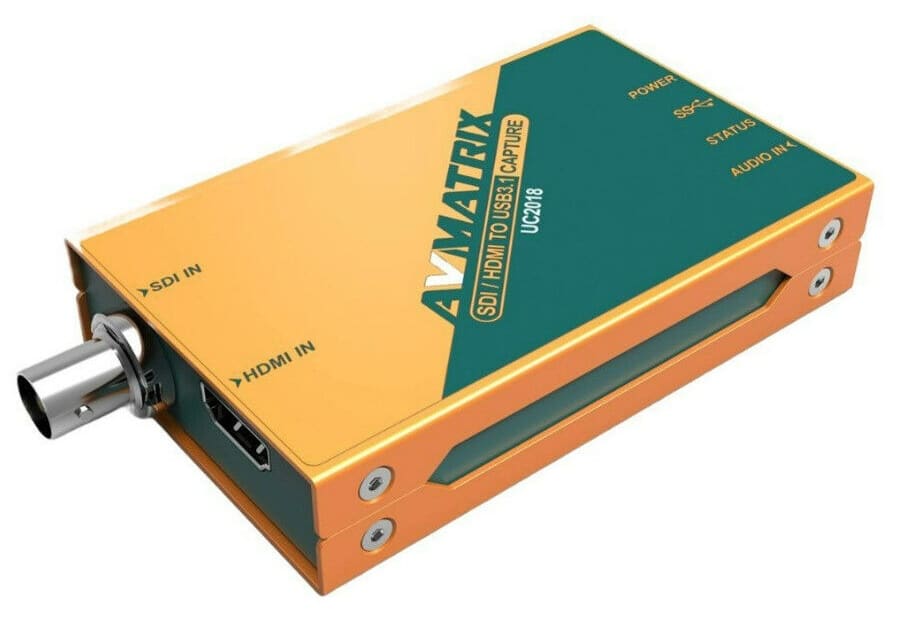
There are very cheap devices for HDMI sources starting at 12 €, all the way up to brand products like Elgato for well over 100€, the latter claiming UHD processing up to 30p. You can even find a no-name (they don’t even care to invent one) with SDI for about 55€. This one will need an active adapter from USB-3.0 A to USB-C, aka OTG, but you can also use a hub. For about 150 € (plus taxes) you can get the AVMatrix UC2018, which offers both SD and HDMI input and claims to transfer YUY2. It weighs over 200 grams, though. We didn’t have this device for testing.
And then, there’s a Chinese brand called Acasis, which earned itself a decent reputation with NVMe enclosures, RAIDs and hubs combined with some storage. This company is also making capture devices, which are not easily found in Europe. Albeit on Ebay they have their own shop: acasis-official-store. We tested the small HD33 model for only 25 €, and the more recent VC-003 for around 35 €. Please note that all of these devices are shipping from China, so you’ll need to pay VAT on import.
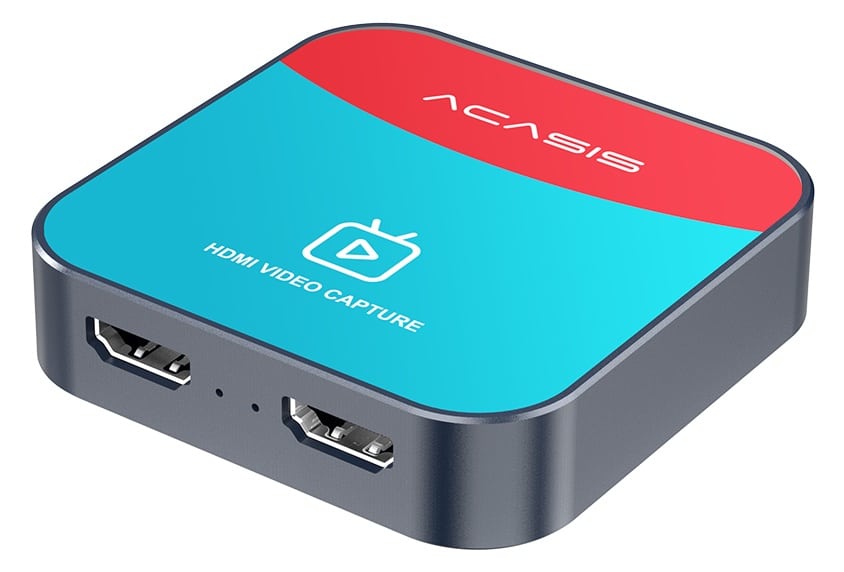
Both models offer the same connections, looping their HDMI input through to an output for other monitors or recorders, and they have an USB-C connector on the other side. So, they need no separate power supply or adapters, other than devices with USB-3.0 type A. Three tiny blue LEDs inform you of the presence of a signal. They are light and small enough to tape them to an iPad with some Velcro and connect with a short U-shaped USB-C cable. We tested both of these devices. BTW, all devices deliver color bars when there is no input signal.

The main questions are: how much do you need to pay for quality, and how bad are cheap solutions? It’s hard to find any solid reviews for the purpose at hand, since most tests on the internet are aimed at gamers. But CineMon is supposed to be a measuring device, so your adapters better be precise or the whole arrangement would be pretty useless. We tested with a DSC chart, white balance fixed on grey, and both a Sony A7IV and a Blackmagic UMP 4.6K with log signals.
Right from the start, our cheap capture devices for HDMI had difficulties getting the frame rate right. Both HDMI versions could only handle up to 30 fps, independent of our feed in 30, 50 or 60 fps. But they were advertised as 60p, which obviously just means you can feed that, not that you’ll get it through. Our SDI model, OTOH, showed everything as 60p, regardless of the input frame rate. It even has an active HDMI output, but a video monitor didn’t synchronise to that, while computer monitors did and also detected 60p.
The standard used for USB is called UVC (USB Video Class), and UAC for the audio counterpart. Initially mainly developed for webcams, it now includes quality levels up to uncompressed YUV 4:2:2 (aka YUY2). Many adapters are not constructed for lossless transfer, they use compression and may also degrade the signal substantially. The meagre Chinese manuals (if any) don’t tell much about such detail, but usually this is M-JPEG (Motion JPEG) compression, an outdated and quite inefficient method with pretty bad color sampling at 4:2:0 (aka NV12).
Signal Quality
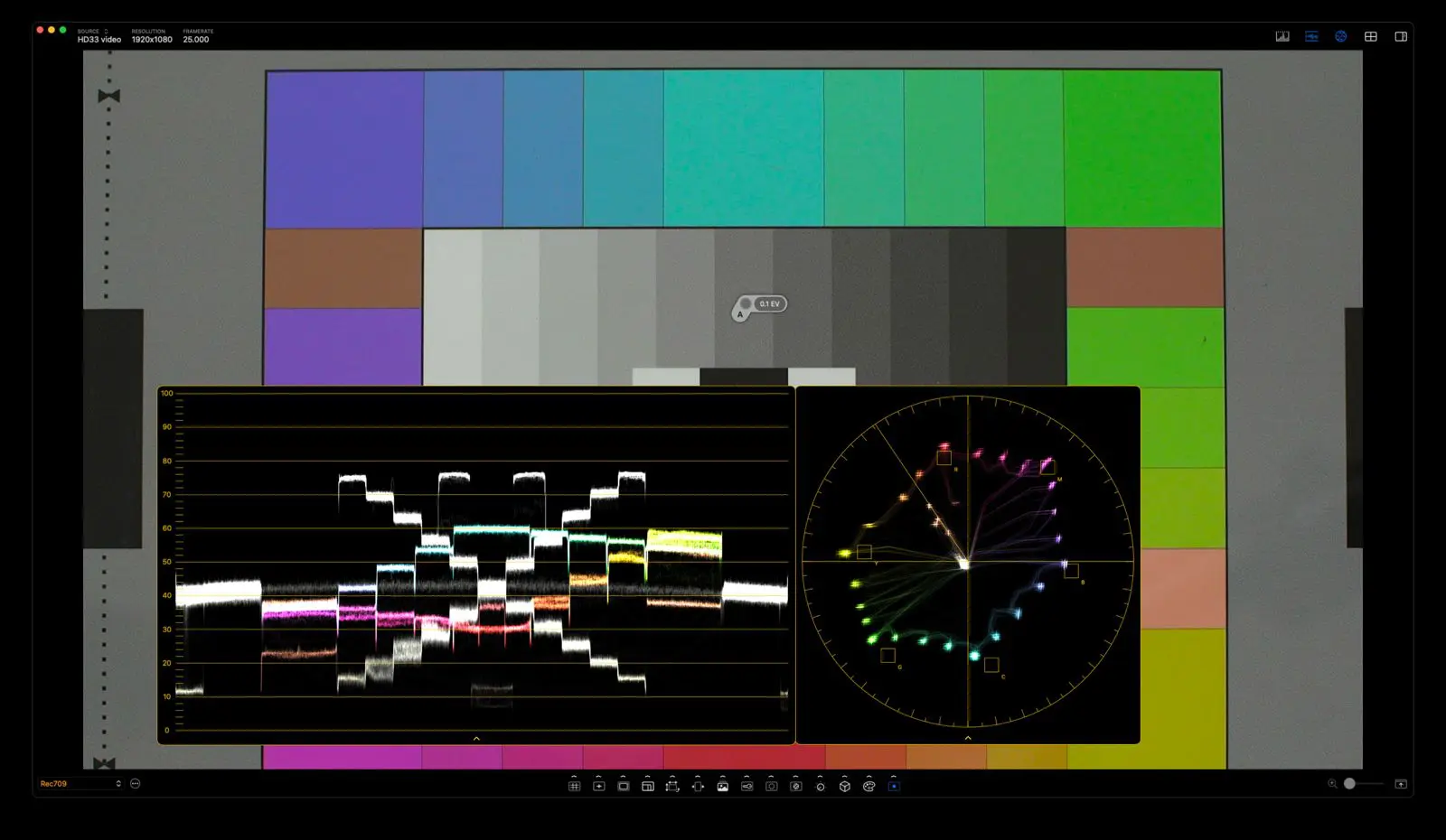
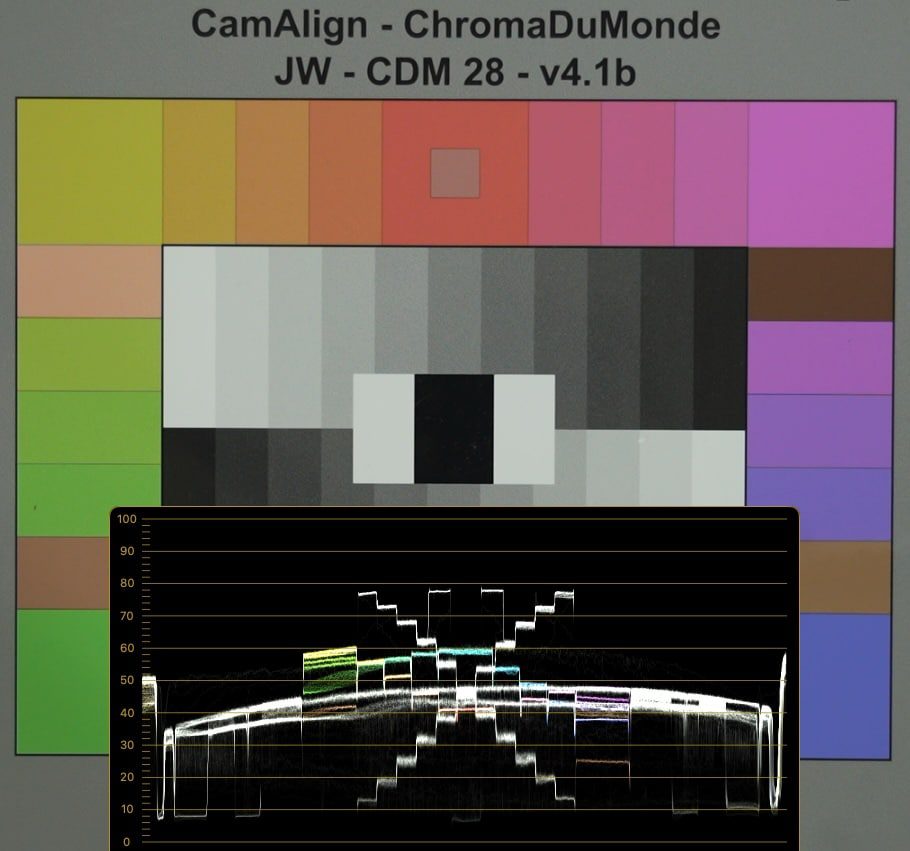
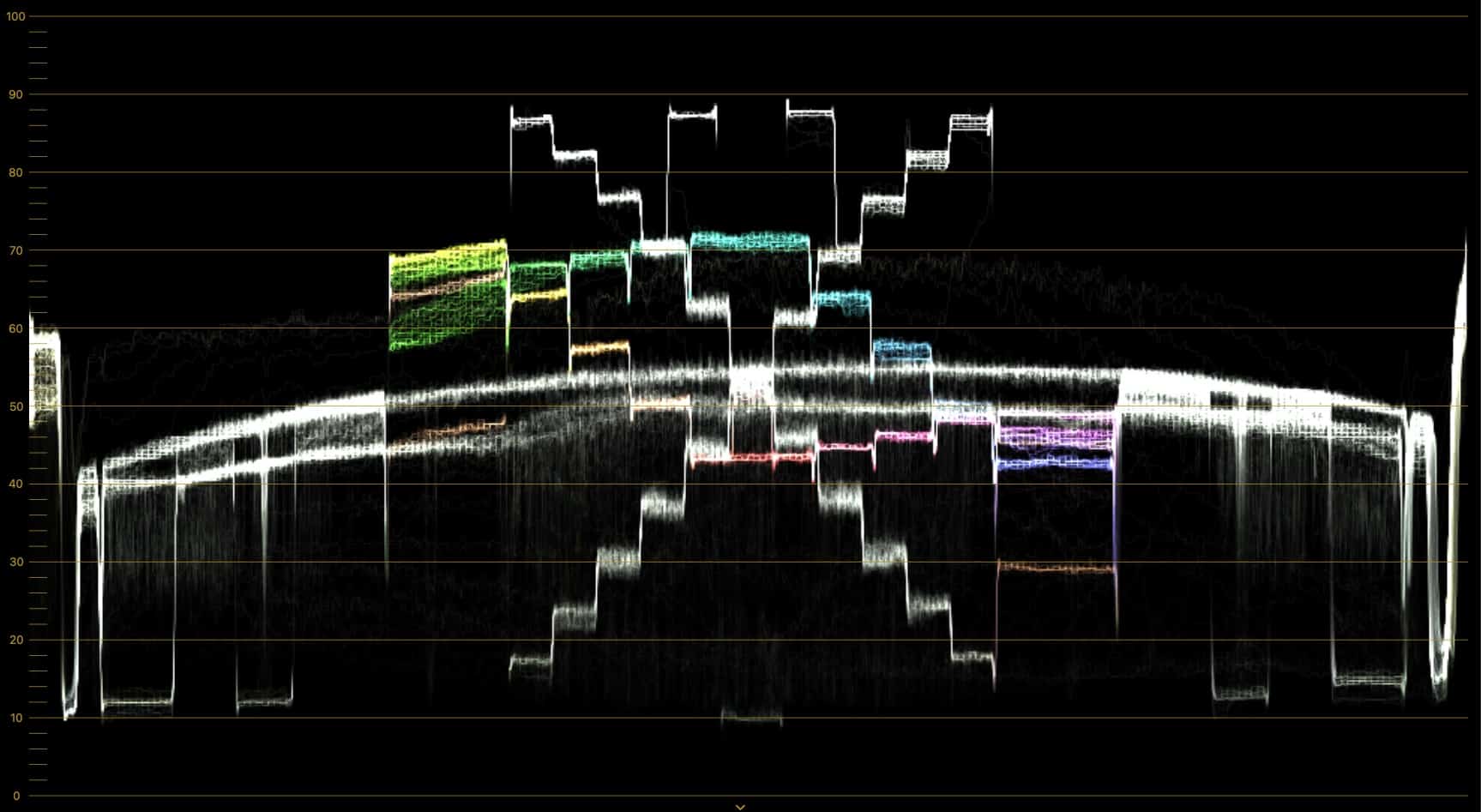
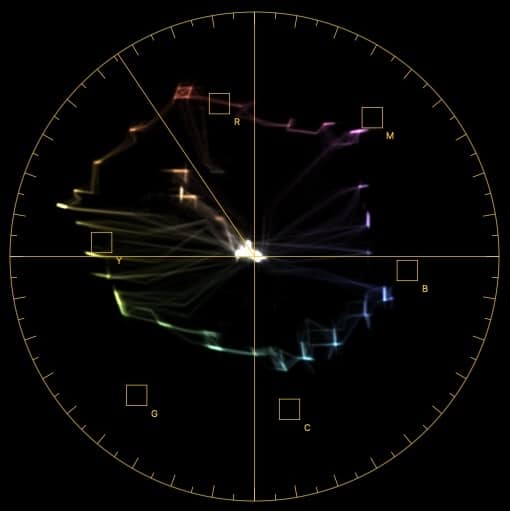
Such compression shows clearly in CineMon. The scopes look coarse already when being fed Rec. 709 from a camera with an internal display LUT or recording straight Rec. 709. But things get worse when feeding a log signal, in particular a very flat one like Sony SLog3. CineMon is offering options to add an input LUT and a display LUT separately, and you can even choose if it’s added before or after the scopes. Weaknesses in signal transfer will get exaggerated by the LUT conversion to Rec. 709. While the image still looks acceptable with a display LUT, the scopes tell a different story. If a device can only process the signal in compressed 4:2:0, both waveform and vectorscope are very discontinuous, the display of a color chart in the vectorscope is so coarse that you can hardly read the information, even at maximum trace intensity.
But recently the developer has added the functionality to control the settings for the hardware devices from CineMon, which we have not yet found in competing software. If set to YUY2, you’ll also see deviations in luminance, contrast and color fidelity clearly, but you may add a correction LUT to the incoming signal.
The cheapest device tested needs an active adapter. We used one that is extremely small, but still offers an USB-C socket on the side, so you can input power or connect external storage. This device was a surprise at first view, since it actually seemed to let us switch to 422. But this didn’t work reliably, and it normally fell back to 5 fps when trying. Latency with NV12 is around 3 frames, but we can’t recommend it, since color in particular is off in the yellow/green region, even influencing skin tone.
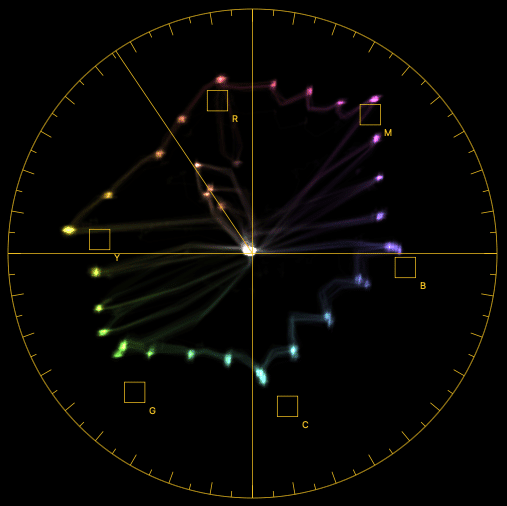
The HD33 by Acasis seems to have the same chip inside. It can also be switched to YUY2, but then resorts to 5 fps only. Waveform is not too far off, colors are slightly too satured, but at least hues are close. The Macrosilicon VC-003 finally can handle 25, 30, or 60 fps in YUY2 pretty well out of the Sony A7IV. This camera is actually sending NTSC frequencies as 29.97 or 59.94, and 24p as 23.98. The interface doesn’t use the latter, you’ll get a picture, but only at one of the other frame rates. Latency is just a tad over 1 frame for 25 or 30 fps.
The SDI model is looping out an HDMI signal that doesn’t sync properly on video monitors, though it does on computers. While color bars generated by both HDMI devices are exactly at 100% targets, the ones from this model are between, higher than 75%, but under 100. The device outputs only 30 or 60p with latency of 4 frames. It can’t be switched to YUY2, so the signal is very coarse und vectors hardly readable. The picture is lighter, more contrasty and overly saturated for some colors.

What’s Missing?
Until now, playback of video files is limited to H.264, H.265, and ProRes, while Windows users may miss DNxHD/HR support. You can already control playback with the space bar, hopefully the developer will support JKL and single frame by arrow keys too. While many apps for the iPad may be somehow running on laptops with Apple silicon too, operation of CineMon has been well adapted for such use, so we have no doubt there’s more to come. NDI is already planned as an alternative to capture devices, as are video recording and more scopes.
Competition?
We have already reviewed Nobe OmniScope, which is very deep in its functionality, but primarily aiming at post-production. It is priced at up to 400 US$ for the Pro version and covers all kinds of video quality controls. OmniScope is complex and needs solid knowledge of video technology and nomenclature. It works even on older Macs and PCs too, but not on an iPad. This is the only other software we have tested extensively.
Video Assist by Auron Studios is iPad only and is aiming at similar use cases as CineMon.The price is 180,- € or 150 US$, depending on your App Store. It does video recording (which is planned for CineMon too) and recording can be triggered automatically when the camera is recording. Since trigger signals via HDMI don’t come across USB-C capture, it is analysing the status information of most high-end cameras to start recording. This changes the use case, though, since all recordings will contain status information too. Instead of a clean feed, you are going to record dailies with all the information burnt in.
CamX by Touchbits is free and has quite a few positive reviews. It is limited to HD and can record, including corrections to the image. HDMI Monitor – Orion by Lux Optics is from the makers of the highly respected photo app Halide. There are no reviews yet, neither for UVC Capture – HDMI Monitor by Kenneth Kao, which claims to support the reference mode and recording up to 4K.
Recommendations
For professional use, a base model Mac mini M4 with a ViewSonic VP16-OLED will cost less than one thousand US$ (some more in Europe). Together with an UltraStudio Recorder 3G and CineMon it is a viable solution for monitoring on set. For semi-professional use with any camera that offers an output by HDMI, an iPad with USB-C can be a very useful solution.
Even a cheap capture device can suffice for PAL, if you find one with the right electronics inside. The mid-level Acasis VC-003 is decent, even for log sources, but also small and light enough for an iPad. These avoid additional adapters and work really well with CineMon if you add your own correction LUT, which we’ll explain in our next article. Given the short lifespan of models from Chinese production, you may need to test a few samples with your specific camera, though.

1 comment
Comments are closed.