

A close-up view of a futuristic, humanoid robot with a transparent, metallic exterior showcasing intricate mechanical details and components. The robot's head is equipped with sensors and joints, highlighting its advanced design. The background is softly lit, emphasizing the robot's features.

Modeler 2025.2 for Houdini Lands: Hard‑Surface Modelling Makeover

Alexey Vanzhula’s Modeler 2025.2 rebuilds hotkeys, shading presets and moves to Qt6, offering a smoother hard‑surface workflow in Houdini.

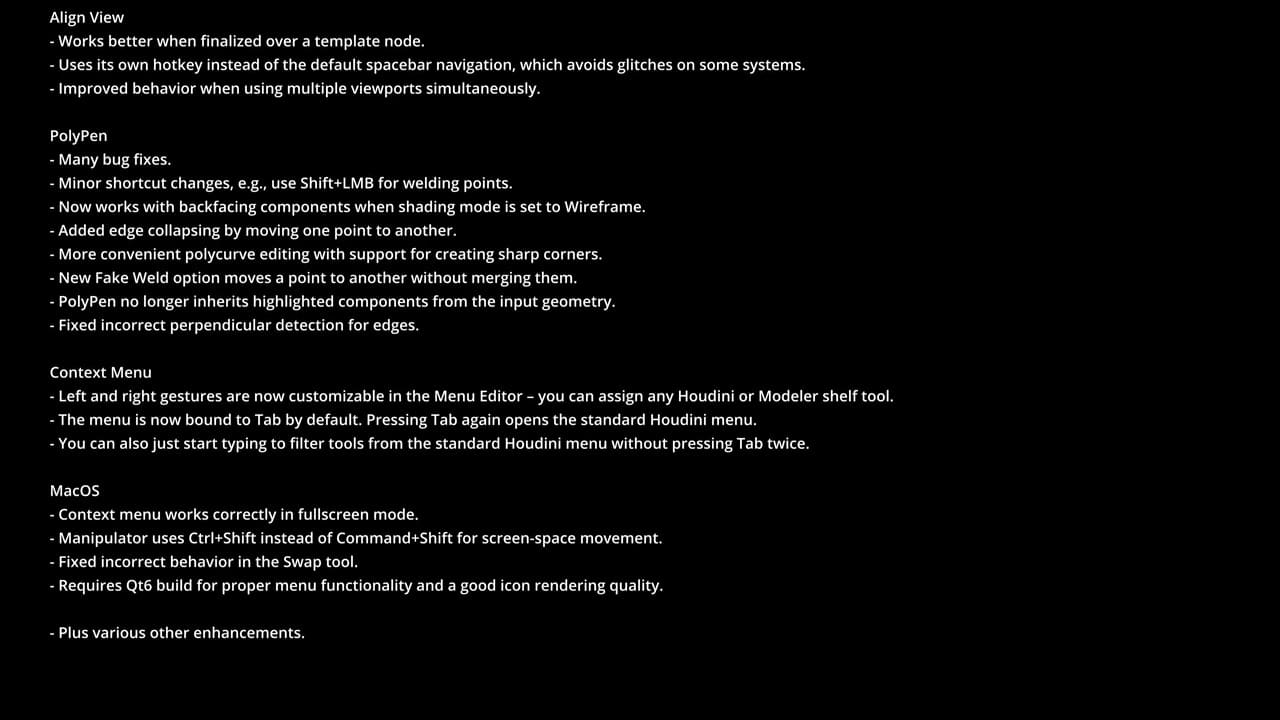
Alexey Vanzhula has shipped Modeler 2025.2 for Houdini, the latest iteration of his hard‑surface modeling toolkit for Houdini, released on June 17, 2025. The update realigns core transformation keys: W, E and R now mirror other DCC apps by selecting move, rotate and scale; meanwhile 1, 2 and 3 switch component mode between points, edges and faces. The Escape key now invokes the Drop tool to clear selection—restoring a classic Modeler shortcut. Gesture mapping gains polish too. Left‑ and right‑mouse gestures in the context menu can now be configured independently, mapping any Houdini or Modeler shelf action.

New edges: shading and UI toolkit upgrade

The update adds a shading‑preset system. Artists can create custom viewport shading modes—such as wireframe, flat or clay—and access them from the radial menu. This enhancement streamlines material‑preview workflows without diving into Houdini’s Display options.
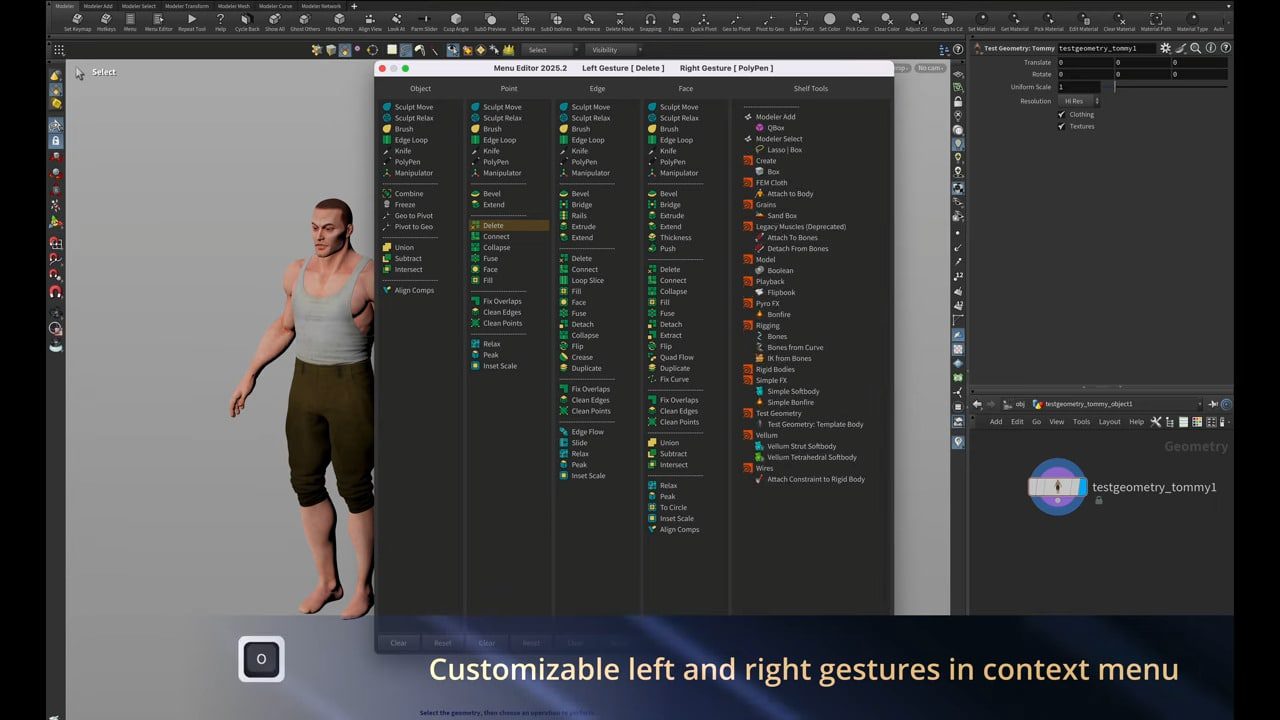
A 3D character model of a man with short hair and muscular build stands beside a software interface displaying a list of customizable commands. The background software includes a context menu for left and right gestures, with an emphasis on user customization.

Under the hood, Modeler has been ported to Qt 6, aligning interface architecture with the VFX Reference Platform standards established in 2024.

Workflow refinements throughout

Modeler 2025.2 delivers a comprehensive suite of usability and bug-fix enhancements across nearly every tool in its library, refining edge handling, viewport behaviour, and interaction consistency throughout the modeling process. On topology editing, the Slide tool in Distance mode now properly offsets edges located on mesh boundaries, eliminating previous distortions near open edges. The Connect tool has seen simplification—its sliding functionality was removed, and a bug that caused an unwanted “points” group to persist is fixed. Contour selection now intelligently differentiates modes: selecting edges creates clean edge rings, while selecting faces converts them correctly into contour edges.

A computer-generated model of a male head displayed in a 3D modeling software, showcasing a wireframe design with facial features outlined. The interface includes tool options, indicating the revival of the Brush tool in Modeler 2023.

Manipulator-driven workflows also benefit. Selection operators like Grow, Shrink, and By Normal now function reliably even when the Manipulator tool is active, avoiding conflicts that previously disrupted selection state. The Peak tool now features a proper viewport handle—replacing rudimentary horizontal dragging—and Clean Edges gains improved accuracy for border cleanup. Geometry-swapping and subdiv operations are more consistent. Swap Objects auto-switches Houdini into Object mode when the cursor hovers over geometry inside a SOP container. SubDI mode now retires cleanly—exiting properly restores the last active state.

A 3D modeling software interface displaying a wireframe 3D object resembling a stylized shape, with a tool panel visible on the right and instructions on improved primitive creation along the bottom.

Topology workflow is smoother: VDB Remesh no longer strips input geometry attributes, preserving UVs, normals and metadata. Within TopoBuild nodes, using Brush and Smooth consecutively no longer resets brush size. Parameter sliders now correctly display limits for Subdivide and Crease nodes. Edge-loop slicing and shell creation see polish: the Loop Slice tool now responds to mouse wheel input as expected; the Shells operator works consistently within UV viewports. Projection tools also gain precision: Project and To Templates now allow definition of projection direction explicitly using the Construction Plane.
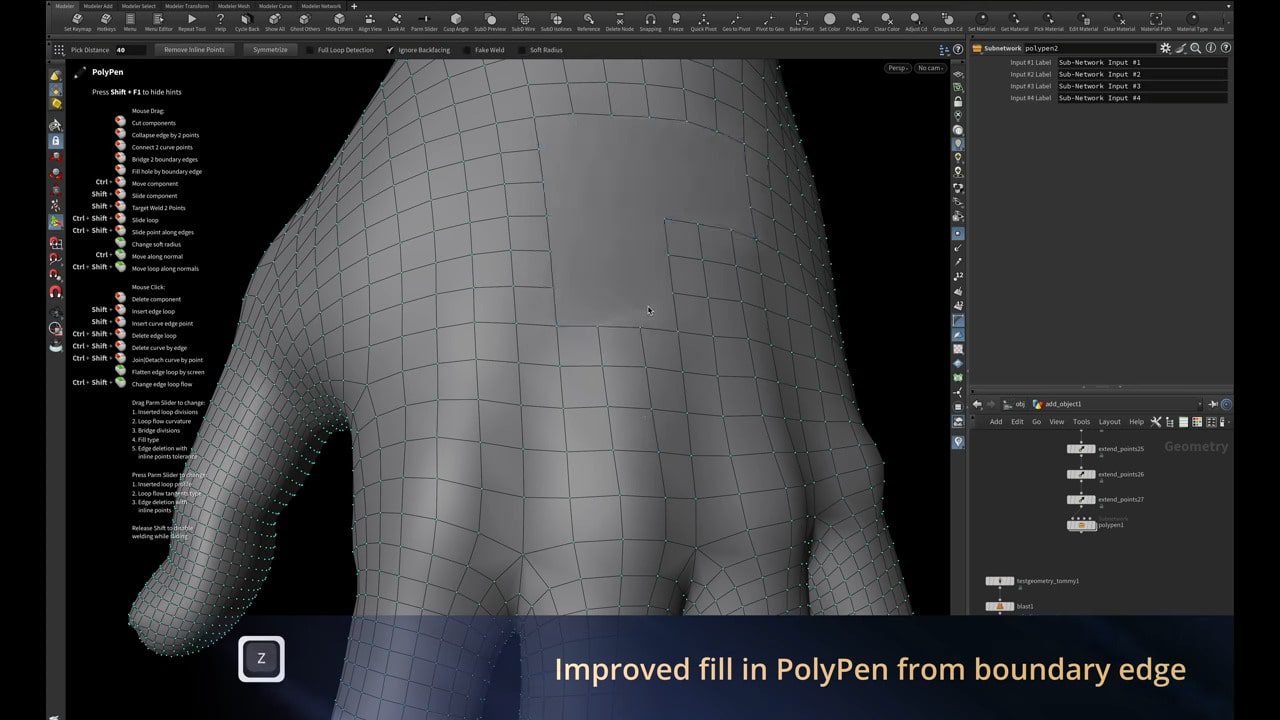
A close-up of a 3D modeling software interface showcasing a hand model with a grid overlay. The screen displays tools and features related to PolyPen, highlighting improved fill from boundary edges. A sidebar lists various options and settings.

Primitive creation and hose generation improve: the Primitive radial menu supports point-based creation aligned to the Construction Plane or selected components. And updates to the Hose node produce cleaner hose curves with fewer polygons.

A 3D modeling software interface displaying the bulge option in the extrude and bevel tools. The focus is on a model of a chair's round base with a grid-like mesh highlighted in orange against a light gradient background.

View-aligned tools and node integration have been refined too. Align View now behaves correctly over template nodes, uses its own hotkey instead of spacebar to mitigate viewport clashes, and handles multi-viewport configurations more predictably. Finally, Modeler tools used within Houdini node contexts now link automatically to inputs, reducing setup friction.

Pricing and compatibility

Modeler 2025.2 works with Houdini 20.5 and newer, Pricing remains unchanged: a single floating licence is US$100, while studio licences (unlimited seats) cost US$500.

Get it on Gumroad

Screen displaying software update notes featuring improvements and features like redesigned hotkey layout, shading modes, enhanced manipulation tools, and projection definition for model templates. The notes include technical specifications and functionality changes for user interface enhancements.

A text document featuring software update notes, including features like improved align view, polyPen bug fixes, context menu customization, and macOS functionality enhancements. Background is black with white text for clarity.