



Carving Out a Niche in Blender Rivers
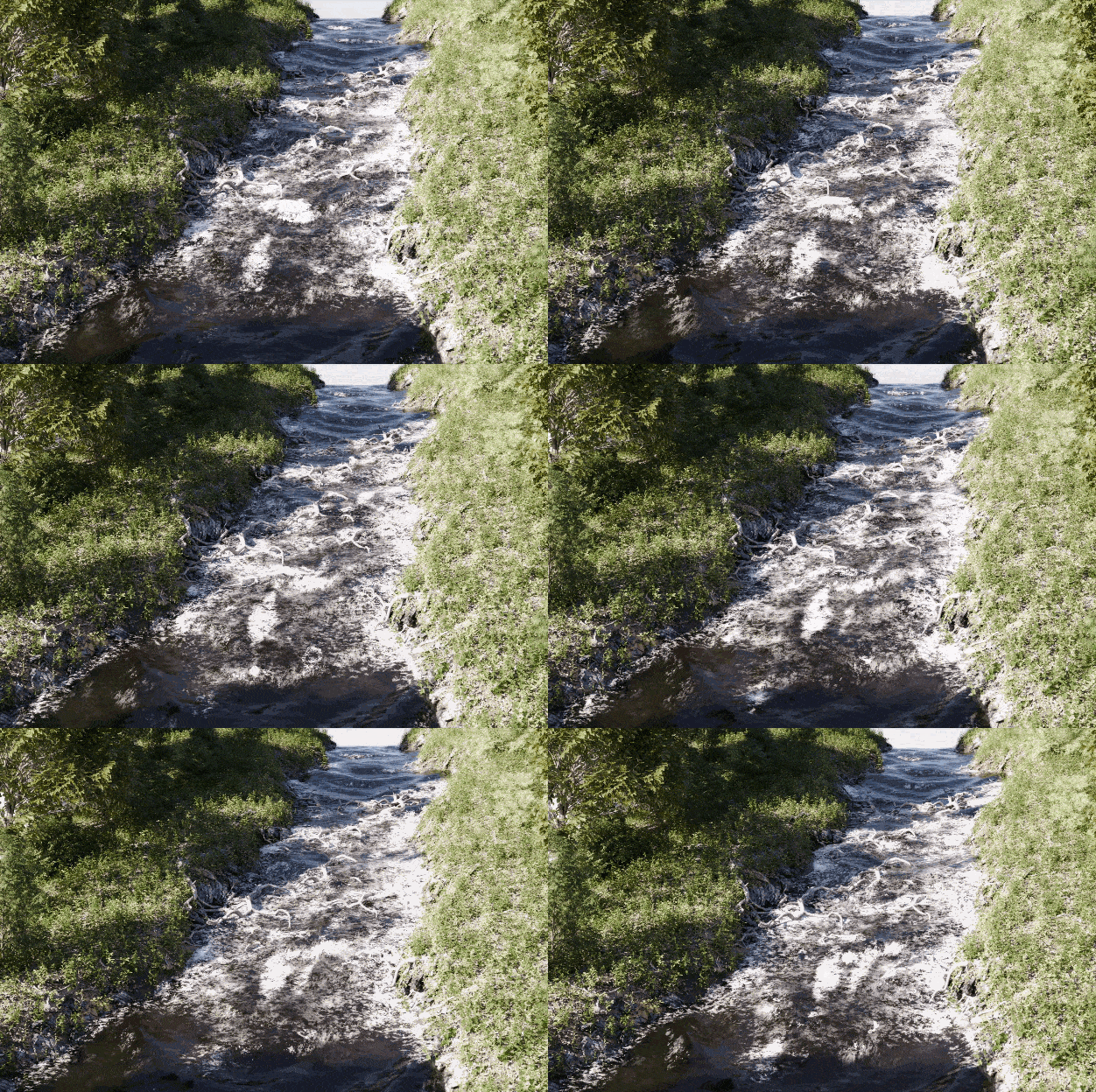
Antoine Bagattini, known for his work in architectural visualization and Blender add-ons, has released Baga River Generator v2 in partnership with artist Laura Mercadal. The updated tool aims to accelerate river creation in Blender, letting users draw a curve and instantly generate a river that carves directly into terrain geometry. In earlier versions, rivers floated politely on the surface. Now, the add-on slices a believable riverbed into any landscape mesh, producing more integrated and production-ready results.
Procedural Foam and Real Animated Water
Version 2 introduces a procedural foam effect running along the water’s surface. This detail—long demanded by motion graphics and VFX artists—appears in both Cycles and Eevee renders. Water in Baga River Generator v2 animates smoothly, with no visible looping, suitable for close-up flyovers or sweeping shots. The foam and flow can be fine-tuned per river, and users can generate banks with over 30 included assets for environmental dressing.
Compatibility With Scatter and GeoPack
The update brings full support for the BagaPie scatter modifier system. Any rocks, plants, or debris placed on the terrain via BagaPie are cleared away automatically from the new riverbed, minimizing cleanup and manual masking. Users can access the tool from the viewport by pressing V, then choosing BagaRiver. Four ready-to-use river presets are provided, alongside a custom river mode for precise control.

Baga River Generator v2 requires BagaPie version 11.0.6 or newer and is compatible with Blender 4.2 and above. The tool is built to work with BagaPie’s own GeoPack asset and preset system, letting users save or share their river setups and materials for further scene building.
Licensing, Pricing, and Performance
The add-on is sold on Superhive, the Blender-focused marketplace, for $19 (discounted to $13 at the time of writing). Owners of BagaPie Asset Packs are eligible for additional discounts—between 30 and 40 percent—using the code BAGAOFF at checkout. The price has increased from the original release but is offset by the expanded feature set and compatibility improvements.
In terms of performance, Baga River Generator v2 includes camera-based culling for water and foam, keeping viewport speed manageable on modern GPUs. Waterbanks remain static (vegetation does not animate), which keeps resource use predictable for heavier scenes. All features are designed for stable operation in professional environments, but—as with any new pipeline tool—testing in a non-critical scene is recommended before deploying in production.

System Requirements and Limitations
The minimum setup requires Blender 4.2 and BagaPie 11.0.6. The tool is primarily designed for environments built on procedural assets and works best when paired with the BagaPie ecosystem. Vegetation on banks is static; artists expecting wind or water interaction will need to rig those features separately. No additional third-party dependencies are required beyond BagaPie.
Conclusion
Baga River Generator v2 targets a clear need: rapid, repeatable river generation in Blender with automated terrain blending and foam detail. It avoids excessive complexity by working with Blender’s own geometry nodes and the BagaPie asset framework, and it minimizes busywork for scatter-heavy scenes. For anyone building large exterior environments, it is a practical update—if you already work with BagaPie. As always, artists should verify asset compatibility and animation fidelity in their own workflow before deploying to client projects or studio pipelines. You might drown in such a river!
