



Mercenaries Engineering has released Rumba 2.0, their latest update to the Maya-compatible character animation tool. This Parisian software house promises that Rumba 2.0 is “the most significant update yet,” but what exactly has changed—apart from the version number?
Real-Time, Really
Rumba 2.0 doubles down on real-time performance. Animators get immediate feedback and fast playback, even in heavily populated or complex scenes. This reduces the ritualistic waiting for previews and renders—no more staring at spinning wheels and wondering about your life choices.

Layers, Layers, Layers
The non-destructive animation layer workflow means users can revise and experiment with less anxiety. Teams can work on different animation layers at the same time, without stepping on each other’s toes or corrupting original data. For anyone who has lost hours untangling overwritten animation, this is less a feature than a minor miracle.
Direct Manipulation and Smarter Tools
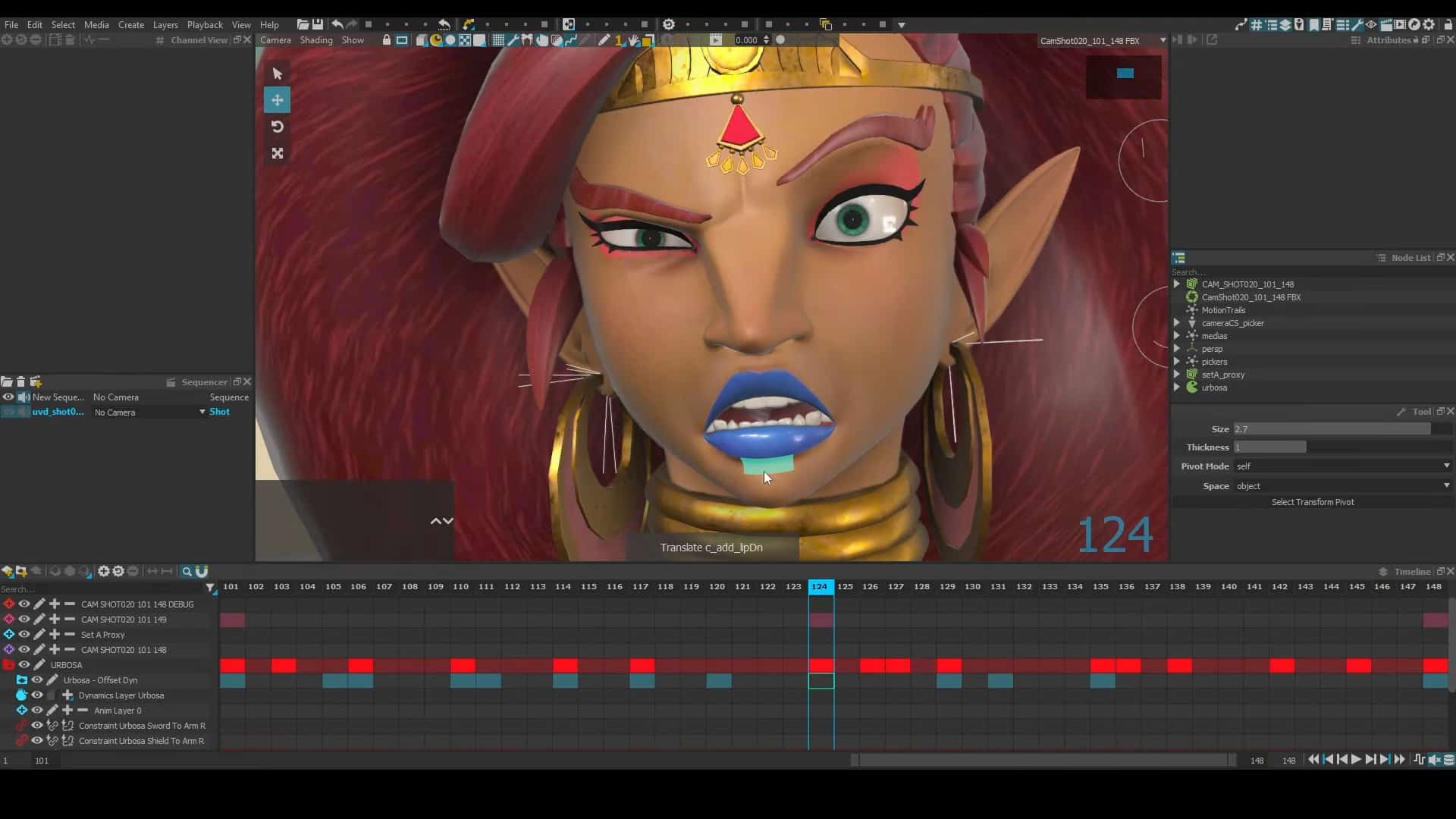
Rumba 2.0 gives animators direct manipulation of geometry for posing, including pose mirroring and onion skinning. Onion skinning offers a visual ghost of previous and next frames, making timing and staging less of a guessing game. Other tweaks—like reversing keyframes or switching rotation order—are designed to make animation editing less tedious and more precise.

Sculpt Deformer and Dynamics
A standout: the sculpt deformer tool. This lets artists push geometry around directly in the viewport to fix deformations or tweak silhouettes, sidestepping the usual trip back to rigging or modeling. Animators also get dynamic controller behavior for FK chains—think tails, ropes, and secondary motion—allowing for physically plausible, overlapping motion without laborious manual keyframing.
New Scene Management: Sequencer and Outliner
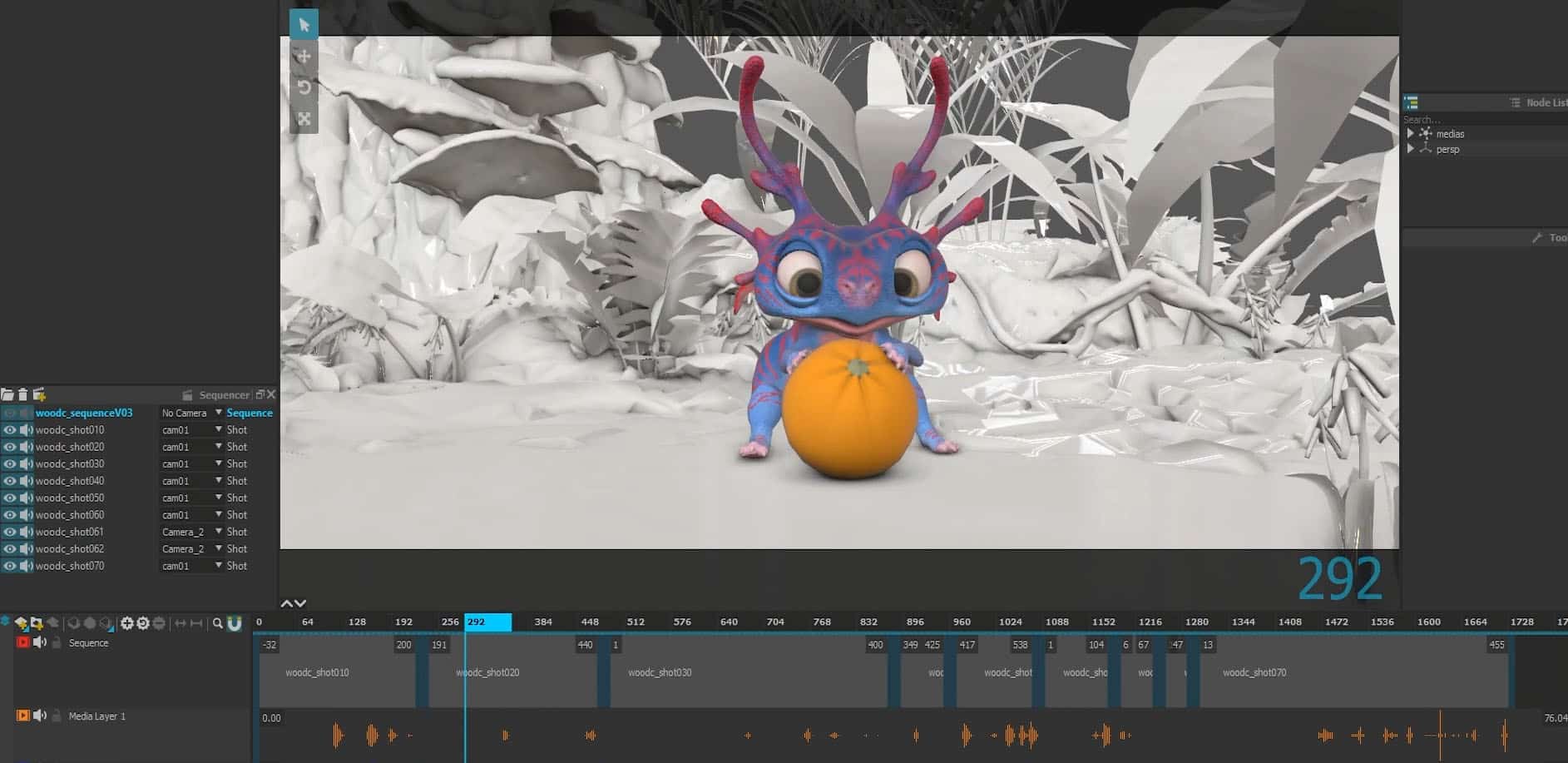
The new Sequencer tool enables loading and editing of multiple documents at once, providing scene-wide management and a bird’s-eye view of continuity and pacing. The redesigned Outliner is promised to be more intuitive, making complex scene structures less opaque.

Pipeline: Plug and (Actually) Play
Pipeline compatibility is a major design focus. Rumba 2.0 supports USD, Alembic, and FBX. Users can import USD and Alembic assets with improved speed and support for animation and sculpt data. FBX camera animation is fully supported, including editable curves. Exporting animation in USD or Alembic is supported, and keyframed animation curves can make a round-trip back to Maya rigs—no loss of fidelity, no headaches.
There’s also improved support for Maya nodes via the mtorba plugin, and a more capable library that accepts ZIP-based asset bundles.
Two Hours to Learn, Days to Master
Mercenaries Engineering claims that a 2–3 hour training session is enough for animators to be productive with Rumba 2.0, aiming to keep onboarding costs (and staff grumbling) low.
In Production: WooD
For those who want proof, the short film “WooD” provides a recent production example. Rumba handled all animation, with Maya for rigging and Guerilla Render for final look development. A group of students from Creative Seeds handled rig conversion, with environment and compositing tasks also carried out in the academic setting—useful for benchmarking the tool in real-world, team-based scenarios.
Pricing and Availability
Rumba 2.0 is available now to registered users via Mercenaries Engineering’s download portal.
Test Before You Trust
As always, professionals are encouraged to test all new features in their actual production environment before updating mission-critical pipelines. Not every workflow fits every shop—and no feature is worth a missed deadline.
