



Blender’s toolkit for phone-based control just expanded—Wanderson M. Pimenta’s Object Controller and Camera Controller add-ons have received notable updates. Android users can now steer 3D objects and cameras inside Blender using motion sensors, with upgrades spanning UDP support, advanced 6DOF world tracking, timeline controls, and even live camera streaming. As always, “beta” is the watchword—production testing is essential before trusting these tools with client work.
From Beta to Better: The Evolution
The Object Controller add-on, highlighted in June 2025, is now tightly integrated with Pimenta’s main Camera Controller tool. Early releases allowed motion-based control of Blender cameras from Android devices, while later updates—Beta 4 and Beta 5—added much-requested functionality and UI polish.
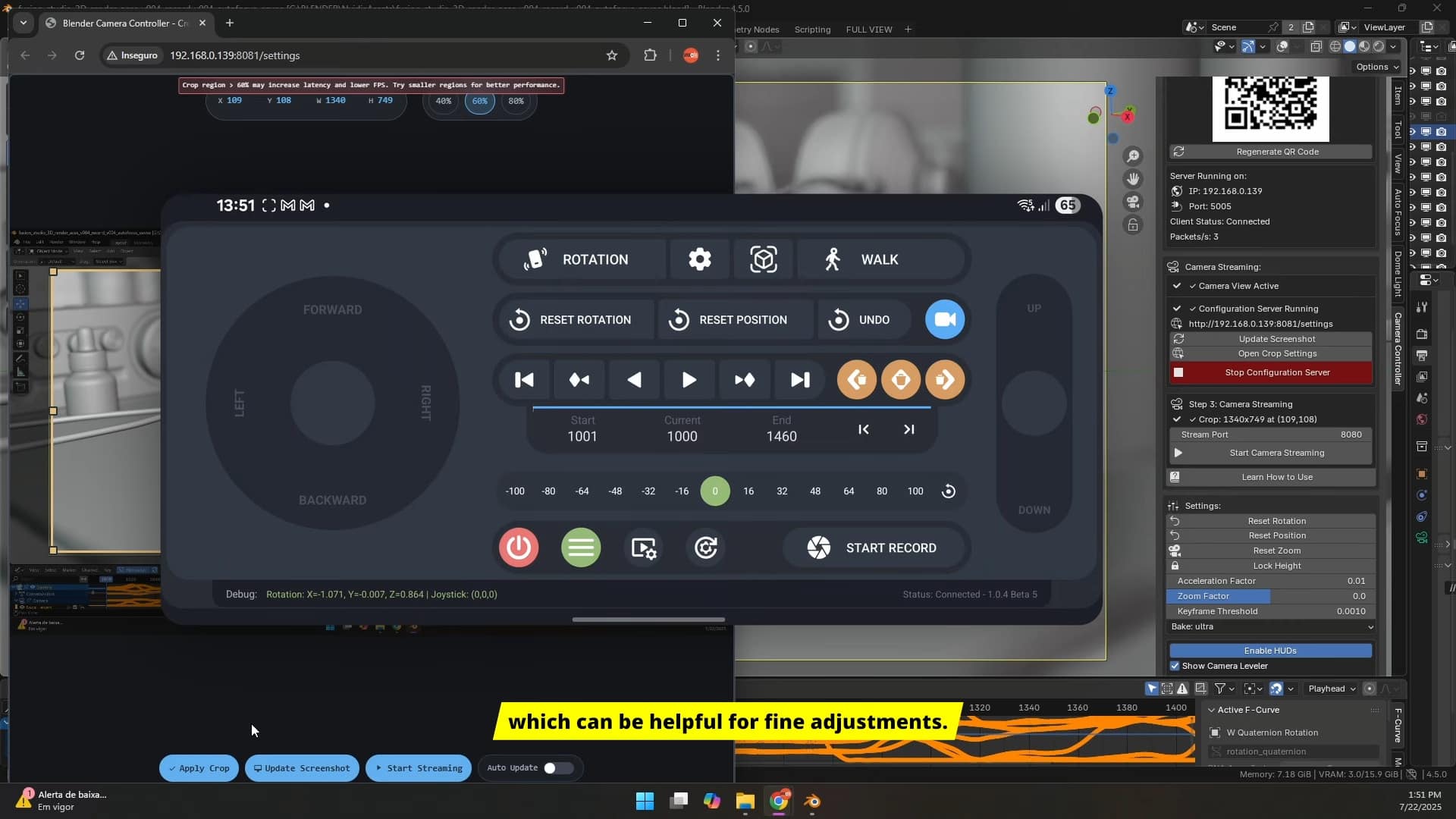
The most recent Object Controller update focuses on improved UDP communication, smoothing data transfer between phone and Blender. This not only enhances reliability but also addresses property conflicts that previously cropped up when using Object and Camera Controllers simultaneously. Compatibility issues with the Camera Controller add-on have been tackled, allowing artists to manipulate both scene objects and cameras with fewer headaches. Motion can be baked to keyframes using the paid Plus version, but the demo remains freely available.
World Tracking, Live View, and Advanced Controls
Beta 4 marked a leap for the Camera Controller: Android phones can now transmit real-world position and orientation (6DOF) data to Blender using ARCore-compatible devices. This “World Tracking” unlocks true spatial control, as your device’s movement in the physical world translates to virtual camera moves or object positioning in Blender. The feature is hardware-dependent—proper lighting and a recent Android device are prerequisites. No iOS support is listed.
An advanced settings panel was added, offering fine-tuning for scale, filter smoothing, acceleration, inertia, and a height lock toggle. Network management and onboarding advice have been expanded, and version compatibility is actively checked with status/error indicators in the interface.
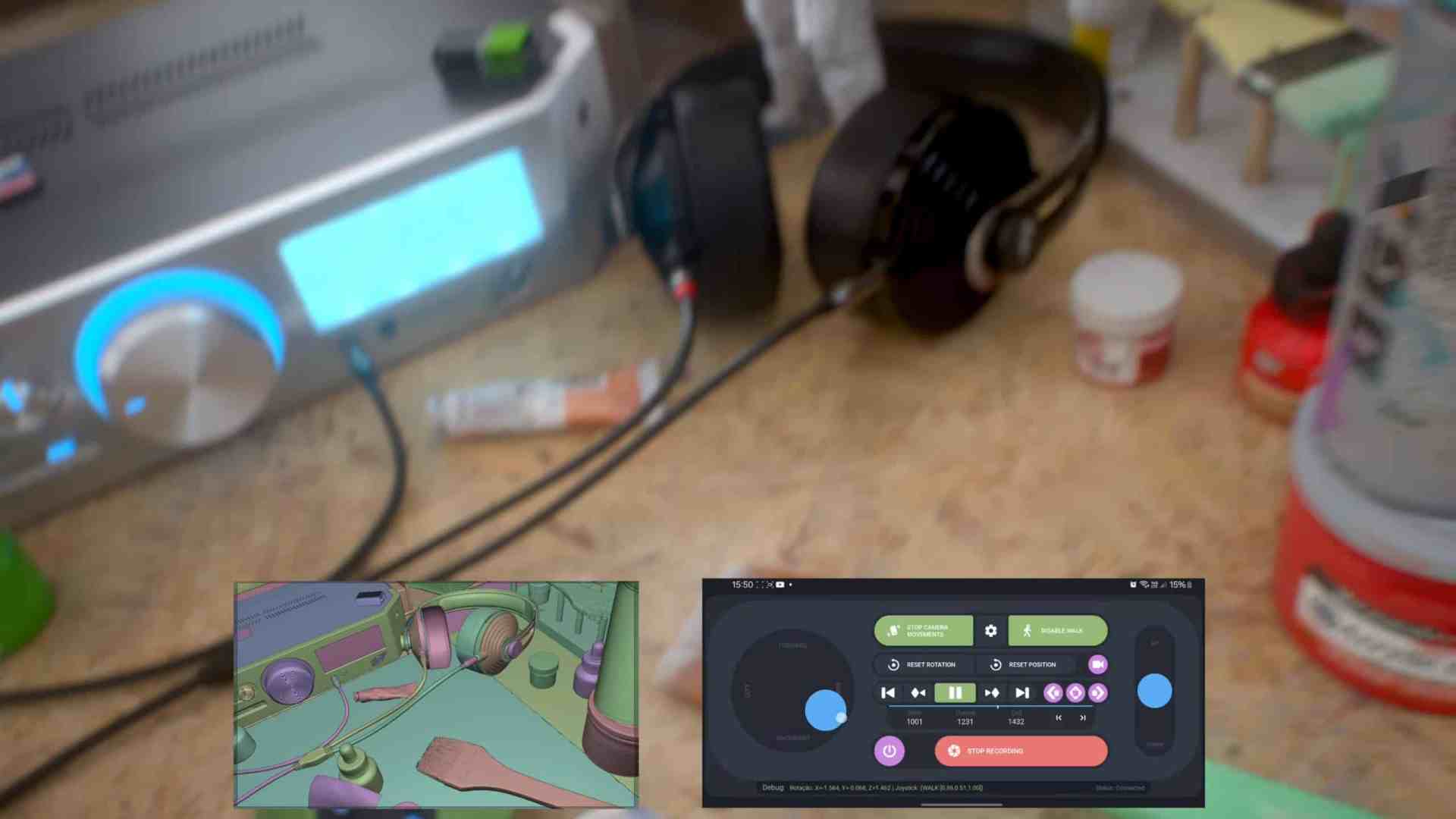
Beta 5 then introduced Live View / Camera Streaming: users can now stream their phone’s camera feed directly into Blender’s viewport. This makes Blender a temporary AR window or video capture node—potentially handy for matchmoving or layout blocking.
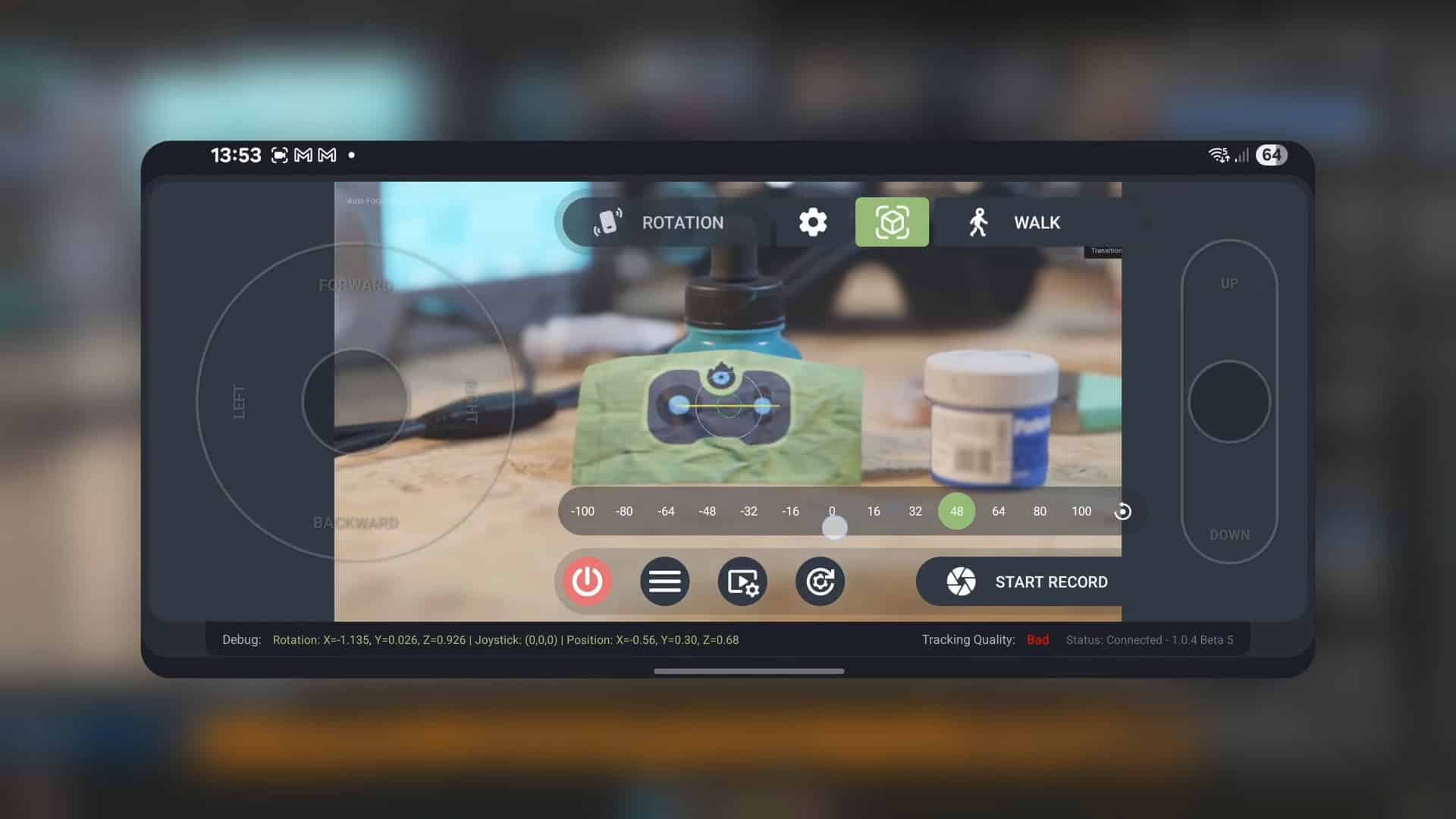
Timeline & Keyframe Tools: For Animation Tinkerers
The updated timeline controls go beyond basic playback. Users can play/pause, navigate frames, play in reverse, jump to frames directly, and—using the Plus version—insert or delete location keyframes during “Walk” mode. Deleting keyframes is granular: left, right, or all. The add-ons support joystick-based movement overlays with real-world tracking, blending physical and virtual navigation.
Known Limitations & Testing Required
Both add-ons only work with Android devices, iOS/ARKit support is not listed. Data is sent via UDP, requiring reliable Wi-Fi. Some features, like motion-to-keyframe baking and advanced keyframe controls, are exclusive to the paid Plus version available on Gumroad.
The developer positions these as experimental—especially the Object Controller, which he describes as a fun extension of the Camera Controller rather than a polished production tool. World Tracking and Live View remain in beta and are not guaranteed for stability. Artists should be cautious: network dropouts, device compatibility quirks, and UI friction may appear. Rigorous hands-on evaluation is advised before deploying for layout, animation, or previz on live projects.

Takeaway for Production Artists
With regular updates and a growing feature set, Blender’s phone-driven control options are maturing. Motion-capture, rough layout, AR previsualization, and playful experimentation are now possible from your Android phone. Just don’t skip the testing phase—what’s fun in a demo could turn tricky in a studio pipeline.
