



B3FX Studios has released MatPlus, a new Blender add-on that bolts a Substance Painter-style workflow directly into the software’s material editor. Unlike external tools such as Substance 3D Painter, Mari, or ArmorPaint, MatPlus does not require round-tripping between applications. Everything lives inside Blender.
Version 1.0 works with Blender 4.5 and supports both Eevee and Cycles. Licensing is GPL. Pricing starts at 75 USD for a personal licence, 300 USD for up to five seats (Indie), and 600 USD for studio-level access.
Layers, masks, and other familiar comforts
MatPlus installs a non-destructive, layer-based paint system, complete with blending modes and per-layer masks. The package also includes what the vendor calls “intelligent masks,” referencing geometry attributes such as curvature, ambient occlusion, and thickness.
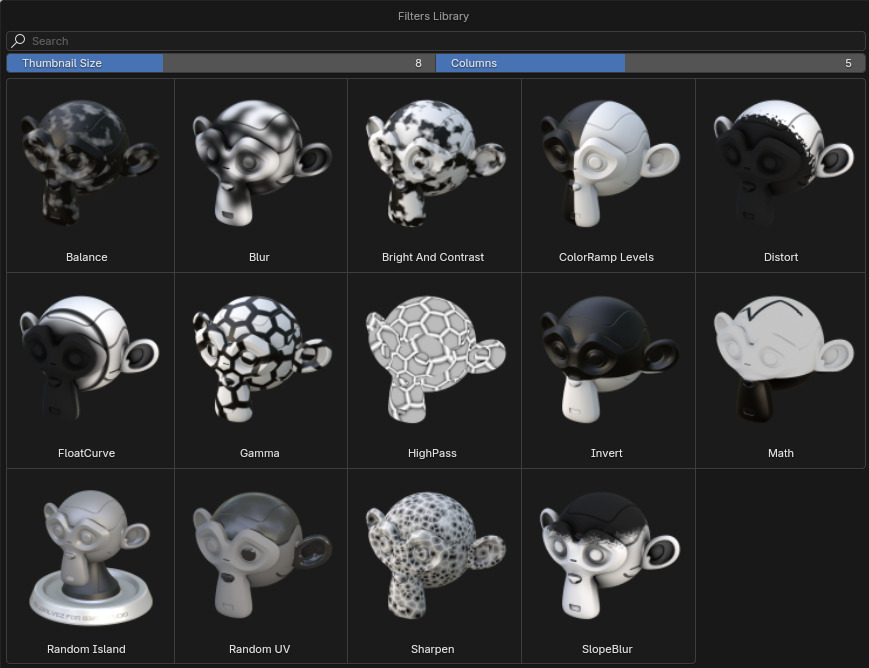
Practical examples include edge wear, dust accumulation in crevices, or dirt streaks on hard surfaces. Masks can be filtered with blur, sharpen, distortion, and inversion operations.

Paint here, paint there
Painting works in both the 3D viewport and in 2D UV space. A 2D symmetry mode is available, as is UDIM support for tiled UV workflows at higher resolutions. Artists can jump between viewport and UV painting without leaving Blender’s editor.
Bake it till you make it
The add-on features an “optimised” baking system, which includes an automatic cage setup aimed at minimising artefacts. According to the vendor, the output is “game-ready” for engines such as Unreal and Unity. Whether that translates into production-proof reliability remains to be tested.

Free extras bundled in
To save artists a few clicks, MatPlus ships with asset libraries: brushes shaped like bolts, screws, ports, and signage decals, plus grayscale grunge textures for masks. The package also includes more than 360 PBR materials covering metals, tiles, wood, and brick.
Community feedback on Superhive has been largely positive, with six reviewers rating the add-on five stars. One noted smooth performance even at 4K resolution. Another pointed out that some bundled materials originate from the free library AmbientCG, suggesting users verify the sources of included content.
Test before trust
The feature list is ambitious: non-destructive layers, masks tied to geometry, UDIM support, and an integrated baking system. But as with any newly released pipeline tool, artists should test MatPlus carefully before committing to it in production. Official documentation and tutorials were not available at press time.
