



Toolbag 5.02 adds a Decal layer type with a dedicated viewport tool, for precise on‑mesh placement of logos, ports, bolts, graffiti and similar design elements.
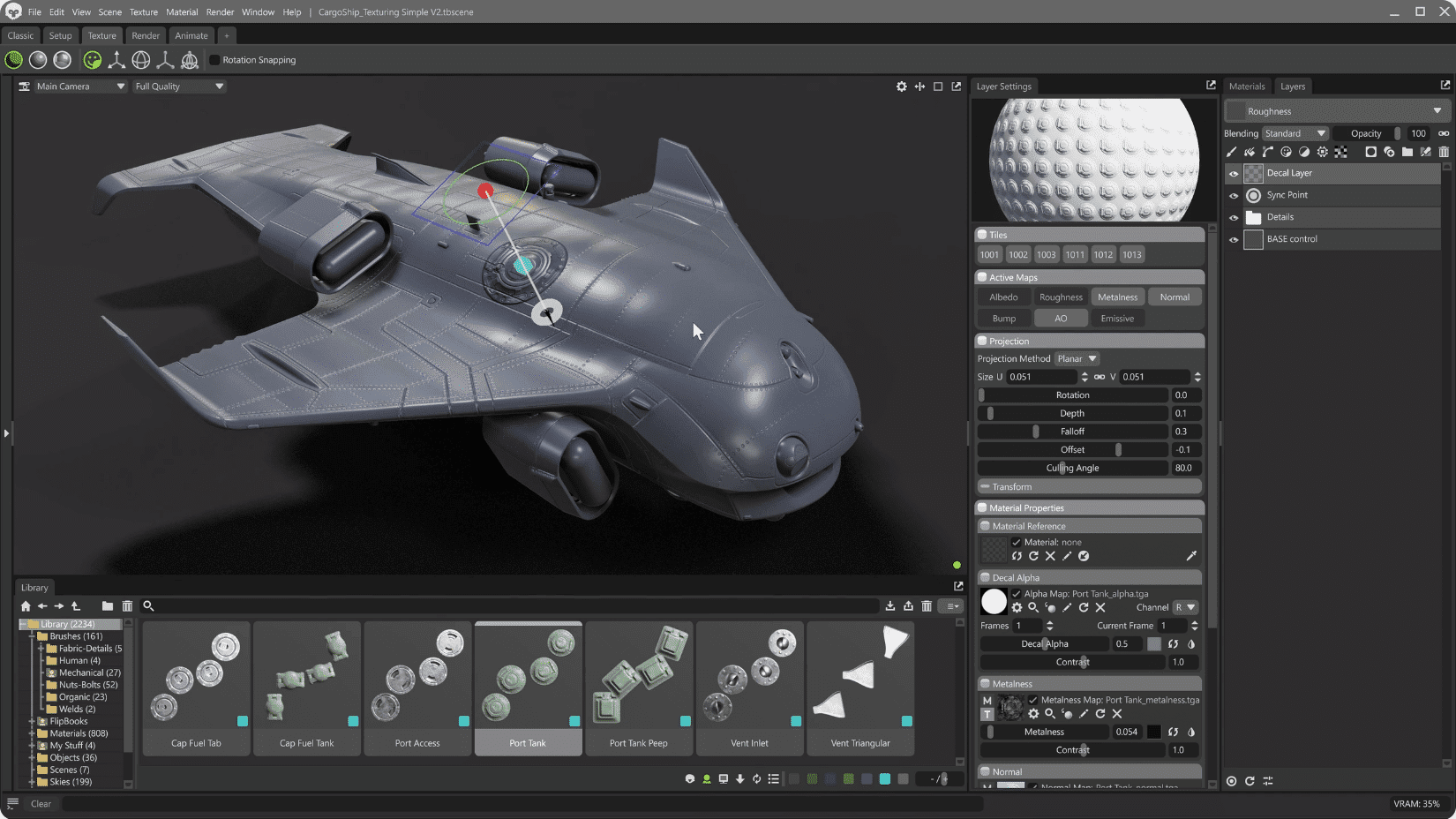
Decal Projection mode for vector layers enables artists to design on a virtual grid with snapping and booleans before projecting shapes onto meshes—non-destructive, repeatable placement even across multiple objects.

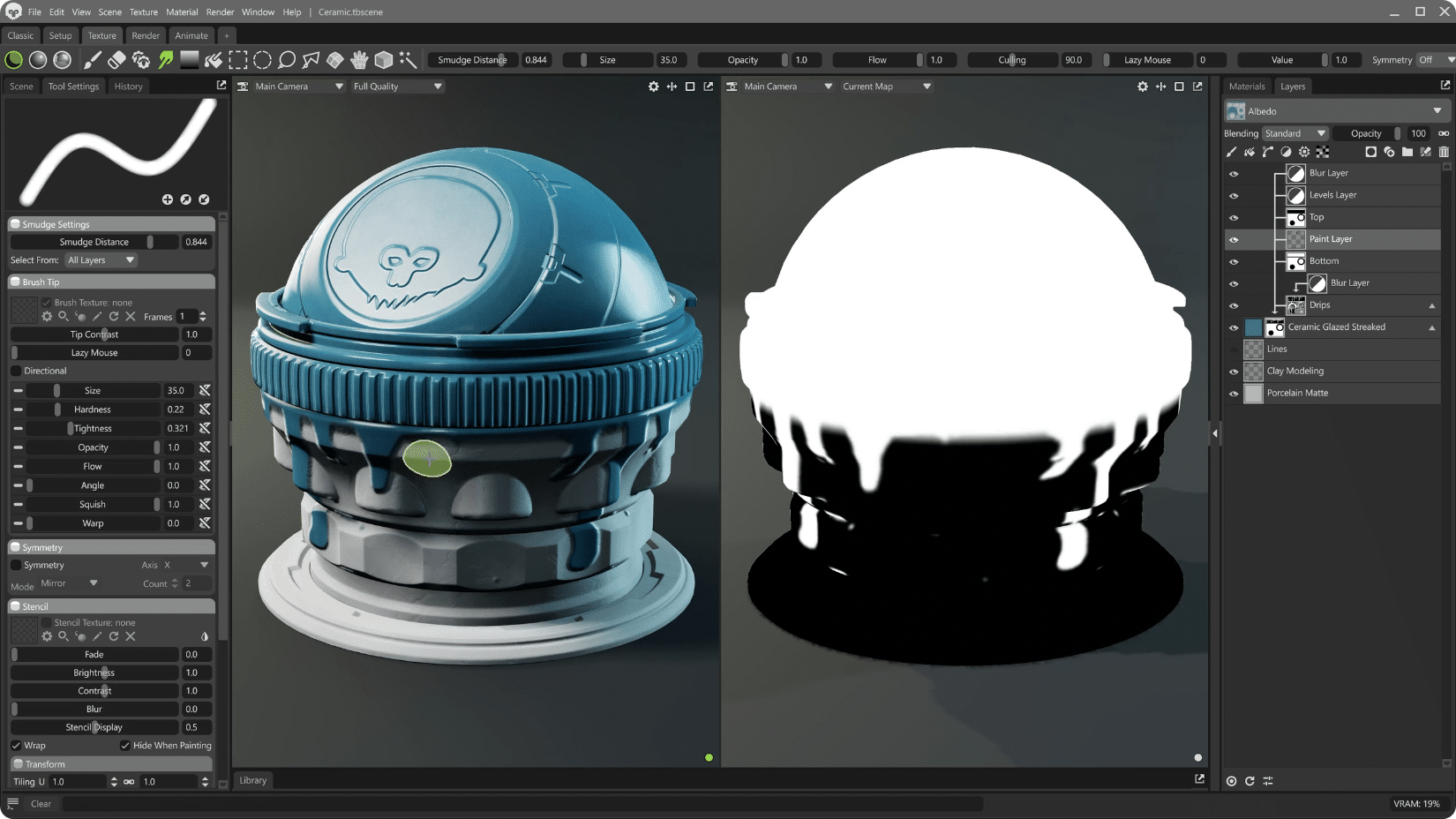
A new Smudge tool for paint layers allows intuitive blending of colours and shapes, including across UV and UDIM seams and geometry borders.
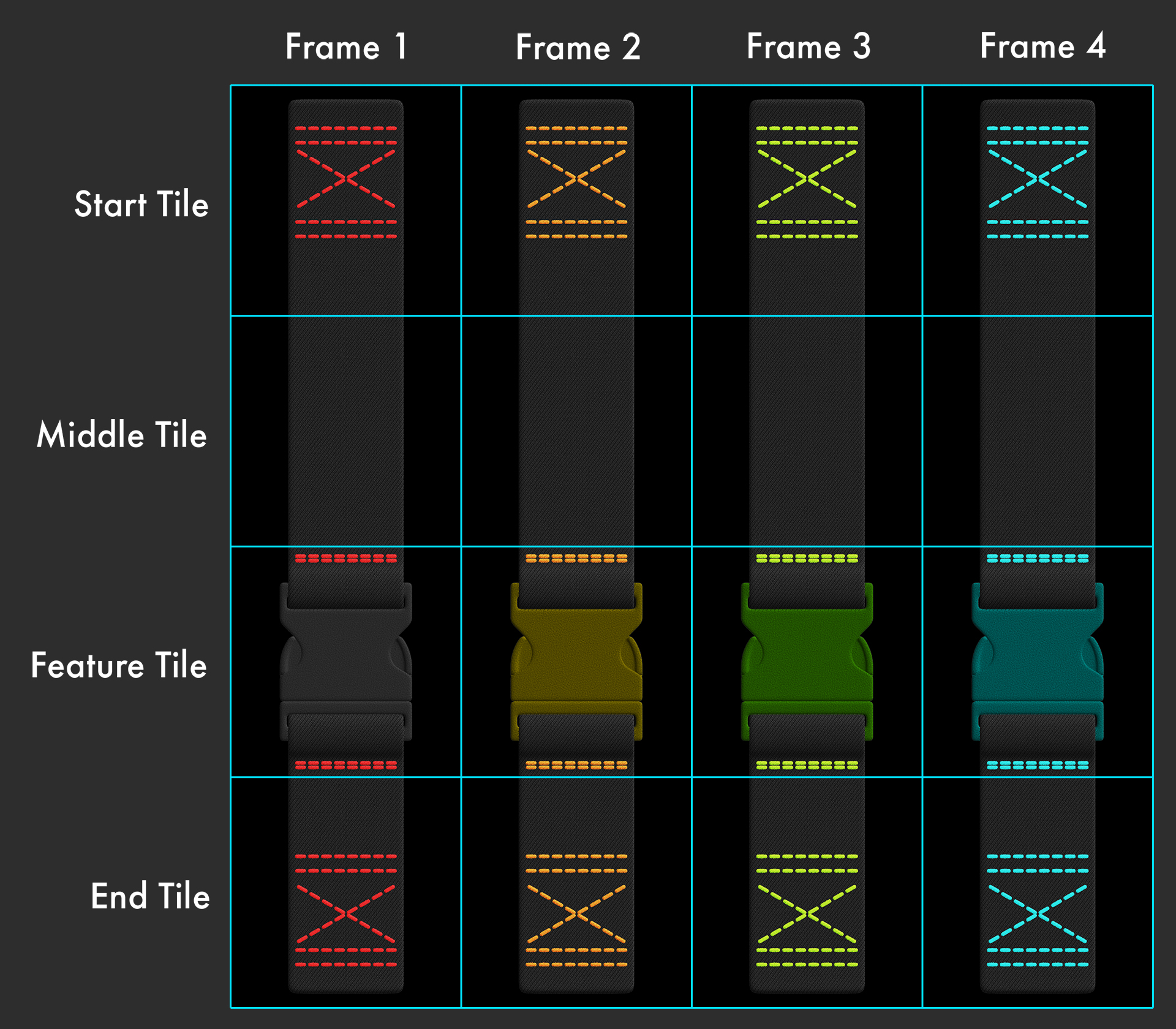
Tile Strips enable modular creation of tubular vector shapes—such as straps, shoelaces, snakes, feathers—using start, middle, end, and optional feature tiles that update dynamically with length and offer taper control. Toolbag includes example presets like Lace Boot, Strap Braided Leather, and Strap Nylon.
Tube Mode for Paint Layers incorporates vector tube-style drawing (profiles, tapering, warping, displacement) directly into brush strokes, with Tile Strip support too.
Sample Layers for Masks allows any layer to be converted to a mask via drag-and-drop, with configurable mask generation based on albedo, roughness, and other maps—supported for both paint and fill layers.
Sync Points now work inside groups or as children to other layers, including an Isolate option to limit their scope. Sync Points may also toggle effects like normal map direction and can be saved within Smart Materials.
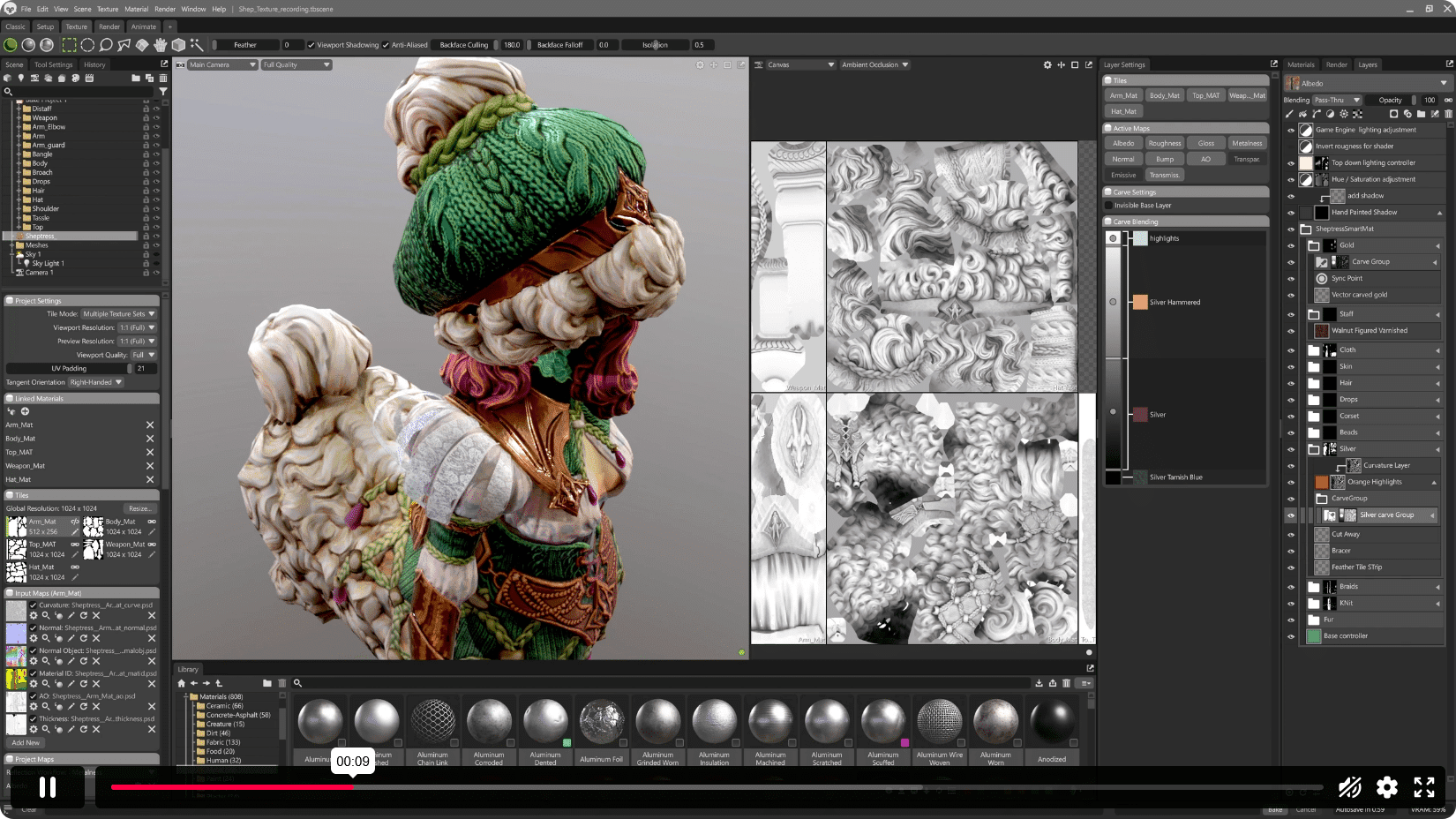
The Shape tools and vector workflow include several stability enhancements: selecting shapes now jumps to the correct list; Pen and Curvature tools support point editing; spiral shapes are more stable; vector drawing over UV seams and thin geometry is more robust; radial symmetry is less topology‑sensitive; vector shapes now persist through object transformations; small brush sizes no longer create gaps; and several mask‑stack duplication and scene‑load bugs are fixed.
Texture Projects can now be collapsed, exporting textures while simplifying the scene setup. Likewise, linked Bake Projects can be collapsed by removing high‑poly geometry to improve memory and performance. Other fixes include proper selection in multi‑texture‑set mode, alpha channel trimming for unnecessary exports, accurate material reference display, and improved brush previews and mask generation.
Baking Innovations
Toolbag supports Low‑to‑Low baking, enabling texture bakes directly on low‑poly meshes without requiring duplication. A dual‑material setup (Source and Result) provides editable previews, with a Unified Material Preview option to combine multi‑material sources. Drag‑and‑drop or Quick Loader supports bake group setup. The Exclude When Ignoring Groups option avoids ambient occlusion artifacts from intersecting parts.
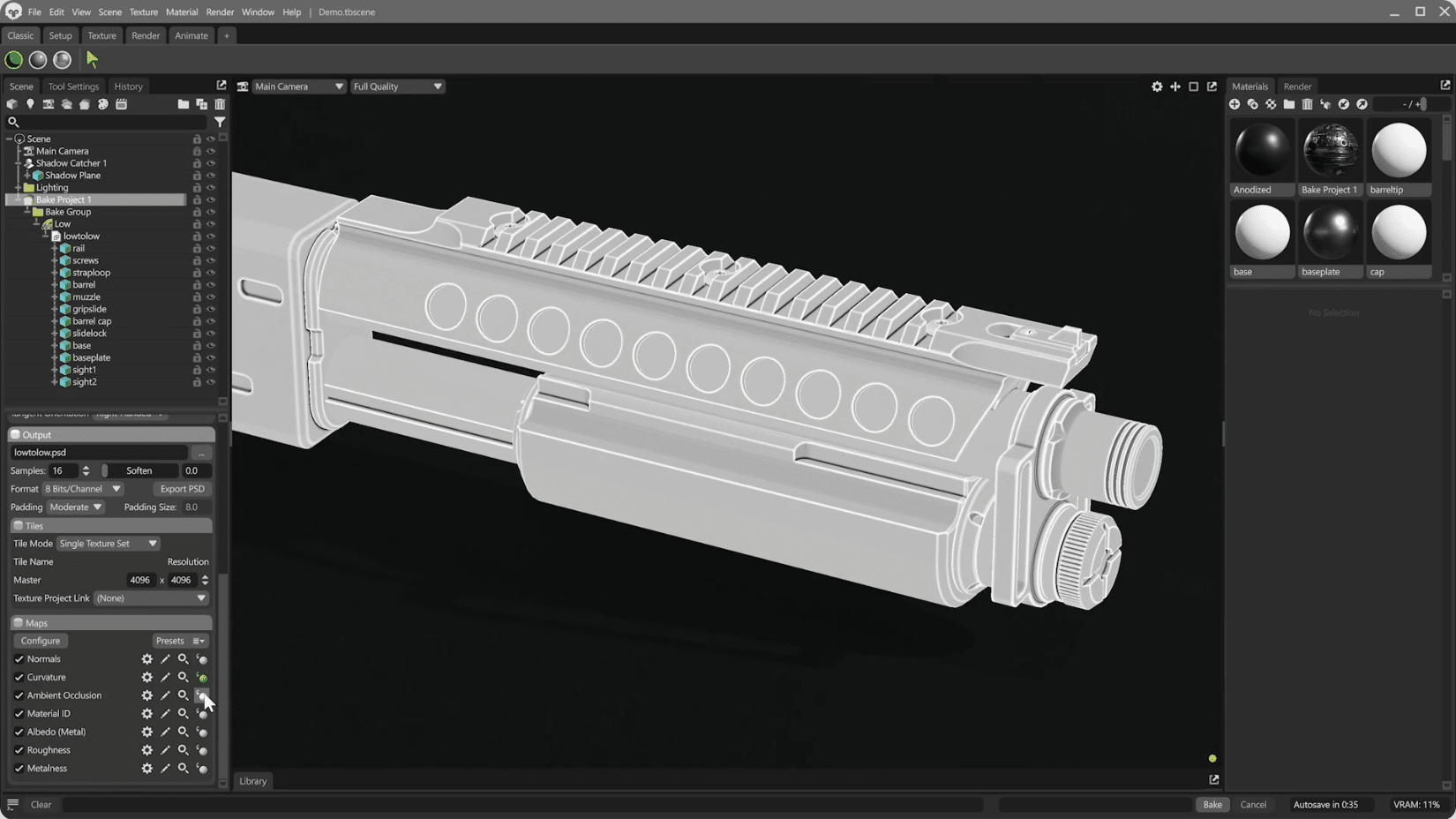
The UV Matching mode is also now supported for workflows without high‑poly meshes. The previous Multi‑Layered PSD export option has been removed and replaced with a button to export layered PSD after baking; several regressions—including cage expansion, UV padding quality, skew and offset painting—have been fixed. The alpha channel is also now omitted in exports when not needed.
Material Fixes
Fixes include preventing crashes when duplicating material layers, improving grayscale texture input handling, and ensuring the sRGB toggle in Vertex Color shading does not alter albedo textures improperly.
Rendering Upgrades
The Render object now lives in a dedicated window that can be docked independently. Render‑setting changes now generate undo history separate from the main undo track.
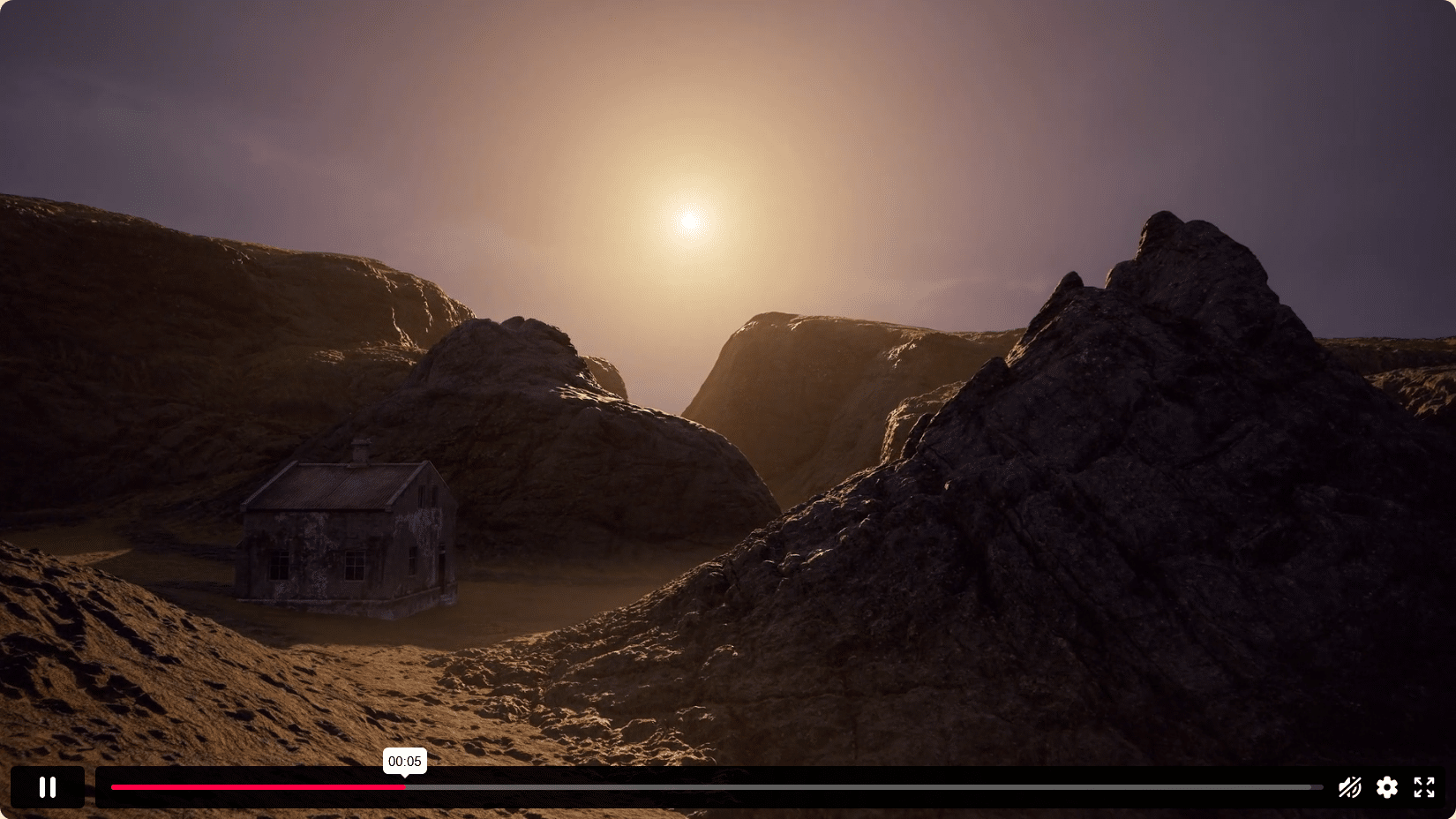
Ray-Traced Fog support has been added. Fog now behaves consistently in Ray-Traced and Raster modes, including god-rays and shafts, Vertical Fade for height control, and global illumination parameters for all fog objects. Denoising in Hybrid mode is improved, the 1K transparency texture limit removed in Ray Tracing, and Shadow Catcher/backdrop and ray-traced shadow bugs fixed.
A VRAM Budget system allows automatic switching and compression of ray‑tracing acceleration structures and backend (Accelerated/RTX vs Generic) based on scene complexity, adjustable in Preferences > GPU. Changes apply without restart. NVIDIA DLSS has been updated to version 4.
Scene & UI Workflow Improvements
Multi‑Select and Edit now applies to most scene objects, enabling mass adjustments (e.g., subdivision, cage settings). Materials and layers are currently excluded.
Other updates include a Hotkey Editor with import/export/reset and overwrite prompts; Scene Search for name or type filtering; a Presentation button for quickly adding backdrop, shadow catcher, and turntable objects; improved Light button for camera types; fixes for backspace deleting keyframes, sky‑thumb updates, scene‑list navigation, and deletable default sky objects.
Mesh File Handling
High‑precision UV exports from Reality Capture no longer corrupt UVs. Groom animations are suppressed when hidden and cannot crash when framed. Exported glTF files now preserve UV and texture orientation correctly.
Library System
Custom folders can now be created, deleted, and populated in the Library window; assets can be rearranged via drag‑and‑drop. The Apply to All checkbox simplifies mass import metadata assignment. However, first‑party content remains fixed, files must be imported via the interface to include metadata, and external OS copying is unsupported.
See all new features here: https://marmoset.co/posts/marmoset-toolbag-5-02-available-now/#feature-list
