



Adobe has officially released Photoshop 27.0 for desktop (October 2025). The update introduces new AI-assisted features, according to the company’s release notes. The version succeeds Photoshop 26.11 from September 2025.

Harmonise: automatic light and colour blending
Photoshop 27.0 adds a Harmonise feature designed to blend the lighting, colour and shadows of inserted elements into a background image. Adobe describes it as a tool for “realistic composites”. The function appears to rely on generative analysis similar to Generative Fill, but uses existing image data rather than AI-synthesised pixels. Adobe provides no technical breakdown of the underlying algorithm. Its stability and precision in high-resolution or 16-bit linear workflows remain unverified at press time. Note: Harmonize is a standard feature and consumes 5 credits per generation
Generative Upscale – Topaz inside Photoshop
The update introduces Generative Upscale, a new enlargement tool “powered by Topaz Labs”. It is intended to produce sharper, cleaner upscales than standard bicubic or Preserve Details 2.0 interpolation.
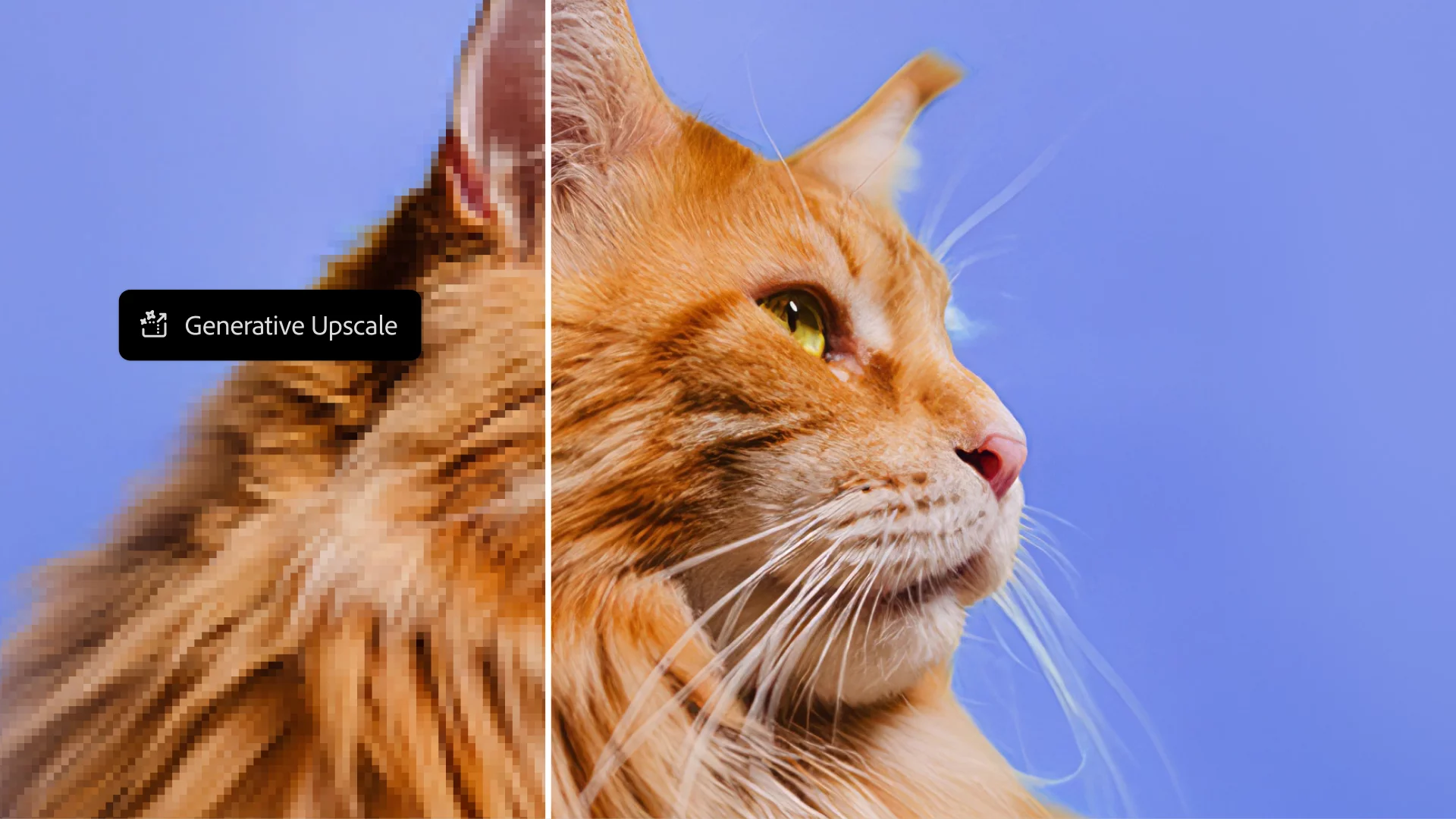
No latency or GPU-use metrics are published, and Adobe does not specify which Topaz model is integrated. Professionals familiar with Topaz Gigapixel AI will likely expect similar results but should confirm bit-depth and colour-space handling before production use. As like all the other AI features, this requires Credits, but the price structure confused us. Have a look for yourself here: https://helpx.adobe.com/creative-cloud/apps/generative-ai/generative-credits-faq.html
Selectable AI partners in Generative Fill
Photoshop’s Generative Fill feature now supports partner AI models. Users can choose from multiple providers instead of the single Firefly model previously used. Adobe positions this as giving “more creative control”, but names or specifications of those partner models are not disclosed.
Until full model documentation appears, the provenance and licensing of AI-generated pixels remain opaque — relevant for studios with legal compliance requirements.
Firefly video generation
Adobe extends Firefly integration to include video generation from Photoshop assets. Users can now “generate videos with Firefly using Photoshop assets”, according to the release notes. The workflow steps are not fully detailed; the documentation does not state whether this function launches the Firefly web interface, exports image sequences, or renders directly from Photoshop. Functionality is therefore not independently verified at press time.
Adobe Stock access and cloud export
Version 27.0 introduces direct Adobe Stock browsing within Photoshop, reducing context switches to the browser. Users can drag licensed images directly into the canvas. The new cloud export function enables saving Photoshop assets directly to Adobe’s cloud storage, ostensibly improving collaboration between desktop and web versions. File-version control and metadata retention are not described, and the downloadable amount is determind by ones subscription.

Non-destructive colour and vibrance adjustments
Adobe adds new adjustment layers for Colour and Vibrance, offering non-destructive control over saturation and tone. While these parameters existed in previous versions, the new layers let colourists and retouchers modify them in a more modular way, comparable to Curves or Levels adjustments.
Smarter Select Subject and Remove Background
Adobe claims improved accuracy and speed for the Select Subject and Remove Background tools. No benchmark data accompany this statement. In practice, artists should re-evaluate masking accuracy on hair, transparent fabrics and edge blends before trusting the update in production composites.
What remains unclear
At press time, Adobe has not published a changelog covering bug fixes, performance metrics, or system requirement changes for version 27.0. The Helpx page lists new features but omits revision numbers, GPU driver requirements and compatibility notes for plug-ins or scripts. There is no explicit mention of changes to the PSD/PSB file format or to Smart Object behaviour, both common sources of incompatibility in new major versions.
Impact on production
Photoshop 27.0’s most relevant additions are Harmonise and Generative Upscale. Both could reduce time spent matching inserts or preparing source plates, provided their results are deterministic and colour-accurate, and you have enough credits remaing in your account.
However, the update introduces new AI dependencies (partner models, Firefly video, and Topaz integration) which could affect reproducibility and licensing. Studios operating under strict data-protection or content-authenticity guidelines should verify output provenance before deployment.
Testing should focus on:
- Round-trip fidelity with After Effects, Nuke and Resolve.
- Bit-depth and colour-management in the new adjustment layers.
- Automation scripts referencing Photoshop version numbers.
- Plug-in compatibility, particularly GPU-accelerated filters.
Recommendation
Install Photoshop 27.0 on a non-critical workstation first. Run controlled tests on your core image sequences and plug-ins. Verify that file I/O, bit-depth handling and scripting APIs behave identically to 26.x before rolling out studio-wide.
As always, version numbers are less important than stability. A feature labelled “Generative Upscale” might save you hours or cost them if colour shifts go unnoticed. Innovations should always be tested before use in production environments.
