



Since CERN hasn’t yet opened a black hole under Switzerland, After Effects users may as well make their own. ProductionCrate has released Crates Black Hole, a free plugin that turns your timeline into a gravitational field. It’s part of the LaForge Suite, a collection of experimental VFX tools distributed through the ProductionCrate Portal app.
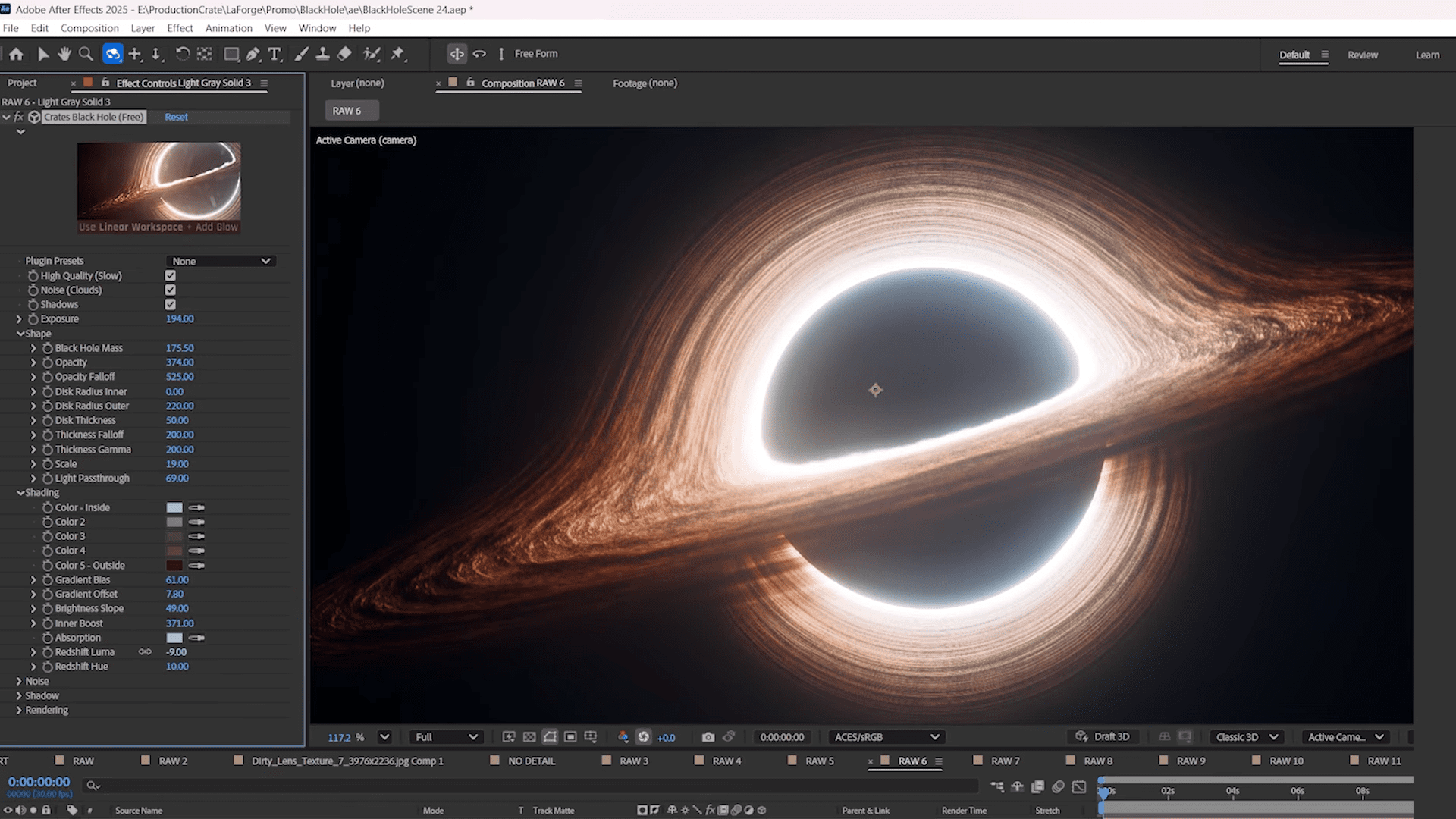
The plugin simulates relativistic lensing and accretion discs using a ray-marching algorithm. You can tweak physical parameters like mass, disc thickness, colour gradient, and absorption colour. The results range from physically inspired to gloriously implausible. Built-in volumetric fog and shadow casting add three-dimensional depth without leaving After Effects.
The recommended workflow uses OCIO colour management and 32-bit linear colour space to ensure the glow behaves like something that might have escaped from physics class. High-quality and default render modes allow users to trade precision for speed.
Black Hole Accretion and reflection
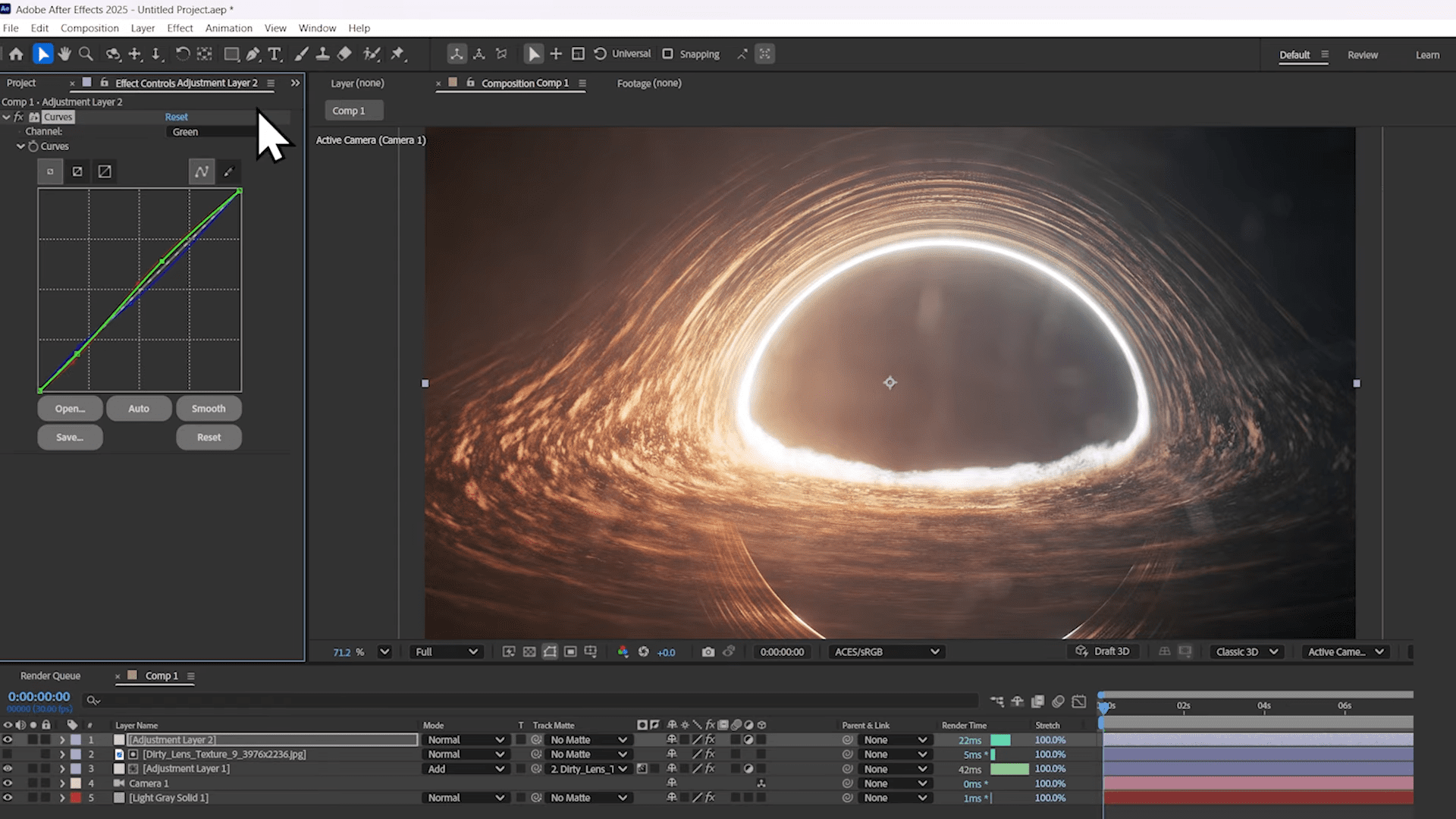
ProductionCrate’s demo suggests enhancing the effect with its Easy Glow plugin and dirty-lens overlays for a more cinematic look (Have your own interstellar at home!). The combination produces the faint grime, colour drift, and saturation roll-off characteristic of high-energy photography or a very very very very expensive and difficult to use telescope. The plugin allows chromatic aberration, curve-based colour shaping, and per-channel gradient biasing for the accretion disc. You can even simulate Doppler redshift, giving the illusion of orbital velocity differences across the disc.
Density and data
Crates Black Hole’s volumetric fog uses ray-marched shadows with adjustable step count, strength, softness, and falloff. Disc opacity, outer radius, and density parameters determine how the fog interacts with light. A lower ray-march step size increases quality at the cost of render time. The approach is computationally demanding but produces visuals well beyond traditional glow-and-warp effects. According to ProductionCrate, the system approximates gravitational light bending through iterative ray accumulation. Platform compatibility appears to cover both Windows and macOS under After Effects, though GPU dependencies were not specified and have not been independently verified.
Black Hole presets and controls
The plugin ships with preset configurations that demonstrate a variety of disc and fog behaviours. Each can be adjusted in real time within After Effects, with camera linking for orbital fly-throughs. Installation is handled through the ProductionCrate Portal, which also manages updates for other LaForge tools. A free ProductionCrate account is required.
Render quality can be increased by adjusting ray-march step size or maximum disc multiplier, both of which affect detail and smoothness. It is recommended to preview at low settings before switching to high quality for final renders.
Verdict: attractive forces
Crates Black Hole brings a dose of theoretical astrophysics and some fun to everyday compositing. Its physically-based ray marching and volumetric fog give After Effects users a taste of simulation-grade rendering without leaving Adobe’s 2D universe. Performance depends on system specs, but the results are striking. Particularly for a free plugin.
DP is reviewing the other tools in the LaForge Suite to assess their production potential. Keep your eyes open forthat. And until CERN changes its mind, this plugin remains the most practical way to bend light and time in postproduction. Test it carefully before deploying to the pipeline, and remember: in After Effects, nothing escapes the event horizon faster than your render time.
By the way, writing this news gave us a full-day earworm. Not difficult to guess, with our age, but here you go. The video still rocks, surprisingly.
