



3Dconnexion, who also produce the only legitimate professional left-handed mouse, are currently in the process of adapting the Unreal Engine and the SpaceMouse to each other – and we asked Robert Stadie, Product Manager at 3Dconnexion. We wanted to know how 3Dconnexion has adapted the efficiency hardware – and why it makes sense for Unreal users to purchase it. If you want to take a look at the devices, you can find the range here 3dconnexion.de, including 3D views and more information on the supported tools.
It doesn’t stop at Unreal: At the current stage, the following are also supported (in a selection): Unity, iClone, Substance 3D Painter, Zbrush, Blender, Rhinoceros, 3ds Max, Maya, Cinema 4D, Twinmotion, 3DCoat, Zephyr, CryENGINE, DAZ Studio, Houdini, KeyShot, LightWave 3D, Modo, Moment of Inspiration, Mudbox, Photoshop, Poser, VUE, and many more..

DP: Hello Robert! How is it that 3Dconnexion, which is normally in the CAD/engineering environment, is now suddenly involved in the Unreal Engine?
Robert Stadie: The SpaceMouse was originally developed for the aerospace industry and has been used in CAD for several decades. For many engineers, the SpaceMouse is an essential tool, as it significantly simplifies and accelerates the control of 3D models in space.
The requirements in the creative sector are very similar in this respect or even go beyond this – as not only individual objects but also entire scenes are edited and navigated through. There is simply no easier way to do this than with the SpaceMouse. This was also the feedback at Siggraph from numerous visitors to the stand who tried out the SpaceMouse for the first time: The digital artists were particularly enthusiastic about the 3D navigation.
It was a completely new experience for them to control the view with small hand movements and work in parallel with a 2D mouse or pen tablet. According to power users, level design and camera work are much more efficient and things like real-time recording can be realised much more quickly and easily. According to their own estimates, power users save around 10 to 20 per cent of their workload. Easier control, intuitive positioning and less muscle strain were also cited as advantages by game developers.
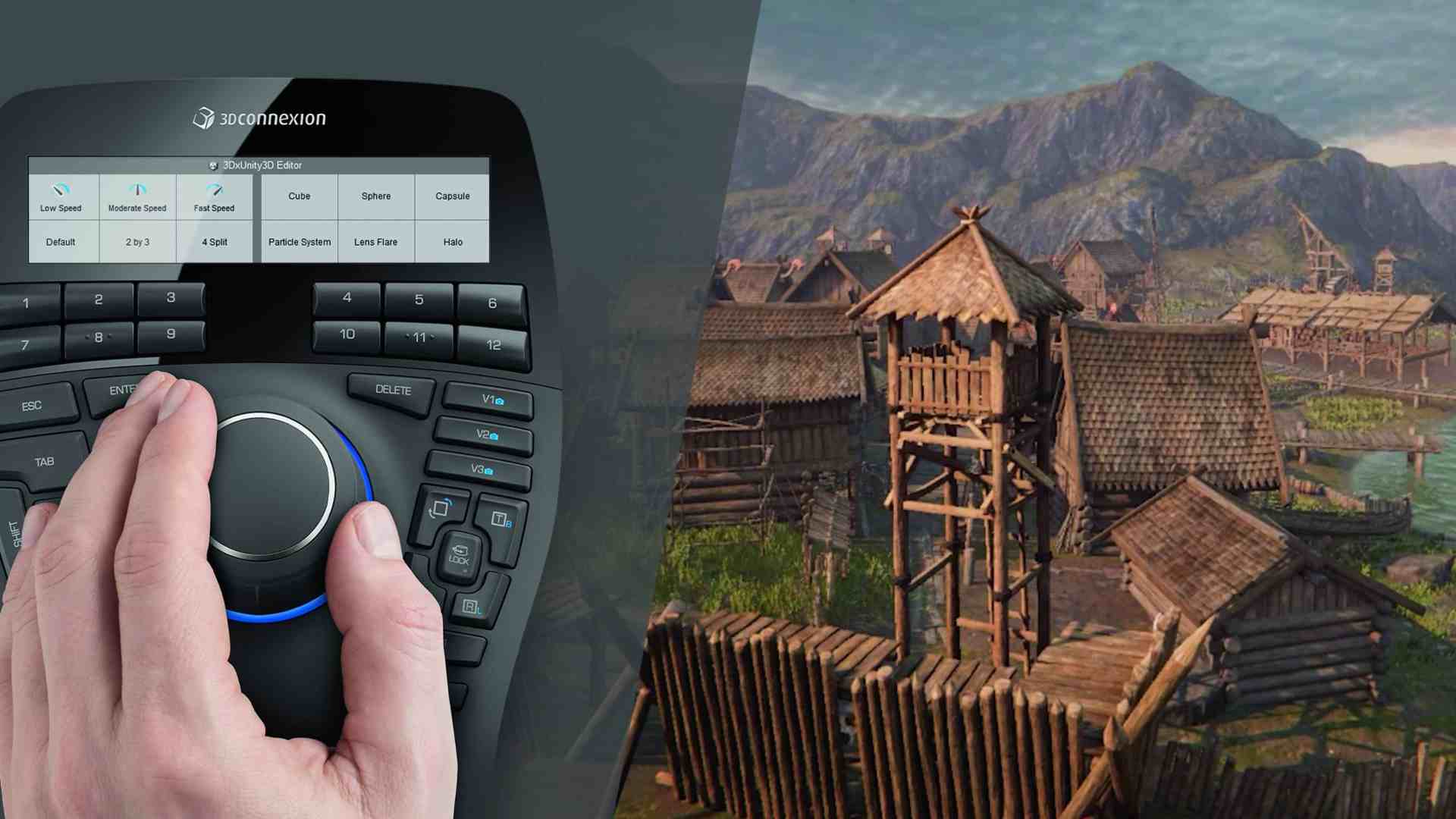
Many users are already familiar with the advantages of our devices from applications such as 3ds Max, Maya, ZBrush or Substance Painter 3D. They have made it very clear to us that they would like to see integration in other applications. With the support of Epic Games, we were able to develop a corresponding plug-in and also support Twinmotion.
DP: And how does the SpaceMouse work?
Robert Stadie: The SpaceMouse has the advantage that I can rotate, pan and tilt my view in all directions at the same time, allowing me to move intuitively through scenes. I can select different modes depending on what I want to do. If I want to take a closer look at individual assets, this is more likely to be done in object mode, as in the CAD area. If I want to look at an entire scene, I prefer to use camera or helicopter mode.
If I want to have a real reference to the size of the scene, I use walk mode. In walk mode, I always have a fixed distance to the ground and can therefore walk through my level. This gives me a feel for the dimensions. The SpaceMouse also enables a two-handed working style, which is much more efficient and, thanks to the symmetrical posture, noticeably more comfortable and better for your health.
DP: And how do the SpaceMouse Enterprise, SpaceMouse Pro and SpaceMouse Compact models differ?
Robert Stadie: As far as navigation is concerned, all SpaceMouse products behave in the same way. The controller cap is the centrepiece of our devices and a component of every SpaceMouse model. The SpaceMouse Compact is the smallest model and is designed for mobile use or for tasks where 3D control takes centre stage. The SpaceMouse Pro has additional buttons that can be assigned useful functions. The significantly better ergonomics should also be mentioned here. The hand rest makes working much more comfortable, especially during long sessions. The SpaceMouse Enterprise, our high-end device, offers the most options. In addition to the QuickView buttons, it also has CustomView buttons and twelve intelligent function buttons with an integrated display
Display.
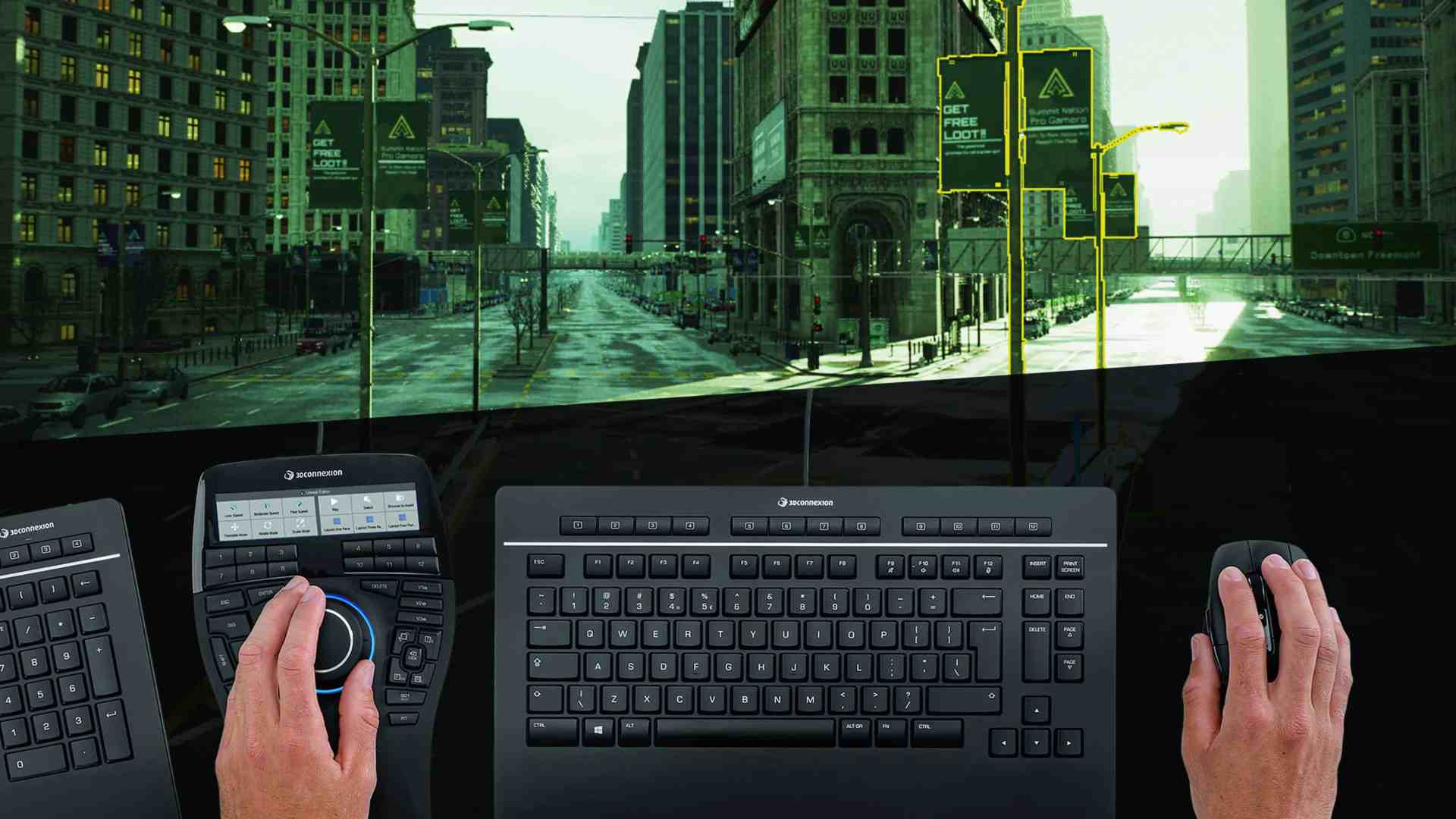
These automatically adapt to the respective working environment, i.e. when I switch to Cinema 4D, Maya or MS Office applications, for example, the app-related commands are displayed. The buttons are preconfigured, but can also be assigned individually.
DP: So I can look around – and customise it precisely. Can I also interact with the scene?
Robert Stadie: That’s basically exactly what makes the 3D mouse so successful in other areas. During navigation, objects can be selected and immediately brought into focus using the fit button, for example. You can then use the function keys to switch very quickly between the “move”, “scale” or “rotate” commands and adjust the scene as it should be. Custom view buttons can also be used to save a total of three defined positions in the scene, which can be called up again immediately by simply pressing a button.
DP: So these custom views could simply be a kind of “pipeline/todo” list?
Robert Stadie: Yes, you can definitely use the CustomViews in this way. The simple access gives us the opportunity to jump back to the point where we are doing our main work at any time. The CustomViews can be reset at any time to jump back and forth between different views.
DP: How can I customise the modes for my personal workflow? And are there ways to integrate other tools from the Unreal ecosystem?
Robert Stadie: The navigation modes can be changed at any time to position yourself correctly and adapt them to your workflow. All commands from the Unreal Engine are integrated in the driver. Thanks to our command search, the respective functions can be found quickly and assigned to the buttons or a radial menu.
DP: If I already have a SpaceMouse Enterprise, how can I activate it?
Robert Stadie: It is best to always keep the driver as up-to-date as possible, as we are constantly responding to user feedback, fixing bugs and adding new features. The latest driver can be easily downloaded from our website: bit.ly/3dconnexion_drivers
DP: And if someone thinks of or notices a feature or bug, where can they turn?
Robert Stadie: The quickest way to do this is our feedback forum under 3Dconnexion Home in the driver software. The feedback is analysed here directly by the product team and forwarded to the development department. If you want, you can also take part in our Insider Programme and try out new features in advance.
DP: Which features have already been incorporated since the first version, and what is your approximate roadmap?
Robert Stadie: In response to user feedback, we have, for example, added support for virtual production templates, which was initially not available. Our current focus is on expanding the integrations in the Media & Entertainment area. We are also seeing increased demand from our “traditional” customers who use game engines in the professional engineering environment. This is certainly an exciting development.
However, we are also focussing on other markets and will increasingly work on developing and improving corresponding software integrations in order to create a consistent user experience across the entire workflow. We are also continuously developing our product portfolio.
