



Table of Contents Show
In recent years, Foundry has not only tightened up the release schedule considerably, but also made it much more regular. Nevertheless, version 14 is not a maintenance update, quite the opposite. Not only are new features being added, but in some areas the existing ones are being shaken up. The biggest and most important area is probably the 3D system, which has been completely overhauled.
Cutting off old habits
Sometimes the time has come to make a clear cut. Even as a software developer, it becomes increasingly difficult over the years to work on the same old architecture. With version 14, Foundry therefore decided to rewrite the 3D system, which has always been one of the core elements of the software, from scratch. In order to be well equipped for the coming years, USD (Universal Scene Description) was chosen as the basis. USD not only offers massive leaps in performance, but is also being supported by more and more other manufacturers.
To accommodate larger pipelines, it will be possible to select your own version of USD to use, regardless of the version of Nuke you are using. However, those who do not use USD in their pipeline should not have any disadvantages compared to the previous system, as everything that the new 3D system requires is already fully integrated in Nuke. As such a changeover is of course a big step, the old 3D system is not being retired just yet. It is still available in Nuke for now and, perhaps more importantly, the new system is currently in beta.
Why USD?
Better performance alone is a nice effect, but there were more reasons for switching to the USD-based system. A major Achilles heel of the old system was the handling of large imported geometries, where there was no way to isolate individual parts and edit them individually. The new Scene Graph and Path and Mask Knobs form the basis for this.
The Scene Graph
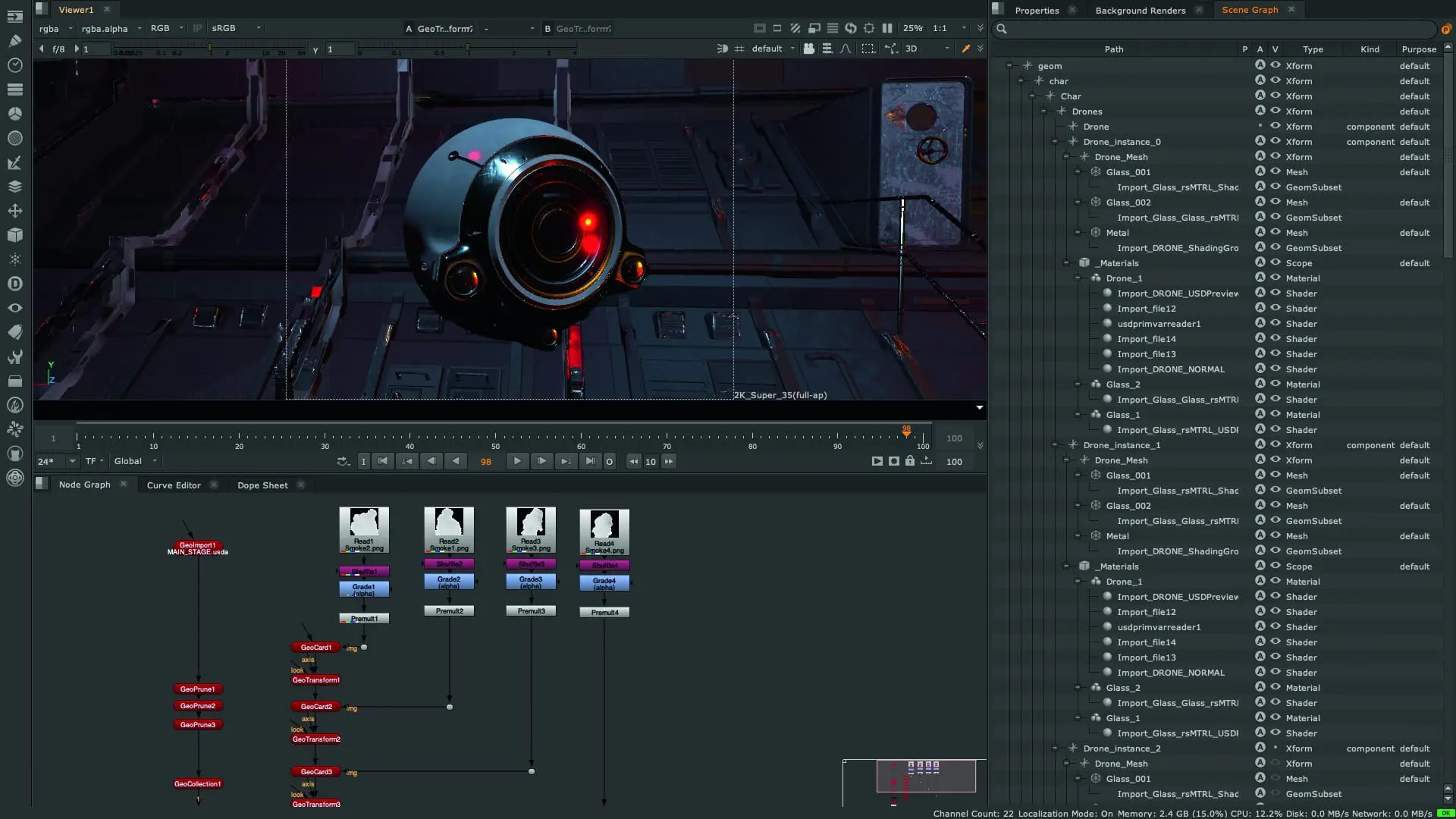
To organise everything from objects and materials to cameras and lights effectively and uniformly, there is a new panel in Nuke 14 called “Scene Graph”. Here you can find all the objects in a scene in a hierarchical structure and can name them (with a new token system if desired), switch them on and off and create dependencies. The Scene Graph and Viewer are closely linked and objects selected in the Viewer are also selected in the Scene Graph and vice versa. A search function is also integrated.
Path and Masks Knobs
All nodes in the new 3D system that generate or import geometry now have a path as an entry, which simply refers to the name of the node by default. However, it is linked directly to the scene graph and can also access the token system. This means that more complex scenes can be named more quickly and cleanly and dependencies can also be created via the path without having to play connection limbo in the node tree.

The name “Mask Knob” is somewhat misleading, as it is actually a way of defining which objects in a scene should be influenced by a modifier node such as a GeoTransfom. The new default behaviour now looks like this: If you insert a node below another node, the result of the last node is affected – no longer the entire stream. However, if you want the new node to influence several objects, you can assign it to the mask knob from the scene graph or via an expression.

USD Lights and Materials
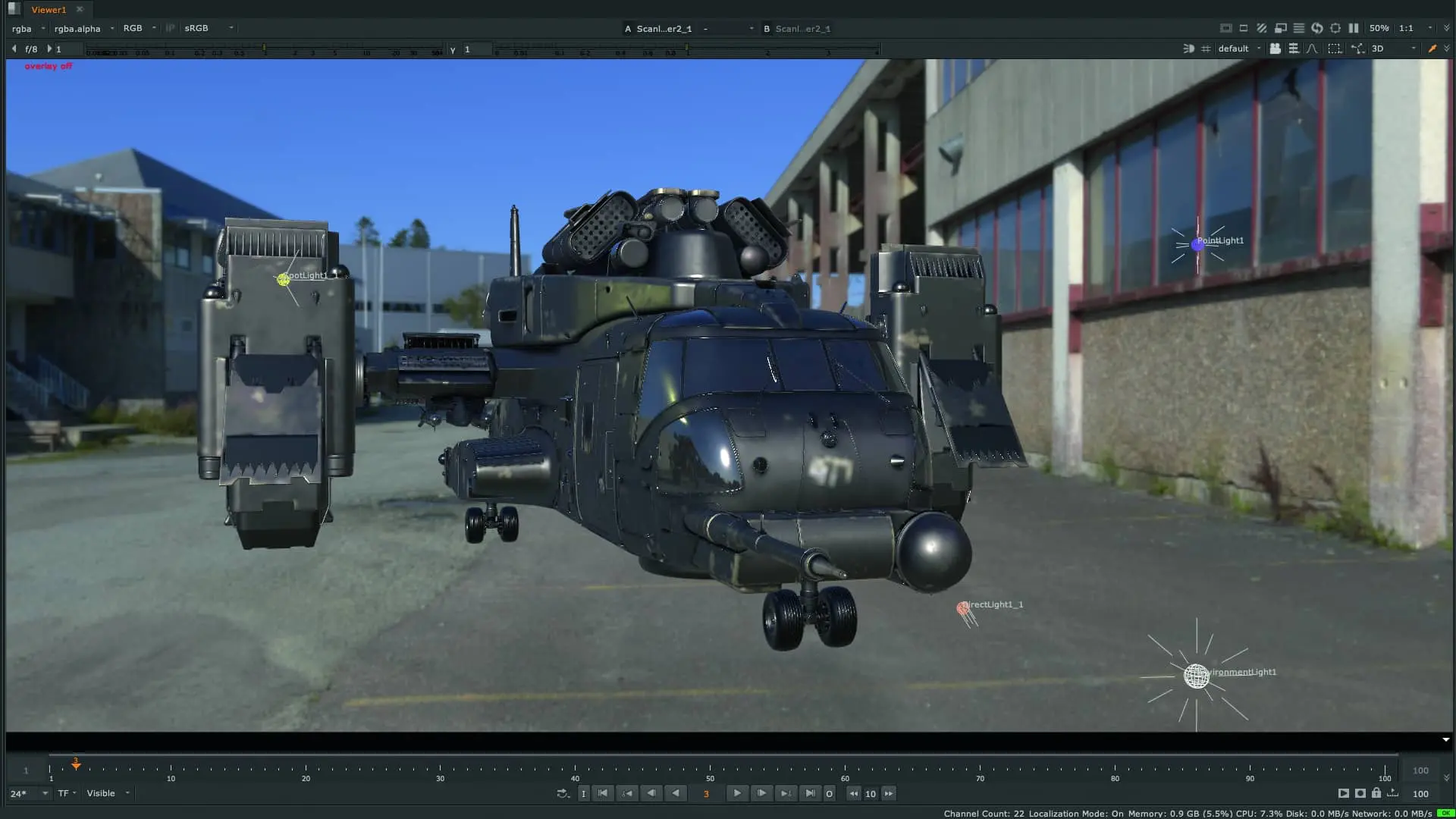
If USD-based geometries are imported into the new system, lights and materials are now displayed correctly and thus provide a better preview of the actual asset. The new Preview Surface Node is a new way to create more complex materials within Nuke and is seen by developers as the first step in a development that is progressing through beta. There are also new USD Lights. Unlike the old system, lights are no longer converted into Nuke’s own format, but are displayed exactly as they looked in the USD-based DCC software they came from.
Old and new
As already mentioned, the old and the new system will both populate the Node Graph for the time being. However, they are not compatible with each other. The old nodes retain both their name and their colour, while the new ones stand out with a new nomenclature (TransformGeo is now called GeoTransform) and a green that complements the old red. They also appear with a small “Beta” notice. Speaking of beta: Foundry wants to use this beta to actively incorporate feedback from the community, which is why there is now also a forum on the Foundry site for the new 3D system.
Unreal
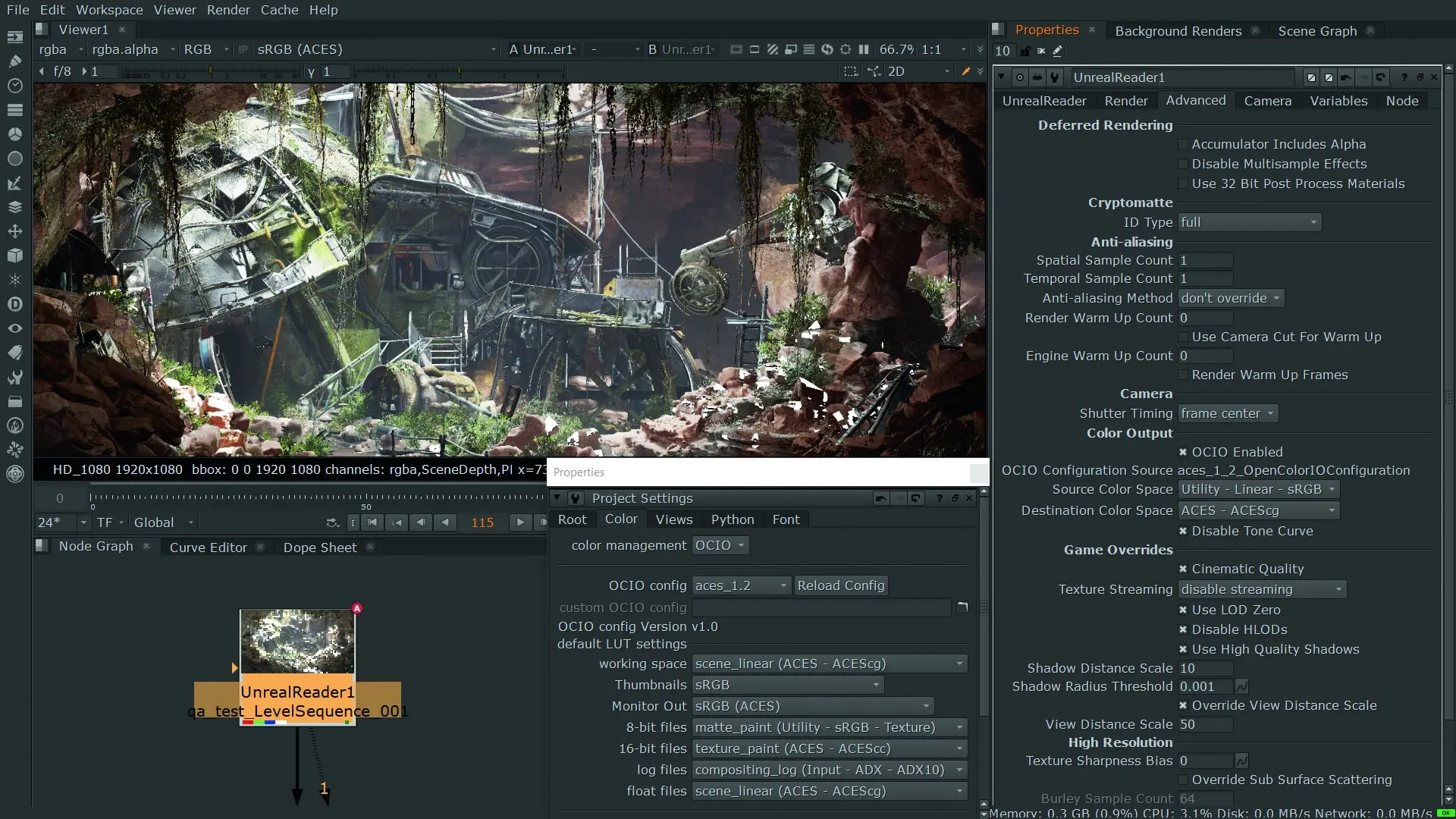
The Unreal Reader Node for Nuke X and Nuke Indie is completely out of beta. It can be used to transfer maps and sequences directly from an Unreal Editor session to Nuke. To do this, a “Nuke Server” plugin must be installed in Unreal, which then provides the session for Nuke. From here, the artist can have exactly the channels and passes that he needs made available, as everything is provided “on-demand” by Unreal. Various types of crypto matte can also be requested. The current OCIO colour transforms are also supported.
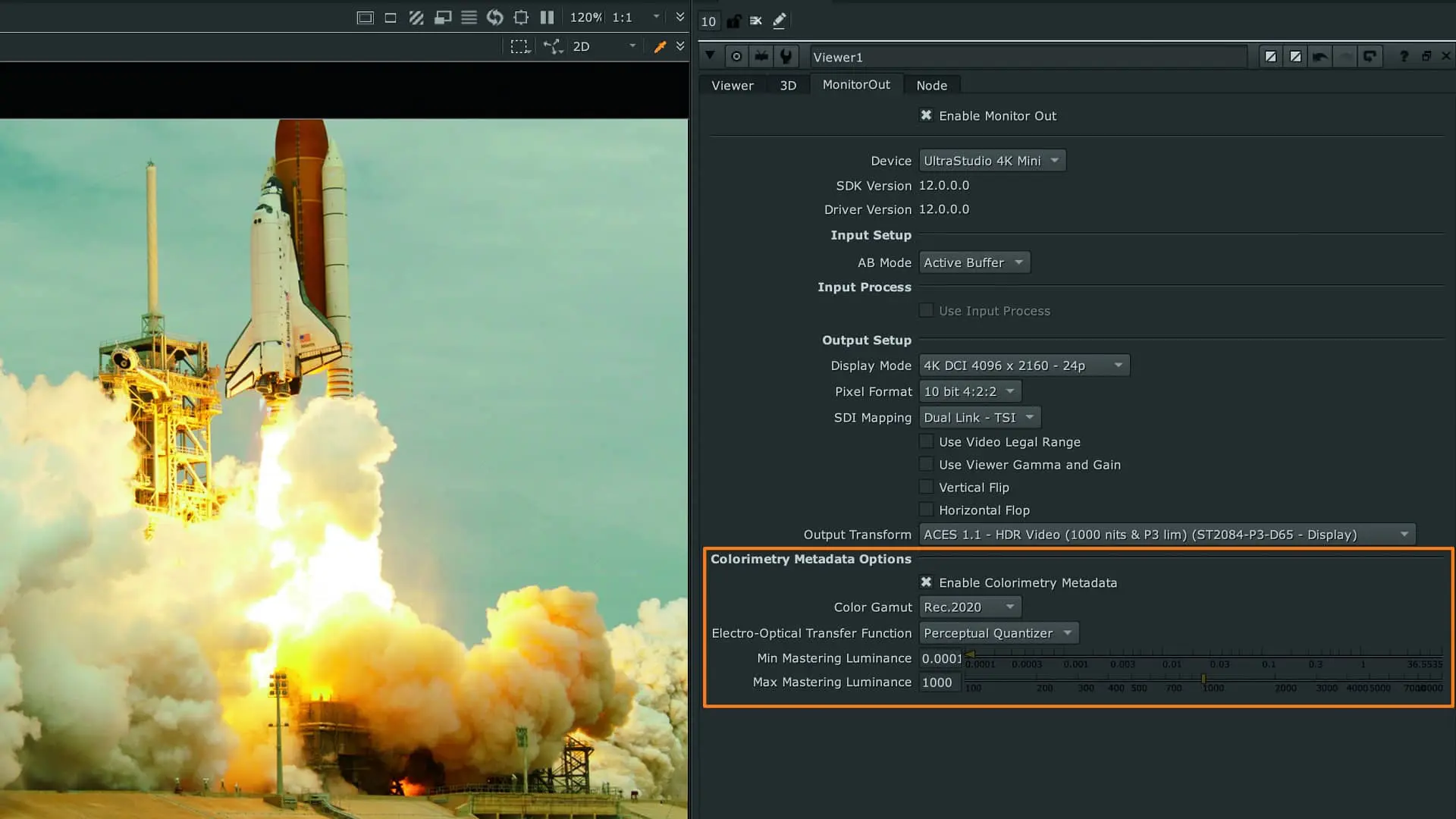
Cameras can be synchronised with the Unreal session as well as replaced by Nuke. The whole thing works non-destructively for the Unreal session, so that you now have the freedom to position the camera slightly differently in Nuke than in Unreal. If you are happy with your result and want to make sure that further changes to the Unreal session are not passed on to Nuke, you can generate an EXR sequence of all requested channels and passes from the Unreal Reader Node.
A particularly nice feature is the stencil mode, which allows you to split individual objects in the Unreal scene into separate layers. Even shadows and occluding objects can be removed. You also have the option of rendering the Nuke scene as a CubeMap, which allows you to transform your scene into a Lat:Long image or an Environment Sphere in Nuke.

The cat gets a new home
The machine learning tool “Copycat” is getting a major performance boost. Ten to twenty per cent faster learning should be possible on current Nvidia cards. The automated rotoscoping of human bodies has been accelerated even further. New setting options should dramatically speed up training here. Finally, users now have the option of displaying only the thumbnails relevant to them in the LayerContactSheet view for training.
Outside of Nuke, Foundry has created the “Cattery”, a free repository where copycat files contributed by the community can be downloaded. The whole thing is sorted by category and will hopefully continue to grow over the coming months.

Bokeh
Foundry acquired the rights to PG Bokeh from Perigrine Labs. This popular depth of field tool is natively available in all Nuke versions from version 14.02 onwards. PG Bokeh has already been used in many major productions and is the only depth-of-field tool that can be combined with deep compositing.

Login-Based Licence
Nuke 14 offers Foundry customers a further option for managing their own licence or licences. In addition to the classic node-locked licence or an RLM-based server licence, you can now also opt for a login-based licence. Artists can log in with their email address and a password to activate their licence. This makes it much easier to take a licence to the home office.
The online platform also offers numerous options for managing multiple licences for teams. Foundry emphasises that this licence model is purely optional and anyone who doesn’t want to switch doesn’t have to. This is also important for anyone who still has to work in parallel with older versions of Nuke, as the login is only available with Nuke 14.
Subscription
Subscription is always a double-edged sword. Some see greater flexibility, more predictable costs and the opportunity to get started without a major investment, while others simply see subscriptions as a “money grab”. The Foundry is now also offering the Nuke Family as an annual subscription. The prices are as follows: Nuke costs customers 2,699 Eur per annum, Nuke X 4,099 EUR and Nuke Studio a whopping 4,999 EUR.
As with all Foundry products, there is no monthly subscription model and unfortunately – unlike other products – no monthly payment option. Although there is still the option of quarterly rental, the prices here are not really attractive – they are over fifty per cent of the annual subscription. Existing customers still have the option of purchasing the previous “perpetual licences” until the end of the calendar year and then continue to receive maintenance for them. However, Foundry has also tightened the price screw here: Nuke now costs EUR 5,118, Nuke X EUR 9,758 and Nuke Studio EUR 11,358.

Conclusion
With the new 3D system, Nuke 14 lays the foundation for the coming years and sets a future-proof standard with USD. The system of making a feature available to the user base as a beta for one release and then bringing it out as a final in the next release or the one after that has already worked well in the past with the Unreal Reader or with the sync sessions in Nuke Studio and Hiero(Player). The Unreal Reader may only be of interest to a certain target group at the moment, but the more popular virtual production becomes, the more comp artists will have to deal with Unreal. They have the basis now.
Copycat gets a nice, comprehensive product maintenance – important, because Nuke’s approach to machine learning only works as long as it is regularly updated. The fact that all Nuke users now have PG Bokeh on board is really pleasing – especially because of the support for deep compositing. The login-based licence system will certainly provide more flexibility in the medium term.
One criticism is that, once again, the small Nuke – without X – has hardly any features – of course the new 3D system is also being introduced here. But apart from the bokeh, all the new features are limited to Nuke X and Studio. Copycat is still a feature that is reserved for Windows and Linux users due to its close integration with NVIDIA.
It remains to be seen whether the announced port to Apple Silicone will also let the cats jump over the Mac. And last but not least, the switch to subscription will not be greeted favourably everywhere in the community. For larger VFX studios in the feature sector, an annual subscription may actually offer more flexibility in scaling the pipeline. Customers in the advertising sector and freelancers, on the other hand, will not find an attractive offer here to be able to react appropriately in an ever faster changing market.
