


![A group of people in various poses, with a focus on a woman in white attire, overlayed with the text 'SWITCHX' and the tagline 'SWITCH [ANYTHING]. KEEP WHAT MATTERS.' The scene is set against a beach background at dusk.](https://i0.wp.com/digitalproduction.com/wp-content/uploads/2026/02/beeble-switchx-hero.png?resize=110%2C110&quality=72&ssl=1 "a group of people in various poses with a focus on a woman in white attire overlayed with the text switchx and the tagline switch anything keep what matters the scene is set against a beach background at dusk digital production")


Blackmagic Design has officially released DaVinci Resolve 19. After an intensive beta phase, the final version of the post-production software is now available for download. The new version offers many enhanced features that have been specially optimised for professional users in the areas of VFX, colour correction and audio development.
Colour correction, editing and VFX: New tools and improvements
DaVinci Resolve 19 brings numerous improvements to the workflow. The extended Cut Page enables faster multi-cam edits and more efficient work. The optimised colour correction tools and the improved DaVinci Neural Engine stand out in particular. The Neural Engine now offers more precise face recognition and automatic tracking, making it easier to work on complex visual effects.
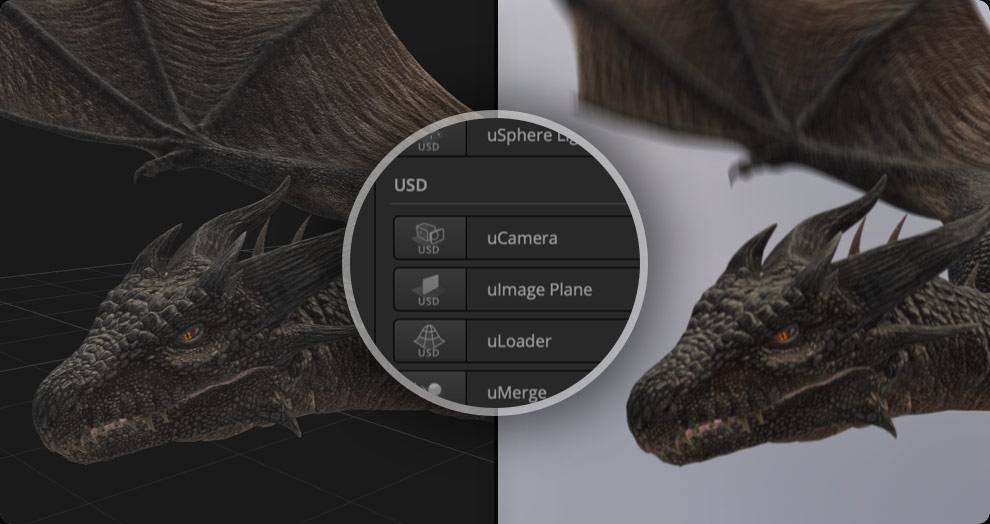
The Fusion Page for VFX and Motion Graphics has also been significantly improved. In addition to support for USD files, the new keying tools and enhanced 3D rendering functions speed up the creation of visual effects and animations. In addition, DaVinci Resolve 19 now supports OpenFX plug-ins, allowing the software to be customised even more flexibly to individual requirements. For audio professionals, the Fairlight Audio Page offers new features such as an improved audio engine and support for Dolby Atmos.
DaVinci Resolve 19 offers innovative AI-supported functions such as automatic scene recognition, which significantly speed up the editing process. In the colour grading area, there is now an HDR grading mode and an improved curve editor. These tools enable finer adjustments and extended creative control over the image material. For teams working together on projects, the software offers improved collaboration functions. Users can work on the same project in real time and changes are synchronised immediately. This is particularly helpful for productions where editors, VFX artists and colourists work on different tasks in parallel.
Pricing and licence models
DaVinci Resolve 19 is available in a free version, which is ideal for smaller projects. The paid DaVinci Resolve Studio version offers advanced features and is available for a one-off price of USD 295. Existing users of the Studio version of DaVinci Resolve 18 will receive a free upgrade.
Further information can be found on the Blackmagic Design website and in the official documentation for DaVinci Resolve 19.
You can find more information about the new version and the official documentation on the Blackmagic Design website and in the official documentation for DaVinci Resolve 19. And our colleagues at Slashcam have put together an overview of ALL the functions that have been added.
