



Blender’s renderer landscape just got more crowded. Chaos has officially released V-Ray for Blender, giving Blender users the same production-proven renderer found in top-tier VFX, animation, and archviz studios—natively. No more pipeline hackery, no more bridging via Maya or 3ds Max, no more Beta. This time it’s the real deal: integrated, award-winning, and aiming straight for daily use in professional pipelines.
V-Ray’s native Blender integration supports everything the Emmy and Academy Award-winning renderer is famous for: photorealistic scenes, stylized looks, and enough controls to satisfy the most fussy lighting TD. Artists can mimic real-world cameras and lighting effects with Chaos’ physically based global illumination—no manual ray-bouncing required. Adaptive lighting and physically based (PBR) materials optimize render times automatically, zeroing processing power in on the most important pixels. For those who value speed (read: everyone on deadline), that’s an efficiency boost without apparent quality loss.
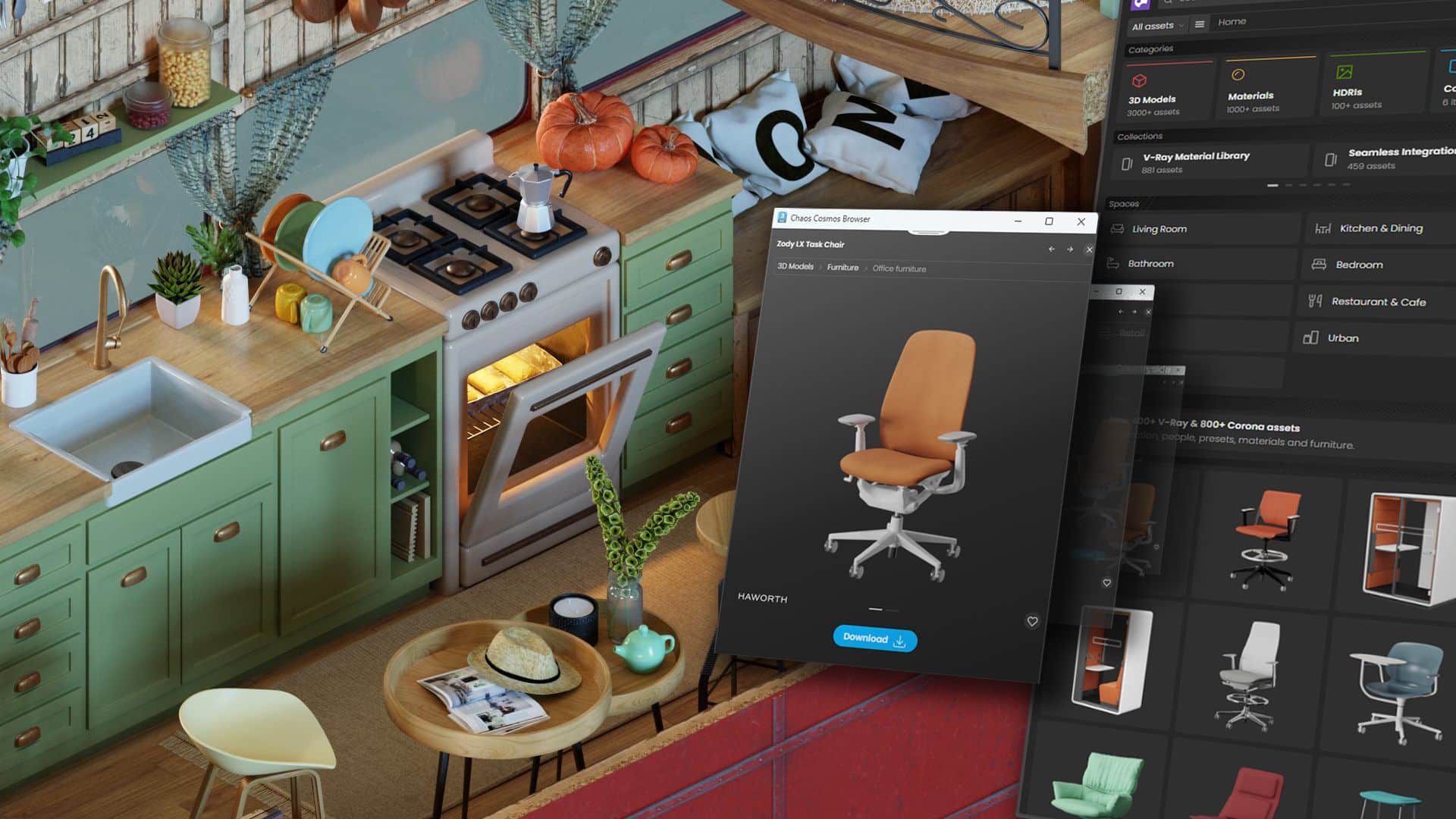
No Asset FOMO: 5,600+ Free Chaos Cosmos Assets
Users are not left assetless: Chaos Cosmos is baked in, with over 5,600 free, ready-to-use models, materials, and HDRIs, directly accessible within Blender. In other words, you can stop Googling for “free chair model FBX” and focus on shot work. All assets drop right into scenes and play nicely with V-Ray’s materials and lighting.

Noise-Free Rendering and Post—All Inside Blender
Rendering is, as expected, flexible. V-Ray for Blender supports CPU, GPU, and hybrid rendering—choose your pain, or let your workstation sweat on all cylinders. For viewport previews, there’s noise-free interactive rendering with both the NVIDIA AI Denoiser and Intel Open Image Denoiser. When final pixel peeping is required, the V-Ray denoiser delivers clean results for comp. The post-processing tools—color correction, light mix, layer compositing, masking—live inside Blender’s UI, so you’re not forced to roundtrip to other apps unless you really want to.

Cloud Rendering: Now You Can “Delegate” Render Hell
If your workstation is protesting or you just want to avoid hearing the fans, Chaos Cloud{:target=”_blank”} is built in. Send renders to the cloud, free up your hardware, and keep working locally on your next shot. The cloud tools also support annotations and sharing, helping keep teams on the same (virtual) page and reducing the feedback ping-pong.

Universal Scene Files: Export to Any V-Ray DCC
One area where pipelines tend to break—asset handoff—is addressed with universal scene file export. Export your Blender scene as a .vrscene file and import it straight into any other V-Ray-supported DCC, such as Maya, 3ds Max, or Houdini. That means no time-consuming asset conversions, no guessing which shader maps survived translation, and no pipeline “fun” with previz and final rendering. One file, all data, done.

Special Pricing and Availability
Chaos has aimed the price squarely at Blender users: V-Ray for Blender is $33/month or $199/year (about $16.50/month if you do the math). Existing V-Ray license holders get access at no additional cost. The plugin is also bundled in all V-Ray suites and educational pricing is available. At launch, V-Ray for Blender supports Windows 10 and Windows 11.
Platform Support, Company Details
V-Ray for Blender runs on Windows 10 and 11. No word on Linux or macOS at this release—test before rolling out to your whole studio. As always: test any shiny new tool in your own pipeline before committing to it in production.

1 comment
Comments are closed.