



Lighting just got a new shape—yours. With the release of HDR Light Studio 9.1 (build 2025.0711, 17 July 2025), Lightmap has thrown out the rigid light primitives and handed artists a flexible, editable curve. Dubbed Lumi‑Curve, this new feature lets you draw freeform light strokes directly on the Render View, sculpting everything from stylized reflections to complex highlight trails in real time.
What Is Lumi‑Curve?
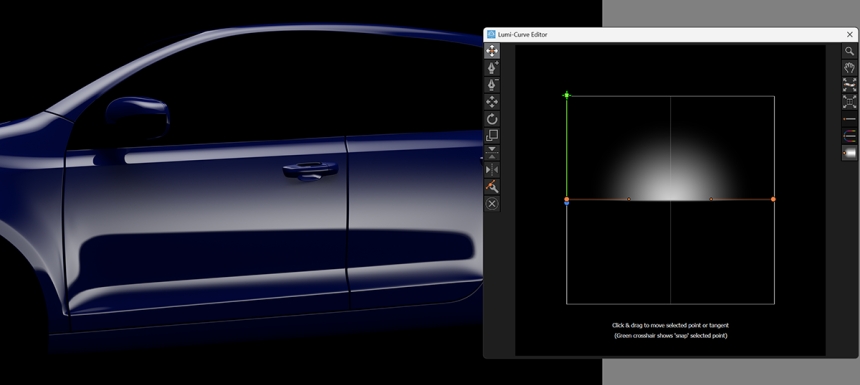
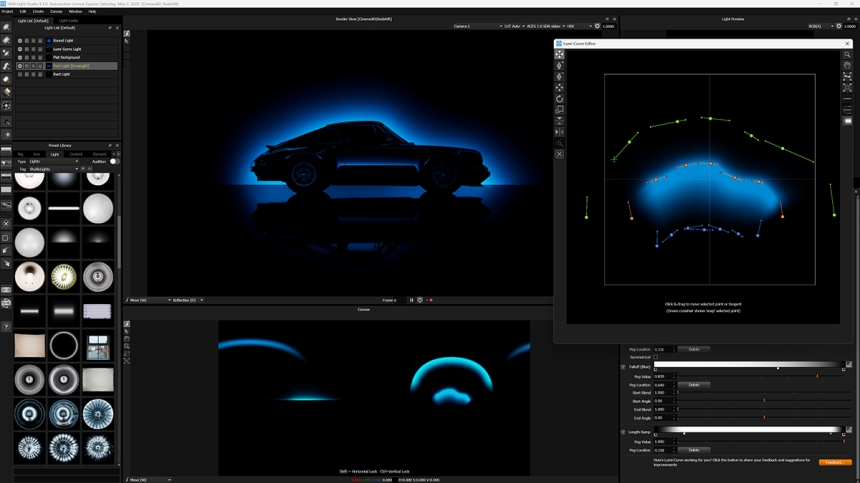
Lumi‑Curve is not another variation on the softbox. It is an entirely new, curve-based light type where the core is a line you plot and edit, not a fixed circle or rectangle. Each side of the curve can be independently softened or sharpened with falloff controls, allowing highly nuanced light gradients. You place control points (nodes) in the Render View, dragging and warping the curve to follow object contours or define unique light paths. The result updates instantly in both the HDR canvas and your connected DCC.
Use Cases: More Than a Pretty Arc
Lumi‑Curve is all about control and creativity where standard HDRI or primitive lights fall flat:
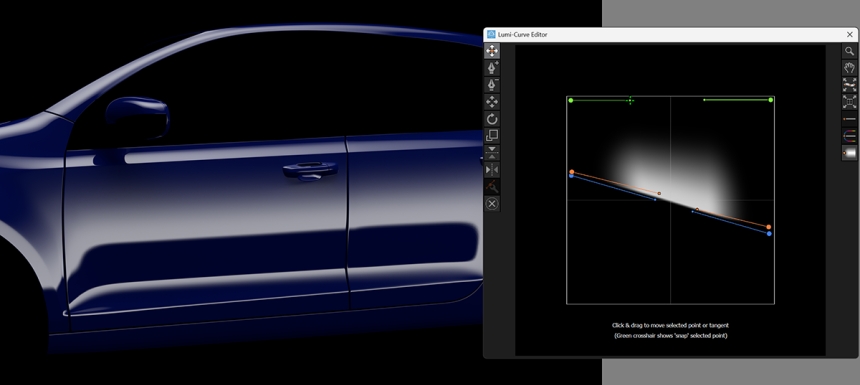
- Shaped Highlights: Create continuous, non-uniform highlights that flow across curved surfaces, eliminating the tiled or disconnected look from stacking multiple round lights.
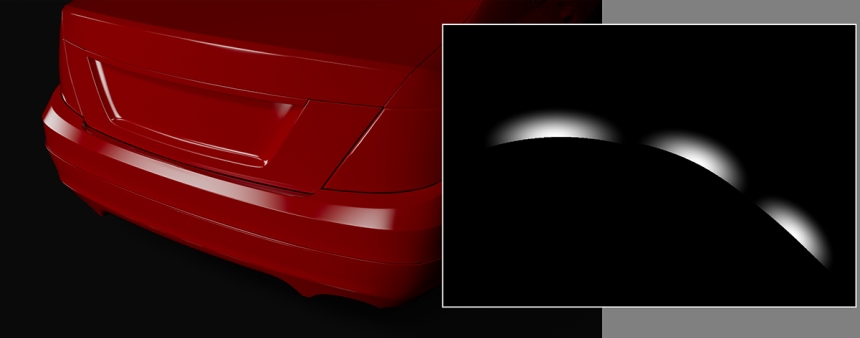
- Glowing Arcs and Trails: Draw arcs behind a model for stylized background glows or graphic accents. When trails overlap, the brightness stacks additively, perfect for dynamic, motion-driven VFX or glossy product renders.
- Projector Mode: Set the curve’s “spread” to zero to turn it into a projected light brush—handy for painting animated highlights that follow the path of your line.
- Non-Linear Horizon Lines: Stretch a Lumi‑Curve across the HDRI canvas to create complex, curved horizon lines or to mask and structure environmental backgrounds. Artists can use these for both soft ambient transitions and hard-edged graphic beams.
Under the Hood: How It Works
- Control Points: Place and move nodes in the Render View to define and refine your curve’s shape.
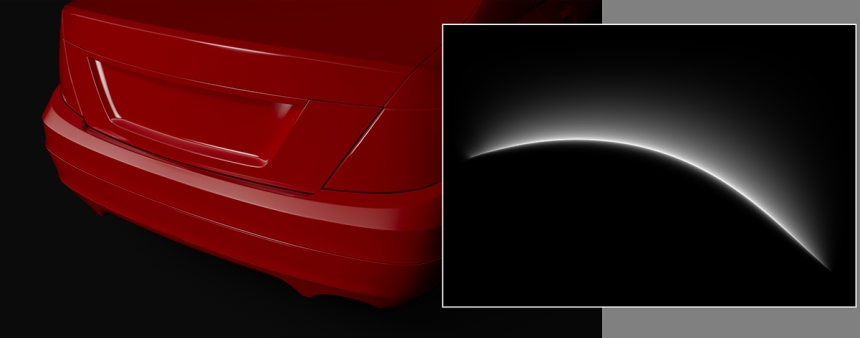
- Falloff Gradients: Adjust the softness or hardness on either side of your curve with precise falloff parameters.
- Real-Time Feedback: See changes live both in HDR Light Studio’s canvas and in any connected DCC (3ds Max, Blender, Maya, Cinema 4D, Houdini, and more).
Platform, Plugins, and Pricing
HDR Light Studio 9.1 runs on Windows 10/11, macOS 11.4+ (Big Sur or later), and CentOS 7.9+ or compatible Linux distributions. Plugin support includes 3ds Max 2023–2026, Blender 3.6.12+ (including Apple Silicon), Cinema 4D 2023–2025, and others—maintaining the broad integration essential for pipeline artists.
Pricing for 2025: the ‘Indie’ tier has been dropped. Pro node-locked licenses are $540/year (up $95), Pro floating $1,140/year (up $165), Automotive node-locked $1,620 (up $125), and Automotive floating $2,460 (up $215). HDR Light Studio remains subscription-only.

The Takeaway: A Lighting Brush for 2025
Lumi‑Curve doesn’t just add a new shape—it changes the act of lighting into an act of drawing. From automotive-grade specular sweeps to stylized trails for motion graphics, the feature’s flexibility supports a new breed of artist-driven light design, all inside the familiar, DCC-linked HDR Light Studio interface.
As always, test new workflows in real production environments to confirm performance, stability, and expected results—especially with heavy HDR scenes and complex DCC links.
Cited Sources:
// Lumi‑Curve reference, features, workflows // Lightmap: Lumi‑Curve Content Reference
// Official release notes, system/platform requirements // Lightmap: HDR Light Studio 9.1.0 Release Notes
