



Table of Contents Show
Meshroom 2025.1 brings pipeline templates (ready-to-use node graphs), a new plugin system with script editor and Meshroom Hub, segmentation nodes for targeted reconstructions, Reflectance Transformation Imaging and Multiview Photometric Stereo, experimental Lidar and point cloud support, Blender preview via ScenePreview, survey point injection from 3D Equalizer, and multiple UI and graph editor improvements.

Templates instead of tinkering
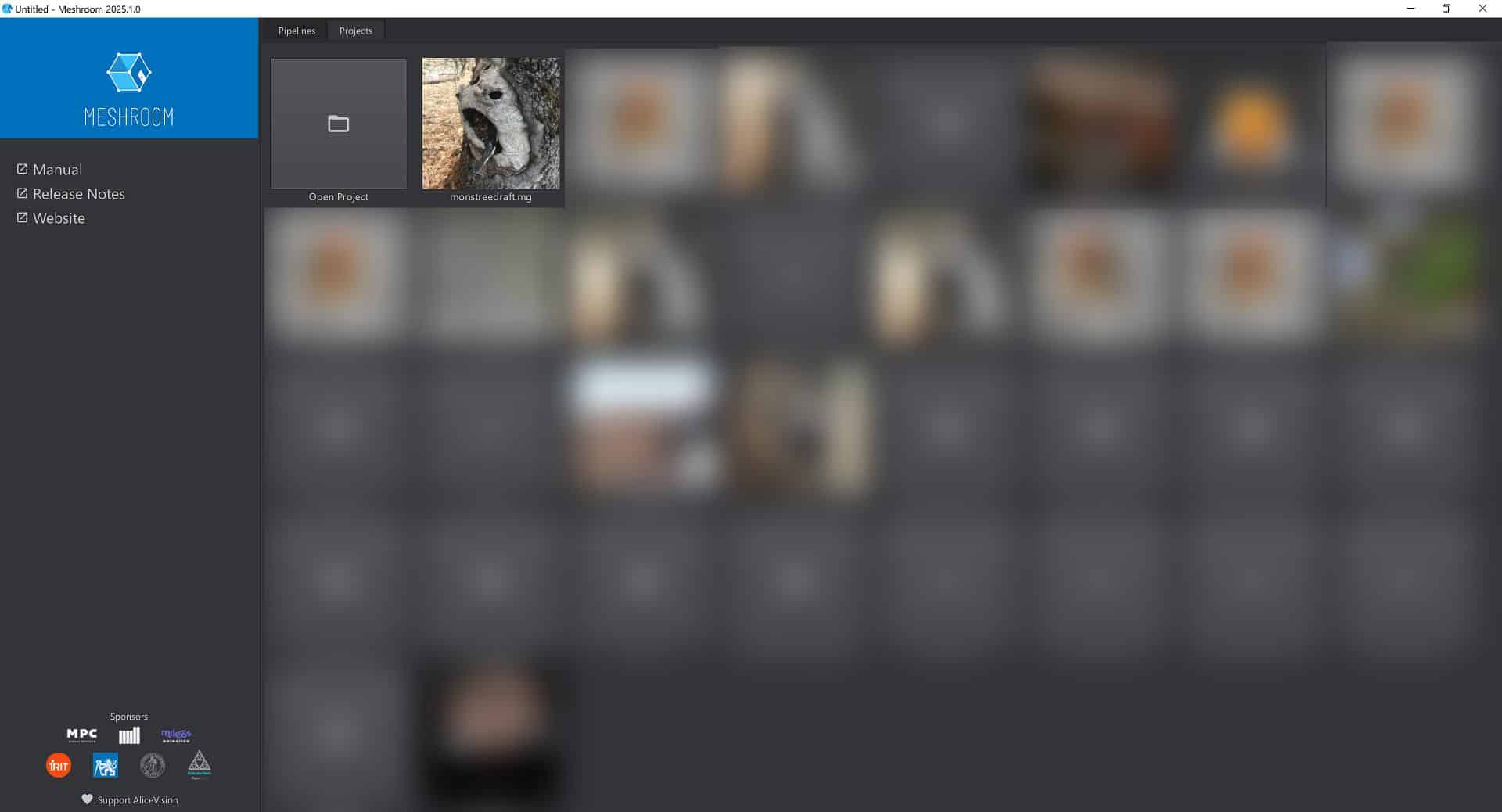
The new Meshroom 2025.1 release introduces pipeline templates. Users can start projects with one of 24 predefined node graphs, open existing setups, or build from scratch. Templates can be saved, exported and imported, making them suitable for studio pipelines and collaborative work.
A more open Meshroom
Under the hood, Meshroom has been decoupled from AliceVision, making it more modular. The application still ships with AliceVision, but the restructuring allows for easier integration of external code, AI and ML models. The new plugin system enables developers to add custom nodes. A script editor is now part of the interface.

The Meshroom Hub already offers plugins for Gaussian splatting, monocular depth estimation, optical flow and more. Currently, testing plugins requires some development skills to clone the plugin, install dependencies and set up environment variables.

The Meshroom Hub currently hosts the following plugins:
mrBlenderSfmRenderer – Blender integration to render 3D models from multiple camera viewpoints using SfM data.
mrDeblurring – Nodes for deblurring images before reconstruction.
mrIntrinsicImageDecomposition – Separates reflectance, shading and illumination components from images.
mrGSplat – Gaussian splatting integration for Meshroom.
mrSegmentation – Segmentation and matting add-on for object isolation.
mrDepthEstimation – Monocular depth estimation nodes for 2D to depth prediction.
mrDenseMotion – Computes dense motion across video frames.
mrPhotometricStereo – Adds photometric stereo nodes for surface normal estimation.
mrRoma – Experimental node set (details not documented).
mrVideoUtils – Video and image-sequence conversion utilities.
mrGeolocation – Geolocation nodes for handling coordinate metadata.
MeshroomResearch – Collection of research nodes for prototyping and testing.
MeshroomMicMac – Nodes integrating MicMac photogrammetry tools with Meshroom.
Segmentation and targeted reconstruction
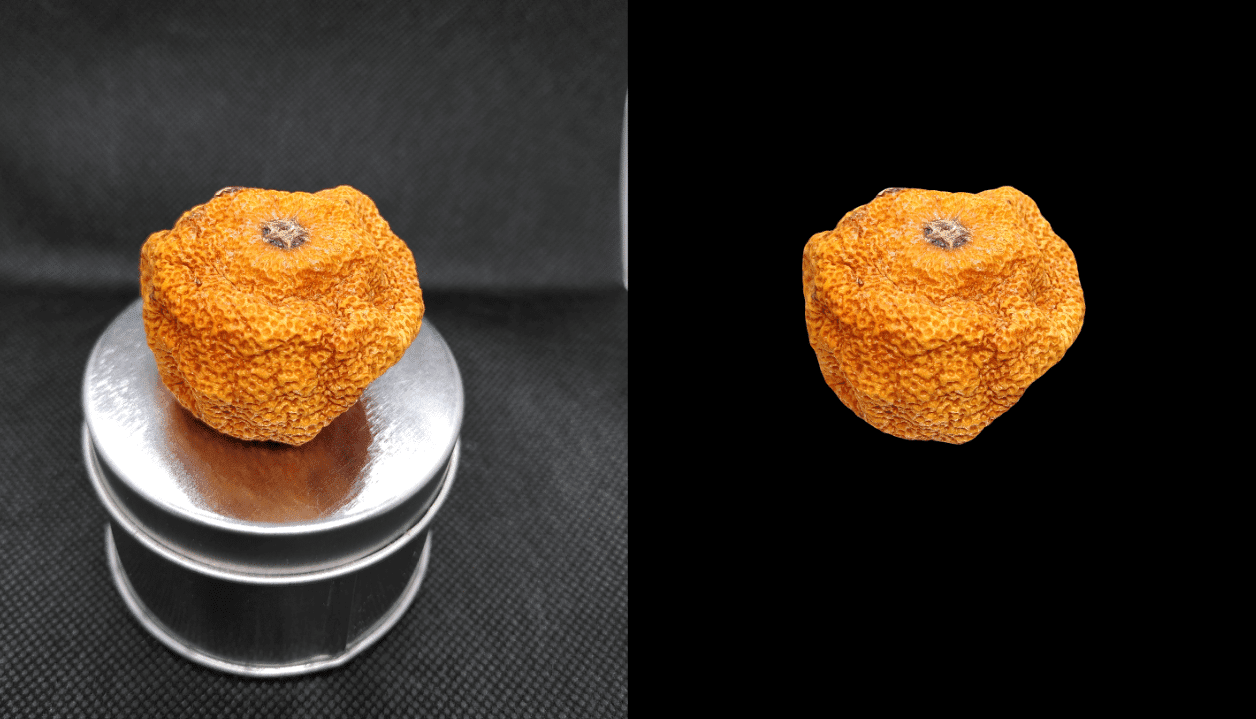
The release improves reconstruction quality through new masking and segmentation nodes. The ImageDetectionPrompt and ImageSegmentationBox nodes can generate bounding boxes from text prompts and create binary masks using the Segment Anything model. This allows targeted reconstruction, turntable object capture and merging of reconstructions from two sides. DepthMap computation times can be reduced significantly by excluding irrelevant areas, and model completeness is improved.

After segmentation analysis, Meshroom produces masks for all detectable objects in the input images. Even in complex or poorly captured data sets, or on-set reference photos, users can inspect what the algorithm recognises and directly decide which objects should be processed further. This step precedes full pipeline execution, which means that for difficult scenes or when running on weaker hardware, enormous amounts of computation time can be saved. At the same time, results can be evaluated early. The generated masks are calculated in 3D space, resulting in sharp boundaries without artefacts or bleeding. This ensures that the chosen objects are isolated with precision before dense reconstruction.

Reconstruction modes with segmentation
Meshroom 2025.1 introduces three main reconstruction modes that make use of segmentation:
Object Reconstruction inserts ImageDetectionPrompt and ImageSegmentationBox nodes parallel to SfM nodes. Segmentation masks allow focusing computation on the subject while keeping contextual surroundings if needed.

Turntable Object Reconstruction uses segmentation before feature extraction. Static backgrounds are removed early, preventing false matches and reconstruction errors.

Two-Sided Reconstruction runs two parallel reconstruction pipelines for objects photographed from opposite sides. Segmentation masks remove the background, and the two halves are then merged into one complete reconstruction.
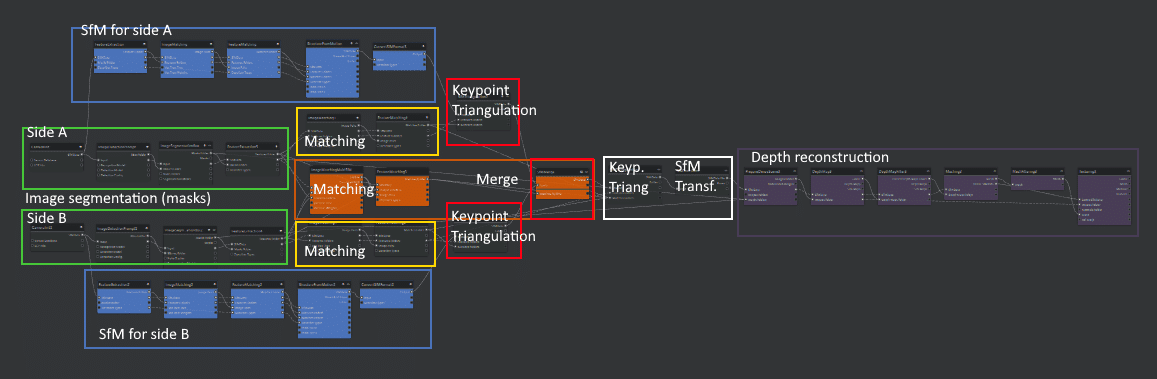
These workflows ensure more accurate object isolation, reduce errors from background clutter and make it possible to merge multiple object views reliably.
Photometric stereo and RTI

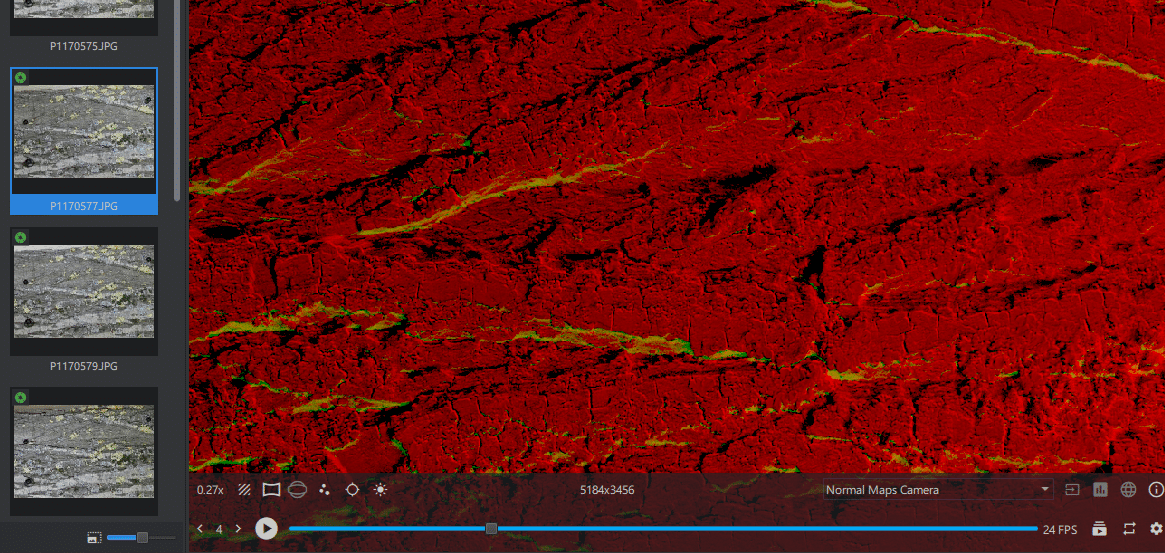
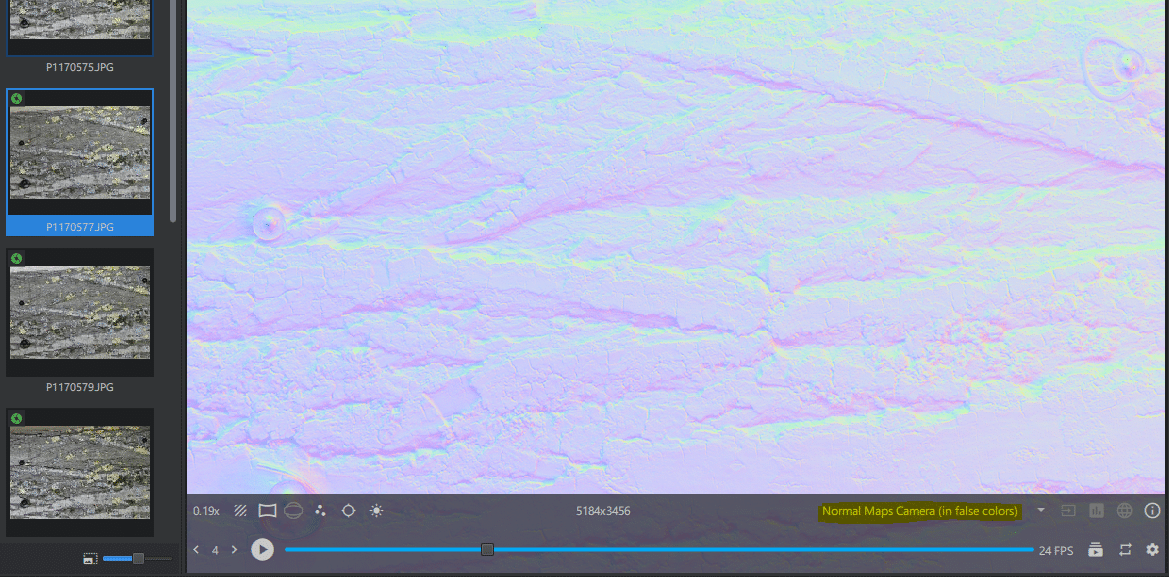
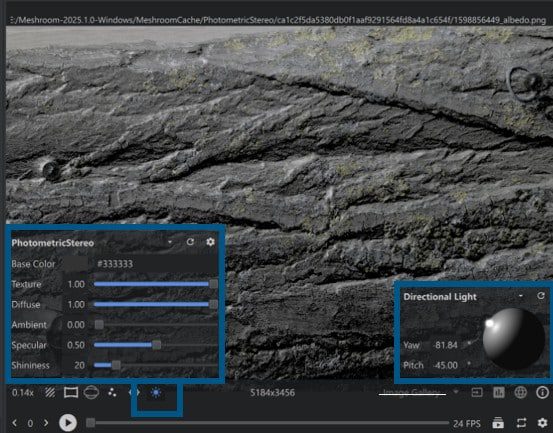
A major addition is support for Reflectance Transformation Imaging (RTI) and Multiview Photometric Stereo. This enables reconstruction of advanced surface details with multiple light sources per viewpoint. Interactive visualisation of albedo and normal maps with real-time light control is included. A ScanRig or LightDome setup is required for full use. No other free open source solution currently offers ready-to-use Multiview Photometric Stereo. Tutorials are available for capturing datasets, but users must follow strict naming conventions (folders starting with ps_) to process images successfully.

Point clouds, Lidar and Blender preview
Experimental support for Lidar data (E57, PLY) has been added, along with meshing capabilities. The ScenePreview node allows Blender-based rendering of 3D models using SfM camera data, with support for Alembic point clouds and OBJ meshes.
Gaussian Splats/Nerfs? Yes!
Meshroom will also support Gaussian Splatting via the mrGSplat plugin. This functionality, along with other Meshroom Hub plugins, is currently available only as a developer preview, requiring the developer version of Meshroom for testing.
Development context
This 2025.1 release emerges during a period of industry-wide uncertainty in VFX and animation. Technicolor was the main Meshroom contributor, so the financial crisis at Technicolor Studios documented in February’s report (“Technicolor Studios on the Brink – MPC, The Mill, Mikros Animation at Risk“) had major consequences for the project.
MPC and The Mill are now part of the Transperfect Group and are leading the new developments in partnership with multiple research labs. More collaborators and sponsors are welcome, and those interested can find details on how to participate or donate (Donate on Paypal | GitHub Sponsorship) to the AliceVision Association.
Conclusion
Meshroom 2025.1 is not a cosmetic update. It provides production-oriented tools: reusable templates, a modular plugin system, segmentation nodes, photometric stereo, Lidar support and Blender preview. As with all new releases, users should validate stability and accuracy in test projects before adopting the update in production.
Alicevision: https://alicevision.org/
Meshroom Github: https://github.com/alicevision/Meshroom
Meshroom Hub Github: https://github.com/meshroomHub
And here is a playlist to get you started in Meshroom!
