



Iman Shirani} has released the Material Assets Browser, a free plugin for Autodesk 3ds Max now available as a public beta. The tool is designed for 3ds Max 2025 and later and addresses a long-standing gap in the software: dedicated management of large material libraries.
Where Autodesk’s own Slate Material Editor focuses on authoring and node-based adjustments, Shirani’s tool provides a structured, persistent way to store, preview, and reuse materials. Its feature set revolves around automation and standardisation rather than design, making it a complementary tool rather than a replacement for Slate.
Renderer integration
The Material Assets Browser is renderer-agnostic and supports V-Ray, Arnold, Corona Renderer, OctaneRender, RedShift and FStorm. It does so by generating materials with renderer-specific shaders rather than relying on generic Standard materials. This ensures that previews and assignments correspond accurately to the engine used in production. The inclusion of multiple engines in one interface makes the tool useful in mixed-pipeline environments where a single studio project may require both offline rendering and GPU acceleration, or where assets must be tested across engines for look development.
MaterialX handling
MaterialX integration is presented as one of the most important technical aspects of the tool. MaterialX files, typically with the .mtlx extension, describe materials in a structured XML format that can represent complex shading networks. The browser can ingest these files and translate them into native 3ds Max .mat libraries. In practice, this means that a MaterialX definition can be imported and stored directly alongside existing Max materials, ready for assignment.
A common pain point when working with external material definitions is broken texture paths. Shirani’s tool attempts to avoid this by automatically parsing texture references from the MaterialX file and appending the relevant directories to 3ds Max’s configuration paths. This ensures that any linked images will resolve correctly in the viewport and during rendering, eliminating the need for manual path correction.
The translation is not described as a perfect one-to-one mapping of MaterialX nodes into 3ds Max shading networks, since different render engines interpret MaterialX differently. Instead, the browser focuses on producing usable, renderer-ready results inside Max while still keeping the original MaterialX structure intact at the library level.
MatCap generation
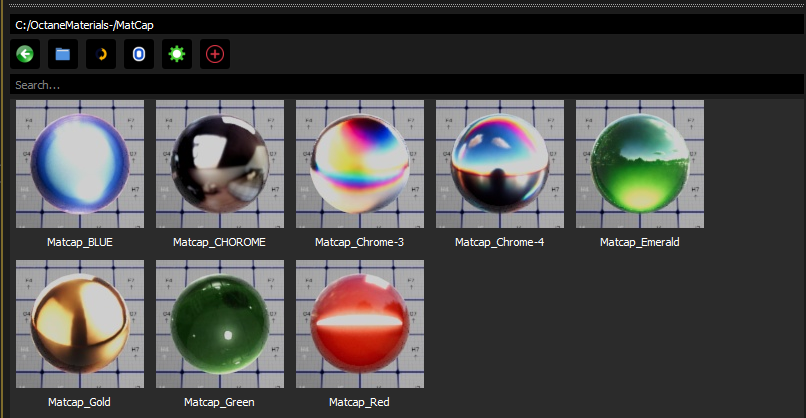
The browser also includes a MatCap generator. MatCaps, or Material Capture shaders, are widely used in sculpting software such as ZBrush to provide fast, fake shading based on a single image. In the context of 3ds Max, MatCaps are useful for previewing models and for sculpting workflows that rely on quick feedback rather than physical accuracy.
The plugin allows any image to be converted into a MatCap shader. The process wraps the image around a lighting model, assigning it to a 3ds Max material with all necessary parameters preconfigured. This avoids manual node setup and allows rapid creation of a library of preview shaders, which can then be applied from the same thumbnail-based interface as physically based materials.
Interface design
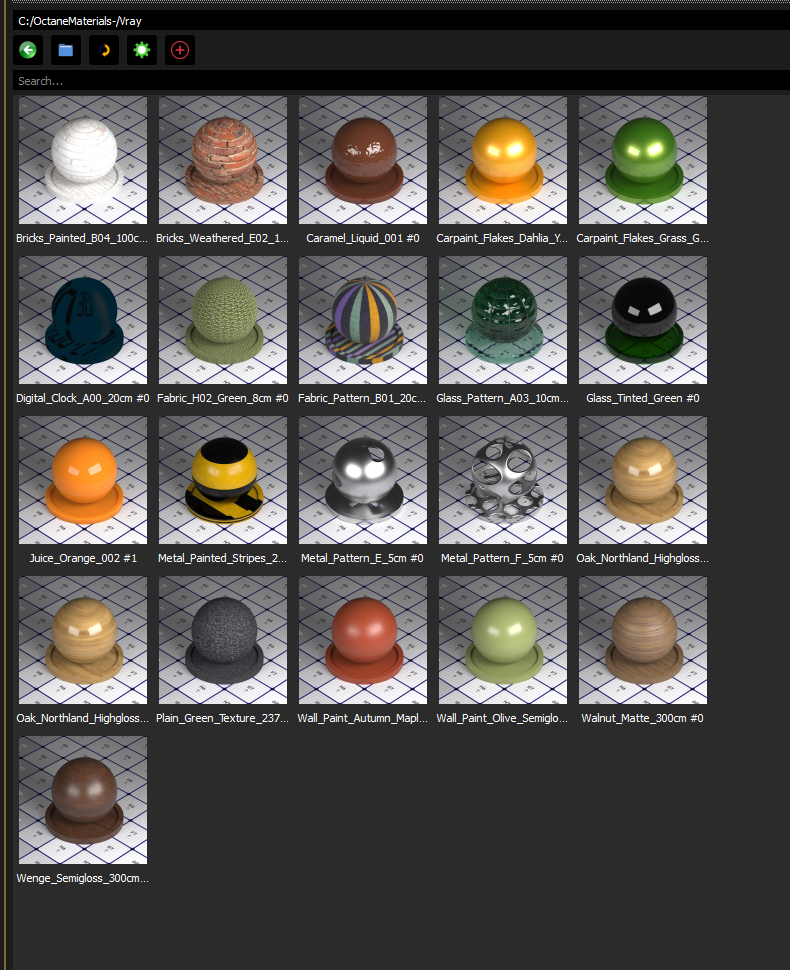
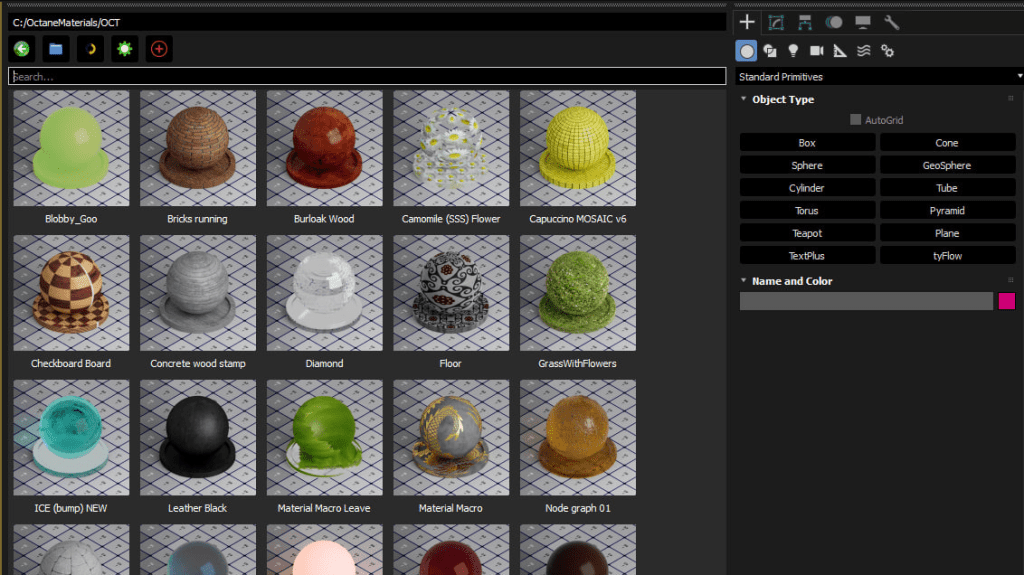
The Material Assets Browser uses a thumbnail-driven interface to present materials. Each material is displayed as a small rendered preview, making the selection process faster and more intuitive than navigating lists of material names. Thumbnails are generated automatically when a new material is added to the library, and they can be regenerated at any time. Unlike 3ds Max’s Material Editor, which is primarily built for editing, the browser’s interface is built for retrieval and assignment. It treats materials as finished assets to be indexed, stored, and recalled quickly.
Persistent configuration
All preferences are saved into a JSON configuration file. This includes the location of the root directory, user interface settings, and library information. Using JSON rather than the Windows registry makes the settings both portable and human-readable. An artist can copy their configuration to another workstation simply by duplicating the JSON file, ensuring that large teams can maintain consistent material library paths across different environments. This persistence means that once a library is set up, it remains intact across sessions. There is no need to reconfigure paths or regenerate basic settings every time 3ds Max is restarted.
Preview generation
Preview rendering is handled internally by 3ds Max. When a thumbnail is generated, the plugin instructs Max to render a simplified representation of the material on a test object. This produces an image that can be cached and displayed in the browser’s gallery. The same process can be repeated for entire folders, allowing artists to update their preview library in batch after a round of edits.
Because the previews are renderer-specific, they display the material as it will appear under the chosen engine. This avoids the common issue of misleading previews when working with multi-renderer setups. The result is a visual catalogue that reflects production-ready materials, not approximations.
Installation and workflow integration
Installation is intentionally simple. The plugin is distributed as a MaxScript package. Users download the release from GitHub, extract the archive, and copy the files into 3ds Max’s scripts or plugins directory. After restarting Max, the Material Assets Browser becomes available as a menu or toolbar command. In practice, workflow integration involves setting a root folder for the material library, populating it with .mat or .mtlx files, and letting the browser handle the rest. Because settings are persistent, the library remains accessible across projects, making the tool useful both for individual artists and for teams maintaining shared repositories.
Development status
The Material Assets Browser is in active development and is labelled as a public beta. Stability is not guaranteed, and the developer encourages bug reports and feature requests through the GitHub issue tracker. The open beta release suggests that the project is not locked down in terms of design, and further functionality may be added depending on community feedback.
Licensing
The tool is released under the GNU General Public License v3.0. This ensures that the code will remain open and that derivative works must remain under the same license. Users are free to modify and redistribute the plugin, making it suitable for pipeline integration and customisation at the studio level.
Official page: Material Assets Browser on GitHub
