



Twinmotion 2025.2 introduces Nanite, Unreal Engine’s virtualised geometry system. Nanite uses a new mesh format and rendering technology to stream only the visible parts of geometry on demand, allowing pixel-scale detail and very high object counts. Imported geometry meshes can be converted to Nanite at the time of import or afterwards via the Properties panel. A new Convert all to Nanite option has been added to the Scene graph’s contextual menu, enabling batch conversion of all geometries under a selected parent object. A dedicated Nanite triangles viewport mode displays Nanite mesh detail directly in the viewport. This can be enabled through the View mode icon.
In practice, this allows Twinmotion users to import high-resolution models from CAD, scan data, or sculpting applications without a pre-optimisation pass. According to Epic, the system is capable of handling datasets with hundreds of millions or even billions of polygons while retaining real-time responsiveness. This opens doors for users in architecture or automotive, where models often contain overwhelming detail at the component level, from bolts in a car chassis to screws in a façade system.




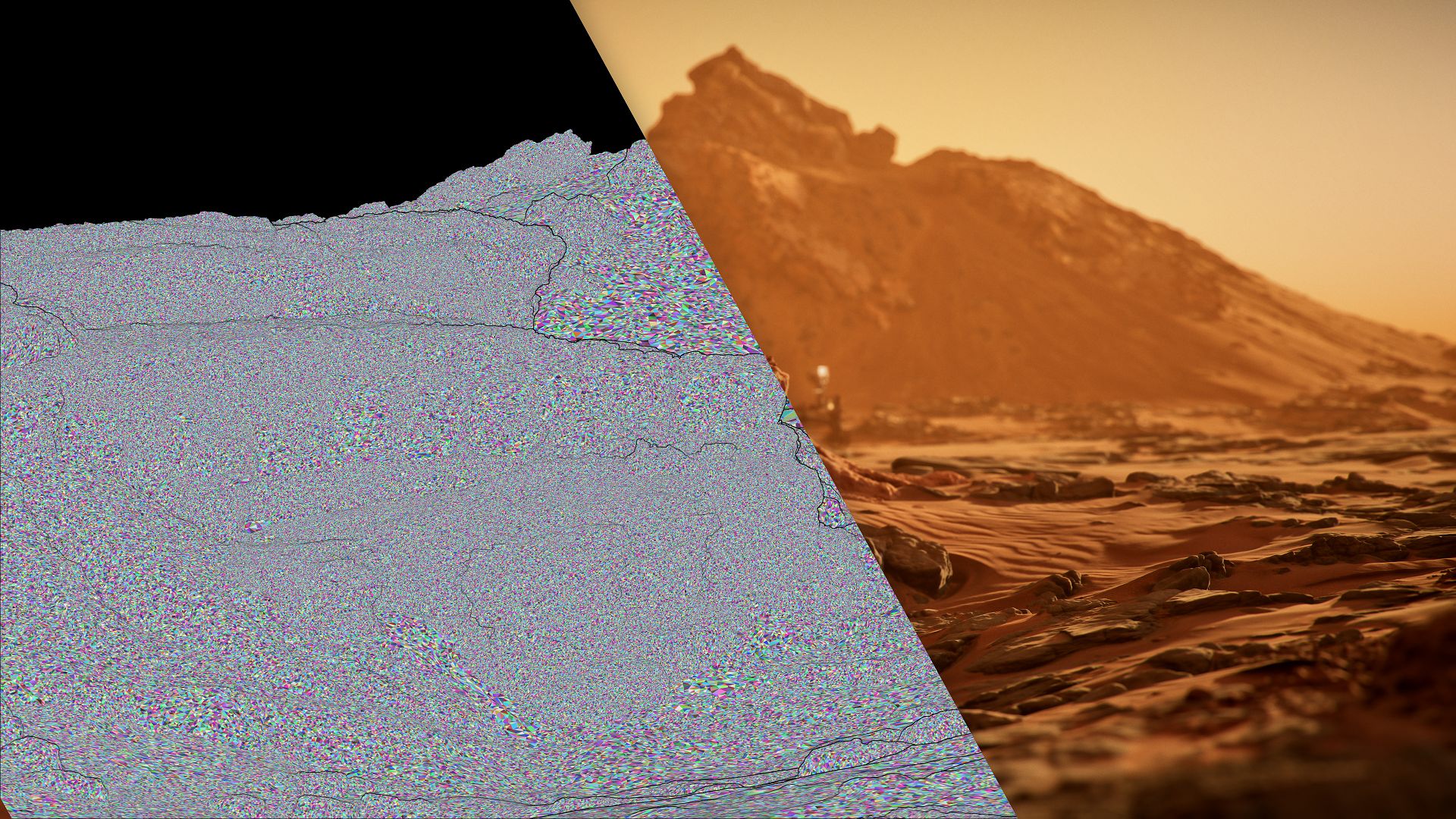
The implication is that asset fidelity is no longer artificially constrained at the import stage. However, Nanite’s real-world performance is always hardware dependent. While Epic emphasises “real-time performance,” users should expect performance scaling based on GPU capability, VRAM, and I/O throughput. Twinmotion’s positioning of Nanite as “removing the need to optimise” should be read literally only in terms of workflow steps, not in terms of performance costs. Heavy assets still consume resources.

Parallax Windows
Twinmotion 2025.2 includes a new Parallax Windows library. This library provides 32 assets, including office, residential, and gym interiors, alongside 10 retail interiors developed with wParallax.
These parallax windows can be dropped into scenes to simulate interior spaces without modelling and furnishing every room. Properties include night cycle simulation with randomised lighting, glass overlay simulation for added realism, and controls for mirroring and dual-sided occlusion.


3D Grass Material
The update adds a new 3D Grass Material with several enhancements. An Accent meshes section introduces small vegetation elements that break up uniform grass distribution and create a more natural appearance. A new Presets section contains 15 curated setups combining grass types, accent meshes, and parameter settings. Colour blending has been reworked, and a Dryness parameter allows application of a dry, sun-scorched effect across grass surfaces.
Installer Size Reduction and On-demand Content
The Twinmotion installer has been reduced in size by moving content to cloud storage. This change simplifies network deployment and makes distribution lighter. A new content-on-demand system allows users to download legacy content as needed. A Download icon in the Library categories lets users fetch entire categories. Content packs can also be downloaded from the Library packs tab of the Home panel. Epic now distinguishes between a Standard Library Pack, containing the full drag-and-drop asset collection, and a lighter Starter Library Pack for demos or quick installs.

Fog Cards
Twinmotion 2025.2 introduces Fog Cards into the VFX category. These are lightweight particle cards designed to add fog layers to a scene. Seventeen Fog Card assets are included. They can be scaled, tinted, and given emissive colours. A set of wind-reactive properties enables fog cards to move with global wind or at custom speed and direction. Fog cards can be combined with existing fog features, such as the global Ambience > Env > Fog or smaller fog banks in Library > Objects > VFX > Fog.

Camera Synchronisation
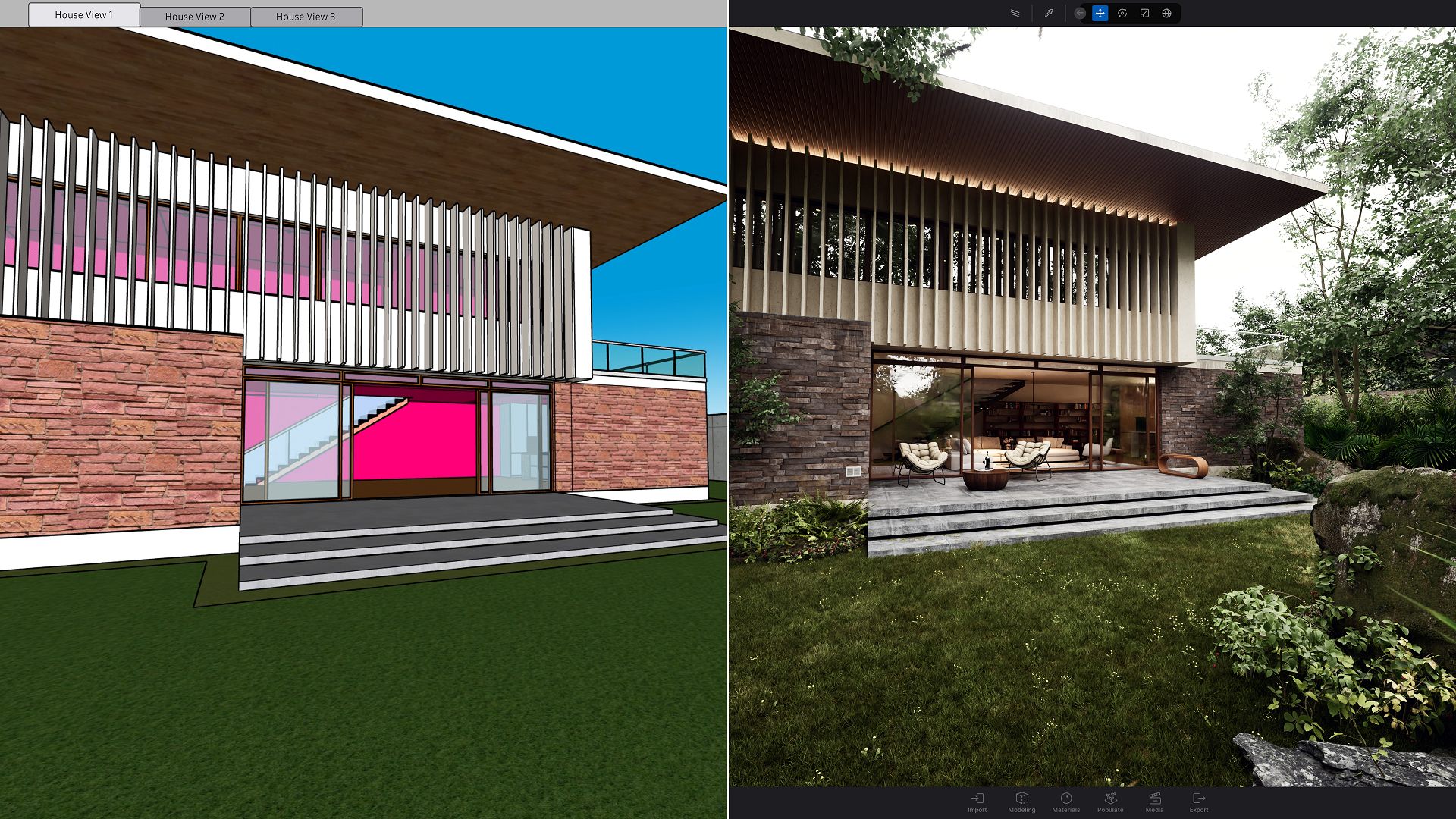
Twinmotion 2025.2 adds Camera Synchronisation with DCC applications. Through Direct Link or Datasmith imports, both active viewport cameras and saved DCC camera views can be aligned with the Twinmotion viewport camera. A new Camera Sync icon appears in the viewport when a Direct Link or Datasmith connection is active. This opens a user interface with options to enable or disable sync, and to select which DCC view to synchronise.
Static Motion Blur
A new Static Motion Blur system is included. Two tools, Linear Blur and Circular Blur, are available in the Tools > Static motion blur section of the Library.


When a static mesh is made a child of one of these tools in the Scene graph, the chosen blur effect is applied. This allows simulation of motion in still renders, such as wheel rotation on a static vehicle or directional blur on crowds.
Virtual Camera (VCam)
Twinmotion 2025.2 connects with the Unreal VCam app on Android and iOS. This allows a handheld device to control a live camera in Twinmotion scenes. The system supports placement of live cameras and real-time control of focal length, focus, exposure, and navigation settings. Streaming quality can be configured in the Preferences panel.




Exploder
The update introduces Exploder as a new type of Animator tool. Exploders create exploded view animations by separating the parts of an object in space and optionally reassembling them. Exploder Animators include a Shape parameter (sphere, cylinder, or plane) to define movement direction. Per-object settings for Timing and Origin allow staggered offsets and pivot controls. Exploders affect only their direct children in the Scene graph. The Library includes Exploder tool presets, such as Gentle Push, Deconstruct, Inflate, Ring Peel, Pressurize, Plan Split, and Stack Reassemble. These presets can be customised and saved as new versions.
Static and Real-time Animations in Images and Panoramas
Twinmotion 2025.2 introduces a global Static / Real time animation toggle for images and panoramas. This allows creators to pause animations at a specific frame when rendering stills or panoramas, rather than being restricted to real-time playback.
Sony Spatial Reality Display Support
Configuration triggers are now supported on the Sony Spatial Reality Display (SRD). This enables switching between configuration states directly on the SRD device.
Custom LUT Support
Twinmotion 2025.2 adds support for custom LUTs (lookup tables) in .cube format. LUTs can be imported into the new LUT category under the FX tab of the Ambience panel.



Users can apply LUTs from libraries or create them externally in image editing software such as Photoshop.
Advanced Post-process Effects
The FX tab filter system has been redesigned. Filters are now grouped under an Effects category with new settings for sketch-style visuals. Options include hatching, Kuwahara filtering, and pen-style outlines. Parameters are fully exposed, allowing customisation and saving of filter presets.
Conclusion
Twinmotion 2025.2 is a major release, expanding across geometry handling, materials, animation, post-processing, and interoperability. With features such as Nanite integration, Parallax Windows, Fog Cards, Exploder Animators, VCam support, custom LUTs, and mesh tessellation, this update covers both headline capabilities and smaller workflow refinements. Studios should review these features against their production needs before integrating them into pipelines.
