



Table of Contents Show
Ten years after its first brushstroke, Escape Motions’ Rebelle 8 lands like a fully matured art studio in silicon form complete with oil stains, brush hairs, and physics. The Slovak studio’s flagship natural-media painting software takes realism seriously: it’s the kind of update that makes you want to buy more RAM just because it deserves it. This is not a “version bump.” This is a full-fledged leap in how pigment, canvas, and light interact. So let’s walk through it from the core physics to the small workflow miracles that make digital painting feel handcrafted again.
The Bristle Revolution
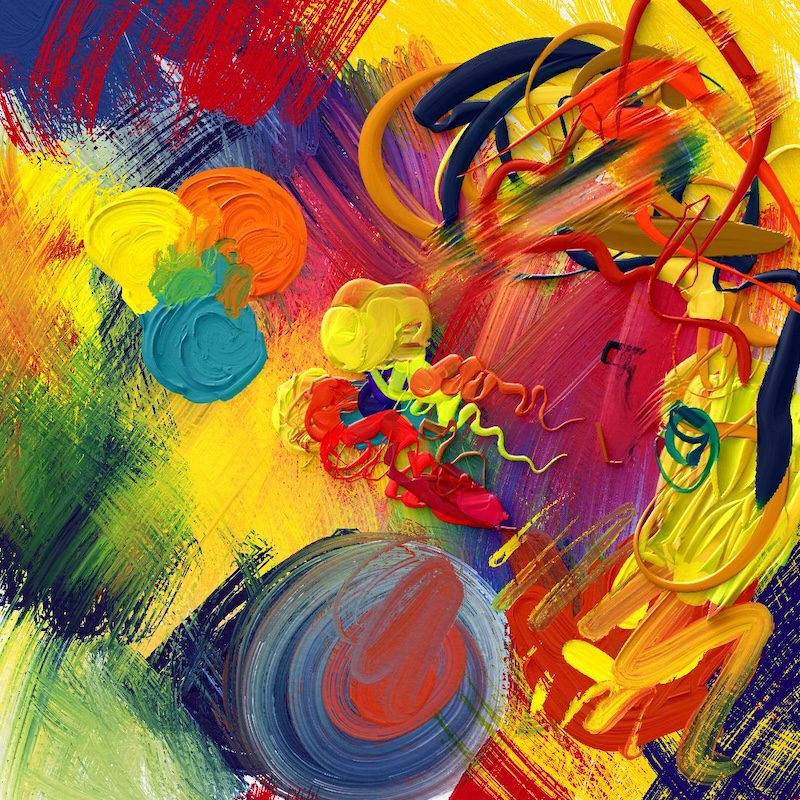
At the heart of Rebelle 8 lies its biggest technical jump yet: the Bristle Brush Engine. Unlike traditional digital brushes, which smear pixels based on a flat mask, this new system models each individual bristle as a particle. Hundreds of micro-strands bend, twist, and separate depending on your pen pressure, tilt, and angle.
Each stroke now contains physical depth and randomness: when you press harder, the brush fans out; when you ease off, it narrows and curls. It’s a small detail, but it changes everything: edges gain life, mid-tones gain subtle vibration, and the simple act of dry-brushing suddenly behaves like the real thing. Artists who work with natural gesture and layered colour will find this feature alone worth the upgrade.
Combined with stylus rotation support, the Bristle system is ideal for expressive portraitists, plein-air painters, or anyone who enjoys visible brushwork. You can even feel the drag of paint across the virtual canvas, as if the stylus itself were dipped in physical pigment. It’s equal parts uncanny and addictive.

RealShader and the Return of Light
Rebelle 8 Pro introduces RealShader, a rendering engine that adds physically accurate lighting to the thick, impasto layers of digital oil paint. Traditional painting software often treats brushstrokes as colour data; RealShader treats them as geometry. Every ridge, lump, and valley now catches highlights and shadows based on a 3D environment map.
Load an HDRI light source and your oils suddenly glow differently under morning light versus studio tungsten. The effect is subtle yet startling, you can literally “move the lamp” and watch your painting respond.
For artists who work with realism, this means previewing how your painting might look under gallery lighting. For illustrators, it means you can fake tactile brush depth without compositing tricks. RealShader turns Rebelle from a simulation tool into a proper visual medium, one where light itself becomes part of the brushstroke.

SoftShadows: Let There Be Depth
Light naturally implies shadow, and Rebelle 8 answers with SoftShadows, a system that lets your brushwork interact dynamically with neighbouring layers. As paint thickens, it casts micro-shadows and occlusion into crevices. The more layers of pigment you stack, the more dimensional your canvas becomes. This is particularly powerful for mixed-media artists who combine ink lines, pastel texture, and heavy acrylics. The interplay of shadow between materials makes compositions feel spatially convincing. For the first time, you can model form with light rather than with simulated bump maps. The result is not photorealism, but material realism: paintings that feel lit, rather than just coloured.
NanoPixel 2: Detail Without Limits
Resolution matters when your brush physics get this real. The updated NanoPixel 2 engine now allows you to scale artwork up to 32 K (or 20× its original dimensions) without visible quality loss. Strokes retain their natural edges, and watercolour diffusion remains physically accurate even at gigantic scales.
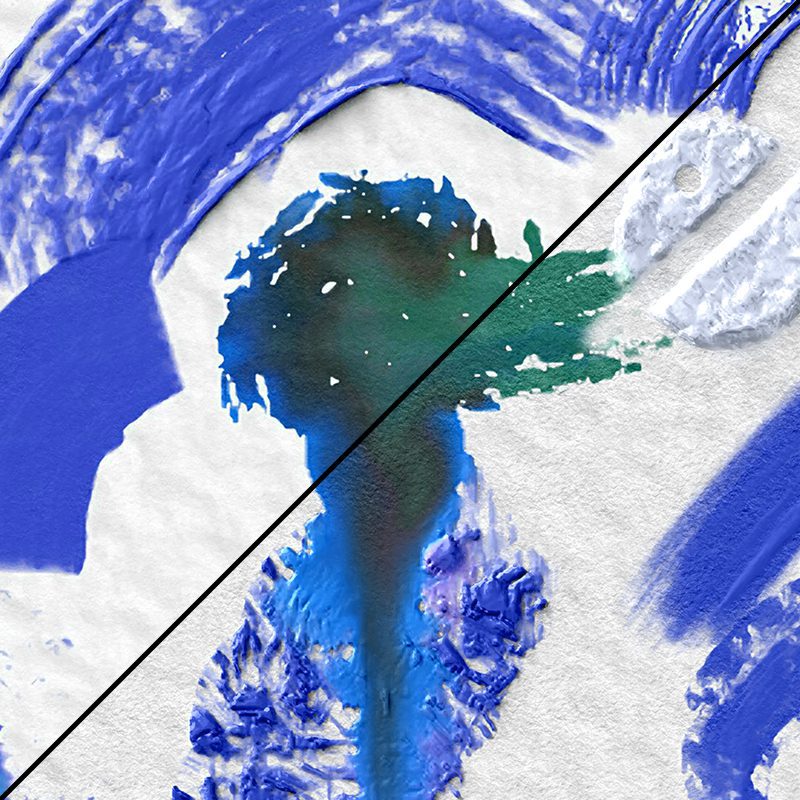
For production artists printing large-format illustrations or preparing concept art at billboard resolutions, this is pure freedom. NanoPixel 2 also brings smoother scaling in-app, zooming in 800 % no longer breaks the illusion of texture. Pair that with the new Smooth Scaling algorithm, and you can paint fine eyelashes or metre-wide washes without distortion. Rebelle 8 effectively removes the digital ceiling: it’s as big as your hardware can handle and then some.
Brushes That Breathe
Beyond Bristles, Rebelle 8 increases the maximum brush size to a hefty 3000 pixels. This is four times larger than before and surprisingly efficient, thanks to engine-level optimisations. Massive dry-brush gestures, cloud scumbles, or background washes now feel effortless. A new Recent Brushes tab remembers your last used tools, a tiny addition that quietly saves hours over long sessions. And for those who like symmetry (or who design icons and creatures with mirrored anatomy), there’s finally a Symmetry Tool. It works live, not post-process, meaning every mirrored stroke reacts in real time.

Layers, Light, and Reflectivity
Every serious painter knows the surface matters as much as the stroke. Rebelle 8 introduces layer-specific visual settings for impasto, metallicity, and colour blending. You can now control reflectivity per layer, useful for hybrid works that mix matte gouache with shiny acrylic highlights.
Even more powerful is the ability to load custom reflectivity and granulation textures. Want your “paper” to behave like rough handmade cotton? Import your own granulation map. Want to simulate pearlescent paint? Add a reflectivity map that catches light like mica.
These parameters make Rebelle feel like a laboratory for materials. Digital doesn’t have to mean uniform anymore — every layer can have its own tactile DNA.
Colour Harmony and Control
Painters live and die by palette, so the colour system received serious attention. The new RYB Color Wheel follows the traditional pigment logic (Red-Yellow-Blue), rather than RGB’s monitor-based primaries. Mixing colours now behaves the way your art teacher intended: yellow and blue really do make green.
Colour harmonies can be visualised and locked, ensuring consistency across complex compositions. The Gradient Slider allows smoother transitions, while Undo/Redo now applies to the Mixing Palette. A small mercy for those of us who “accidentally overmixed” that perfect ochre. Together, these refinements shift Rebelle from a tool that simulates paint into one that teaches it, not by tutorial, but by behaving as expected.
Selection, Transform, and Pixel Discipline
Artists who manipulate layers frequently will notice the revamped Selection Menu. It consolidates freehand, rectangular, and lasso selections into one streamlined system. You can transform selections with improved anchor-point control and, crucially, maintain opacity when cutting and pasting, meaning no more accidental transparency loss in composite workflows.
Grid and guide snapping now include pixel-perfect alignment, essential for precision illustrators or those designing UI assets within Rebelle. Resizing canvases introduces less distortion thanks to an improved scaling algorithm. Even the Lock Transparency (alpha lock) behaves more predictably when used with blending brushes.

Filters, Curves, and Layer-Based Effects
Filters in Rebelle 8 have grown up. You can now apply filters per layer, not globally, and stack them like adjustment layers in compositing tools. The addition of Curves Control gives fine tonal precision without exporting to another application. This opens the door for entirely in-app finishing: fine-tuning contrast, colour balance, or paper tone directly on top of the painting.
WebSocket Control and Real-Time Interaction
One of the more technical upgrades and a hidden gift to tinkerers is WebSocket Support. Artists can connect Rebelle 8 to external devices or scripts for live interaction: think physical sliders that control brush size, or a tablet displaying secondary palettes. For educators and streamers, this means real-time teaching overlays or collaborative painting sessions. For studio integration, it’s an open API door: if you can code it, you can connect it. Rebelle quietly steps into automation territory, without turning into a software engineer’s toy.
Interface and Usability Upgrades
Many of the most satisfying changes are those you don’t notice right away. There’s now a custom user folder option, perfect for artists with shared NAS setups or backup scripts. The Assets Panel centralises brushes, papers, and presets. A Cursor Preferences section allows visual feedback adjustments, crucial for stylus calibration. The Line Smoothing Indicator provides live feedback on stabilisation levels. Even the REB File Loader has been rewritten to open large projects faster. The UI feels familiar but sharper, like someone cleaned the studio overnight and reorganised the brushes without moving your chair.

Printing, Viewing, and Scale
The new View at Print Size option is a deceptively powerful addition. It shows exactly how your artwork will look in physical dimensions, taking monitor DPI into account. For illustrators preparing prints or book covers, this eliminates scale guessing. Complementing that, the NanoPixel Export Dialog has been redesigned to make high-resolution exports easier to manage. Combined with the Advanced PSD Import/Export, Rebelle 8 is fully production-ready for artists delivering print and digital work interchangeably.
Small Tools, Big Comfort
Several small upgrades improve the painting feel itself:
- Blow Tool Strength Slider: more precise control of how far paint spreads.
- Ruler with Perpendicular Lines: helps with architectural drawing or cross-hatching alignment.
- Grid Locking and Pixel Snap: improves geometric accuracy.
- Reference Image Adjustments: better contrast and positioning control for pinned references.
They’re quiet features, but collectively they make the program behave less like an app and more like a studio assistant who anticipates your next move.
Performance and Platform
All of this runs smoother thanks to major performance optimisation. Rebelle 8 supports native Apple Silicon. Large brush strokes feel instant, not buffered. File loading is quicker, and the UI scales properly on high-DPI displays. Behind the scenes, Escape Motions also added a custom WebSocket bridge that will likely enable future companion apps or remote control surfaces. In short: the technical foundation is ready for another decade.
Licensing and Support
Rebelle 8 remains a perpetual license product, not a subscription. Buyers receive one year of free updates, including all new features and fixes within that cycle. After that, the license continues working indefinitely; extended updates are optional. The company also guarantees two years of long-term support (LTS) under EU consumer-protection rules, meaning maintenance and bug fixes are ensured through that period.
Pricing at the time of release:
Educational and volume licenses receive discounts up to 40 %.
For Artists, Not Engineers
What makes Rebelle 8 special is not the checklist of features, but their coherence. Every new addition serves the same goal: to make painting feel natural again. There’s no feature bloat, no 3D detour, no pivot to subscription ecosystems. It’s unapologetically about the brush, the surface, and the moment between them.
Artists who live by gesture will find physical nuance. Technical illustrators will find predictable precision. And those who straddle both worlds, who love oil texture but also digital undo, will find a tool that finally respects both instincts.
