



Unreal Engine educator and plug-in creator William Faucher has launched EasyToolbag, a new in-engine menu for Unreal Engine 5 designed to simplify repetitive scene setup tasks. The add-on, compatible with versions 5.1 through 5.6, appears as a toolbar icon in the editor and provides one-click access to common scene components and viewport controls.
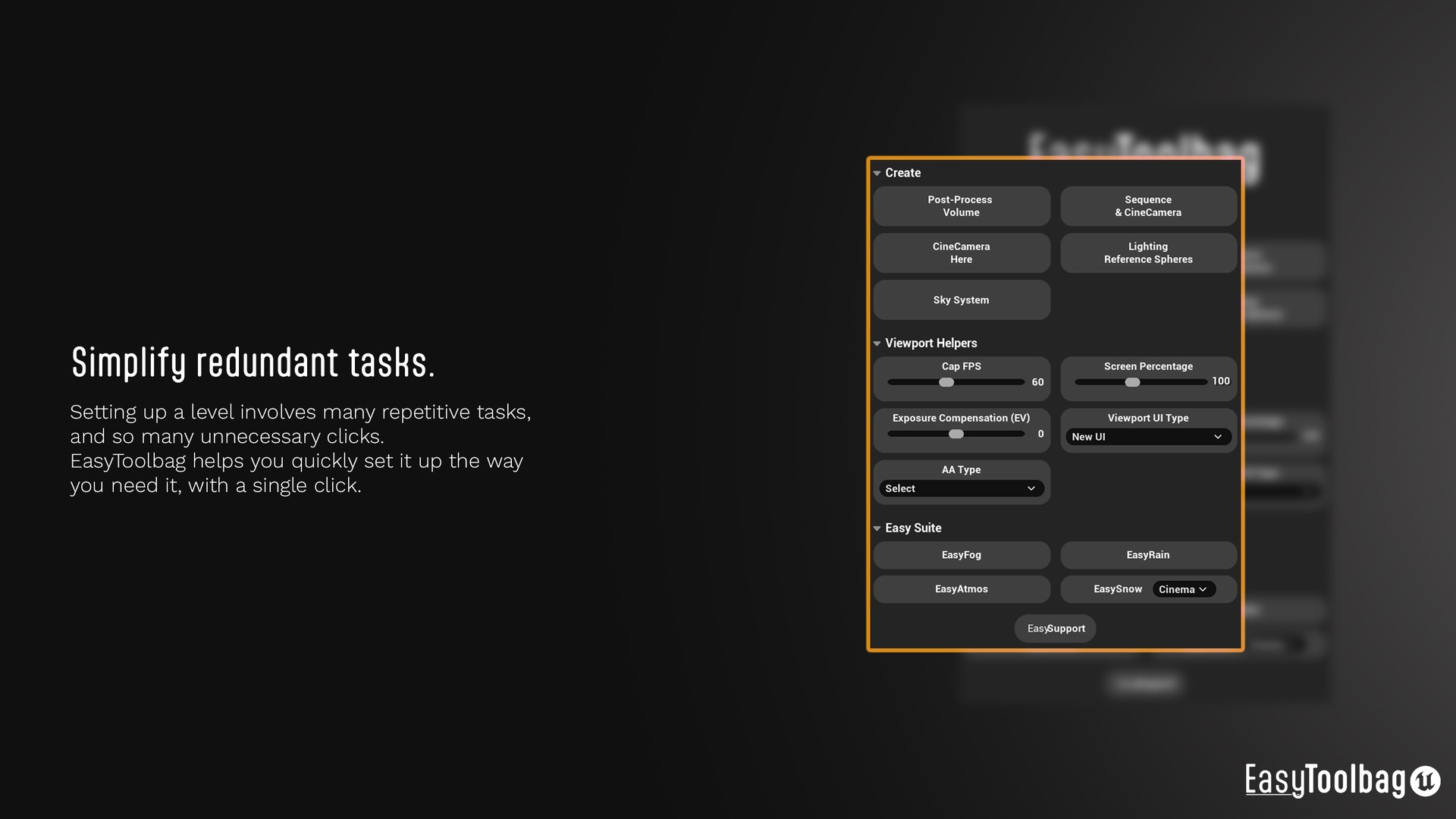
The tool is organised into three main panels: Create, Viewport Helpers, and EasySuite.
Click Once, Get a Scene
Under Create, EasyToolbag automates tasks that typically require multiple steps. Artists can spawn a Post-Process Volume with sensible defaults—unbound, manual exposure, and lens flares off. Other buttons generate a Level Sequence and CineCamera, create a complete Sky System (directional light, skylight, sky atmosphere, and fog included), or drop a ready-made Lighting Reference Sphere blueprint into the scene.
The latter contains four spheres—black, 18% grey, white, and chrome—standard references for lighting calibration. Layout options let users switch between vertical and horizontal placement directly in-engine.
Viewport Helpers: Smarter Screens
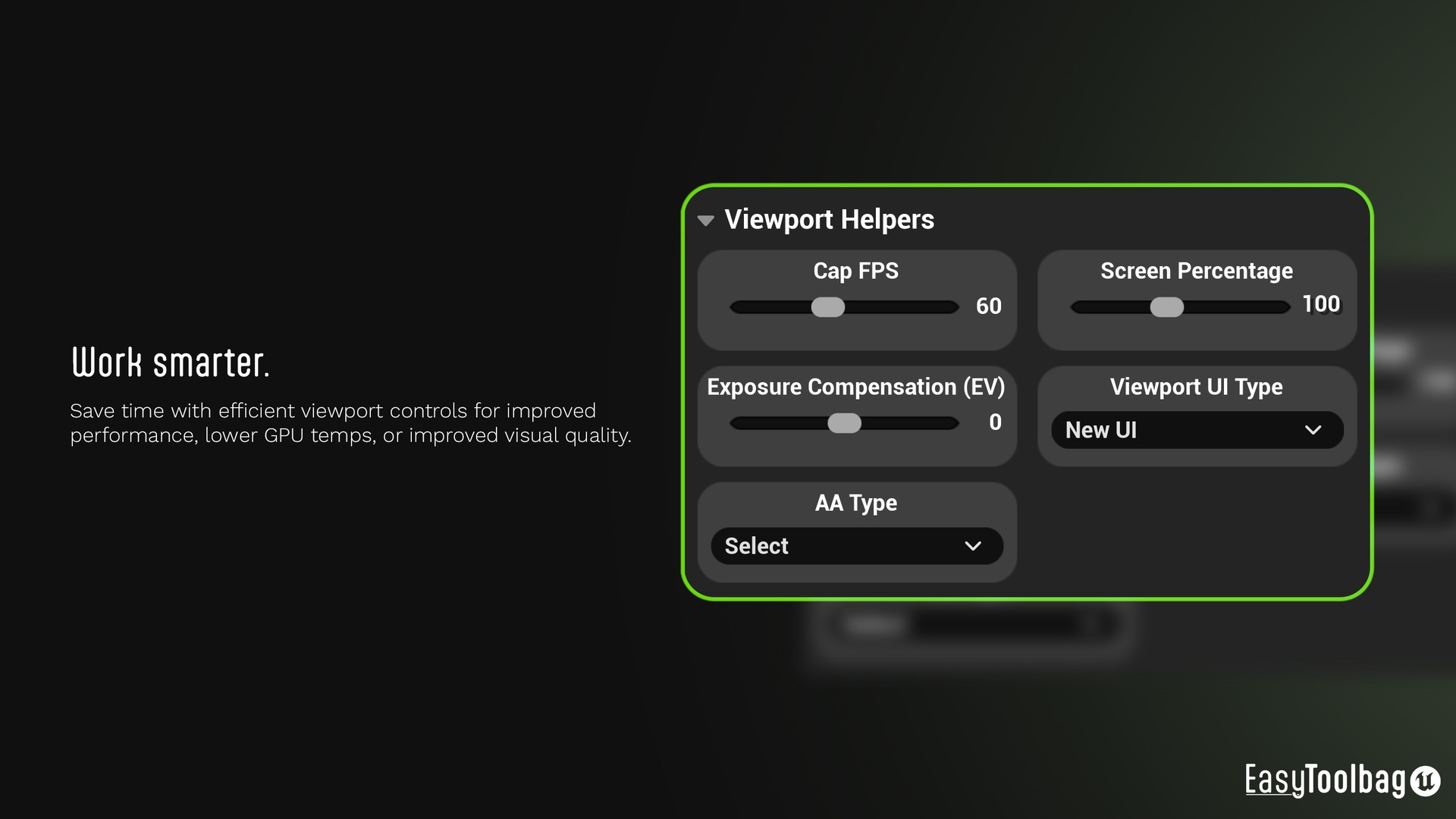
The Viewport Helpers section addresses real-time performance tuning. The Cap FPS toggle limits frame rate to reduce GPU load and heat. Screen Percentage and Exposure Compensation (EV) controls provide quick viewport adjustments, while a Viewport UI Type switch lets users revert to the pre-5.6 layout if the new interface feels unfamiliar. Anti-aliasing methods can be toggled directly from the same menu.
According to the official documentation, these tools aim to “improve viewport performance, reduce GPU temperatures, and improve visual quality”—a practical focus, though exact performance gains were not independently verified at press time.
EasySuite Integration
EasyToolbag also connects with Faucher’s other plug-ins sold on Fab: EasyFog, EasyRain, EasyAtmos, and EasySnow. When these are installed, EasyToolbag adds dedicated buttons for each, spawning their blueprints directly in front of the camera rather than hunting through the Content Browser. EasySnow includes both cinematic and real-time blueprints selectable from the same menu. A community Discord server supports the full “EasySuite,” offering peer assistance for installation and troubleshooting.
Under the Hood
EasyToolbag ships as a Blueprint-only add-on, with no C++ classes required. It runs on Windows, macOS, and Linux, and supports the standard Unreal Engine target platforms, including Win32. The tool is distributed through Fab, with documentation available via bit.ly/EasyToolbagDocumentation.
The pricing is exceeedingly reasonable, with a professional License going for 80€ on Fab.com As always, test new utilities in a controlled environment before integrating them into production workflows.
