



3ds Max 2026.3 from Autodesk is now available as a subscription-only release for Windows 10 and later. It delivers incremental but practical enhancements to modelling, materials, USD support and rendering pipelines.
Conform modifier gains distance & fall-off
The Conform modifier, used to project one mesh onto the surface of another, now offers dedicated distance and fall-off parameters when using the Shrink Wrap projection method. This gives users finer control over how far the modifier searches for the target surface and how the influence decays. It results in more predictable deformations when wrapping geometry—helpful for architectural visualisation, game asset prep, or surface-fitting tasks. As always, test in your own scenes before deploying in production.

Materials: animated index in the Material Switcher
The Material Switcher, which lets artists manage variant materials on assets, now supports an animatable material index. This allows dynamic switching between up to 9,999 different materials during animation or scene changes. It is particularly useful for large asset libraries, scene variants or motion graphics work that requires frequent material swaps. The “up to 9,999” figure is vendor-supplied and should be tested for performance impact in real-world scenes.
USD plugin enhancements
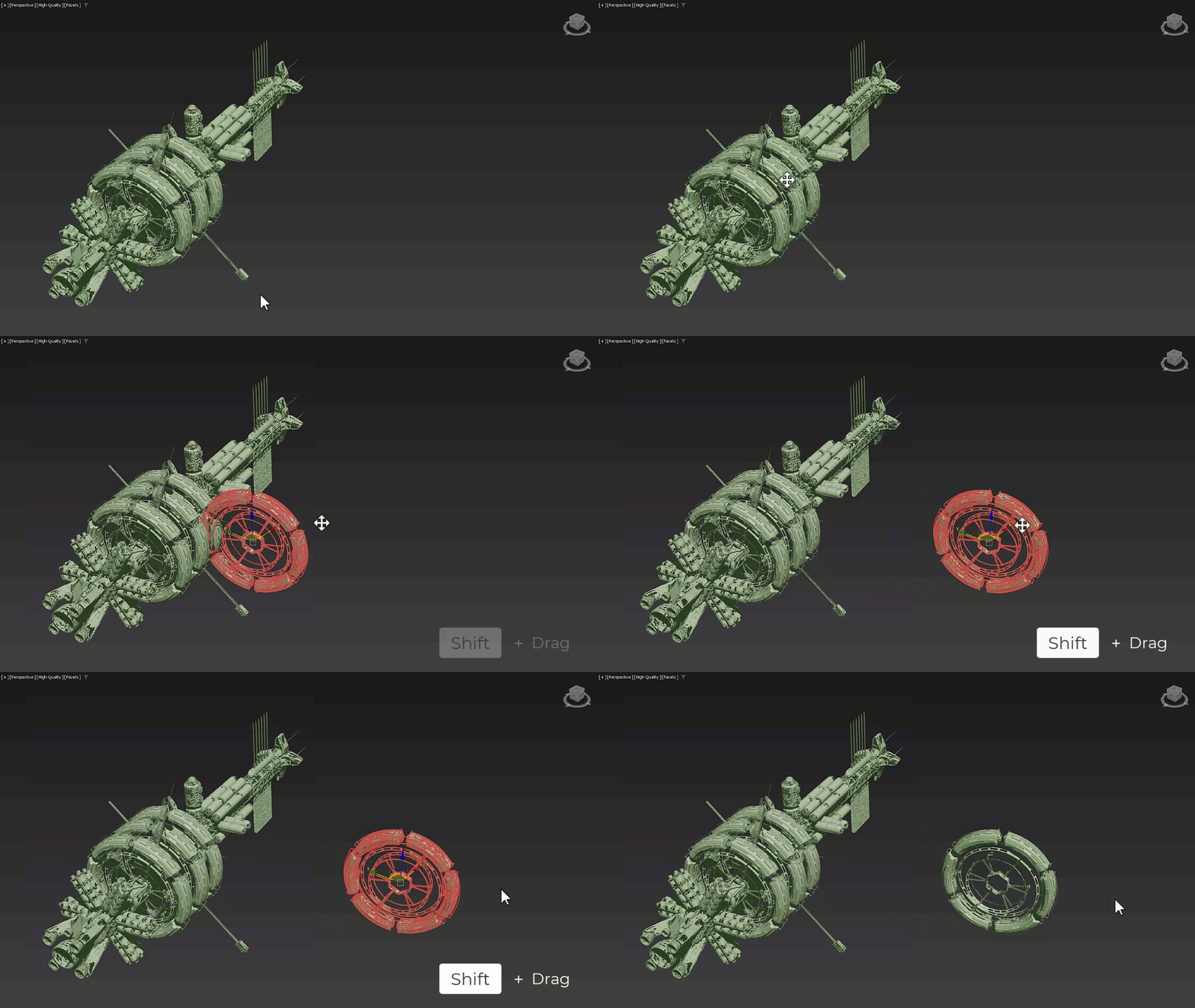
The USD for 3ds Max plugin, now at version 0.13, introduces several workflow improvements. A new Asset Resolver allows users to set custom search paths and tokens to reduce “asset not found” errors. The viewport now supports duplicating prims using the Shift-drag shortcut, and artists can rename, delete and re-parent prims directly. The USD Importer now supports MaterialX materials referenced in USD files, while the USD Exporter adds support for Shell materials. For studios using USD pipelines across DCC applications, these changes improve interoperability and scene organisation. Nonetheless, compatibility with downstream tools should be verified before adoption.
Arnold integration updates
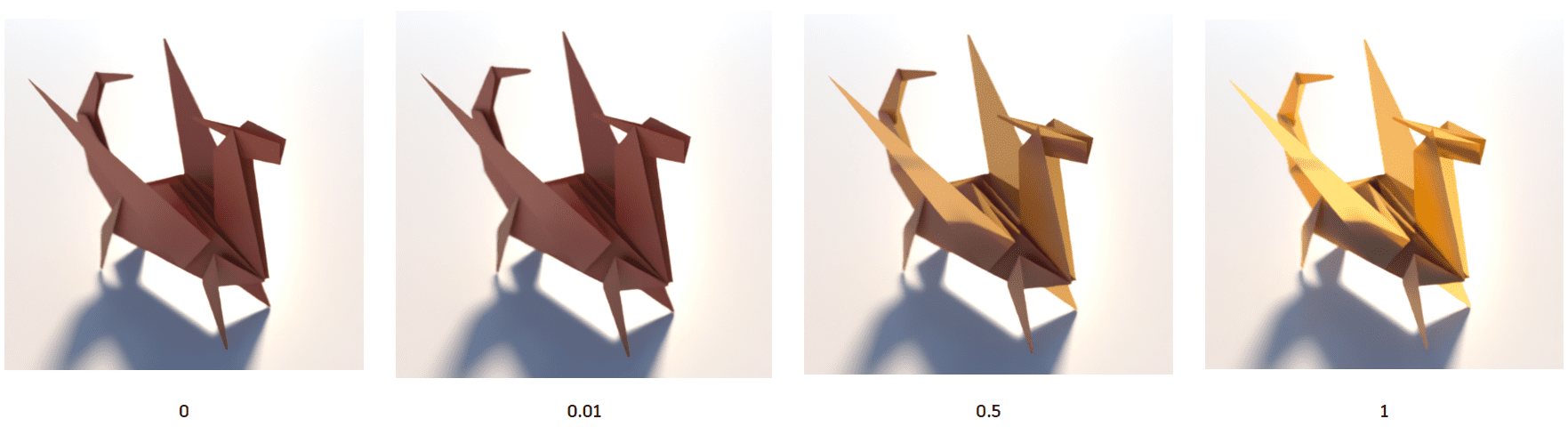
The Arnold for 3ds Max plugin (MAXtoA 5.8.3.2) updates to the Arnold 7.4.3 core. It introduces a new Inference Imager, allowing image-to-image machine-learning models via the ONNX framework to stylise rendered output. There are also performance improvements in global light sampling and GPU volume rendering. The ML-based Inference Imager is potentially interesting for stylised render pipelines, though users should evaluate render time and output quality within their colour-management setup.
Fixes and workflow polish
Several workflow refinements improve day-to-day usability. The Slate Material Editor’s thumbnail cache now holds unique thumbnails for different colour-management settings, avoiding unnecessary re-renders when toggling view transforms. Users can disable “Update Browser Samples” to speed up interaction when preview accuracy is less critical. Stability fixes address Biped crashes when keyframing twist bones or setting IK keys with sub-animations enabled. In the Skin modifier, weight changes made using the Remove Zero Weights tool are now properly committed when switching bones. Cloth simulation behaviour has also been restored to match results from previous versions after inconsistencies in 2026.0–2026.2.
Licensing, system requirements & pricing
3ds Max 2026.3 runs on Windows 10 or later and is available exclusively via subscription. Pricing is set at 255 USD per month or 2,010 USD per year. In many regions, artists earning under 100,000 USD annually and working on projects valued under that amount qualify for the Indie subscription at 330 USD per year. Always verify eligibility and regional pricing before purchase.
Editorial verdict
3ds Max 2026.3 is not a major overhaul but a purposeful iteration. It strengthens modelling precision, improves material management, expands USD interoperability and introduces an ML-based stylisation tool in Arnold. For production artists in arch-viz, motion graphics and real-time asset pipelines, these modest but thoughtful refinements can streamline daily work.
The Inference Imager’s machine-learning workflow should be evaluated for integration stability and render-time overhead. The “up to 9,999 materials” limit on the Material Switcher may vary depending on scene complexity. USD enhancements look promising but must be validated against existing DCCs and pipeline tools.
As with any version upgrade, test the new tools and modifiers in a controlled environment before deploying across your pipeline.
