



The use of artificial intelligence in Adobe Photoshop is being increasingly expanded by developers. In the past, the Adobe Photoshop-AI model “Firefly” took centre stage. Two further models have been available in the beta version of the programme for a few weeks now:
- Flux.kontext Pro from Black Forrest Labs
- Nano Banana from Google
Both models have so far been able to prove their efficiency, which is impressively demonstrated by many examples on the Internet. Changing people’s clothes or manipulating the scene view are just two examples. In Photoshop, they are activated via the options in the context-sensitive taskbar. This works after selecting the entire image or an area. In contrast to Firefly, Photoshop only produces one result with the two new models.
Apart from the familiar use cases, the AI provides support when working on projects in the areas of graphic design, matte paint or concept art.

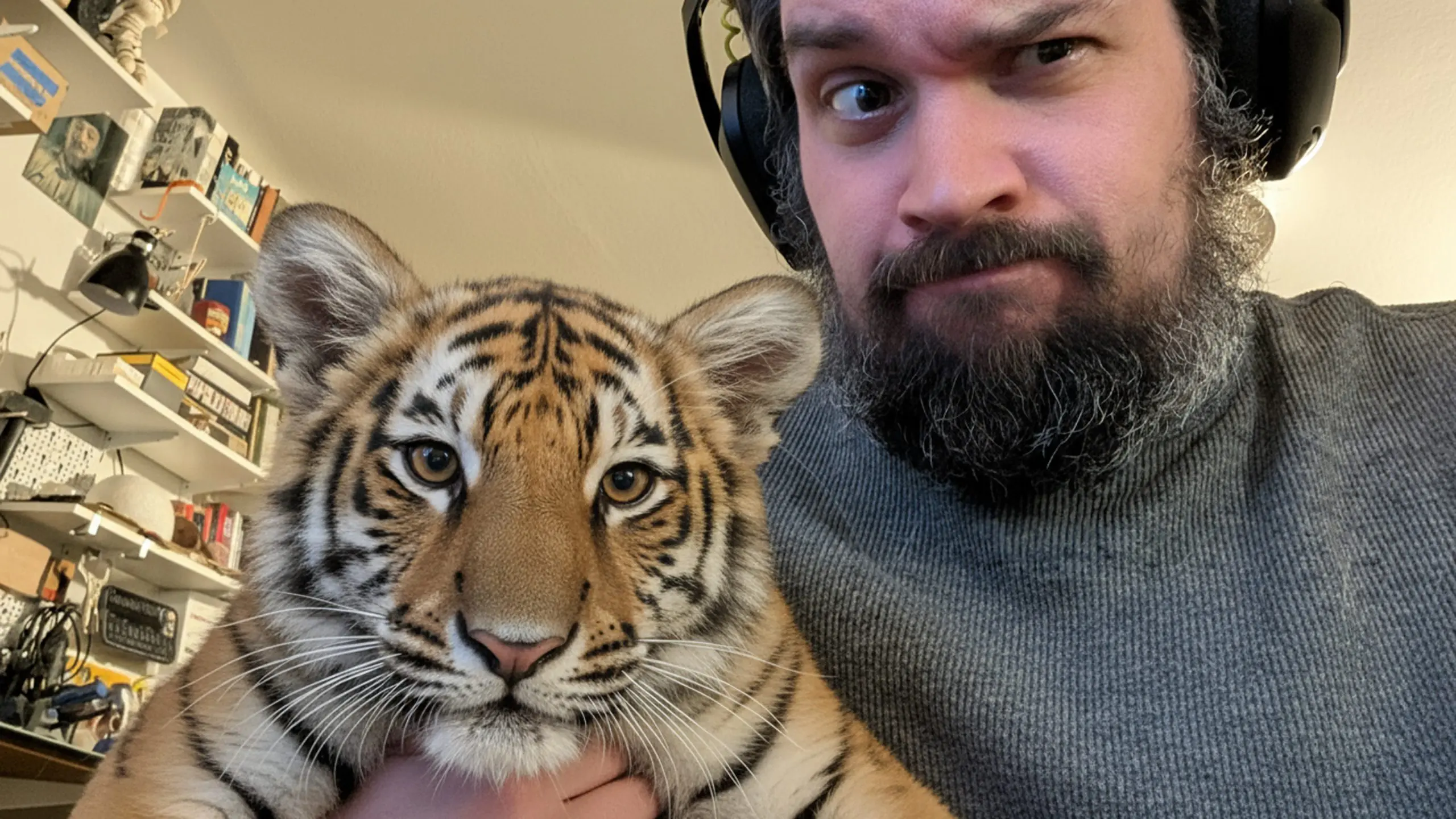

Transforming scenes in Photoshop
The use of stock photos in productions is a normal process. The same motif at a different time of year or day is usually not available. This is where Nano Banana from Google can help. It allows the scene to be quickly adapted to the production management’s specifications. This is achieved with a simple prompt. In the example, a night scene is created from an existing recording:
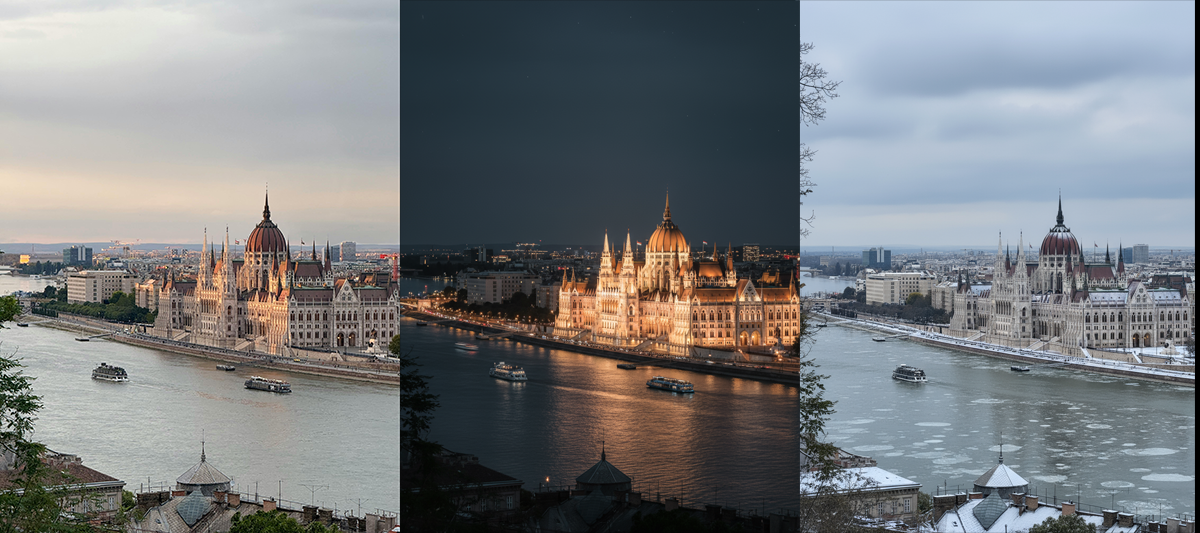
Turn in a night scene
The method allows the uncomplicated creation of material for virtual TV sets or documentaries.
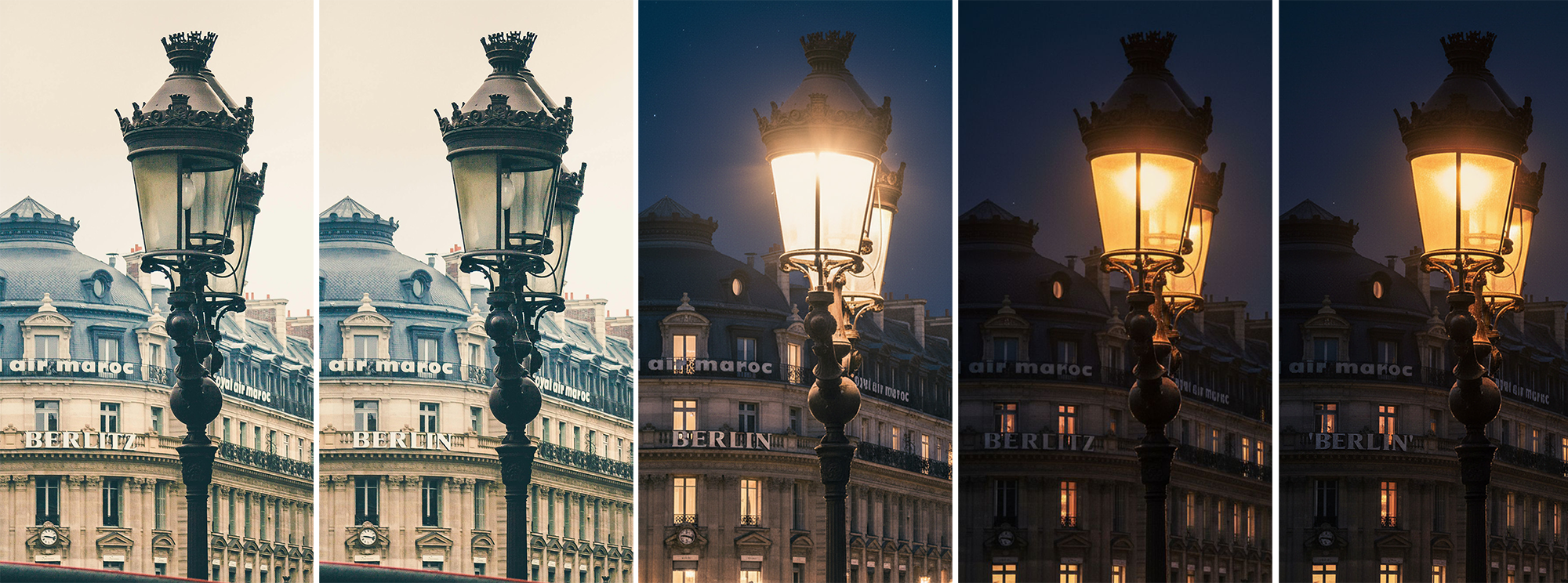
Transforming Text in Photoshop
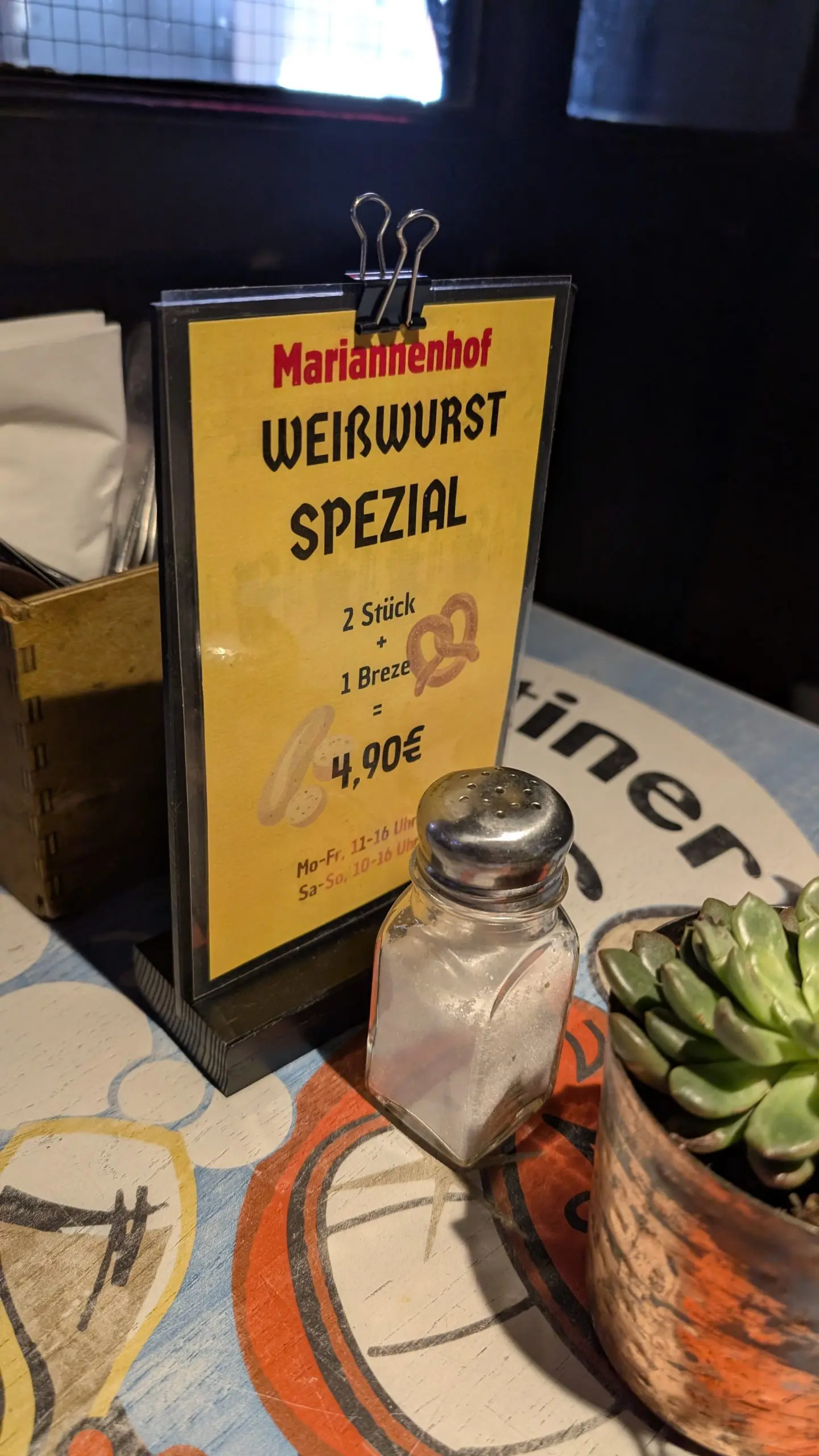
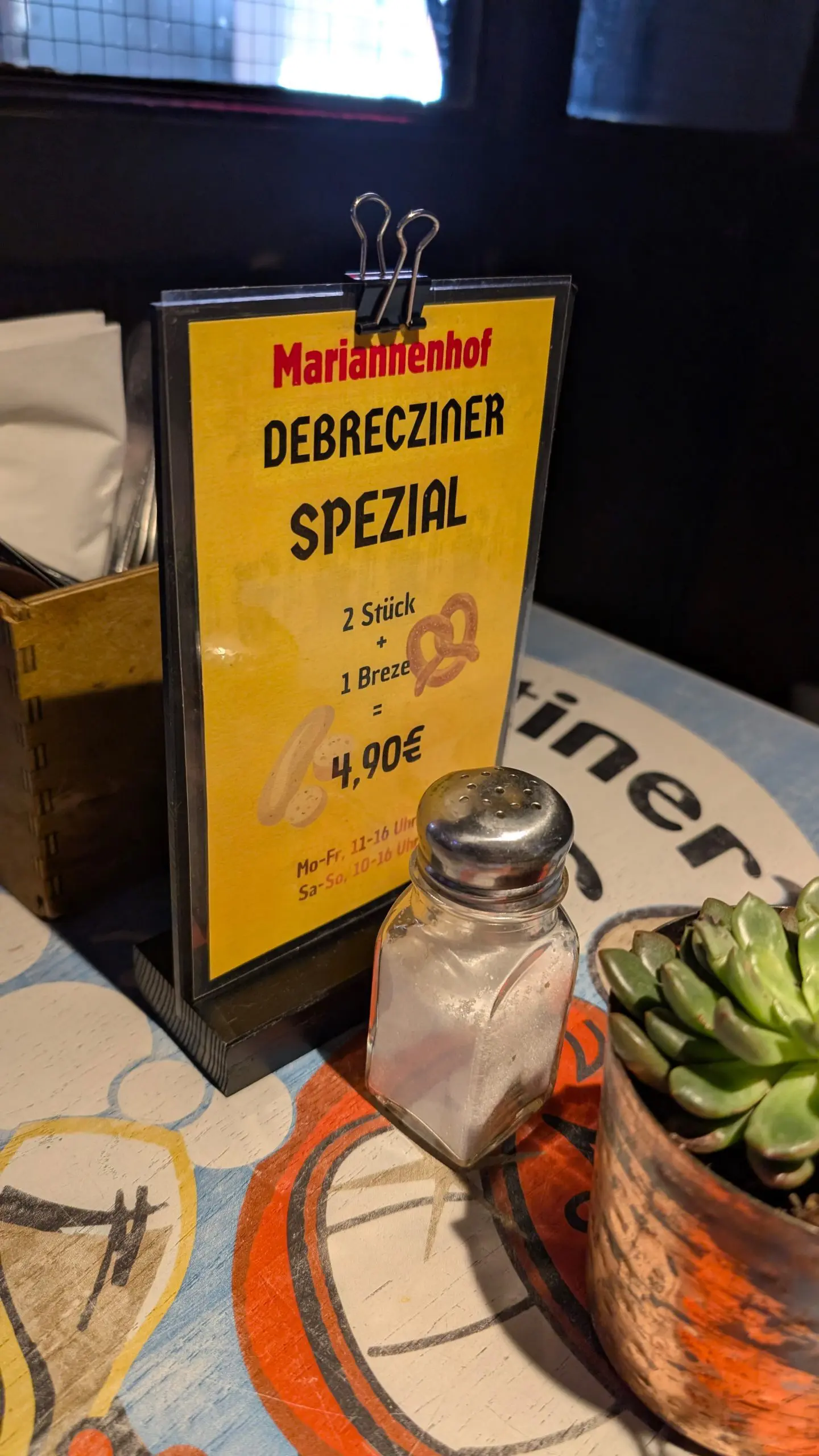
“Flux.kontext Pro” is known for changing text in photos without manipulating the font or changing the character of the overall impression. The artist then corrects errors in product designs with just a few mouse clicks. A time-consuming subsequent photo shoot is not necessary. Alternatively, product names with different international designations can be created for motion graphics. These can be used flexibly later in production.
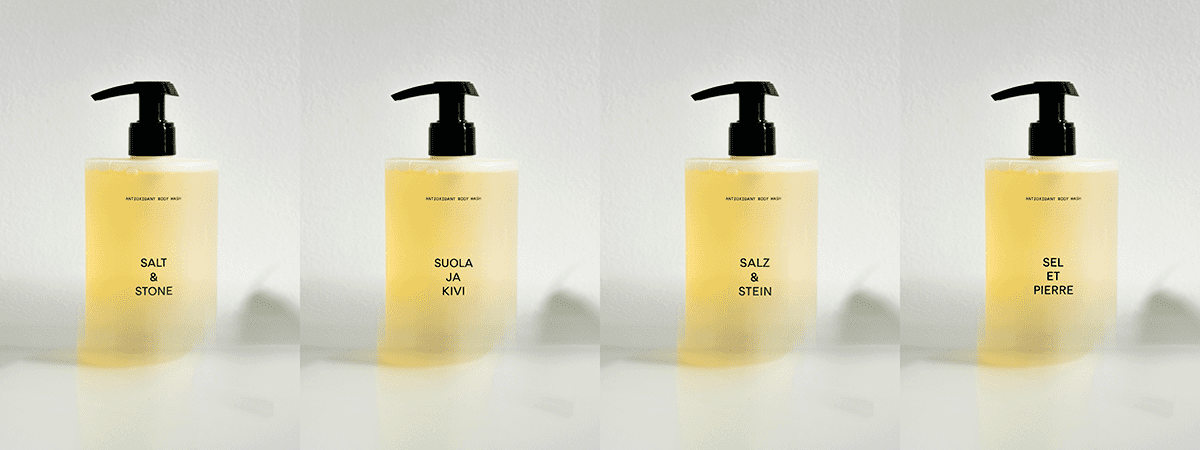
Change text “SALT & STONE” to “SALZ & STEIN”.
Both steps described with light and fonts can be combined. In practice, it has been shown that changes to the text with the Black Forrest AI should be performed in the first step. Then the lighting of the scene is changed with Google Nano Banana. The results are usually more realistic in this order and errors are avoided.


Photoshop-AI: Quick merging of motifs and objects
Matte painters and concept artists save a lot of time by using AI. Buildings can be inserted into landscapes or objects integrated into existing scenes in no time at all using text input – a single prompt is often enough.
However, the results are not always satisfactory, as the nano-banana model often automatically generates architectural suggestions. Significantly better results are achieved if you use a reference image. This is loaded into a new layer while the selection tool is used to define the target area in the background. If the background layer is active, it is then inserted via the context bar with the prompt:
Place the castle from Layer [Layer name]
If the first attempt fails, you can modify the prompt and possibly add further instructions such as “set on the mountain top”. The AI will then position the object better.
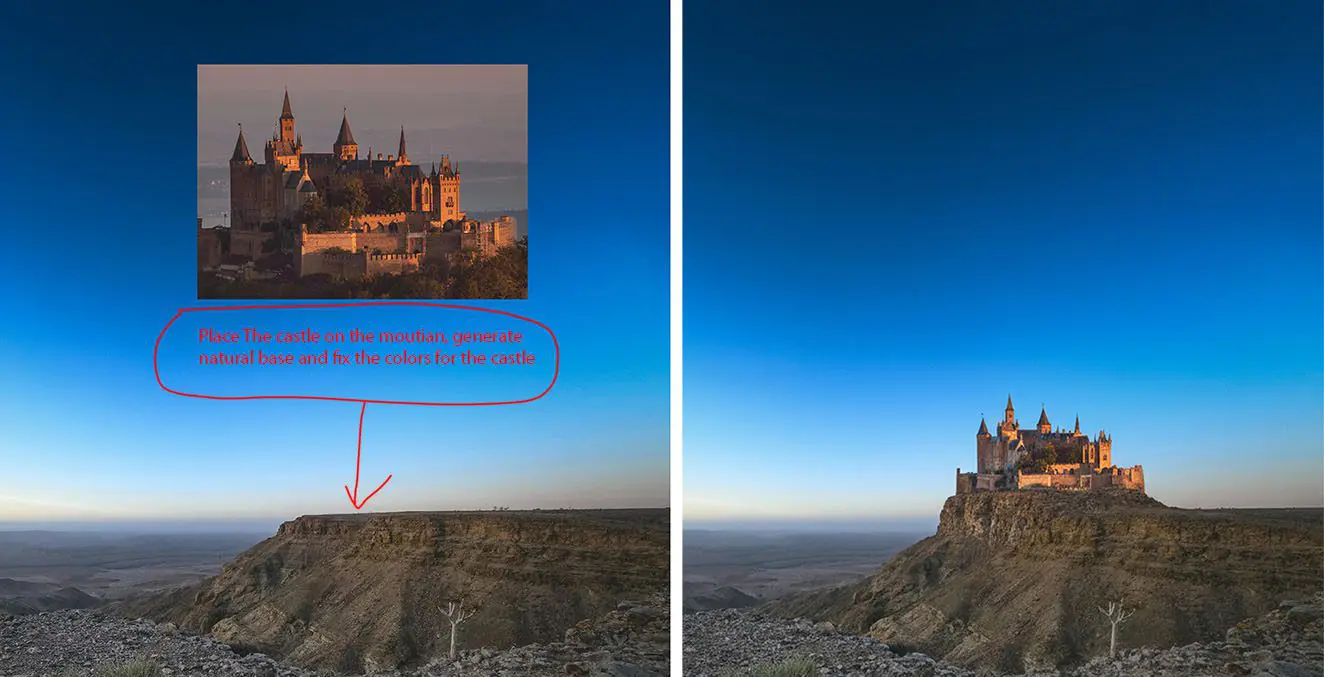
Inline prompts are available when inserting with Nano Banana. These are text layers with the instructions for working with Nano Banana. They are supplemented by graphics such as arrows and frames in a separate layer. These elements help with the exact placement of the object. Only one instruction is then required in the prompt for generative filling:
Complete the prompt in red
In some cases, Nano Banana inserts the prompt text and the corresponding graphic into the result. Then it helps to extend the instruction with “remove the red prompts and elements”.
Context-related fill and replace with Firefly
In Photoshop Beta 27.1.0, Adobe has added the new Firefly model “Fill and Replace (Beta)”. A reference image can be loaded and placed via the context-sensitive taskbar. The function can remove the background in the motif if desired. Free-standing objects with clear edges are ideal for insertion. A clear background usually ensures good results for architectural motifs. Transitions on the ground often need to be reworked, which is easy to do with the existing mask. Any remaining errors can then be corrected with a brush.
Conclusion
Numerous image manipulations are possible with the new AI models in Photoshop Beta. However, the results are not always optimal. In these cases, it helps to work in iterations and approach the final result step by step. This method leads to success in most cases. A reminder: depending on your subscription, it can become costly quickly.
The new technology is a useful tool for quick results. However, Photoshop-Ai cannot replace creativity or the experience of the artist. Rather, it helps to build up a project and can make the work process more efficient.
