



Object Mask: Click, Click, Done
Premiere’s new AI Object Mask tool aims to end frame-by-frame rotoscoping. Hover over a subject, click once, and Premiere builds a mask that automatically tracks that object through the scene. You can use it to blur faces, relight subjects, or isolate areas for colour grading. Six coloured overlays make selections easy to read, while the lasso and rectangle tools handle manual tweaks. Tracking runs both forward and backwards, with near real-time previews and a frame-track editing mode for fine-tuning. Feather and expansion controls help blend the result into your shot without visible edges.
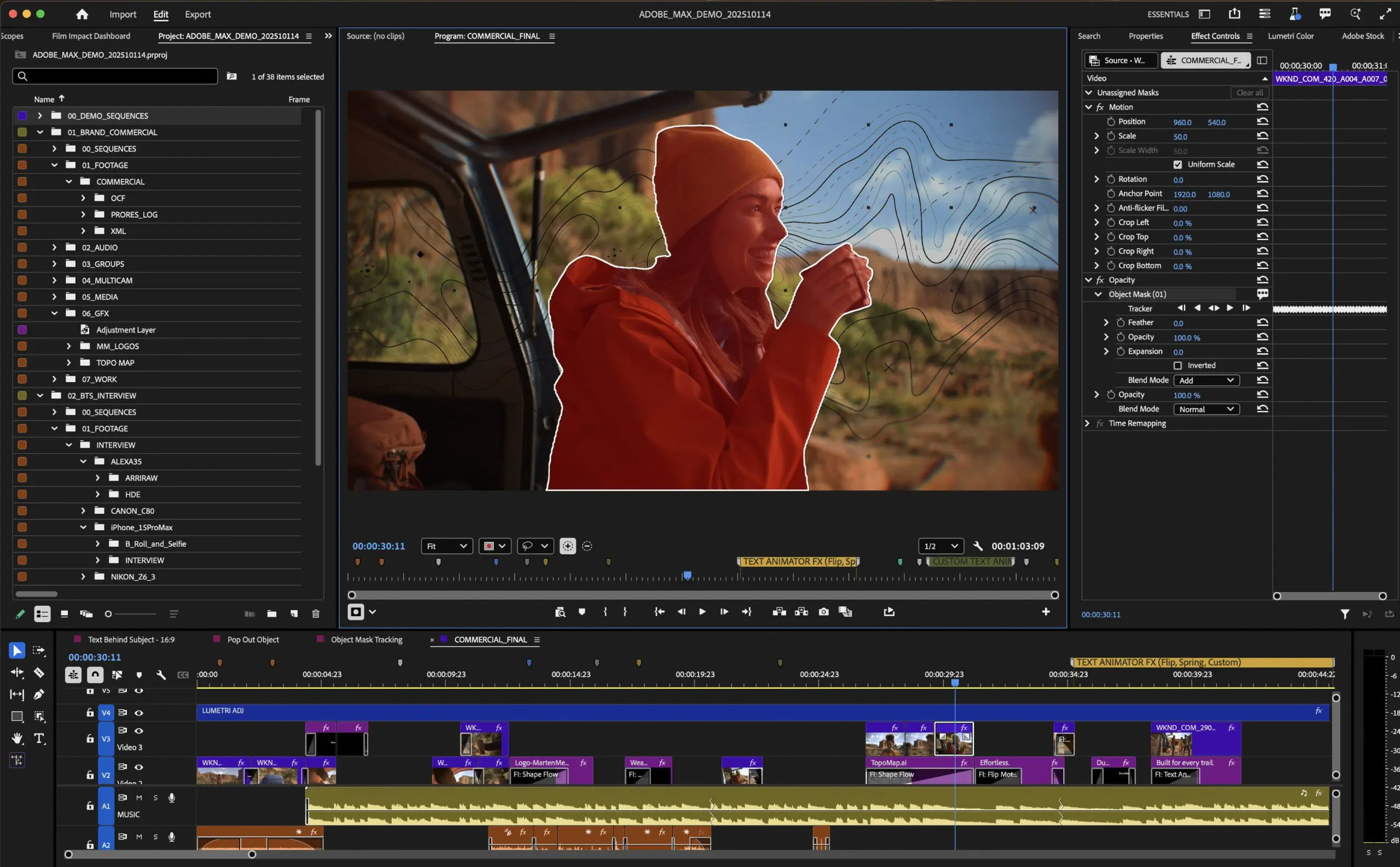
Mask tracking is now powered by a rewritten core that runs locally on the machine. Adobe says the new object selection models don’t require cloud processing, keeping footage on the device and preserving user privacy. Tracking performance is substantially faster in real use, especially on newer GPUs.
Shape Masks Grow Up
Traditional ellipse, rectangle, and pen masks have been rebuilt. The tracking engine is up to 20 times faster, bezier curves supposedly behave more predictably, and on-screen controls finally feel modern. Each mask supports blend modes for combining shapes, including add, subtract, and intersect. There is also a new 3D perspective tracking mode for sticking masks to surfaces that aren’t flat to the camera.
Firefly Boards: From Moodboard to Timeline
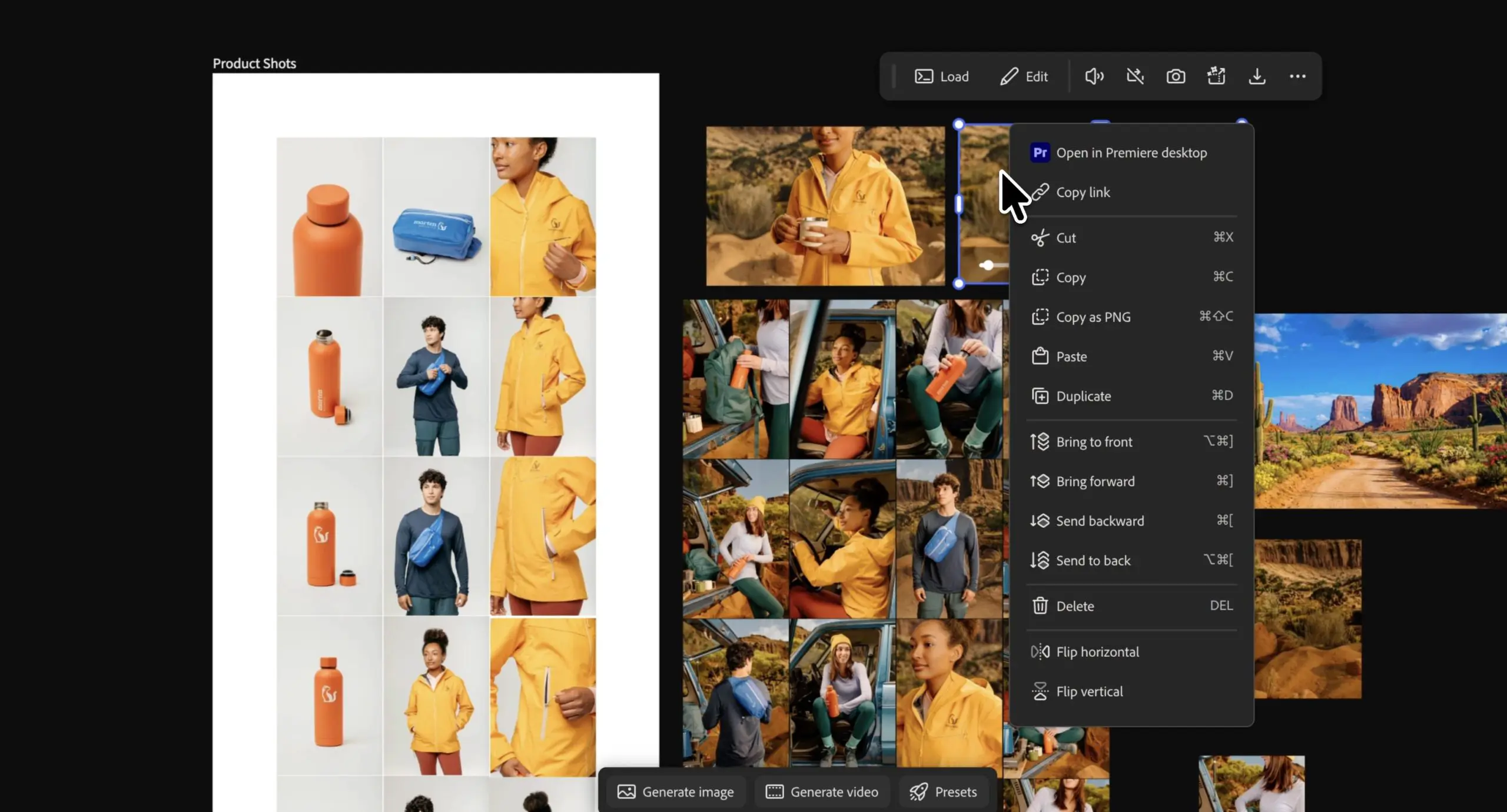
Premiere now connects directly to Firefly Boards, Adobe’s collaborative AI workspace for brainstorming and visual planning. Editors can import ideas, concept images, or generative assets directly into a Premiere project without the usual download-and-export routine. The workflow lets teams move from early ideas to polished edits without breaking creative flow.
Workflow Tweaks
Premiere 26.0 also brings a long list of smaller but meaningful improvements. The Frame.io V4 and Adobe Stock panels have been reworked so editors can search, preview, license, and import assets directly in the app. File relinking is smarter, the Effects panel is reorganised for clarity, and startup on macOS is quicker with a smaller install footprint. Windows ARM builds now deliver better responsiveness and longer battery life. Nikon R 3D NE raw video files are supported natively, including from the new Nikon ZR camera.
Beta and Reality Check
Some of the masking features remain in the Premiere beta build, so expect updates and occasional quirks. In tests, the Object Mask handles clear subjects well but can still fumble in noisy or low-contrast footage. Early adopters are advised to test thoroughly before trusting it with client deadlines.
Pricing and availability: Premiere 26.0, After Effects 26.0, and Firefly Boards integrations are now rolling out to all Creative Cloud subscribers. As always, test new tools in controlled environments before letting them loose on paid work. And yes, we’re updating our website tags.
Coming Up Next: After Effects
After Effects 26.0 got its own set of major updates, including native parametric 3D meshes, 1,300 free Substance materials, SVG import with gradient preservation, and variable-font animation. We will be pouring through that one very soon.
