



For those who don’t now the tool: HydroFX is a standalone GPU-based FLIP liquid simulator from Storm VFX, designed to generate water simulations for downstream use in DCC tools via Alembic, USD and OpenVDB. It does not render, shade or composite anything itself, and it does not try to be clever about it.
A standalone solver, not a Swiss army knife
Storm VFX has released Storm HydroFX 1.0, a commercial version of its GPU-based FLIP fluid simulator previously available in beta form. The software is positioned as a focused standalone application for liquid simulation, rather than a general-purpose dynamics system or a host-integrated plugin.
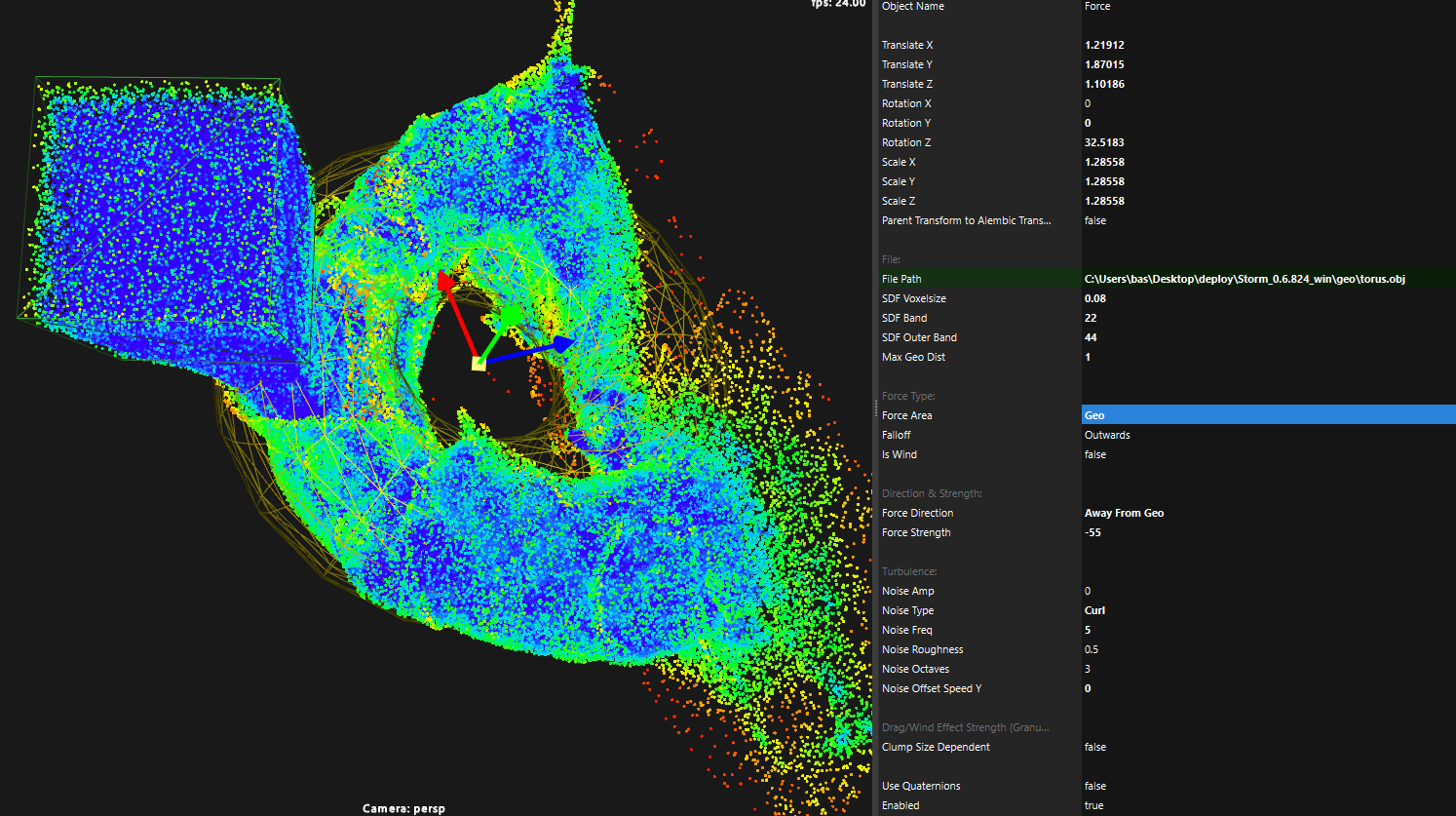
HydroFX implements a custom FLIP solver designed specifically to run on NVIDIA GPUs using CUDA. The solver runs entirely on the GPU, with the stated aim of providing faster iteration times compared to CPU-based fluid solvers. This performance claim is made by the developer and is not independently verified at press time. HydroFX runs on Windows only. No macOS or Linux versions are listed on the official site or the commercial product page at the time of writing.
Import, simulate, export, repeat
HydroFX is intended to sit between layout and lighting in a conventional VFX pipeline. Users import static geometry in Alembic or OBJ format, which can act as emitters, colliders or force drivers. Simulation parameters are adjusted directly through a node-free interface that mirrors the design language of Storm VFX’s main Storm application.
Simulation output can be exported as particle caches in Alembic, USD or PRT formats. Storm HydroFX 1.0 also supports exporting liquid surface meshes, allowing the simulated water to be rendered in external DCC applications or real-time engines. OpenVDB output is available for preview surfacing and volumetric workflows. Cache sizes for playblasts / preview can be reduced by exporting only surface particles rather than full particle sets. .
Whitewater, foam and other small things that float
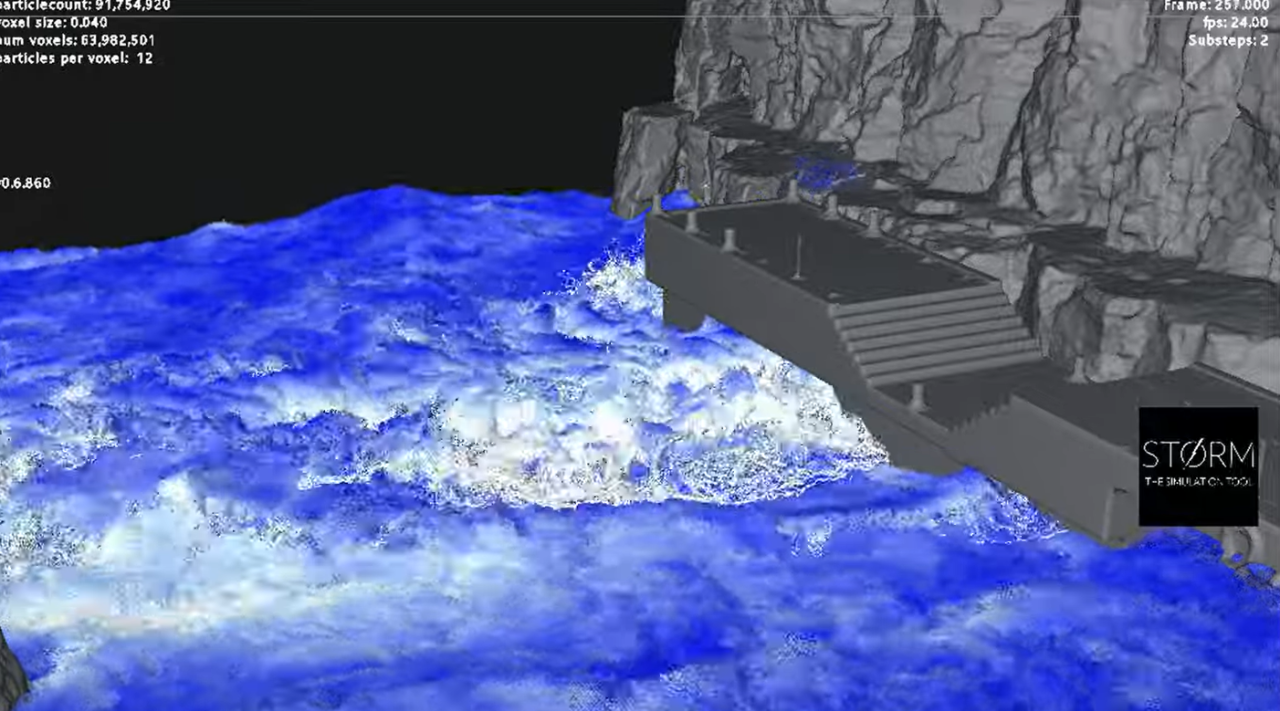
HydroFX 1.0 includes built-in systems for foam, bubbles and spray, collectively described as whitewater. Whitewater can be simulated as part of the main solve or as a separate system, and can be exported independently from the main liquid body. Storm VFX describes improvements to whitewater behaviour and stability compared to the beta versions.

The solver is explicitly positioned as an offline simulation tool. There is no claim of real-time playback, interactive editing or on-the-fly meshing, and none should be inferred.
Pricing and licensing
Storm HydroFX is sold via Gumroad under annual subscription licences. The base (Indie) Storm HydroFX licence is priced at €145 per year. A Storm HydroFX Studio licence is priced at €249 per year, with multiple seat options selectable during purchase. Exact seat counts and per-seat pricing for the Studio tier are not listed as fixed values and must be configured on the Gumroad page.
Licences are activated online. The Gumroad listing specifies a seven-day money-back guarantee. HydroFX is distributed as a downloadable standalone application rather than an installer-based package.
Hardware and compatibility limits
HydroFX requires an NVIDIA GPU and uses CUDA. No support for non-NVIDIA GPUs is listed. The software currently runs only on Windows. These limitations are explicitly stated by the developer and should be considered non-negotiable at this stage. While HydroFX does not provide host-specific plugins, its reliance on standard interchange formats allows it to be integrated into pipelines built around tools such as Blender, Maya, 3ds Max, Houdini or Unreal Engine. Storm VFX does not provide official integration tools or presets for any of these hosts.
Production reality check
Storm HydroFX 1.0 is a narrowly scoped tool that does one job and avoids pretending otherwise. It does not replace broader simulation frameworks and it does not attempt to manage rendering, shading or scene assembly. For teams already comfortable moving caches between applications, this may be a feature rather than a limitation.
As with any newly released simulation software, artists and technical directors should test HydroFX thoroughly on representative shots and hardware before committing it to production use. New tools and innovations should always be validated in controlled conditions before being deployed on actual client work.
Link Citation Block
// Storm HydroFX product page
// https://stormvfx.gumroad.com/l/hydrofx
// Storm VFX official website
// https://storm-vfx.com
