



For those who do not know the tool: Modeler is a direct modeling add-on for Houdini that focuses on interactive, viewport-based polygon editing rather than node-heavy procedural setups. It is designed to cover everyday modeling tasks such as blocking, refinement, and adjustment directly on geometry, while remaining fully compatible with Houdini’s SOP context. Modeler does not replace Houdini’s procedural toolset, but complements it by providing fast, hands-on controls for artists who need to shape, edit, or iterate on meshes without building complex node networks for each small change.
Alexey, (SideFX Profile) the one-man-band behind the extremely practical direct modelling toolkit with the catchy name “Modeler”, has released exciting new features with the annual update 2026.

Polypen 26
The central addition in Modeler 26 goes to the PolyPen, a context-sensitive viewport tool that consolidates point, edge, and polygon editing into a single workflow. Geometry elements are detected automatically and can be manipulated directly in the viewport, reducing tool switching and node detours. The intent is a single, general-purpose modelling instrument rather than a collection of specialised operators.
Edges can now be extruded directly with a click, allowing new geometry to be pulled out interactively without invoking separate nodes. Polygon insets are also handled directly inside the PolyPen, removing the need to route operations through the Extrude SOP for common adjustments.
Subdivision has been expanded with screen-space cutting. Polygons and edges can be cut freely based on the current viewport orientation, enabling fast, less constrained topology edits that prioritise visual feedback over strict axis alignment.

The PolyPen operates exclusively in true real-time symmetry rather than relying on a downstream Mirror node. This simplifies symmetrical edits, particularly for character modelling and proportion adjustments, while keeping the result explicit at the geometry level.
Additional tools include Connect Rings, which creates orthogonal subdivisions from selected edges, and Delete Island, which removes entire UV islands in a single action. Together, these changes focus on reducing friction in common modelling tasks rather than introducing new abstraction layers.
Open Curves Boolean
Fast and complex division of geometry is now possible with the help of open curves of all kinds.

Bezier Deform
Geometry can now be deformed using a Bezier curve as input, which is useful not only for character modellers, but also for advanced blend shapes or effects.

Cards
With the new Draw Cards SOP, cards and tubes can be drawn directly in the viewport, which gives it a bit of a ZBrush CurveTube feel.

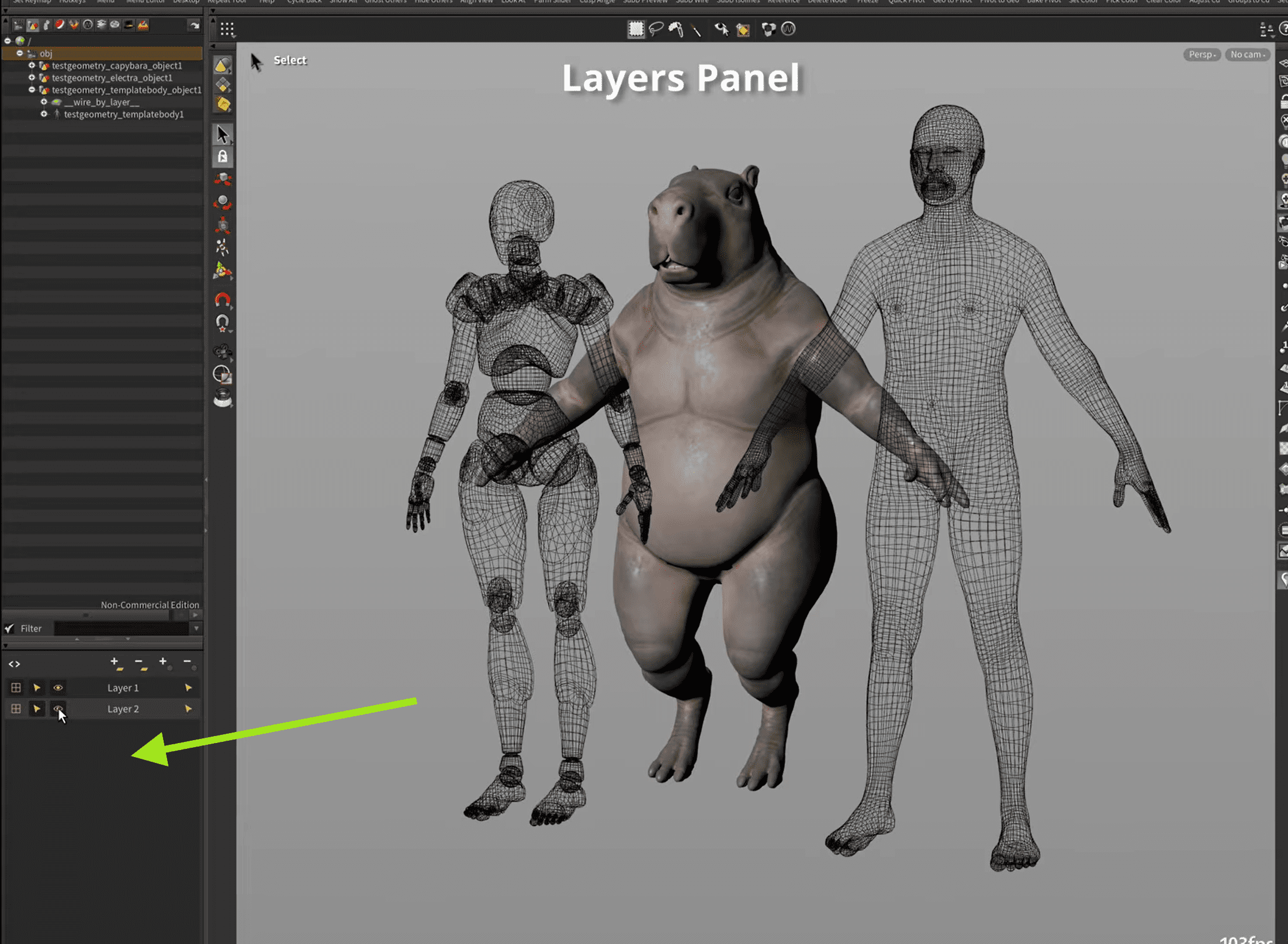
Object Layers
The new layer palette with the usual hide/ghosting/select options provides more order and clarity.
More features in the sneak peek
Pricing and availability
Existing users can upgrade now for £50. Gumroad will automatically send an email with the upgrade link (with a slight delay). If you want to make your polygon life in Houdini much easier, you can do so for £100 on Gumroad. And if you want to know more, join the modeler Discord.
And as always, verify the new features in a non-critical scene before integrating it into a production.
