



Damjan Minovski, has released OmniStep 2.0, a major update to the interactive animation and prototyping tool for Blender. OmniStep provides a scriptable first person controller that runs directly inside Blender scenes. Instead of manually placing keyframes to animate cameras, users can move through a scene in real time while recording camera motion and interactions. The result can be used for walkthroughs, fly-throughs, previs shots, or rapid prototyping of interactive environments.
The add-on includes a built-in game loop, movement system, and collision handling. It can operate without scripting, but also allows users to extend functionality through custom scripts written directly within the scene. Version 2.0 introduces several architectural changes, including a new module system and improvements to collision behaviour. The update also integrates many previously external scripts directly into the add-on.
OmniStep is designed for scene exploration and interactive animation. Users can move through a scene using first person controls, with parameters such as speed, gravity, friction, and acceleration adjustable in the add-on settings. Walk and fly modes are available, allowing either grounded navigation or fully physics-based flight through the environment.
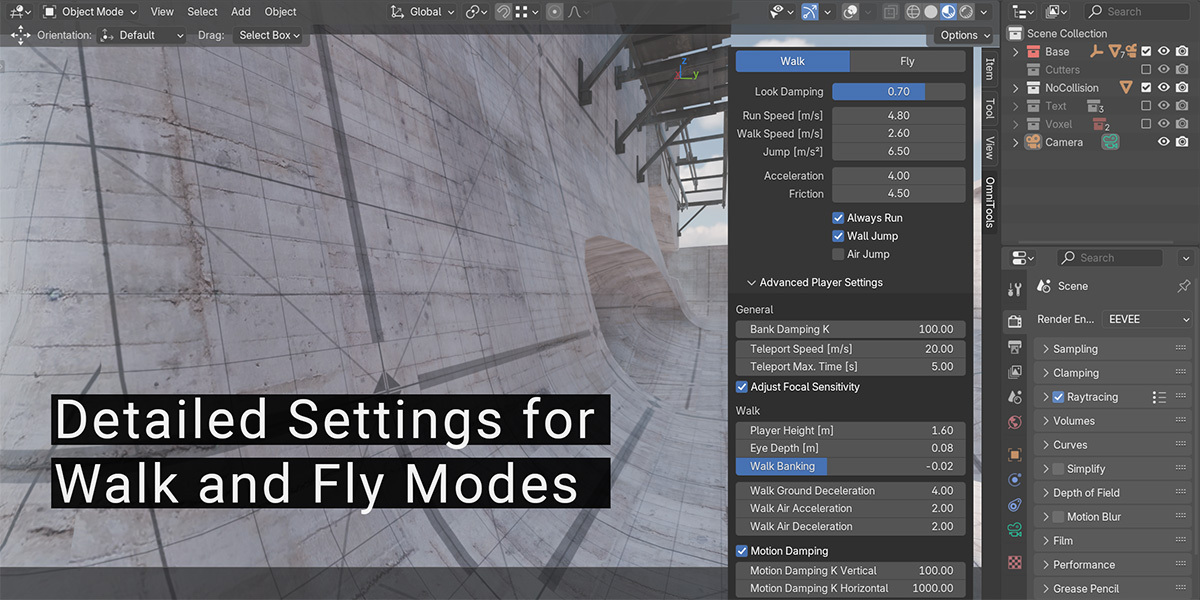
Camera motion can be recorded during navigation. This makes it possible to create continuous shots that would otherwise require extensive manual keyframing. The system can also interact with Blender physics and camera rigs, including constraints and other rig components.
Because the add-on includes a built-in scripting system and game loop, it can be extended to support custom interactions. Documentation for the tool notes that user-written scripts can be embedded directly in Blender scenes as text blocks and edited during development.
Modules replace scattered scripts
A central change in OmniStep 2.0 is a new module system that reorganises how extensions are handled. Earlier versions relied on external UserScripts that had to be managed individually. In the new release, most of these scripts are integrated into the add-on itself and can be accessed from a single interface. Users can selectively enable or disable them depending on their needs. The module system parses files stored in a designated module directory when Blender starts. This allows users to add new modules or modify existing ones without rebuilding or reinstalling the add-on.
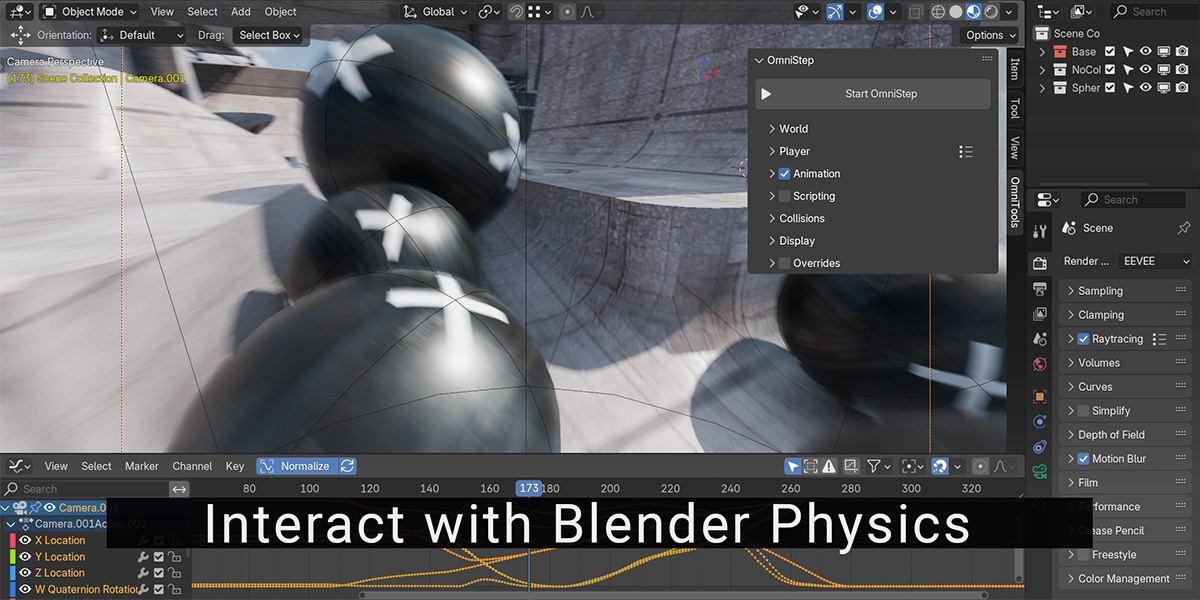
Animated objects as dynamic colliders
Another change in OmniStep 2.0 is support for dynamic collisions. Any object in a Blender scene can now act as a collider, including animated objects and entire hierarchies driven by keyframes. This allows moving elements such as platforms or mechanical components to interact with the controller during runtime. The add-on already uses a capsule-based collision system backed by a BVH tree structure, which allows collision detection against complex geometry with large triangle counts. With the new dynamic collision support, animated geometry can participate in these interactions. In practical terms this means that moving obstacles, elevators, or other animated props can influence the player movement during recorded walkthroughs.
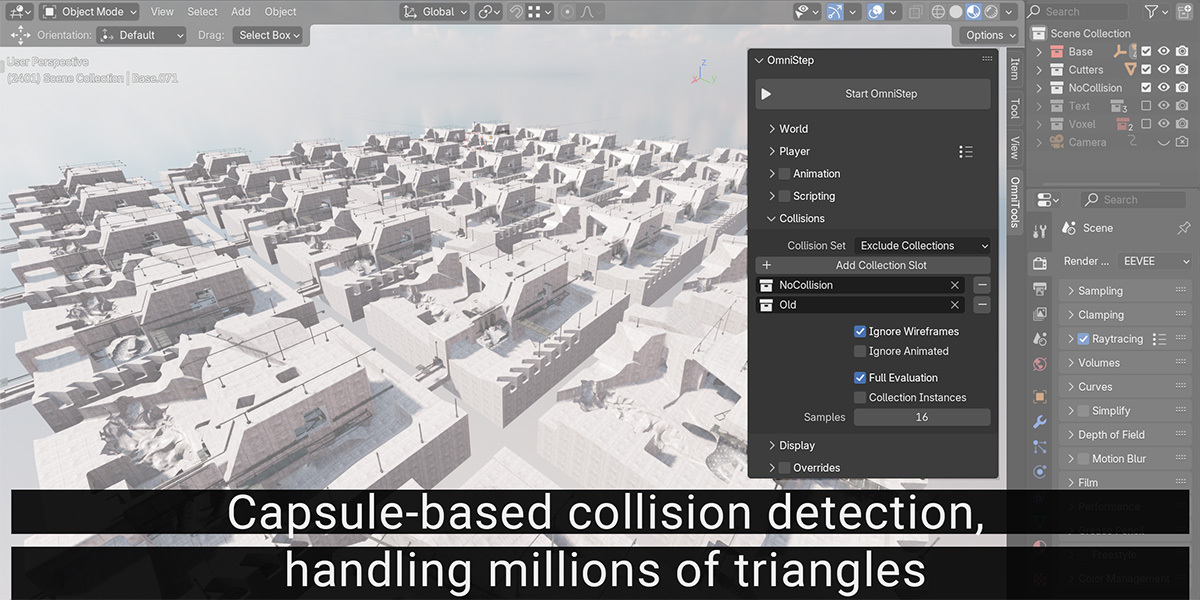
The underlying collision detection and physics integration rely on Blender’s existing physics systems. The exact internal implementation of the dynamic collision update has not been described in publicly available documentation.
Cursor warp and reshoot workflow
The update also introduces several workflow improvements aimed at interactive recording. One of them is the Start at Current Frame option. This allows users to restart OmniStep recording from the current timeline frame rather than the beginning of the animation. According to the developer, the feature simplifies re-shooting specific parts of an animation without re-recording the entire sequence. Another addition is Cursor Warp, a feature intended for multi-monitor setups. When moving the camera quickly, the system can automatically reposition the cursor so it does not reach the screen edge and lose focus from the Blender window. Cursor Warp replaces an earlier option called Center Cursor.
Compatibility and availability
OmniStep 2.x is compatible with Blender 4.5 and later. The developer states that the add-on has been tested on Windows, macOS, and Linux systems. The update is free for existing users of the add-on. New users can purchase OmniStep via the marketplaces (Name a fair price :D ) listed on the project website, including Superhive ()15$ and Gumroad(Name a fair price).
As with any add-on that modifies core animation workflows or introduces runtime interaction inside production scenes, artists should evaluate the tool in controlled test projects before deploying it in production pipelines.
// https://omnistep.atair.cc/index.html
// https://omnistep.atair.cc/Resources/DemoFiles.html
