



3D artist and motion designer Jörg Grubmüller has released LimbKit, a procedural tool for generating 3D hands and feet in Blender. It is described as Geometry Nodes-based and intended to help artists block out hands and feet quickly, including paw-like variants for creatures, with an emphasis on stylised work.
The core idea is simple: instead of sculpting extremities from scratch, the workflow centres on placing readymade fingers and toes onto a palm or base mesh, then generating a merged result that can be adjusted via controls for finger length, spacing, orientation, and overall shape. The promise is not “perfect hands”, but “hands that exist”, which is often the bigger scheduling problem. LimbKit includes realistically proportioned base models for hands and feet that can be refined manually, even if the tool’s stated sweet spot is stylised characters for illustration or animation.
What it does, and what it does not claim
LimbKit’s stated function is procedural generation and adjustment of hands and feet inside Blneder using Geometry Nodes, with the output merged into a single mesh that you can further tweak via parameters. That positions it as a fast starting point for modelling and lookdev, particularly when you need to iterate on silhouette and proportions without burning hours on knuckles.
There are no stated guarantees in the provided sources about rigging readiness, deformation behaviour, UV layout, subdivision performance, or downstream interchange. If you need clean edge loops that match a house rig, consistent joint placement, or predictable deformation under extreme poses, you still have to test the generated meshes and decide whether LimbKit is a blocker, a base, or a throwaway placeholder.
Grubmüller’s background is leaning towards cartoon-style character work, including prior work as a Senior 3D Character Modeler at animation and VFX studio arx anima. That does not limit what the tool can be used for, but it does explain why the initial framing is stylisation-first: it is aimed at readable shapes and fast iteration, not forensic anatomy.
Download and library workflow
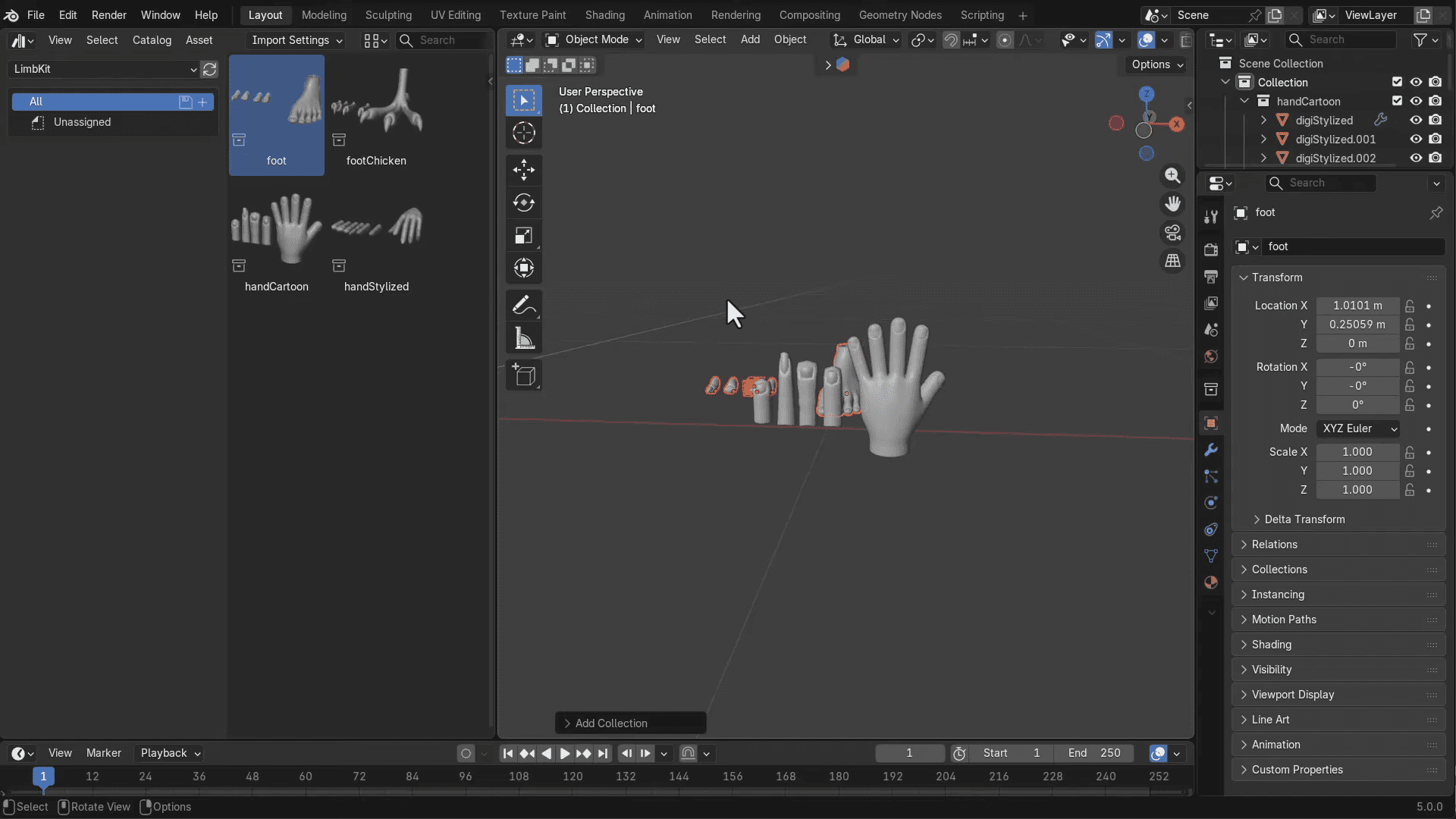
LimbKit is a free download hosted on Gumroad and is stated to be compatible with Blender 4.5+. The available walkthrough information describes a “pay what you want” style flow where entering a zero value enables a free download, followed by an email-based download step.
Setting it up as an asset library is done by pointing Blender’s Preferences File Paths to a folder containing LimbKit assets, switching an import method setting from “pack” to “appended”, then accessing the assets from the Asset Browser drop-down. From there, the described interaction is drag-and-drop: pull hand and foot assets into the scene and start adjusting parameters.
Controls, gizmos, and the “procedural bits”
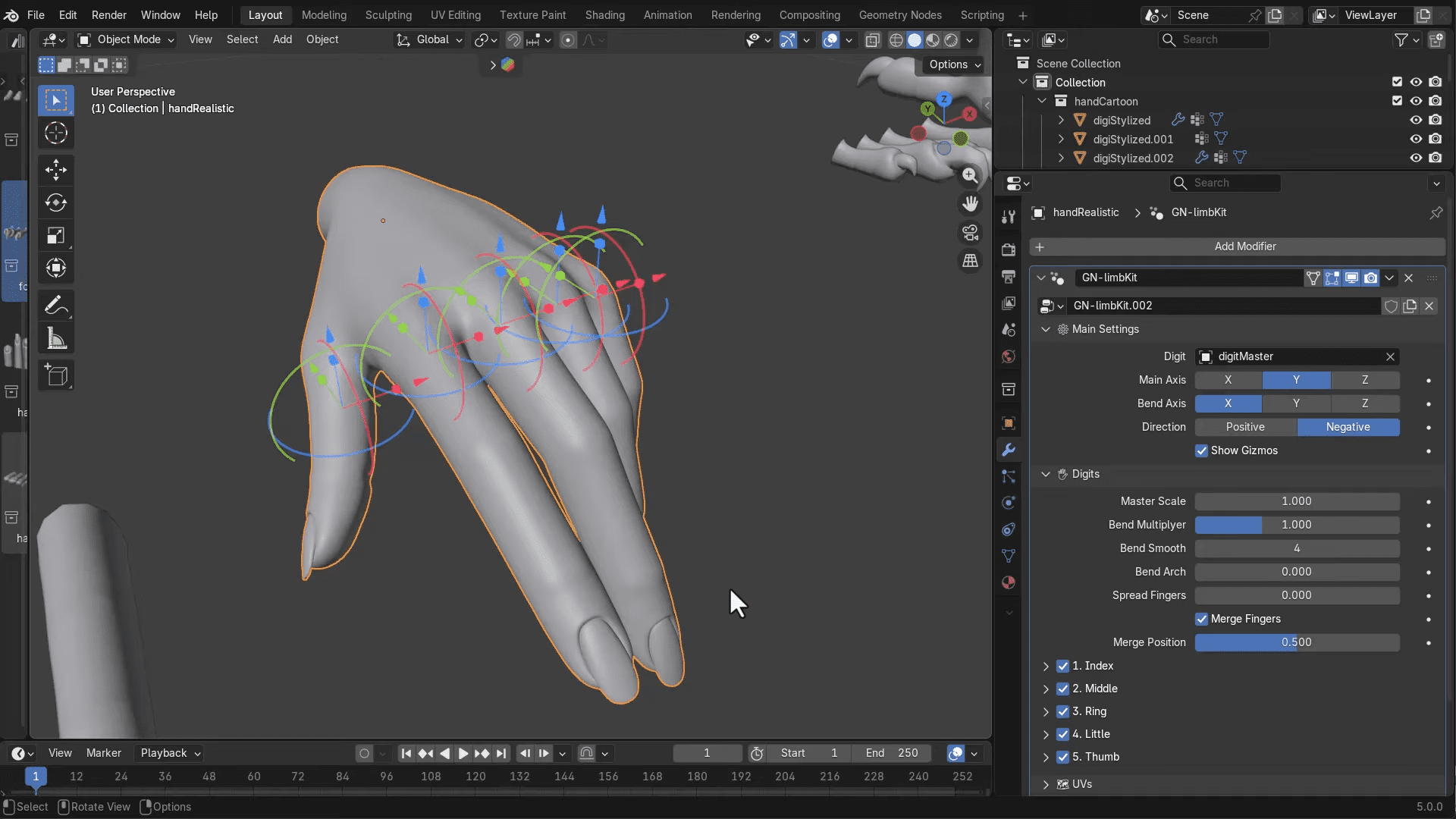
The supplied walkthrough description goes further into how LimbKit presents itself once assets are in the scene. It describes procedural controls in the modifier stack, including a primary control labelled “Digim Master” and scaling tools for global and per-finger adjustment. It also describes an optional gizmo-based control mode that allows moving individual finger elements forward or backwards.
Additional controls include adjustable bending styles and colour parameters that apply across the assets, including separate options for stylised variants that can alter finger length and pointiness. The walkthrough also mentions parameters described as controlling the bend tip and the bend centre.
Practical pipeline fit
LimbKit sits comfortably in the rough modelling stage when the goal is speed and iteration: building a hand silhouette that reads, matching proportions across a character set, or getting something into layout, previs, or a stylised render without dedicating half a day to digits. The workflow can be useful for motion designers and generalists who are allergic to sculpting but still need convincing extremities on screen.
What it should not be assumed to replace is the careful part: production topology, deformation testing, UV standards, and the inevitable “why does the thumb do that” notes once animation starts. LimbKit looks like a practical way to get to a first pass quickly. Whether it becomes your base mesh generator or your temporary placeholder depends entirely on your worlflow and your tolerance for procedural geometry in hero assets.
Fact check reminder: New tools and innovations should be tested before use in production.
