



Table of Contents Show
by Philipp Staab & Calvin Bacon
Who? What? Where?
InstaLOD is a software product for the automation of work processes in 3D production. In contrast to other, typically industry-specific 3D software, InstaLOD is used by a wide variety of companies: from entertainment customers (LOD, retopologisation, beacons …) to enterprise customers (CAD tessellation, decoring …). The cost- and time-saving software is developed by the Stuttgart-based company InstaLOD GmbH and was presented for the first time at SIGGRAPH 2017 in Los Angeles after several years of development.
Within a very short space of time, the company has successfully established itself with the largest game developers and enterprise customers. Managing Director Manfred Nerurkar brings a wealth of experience in the field of real-time 3D to the company. Many years of experience in game development as well as the development of a commercial 3D engine help the company to understand the processes and develop automated solutions that deliver convincing results.
Optimise it well
InstaLOD’s optimiser is designed for the highest quality and extreme speed. The idea behind it was not only to be able to optimise as much as a 3D artist can do by hand, but to go even further – automatically and in just a few seconds. InstaLOD therefore has an intelligent optimiser and knows exactly where edges are needed and where they are not in order to achieve a perfect silhouette, maintain perfect shading or counteract texture skewing. InstaLOD’s advanced control options and vertex painting or selection sets allow you to define where the optimiser should optimise more or less of the mesh to achieve the perfect result for each type of mesh.


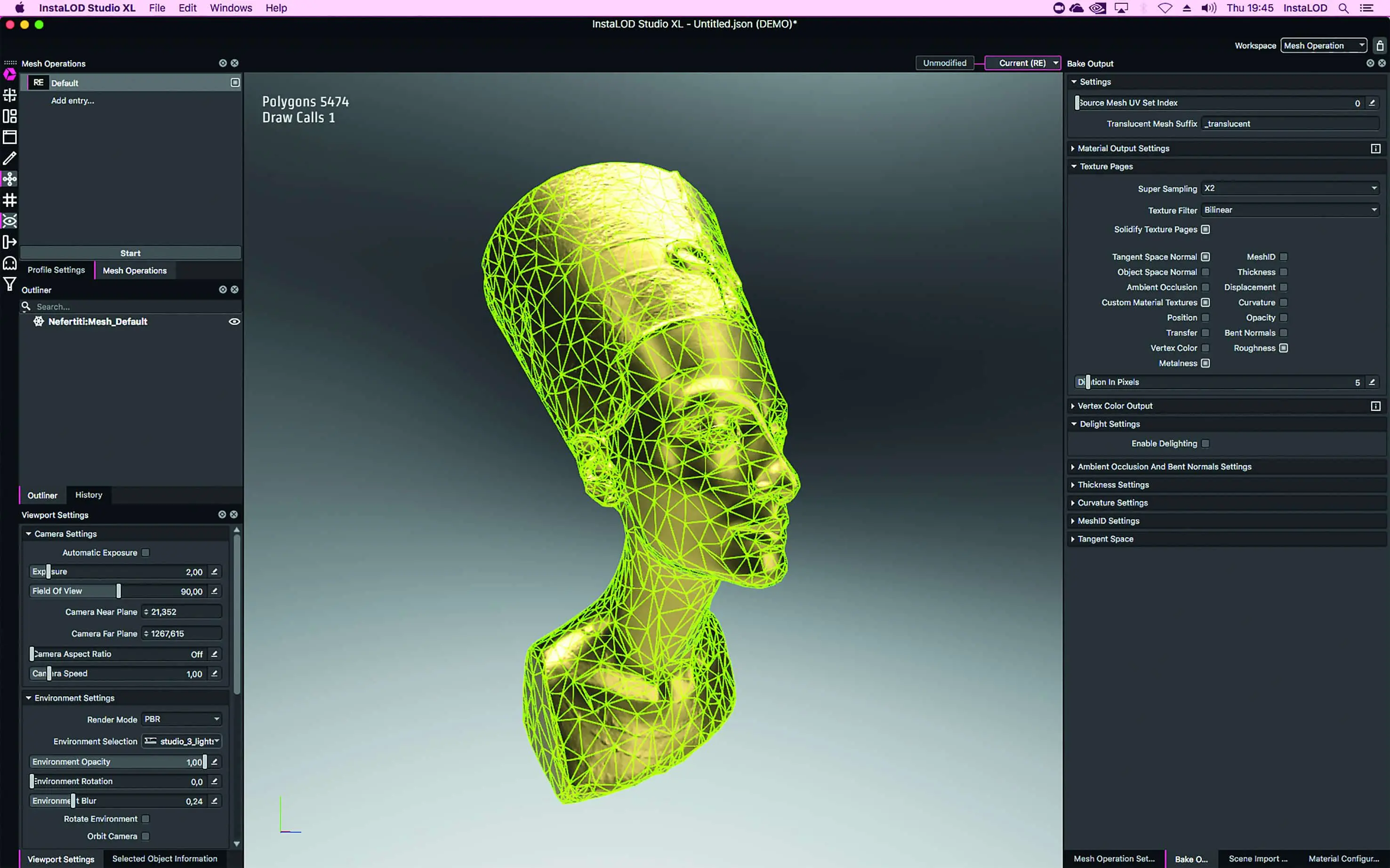
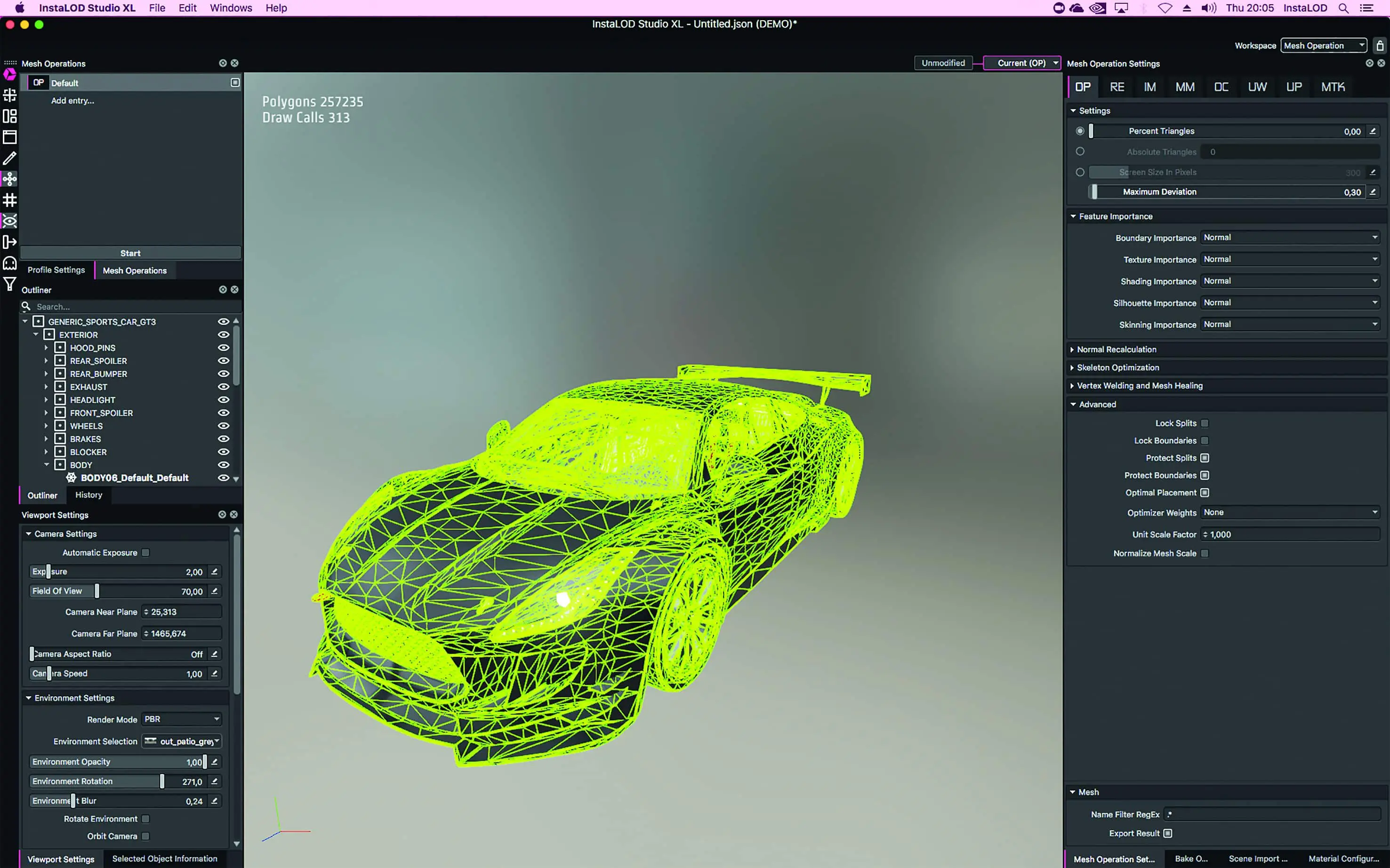
With the “Maximum Deviation” option, a threshold value can be specified that optimises up to a point at which certain changes to the mesh are reached. This allows you to automatically optimise any number of files in batch processing to a consistent quality and save different numbers of polygons per mesh as required. For example, automotive assets can often be thinned out by up to 90% of the data while maintaining the same shading.
InstaLOD has solved many problems in the area of optimisation that other optimisers have previously failed to solve. From the optimisation of skeletal meshes, where skinning weights are automatically transferred, to the optimisation of faulty geometry such as non-manifold geometry. There is no limit to the number of polygons. The InstaLOD Optimiser can process meshes of any size.

Remesher
In the good old days, creating UVs and remeshing were probably rather unpopular tasks that interns were allowed to do when they spilt their boss’s coffee again. However, remeshing itself is a process that has hardly been used in the 3D industry to date, as only low-quality results can be achieved despite long runtimes. With InstaLOD, we can carry out a complete retopologisation of a mesh within a very short time, creating new UVs and baking all the desired textures at the same time: Displacement, Curvature, ID, Normal Maps and whatever else your heart desires.
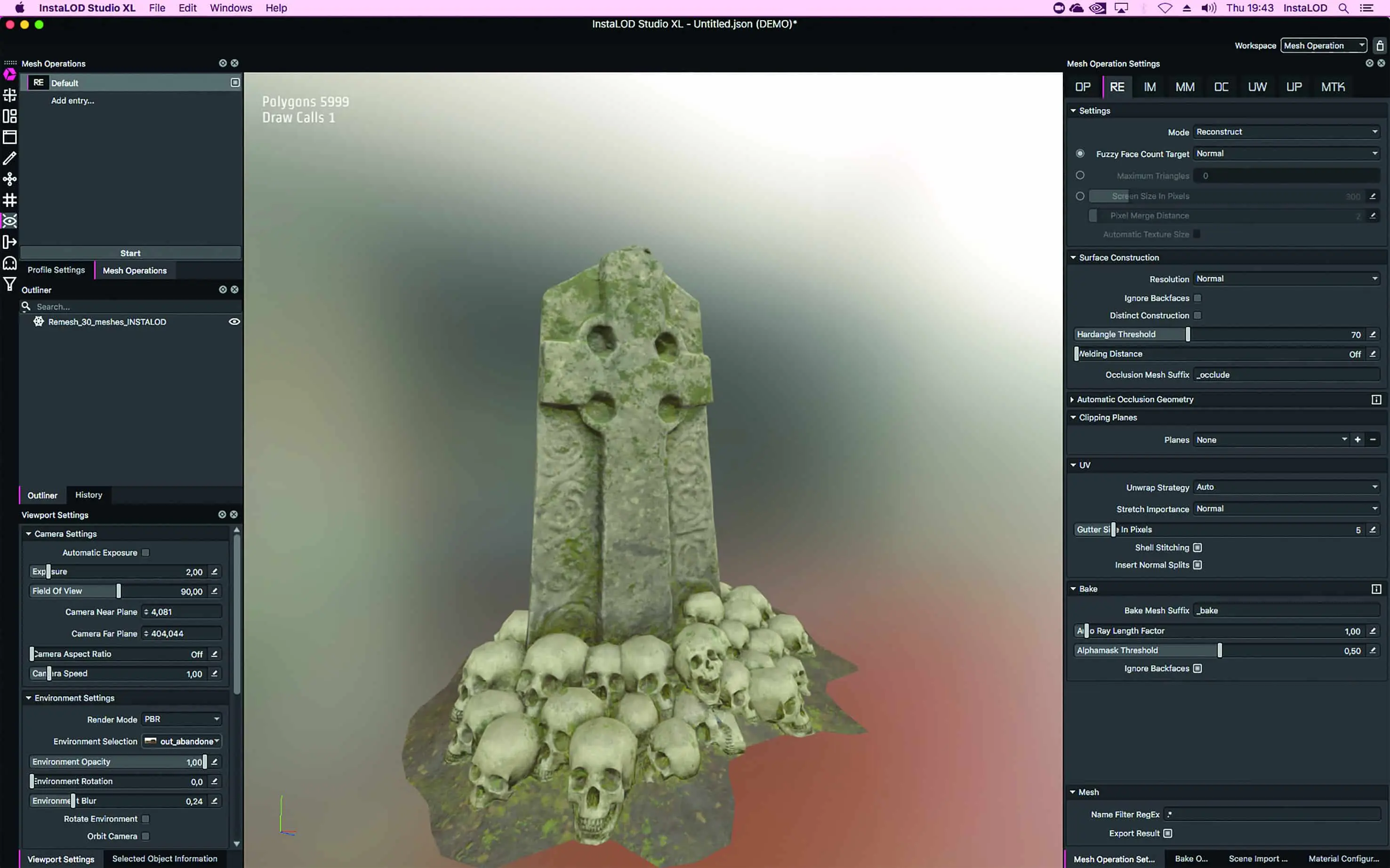
Here too, InstaLOD is able to process huge amounts of data without any problems. The first step in remeshing is to analyse the input geometry and the objective of the remesh. In this case, we have a large and dense amount of data and want to make it usable for a VR application. With large amounts of data, it is typically difficult to determine how many polygons are needed to achieve a good result. We therefore use the fuzzy face count target here, with which InstaLOD itself determines how many polygons are needed to achieve a result with the right quality for the subsequent use case. The “Normal” target set here automatically creates a quality that is suitable for VR applications for PC or console. After only about a minute of running time, we have reduced the previously unusable bust to approx. 5,000 polygons. The remesher thus saved over 99% of the data volume.
At the same time, the remesher created the UVs with the required high quality and saved all the textures needed for renderings or real-time engines. The asset is therefore completely finished and can be transferred to any render engine without having to be further processed or improved.

Kitbash workflow
InstaLOD’s revolutionary features make completely new workflows possible. One of these workflows is kitbashing, in which several high-poly objects are put together (kitbashed) and the scene is then remeshed with InstaLOD. This allows a game-ready object to be created from several unusable high-poly objects within minutes, including all UVs and necessary textures. The creation of such assets usually takes several days, even for high-end studios, as all steps from sculpting to UV unwrapping, baking, texturing etc. have to be carried out manually. This also applies to working with photogrammetry.
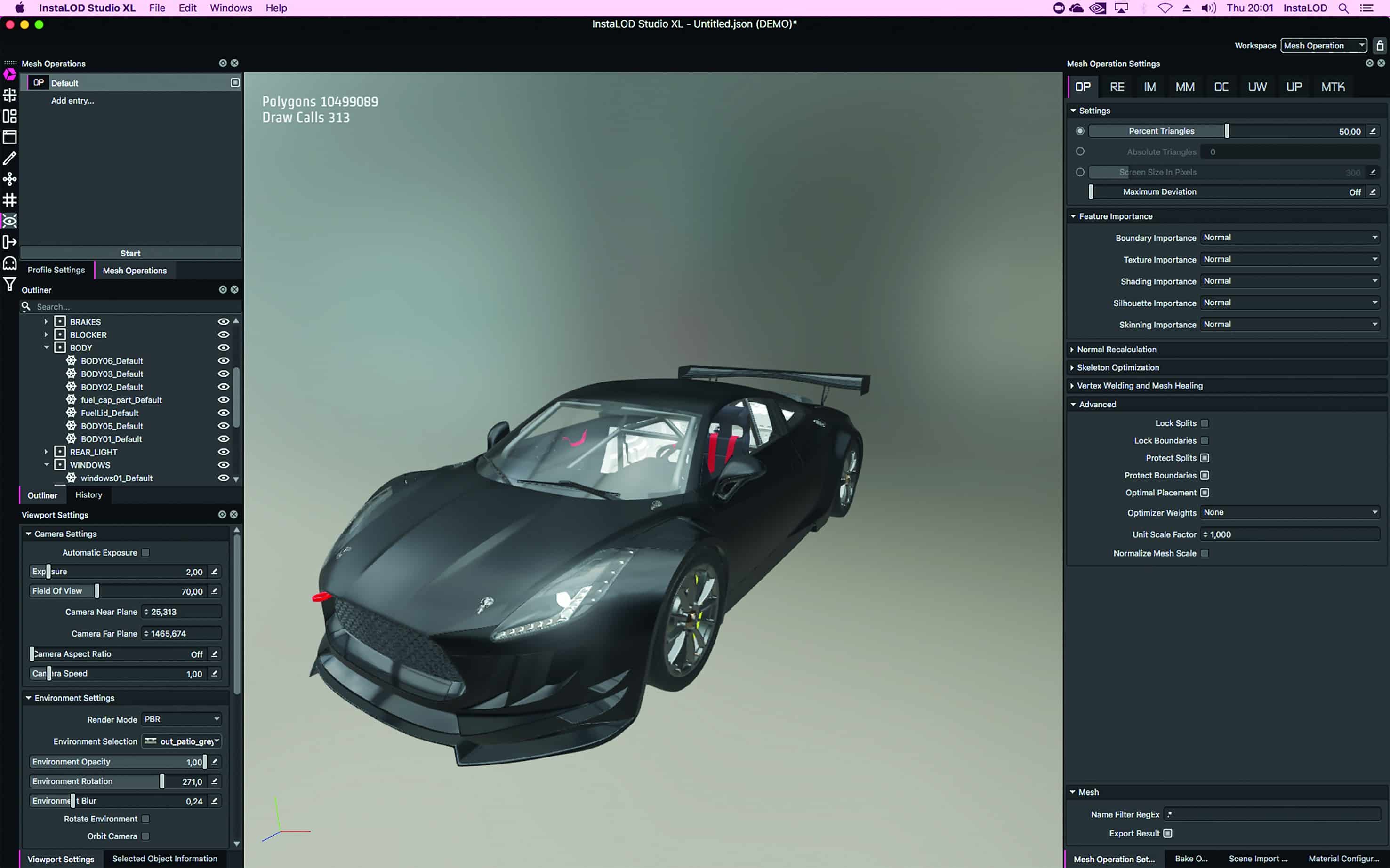
The problem with the gravestone elements shown here is that we have a scene with several million polygons, which cannot be easily transferred to a game engine. This is where InstaLOD’s Remesher can help enormously. The remesher is the perfect solution here, as it creates a single object from several objects. At the same time, we get UVs for this object and also bake all the necessary textures so that we can configure our materials quickly and easily in the next step within a texturing programme such as InstaMaterial or Substance Painter.
For this scene too, it is difficult to estimate how many polygons are needed to achieve a good result. Therefore, we will use the Fuzzy Face Count Target again, with which InstaLOD’s smart algorithms independently determine how far the amount of polygons can be reduced. In this case, the remesher was able to reduce the scene from around 1.5 million polygons to around 6,000 polygons. As we baked the Normal, AO, Diffuse, Position, Curvature, Thickness and ID maps at the same time, we can now use Smart Materials within our texture programme very quickly, which use the respective textures to achieve good results. We went from a high-poly scene to a game-ready object in just 10 minutes. This is just one of the many time-efficient workflows that InstaLOD makes possible.


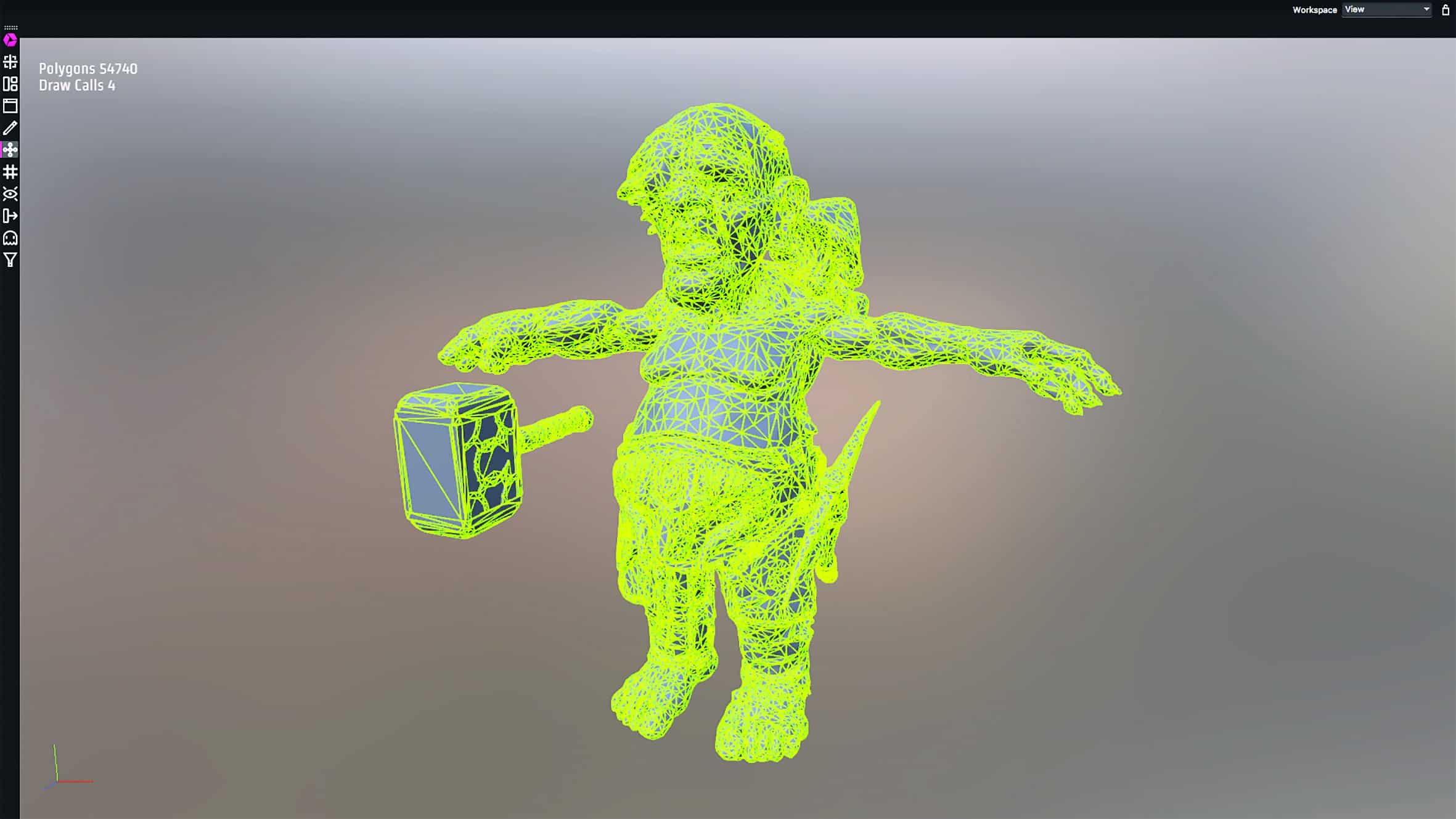


InstaLOD Standalone
InstaLOD Studio XL allows users to work independently of other 3D software, with numerous enhancements and new features. One of the central features is the import and automatic tessellation of CAD file formats. This support ranges from generic CAD formats such as STEP to industry-specific formats such as CATIA V5. InstaLOD’s CAD workflows offer numerous innovations to fundamentally improve standard processes in the industry. But what if the CAD file has been modified by an engineer? Building on the CAD workflows, InstaLOD’s rules engine provides the ability to automatically prepare data in the event that the CAD file has changed.
Other improvements include a new occlusion cull algorithm that works exponentially faster, especially with extremely large objects such as CAD objects. InstaLOD Studio XL also offers something for the eyes: The PBR (Physically Based Rendering) viewport has been developed to allow users to visualise object materials as they will later be displayed in modern render engines.
InstaLOD Studio XL is more than just an application, it is a platform. A sophisticated plug-in architecture is used by major studios to use their own file formats with InstaLOD Studio XL and InstaLOD Pipeline. However, the possibilities for plug-ins go far beyond file formats: custom algorithms, rules for the rules engine and much more.
And what does the future hold?
We are always working on new products, such as a completely independent photogrammetry solution. We hope to be able to launch a preview on the market in 2019. Of course, we are continuing to improve our technology. We currently have five PhDs working in our research department, but we are still planning to recruit new researchers.
