



As you would almost expect from a gaming laptop, the Razer Blade was delivered in stylishly designed packaging, secure and shockproof. The bright green logo on the display lid is certainly not to everyone’s taste, but if young people like it …
Case
As soon as we unpacked it, we noticed the pleasantly high-quality feel of the black housing, which is largely milled from a single piece of aluminium. One disadvantage of the beautiful black surface is the fact that you can see almost every fingerprint and therefore constantly endeavour to avoid them.
Incidentally, the test device is the professional model, which houses an Nvidia Geforce RTX 2070 and is slightly flatter than the normal model. All sockets, such as the USB or HDMI connections, appear firmly locked and of high quality. The power cable from the power supply unit to the notebook is angled and secured so well that it seems impossible to remove it unintentionally. This is not always an advantage, as notebook power supply cables lying loose in the area can be easily tripped over, the cable gets stuck and pulls the notebook down with it. Two plastic strips run from left to right on the underside of the case, which ensure an undisturbed flow of cooling air to the intake slots of the fans when the notebook is placed on a smooth surface.


Features
The first thing that catches the eye is the display with its narrow bezel and vibrant colours. For the fact that it is “only” equipped with a 1920 x 1080 resolution, but with a 144 Hz refresh rate, the resolution appears finer than it actually is. If that’s not enough, the Razer Blade can also be ordered with an optional 4K OLED touchscreen display. The viewing angles are wide from the sides, top and bottom and also allow several people to gather in front of the display, for example to watch a presentation or a video. If the display needs to be expanded with additional external monitors for a presentation, there are three simultaneously usable options with one HDMI 2.0, one Thunderbolt 3 and one mini DisplayPort.


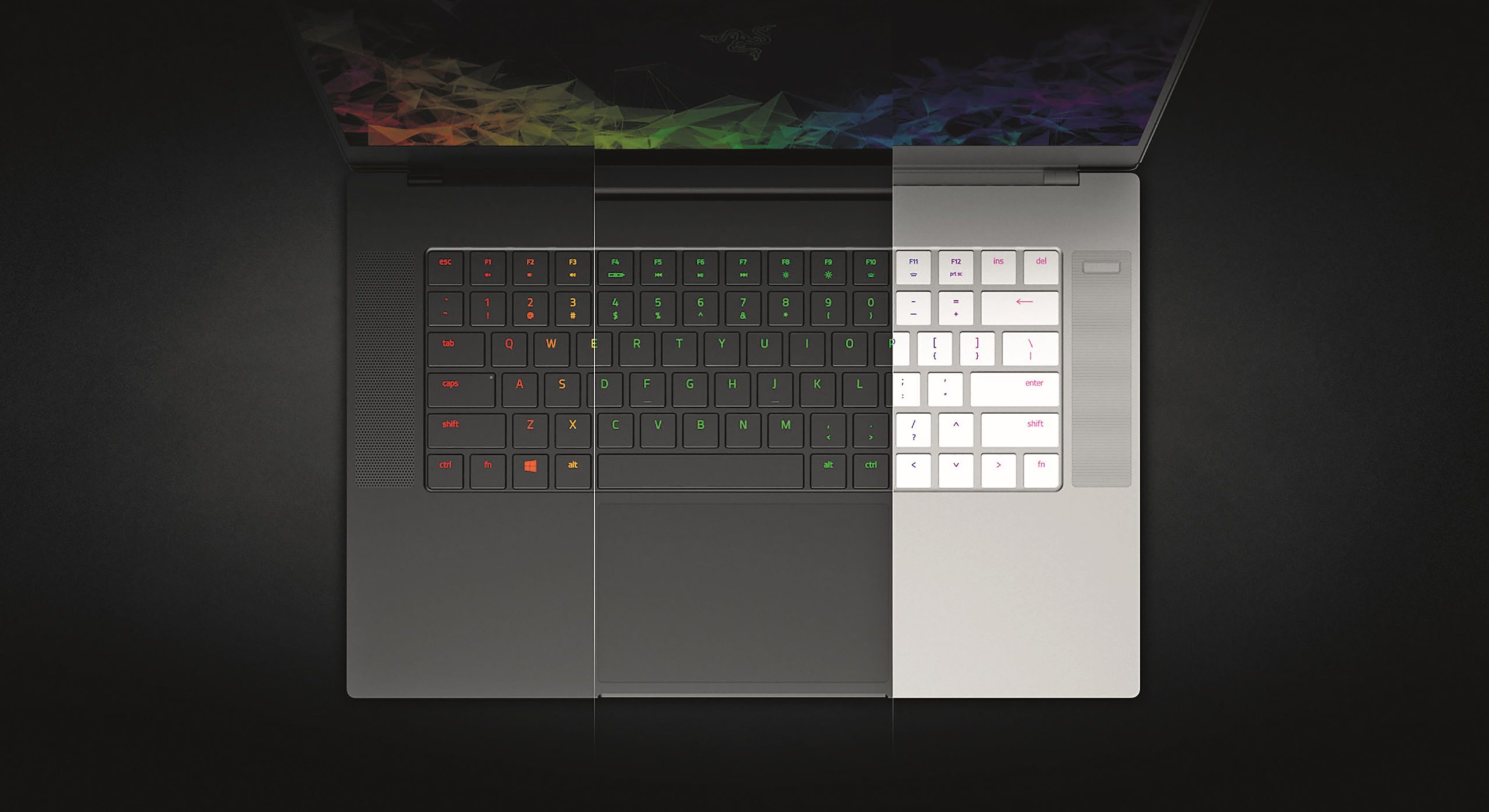
As is usual with gaming notebooks, the keyboard is equipped with RGB backlighting, which offers various, extremely colourful lighting modes – don’t worry, the keyboard can also be illuminated in plain white. Nice detail: The FN shortcuts are now also RGB-illuminated. Unfortunately, the keyboard lacks an alpha-num pad, which is often used for transport control in video or for switching 3D views in Blender, etc.
With its six cores, the Intel i7-8750H CPU together with the 16 GB RAM should provide sufficient performance and memory for content creation. With the Nvidia Geforce RTX 2070 8 Gbyte Max-Q, the Razer Blade is definitely up to date in terms of graphics cards and should also cut a fine figure in GPU-supported rendering. The capacity of the M.2 SSD with 256 GB is probably sufficient for gaming, but for HD video you will need to expand with external mass storage, which is easily possible via the Thunderbolt or USB interface. The quality of the integrated speakers is good and they are loud enough to produce an appropriate sound backdrop within the radius of the display.
Performance
In the Cinebench 20 multi-core CPU test, the Intel i7-8750H installed in the Razer achieved 1,918 points, compared to 923 points in the old Cinebench. Although this is the lowest CPU score in the test field, it is still possible to work quickly with this performance in most applications. The graphics card is more responsible for the large renderings, which calculates a good four times faster than the CPU in Blender 2.8, for example. The RTX 2070 needed just 5 minutes and 3 seconds for the classroom scene in Blender 2.8, whereas the i7 CPU needed 22 minutes and 26 seconds.
In the V-Ray render test, the i7-8750H calculated for 2 minutes and 47 seconds, while the Nvidia RTX 2070 Max-Q needed 1 minute and 37 seconds and output 15,111 frames per second in the Cinebench 15 OpenGL test.

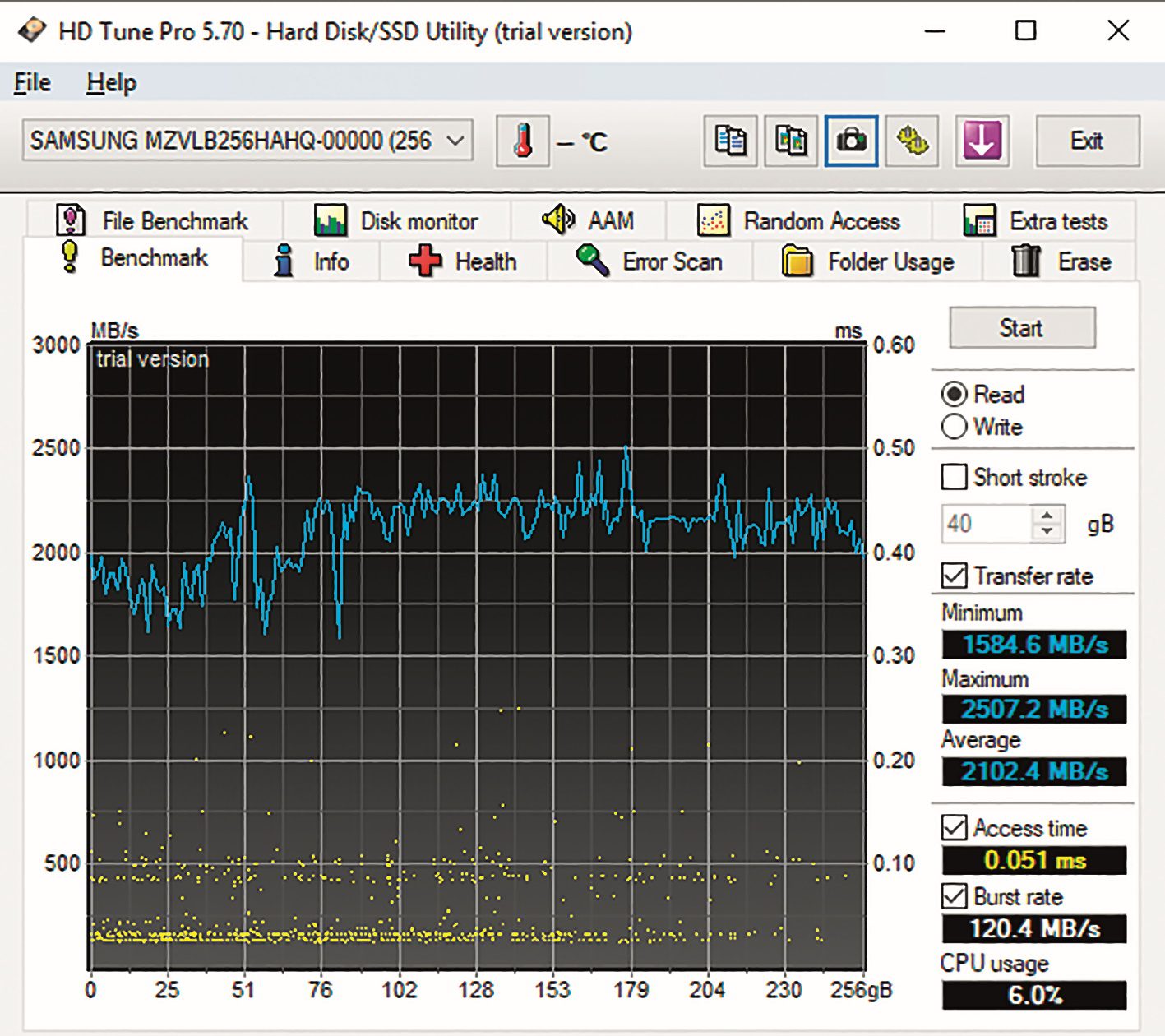
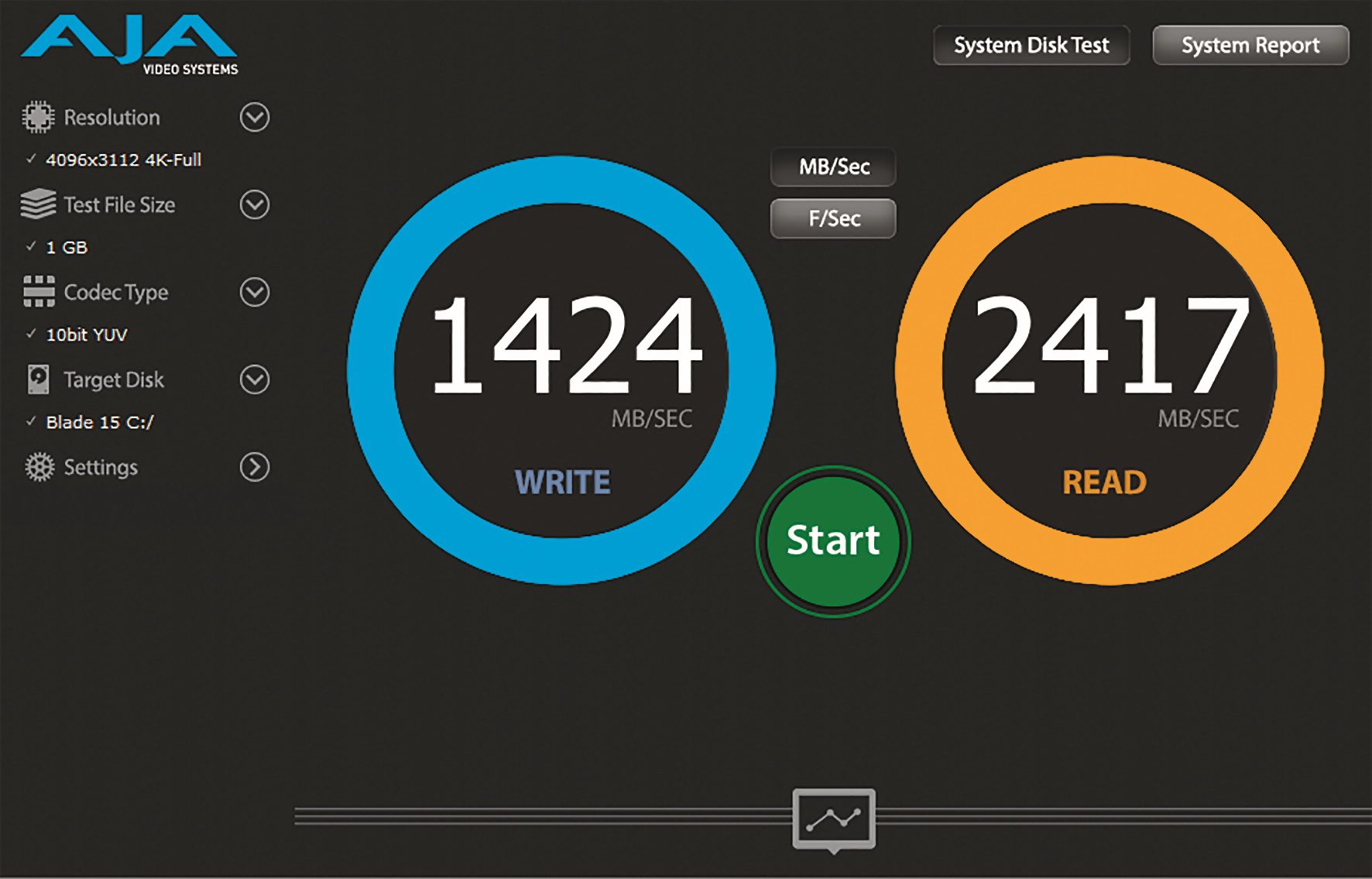
With a write rate of 1,424 and a read rate of 2,417 in the Aja system test, the M.2 SSD delivered the expected transfer rates, and in the continuous transfer rate under HD Tune it was able to impress with 1,584 Mbytes per second.
The DPC latency left a less favourable impression. At 928 microseconds, it was the highest of all test computers, but still just within the tolerable range. However, with a little fiddling with the Windows services and installed additional programmes, it should be possible to reduce this value.


Even under full utilisation of all components in the synthetic stress test of Aida 64, all components remained within the safe temperature window and there was no thermal throttling at any time, so that the CPU and GPU were able to fully develop their performance at all times. The relatively low noise level emitted by the Razer’s fans was surprising in all benchmark runs. Although the Razer is audible under full load, the fan noise is in a frequency range that is perceived as less annoying.
Conclusion
Although the competition offers higher peak values in individual areas, the Razer Blade 15 impresses with its sensible hardware equipment, which can be cooled well and reasonably quietly in the compact case, even under everyday conditions. For workstation users, the Razer is also suitable for somewhat more demanding rendering or editing tasks thanks to the display connection options and GPU power.
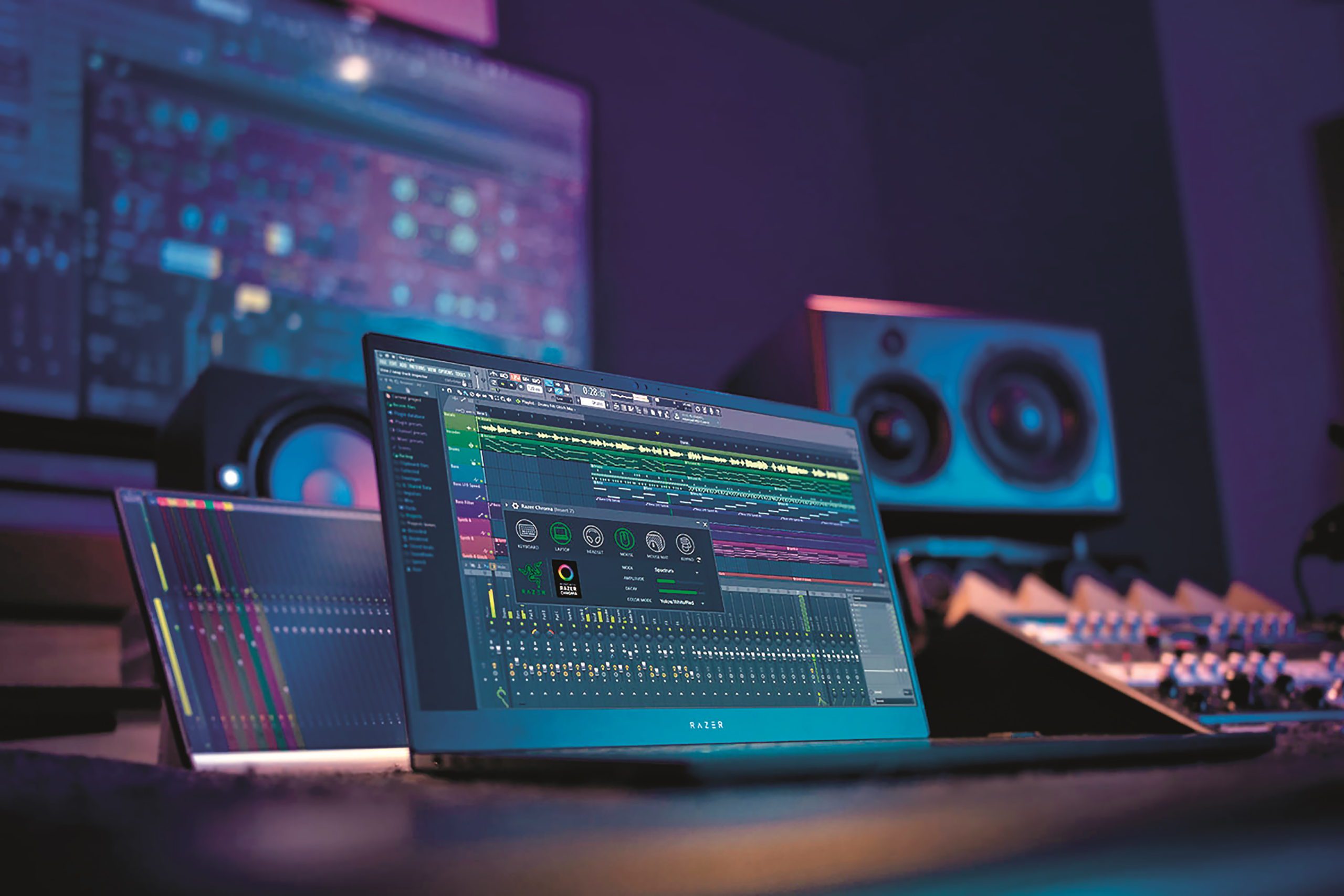
The look and the RGB keyboard are certainly a matter of taste and disqualify the Razer for the gentlemen from the executive floor. For content creators, on the other hand, I can well imagine the Razer as a mobile addition, because after work a little gaming is supposed to relieve stress and inspire immensely. For the price of just under €2,500, the Razer Blade is a well-balanced, powerful notebook that doesn’t exceed its thermal limits and is also up to date in terms of rendering power thanks to the Nvidia Geforce RTX 2070.
