Table of Contents Show
This story, like so many others in recent times, starts at the beginning of the coronavirus crisis. You sit in lockdown and start to think about how you actually came to be a 3D artist. It definitely has something to do with the joy of technology and discovering it through play. So it’s not hard to take this thought further and think about the first computer that set you on this path. Of course, your neighbour’s Commodore 64 and your own 80386 computer with Windows 3.11 come to mind. But there was something else before all the big computers: the Gameboy. Even if it wasn’t powerful and purpose-built, it could undoubtedly be categorised as a computer. And so it’s fair to conclude that I learnt about my love of computers with the Gameboy.
A passion that ultimately led me to my profession. And so the ball started rolling on what was to become a 1 ½ month full-time project called “Loveletter” – namely to transform my old Gameboy Classic, purchased around 1994, into a digital asset to the best of my knowledge and belief and to use it to create both a series of photorealistic still images and a video animation in which the advertising aesthetics of today’s productions were to merge with the retro charm of the Gameboy in one animation. If you want to see the animation right away, you can find it here: https://youtu.be/b3QPdj1l_BQ.
The toolbox
Cinema 4D was used as the 3D hub for most of the tasks and Octane as the render engine. Perhaps somewhat unusually, I used Illustrator as a texturing tool, which was mainly used for the circuit boards and labelling in combination with Photoshop. After Effects was then used for compositing and the finishing touches – also for the stills. To render the finished 3D scenes, I used my own small render farm for Octane: a workstation with two RTX 3090 FEs and two additional clients with a total of five GTX 1080 TIs and two GTX 980 TIs.

And then it renders ..
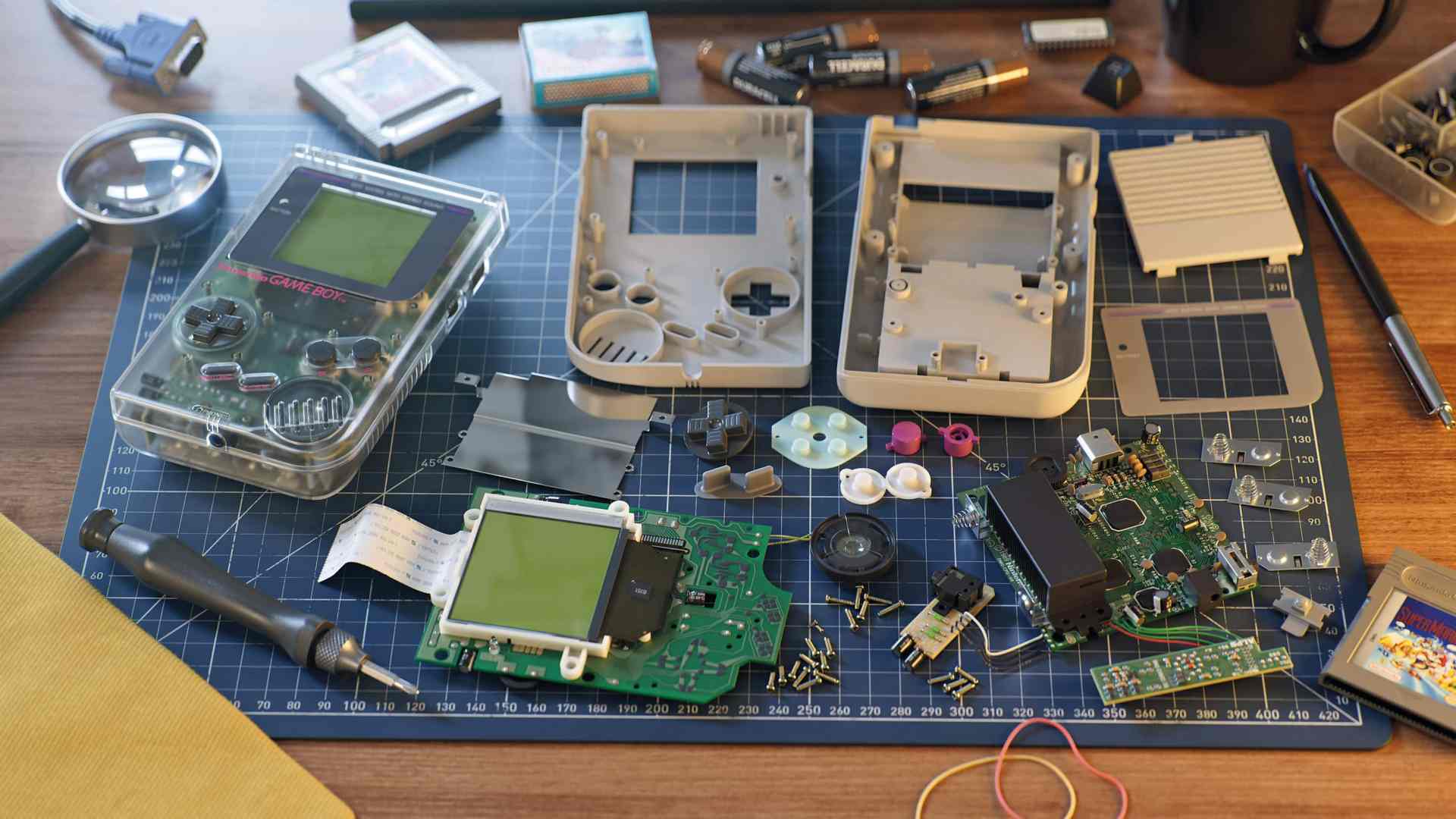
Naturally, different render times were required for different stills in different resolutions. The rendering of the main still in 8K, which shows the disassembled Gameboy Classic and the Gameboy Clear, took around 2.5 hours on the hardware mentioned above (workstation and clients). Other still renderings in 4K and 6K varied from 15 minutes (single boards) to 1.5 hours (e.g. Clear Gameboy on blue cutting mat).
The situation was similar for video rendered in 4K. Render times here varied greatly depending on the distance and viewing angle of the Gameboy. This resulted in render times of 15 minutes for the wide shots and up to 90 minutes per frame for close-ups with a lot of depth and motion blur. Since 1,150 frames had to be rendered, a rendering service like Otoy’s RNDR came in handy. Otoy kindly sponsored the rendering in return for a promotion of the finished project on their site.
The render times may seem long overall, but almost all renderings include the transparent Gameboy, where all internal parts are visible through a milky transparent outer shell. These inner parts consist of multi-layered translucent materials of the circuit boards, coupled with an enormous beam depth of 32 bounces, which is necessary for a realistic representation of these nested translucent objects – the rendering time is quickly put into perspective.


Workflow!
The great thing about a private project like this is that you have to work your way through many disciplines of everyday 3D work to reach your goal, and there is always the potential to learn something new and push your limits. That’s why it’s also important for me to intersperse my own productions with commercial projects. Precisely because the learning potential is immense with these. For example, this was the first major project in the ACES colour space, which allowed me to test my pipeline for future productions in this colour space.

Production preparation
In preparation, the now almost 30-year-old Gameboy had to be dismantled into its individual parts in order to get an idea of the complexity of the inner workings and the shells. Equipped with a camera and macro lens, the individual parts were photographed frontally in all orientations. The Gameboy remained disassembled into its individual parts throughout the entire project. Even with good reference pictures, it is better to have the original at hand here and there to be able to check in detail in case of doubt. The calliper gauge was also always to hand so that I could take precise measurements of the parts, from gap dimensions to the thickness of the battery holder spring.
Modelling
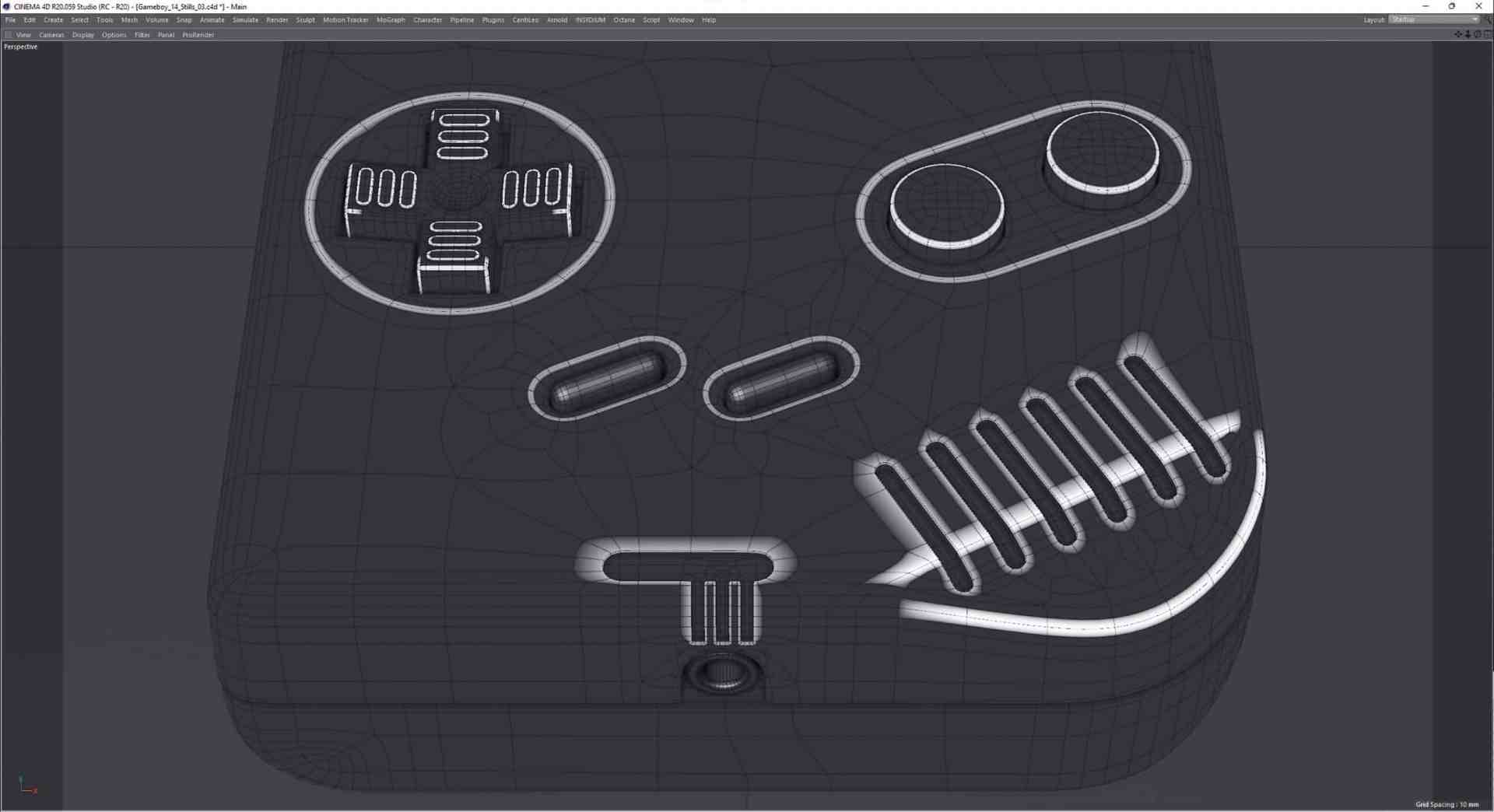
Due to the many curves and the plan to make the Gameboy transparent later on, two different modelling techniques were used. Subdivision surface modelling was used for the shell of the Gameboy. This was done for two main reasons: Firstly, a (well-modelled) subdivision surface has a very clean edge flow that follows the topology and therefore provides a good basis for generating vertex maps that follow the surface structure. These vertex maps are required for the partially procedural texturing workflow later in the creation process.
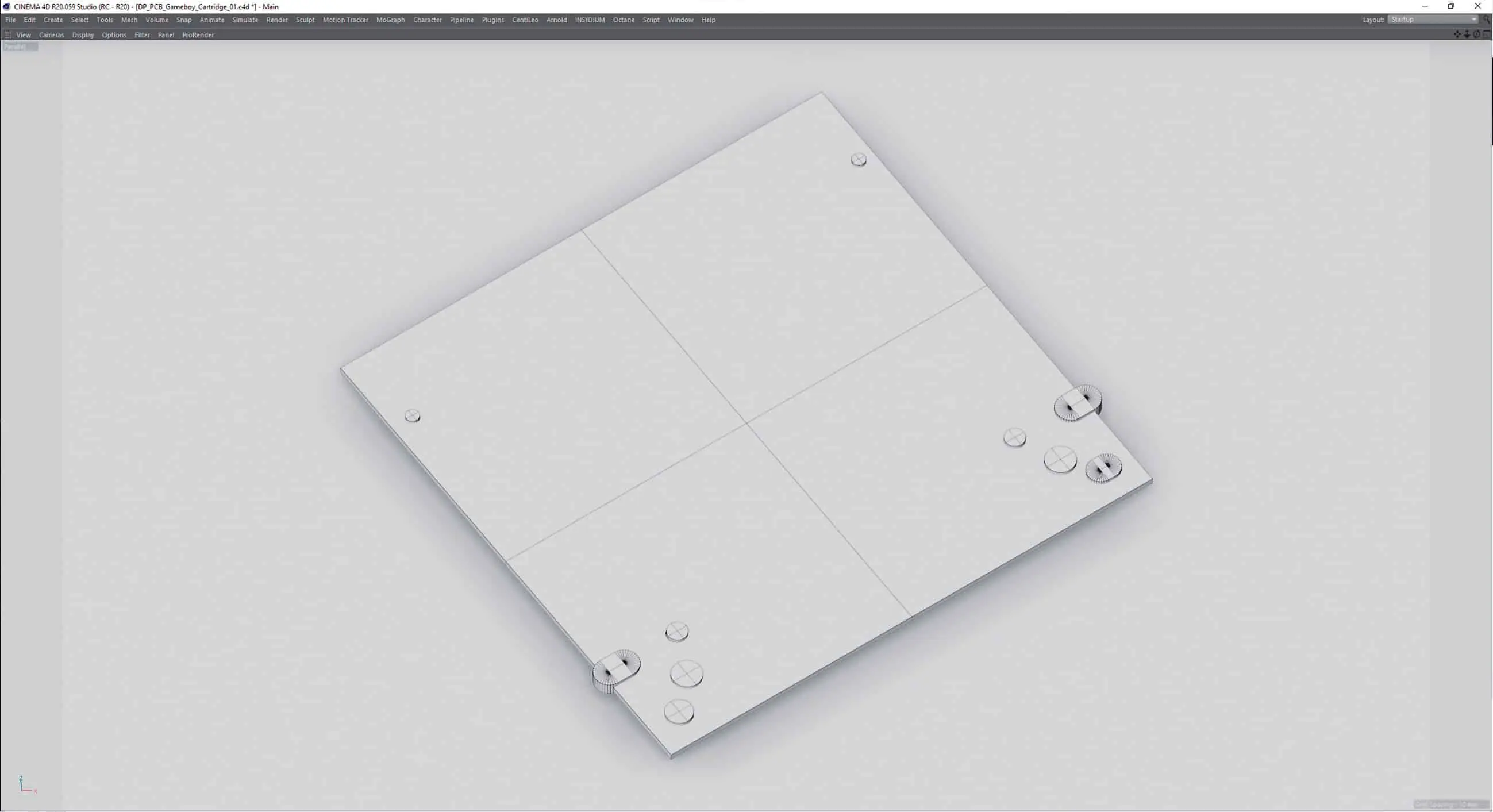
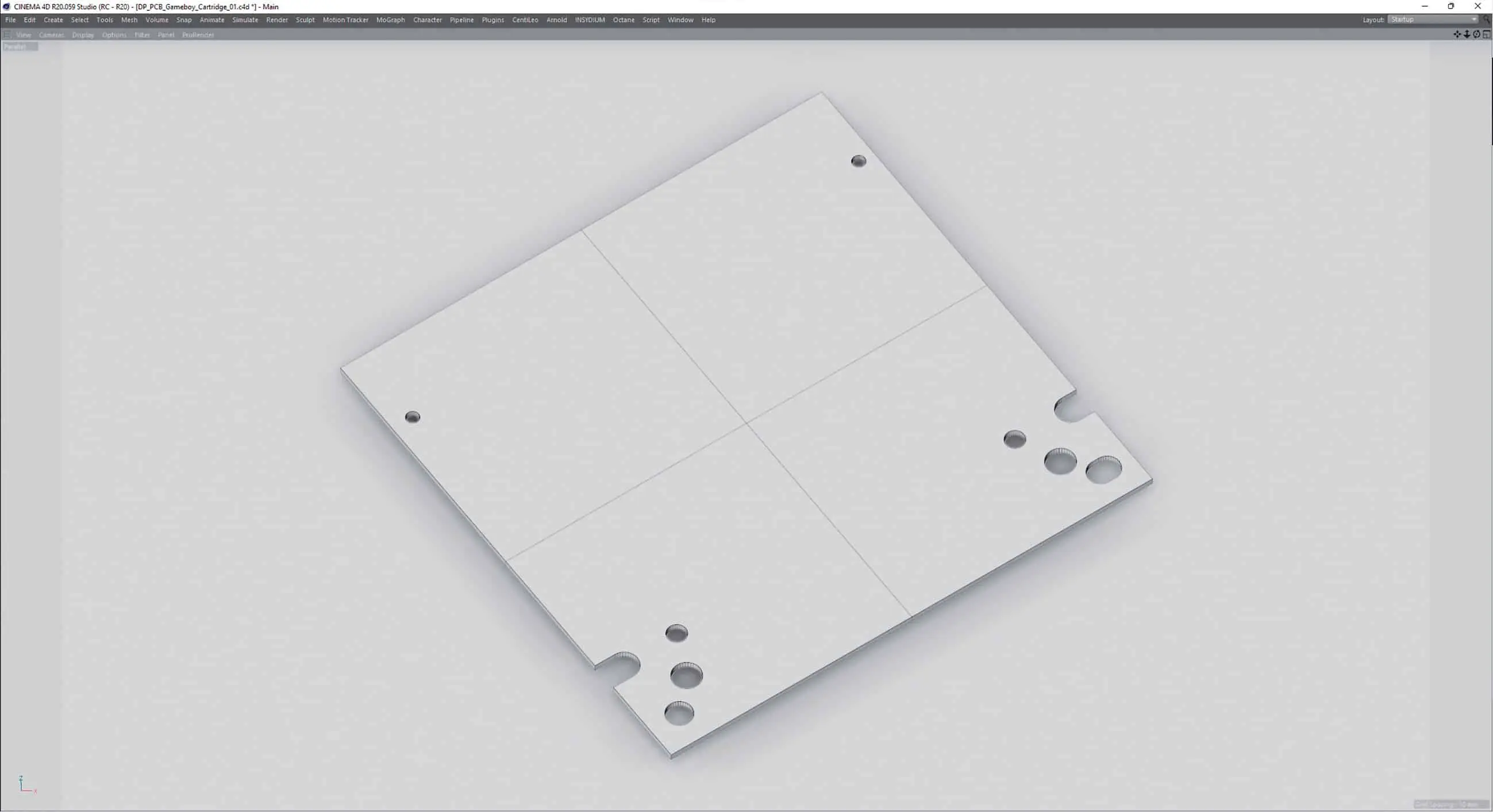
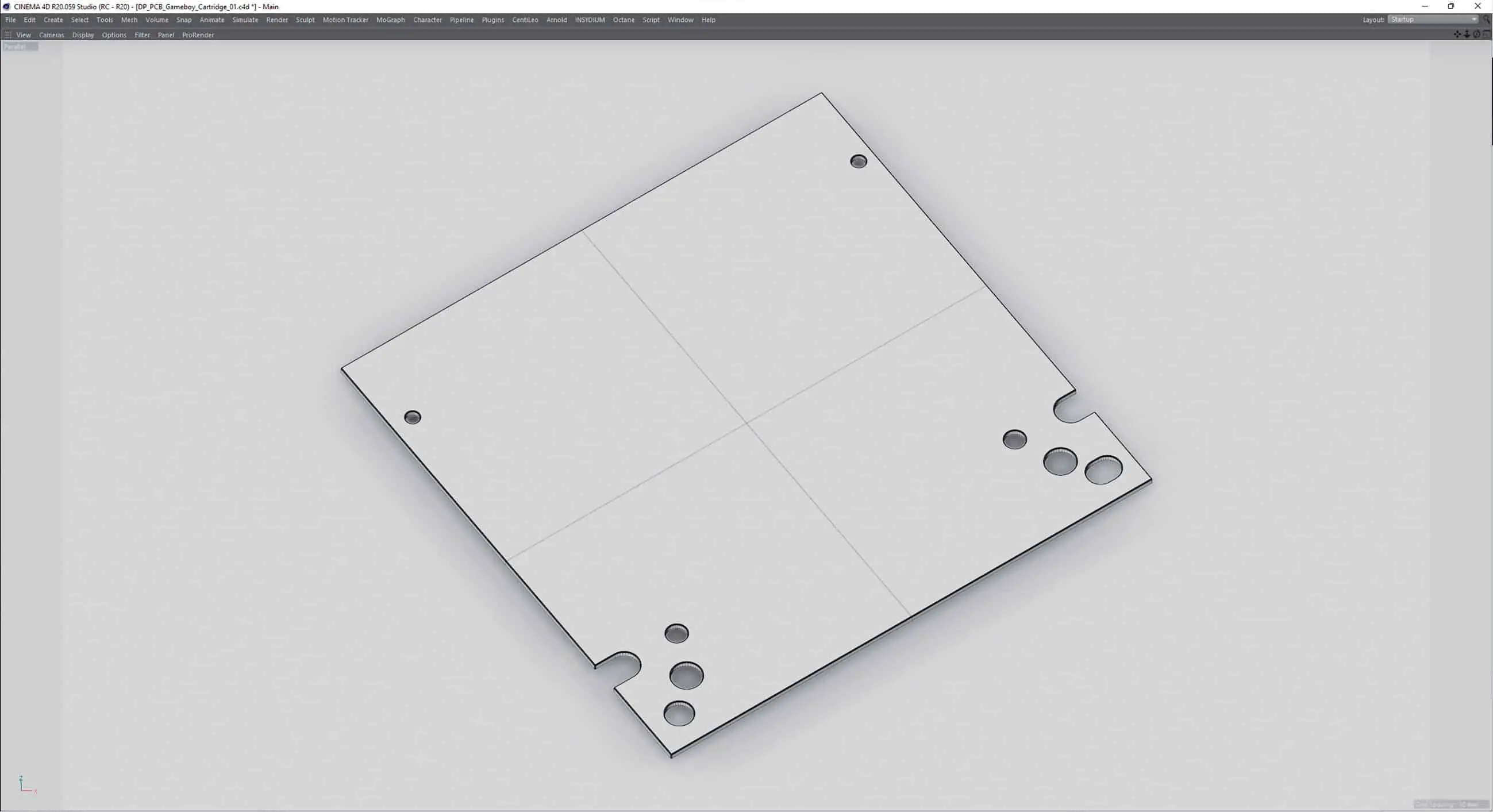
On the other hand, the resolution of the mesh of SDS models can be increased to such an extent that super close-ups of the gameboy can also be rendered. This avoids render artefacts that tend to creep in with close-ups of (transparent) objects that are too small and kill realism.
For the circuit boards and their elements, a decision was made between box modelling and the SDS approach for each component. The advantage of box modelling as opposed to SDS is that it saves a lot of working time. However, once the modelling work has been completed, you are rather limited in terms of both resolution and the allocation of vertex maps. Equipped with everything necessary, the modelling could now begin.
The strategy was: “From the outside in”, which preceded the modelling of the shells.
The first impression “It’s just a cuboid, it’ll be quick” was shattered in the first few moments: even if you had wanted to model the Gameboy without the inner workings, parts such as the iconic bevelled speaker, the game slot opening, the numerous cut-outs for rotary controls and plugs as well as the ribbing on the back represent a not inconsiderable modelling effort. However, as the complete modelling of the product was being planned, the entire inner workings of the shells were added here, which included, for example, the holding devices for the total of 4 circuit boards, the loudspeaker and much more.
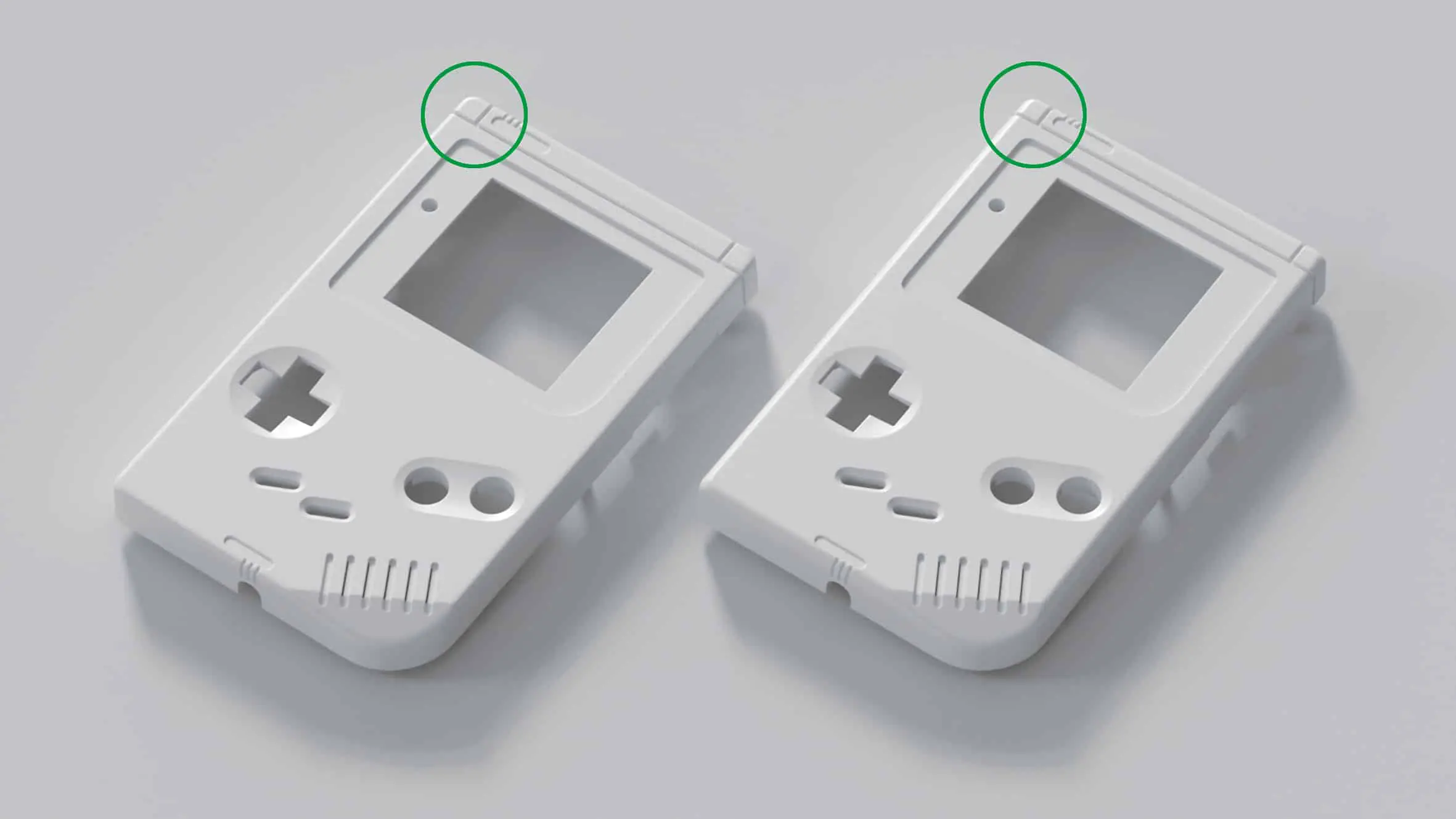
In addition to paying attention to the details, it quickly became clear how memorable the design language of the handheld computer was after many hours of play. So much so that the slightest mismeasurement of a few curves made the first shell model look like an imitation. You could certainly recognise the Gameboy, but it wasn’t quite “real”. As the focus was on the best possible representation, considerable parts of the shell had to be remodelled and merged with existing parts in order to get the shapes to fit exactly. In the end, the modelling time for the shells amounted to just over two weeks of daily work.
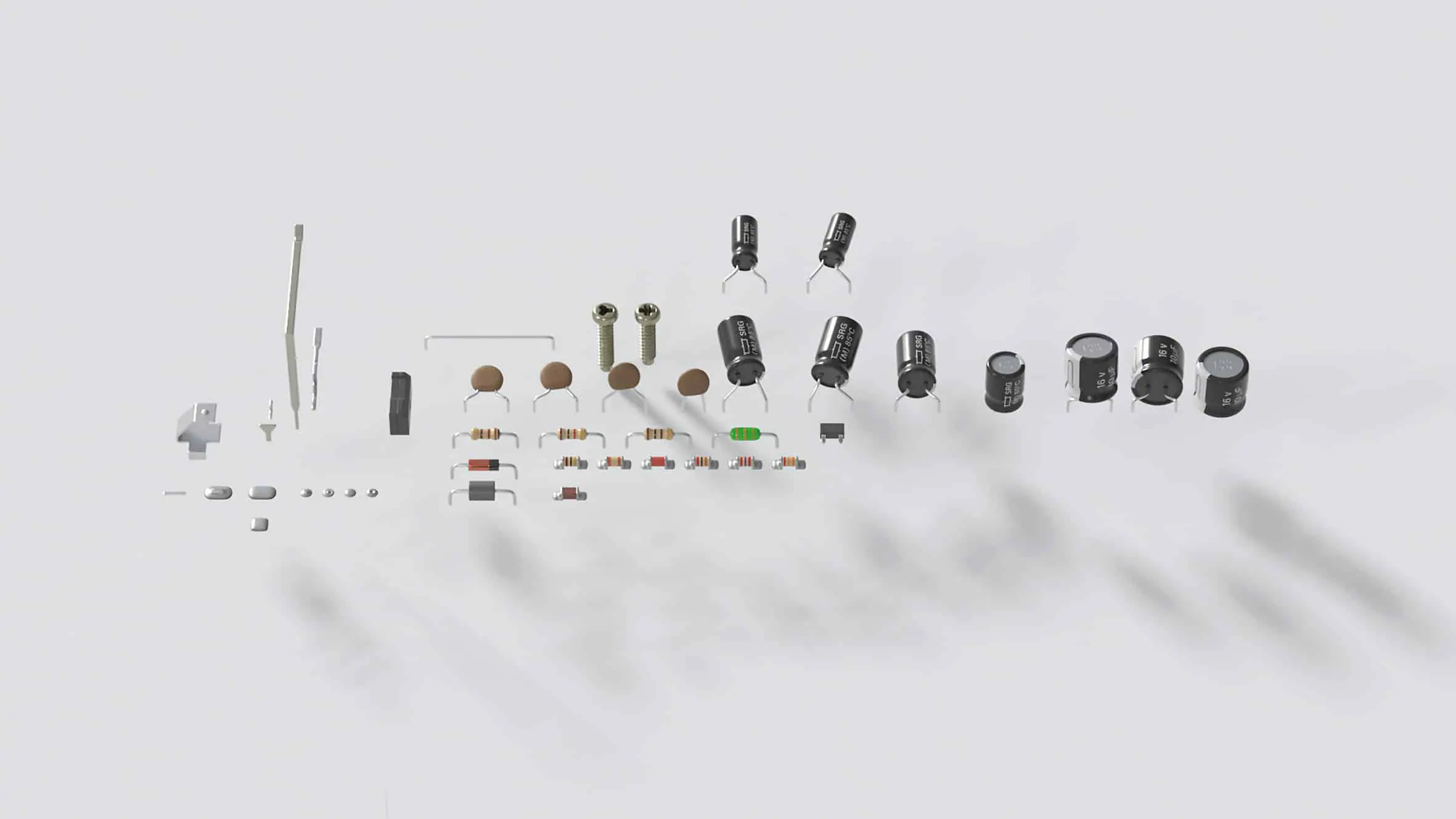
Luckily, the modelling of the circuit boards turned out to be somewhat easier – but only to cause a lot of work in the later texturing step. As the circuit boards are pure surfaces with a few holes, box modelling with some Boolean operations was used. These were later converted in order to avoid possible problems such as flickering during animations caused by an unstable bool.
For the board elements such as the capacitors, resistors, transistors etc., SDS modelling was mostly used again in order to be able to adapt them variably to the camera distance in the mesh subdivision, as with the shell.
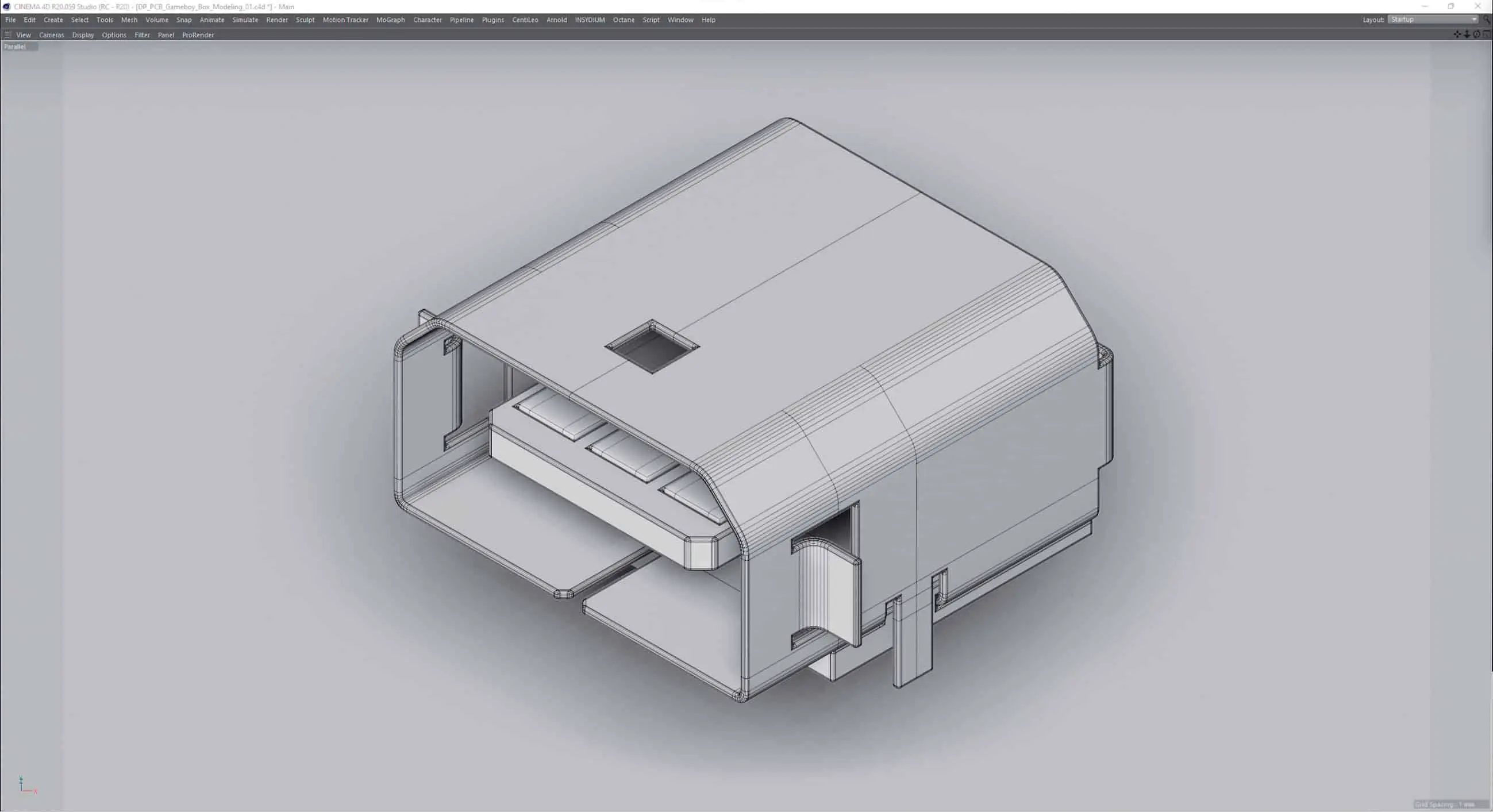
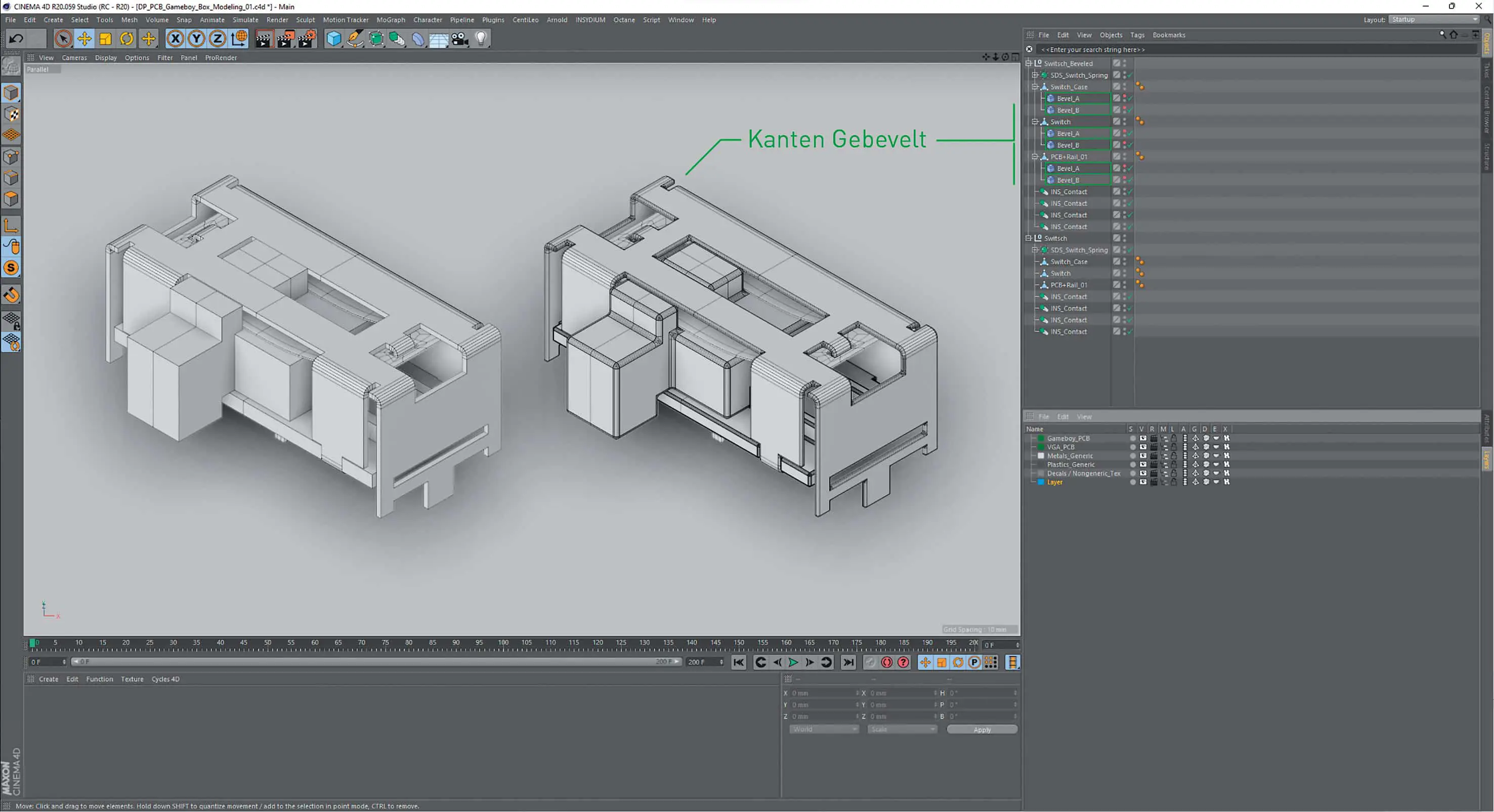
Only more complex components such as the routing of the on/off switch and the Ext. connector, which is very similar in design to USB, were realised as box modelling in order to save time. If you were careful enough when modelling, you could use two bevel modifiers to round off sharp edges. As these are modifiers, it was also possible to subsequently intervene in the number of subdivisions and thus adapt them to the camera distance. Only the creation of (usable) vertex maps was not possible in this way, and so no shader control via vertex maps could be planned here, as with the shell. As the same components were used again and again, especially on the PCB, instancing was used here. This is a resource-saving method, as an object is referenced here and therefore only needs to be present once in the memory.
In the case of varying objects such as the capacitors, which differ in the flexibility of their legs, several versions were modelled, which were then instantiated as diversely as possible to avoid visible repetitions.
Texturing & shading
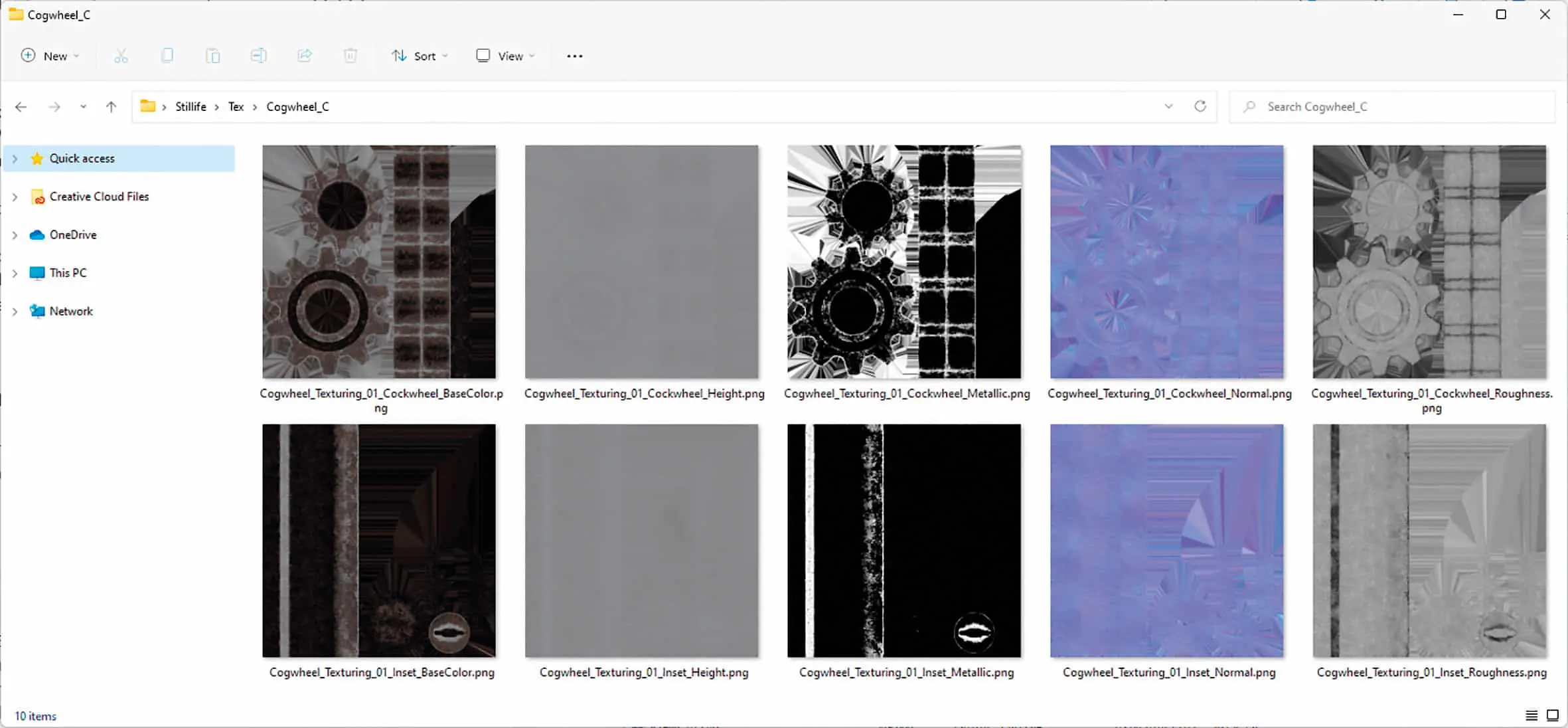
A semi-procedural workflow developed over the years was used for shading most of the components. The goal of the workflow is to create materials that can be assigned to an object without predominant UVs and look similar in quality to a texture created in a texture authoring programme such as Substance Designer specifically for a UV-unwrapped object. Why this workflow? Two words: resources and time saving.
Due to the often limited resources of a GPU, it makes sense to be as economical as possible, especially for larger productions. In addition to dense meshes, textures in particular eat up a lot of the precious VRAM (the memory of the graphics card). Texture authoring programmes usually rely on a PBR workflow (Physically Based Rendering), which describes the entire information of a shader in at least 4 bitmap textures. This results in at least one diffuse/albedo, roughness, metalness and normal map per material.
Depending on the material, further bitmaps such as Emission, Scattering, Reflectivity or Transparency are then added. If you want to get close to the shaded object with the camera without losing resolution, you have to create these bitmaps in 4K or 8K. The workflow also requires rolled-out UVs of all parts to be textured, which can be very time-consuming. In addition, the shaders with all linked textures can only be used for one object. Other objects require their own textures for their existing UV sets. This can very quickly degenerate into a large number of memory-gobbling 4K and 8K bitmaps that have to be juggled in a wide variety of materials.
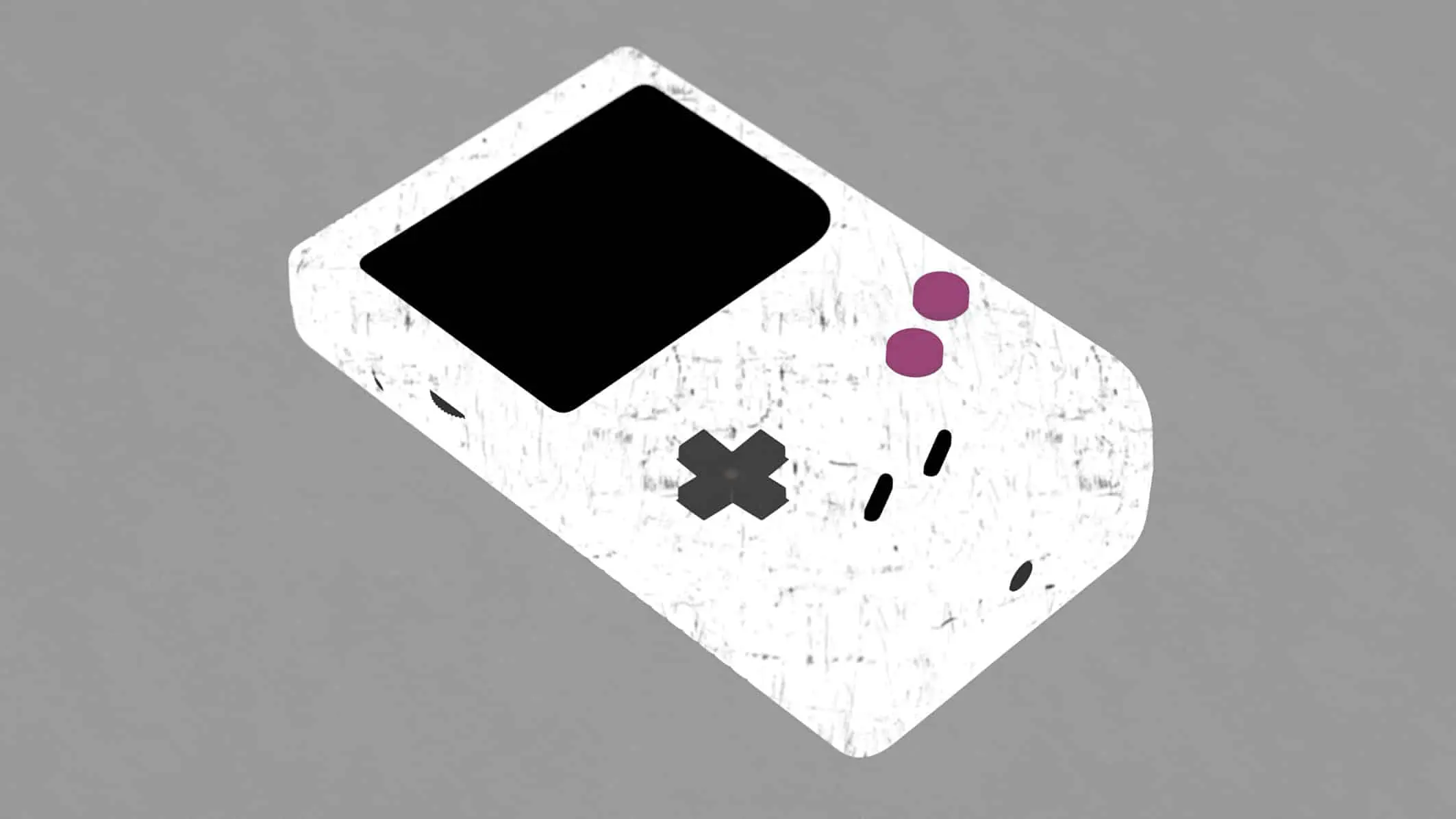


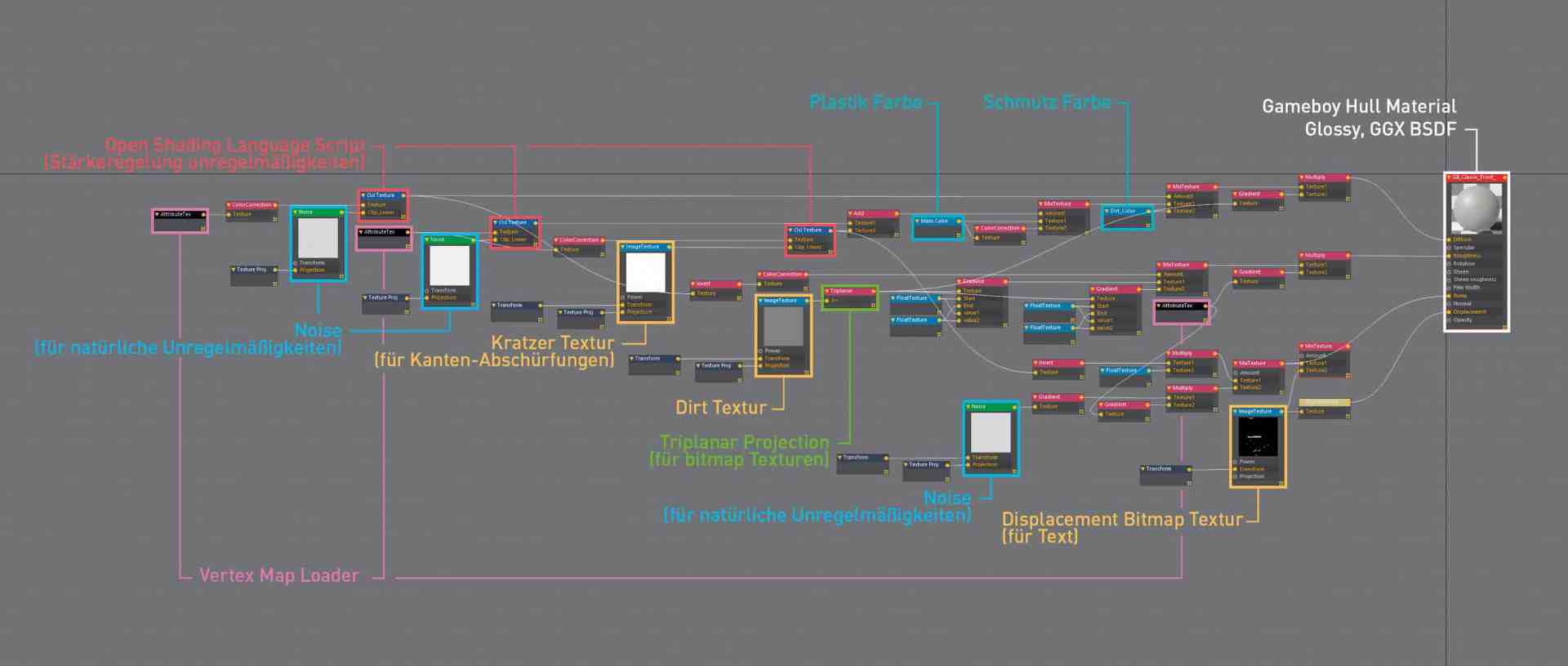
The advantages of a partially procedural material are utilised here, which can be assigned object-independently and achieves the same fidelity as its resource-consuming PBR-based counterpart through more complex circuits in the node tree. To ensure this quality, two vertex maps are used per object to generate a modularity of the shader that is adapted to the object surface. A total of two vertex maps: one for convex areas of the surface, the other for concave areas. This makes it possible, for example, to generate worn areas on the convex areas, while light dirt deposits in the cracks are created by the concave map. These vertex maps were created manually for all SDS-modelled objects. This took some time. With the help of the edge and loop selection tools in C4D, however, this was rather easy. However, a selection option where you can select convex or concave edges using Phong Breaks would have significantly accelerated the process.
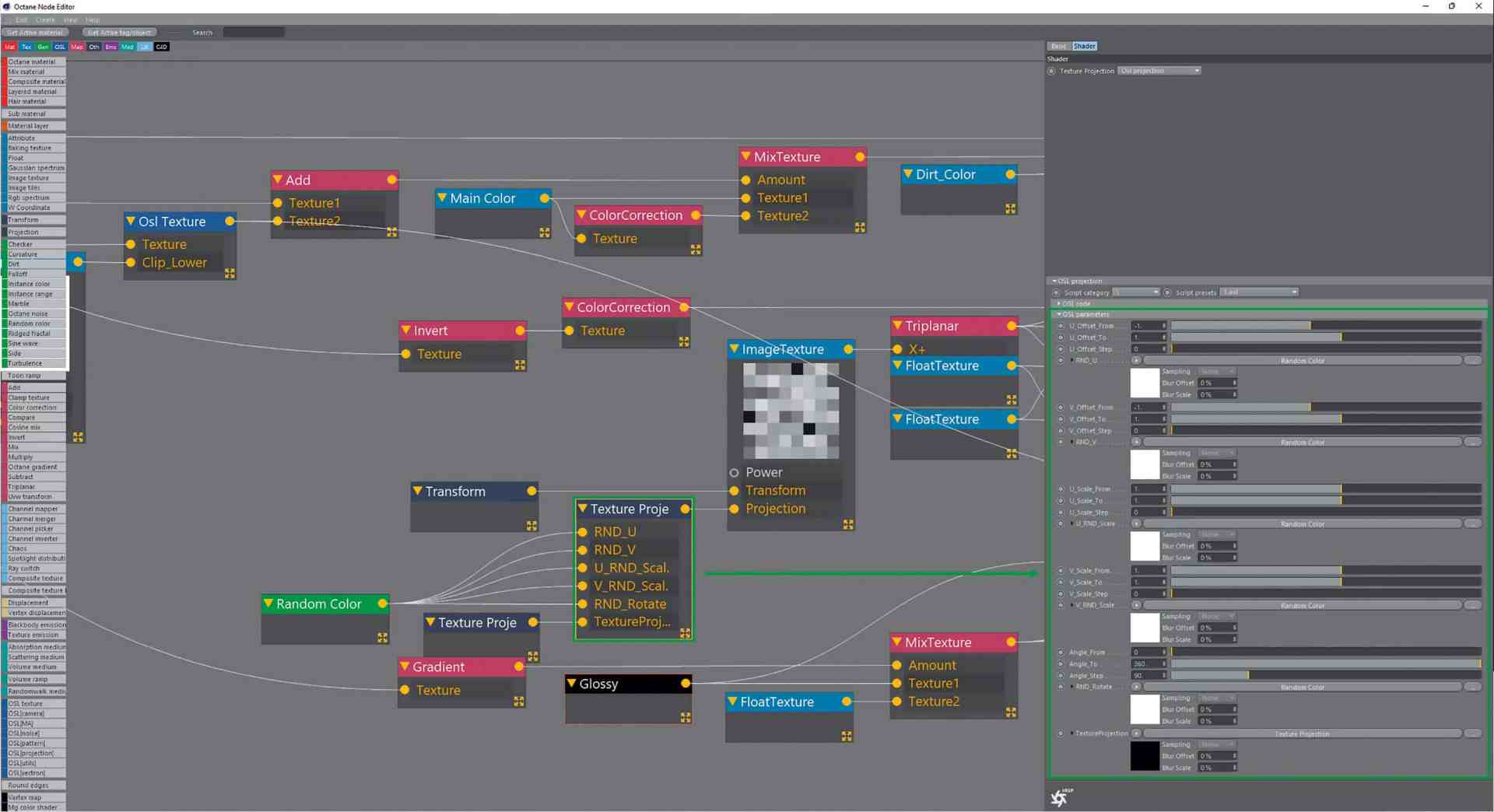
A little consultation with the programmer of C4D-Octane, the Cinema 4D Octane bridge, Ahmet Oktar, also simplified the workflow immensely by creating a new option for integrating vertex maps into a texture using a text string. This meant that only the vertex map name had to match the text field of the attribute text node in order to get the data into the shader.
This was much more flexible and quicker to handle than the previous method of linking specific vertex maps in the shader. Objects could now also be moved to other scenes without breaking any links. If the name could be found in a vertex map, it was automatically recognised in the shader and loaded for the respective object.

Of course, there would also be other variants such as Dirt to obtain convex and concave masks for the shaders. The advantage would have been that these dirt maps are generated completely procedurally without any manual intervention. The disadvantage, however, lies on the one hand in the increased rendering time that the additional ray tracing of the ambient occlusion entails, and on the other hand in the fact that the user has virtually no way of intervening if, for example, he wants to have an abrasion or dirt in a place where there is no curve and therefore no dirt mask. So one thing led to another and the working method and concept of the now frequently used semi-procedural workflow was born.
Tileable 2K dirt and scratch maps were used as textures, which could be mapped seamlessly onto the objects thanks to triplanar projection.
In order to give adjacent objects, such as the chips and capacitors, some variance in texturing, a specially written OSL script (Open Shading Language) was used, which can move, scale and rotate the texture projection per object in a user-defined way.
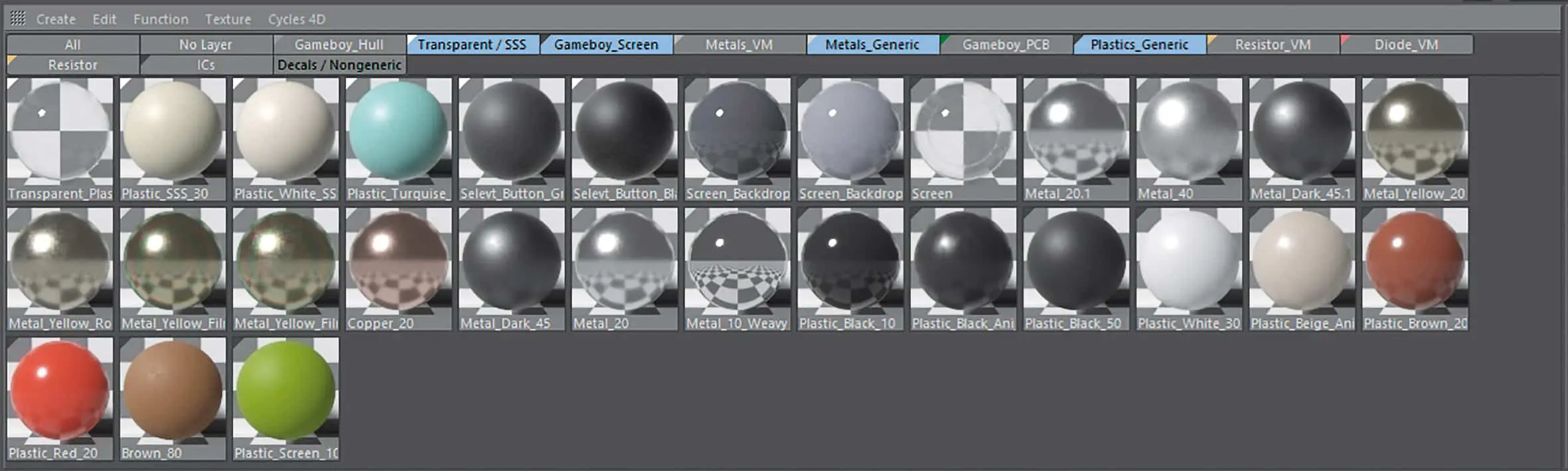
This prevents the same projection on frequently occurring objects. For the objects that were created with box modelling and bevel deformers, shaders without vertex map switching were used. Using these methods, a library of materials could be built up for many parts of the Gameboy.
The Random UV and many other small OSL helper scripts can be downloaded for free from my website.
A lot helps a lot – texturing the circuit boards
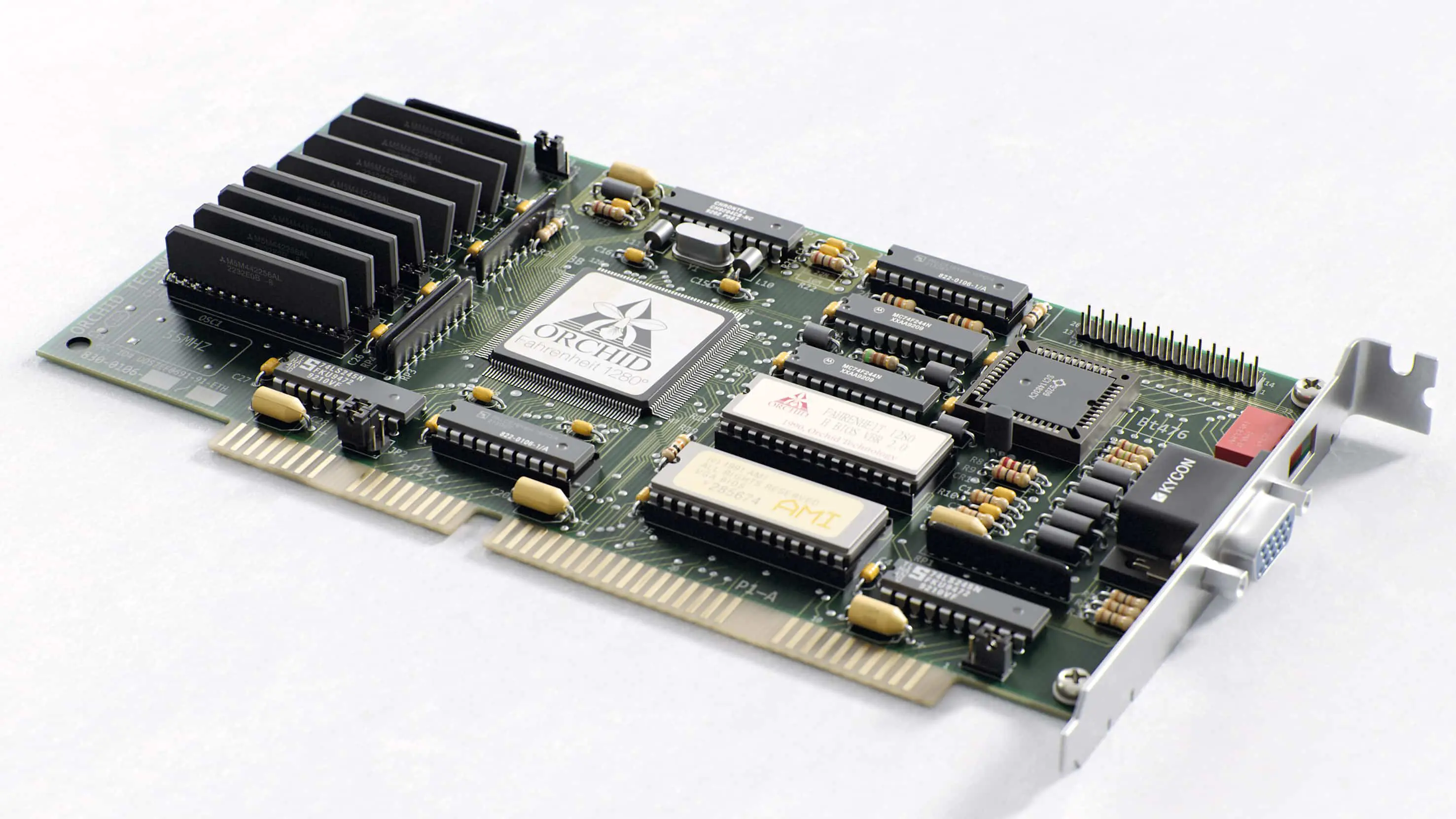
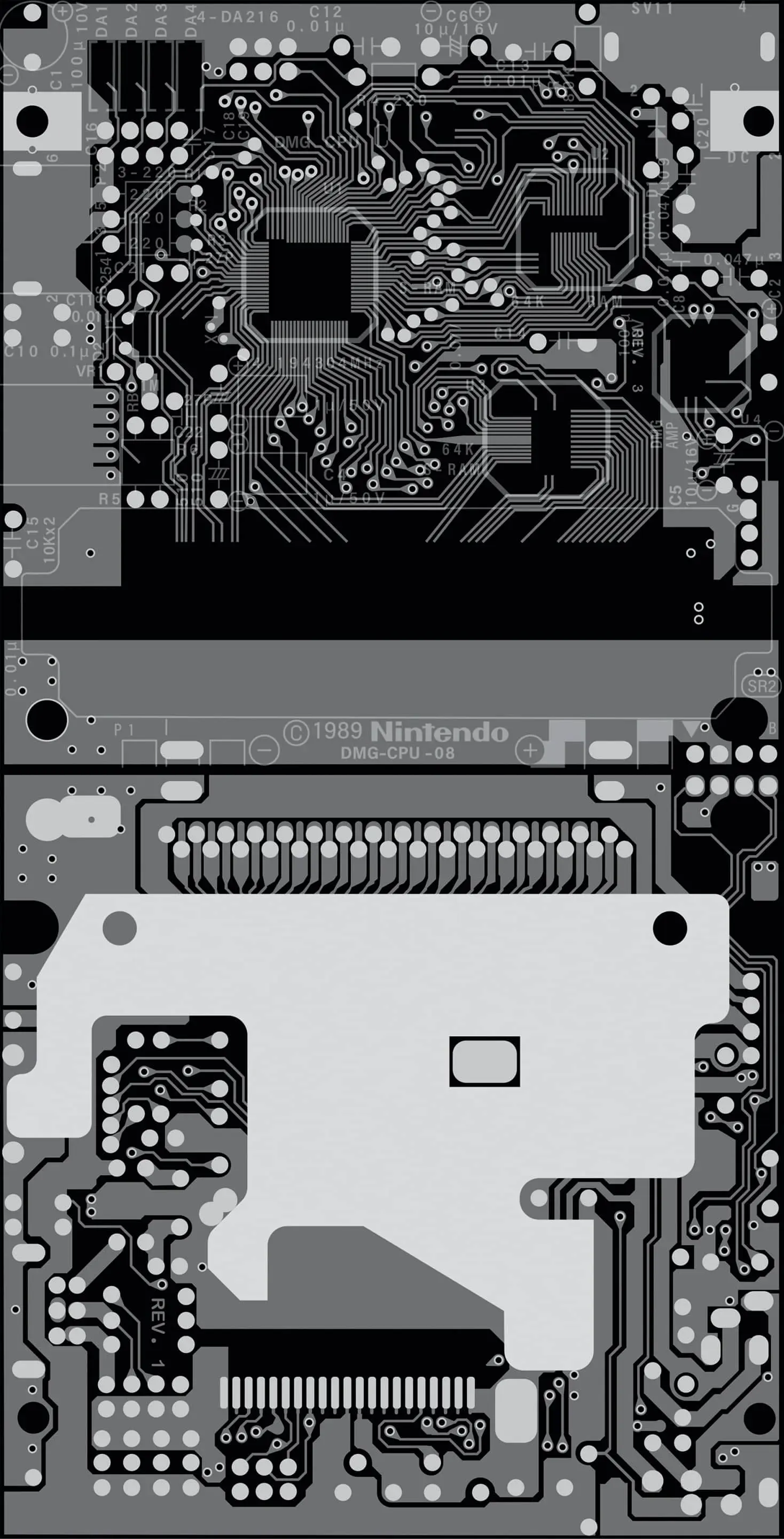
Anyone who has ever taken a closer look at a circuit board will have realised that it is a highly complex, multi-layered construction made up of a wide variety of materials. As a simple photo-to-texture approach would not be sufficient for the planned close-ups, a working method using Adobe Illustrator was used here. A trained eye revealed that it was possible to trace all the boards used in 4 layers or less. The Illustrator file was also structured according to this principle:
- Translucent PCB material
- Conductor tracks covered, conductor tracks open and contact points (mostly gold-plated)
- Printings
- Special layer for e.g. copper points or contact pads for the buttons
Each individual element on each side of each circuit board was then painstakingly traced by hand so that a circuit board design was available as a vector graphic of the respective circuit board. This lengthy process took up to one day per board side.
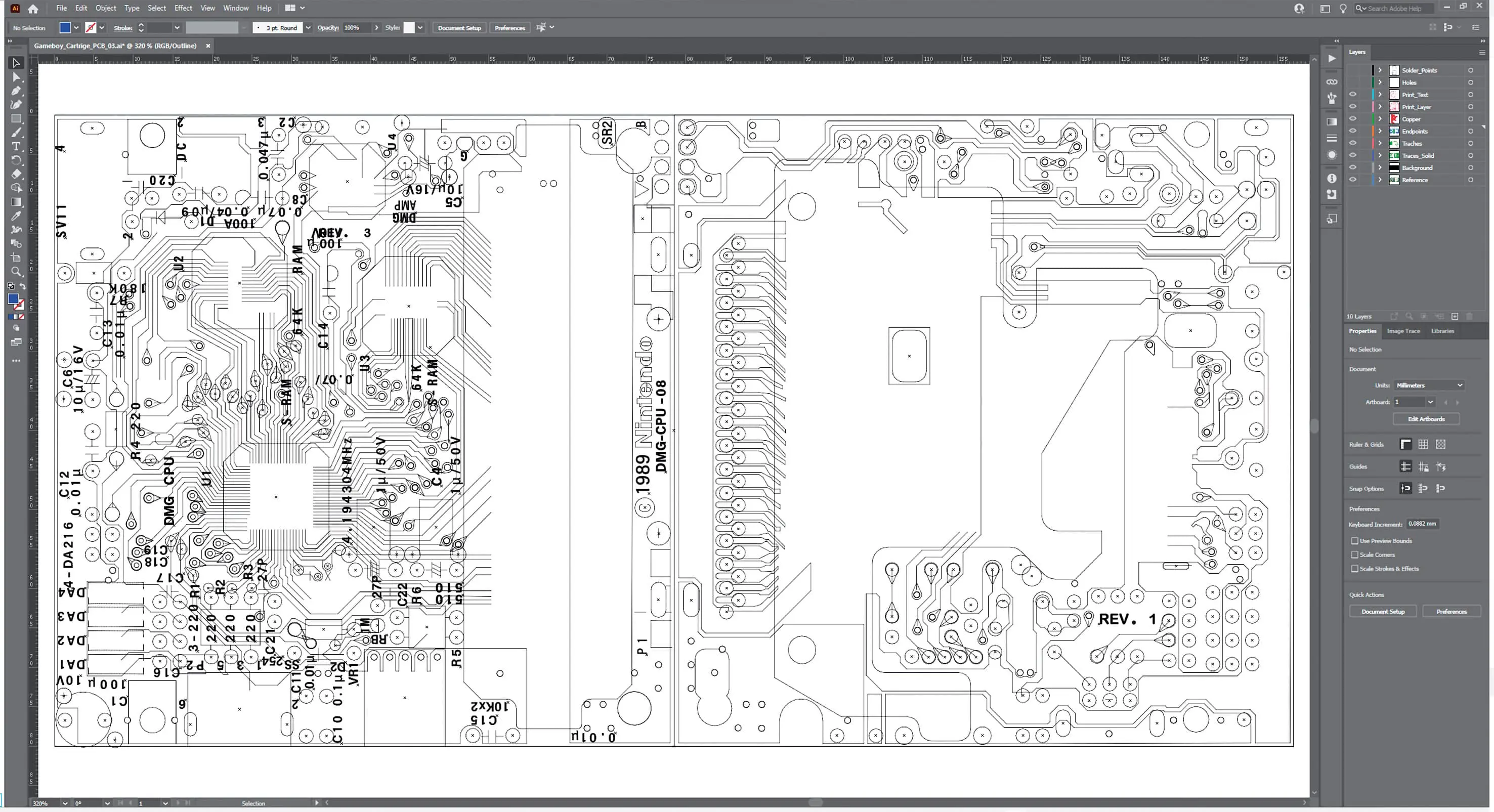
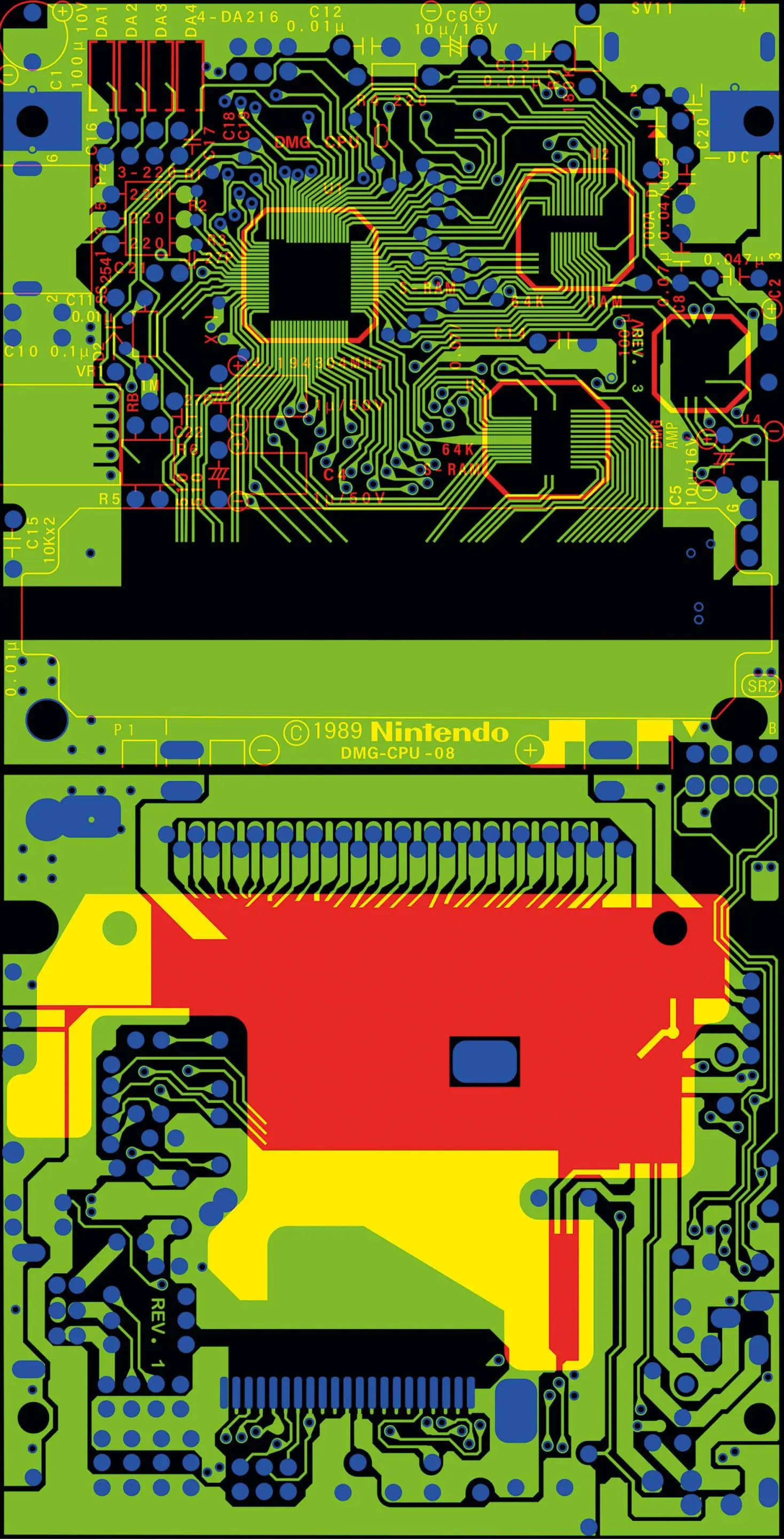
Since the textures, as mentioned above, have a major impact on the resources of the project, the various layers of the Illustrator file were written into the individual RGB channels of a TIFF file using Photoshop. This resulted in the lowest possible information density. In addition to each RGB bitmap of a circuit board, a displacement map was also created in order to reproduce the small height differences of the surface in detail, even with close-up settings. This meant that the tracks and contacts had slight elevations, and the somewhat bulging circuit boards of the buttons and the control pad could also be raised slightly.
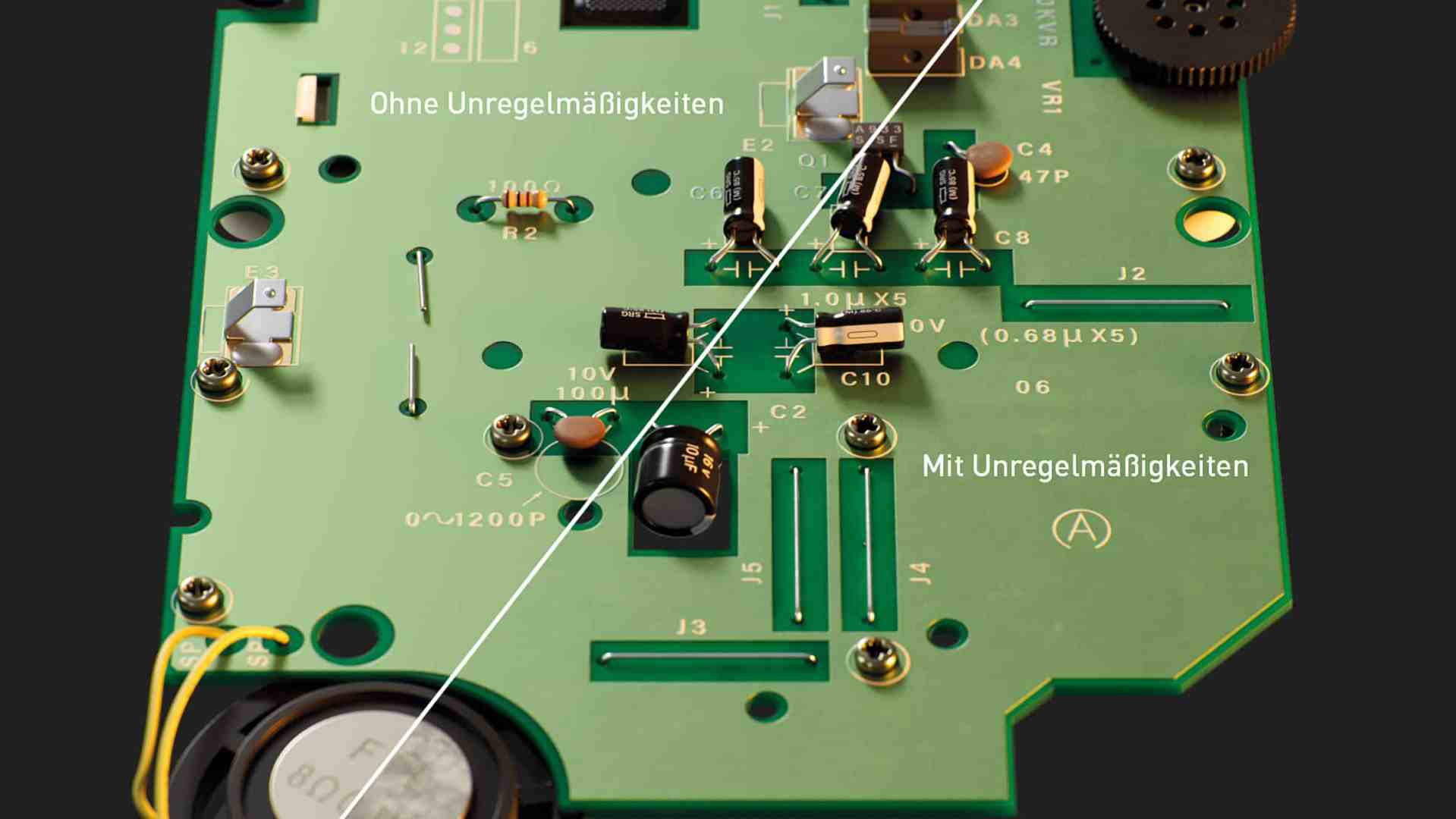
Octane used the layered material for shading the boards, which, as the name suggests, allows different shaders to be layered on top of each other. As previously defined in the Illustrator layers, the different shaders were now created to correspond to the material properties of the different board layers.
- Subsurface scattering based base material
- Metallic trace material covered with a green dielectric layer
- Gold metal for the contact points and open conductors
- White dielectric material for the imprints

As with all other materials, a great deal of variance, such as irregularities due to dirt and scratch maps, was incorporated into the shaders of the circuit boards. Alongside the physical structure of the materials, these small but subtle details are responsible for a large part of the realism in a scene. Their task is to add imperfections to the perfect, clinically pure rendering and thus bring it more in line with our dirty reality.
Other maps such as the chip labelling and display/printing details of the Gameboy cover were also created in Illustrator and converted into bitmaps using Photoshop. The big advantage of vector-based texture handling is that it is not subject to any resolution limitations. So you can simply export a 16K map if you need to.

Thanks to the efficient instantiation during modelling / layout and the clever approach of separating texture data into RGB channels, the Gameboy asset with its approx. 1,200 components has a C4D file size of 17.8 Mbytes. The texture folder contains around 60 maps. Thanks to the procedural nature and triplanar mapping, the same dirt and scratch maps could be used again and again in the approx. 115 different materials in a resource-saving manner.
Still
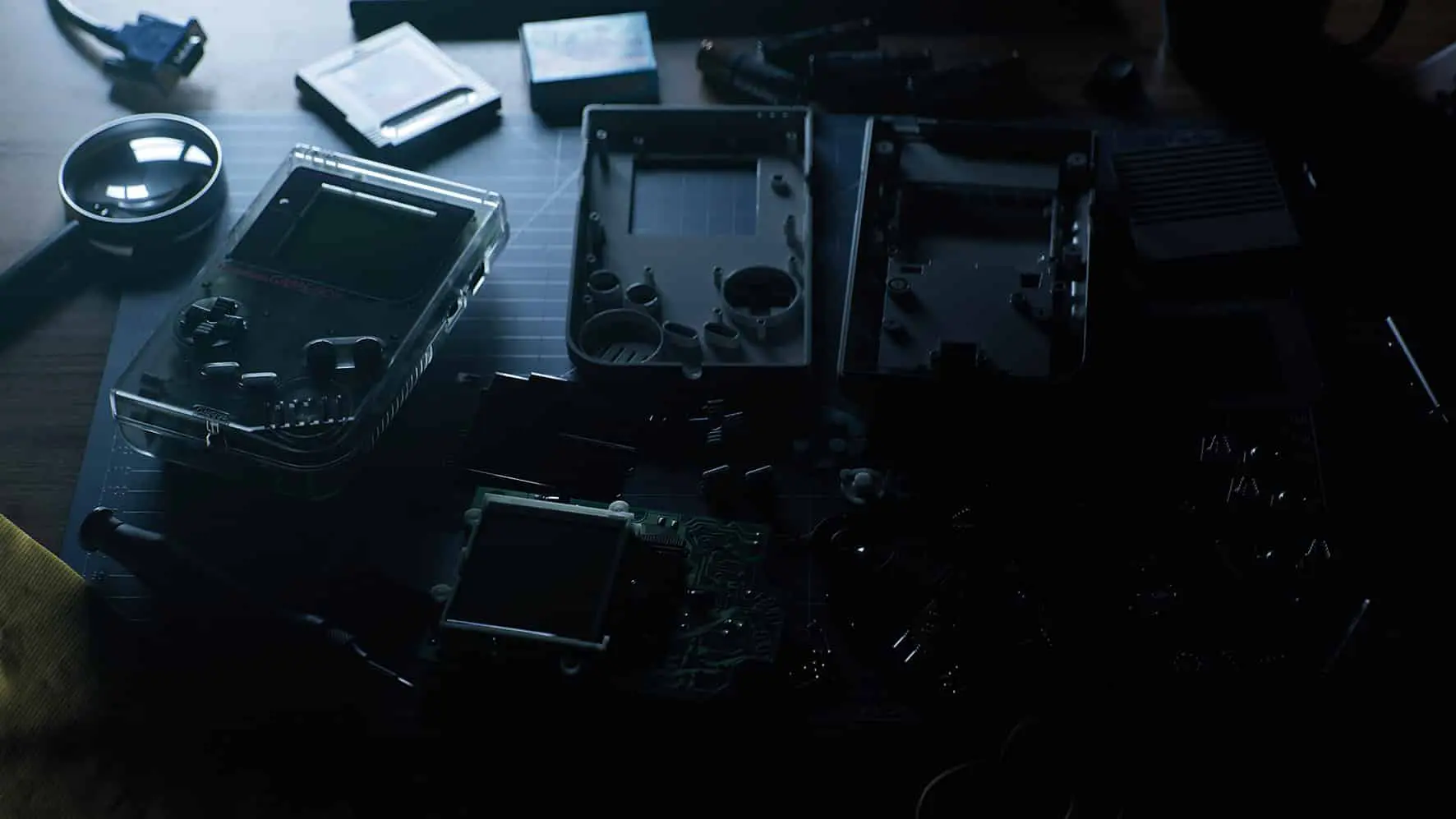
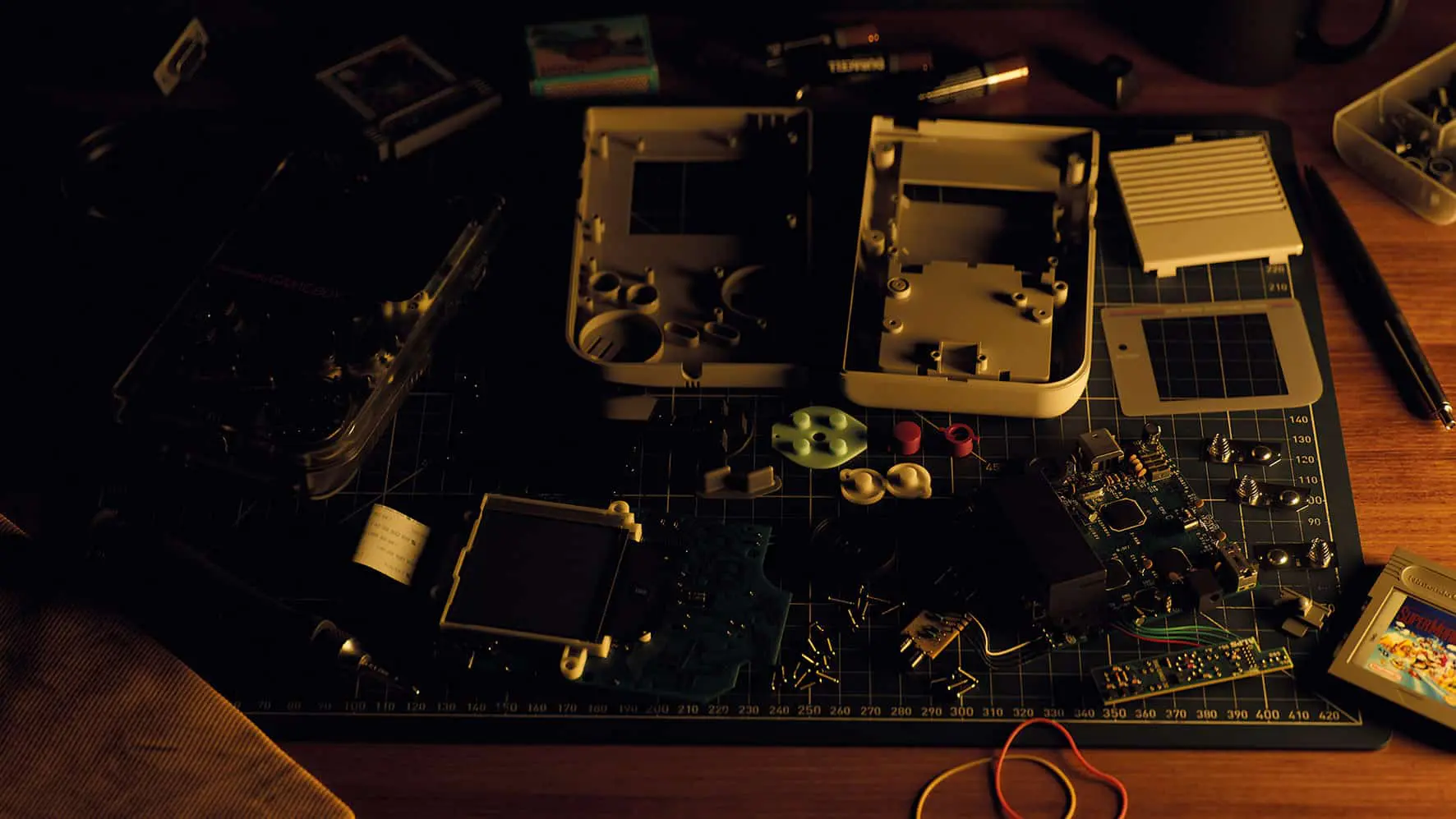
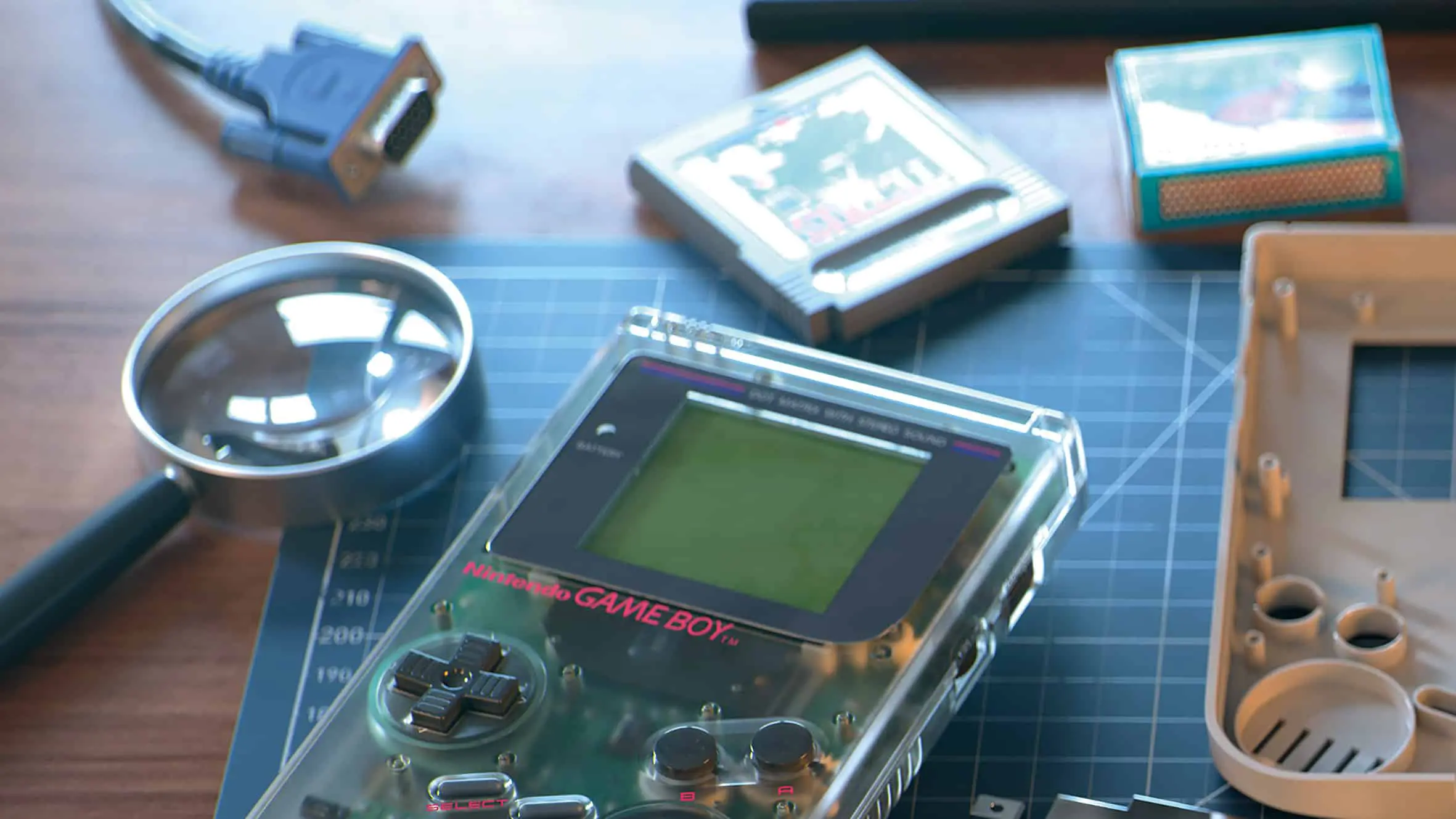
Realism took centre stage for the still. The intention was to make the scene look like a photo of a retro hobbyist’s workplace. In the end, this was probably too successful, as the majority of the audience probably did not recognise the still image post as CGI, which was reflected in a much lower response – in contrast to the animation that followed later.
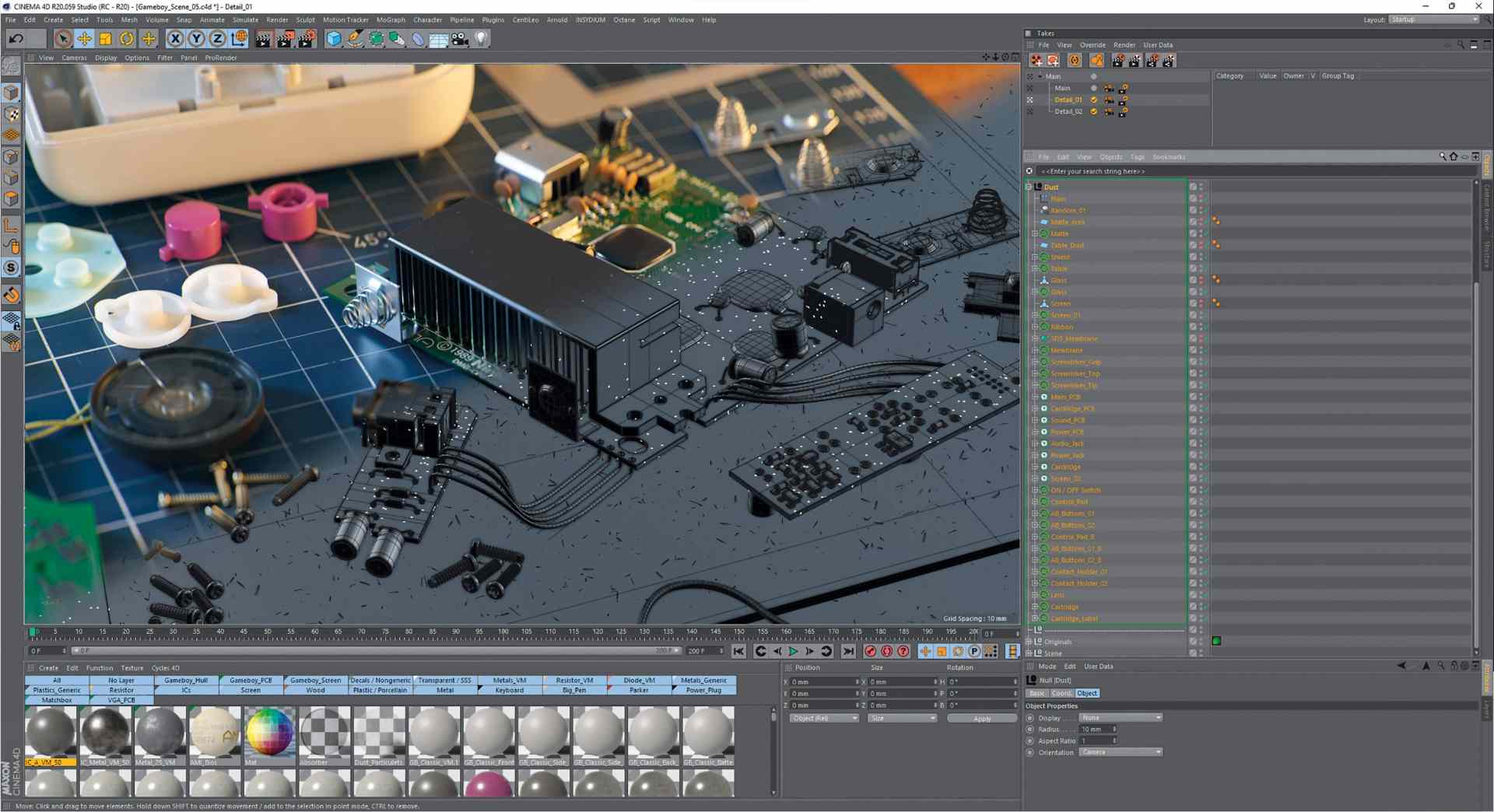
The additional objects in the still were both stolen from older works and newly created. The modelling and texturing of the game cartridge, for example, was done in the same way as the processing of the case. After digitally laying out the Gameboy components on the virtual cutting mat, small dust particles were distributed on the surfaces of the objects using Mograph Cloner, as in many earlier works, which further enhanced the realism of the final renderings.

Still lighting: less is more
The interior HDRI set from Maxime Roz was used to light the still scene(maximeroz.com/hdri). Since, as mentioned, the focus was on realism and not a studio look, only two other light sources were used in addition to the HDRI: one with a bluish light at the top left to simulate a window, and another from the front right to mimic a table lamp.

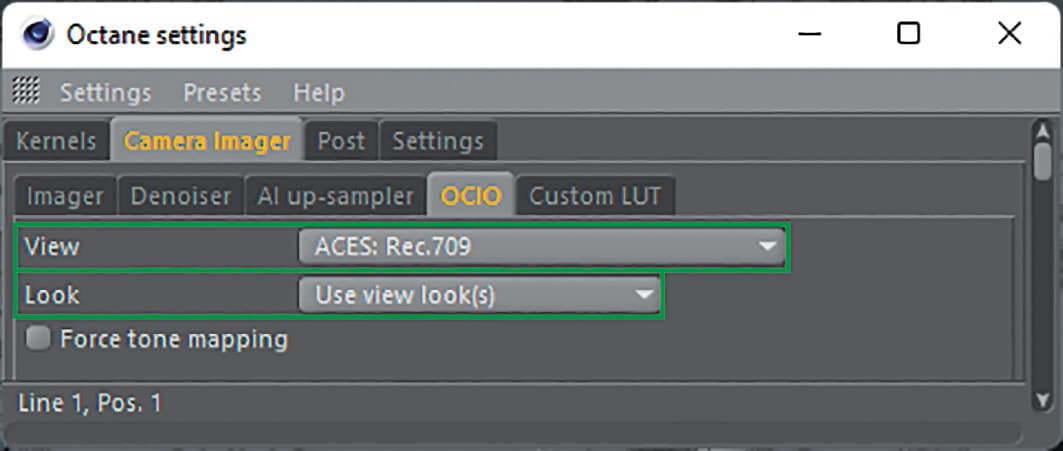
Before lighting, Octane was switched to its new ACES mode in the menu. The larger (huge) working colour space of ACES allows a much more nuanced and realistic colour representation. The images converted back to sRGB / Rec.709 by the Viewing Lut correspond much more to what the human eye or an analogue film camera perceives: less overexposure, naturally strong but not oversaturated colours.
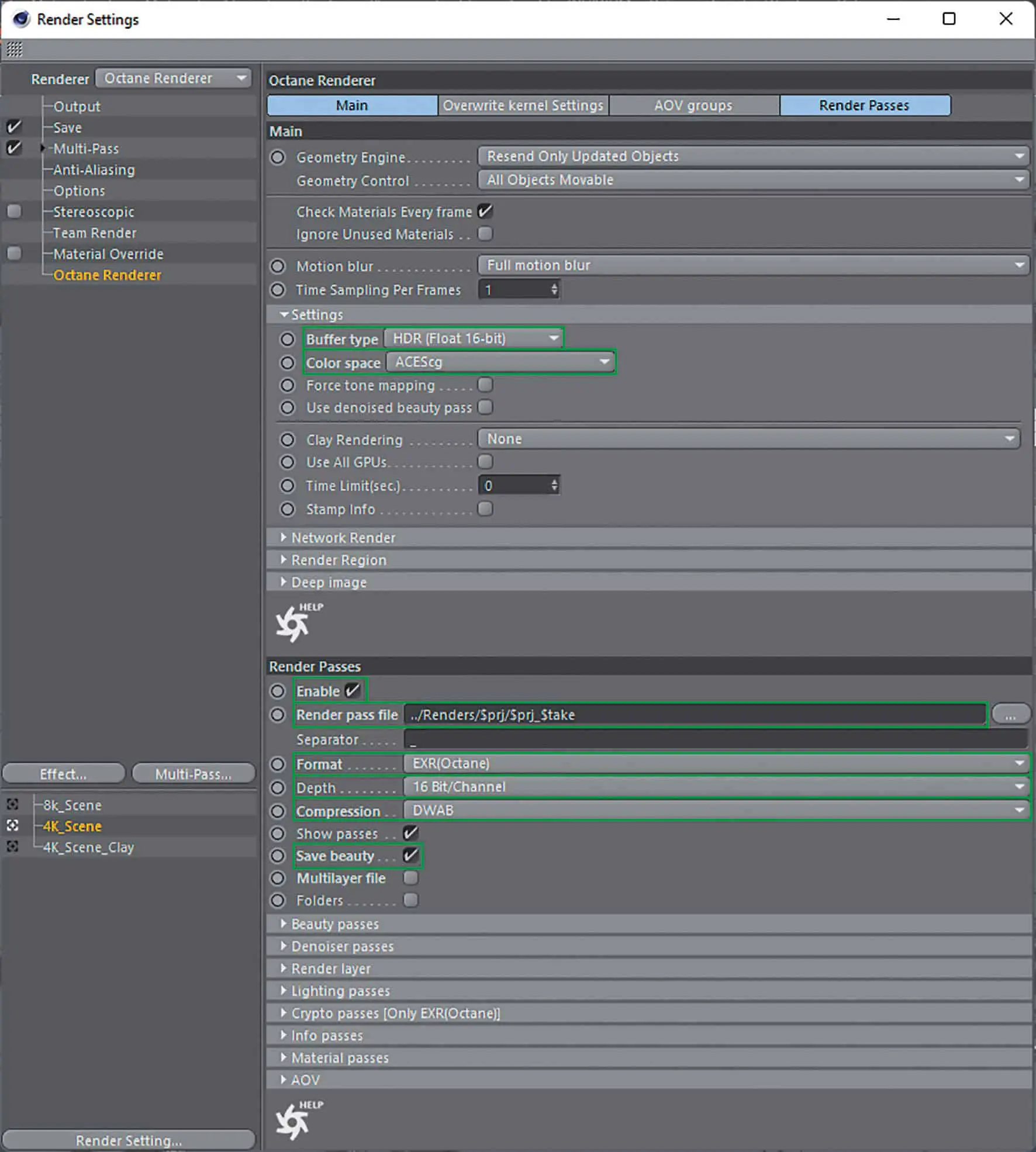
If you had to explain it in a few words, you could say: What 32 bit is for the contrast range, ACES is for the colour representation. This switch to ACES allowed for a completely different kind of lighting, as the new colour handling gave the scene a much wider contrast and colour range. Lights could radiate onto the scene with more intensity and saturation without outshining and oversaturating everything.
Rendering Still
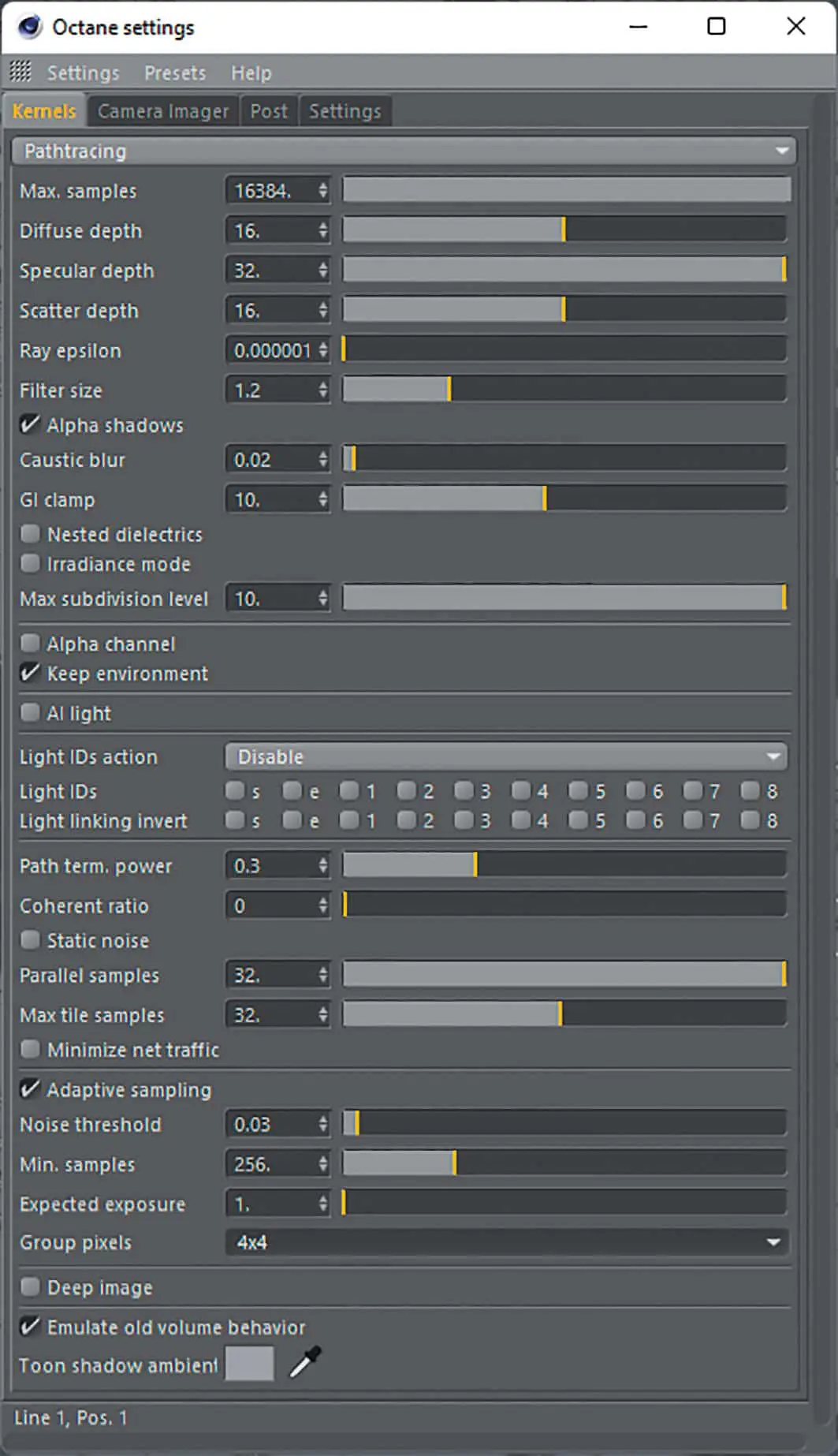
The in-house farm with nine GPUs was used for rendering. To ensure good quality prints, the image was rendered in 8,192 x 4,608 pixels. Thanks to the nature of octanes, no lengthy sampling settings for light and shaders are required. However, to be above reproach, 16K samples were used to render the still. For the best quality, the path tracing integrator was used with a higher ray depth of 32 specular and 16 diffuse bounces. Adaptive sampling comes into play in order to exclude areas of the rendering that are already free of noise from the active calculation and thus direct the computing power to the areas that are difficult to calculate.

Compositing: A few corrections with a lot of Open Colour IO for ACES
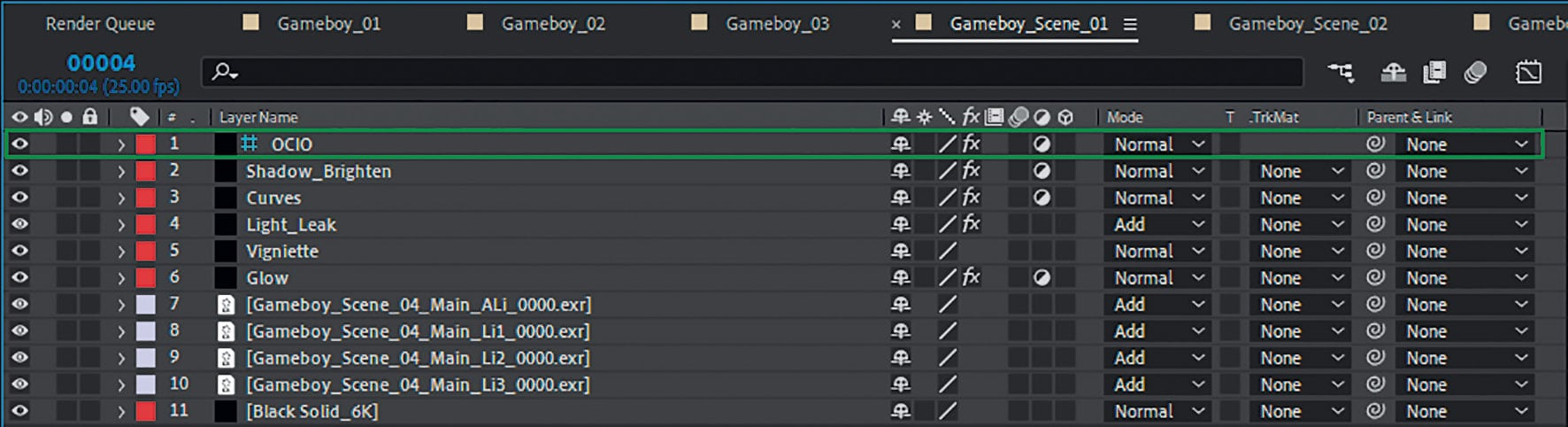
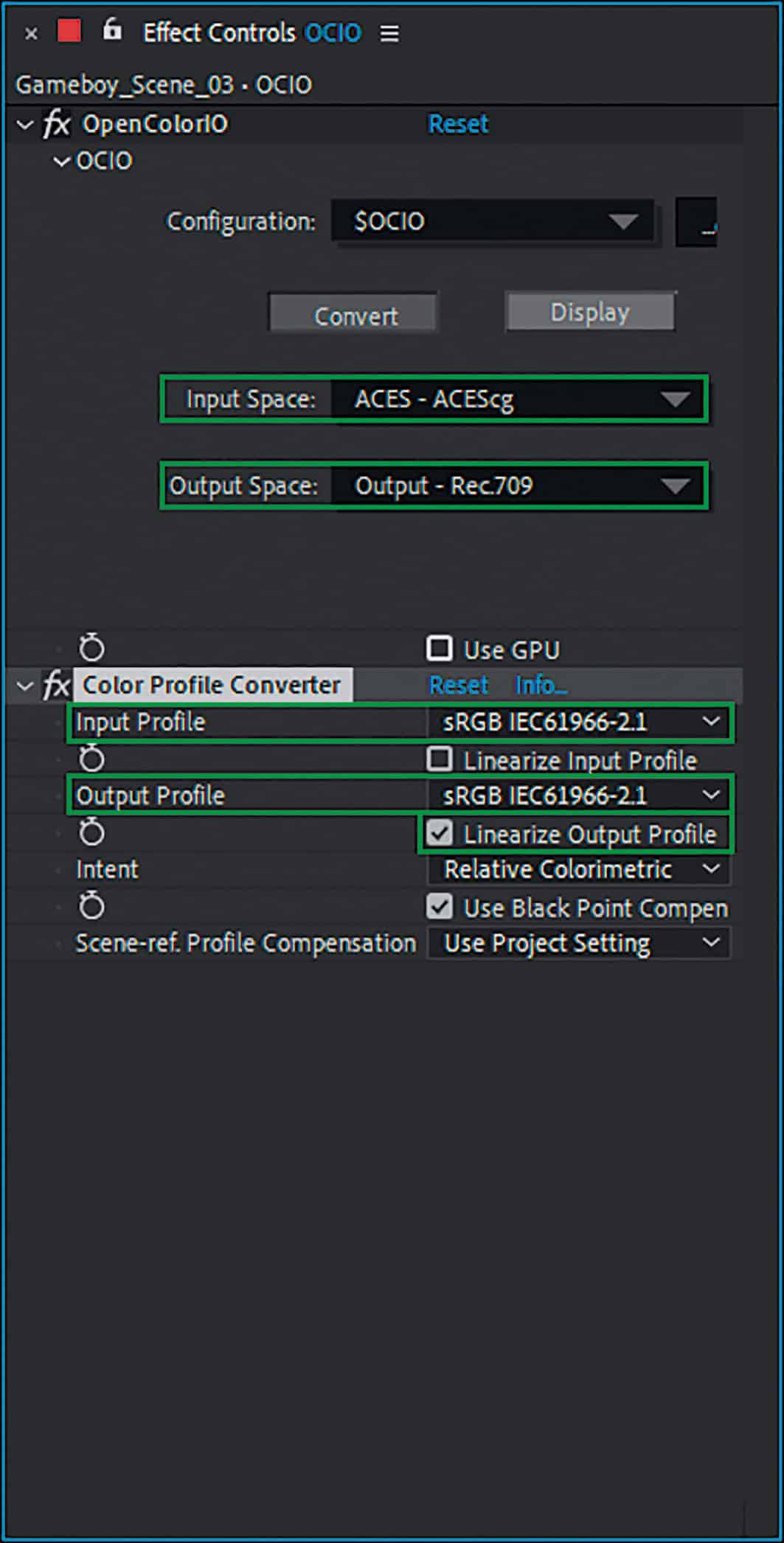
In order to take full advantage of 32 bit and ACES, the stills in After Effects were also composited in 32 bit. A practice that has long since become the standard here. To make After Effects compatible with ACES, the OpenColorIO plug-in, which is available for free download from the fnordware.com blog, was installed. The workflow consisted of creating an adjustment layer with the plug-in in the top level of the After Effects composition, linking the ACES profile, which you have to download separately, and then converting ACEScg to the sRGB / Rec. 709 screen profile.
At this point there was a slight misunderstanding between the plug-in and After Effects, as After Effects works in 32 bit and expects a linear output. However, the OCIO plug-in outputs the gamma-corrected Rec. 709 (as set). To linearise the output again, a colour space converter helped by converting from sRGB to sRGB and converting the result linearly by ticking the box. As Rec. 709 and sRGB are the same colour spaces, you get the same result with the sRGB setting. Only the tone mapping from ACES to Rec. 709 is slightly brighter in the lows and mids than the mapping to sRGB and was therefore selected for the project. This gave the same result as in the Octane Live Viewer with the ACES Rec. 709 setting.
In order to simulate a view output, it makes sense to define the above-mentioned adjustment layer as a guide layer except for the last output Comp, as otherwise the colour conversion will take place in each sub-composition, which of course will not produce the correct colours due to the multiple conversion. This ensures that you have the correct conversion from ACES to Rec. 709 in each sub-composition and therefore see the right thing, but do not shift it too early into the wrong colour space through subsequent steps. The compositing was carried out in a three-stage process, which was divided into different comp levels.
Level 1: Import, compositing of the
Layers, glow, colour correction
Level 2: Chromatic aberration, lens effects
Level 3: Fine-tuning of colours, contrast and conversion from ACES to Rec. 709
In the first step, all passes were loaded. As these were the light passes of the three light sources, they were simply added together and their strength adjusted using the exposure correction effect. In the next steps, Red Giant Optical Glow was used to create a realistic overexposure effect in very bright areas and the good old curve filter for slight corrections in the colouring and contrast. As the ACES Rec. 709 tone mapping tends to blur the shadows, these were brightened again with an extra gradation curve.
For the next step, the previous steps were summarised in a new composition. The chromatic aberration of a photo lens is best simulated by splitting the colour channels of an image into their RGB components and then upscaling these minimally by different factors. To achieve the splitting into the individual RGB channels, the main composition was duplicated twice so that three layers of the same sub-composition were present in the composition.

Now the “Offset channels” effect came into play, which was set so that only the red channel was used in the first layer, only the green channel in the second layer and only the blue channel in the bottom layer. After adding the layers, the colours could be separated by scaling them differently. The great thing about this way of working is that you retain a clean representation of the content in the centre of the image, while the colours diverge more and more towards the edges depending on the strength of the different scaling. This result exactly mirrors the behaviour of lenses, which usually produce a perfect image in the centre but, due to their design, produce increasingly unclean images towards the edges.
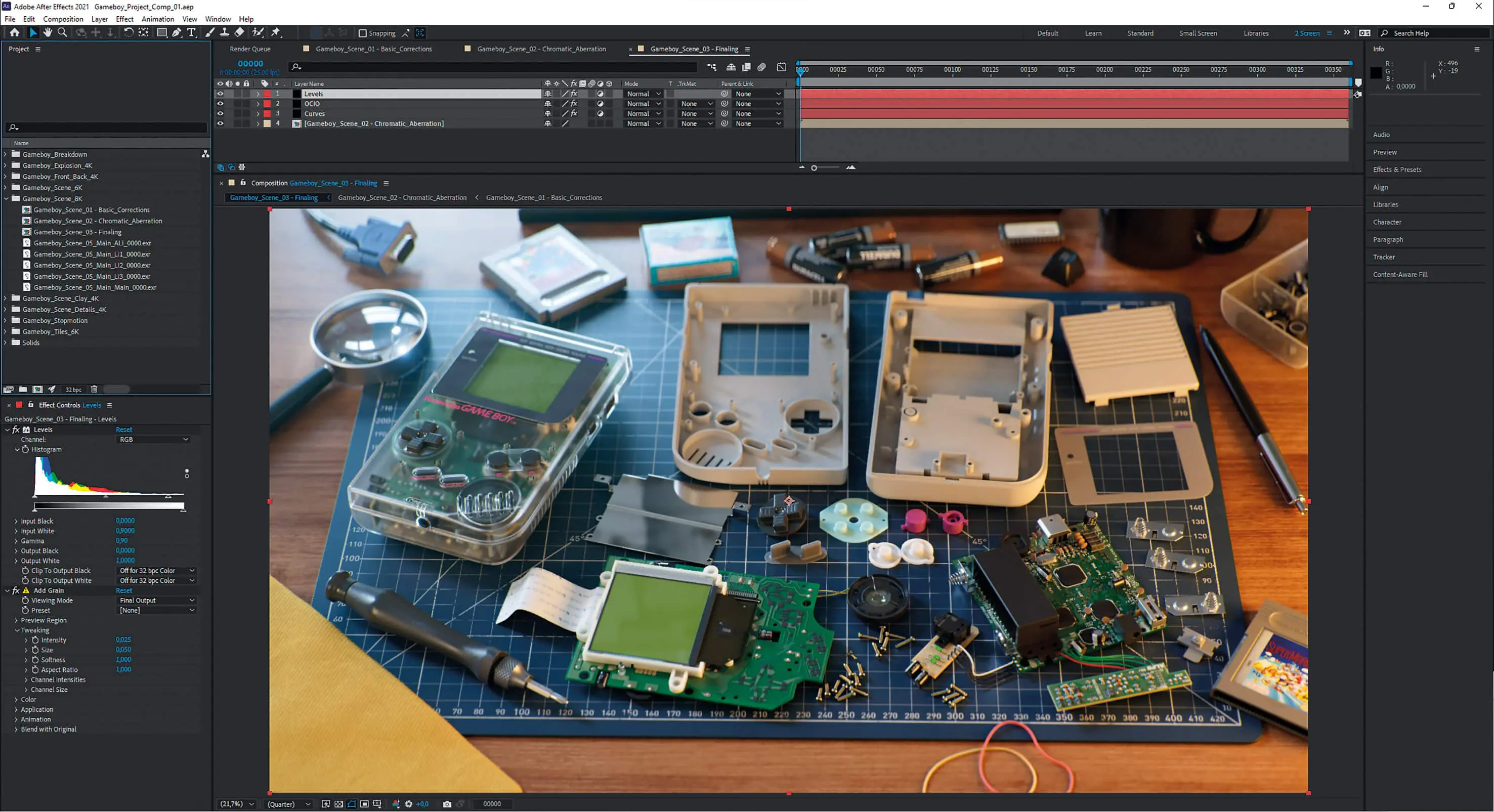
In the final step, the result was fine-tuned once again by adjusting both saturation and contrast. After the final conversion to sRGB using the OCIO adjustment layer, a fine grain was applied to the image in the last step and the white and black points were defined. This is very difficult to do before the conversion to sRGB, as this step involves complex tone mapping, which is the whole reason for this rather complex ACES workflow.
This type of compositing was repeated in a very similar way for all the images created for the project, of course with small modifications to all the settings in order to get the best out of the renderings.
Animation: Preparation and a little rigging
Once the stills had been finalised, it was straight on to the planned animation, which was to be prepared in the style of a commercial. It was clear early on that the animation should be a one-shot without editing, in which the camera circles around the product and takes a closer look at various details. In a short concept phase, the planned animations were written down in keywords. With a little imagination, it was possible to visualise the animation in the head using the keyword list and, if necessary, make changes to the sequence without much effort. A mental previs, so to speak.
After that, it was straight on to scene construction and rigging. To make the timing of the animations easier later on, some elements of the Gameboy were rigged so that the animation could be completed with fewer clicks. For example, all cable harnesses were soldered to their respective boards using Xpresso circuits so that they moved realistically when the boards were moved independently of each other.

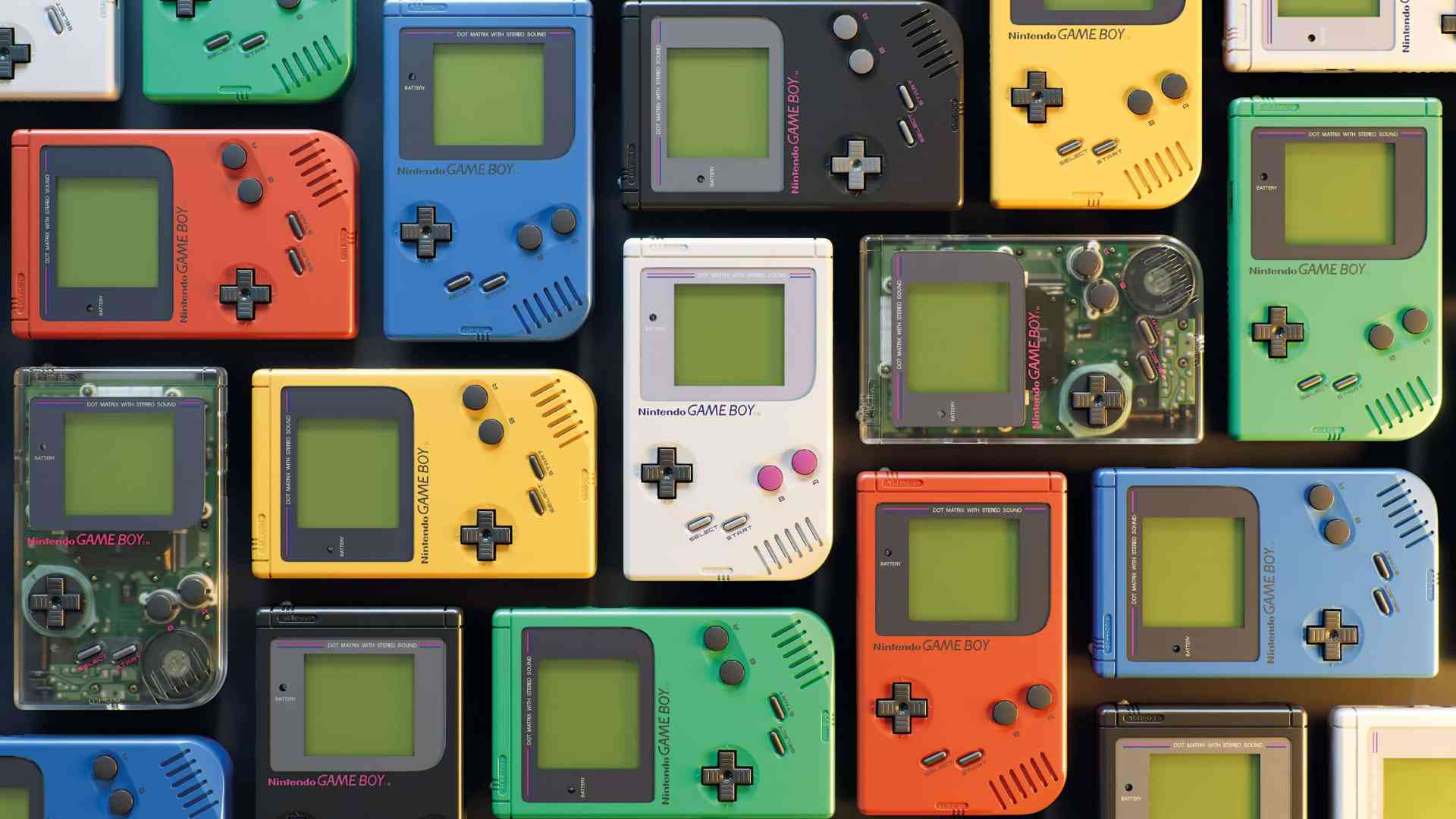
User data was also created that allowed the Gameboy to switch between the Classic colour scheme (white with pink buttons) and Clear, to operate the On/Off switch, which also caused the control LED to switch on, and to change the instance IDs of the coloured shell parts. The latter was established in order to be able to switch between the different colour versions of the Gameboy. Using a shader circuit, it would have been possible to change the asset between the Classic, Red, Black, Green, Yellow and Blue colour schemes with the instance IDs from 0 to 5. In addition to the colour scheme of the cover, this shader circuit also takes into account other details such as the screen frame, labelling and buttons, which are different for the various versions. However, the idea of switching between the different colours during the animation was discarded in the animation phase because it already captivated the viewer with enough other details, and in the end was only used for the packshot.
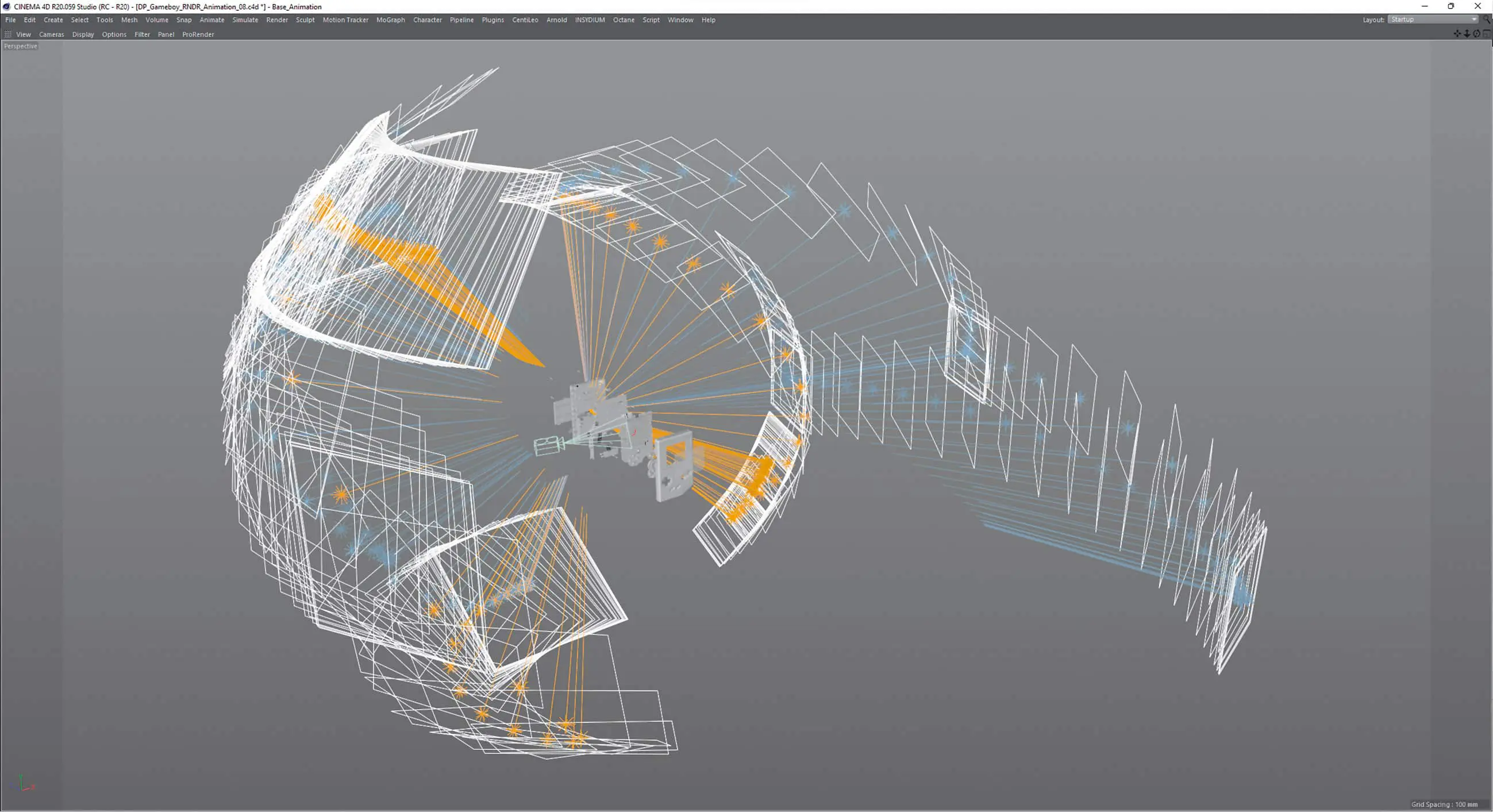
In order to create beautiful concentric movement curves for the camera, it was nested in two zero objects, with the first zero centred in the middle of the Gameboy. A second null, in which the camera was zeroed out, was used to ensure more complex rotations without getting into a gimble lock. The dynamic animations of the project were created from the rotational movement of this first zero in relation to the distance animation of the second zero and camera.

Animation: Camera keyframes
The animation was started with a rough-pass setting of keyframes according to the previously defined keyword list. In the animation, apart from the explosion, the camera moves almost exclusively. This was particularly useful because motion blur of the camera is easier to calculate in most renderers. As the rendering of motion blur of complex objects such as our Gameboy asset often leads to rendering errors such as incorrectly calculated blur, this can be avoided.
After the first rough animation, the timing was first adjusted to get the right mix between quick position changes and overview shots. This result was passed on to the composer Lukas Guziel(soundcloud.com/lukas-guziel) as a hardware rendering (Playblast) to create an audio composition, as the timing was fixed from this point on. Then it was time for fine-tuning, in which the tangents of almost all keyframes were touched in order to precisely define the acceleration and deceleration behaviour of the individual movements. Last but not least, the focus and aperture of the camera were animated to give the image aesthetics the right amount of sharpness and bokeh.

Animation: Light
For the lighting, the setup of the still with HDRI, cold and warm light source was largely adopted, as the cold-warm contrast had worked well there. However, as this was a camera that shows the object from many sides, the light could not remain static. So, similar to the camera, the area lights were placed in null objects, which were placed in the centre of the Gameboy to allow easy rotation around the Gameboy.
With the help of the fast preview rendering in the Live Viewer, rotations and positions for HDRI and light sources were found for each slower passage that provided beautiful lighting. The light sources were then keyframed so that they could change position during the fast passages of the camera without the viewer noticing. Sometimes this transition proved to be problematic because it could happen that a light source flashed in front of the camera during the change and thus created unsightly reflections.
This could be partially remedied by setting new keyframes. However, there were still two places where this was not possible. However, as nothing had changed in the post-workflow and the animation was also planned with individual light source passes, it was decided to compensate for any image crossings by temporarily fading out the respective light pass.
Animation: Nintendo logo
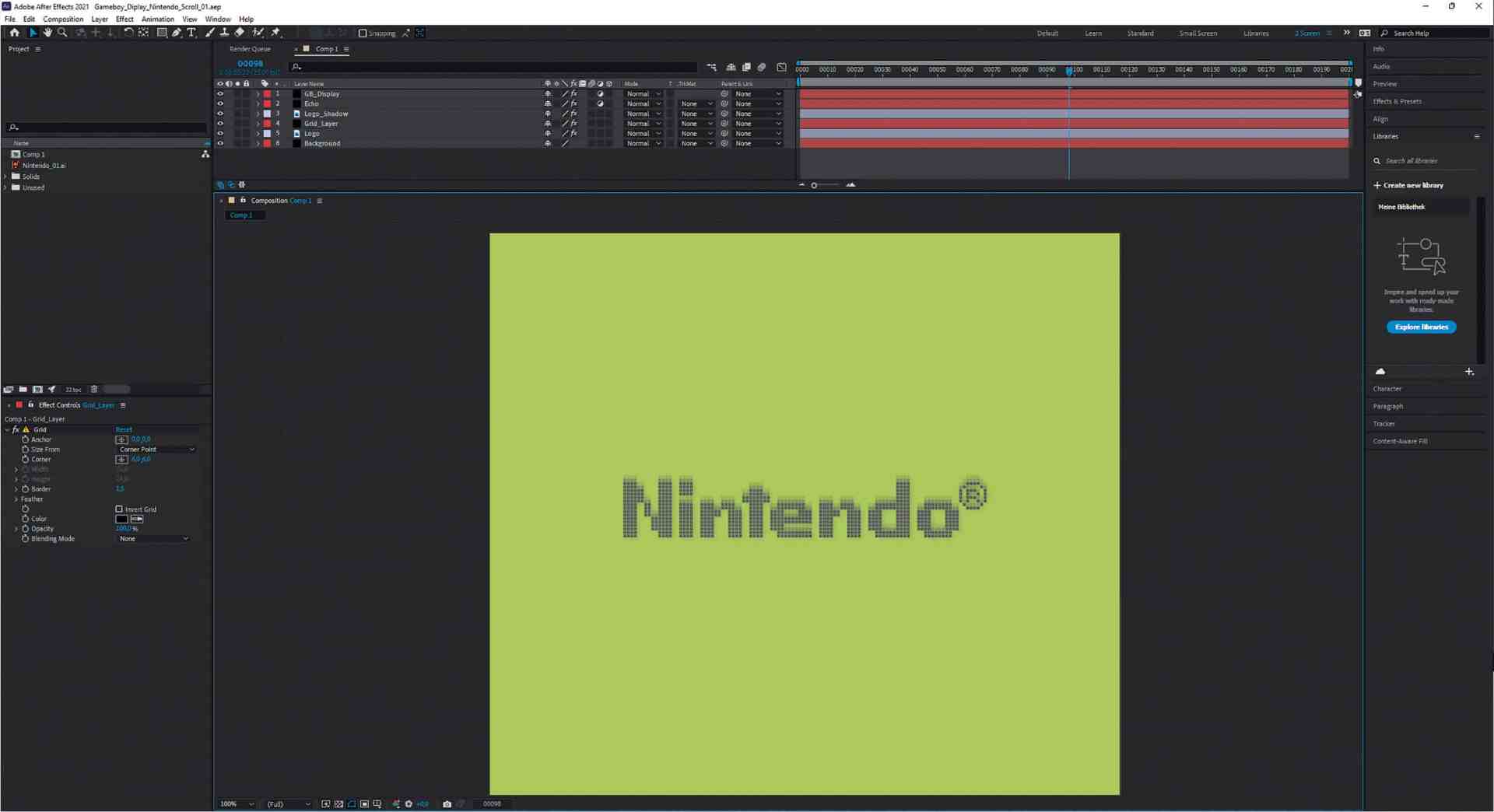
Shortly before the pack shot, a position was planned in which the Nintendo logo scrolls down from the top, as is usual when switching on the Gameboy, and then stops with the iconic “bling”.
The logo was to be transferred to the monochrome pixel matrix of the Gameboy screen as realistically as possible. The smartphone’s super slow motion function shed some light on this. This made it possible to determine the refresh rate of the display (60 Hz) and the approximate pixel response time from the video.
Together with a logo exactly replicated in Illustrator Pixel, an animation was created in After Effects that very accurately reflects this nostalgic experience. The resulting image sequence was then linked into the Octane material’s display shader to appear on screen at the correct time.
Animation: Rendering
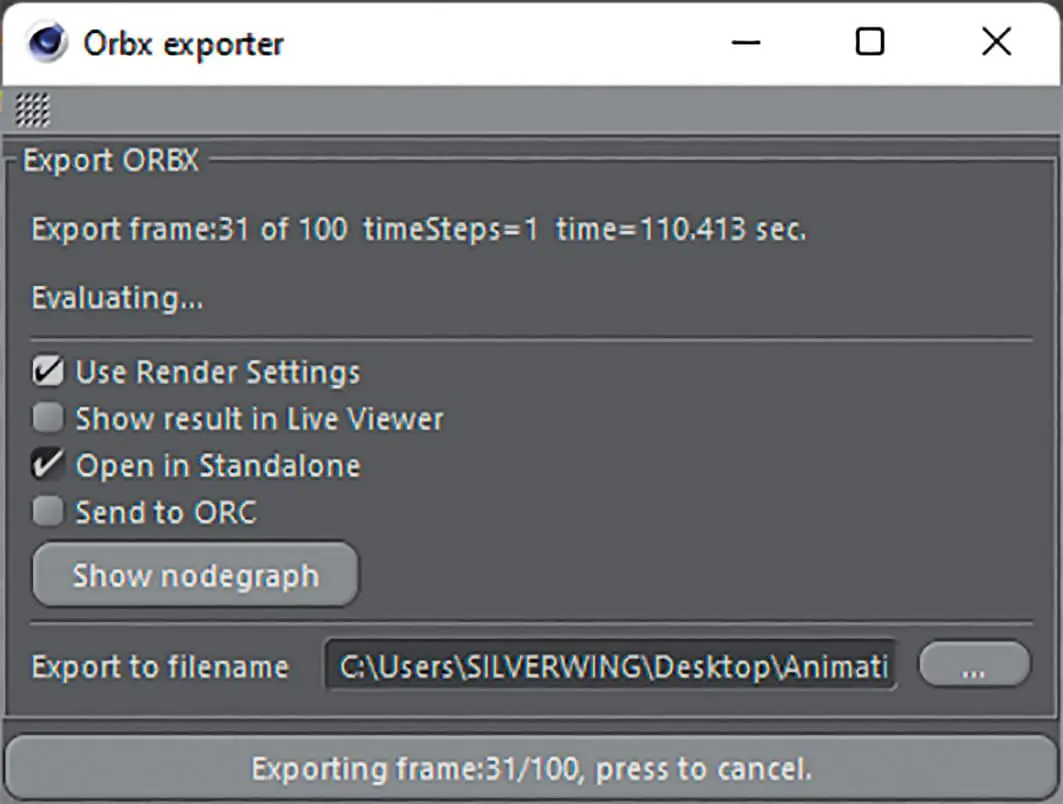
As the rendering was kindly sponsored by RNDR, the cloud render farm operated by Otoy, it was possible to render in 4K despite the sometimes long render times (90 min / frame on two RTX 3090). Unfortunately, the export to the ORBX format required for cloud rendering turned out to be more complex than expected, as this is still under development.
The first hurdle here was that the C4D ORBX exporter had quite long export times because it does not work as a background process in C4D and displays every step in the viewport. However, a remedy was quickly found: with a script from 3D colleague Dino Muhic (dinomuhic.com/orbx-commandline-export), which allows the export via command line and thus speeds it up more than tenfold.
However, this did not solve all the problems. For example, the frequent fading in and out of geometries put a strain on the exporter and there were discrepancies between the rendering in C4D and the farm. Fortunately, this can be checked quite easily by opening the exported ORBX in the Octane standalone and rendering it there. This means you don’t have to wait for a farm rendering to know whether the export worked.
Unfortunately, the solution here was somewhat more complex, and after some testing it became clear that an individual export had to be created for each part of the animation between which an object was faded in or out. This resulted in some effort to divide the animation into 10 files, each of which then had to be exported.

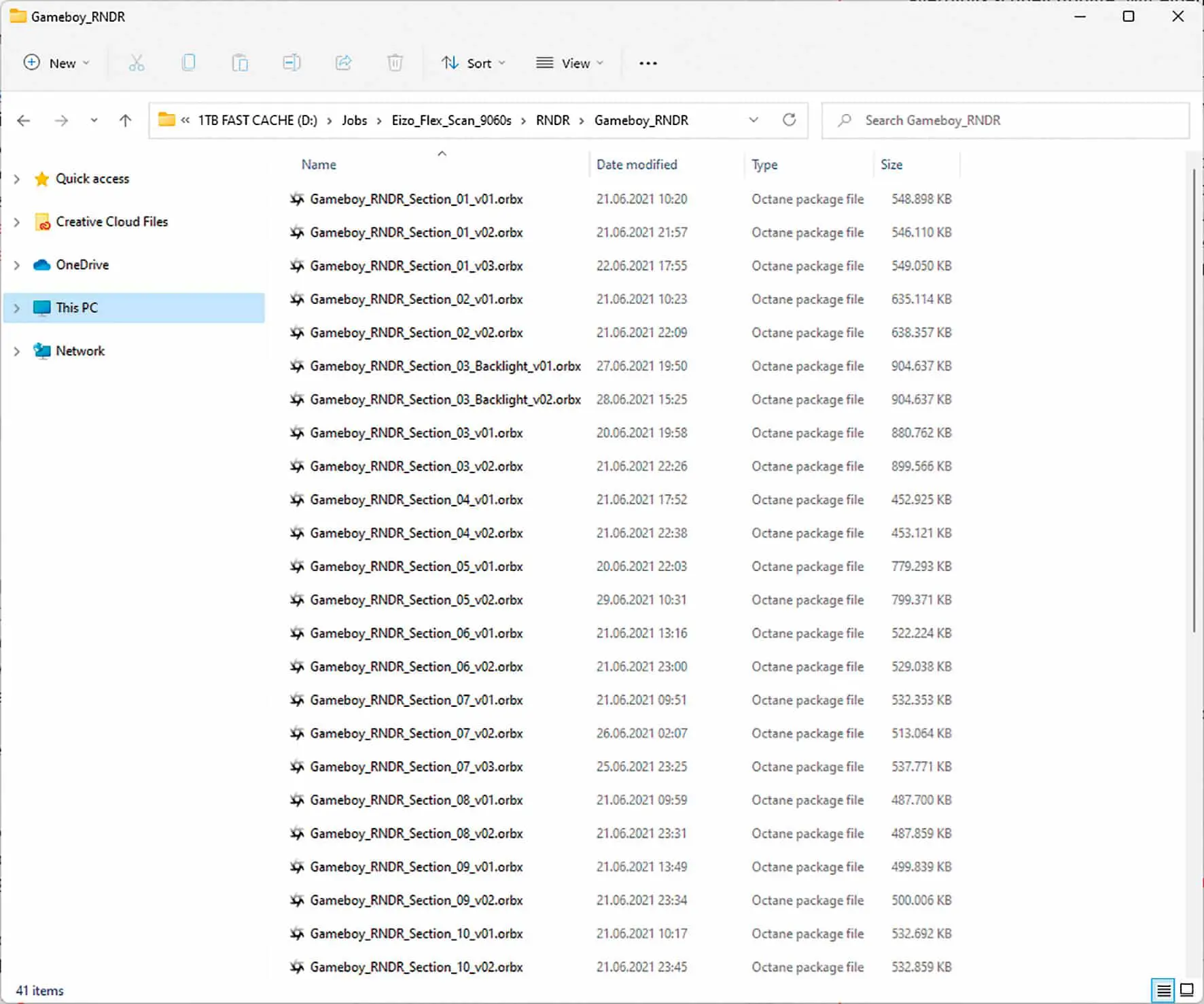
After this hurdle, everything went according to plan. The online rendering went quickly and smoothly, and hardly anything had to be re-rendered. Smaller parts of the animation were also rendered locally in order to keep the render farm running. Places where transitions such as from classic colours to clear take place were rendered overlapping and then blended in post.
To save resources when downloading and storing the approx. 7,500 image files on the hard drive, all ACES-EXRs were saved using DWAB compression. If a 4K 32-bit EXR file limited to one level with frequently used ZIP compression requires approx. 30 Mbytes of memory, the same file with DWAB compression (16-bit float) has only approx. 7.5 Mbytes with imperceptibly changed quality. This meant that the memory consumption of the rendered files could be reduced from an estimated 280 Gbyte to 72 Gbyte.
Animation: Compositing / Finalisation
Here too, almost the same comp workflow was used as for editing the stills. No wonder, because apart from the movement, nothing had changed in the workflow. The structure of the passes, which mainly contained the various light sources, was identical. Neat Video was used to eliminate any remaining slight noise from the sequences rendered with 8,192 SPP. Only to apply a global grain with the grain filter to the animation again at the end to make it look a little more cinematic and, above all, to reduce banding and block artefact formation on streaming platforms.
Last but not least, the animation was accompanied by the finished soundtrack by Lukas Guziel, which gave it even more life and presence, and exported to the final formats via the Media Encoder and uploaded to online platforms such as Vimeo and YouTube.
Conclusion: the fulfilment is in the detail
After almost one and a half months of work, the time had finally come and “Loveletter” could be published. Long hours and many days were spent creating this work. Overall, this resulted in a varied journey across many areas of the 3D landscape that had a lot to offer. The intensive approach to themes such as looking closely at shapes and materials refined my view. The release from a deadline led to trying out new things such as the ACES workflow and RNDR and to further training in many areas, which resulted in refined knowledge and an even better eye for the essentials.
One of the best things, however, is the overwhelming response that this project has generated far beyond the boundaries of the 3D community among PCB engineers, electronic hobbyists and, of course, retrogamers in particular. Many thanks for the attention! So the next project, the 80386 computer mentioned at the beginning, is already in the starting blocks to be realised.